Is My iPhone GSM or CDMA? Is There a Difference?

Is my iPhone GSM or CDMA? Many customers ask this question after their purchase but it’s important to understand basic difference between GSM technology and CDMA prior to buying your new smartphone model. The simple acronyms can affect your mobile experience as these are two different radio technologies.

We are here to answer your questions and explain what the difference is between GSM vs CDMA. Is it important? Sure, it is since CDMA iPhones don’t work with GSM carriers and vice versa. Let’s get into details.

Difference b/w GSM and CDMA

Once you understand all the information about both radio technologies you’ll know why it is important to pay attention to your new smartphone model. GSM stands for Global System for Mobiles while CDMA stands for Code Division Multiple Access. Both options serve the same goal. They transmit text, data and voice between mobile devices and both work wirelessly.
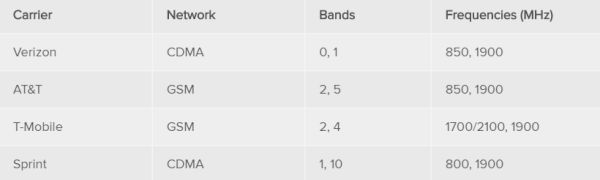
USA Mobile Network GSM CDMA details

GSM vs CDMA Comparison

It’s easier to understand if your current iPhone model GSM or CDMA by the carrier you are using. If you have AT&T or T-Mobile network in the USA you own GSM smartphone. If you are subscribed to Sprint or Verizon U.S. carrier your iPhone is CDMA one.

There are some other differences as well. Thus, CDMA networks might not allow you talking and sending SMS messages at the same time [learn how to fix no SIM iPhone problems] and GSM standard allows talking and surfing the web simultaneously. Still GSM companies also have their pros and cons.

Your GSM phone will work on any GSM carrier as long as you have it unlocked [learn how to SIM unlock iPhone T-Mobile or AT&T to use with other companies] and supports the carrier’s band.

GSM gadgets support SIM cards that store phone number and contacts. Unlocked users can easily switch SIMs or insert their original card into a different phone and use it. Locked customers have to factory unlock their smartphone before they can move to a different carrier.

Most CDMA companies rely on their server-based phone numbers instead of using SIM cards. They can control you a bit more than GSM networks. At the same time, in case the SIM is misplaced your service will still work. When you decide to switch companies you have to get your current and new network’s permission and approve.
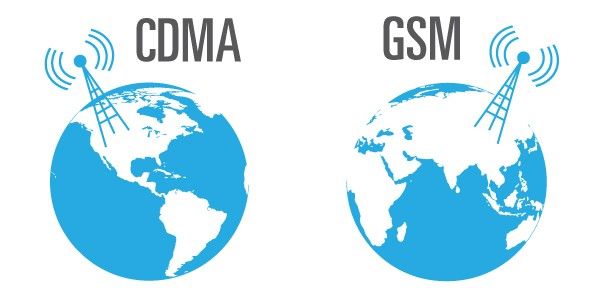
GSM vs CDMA iPhone

CDMA or GSM Which Is Better

Experts believe that CDMA technology is a better secured than GSM. It also has less number of dropped phone calls and slow downloads. At the same time its popular Evolution Data Optimized speed reaches up to 3.6Mbps while GSM carriers can in theory offer up to 42Mbps speed.

Different mobile operators use different bands (also called frequencies) for transmitting voice, text and data. Some companies do share bands still others don’t. Thus even if you have GSM device it might not work with a different GSM carrier if its band is not compatible or only partially compatible.

Many modern devices start to support LTE or Long-Term Evolution technology. It offers more advantages than older networks and many LTE-gadgets work amazingly well on any LTE band. This is better for customer who has many choices of what carrier to use and when to switch networks without having to ask for permission or buy a new phone model.

LTE is definitely quicker than both GSM and CDMA. This network is also more reliable and most world networks are using this standard nowadays.
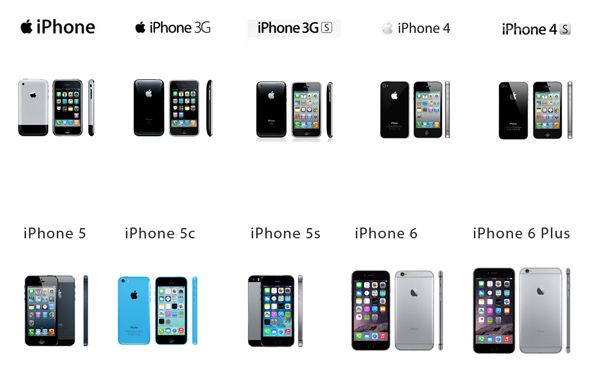
All iPhone Models GSM CDMA 6s 6 5s 4 5

How to Know iPhone GSM or CDMA

Not much difficult is here. You need to know your model in order to figure out which device you own or are planning to purchase. Since modern devices are mostly using LTE standard and can work with any carrier, older phone users are the ones who need to know all the details [we won’t mention the old original iPhone and 3G since it’s unlikely you will buy these second-hand ‘retro’ gadgets].

GSM only iPhone models list:

  • iPhone 5 model A1428
  • iPhone 4S model A1531 released for Chinese market years ago
  • iPhone 4 model A1332
  • iPhone 3GS model A1325 offered in Chinese market years ago
  • iPhone 3GS model A1303

CDMA only iPhone model:

  • iPhone 4 model A1349

Both iPhone GSM or CDMA devices:

  • iPhone 5 model A1429
  • iPhone 4S model A1387

You can find your particular model numbers through Settings – General – About – Network or Carrier.

You can find details about all new Apple smartphones on the company’s iPhone website. We’ll just note that iPhone 6 locked to AT&T, Verizon or T-Mobile cannot be used on Sprint network due to its special LTE bands. At the same time once you SIM unlock Sprint iPhone 6 you’ll be able to insert any SIM card including AT&T, T-Mobile and Verizon.
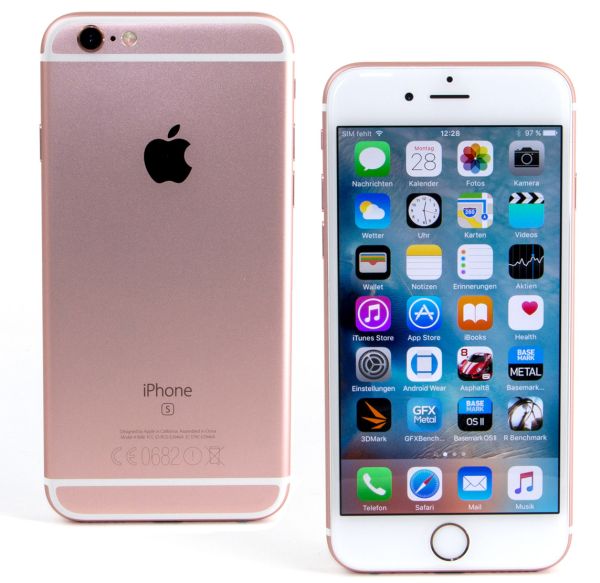
iPhone 6s Models CDMA or GSM

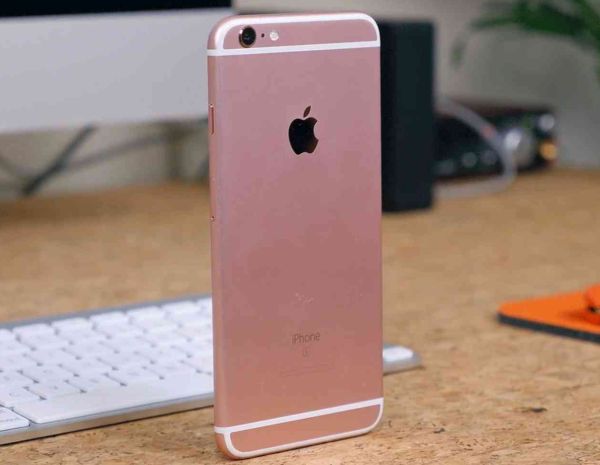
iPhone 6S GSM or CDMA

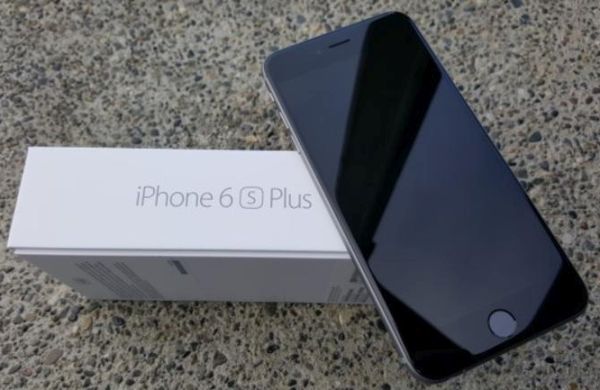
Both iPhone 6s and iPhone 6s Plus models support all LTE networks in the USA and globally. Nothing to worry about when you purchase one of these devices. Your iPhone 6s will support LTE for major American carriers (AT&T, T-Mobile, Verizon and Sprint) as well as hundreds of other networks both inside and outside the country.

iPhone SE GSM or CDMA

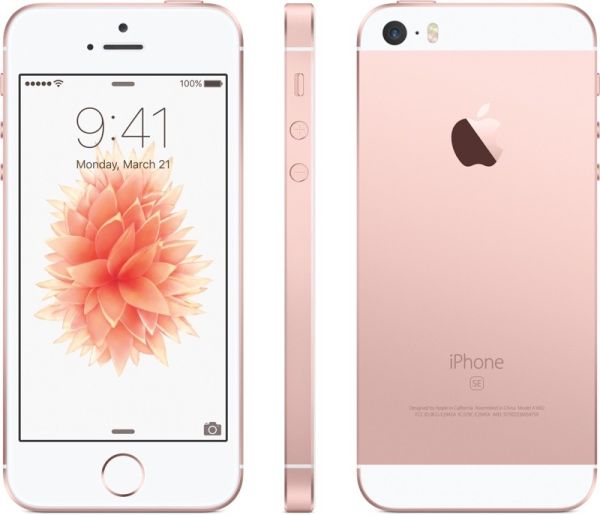
It’s curious that none of the two iPhone SE versions you can buy in the USA work on all 4 major local networks. For example, iPhone SE model A1662 will not work with Sprint U.S. carrier nor it will work with networks in Canada or Russia. This particular device supports AT&T, Verizon and T-Mobile. It happens because A1662 supports only some LTE bands with exception of Sprint band 41 and some other bands.

iPhone SE model A1723 works with Sprint and T-Mobile however it doesn’t work on Verizon and might have problems with AT&T.
iPhone SE CDMA or GSM

Experts say that if you live in the USA but travel to Europe you should choose older GSM phone or new LTE device. Latest generation ‘fruit’ handsets work with global LTE networks so you can buy iPhone 6s, 6s Plus, LTE and upcoming iPhone 7 without any worries.
Main Difference Between iPhone 3G, 4G and LTE Network

What iPhone should I get? Is there difference between 3G and 4G technology? Should you care for these terms when it comes to your cellular provider and phone model? There are questions new customers ask when they are getting acquainted with the new phone brand and mobile operators.

Everything depends on the country you live in or visit. For example, there are four biggest networks in the USA. They are different. T-Mobile promises various un-carrier deals, Sprint, Verizon and AT&T are constantly fighting for new subscribers. Thus, Verizon and AT&T keep saying they have the quickest or biggest 4G / LTE network. Why do such claims come?

3G vs 4G vs LTE iPhone Details

3G vs 4G vs LTE

When you are getting a new phone you are mostly forced to choose your data plan that promises unlimited text, talks and some amount of data per month. You can surely use WiFi but sometimes you need cellular connection to communicate with your friends and family. You know, surfing the web, sending emails, using Maps application etc.

When it comes to data you can hear LTE, 3G or 4G. These are main technology terms that refer to its generation. For example, there is iPhone 3 and iPhone 5. They are both devices created by Apple but different generation smartphones. iPhone 5 is improved and brings higher speed and other awesome features that make it different from the older iPhone 3. Similar comparison can be used to describe network technology.

What Is 4G vs 3G vs LTE

You can guess that 3G stands for third gen network. It is the oldest one in the group we are talking about. Similar 4G stands for fourth generation network [sometimes it is called HSPA]. Pretty simple, right? LTE is newer generation that is explained as Long Term Evolution.

The three generations offer different speeds. Also older smartphones might only support older networks. For example, the iPhone 3 will not work with 4G network etc. When it comes to selecting your phone model you have to understand what network you are planning to use. This is how you could select the best handset that is fast and speedy.

3G vs 4G vs LTE Comparison Speeds iPhone

Whats The Difference Between 3G and LTE

You have already guessed that speed is what makes networks different. Before you choose your new phone you might like to visit Apple page that compares all existing iPhones.

Thus iPhone 4 can only work with 3G networks. When you look at iPhone 4s you can see main difference b/w 3g and 4g as this particular device supports 4G networks while iPhone 4 cannot work with 4G or LTE. At the same time iPhone 5 and newer models support LTE technology.

3G vs 4G Technology

3G vs 4G Technology

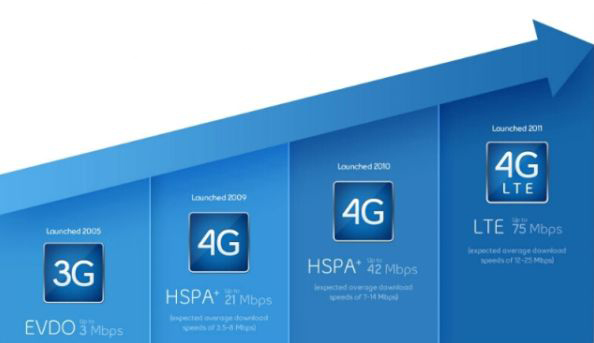
Before 3G technology was introduced users could only enjoy 2G EDGE technology. It was too slow. It took foreer for all the content and data to load. Then 3G network was introduced and major carriers started offering higher speeds for both CDMA [Sprint and Verizon in the USA] and GSM devices [supported by AT&T and T-Mobile companies].

Different iPhone Models 3G 4G LTE

Speed Difference Between 3G and 4G

4G arrived after 3G and this network is quicker. Many modern cellular operators are still building out their 4G networks in different countries across the world. We should note that 4G can mean both 4G alone and 4G LTE. Thus some people think that 4G and LTE is the same technology. Still when you hear about 4G network on its own don’t think that your network also guarantees greater LTE coverate because companies haven’t finished building out their networks. Most time pure 4G means HSPA or High Speed Packet Access that is faster than 3G but not as quick as LTE. When choosing between LTE, 3G or 4G you should definitely go for faster networks because modern world users more data than several years ago when it was enough to have 3G speeds.

Real LTE speeds can be 10 times quicker than 3G speeds. But everything depends on your carrier and the strength of the signal. In reality the difference is not this huge but it is still better to choose LTE over 3G.

When you are planning to buy the new handset you should pay attention to your network speed. You should also answer the question ‘Does 4G use less data than LTE’ and ‘Does LTE use more battery than 4G technology’ since this can affect your future experience. It is best if you are able to test your phone with the network. In theory LTE is the quickest mobile data network available today still 4G can also work good for you. Everything depends on your needs.

iPhone 6s SIM Lock Can Be Permanently Disabled for Any UK Carrier

What’s SIM Lock on iPhone 6s, SE, 6

There are many mobile operators across the world. Many of them including UK companies prefer restricting subscribers from switching to a different network. The restriction is set in the software and makes your phone ‘locked’ to a single carrier. Since most gadgets that get such a restriction are GSM devices that are using SIMs – comes the term ‘network lock’ or ‘SIM lock’.

There is the difference between ‘locked phone’ and ‘SIM lock’. You should understand it.

iPhone SIM PIN Settings

How to Disable SIM Lock on iPhone: Simple Guide

Step 1. This is extremely simple since you can lock and unlock your SIM card whenever you want. Just keep in mind that this will result in no signal since you will lock the cellular connection of the network you are using.

Step 2. Take the handset and click on Settings.

Step 3. Choose Phone – SIM PIN option.

Step 4. Disable the SIM PIN and you will have no connection.

Step 5. When you wish to enable the option you’ll have to enter your SIM PIN code and press on Done by repeating the same steps as described above.

How to Unlock iPhone UK SIM IMEI O2 Vodafone Three

iPhone Network Lock Check Service

If you tried to switch SIMs but haven’t succeeded to get the signal you should double check the two things. You can find out ‘Is my iPhone unlocked or not?’ by choosing the affordable network IMEI checker and you make sure that there is not SIM PIN lock on your device. This second problem can really prevent your gadget from connecting to the network. If SIM PIN is enabled but there is still no cellular connection – you have to answer the question whether your device is locked to one carrier or not.

If it is unlocked you are able to insert SIMs from any GSM carrier and save on data plans. If you are still locked it is possible to remove SIM lock using your original network or third-party services. We’ll explain how you can do this for major UK networks including Vodafone, EE, O2, T-Mobile, Orange and Three.

Let’s note that most recent models purchased in 2016 are already SIM unlocked. But there are still some devices that arrive only with limit to using it with one mobile operator. Anyways, the guides below work for all Apple handsets including iPhone 6s, SE, 6, 5s and others.

iPhone Vodafone UK SIM Unlock

How to Unlock iPhone 6 Vodafone UK

The first thing you should do is contact Vodafone and figure out if it is possible to get free unlocking service directly from this company. If you have an account with this network (in a good standing of course) you can use the special online form offered by Vodafone to get the details. It usually takes from 2 to 10 days to get the answer.

If you didn’t have Vodafone plan for over a year the service would cost you £19.99.

iPhone 6 Three UK Unlock

This operator stopped ‘locking’ iPhones since the beginning of 2014. If your model was purchased later than this, all you have to do to SIM unlock it is activate. This can be done through WiFi connection or when you open iTunes program on PC or Mac.
If your iPhone was bought before 2014 you can unlock any iOS firmware version including iOS 7, iOS 8 and iOS 9 by filling out the special online form created by Three in UK.

How to Unlock EE iPhone UK

UK iPhone Unlocking from T-Mobile, EE and Orange

These networks are probably the most complicated. Users who have an original account with one of them for about half a year can order SIM unlock at £8.99. Note that your account must be in good standing and you’ll have to wait for nearly a month to become SIM free. EE has special online form you can use.

Those users who don’t have an account are not that lucky because they have to contact the original iPhone owner and get their real phone number with the network and other account information – all these to order iPhone SIM unlock from network.

iPhone O2 UK Unlock

Online O2 iPhone Unlocking for UK

Contact pay-monthly users can become SIM free at any moment. Still you’ll have to pay off your contract afterwards if it is not paid already. Use this O2 form to order service online.

If you are using Pay & Go plan you’ll have to pay £15 to unlock. You will also have to wait for at least a year before you are eligible.

It’s curious that O2 promises that users with their iPhone who are not customers can insert any different SIM card and connect to iTunes to get the signal. This is probably what you have to try at first. Maybe such free simple method will make you permanently unlocked.

Third-party Unlocking

Don’t worry if your mobile operator refused to complete your request. You can always order distant IMEI unlock for UK iPhone which you should do if you keep getting one of the following errors when inserting different SIM cards:

*insert correct SIM card
*Invalid SIM
*Sim card not accepted
*payt lock
*enter sp code

All networks and third-party services are legally offering SIM unlock for your handset. Remember to backup before you do anything.

We believe that more carriers will be willing to sell already unlocked smartphones to customers in the future. This way you will not have to worry about your data plan since you’ll be free to choose your network and switch whenever you want to.

Top Problems with iOS 9.3.3 and Other iOS 9 iPhone 6s Firmware

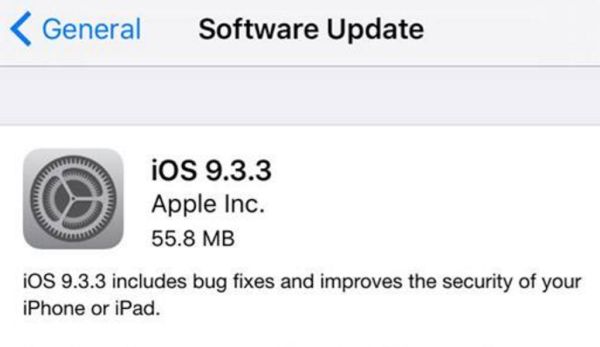
There are many common iOS 9 problems you have to keep in mind if you are still running iOS 8 or thinking of installing iOS 10 as soon as it becomes available as public release. Different smartphone models iPhone 6s, iPhone SE, iPhone 6 etc. can face various issues on different versions of Apple mobile firmware.

Are there problems with iOS 9.3.3 which is the most recent public download? What should you consider? Most users are already running this firmware but there is a small percentage of people who are still on the older platforms. Let’s learn how to solve something you can come across while developers are testing future iOS 10.

iOS 9.3.3 iOS 9.3 Common Problems Fix Guide

Most Common iOS 9 Problems

As we already mentioned, iOS 9.3.3 is the latest iOS 9.x update rolled out by Apple to solve common problems with iOS 9 [learn what device, iPhone or Android phone, crashes more often]. However it surprises users that even this upgrade is rather problematic. The Cupertino-based company always tries to improve its software and offers several minor updates with new features and options throughout the year. Even though iOS 10 is closer than you can imagine, the company introduced iOS 9.3.3 that also brought new headache to iPhone owners.

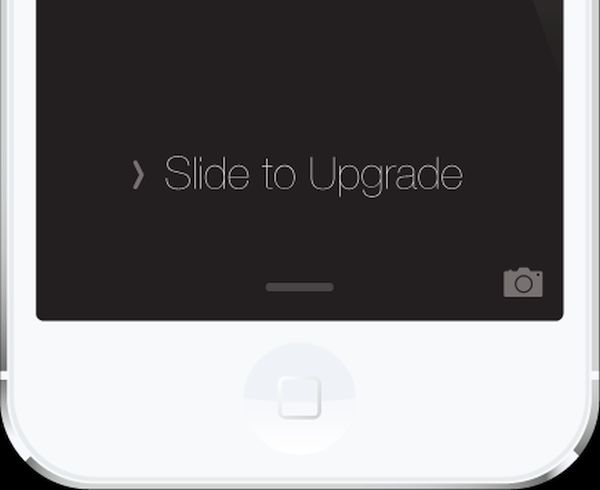
iPhone Slide to Upgrade iOS 9 Issue Problem Error Bug

Issue #1

Common problems with iOS 9 start during installation. You might get a frozen device. Or you can get the swipe to update fail on both tablets and handsets. But these things are easy to fix no matter what particular version you are updating to.

If the process is locked up you need to do the following thing: click both home and power buttons on your device and count to 10. Everything should jumpstart after 10 seconds.

You can also disconnect the handset from your PC or Mac and hopefully everything should be solved by the time to reconnect and restart iTunes.

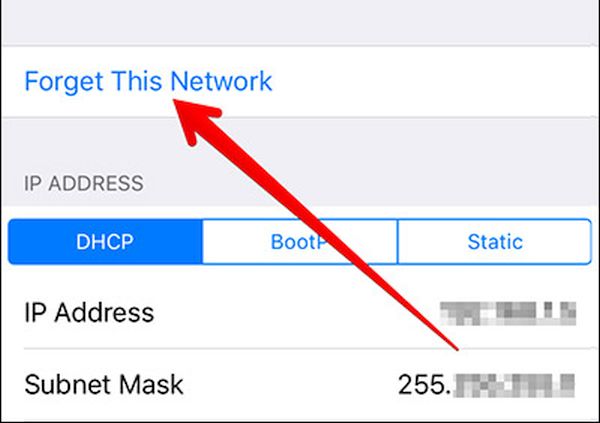
WiFi Reset iPhone Forget This Network

Issue #2

There could be iOS 9 WiFi issues you should deal with. If anything is wrong with your connection you can try some simple tricks. Just make sure you know your password before you start as you’ll have to enter it after you complete the steps. For example, reset iPhone network settings for Wi-Fi by opening Settings and selecting General menu – Reset option and ‘Reset Network Settings’.

Another method you can try is choosing Settings – Wi-Fi menu. Choose connection and click ‘Forget this Network’. Then you should be able to connect again and have the bug gone.

WiFi problems could be also caused by your router. Try to unplug / plug back or even update its software.

iPhone Settings Cellular iOS 9 problems

Issue #3

There are iOS 9 data issues a lot of people complain about. Sometimes they are caused by Apple outage. Sometimes there might be problems with your carrier service. Such problems are solved on their own.
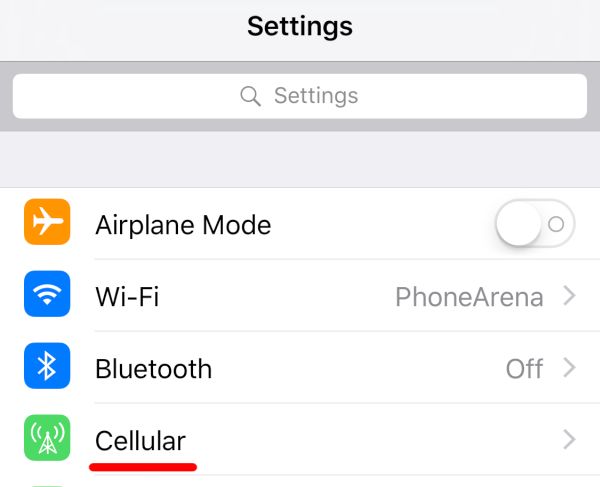
Still you can restart your gadget by sliding to turn off your device. Then you might want to disable / enable cellular data via Settings – Cellular. Another thing worth trying is disabling / enabling Airplane Mode.

Here is what you should do if you get No SIM card error on your iPhone 6s or other model.

iPhone Touch Screen Doesn't Respond Not Working Fix iOS 9

Issue #4

Sometimes your touchscreen stops working. It could happen on iPhone 6s and iPhone 6. You are not able to launch an application or even restart the device. What can you do in such situation? Just press the Home + Power buttons at once and hard reboot. The smartphone must work normally after this and your screen should respond to your touches.

Issue #5

There are iOS 9 issues on iPhone 6 related to Bluetooth. Resetting your network settings could do the trick. Or go to Settings app and choose Bluetooth. Choose your connection and click on ‘i’ to ‘Forget’ your iPhone. Once you reconnect the bug could be gone.

Issue #6

Some iOS 9 issues cause app problems. Developers try to update their programs and games right after the new firmware is presented. Take a loo at any possible application updates before you continue. If there is one, install it.

You can also reinstall the app. Maybe it will run ok afterwards.

iOS 9 Battery Problems iPhone Fix

Issue #7

Some users are looking for iOS 9 battery problem fix when it starts draining too fast. The software should actually add some hours to your battery life and if this doesn’t happen you might want to wait for several days. Maybe this could settle down in 2-3 days. If not, you need to find useful iPhone battery tips on how to extend its life.

Issue #8

iOS 9 data issues are not everything you can suffer from. There could issues with Touch ID and if your fingerprints aren’t recognized you should bring the phone to Apple service center and make sure everything is ok with your Touch ID.

You can also re-train fingerprints through Settings menu. Go to Touch ID & Passcode on iPhone and enter it. Now swipe from right to left to delete your fingerprints and click ‘Add a Fingerprint’.

How problematic is iOS 9? It’s up to you to decide and compare it with previous iOS 8 firmware or iOS 10 betas. We hope that this guide on how to solve iOS 9 problems [most common ones] is useful to you.

If you are not happy with your operator you can SIM unlock iPhone from Sprint or other carrier. This is the easiest solution for users who are locked [tied] to one network only. Becoming SIM free gives you an advantage of switching SIMs as often as you want. It’s simple fast and affordable.

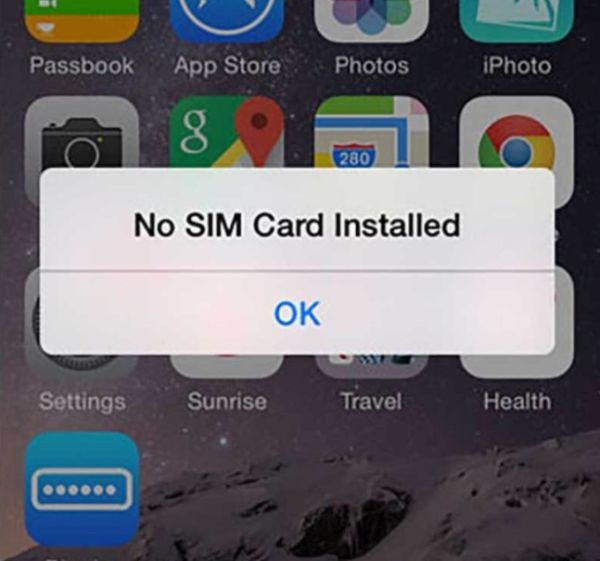
Help! I Get No SIM Card Installed iPhone 6s Message!

The soon iPhone 7 release doesn’t worry some iPhone 6s users who are not planning to upgrade this year in hopes to see major changes in 2017. Still there is one unpleasant iPhone 6s no SIM problem worth discussions. It happens to AT&T, Verizon, T-Mobile, Sprint and other carrier subscribers. If you ever see an error with your SIM you should understand why it happens and learn how to fix it.

While some of us might be used to seeing ‘No SIM card installed iPhone 6s’ messages, for others it could be quite a surprise. You can try to turn off / on your gadget for several times or reset / restore it hoping the problem would be gone but sometimes this is not a permanent solution. Let’s try to understand what happens, why it happens and how to deal with this bug.

iPhone 6s Says No SIM Card Installed

You are sure that your SIM is inside the card tray but there is no signal [and you haven’t used factory unlock service that caused activation fail?]. Right? The mobile network’s name is absent in the top left corner of your handset and you are curious to know what’s going on. With the SIM still being inside you are not able to call your friends, send messages and use your mobile data.

iPhone 6s Plus Sim Card Tray

Do you know how to explain SIM abbreviation? It is Subscriber Identity Module. It is unique and it helps your mobile operator to differentiate your smartphone from many others connected to the same network. The little card is capable of storing data including authorization keys that let your device use all mobile services. Since the release of 4G LTE technology your SIM card is now linked to your phone number and not your handset [as it used to be with CDMA networks before the launch of iPhone 5]. So your phone number is also stored in your SIM’s memory.

When you insert your SIM card into a different phone – your original phone number is also transferred to another device. This is so easy and awesome, isn’t it? It’s also easy to switch networks thanks to this but still getting iPhone no SIM card error is horrible.

iPhone 6 No SIM Problem Issue Bug

Reasons for SIM Failure on iPhone 6s / 6s Plus

When the error or ‘No SIM’ message appears on your screen it means that your handset cannot identify this card even though it is located inside the tray. This could be either software or hardware problem.
Try to recollect what happened before you noticed this error:

  • Have you dropped your iPhone?
  • Are you using hard plastic case?
  • Do you place your phone in a tight pocket?

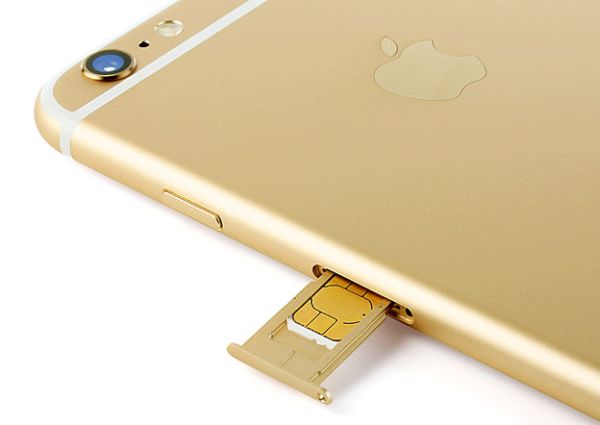
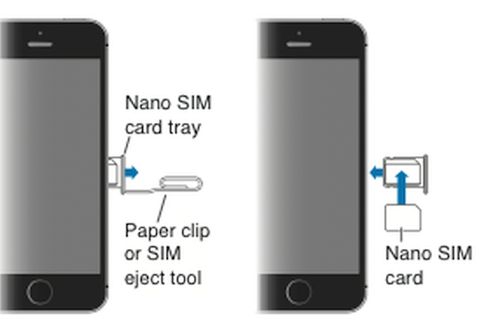
The SIM card tray used in iPhones is extremely small compared to many other phone brands. It holds the card securely in place. Unlike with different other companies, Apple users have to use a paper clip or special adapter kit to eject the tray and you need to always be extremely carefully how you insert the clip into the miniature hole in the SIM tray in order not to break it.

How can invalid SIM iPhone 6s Plus and 6s message be related to all these situations? Drops, hardshell cases and tight pockets can make the SIM card lose its contact with the board’s pins.

How to Remove SIM Card iPhone 6s Instruction

Here comes first iPhone 6s no SIM solution:

Step 1. Carefully remove the SIM out of your device.

Step 2. Get thin packing tape in the dollar store.

Step 3. You need to cut a small square piece that would be similar in size to your SIM card.

Step 4. Apply the tape on the back of your SIM (not where it connects with the pins).

Step 5. Insert the card back and hopefully you will get the signal.

iPhone 6s Plus Fix No SIM Card Message Problem

If this doesn’t help you can try the more complicated iPhone 6s no SIM card bypass which is risky. Think twice before giving this a try since you might want to simply bring your handset to your carrier or Apple Service center instead:

Step 1. Turn off your iPhone.

Step 2. Put your handset on the flat surface with glass side up (for example, use a table).

Step 3. Find two Popsicle sticks and carefully place them underneath the device: one at the top, another at the bottom part.

Step 4. Now be very gentle and extremely careful. Right above your SIM card tray you need to watchfully push down on the phone. Don’t bend it too much.

Step 5. Turn on the device. Hopefully you’ll see your carrier’s name now.

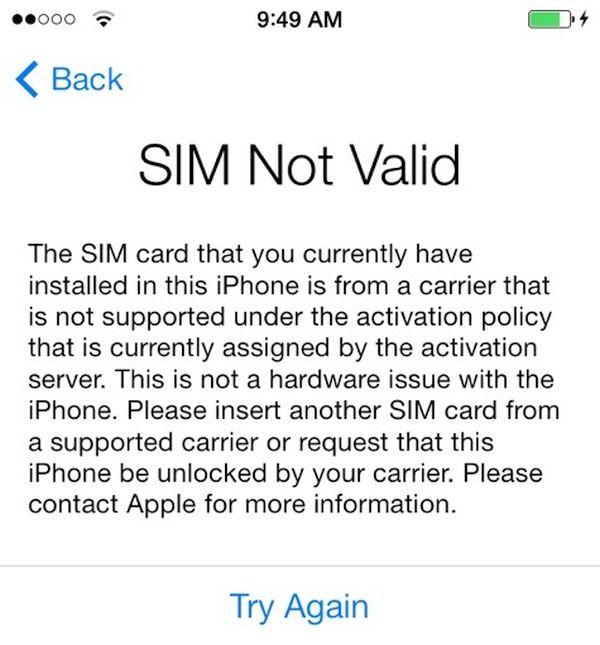
iPhone 6s SIM Not Valid Issue How to Solve

How to Fix No SIM Card Error on Apple iPhone [More Guides]

Check 1. Apple always updates mobile firmware for its gadgets to make sure you are running the most recent iOS version. The older platform you could be using might be buggy. In such situation a simple upgrade will fix the bug.

Check 2. Take the SIM card out and make sure it has no dirt or dust on it. You can clean it and unblock connectors this way. After being inserted, the card should get the signal again.

Check 3. Networks can also present updates. It doesn’t matter if you are using AT&T, Verizon, T-Mobile or other carrier [learn how to unlock your phone from U.S. carriers], take your iPhone and launch Settings. Go to General menu and visit About section. If there is an update from your network you can download it from here.

Check 4. Figure out if the SIM card or your iPhone causes the problem. Just insert a different working SIM into your device and you’ll know where the issue comes from.

Check 5. Turn off and back on your Air Plane mode. Maybe this is what makes the handset believe you have no SIM inside.

If you are still getting ‘No SIM’ message you might want to take the device to Apple Store and have it fixed by professionals. The company also devotes a webpage to invalid iPhone SIM error and you can find some advice there.

Sprint iPhone 6s Deals: Buy One Get One Free iPhone Offer

It is always nice when you can get Sprint iPhone 6s deals and purchase the most recent handset model with a discount. This time the offer could be great for families that are planning to purchase two iPhones at once and wish to save money.

Sprint buy one get one free iPhone 6s deal makes it possible to save 50% on the popular Apple handset. This is limited time offer and there are some requirements you have to meet. If you wish to get the second iPhone 6s from Sprint at no cost – this won’t happen.

Sprint iPhone 6s BOGO Deals

The U.S. network simply splits up the cost of the handset in monthly bills. It’s not surprising to see offers for both iPhone 6s and 6s Plus because Apple is about to release the new iPhone 7 in the fall and some carriers wish to clear up their stocks of previous generation smartphone.

Some users might wish to wait for iPhone 7 release or order Sprint iPhone 6s unlock and enjoy switching carriers and connecting to any network from all over the world.

The discounts on iPhone 6s / 6s Plus are pretty nice. Sprint is eager to sell the 16GB version of iPhone 6s at $27.09 a month. You’ll have to pay this price for the next 24 months. The similar 2-year contract for Sprint iPhone 6s Plus will cost $31.25 a month.

Customers who are against 2-year contract options can lease the iPhone 6s or iPhone 6s Plus from Sprint.

New Changes to Next Big iPhone Upgrade Cycle

Most Apple customers are used to two-year iPhone upgrade cycle. We saw great changes in iPhone models every two years but the situation seems to change this year. There are reports about Apple planning to extend this cycle and this means we will see next big improvements and enhancements in popular ‘fruit’ smartphone later than expected.

When is the next major iPhone update? If judging by new reports, Apple could extend the 2-year cycle to three years. If this happens we will see a regular iPhone 7 launch this fall and the new smartphone would be very similar to iPhone 6 and iPhone 6s. Users will be forced to wait until 2017 for major iPhone update.

iPhone Upgrade Cycle News

This could give Apple enough time to focus on great changes, innovative features and impressive specs that would make each or most iPhone owners want to upgrade to the iPhone 8 as soon as it is officially released.

Firstly, iPhone will celebrate its tenth anniversary in 2017. Secondly, the markets experience a slow down in handset innovation and it’s getting harder to add innovative and exclusive features every 2 years.

The iPhone 7 rumors we hear mention no major changes in this model. There could be dual-camera system offered to potential customers along with some other changes. Some sources mention water-resistant body and no 3.5mm audi jack. Still the main improvements will follow in 2017 with iPhone 8 release. This model could get the updated design and AMOLED display along with other interesting features.

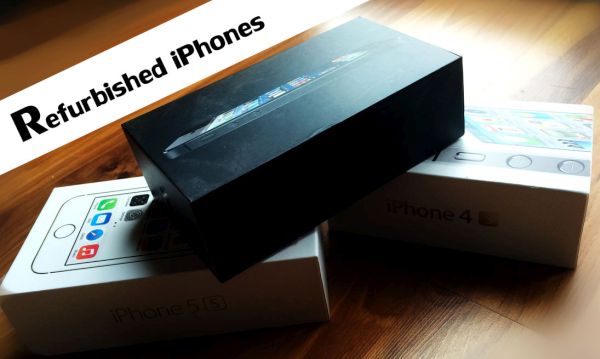
Will Apple Sell Refurbished iPhones in India?

Indian market is very attractive to the Cupertino-based giant. Apple refurbished iPhone India dream seems to be rejected once again. Local government and the ‘fruit’ giant can’t find understanding.

Will Apple sell refurbished iPhones in India? There are no official Apple retail stores in India but there are many local retailers that sell the iPhones. You can also purchase iPhones online. Still Apple wants to open retail stores and sell refurbished handsets to local customers.

Apple Refubrished iPhones Rejected in India

Indian government, on the other hand, doesn’t want to see refurbished smartphones in its stores. According to news, it wants no other company to bring used handsets to India. Apple still wants to make it dream come true and sell used and refurbished iPhones to Indian consumers. The company will most likely return to this question and try to convince the emerging markets to offer second-hand devices.

Why Apple refurbished iPhone 5 India plan is so attractive to the iOS company? It wants to be price competitive and it’s hard to reach with expensive iPhone 6, 6s models. The new iPhone SE that has 4-inch screen and is priced lower compared to bigger handsets is demanded in India but Apple wants more. It wishes to bring used handsets and price them lower to attract more consumers.

Apple is trying to convince everyone that refurbished smartphones are not exactly second hand handsets. The main difference is the warranty you get along with the device. Do you think Indian will be happy to buy cheaper but used Apple products?

Samsung iPhone 7 to Be Released in China as Apple Phone Rival

Could we see Samsung iPhone 7? You know that Apple produces iPhones for China and the company lost its exclusive iPhone trademark rights in China. Now Samsung is coming to conquer Chinese market that has millions of smartphones and handsets.

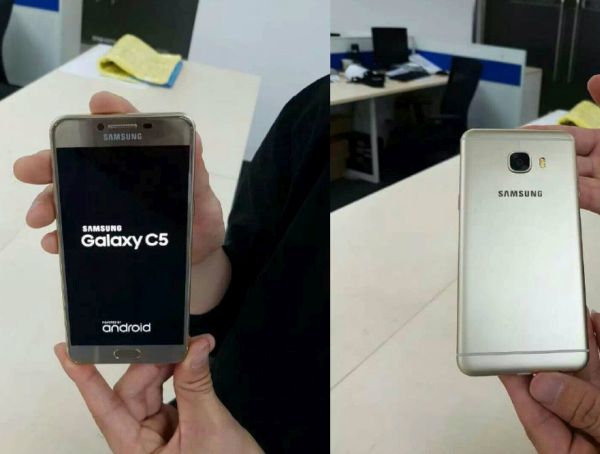
Samsung handsets remind of Apple iPhones and this is the reason why the Cupertino-based giant sued Samsung. The case is in court for a long while and the South Korean tech giant is now coming to China with another phone modes. This time customers will see exclusive Samsung phone China models C5 and C7. These Samsung Galaxy gadgets with 5.2-inch and 5.7-inch smartphones.

Samsung Galaxy C5 C7 Chinese Models

What will Samsung phone prices in China be like? Firstly, the company wants to introduce AMOLED displays, metal unibodies and different storage capacity. The exclusive so Apple-liked phones get the fingerprint sensor and nice cameras [Apple Pay is already available in China].

Users will be able to purchase 4GB RAM models with 32GB or 64GB storage. Customers can expand the storage space to 128GB [this is the option Apple hasn’t offered just yet]. Users who are in love with ‘fruit’ devices dream that one day Apple will let them expand the storage. Maybe such an option will really come to iPhone users.

Samsung will offer its Galaxy C5 models at $333 [¥2,199 RMB] while Galaxy C7 version will be priced at $394 [¥2,599 RMB]. The more expensive handset will be larger than the cheaper version.

The phones with Android 6.0.1 Marshmallow firmware will arrive in Pink Gold color, Silver color, Gray and Gold colors. Doesn’t it remind you of Apple?

Apple Wants to Bring Apple Pay to All Significant Places in the World

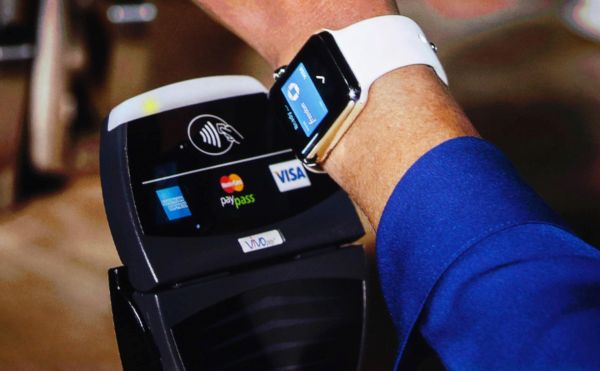
The list of Apple Pay places is growing and Apple has plans to bring this mobile payment service to all significant markets in the world. Millions of customers are happy owners of iOS handsets. They enjoy simple and fast payment options with their smartphone and this is exactly what the Cupertino-based giant makes real.

Right now Apple Pay places are located across the United States, Australia, China, Singapore, the UK and more countries are to join the list pretty soon. The ‘fruit’ company has big plans for 2016 and next years.

Apple Pay mobile payment system news 2016

How do you imagine Apple Pay in 2016? The iPhone maker is now focused on Europe and Asia. There are many markets here that haven’t seen Apple Pay yet but would love to get this payment service.

For example, there are reports about Apple bringing mobile payment to France, Hong Kong and other places. Modern contactless payment options are extremely popular everywhere. There are several major systems recognized and trusted by millions of customers from across the globe. Apple Pay wants to top this list [the company surely doesn’t say this directly] but it is doing its best to extend to as many places as possible.

As noted by Apple, its payment service gets about one million users per week in China alone. We can only guess how many people are getting the advantage of Apple Pay today.