iPhone 6s SIM Lock Can Be Permanently Disabled for Any UK Carrier

What’s SIM Lock on iPhone 6s, SE, 6

There are many mobile operators across the world. Many of them including UK companies prefer restricting subscribers from switching to a different network. The restriction is set in the software and makes your phone ‘locked’ to a single carrier. Since most gadgets that get such a restriction are GSM devices that are using SIMs – comes the term ‘network lock’ or ‘SIM lock’.

There is the difference between ‘locked phone’ and ‘SIM lock’. You should understand it.

iPhone SIM PIN Settings

How to Disable SIM Lock on iPhone: Simple Guide

Step 1. This is extremely simple since you can lock and unlock your SIM card whenever you want. Just keep in mind that this will result in no signal since you will lock the cellular connection of the network you are using.

Step 2. Take the handset and click on Settings.

Step 3. Choose Phone – SIM PIN option.

Step 4. Disable the SIM PIN and you will have no connection.

Step 5. When you wish to enable the option you’ll have to enter your SIM PIN code and press on Done by repeating the same steps as described above.
How to Unlock iPhone UK SIM IMEI O2 Vodafone Three

iPhone Network Lock Check Service

If you tried to switch SIMs but haven’t succeeded to get the signal you should double check the two things. You can find out ‘Is my iPhone unlocked or not?’ by choosing the affordable network IMEI checker and you make sure that there is not SIM PIN lock on your device. This second problem can really prevent your gadget from connecting to the network. If SIM PIN is enabled but there is still no cellular connection – you have to answer the question whether your device is locked to one carrier or not.

If it is unlocked you are able to insert SIMs from any GSM carrier and save on data plans. If you are still locked it is possible to remove SIM lock using your original network or third-party services. We’ll explain how you can do this for major UK networks including Vodafone, EE, O2, T-Mobile, Orange and Three.

Let’s note that most recent models purchased in 2016 are already SIM unlocked. But there are still some devices that arrive only with limit to using it with one mobile operator. Anyways, the guides below work for all Apple handsets including iPhone 6s, SE, 6, 5s and others.
iPhone Vodafone UK SIM Unlock

How to Unlock iPhone 6 Vodafone UK

The first thing you should do is contact Vodafone and figure out if it is possible to get free unlocking service directly from this company. If you have an account with this network (in a good standing of course) you can use the special online form offered by Vodafone to get the details. It usually takes from 2 to 10 days to get the answer.

If you didn’t have Vodafone plan for over a year the service would cost you £19.99.

iPhone 6 Three UK Unlock

This operator stopped ‘locking’ iPhones since the beginning of 2014. If your model was purchased later than this, all you have to do to SIM unlock it is activate. This can be done through WiFi connection or when you open iTunes program on PC or Mac.
If your iPhone was bought before 2014 you can unlock any iOS firmware version including iOS 7, iOS 8 and iOS 9 by filling out the special online form created by Three in UK.
How to Unlock EE iPhone UK

UK iPhone Unlocking from T-Mobile, EE and Orange

These networks are probably the most complicated. Users who have an original account with one of them for about half a year can order SIM unlock at £8.99. Note that your account must be in good standing and you’ll have to wait for nearly a month to become SIM free. EE has special online form you can use.

Those users who don’t have an account are not that lucky because they have to contact the original iPhone owner and get their real phone number with the network and other account information – all these to order iPhone SIM unlock from network.
iPhone O2 UK Unlock

Online O2 iPhone Unlocking for UK

Contact pay-monthly users can become SIM free at any moment. Still you’ll have to pay off your contract afterwards if it is not paid already. Use this O2 form to order service online.

If you are using Pay & Go plan you’ll have to pay £15 to unlock. You will also have to wait for at least a year before you are eligible.

It’s curious that O2 promises that users with their iPhone who are not customers can insert any different SIM card and connect to iTunes to get the signal. This is probably what you have to try at first. Maybe such free simple method will make you permanently unlocked.

Third-party Unlocking

Don’t worry if your mobile operator refused to complete your request. You can always order distant IMEI unlock for UK iPhone which you should do if you keep getting one of the following errors when inserting different SIM cards:

*insert correct SIM card
*Invalid SIM
*Sim card not accepted
*payt lock
*enter sp code

All networks and third-party services are legally offering SIM unlock for your handset. Remember to backup before you do anything.

We believe that more carriers will be willing to sell already unlocked smartphones to customers in the future. This way you will not have to worry about your data plan since you’ll be free to choose your network and switch whenever you want to.
My iPhone 6s Is Not Connecting to LTE: What to Do?

Is LTE not working on iPhone 6 or 6s? Sometimes you can come across software issue and while the bug can be solved it’s still not fun when you can’t make something work. Many Apple fans are reporting new iPhone 6 3G problems. Of course, you might be enjoying 4G and have no desire to use LTE still there are many users who really need to fix the glitch asap. Is it possible? How can you make the problem disappear?

How can you enjoy LTE working on your iPhone 6, 6s or other model [future iPhone 7 for example]? All there 3G bugs will be covered below. We hope that you’ll find the detailed guides on how to set LTE on iPhone 6 or make it work for Verizon and other U.S. carriers useful and must-have.

If you believe you experience LTE or 3G connectivity problems because of your network you can try some quick steps that could have an amazing effect and make you enjoy your device and mobile operator. If the problem is with your hardware – you’ll have to take your iPhone 6 to Apple Service center and have professionals take a look at it and repair your smartphone.

Fix LTE 3G Connection iPhone 6 iPhone 6s Guide

No LTE on iPhone 6 Because of Cellular Connection Bug Solution #1

Sometimes you cannot use 3G / LTE because the issues are with your mobile connection. To eliminate this problem you need to check if everything is ok or not. Follow the short instruction and complete this checking procedure:

Step 1. On your iPhone you need to open Settings.

Step 2. Select Mobile menu on iPhone 6.

Step 3. Toggle Mobile Data off and on a couple of times.

Step 4. Maybe the bug could be solved by this simple step. Your mobile date and LTE could be enabled and working well once again.

Step 5. You might also want to play with Airplane Mode. Just go to Settings and enable / disable this option.

iPhone 6 Reset Network Settings Menu How To

iPhone 6 LTE Not Working Solution #2

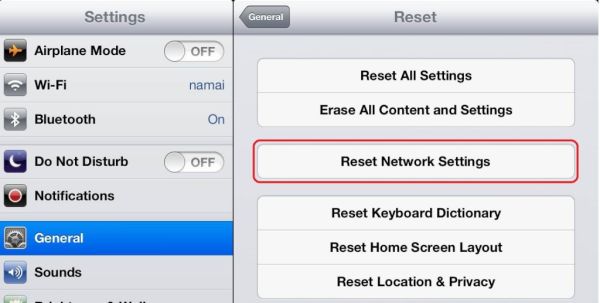
The issue could be with your network settings. Reset and everything might be running well again. Just make sure you know all your passcodes for VPN, WiFi and other possible networks you are using because resetting will erase all this information and you’ll have to enter everything once again.

Step 1. You need to go to Settings on the device.

Step 2. Select General menu.

Step 3. Find Reset option.

Step 4. Click on Reset Network Settings. Is the issue still present?

iPhone 6 SIM Card Remove Insert How to

Why Don’t I Have LTE on My iPhone 6 Solution #3

Issues with LTE or 3G could be related to your SIM card. Users who dropped their smartphone might need to either replace the mobile SIM card or try to fix the current one by taking these steps:

Step 1. Turn off the handset.

Step 2. Carefully take out the current SIM card for Verizon or other network.

Step 3. Look at the SIM. Does it look fine to you?

Step 4. Try to insert it back into your device.

Step 5. Turn on the phone after a while. Do you have connection back?

3G on iPhone 6 Issue Solution #4

Everything could be pretty simple. When was the last time you updated your software? Apple releases new iOS versions once in a while and the new ones have to fix previous issues.

Step 1. Make sure there is enough battery life. It’s better if it’s full.

Step 2. Go to Settings.

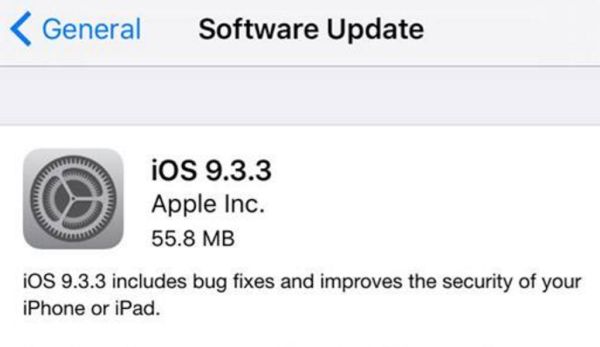
Step 3. Choose General – Software Update.

Step 4. If there is a new version you should click to Download and Install it.

iPhone 6 SIM PIN Fix LTE 3G Connection Error

My iPhone 6s Not Connecting to LTE Solution #5

It could happen that you blocked your cellular data by enabling SIM PIN. This could be if you turned off / on the phone or switched SIMs. Maybe you decided to SIM unlock Verizon iPhone 6 and now trying to insert a different card.

Step 1. Settings is the place to go for a fix.

Step 2. Choose Phone menu.

Step 3. Click SIM PIN option and make sure it is disabled.

Solution #6

You might try to restore the gadget as new if nothing else fixed the bug. You should backup first because restoring erases all your information, videos, songs.

Step 1. You need your computer and iTunes running on it [here is how to fix iTunes error 3194].

Step 2. Open iTunes and backup the phone after you connect it to your PC or Mac.

Step 3. Choose Restore iPhone option and restore it as new device.

iPhone 6 Carrier Update Settings

Verizon LTE Not Working on iPhone 6

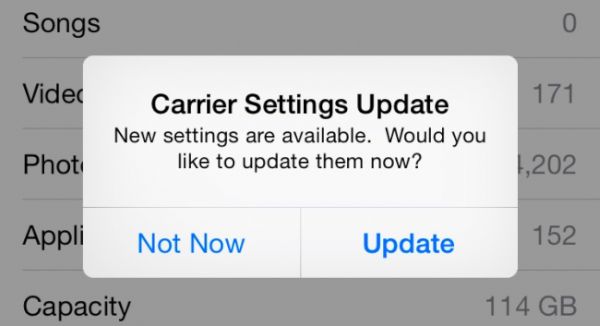
The issue might be with your carrier settings update. You should make sure that were no recent upgrades. Check it on Settings – General – About and see if there is any update available under OK option.

Make sure everything is good with your mobile data plan. Maybe the issue is related to this.

If nothing helped you should contact your mobile operator and make them figure out what is wrong with your handset.

Top Problems with iOS 9.3.3 and Other iOS 9 iPhone 6s Firmware

There are many common iOS 9 problems you have to keep in mind if you are still running iOS 8 or thinking of installing iOS 10 as soon as it becomes available as public release. Different smartphone models iPhone 6s, iPhone SE, iPhone 6 etc. can face various issues on different versions of Apple mobile firmware.

Are there problems with iOS 9.3.3 which is the most recent public download? What should you consider? Most users are already running this firmware but there is a small percentage of people who are still on the older platforms. Let’s learn how to solve something you can come across while developers are testing future iOS 10.

iOS 9.3.3 iOS 9.3 Common Problems Fix Guide

Most Common iOS 9 Problems

As we already mentioned, iOS 9.3.3 is the latest iOS 9.x update rolled out by Apple to solve common problems with iOS 9 [learn what device, iPhone or Android phone, crashes more often]. However it surprises users that even this upgrade is rather problematic. The Cupertino-based company always tries to improve its software and offers several minor updates with new features and options throughout the year. Even though iOS 10 is closer than you can imagine, the company introduced iOS 9.3.3 that also brought new headache to iPhone owners.

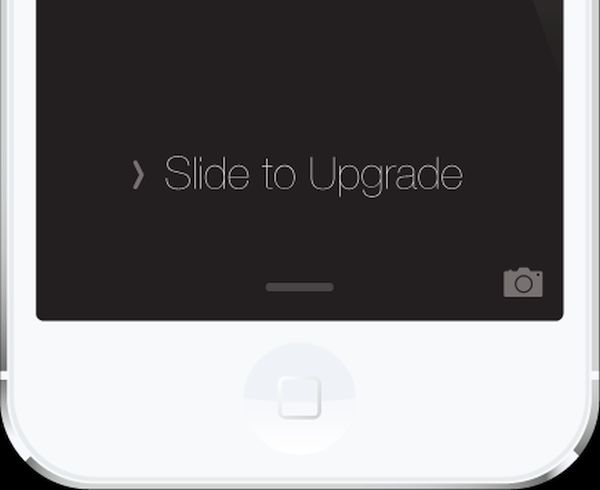
iPhone Slide to Upgrade iOS 9 Issue Problem Error Bug

Issue #1

Common problems with iOS 9 start during installation. You might get a frozen device. Or you can get the swipe to update fail on both tablets and handsets. But these things are easy to fix no matter what particular version you are updating to.
If the process is locked up you need to do the following thing: click both home and power buttons on your device and count to 10. Everything should jumpstart after 10 seconds.

You can also disconnect the handset from your PC or Mac and hopefully everything should be solved by the time to reconnect and restart iTunes.

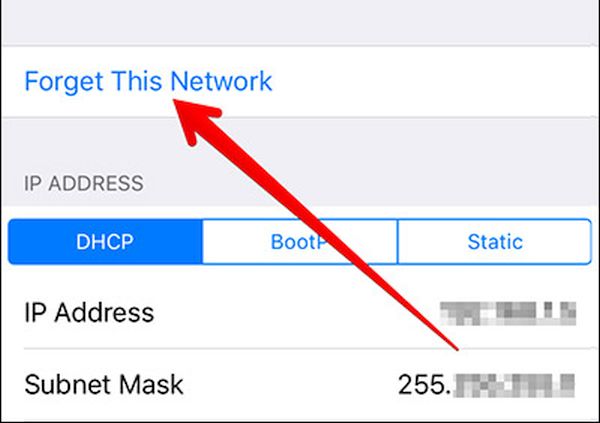
WiFi Reset iPhone Forget This Network

Issue #2

There could be iOS 9 WiFi issues you should deal with. If anything is wrong with your connection you can try some simple tricks. Just make sure you know your password before you start as you’ll have to enter it after you complete the steps. For example, reset iPhone network settings for Wi-Fi by opening Settings and selecting General menu – Reset option and ‘Reset Network Settings’.

Another method you can try is choosing Settings – Wi-Fi menu. Choose connection and click ‘Forget this Network’. Then you should be able to connect again and have the bug gone.

WiFi problems could be also caused by your router. Try to unplug / plug back or even update its software.

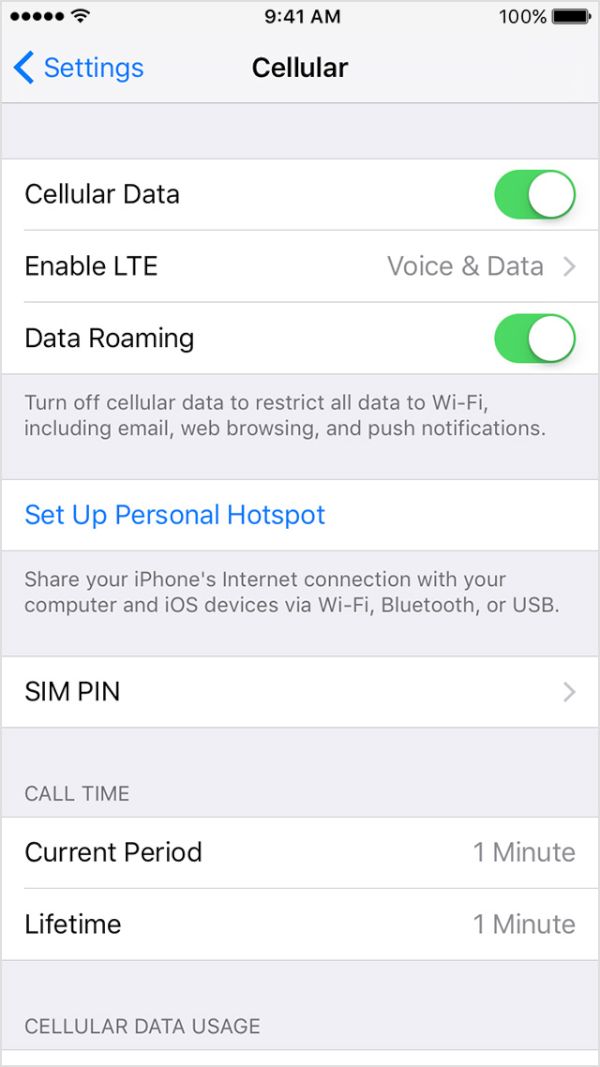
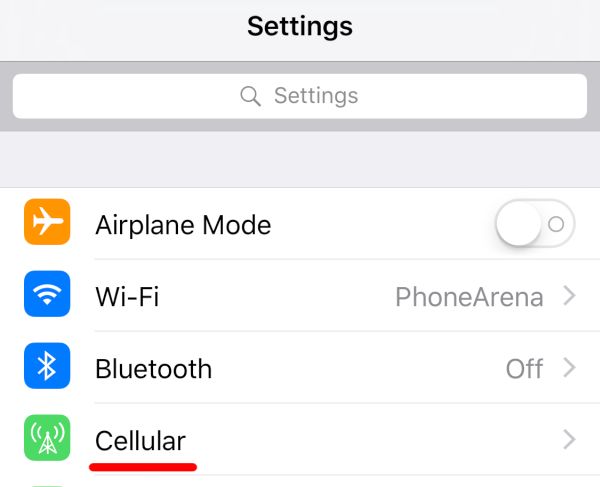
iPhone Settings Cellular iOS 9 problems

Issue #3

There are iOS 9 data issues a lot of people complain about. Sometimes they are caused by Apple outage. Sometimes there might be problems with your carrier service. Such problems are solved on their own.
Still you can restart your gadget by sliding to turn off your device. Then you might want to disable / enable cellular data via Settings – Cellular. Another thing worth trying is disabling / enabling Airplane Mode.

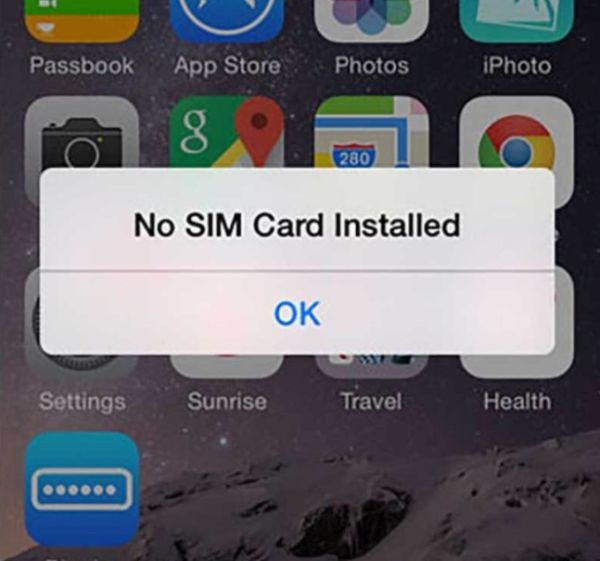
Here is what you should do if you get No SIM card error on your iPhone 6s or other model.

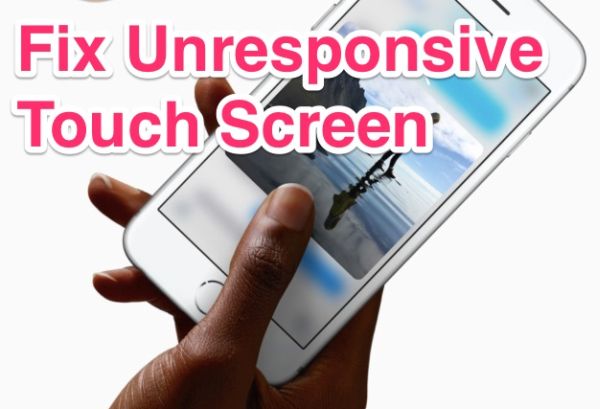
iPhone Touch Screen Doesn't Respond Not Working Fix iOS 9

Issue #4

Sometimes your touchscreen stops working. It could happen on iPhone 6s and iPhone 6. You are not able to launch an application or even restart the device. What can you do in such situation? Just press the Home + Power buttons at once and hard reboot. The smartphone must work normally after this and your screen should respond to your touches.

Issue #5

There are iOS 9 issues on iPhone 6 related to Bluetooth. Resetting your network settings could do the trick. Or go to Settings app and choose Bluetooth. Choose your connection and click on ‘i’ to ‘Forget’ your iPhone. Once you reconnect the bug could be gone.

Issue #6

Some iOS 9 issues cause app problems. Developers try to update their programs and games right after the new firmware is presented. Take a loo at any possible application updates before you continue. If there is one, install it.

You can also reinstall the app. Maybe it will run ok afterwards.

iOS 9 Battery Problems iPhone Fix

Issue #7

Some users are looking for iOS 9 battery problem fix when it starts draining too fast. The software should actually add some hours to your battery life and if this doesn’t happen you might want to wait for several days. Maybe this could settle down in 2-3 days. If not, you need to find useful iPhone battery tips on how to extend its life.

Issue #8

iOS 9 data issues are not everything you can suffer from. There could issues with Touch ID and if your fingerprints aren’t recognized you should bring the phone to Apple service center and make sure everything is ok with your Touch ID.

You can also re-train fingerprints through Settings menu. Go to Touch ID & Passcode on iPhone and enter it. Now swipe from right to left to delete your fingerprints and click ‘Add a Fingerprint’.

How problematic is iOS 9? It’s up to you to decide and compare it with previous iOS 8 firmware or iOS 10 betas. We hope that this guide on how to solve iOS 9 problems [most common ones] is useful to you.

If you are not happy with your operator you can SIM unlock iPhone from Sprint or other carrier. This is the easiest solution for users who are locked [tied] to one network only. Becoming SIM free gives you an advantage of switching SIMs as often as you want. It’s simple fast and affordable.

Dropped Your iPhone in the Toilet or Water? Useful Tips and Tricks

I dropped my iPhone in the toilet and it won’t turn on. Has it happened to you? You are not alone. Many of us carry the popular smartphone in the pockets and sometimes it just occurs. The device is in the water and once you take it out you should dry it.

Don’t be surprised to see iPhone no service after water damage. For many users their gadget stops turning on. Having such a brick does suck so you need to find a fix. We’ll share some of the most popular methods that could bring the handset back to life. Many iPhone water damage problems were successfully fixed so hopefully your case would also be resolved.

iPhone Fell in Toilet Water Damage Fix Guide Instruction

iPhone Water Damage Repair Cost

You can take your wet smartphone to Apple and have it officially repaired. The prices are different and depend on whether you have warranty or not. AppleCare+ must have to get the cheaper price but it won’t help you if your device is out-of-warranty [you can also use out-of-contract iPhone unlock if needed after you fix everything with the wet device].

If you have AppleCare+ service with accidental damage you can have your iPhone 5s, 5c, 6, 6 Plus, SE fixed at $79. For out-of-warranty models it would cost you way more: $269 for iPhone 5s, 5c or SE, $299 for iPhone 6 and $329 for iPhone 6 Plus. Pretty expensive, hah?

iPhone Water Damage Fix Instruction without Apple

How to Fix iPhone After Water Damage without Apple

There are some must-do steps even if you decide to take the damaged device to Apple Service Center. Even if the device is as wet as if being used under the heavy rain after sinking in water – you still must let it completely dry.

Step 1. Turn off the phone if it is still enabled. You can click-hold your Sleep / Wake button or ‘slide’ to power off. If the handset is already off do not turn it on to check if everything is ok because this is how the problems will begin.

Step 2. If you have the device in a case, remove it. If the device is connected via USB to anything, disconnect it.

Step 3. Wipe off your handset. There is no need to take off the screen protector if you are using once because of its water-resistant nature. It protects the screen so let it do its job.

Step 4. Leave it in the dry place for a few days.

Step 5. Do not use the gadget right away even though it is reported that users unlock their iPhone many times a day. Users who start using a water damaged model end up with the most common issues such as ‘iPhone doesn’t charge’, ‘Home button doesn’t work’, ‘Black screen’ only because they hurried and didn’t want to wait.

Wet iPhone is like an injured man. It needs time to heal.

Step 6. It is best to use the clean cloth (cotton cloth works the best) to dry exterior. This is something you can do on your own.

Step 7. You are advised to also dry the interior after you wiped the screen, back, front and sides of the iPhone 6s, 6, SE or other model. If you can find professionals who will do it for you – it’s awesome. All the following parts need extra attention: speakers, Home and all other buttons (volume, mute), charging port, SIM card tray, microphone. It is better to remove the SIM card [learn what to do if your iPhone password is forgotten].

What Not to Do When You Drop Your iPhone in Water

  • Do not turn on the phone if it is still enabled
  • Do not make phone calls
  • Do not dry the device with a hair dryer
  • Do not attach or connect anything [accessories etc.]
  • Do not charge the damaged device
  • Do not remove the battery or you can cause more problems

iPhone in Rice Does it Work How to Dry iPhone Water Damage

iPhone in Rice Trick

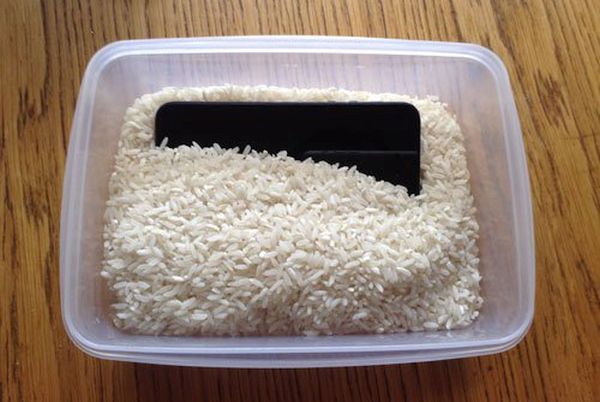
Have you heard of an interesting method how to absorb the moisture without disassembling your device? Does putting iPhone in rice work? Here is a curious solution many people have tried:

Step 1. You need uncooked rice and we’ll explain ‘how do i dry out my iPhone’ with food.

Step 2. You also need a bowl or plastic container that should be filled with the rice.

Step 3. Place the handset that was dropped into water into uncooked rice. Make sure to cover the gadget completely.

Step 4. Let the device dry in rice for up to 48-50 hours. If you decide it’s time to get new phone learn more about the best AT&T iPhone data plans and prices.

Step 5. While rice can absorb liquid it might also cause iPhone corrosion. Besides, the small grains might get inside your ports. These disadvantages and risks must be taken into consideration before you try it. Tip: you can use silica gel instead of rice.

iPhone No Signal after Water Damage Repair Guide

Have iPhone 6s No Signal After Water Damage?

When the device has dried and you finally turn it on you might find another unpleasant thing: no signal. The gadget might be searching for it but the search lasts forever. Remember that it becomes expensive to upgrade AT&T iPhone so it’s better to make it alive. Use the following iPhone no service fix:

Step 1. If your date, time is wrong you need to set everything the correct way.

Step 2. Once the Date & Time show the right information the problem will be gone.

Step 3. You can also remove and insert the SIM to make sure it’s placed properly.

Step 4. Enable and disable Airplan mode.

Step 5. Do the same with WiFi connection and your cellular data.

We hope that this detailed guide for fixing ‘My iPhone fell in the toilet what do i do’ problem has helped you to get a working device. If not, you should take the gadget to the Service Center and make experts fix everything which is not free. Replacing components or repairing hardware issues could be the only way to return your phone to a working condition. Or you can purchase the new model and take better care of it.

Will My Cricket iPhone 6 Work on AT&T without Unlock?

Some users who purchase their iPhone 6 directly from Cricket carrier or buy used smartphone online and happen to be locked to this U.S. network have the same question: “Will Cricket iPhone work on AT&T or not?” Do you have to SIM unlock your smartphone before it can be used with ‘parent’ carrier or does everything work by default?

Why is Cricket associated with AT&T in the first place? How can you make your popular Apple device SIM free to use on any mobile operator of your choice? We’ll answer all these questions below and hope to solve your problem.

AT&T Cricket Purchase U.S. Networks News

About ATT and Cricket Wireless U.S. Networks

Not all users who are locked to AT&T and order unlock AT T iPhone service know that Cricket Wireless used to be a small American network that was originally founded in 1999. The company was created by Leap Wireless International, Inc. and had about 5 million subscribers by 2011. One day AT&T thought it would be a good idea to absorb this smaller network so it acted, according to Wikipedia.

The Big Blue network purchased Cricket in 2014. It spent over a year on shutting down the original CDMA and rolling subscribers to GSM network. Cricket has officially become the prepaid brand used by AT&T.

So here comes the question. Do you have to unlock Cricket iPhone for AT&T or does this smartphone support the same GSM network by default?

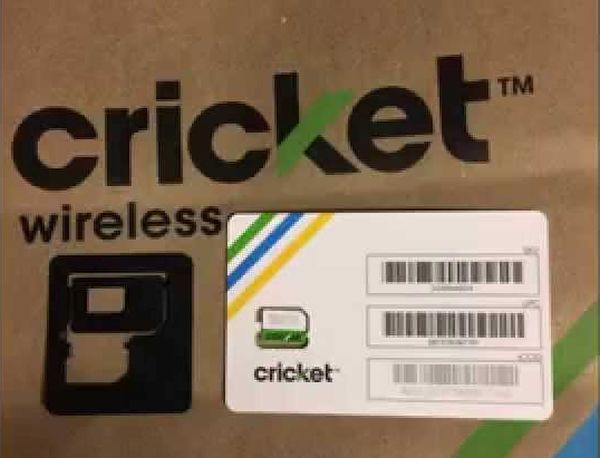
Cricket iPhone 6 iPhone 5s iPhone 4 SIM Card USA Network

Some Facts About Cricket iPhone 6, 6s, 5s

There is a number of users who got a used or even new iPhone with Cricket Wireless subscription and believe that their device would work on a different carrier, particularly on AT&T since it’s the ‘parent’ company of Cricket network. Still this isn’t going to work.

Just like any other locked gadget your phone will only work with Cricket SIM card. You can give it a try and insert AT&T SIM [it is easy to find out if you have contract or off contract AT&T phone] or any other card into your model in hopes to get the signal. But you won’t.

Most smartphones you buy from network arrive SIM locked. You have to unlock Cricket phone in order to connect to other operators. Only those who get the phone at the full price from Apple can be sure that they can switch SIMs without problems. Still even in such situation customers are advised to make sure they are free to connect to different networks.

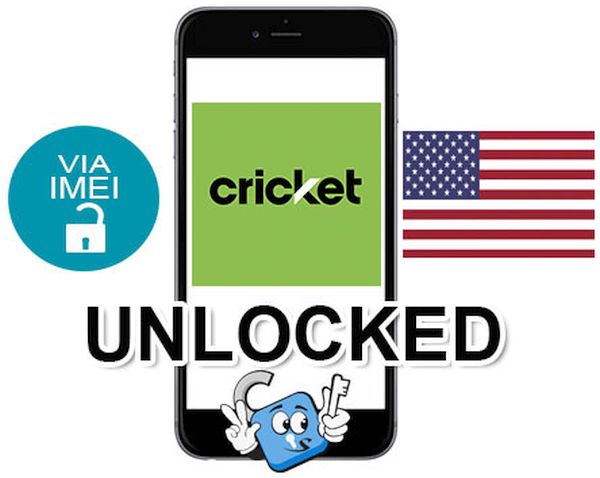
How to Unlock Cricket iPhone 6 SIM IMEI Unlocking Service Free

How to Get Cricket iPhone Unlocking Code for Free

Before you search for paid solutions on how to get rid of network limitations you should try the free method. Since you have Cricket device you need to contact this network and ask if you are eligible to use their service at no cost. Here is how to request your unlock code:

Step 1. Use best IMEI checker to make sure you are locked to Cricket Wireless [dial *#06# and your IMEI number will appear on the screen]. Run other checking services to double check that your used handset is not reported as stolen or lost, not blacklisted and not associated with any fraudulent accounts.

Stesp 2. Call 611 from your iPhone to make sure this handset is active with carrier and was used for at least half a year with services being paid. If you are not a fan of phone calls use the chat.

Step 3. If you have an account in good standing you will easily have Cricket unlock your iPhone for free. Isn’t it great?

You should understand that sometimes carriers could deny your request for unlock. This mostly happens when your iPhone is blacklisted or there are any other problems with your account or smartphone.

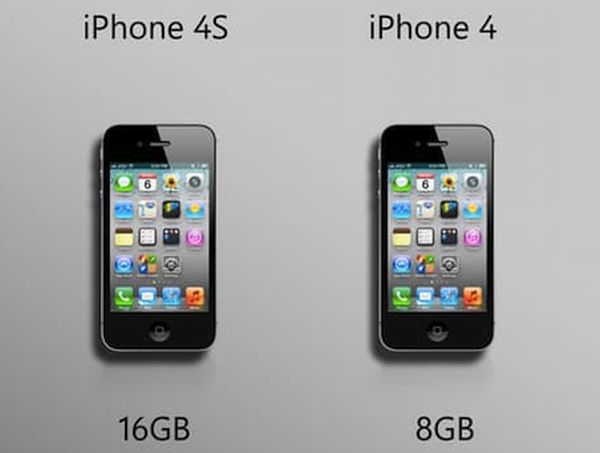
iPhone 4 Model vs iPhone 4s Cricket Carrier Network Unlock for AT T

Cricket iPhone 4 Users

If you have an old iPhone 4 still tied to Cricket you should contact AT&T and try to exchange your device to the newer model locked to the Big Blue network. If you wish to be able to use your iPhone with just any network in and outside the U.S. you might want to wait for iPhone 7 release and purchase it with never-locked status at the full price directly from the Cupertino-based giant. This way you will be free to connect to prepaid and contract operators whenever you want. No limits. No locks. Never.

P.S. Some users assure that their AT&T locked iPhone works just well with Cricket network. However this doesn’t happen vice versa.

Is Your iPad Getting Calls? Learn How to Stop It from Ringing

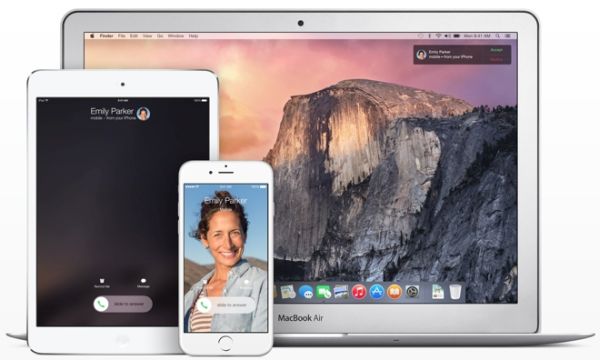
Why does my iPhone ring on my iPad? Why all of a sudden the entire room begins to noise with the smartphone, tablet and even computer announcing the phone call? Apple continues to improve the options and wants users be able to answer the calls on any of the ‘fruit’ gadgets. Still this ‘symphony’ doesn’t sound pleasing to all.

Have you noticed that your iPad rings when iPhone does? Apple tablet has a nice big screen that is fun for web surfing and searching however it is easier to answer the calls on your smartphone. Thus it could drive you crazy if the iPad is getting your iPhone cal. Right?

Users who are running iOS 9 experience the problem just like it happened on iOS 8. If you are new to ‘fruit’ devices you need to know the simple trick that will let you solve this ‘issue’ which is not really a big deal.

iPad Rings as iPhone How to Stop on iOS 8 iOS 9

When My iPad Rings

Apple made its tablets ring with the release of iOS 8 back in 2014 and OS X Yosemite. This was a new and unexpected feature that surprised many users. The iOS 9 got the same option [the future iOS 10 is expected to arrive in September or October 2016].

The tool responsible for tablet rings is called Continuity. It allows you making and receiving phone calls not only on the iPhone [as you would normally do] but also on the iPad. It sounds fun but not everyone is happy to experience this option over and over again.

Both iOS 8  and iOS 9 [here is how to remove activation lock on iPhone for both operating systems] make sure your smartphone call is automatically transferred to the iPad. This only happens when the handset is nearby [you hear your tablet ringing and wonder how to stop it].

The option is enabled by default when you install iOS 8 or newer firmware. It turns on only if you are using the same Apple ID and phone number on both devices. By the way, you can actually answer the call right on the tablet as it will turn into your speakerphone.

iPad rings when iPhone does

How Do I Stop My iPad from Ringing When My iPhone Rings

You’ll laugh at how simple everything is. The guides for different operating system versions are a bit different. So here is what you should do.

iOS 8 Instruction

Here is how to stop getting calls on iPad with older iOS 8 platform:

Step 1. Take your iOS 8 iPhone and select Settings.

Step 2. Make sure both iPhone and iPad are using the same iOS 8 firmware and connected to the same WiFi network.

Step 3. Go to FaceTime menu.

iPhone iOS 8 Settings FaceTime iPhone Cellular Calls Feature On Off

Step 4. Do you see iPhone Cellular Calls?

Step 5. Disable those calls. Repeat the same guide on your iPad.

iOS 9 Instruction

Guide on how to stop my iPad from receiving calls for the newer iOS 9 which is actually the most recet version of Apple mobile software. The next iOS 10 designs for new iPhone 7 and 7 Plus hasn’t been officially released yet. Developers and public beta testers are currently testing it and learning all the new features that would be available to public in the fall.

Step 1. Take your iPhone running iOS 9.

Step 2. Both iPad and iPhone have to run the same firmware and connected to WiFi network.

Step 3. Select Settings menu.

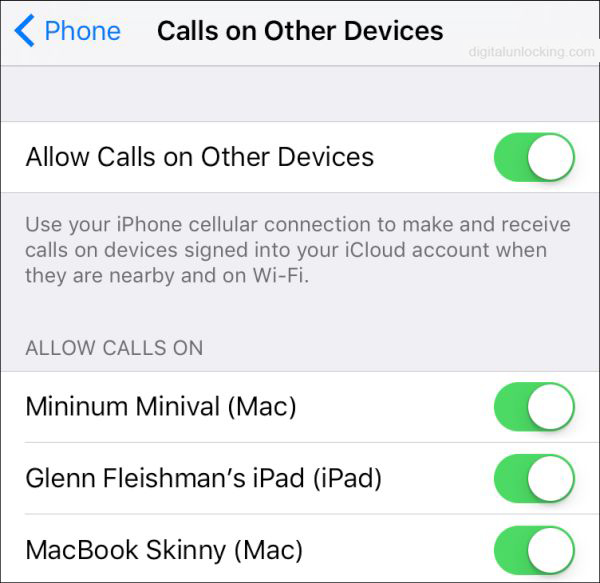
Step 4. Choose Phone.

iOS 9 iPhone Settings Phone Allow Calls on Other Devices

Step 5. Turn off Allow Calls on Other Devices and you should be ok. Repeat the same steps on your iPad.

Some users wonder ‘why does my iPad ring like a phone’ even though the feature ‘Calls from iPhones’ is turned off? It’s curious that your iPad will truly continue to ring when you get incoming phone call with this feature disabled [use best iPhone network checker if you need]. In such situations all you can do is shut down the whole iOS 8 or iOS 9 option for good which is possible via the instructions above.

For Macs, you should launch FaceTime application on the computer and choose Preferences fro the top left menu. There will be iPhone Cellular Calls option with check box. Uncheck and you’ll disable the ringing option on your Mac.

It’s nice that the fix to the issue is so simple and quick. There is no need to hate it when everything rings at the same moment. If you ever decide to give it a try you can enable Continuity option on all your devices and make sure you don’t miss another call.

Solve AT&T Data Overage Problem and Find Cheapest iPhone Data Plan

The on-going AT&T data overage problem makes some iPhone users upset. This is why you should learn how to deal with extra fee issues and switch to the most affordable data plan based on your needs and desires. We’ll explain how to check data usage on iPhone 6, 6s, SE and other models and share some interesting tips you can take advantage of.

What is the cheapest data plan for iPhone 6s / 6 / 5S / SE? Can you choose the best option from AT&T or is there a way to switch to a different network if you are not happy with AT&T overcharging data usage 2016 or price you have to pay each month? Let’s see what we know about the current affordable data packages and ways to save on your monthly bill.

Avoid Overage Data AT&T iPhone 6s SE 6 Overchage Extra Cellular Data Costs

How to Check Your iPhone 6 Data Usage

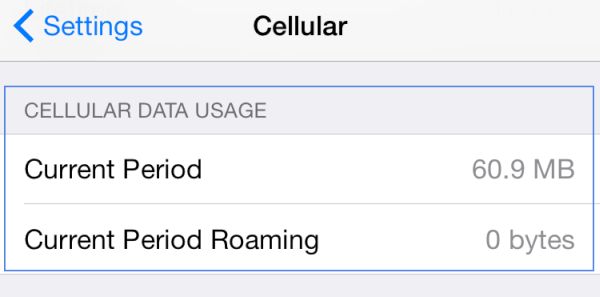
This is so simple to do. Just take your iPhone SE or any other model you own and launch Settings. Here you should select Cellular option and find Cellular Data Usage. Your device will show all the data you send and receive via AT&T cellular network for the current period.

AT&T iPhone 6s SE Cellular Data Usage Settings

How to Check WiFi Data Usage on iPhone

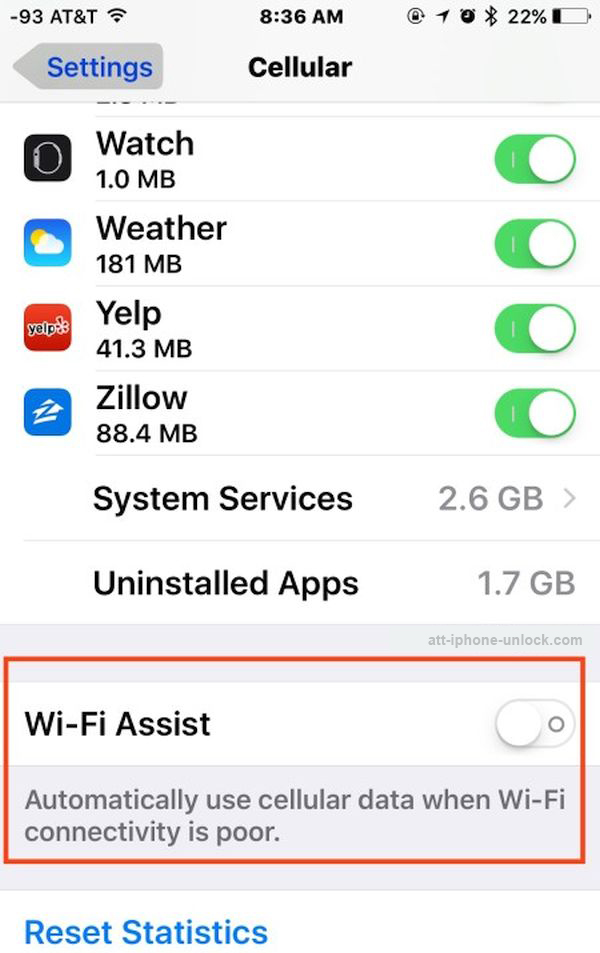
Maybe iOS 10 will improve this feature however iOS 9.3 update already brought the improvements to Wi-Fi Assist. So now you can go to Settings – Cellular and select Wi-Fi Assist. You should see the data usage number right next to the on / off switch. This is where you can see how much data you have consumed.
By the way, many users blame this option for AT T data overage charges. Wi-Fi Assist automatically switches from WiFi to mobile network when you have no connection, weak connection or problems with WiFi connection.

In other words, this feature is not that popular among users as some of them got huge bills [there were reports about $2,000 and less] because they didn’t control when they started to unexpectedly consume mobile data instead of WiFi. Don’t like to risk? Just disable the app and you won’t pay anything extra to your carrier.

How to Reduce Data Usage on iPhone 6, 6s, SE

There are some simple things you can follow when you really wish to minimize data usage on iPhone. It works for AT&T and all other networks as well.

1. You should track your data usage

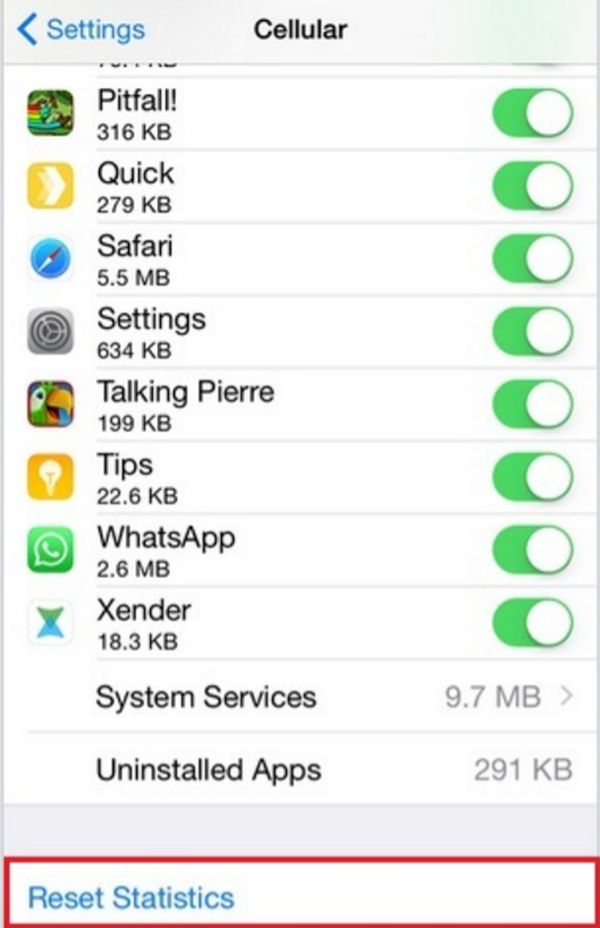
This is must do. You can follow the guide above and access information about used data through Settings – Cellular menu. Just remember to reset it when you start a new billing cycle. Use Reset Statistics option available at the bottom.

How to Reset Cellular Data Usage Statistics AT&T iPhone 6s 6 SE Guide

This is how you’ll know much data you consume each month.

ATT iPhone Check Cellular Data Usage Dial 3282

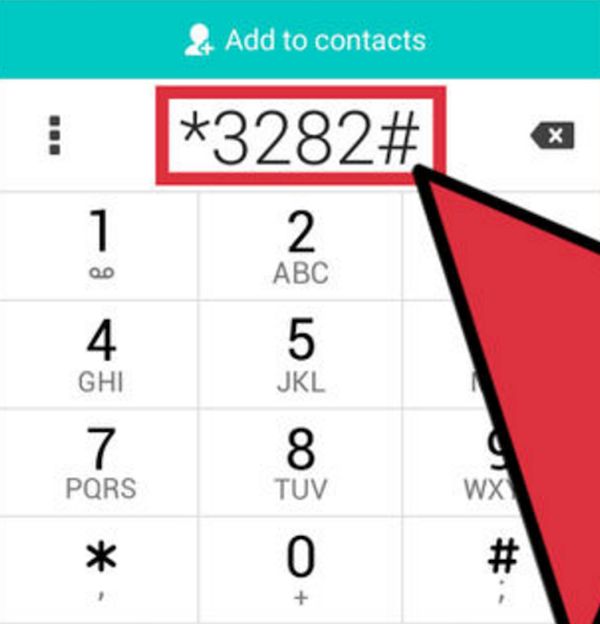
AT&T subscribers can also dial *3282# and get this information on-the-go.

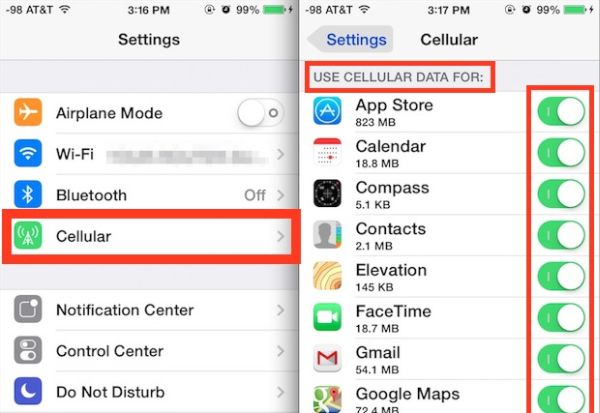
iPhone AT&T Cellular Data Settings Use Cellular Data For Option

2. Don’t use mobile data for all applications

There is no need to use cellular data for iOS programs. It is best to disable cellular data for Netflix and similar tools that can work great when you are connected to WiFi. You can see all the programs that use cellular at the moment under Settings – Cellular – Use Cellular Data For. Just turn off the switches for the applications that rely on mobile data when it’s not necessary.

Turn Off WiFi Assist iPhone AT&T How to Guide Settings

3. Disable WiFi Assist to avoid overage charges from AT&T

We’ve discussed this but let’s recollect. Disable WiFi Assist if you don’t want your iPhone to use cellular when WiFi is off or weak. Believe many users who suffered from being overcharged and don’t repeat their mistakes.

iPhone Settings Background App Refresh Option

4. Stop background app refresh and updates

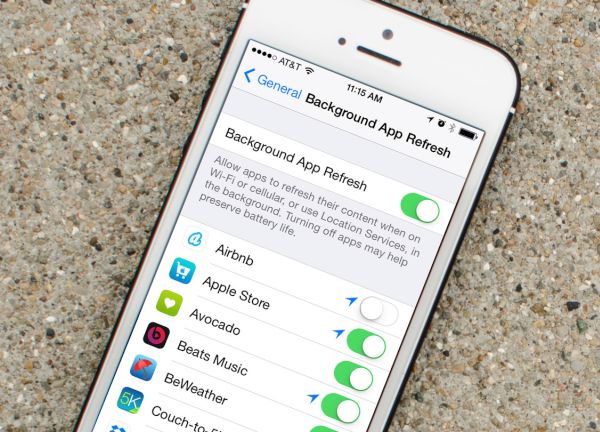
The best way to save your data and not get excess charges from mobile operator is to prevent programs from consuming data aimlessly. Open Settings and select General – Background App Refresh option to turn of the tools from updating throughout the day. Do this for your social network applications and other programs. This way you’ll save both data and battery life. How cool is that?

These are must-known iPhone settings to save data usage on any carrier in and outside the U.S. Another thing you can do when you are completely not happy with your operator – get factory iPhone AT&T unlock and you’ll be permanently free to choose which carrier to connect to today or tomorrow. Switch SIMs as often as you wish and select the cheapest data options in your region.

Avoid AT&T iPhone Overage Data Charges Extra Cellular Data Use

Best AT&T Family Plans / One Person Plans

When you choose your plan you should answer some questions. Do you need the best AT&T plan for one person? Do you have other family members who will use the same plan? Are you more interested in best AT&T family plan to divide between several gadgets? How much data do you need per month?

Remember that you always have to pay for each extra line you add to your data plan. With AT&T it costs $25 a month on top of the plan costs which start at $20 a month for 300MB and go up to $375 a month for 50GB. All the plans include unlimited text and talk. Remember about the new AT&T upgrading fee introduced for users this year.

Choosing the cheapest option could be a solution if you don’t need more than 300MB per month. If you do get over this limit you will have to pay $20 for additional 300MB [$40 for 600MB etc.] but the company promises to roll over all unused data to the next billing cycle.

Your personal cheapest data plan for iPhone AT&T would be the one that doesn’t overcharge you and offers enough data for your personal needs per month. Remember all the simple steps that help you preserve your mobile data and think of AT & T family plans for iPhone that help share data between several users if this costs less than individual packages.

You can always switch your plan or carrier thanks to distant unlocking service and numerous deals offered by different networks throughout the year.

Help! I Get No SIM Card Installed iPhone 6s Message!

The soon iPhone 7 release doesn’t worry some iPhone 6s users who are not planning to upgrade this year in hopes to see major changes in 2017. Still there is one unpleasant iPhone 6s no SIM problem worth discussions. It happens to AT&T, Verizon, T-Mobile, Sprint and other carrier subscribers. If you ever see an error with your SIM you should understand why it happens and learn how to fix it.

While some of us might be used to seeing ‘No SIM card installed iPhone 6s’ messages, for others it could be quite a surprise. You can try to turn off / on your gadget for several times or reset / restore it hoping the problem would be gone but sometimes this is not a permanent solution. Let’s try to understand what happens, why it happens and how to deal with this bug.

iPhone 6s Says No SIM Card Installed

You are sure that your SIM is inside the card tray but there is no signal [and you haven’t used factory unlock service that caused activation fail?]. Right? The mobile network’s name is absent in the top left corner of your handset and you are curious to know what’s going on. With the SIM still being inside you are not able to call your friends, send messages and use your mobile data.

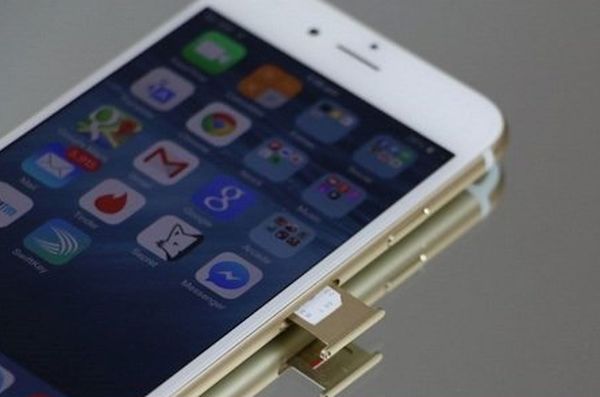
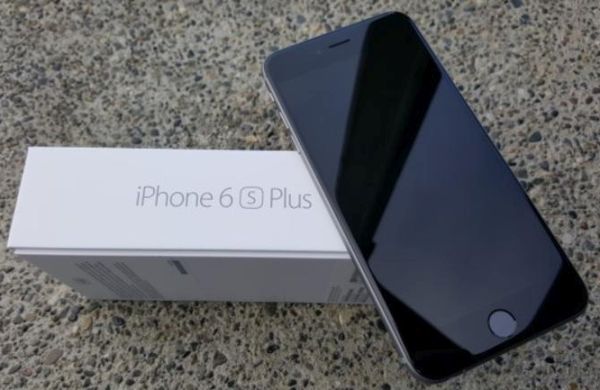
iPhone 6s Plus Sim Card Tray

Do you know how to explain SIM abbreviation? It is Subscriber Identity Module. It is unique and it helps your mobile operator to differentiate your smartphone from many others connected to the same network. The little card is capable of storing data including authorization keys that let your device use all mobile services. Since the release of 4G LTE technology your SIM card is now linked to your phone number and not your handset [as it used to be with CDMA networks before the launch of iPhone 5]. So your phone number is also stored in your SIM’s memory.

When you insert your SIM card into a different phone – your original phone number is also transferred to another device. This is so easy and awesome, isn’t it? It’s also easy to switch networks thanks to this but still getting iPhone no SIM card error is horrible.

iPhone 6 No SIM Problem Issue Bug

Reasons for SIM Failure on iPhone 6s / 6s Plus

When the error or ‘No SIM’ message appears on your screen it means that your handset cannot identify this card even though it is located inside the tray. This could be either software or hardware problem.
Try to recollect what happened before you noticed this error:

  • Have you dropped your iPhone?
  • Are you using hard plastic case?
  • Do you place your phone in a tight pocket?

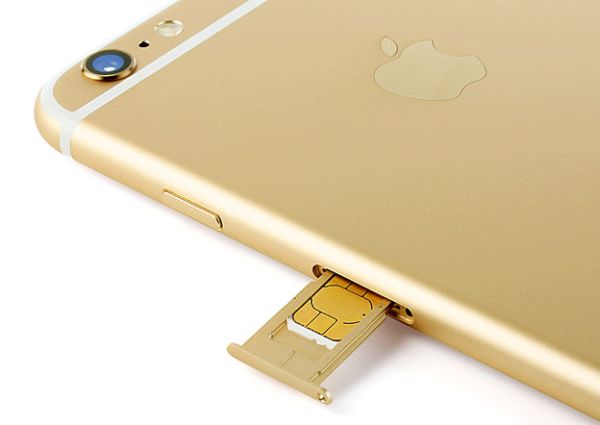
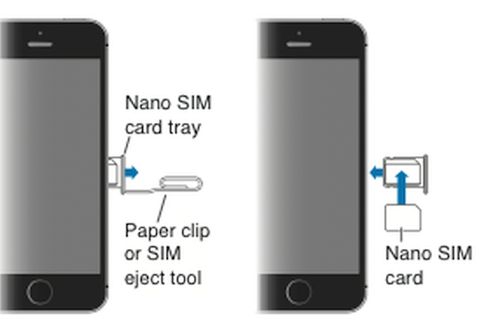
The SIM card tray used in iPhones is extremely small compared to many other phone brands. It holds the card securely in place. Unlike with different other companies, Apple users have to use a paper clip or special adapter kit to eject the tray and you need to always be extremely carefully how you insert the clip into the miniature hole in the SIM tray in order not to break it.

How can invalid SIM iPhone 6s Plus and 6s message be related to all these situations? Drops, hardshell cases and tight pockets can make the SIM card lose its contact with the board’s pins.

How to Remove SIM Card iPhone 6s Instruction

Here comes first iPhone 6s no SIM solution:

Step 1. Carefully remove the SIM out of your device.

Step 2. Get thin packing tape in the dollar store.

Step 3. You need to cut a small square piece that would be similar in size to your SIM card.

Step 4. Apply the tape on the back of your SIM (not where it connects with the pins).

Step 5. Insert the card back and hopefully you will get the signal.

iPhone 6s Plus Fix No SIM Card Message Problem

If this doesn’t help you can try the more complicated iPhone 6s no SIM card bypass which is risky. Think twice before giving this a try since you might want to simply bring your handset to your carrier or Apple Service center instead:

Step 1. Turn off your iPhone.

Step 2. Put your handset on the flat surface with glass side up (for example, use a table).

Step 3. Find two Popsicle sticks and carefully place them underneath the device: one at the top, another at the bottom part.

Step 4. Now be very gentle and extremely careful. Right above your SIM card tray you need to watchfully push down on the phone. Don’t bend it too much.

Step 5. Turn on the device. Hopefully you’ll see your carrier’s name now.

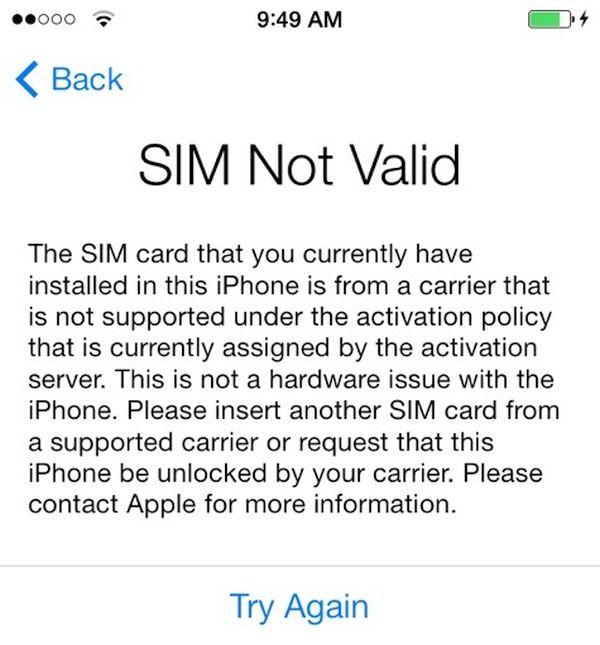
iPhone 6s SIM Not Valid Issue How to Solve

How to Fix No SIM Card Error on Apple iPhone [More Guides]

Check 1. Apple always updates mobile firmware for its gadgets to make sure you are running the most recent iOS version. The older platform you could be using might be buggy. In such situation a simple upgrade will fix the bug.

Check 2. Take the SIM card out and make sure it has no dirt or dust on it. You can clean it and unblock connectors this way. After being inserted, the card should get the signal again.

Check 3. Networks can also present updates. It doesn’t matter if you are using AT&T, Verizon, T-Mobile or other carrier [learn how to unlock your phone from U.S. carriers], take your iPhone and launch Settings. Go to General menu and visit About section. If there is an update from your network you can download it from here.

Check 4. Figure out if the SIM card or your iPhone causes the problem. Just insert a different working SIM into your device and you’ll know where the issue comes from.

Check 5. Turn off and back on your Air Plane mode. Maybe this is what makes the handset believe you have no SIM inside.

If you are still getting ‘No SIM’ message you might want to take the device to Apple Store and have it fixed by professionals. The company also devotes a webpage to invalid iPhone SIM error and you can find some advice there.

My iPhone Password Not Working: How Do I Unlock Handset without Erasing Data?

My iPhone password not working… I think I forgot it. Has it ever happened to you? Personally I keep in mind all my passwords but I swear there are situations when I just can’t remember the right one. It is simple with different online services, social networks and websites because you can recover your passcode through email which is so fast. With smartphones everything is so different. You need to remember how many tries to unlock iPhone you have and stay attentive to not lose your data.

Let’s learn more about the password on iPhone and how the gadget acts when you forget the important numbers.

AT&T iPhone Enter Password

About iPhone Passcode: Details

Most modern handsets are protected by passwords. This way you can be sure no one accesses your personal information etc. The behavior of a smartphone truly depends on configuration so when you come across iPhone password forgot problem you should be wise.

According to Apple, there are no passwords by default. Still users choose to protect their privacy with a passcode and sometimes face an unpleasant situation when you can’t remember the password you were using day after day and it is not written down somewhere you can look it up.iPhone Forgot Password How to Unlock Without Erasing Data

How Many Tries Do You Get to Unlock an iPhone

Everyone understands that you have limited attempts to enter the corrent numbers [here is what to do if you have Activation Lock problem]. As noted by the Cupertino-based company, the more wrong passwords you enter, the longer become the intervals before your next try. Several unsuccessful attempts make you not being able to re-try again.

So how many failed passcode attempts iPhone 6 users have? The setting with the number of unsuccessful password entry is disabled by default. Still some users choose to turn it on before they forget their precious numbers. The configurations are located under Settings – General menu – Passcode Lock and if you enable this feature you will only have 10 attempts after which your iPhone will completely erase itself.

iPhone Enter Passcode Forgot Unlock Attempts

How to Unlock Your iPhone if You Forgot the Password

What should you do? You should connect the device to the computer with which it was synced for the last time. It doesn’t matter if you used iCloud or iTunes for this purpose. You can backup without password and save your information. Now restore the locked handset from a backup copy by selecting ‘Restore from iTunes backup’ option when you are asked to. Afterwards you can reset the code or leave this option disabled.
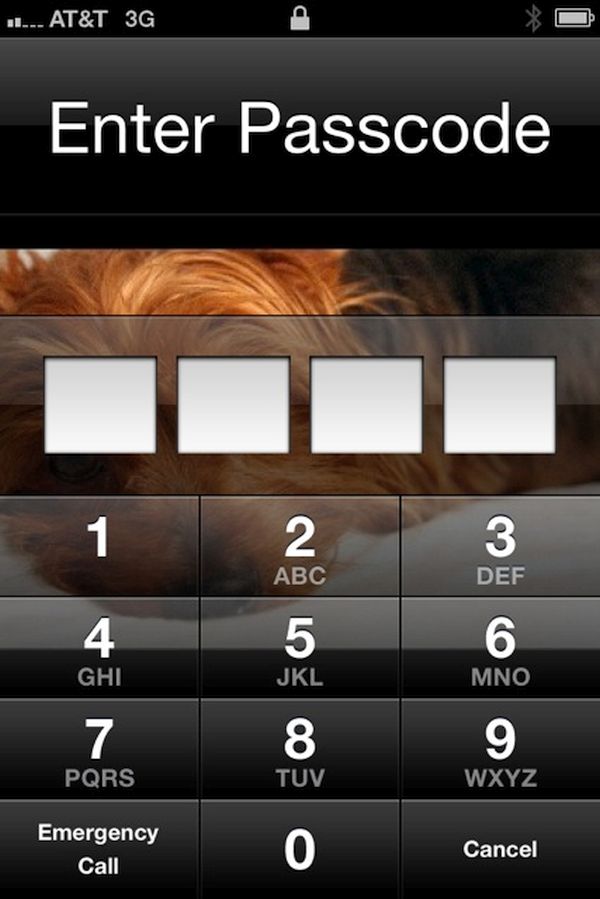
If your computer was never synced with the handset you can restore and unlock it however this method of how to unlock iphone 6 erases everything you have. Besides, if you choose to take your gadget to Apple service center and have it unlocked by their representatives – the smartphone will be erased just the same.

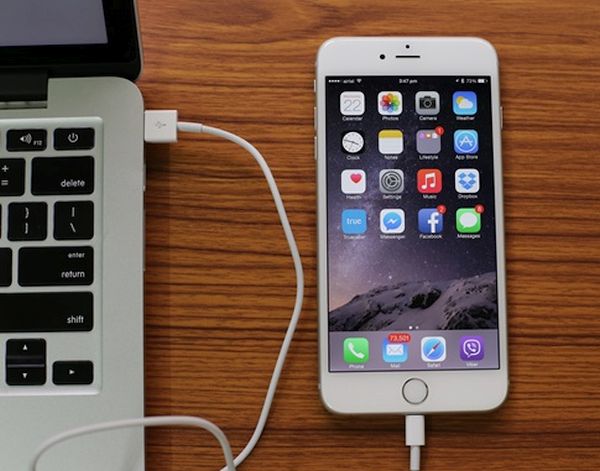
Connect iPhone to Computer to Unlock Erase Restore

Now you know answer to your question ‘How to unlock iphone 6 without erasing data:’

Method 1. Recollect the original password. It’s the best thing to do.
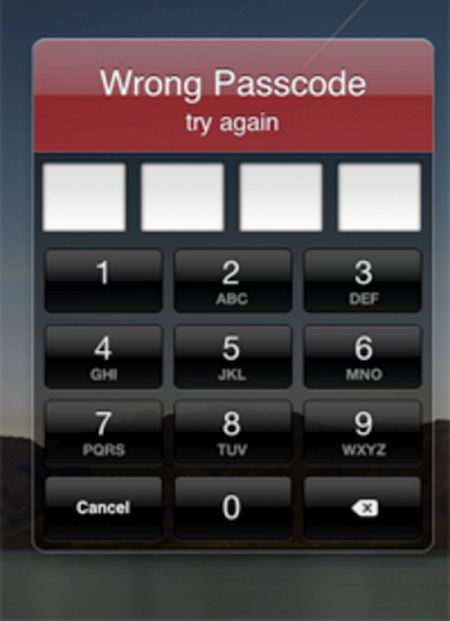
Method 2. Connect to your computer, restore from a backup [to save your personal information and important data], unlock and reset the password. This time you need to write down the numbers and remember where figures are written. This way you won’t have to restore if you ever happen to forget the code ever again.
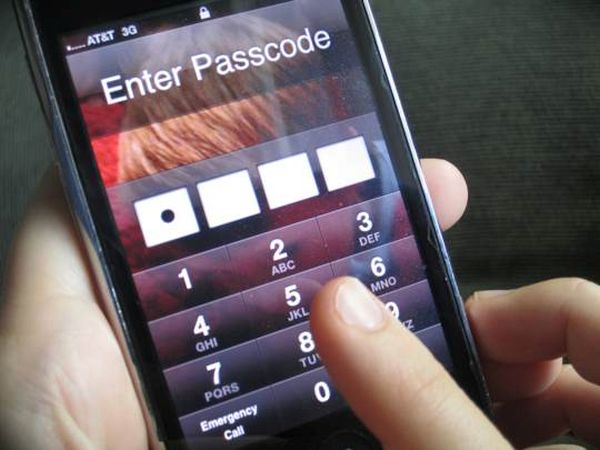
The worst thing to happen after iPhone failed passcode attempts is erasing your data. Users who still remember their code are highly advised to create a backup copy just in case. This way you will restore from a backup in case anything bad happens and have all your data back. Deal?

We really hope that this detailed ‘how do i unlock my iphone if i forgot the password’ guide was useful to you. We also hope that you never have to restore the handset this way and lose contacts, apps and other content you really need.

iPhone Lost Data After Restore

What Data Might Be Lost After Restore

iPhone users should note that restore erases your videos, programs, images, all music, contacts unless you have a backup copy to use [the one that was created before you can’t remember password and unlock device without restore].

Only users who don’t enable password protection will never forget their code.

How to Erase iPhone through iCloud

There is another method we would like to mention. If you don’t remember where you left your iPhone but can log into your iCloud account using Apple ID and passcode, you should:

Step 1. Sign in to your iCloud via www.icloud.com site.

Step 2. Select Find My iPhone menu.

Step 3. Choose All Devices and select the handset you wish to erase [the one that you can’t unlock because you don’t remember passcode].

Step 4. Use this guide only if you lost your device and don’t want anyone to access your personal information. Don’t use it if you simply forgot password.

iOS 9.3.2 Firmware for iPhone: Must Know Details

Apple presented iOS 9.3.2 update for iPhone and iPad users. This operating system turned out to be buggy and this is the reason why users hesitate whether to install it or not. There are some basic facts and things you have to know about the mobile firmware.

The iOS 9.3 brought some new features to iDevices [find out if you can still downgrade from iOS 9.3.2 to 9.3.1 version]. Then iOS 9.3.1 followed and buggy iOS 9.3.2 that was supposed to fix problems in 9.3.1. Apple is now working on iOS 9.3.3 beta and hopefully this next minor update will do what it is supposed to do: solve all the issues.

Why to Install iOS 9.3.2 Firmware iPhone iPad Apple

iOS 9.3.2 details will help you understand if you need this update or not. Users who are running 9.2.1 or earlier iOS 9 system should know that iOS 9.3.2 is a bigger file. So you should make sure there is enough free space before you choose to update via OTA-update option.

If you are running iOS 9.3.1 or 9.3 [learn more about cool and new iOS 9.3 features] and are not interested in being jailbroken you can upgrade to iOS 9.3.2. This way you’ll be running the most recent public version of Apple mobile operating system.

It could take you about 6-8 minutes to install the iOS 9.3.2 version on iPhone 6s. There should be no problems with the installation itself. This OS version seems to run just any other Apple firmware.

Your UI should be just as fast as on previous iOS version. There should be no random reboots and bricking if you have the iPhone and not iPad Pro. Only 9.7-inch iPad Pro users can experience issues with iOS 9.3.2 and they are advised to install the latest version created specially for this model.