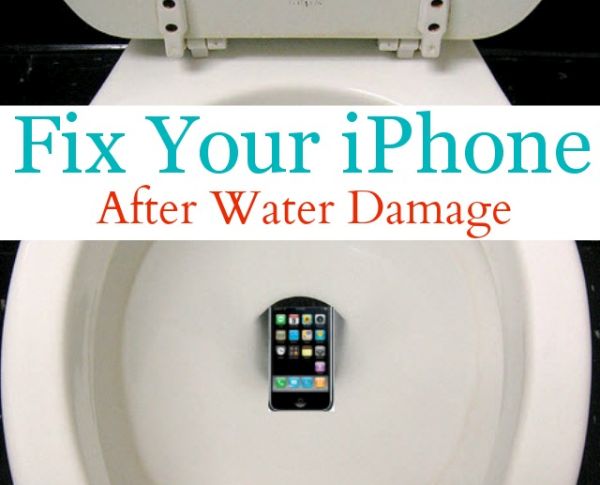
I dropped my iPhone in the toilet and it won’t turn on. Has it happened to you? You are not alone. Many of us carry the popular smartphone in the pockets and sometimes it just occurs. The device is in the water and once you take it out you should dry it.
Don’t be surprised to see iPhone no service after water damage. For many users their gadget stops turning on. Having such a brick does suck so you need to find a fix. We’ll share some of the most popular methods that could bring the handset back to life. Many iPhone water damage problems were successfully fixed so hopefully your case would also be resolved.
iPhone Water Damage Repair Cost
You can take your wet smartphone to Apple and have it officially repaired. The prices are different and depend on whether you have warranty or not. AppleCare+ must have to get the cheaper price but it won’t help you if your device is out-of-warranty [you can also use out-of-contract iPhone unlock if needed after you fix everything with the wet device].
If you have AppleCare+ service with accidental damage you can have your iPhone 5s, 5c, 6, 6 Plus, SE fixed at $79. For out-of-warranty models it would cost you way more: $269 for iPhone 5s, 5c or SE, $299 for iPhone 6 and $329 for iPhone 6 Plus. Pretty expensive, hah?
How to Fix iPhone After Water Damage without Apple
There are some must-do steps even if you decide to take the damaged device to Apple Service Center. Even if the device is as wet as if being used under the heavy rain after sinking in water – you still must let it completely dry.
Step 1. Turn off the phone if it is still enabled. You can click-hold your Sleep / Wake button or ‘slide’ to power off. If the handset is already off do not turn it on to check if everything is ok because this is how the problems will begin.
Step 2. If you have the device in a case, remove it. If the device is connected via USB to anything, disconnect it.
Step 3. Wipe off your handset. There is no need to take off the screen protector if you are using once because of its water-resistant nature. It protects the screen so let it do its job.
Step 4. Leave it in the dry place for a few days.
Step 5. Do not use the gadget right away even though it is reported that users unlock their iPhone many times a day. Users who start using a water damaged model end up with the most common issues such as ‘iPhone doesn’t charge’, ‘Home button doesn’t work’, ‘Black screen’ only because they hurried and didn’t want to wait.
Wet iPhone is like an injured man. It needs time to heal.
Step 6. It is best to use the clean cloth (cotton cloth works the best) to dry exterior. This is something you can do on your own.
Step 7. You are advised to also dry the interior after you wiped the screen, back, front and sides of the iPhone 6s, 6, SE or other model. If you can find professionals who will do it for you – it’s awesome. All the following parts need extra attention: speakers, Home and all other buttons (volume, mute), charging port, SIM card tray, microphone. It is better to remove the SIM card [learn what to do if your iPhone password is forgotten].
What Not to Do When You Drop Your iPhone in Water
- Do not turn on the phone if it is still enabled
- Do not make phone calls
- Do not dry the device with a hair dryer
- Do not attach or connect anything [accessories etc.]
- Do not charge the damaged device
- Do not remove the battery or you can cause more problems
iPhone in Rice Trick
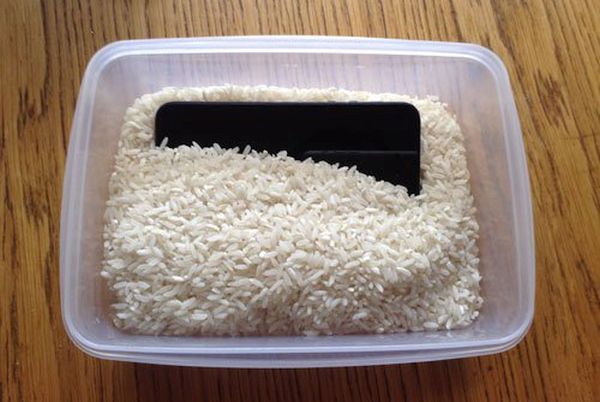
Have you heard of an interesting method how to absorb the moisture without disassembling your device? Does putting iPhone in rice work? Here is a curious solution many people have tried:
Step 1. You need uncooked rice and we’ll explain ‘how do i dry out my iPhone’ with food.
Step 2. You also need a bowl or plastic container that should be filled with the rice.
Step 3. Place the handset that was dropped into water into uncooked rice. Make sure to cover the gadget completely.
Step 4. Let the device dry in rice for up to 48-50 hours. If you decide it’s time to get new phone learn more about the best AT&T iPhone data plans and prices.
Step 5. While rice can absorb liquid it might also cause iPhone corrosion. Besides, the small grains might get inside your ports. These disadvantages and risks must be taken into consideration before you try it. Tip: you can use silica gel instead of rice.
Have iPhone 6s No Signal After Water Damage?
When the device has dried and you finally turn it on you might find another unpleasant thing: no signal. The gadget might be searching for it but the search lasts forever. Remember that it becomes expensive to upgrade AT&T iPhone so it’s better to make it alive. Use the following iPhone no service fix:
Step 1. If your date, time is wrong you need to set everything the correct way.
Step 2. Once the Date & Time show the right information the problem will be gone.
Step 3. You can also remove and insert the SIM to make sure it’s placed properly.
Step 4. Enable and disable Airplan mode.
Step 5. Do the same with WiFi connection and your cellular data.
We hope that this detailed guide for fixing ‘My iPhone fell in the toilet what do i do’ problem has helped you to get a working device. If not, you should take the gadget to the Service Center and make experts fix everything which is not free. Replacing components or repairing hardware issues could be the only way to return your phone to a working condition. Or you can purchase the new model and take better care of it.