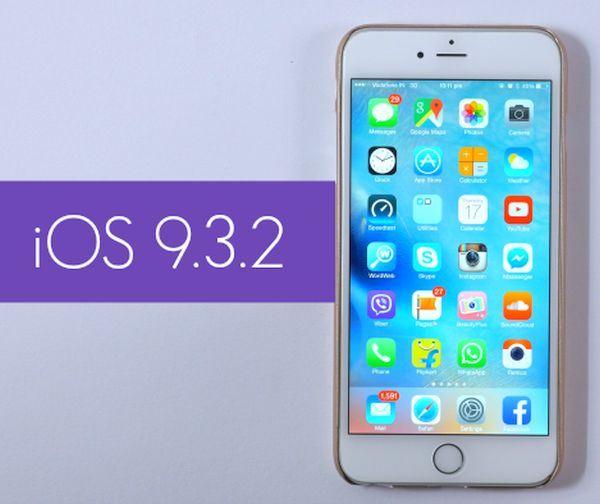
iOS 9.3.2 Firmware for iPhone: Must Know Details

Apple presented iOS 9.3.2 update for iPhone and iPad users. This operating system turned out to be buggy and this is the reason why users hesitate whether to install it or not. There are some basic facts and things you have to know about the mobile firmware.

The iOS 9.3 brought some new features to iDevices [find out if you can still downgrade from iOS 9.3.2 to 9.3.1 version]. Then iOS 9.3.1 followed and buggy iOS 9.3.2 that was supposed to fix problems in 9.3.1. Apple is now working on iOS 9.3.3 beta and hopefully this next minor update will do what it is supposed to do: solve all the issues.
Why to Install iOS 9.3.2 Firmware iPhone iPad Apple

iOS 9.3.2 details will help you understand if you need this update or not. Users who are running 9.2.1 or earlier iOS 9 system should know that iOS 9.3.2 is a bigger file. So you should make sure there is enough free space before you choose to update via OTA-update option.

If you are running iOS 9.3.1 or 9.3 [learn more about cool and new iOS 9.3 features] and are not interested in being jailbroken you can upgrade to iOS 9.3.2. This way you’ll be running the most recent public version of Apple mobile operating system.

It could take you about 6-8 minutes to install the iOS 9.3.2 version on iPhone 6s. There should be no problems with the installation itself. This OS version seems to run just any other Apple firmware.

Your UI should be just as fast as on previous iOS version. There should be no random reboots and bricking if you have the iPhone and not iPad Pro. Only 9.7-inch iPad Pro users can experience issues with iOS 9.3.2 and they are advised to install the latest version created specially for this model.
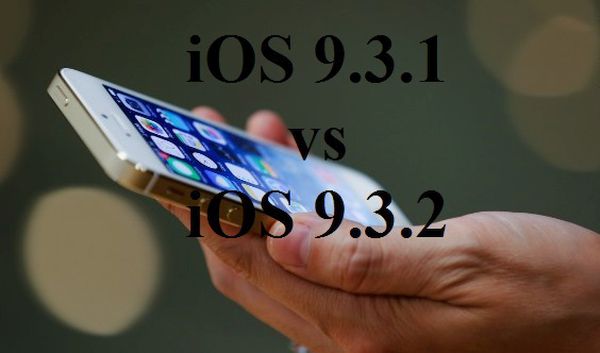
How Fast Is iOS 9.3.2 Compared to iOS 9.3.1?

Apple updated mobile firmware for its iPhones and iPads this May. How fast is iOS 9.3.2? This new operating system version has many bugs but they mostly affect 9.7-inch iPad Pro users.

Experts compared iOS 9.3.2 vs 9.3.1 through speed test. They loaded different applications, tested multitasking option and how the iPhone 6s was booting up on different firmware versions. All tests were performed on iPhone 6s only which is the ‘fruit’ handset released in the fall 2015. Apple also presented new 4-inch iPhone SE this spring.

iOS 9.3.2 vs iOS 9.3.1 Speed Test Comparison iPhone 6s

The just released firmware fixes some bugs and improves some processes. It should run smoother on your smartphone. Does it really do this? What iOS 9.3.2 speed test shows to ordinary users?

Actually the difference between iOS 9.3.1 and 9.3.2 running on iPhone 6s is not big. Both versions boot up with similar speed. Maybe version 9.3.2 is a second faster but you won’t notice this change when you are using your Apple device every day of the week. So the minor update is very similar to previous operating system version regarding boot up speed.

Good the new firmware didn’t get slower than iOS 9.3.1 [here is how to unlock iOS 9.3.1 AT&T iPhone]. Apple also enhanced security on newer firmware. The company heard users’ wishes and allowed enabling both Low Power Mode and Night Shift option simultaneously.

Do you notice any difference with iOS 9.3.2 update? Is your iPhone running smoother or same as on 9.3.1 firmware version? Do you have any issues with the update?

My iPad Pro Keeps Crashing on iOS 9.3.2: Is There a Fix?

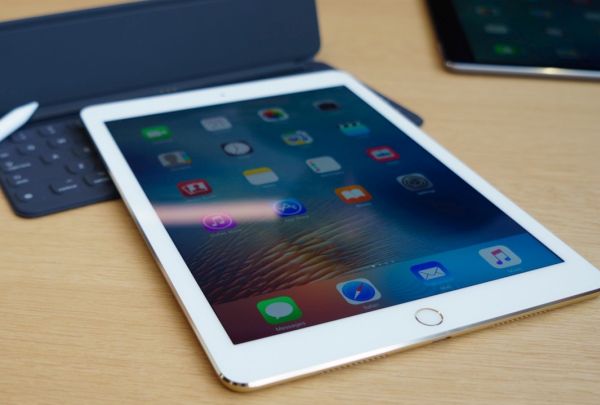
Users who noticed iPad Pro crashing problems on iOS 9 hoped to fix iPad problems by installing the new iOS 9.3.2 version [learn more about iPhone SE Bluetooth issues]. This sadly didn’t happen to many 9.7-inch iPad Pro owners. The same bug occurs on the latest mobile firmware version that was supposed to solve previous issues and problems.

Why iPad Pro crashes? Apple cannot answer this question right now. The company was hoping to fix all the bugs with 9.3.2 firmware release. Luckily the bug doesn’t affect all iPad Pro models but there are people out there who are not happy with the ‘fruit’ giant.

iPad Pro 9.7-inch Crash iOS 9.3.2 Update

Is your iPad Pro restarts on its own? Are you running iOS 9.3.2 or older firmware version? The 9.7-inch model along with iPhone SE was officially released in the end of March. No matter what color you choose, what your storage option is – you might be affected by the unpleasant unexpected crashing bug.

If you gadget reboots or crashes and can’t reboot – you might have to press Home + Power buttons to have it restart. Most reports state that the tablet device crashes while users are surfing Safari browser or switching from / to this program. Still it doesn’t look like the browser causes issues.

The problem seems to affect many people. Apple might have to release new iOS 9.3.x update to solve new iPad Pro Error 56 bug and unexpected crashes of the 9.7-inch tablet 2016 model.

Learn What’s New in iOS 9.3.2 Public Release

Have you been waiting for iOS 9.3.2 release date? This iPhone and iPad firmware update is finally here and you are welcome to download it and explore all the minor changes the iOS giant has to offer. The Cupertino-based company was testing iOS 9.3.2 this spring and presented the official download links before the WWDC 2016 event which is incredible.

Don’t expect any major new iOS 9.3.2 features and improvements. This is not a big upgrade like iOS 10 will be [the next iPhone 7 model will get iOS 10 pre-installed]. By the way we’ll learn more about iOS 10 firmware version this June because Apple will unveil its next firmware beta during WWDC and allow developers to test it during the summertime.

iOS 9.3.2 Release Update Download for iPhone iPad Apple

Before we’ll get into iOS 9.3.2 what’s new details we should note that this operating system version got only four betas before it became pubic. Beta testers and devs were exploring it before anyone else got a chance to download and install this update. The firmware fixes some previous bugs, offers some security enhancement and other changes.

Firstly, if you had any Bluetooth issues on iPhone SE they will be gone once you upgrade to iOS 9.3.2. Secondly, users who need Japanese Kana keyboard while checking their Mail / Messages programs won’t have problems with typing their email because the bug is gone with 9.3.2 release. Thirdly, Apple fixed dictionary, VoiceOver and other issues.

You can get iOS 9.3.2 for free for any iDevice that supports iOS 9 using OTA-update. This is simple, fast and easy to do. Remember that you will soon get iOS 10 firmware but this would only happen in the fall.

New iOS 9.3.2 Fixes iPhone SE Bluetooth Issues

Some new Apple customers experienced iPhone SE Bluetooth issues on AT&T and other U.S. networks. Finally the company offers the fix to this problem and you can solve all the bugs right away. How can you do this?

Use iOS 9.3.2 bug fixes and install this latest operating systemon your AT&T iPhone SE. This minor firmware update is simple and arrives with simple improvements and fixes to known bugs. This includes the Bluetooth problems noticed on the 4-inch iPhone model.

Fix iPhone SE Bluetooth Bug with iOS 9.3.2 Update

Who needs this iPhone SE Bluetooth fix? Users who have the 2016 iPhone SE model and connect it to their infotainment system in vehicles might get issues with Bluetooth audio. If this happens to you – install iOS 9.3.2 and the bug will be gone.

Some 4-inch iPhone users also have other sound issues while using GPS navigator or streaming music. In other words, the problem can happen in different situations and it’s better to solve it now. It’s worth to note that while iOS 9.3.2 update offers fixes to issues it also brings some new bugs [you can SIM unlock AT&T iPhone iOS 9.3.2 just like iOS 9.3.1]. iPad Pro users suffer from Error 56 that bricks their device. No problems have been reported for iPhone SE so far but the operating system update has bee recently rolled out.

With the newest mobile firmware version you can turn on Low Power mode and Night Shift option simultaneously without using any tweaks or tricks. Apple offers this option by default and it’s a nice change.

Simple Fix to iTunes Error 3194 on iPhone

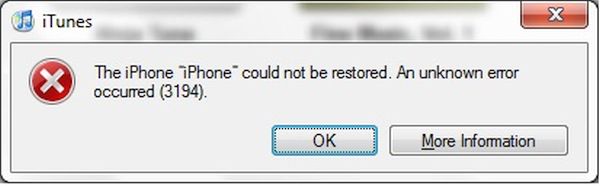
Do you get iTunes error 3194 while trying to update or restore your Apple device? It is simple to solve this problem [find out if it’s possible to downgrade iOS 9.3.1 to 9.3]. This method works for different problems. For example, you can fix Error 17 and 1639. This guide is good for Errors 3000 – 3020 and is great for iTunes errors 3100 – 3999.

Yay, there are multiple bugs and problems that can be resolved. It happens because iTunes doesn’t ‘talk’ to update server so you should check hosts file. If you are using Mac you can fix error 3194 iTunes through Terminal command. Simply enter:

sudo nano /private/etc/hosts

Click on Enter and you’ll see the hosts file where you should search for gs.apple.com entry. If it exists you need to remove or comment it by adding # with ‘space’ at the beginning of entry. Save the file and restart your Mac machine.

Error 3194 iTunes iPhone Fix

Windows users can fix error Can’t Restore 3194 iTunes problem [learn more about Apple online iPhone upgrade program] by getting to Search and typing Run to click on Run icon. You should type the following into Open window:

%WinDir%\System32\Drivers\Etc

When Etc folder is launched you can double press on Hosts file. It is necessary to edit it by removing gs.apple.com entry and saving the file.

The issue should be fixed after restore.

There are predictions that say iTunes error 3194 mostly appears on previously jailbroken devices where jailbreak caused the appearance of new entry hosts file that you have to remove in order to fix the problem. It can be solved on both Macs and Windows computers and this is nice. No matter if you have iPhone or iPad you can still fix the bug without issues.

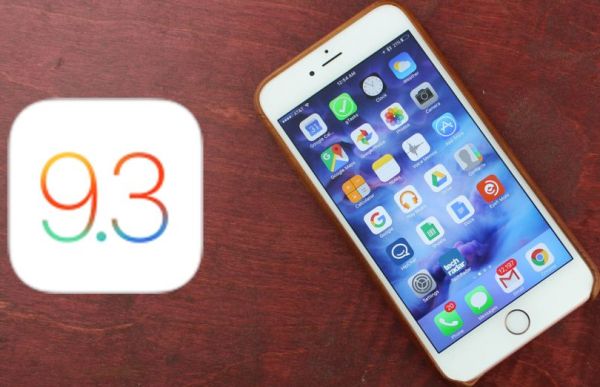
Wonderful Yet Hidden iOS 9.3 Features for iPhone Users

Apple presented iOS 9.3 firmware version this spring with new iOS 9.3 features and interesting options. There are hidden and new updates you should learn about to get better experience until Apple introduces iOS 9.3.1 or iOS 10 upgrade.

It is no longer possible to downgrade iOS 9.3.1 to 9.3 but there are still users who are using this firmware version. Night Shift mode is probably the top option that arrives in iOS 9.3, 9.3.1 and will be present in upcoming iOS 9.3.2 version.

iOS 9.3 Hidden Features

There are numerous iPhone Night Shift guides and jailbreak tweaks that make it easier to use this option. For example, you can enable both Night Shift and Low Power modes at once and save your battery life while reading comfortably from the screen at any time of the day.

The quickest way to access Night Shift mode is to swipe up from iPhone display bottom in Control Center and tap on the iOS 9.3 Night Shift icon.

It si possible to see how much WiFi data you are using you can take advantage of WiFi Assist usage data [here is how to fix iOS 9.3.1 crashing issues]. There is no need to guess how much data you have used and save on your cellular data bill. You can protect Notes with password.

In News you can Save, Mute and do other actions by simply swiping right / left. You can sync iBooks and PDFs to Apple cloud. You can duplicate Live Photos as still images. Improved Education applications and CarPlay should make the full experience better. Siri starts to support Malay and Finnish. Notes got checklist option you can use to quickly make new lists.
You can watch videos, enjoy stories in iOS 9.3 landscape mode. It is possible to long tap on the picture and get thumbnail of the bigger image.

You can navigate through Safari / Mail / Spotlight lists using arrow keys. You can also use space bar forscrolling in Mail and Safari. Have you discovered all hidden features on iOS 9.3?

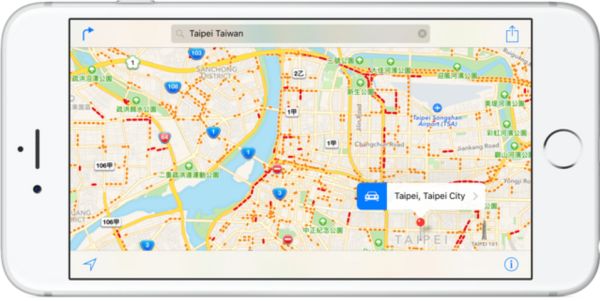
Apple Maps Improved with More Traffic and Flyover Locations

Apple Maps traffic gets some improvements along with Apple Maps flyover iOS 9 locations. iPhone users get more options from the famous ‘fruit’ company while Apple is working on the future gen iPhone 7 and enhancing its own Maps tools with extra features.

Apple Maps Thailand traffic information is finally added. You can visit more countries across the world and get detailed traffic data for easier travelling. Besides, Apple Maps flyover cities are now supported in the U.S. (Ohio) and Mexico allowing amazing 3D Views of the location. Right now this option is only available in Akron (Ohio) and Puerto Vallarta (Mexico) but more cities support should be available soon.

Apple Maps Traffic Flyover Cities

iPhone users have two Maps choices with Apple Maps and Google Maps. You can use both programs on the same phone for better results. Apple is doing its best to improve the program and compete with Google [the company is already offering new Apple iPhone Upgrade Program online]. There were different problems and issues with Apple Maps however the company didn’t give in and continues to update the tool.

Apple Maps traffic information is added for many locations. Apple is bringing the option to more countries. It’s a cool option for all iPhone users who travel a lot and need to get metro or bus schedule on-the-go. This is exactly what Maps Traffic option brings to your iDevice. As time goes by Apple adds more and more cities to the list of supports Traffic cities and makes it easier and simpler to travel with the ‘fruit’ device.

Users Troubled by App Store Search Issues

Is App Store not working properly? You are not alone. A lot of users report different App Store search issues and can’t get to different titles that are showed in the search results [luckily there are no issues with iOS 9.3.1 AT&T iPhone SIM unlock service]. This happens all across the world and is not an issue in the U.S. only.

In other words, App Store search issues today is a commonly reported problem and bug that troubles many iPhone and iPad customers. The widespread issue is not the first time when ‘fruit’ customers have problems with Apple services.

App Store Search Bug April 2016 iPhone

It’s curious that App Store search issues are noticed in Google, Tumblr, Spotify and other applications. Some games are also affected by the unknown bug. iPhone, iPad and even iPod touch users from Europe, the United States, Canada and other places mention the very same App Store not working bug. The problems occur on different smartphone models including newest iPhone SE that is strongly demanded in China.

Apple System Status page at first said nothing about the problem. There were still users who were affected by the issue and wished it to be solved as soon as possible – so the company soon updated the website to show that the issue was real and truly experienced by a number of users.

Have you had any issues with the App Store or were you lucky to get past all the problems? With big companies and big projects it’s hard to avoid bugs and issues. Apple users often come across bugs but the ‘fruit’ giant always fixes the problems.

Apple Presents New Music API for iOS 9.3 Platform

iPhone and iPad are so popular that many developers are happy to create their programs for iOS 9.3 and other Apple firmware versions [here are some reports about future iPhone 7]. Both iOS market (the App Store) and third-party markets (Cydia and similar stores) have tons of different applications and games and Apple Music iOS 9.3 API can offer even better features.

This option is meant for professional developers and still end users should win-win from the release of Apple Music API. Dev will be able to use Apple Music playback in their iOS 9.3 programs which is cool for all iPhone and iPad owners.

Apple iOS 9.3 Music API

Would it be great if you could control Apple Music playback option right within an application? Wouldn’t it be awesome if your iPhone or iPad gets additional features and lets you create playlists and do other things developers offer?

There are many ways how to improve the iDevice. Apple Music API 9.3 release is an interesting presentation that can enhance the usage of ‘fruit’ devices and make millions of music fans happier [find out if it is possible to downgrade iOS 9.3.1 to 9.3]. Some third-party programs are already using the new iOS 9.3 API and more apps are to implement and adjust this option in the future.

Right now dev who are using Apple Music API will be able to see some information about users who are members (country, member status) and queue up songs for playback based on their ID. This should be a nice little addition that can bring some wonderful changes and enhancements to iOS applications and make many programs better and more useful.