Use This Guide To Download iOS 8.3. Beta 3 Without UDID

You can download iOS 8.3. beta 3 without UDID as it was expected also Apple company has opened up its iOS beta program to the public and is requires a paid developer account to test new software.

To receive the new beta you can sign-up from the Apple Seed website. It is pretty easy to do as signing in with your Apple ID and then installing the beta software to begin using it. To install the beta, you’ll be prompted to download a configuration profile from the AppleSeed website that will open the beta software in iOS’ Software Update feature.

download ios 8.3. beta 3 without udid

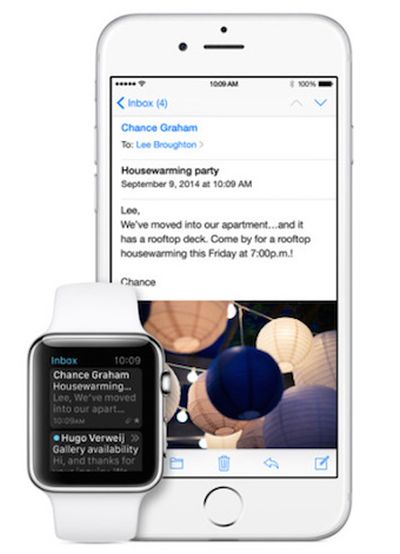
The third iOS 8.3 beta on Thursday gains few new features. It comes tired with the Apple Watch app like on iOS 8.2. It will let users to manage their Apple Watch and connect it with their iPhone.

What’s more chats from persons in Messages that are not in your Contacts now include a ‘Report Junk’ link. It also gains a Conversation List Filtering feature that adds a separator tab to the Messages app.

The third beta of iOS 8.3 follows the second beta of iOS 8.3 release close to two weeks ago. That brought few new languages to Siri. The first iOS 8.3 beta brought users CarPlay support, support for Google 2-step verification, new emojis, and the beginnings to bring Apple Pay to China.

How to download iOS 8.3. beta 3 without UDID

Step 1: Before start to proceed please back up your device’s data.

step 2

Step 2: Sign up to the Apple Beta Software Program by navigating here. Next tap on the blue ‘Sign up’ button. Sign in with your Apple ID and conform the license terms.

step2

Step 3: Now select the “Enroll your iOS device to receive beta updates.” option.

The process of installing the beta is reversible, so you can revert to the latest public release (iOS 8.2), it is recommended to use an iPhone or iPad that you don’t consider to be your “daily runner.”

Step 4: Instead of simply updating, you’ll need to download the iOS Beta Configuration Profile specific to your device from here. You need to visit this link using your iOS device on which you want to install the iOS 8.3 beta.

step 4

Step 5: On your device, launch Settings > General > Software Update, and you should see the iOS 8.3 beta build. Click on it, and you’ll be able to download and install on your device.

step 5

When iOS 8.2 Will Be Released by Apple for iPhone, iPad, iPod Touch

The final and official iOS 8.2 release date hasn’t been set officially yet [you can still improve your iOS 8 performance] or Apple just doesn’t mention the exact day we’ll see this update. The company’s CEO Tim Cook has already confirmed that the iOS giant will launch the Apple Watch in April, 2015. This means that iOS 8.2 launch date should be before April since this upgrade has to be installed on iDevices for better compatibility.

iOS 8.2 Release Date

When iOS 8.2 will release is not yet announced but experts think it will happen in March. It might be shepherd in the release of the new wearable. Developers and some ordinary users have already installed iOS 8.2 beta 5 which was unveiled in early February for testing.

The iOS 8.2 latest news mentions that if the Watch is on schedule [and this information was already confirmed by Mr. Cook], the timeframe for the next firmware version release has to be sometime in March.
It can even happen that the operating system can be released a month before the Watch shipping time. Some experts believe it can happen.

The rumors have sense as most software versions have their bugs and problems [experts also talk about iOS 8 encryption being an issue of public safety]. If Apple releases iOS 8.2 ahead of the Watch sales it will have time to fix the issues and improve its firmware so that the wearable customers have less complaints.

Ting Activates Unlocked iPhone 6 / 6 Plus Preparing to Launch GSM Service

Ting U.S. cellular is not an ordinary mobile carrier. This is virtual network operator that operates using Sprint CDMA and 4G networks. The company has big plans for March as it wants to purchase data capacity from a GSM operator. Ting GSM service will allow iPhone 6 and 6 Plus owners access LTE, 4G, 2G and 3G voice networks.

ting-iphone-6-us-virtual-carrier

The new Ting iPhone plan allows customers pay for what they use. The company can now support only particular devices, but it should soon get access to a big variety of brands with GSM support.

Ting iPhone 6 and 6 Plus activations have already begun. The virtual carrier activates unlocked models for now [read about the new phone unlocking policy in the United States], but it assures that once Samsung releases its Galaxy S6 or Google offers a new smartphone, subscribers will be able to sign up for Ting and start using its plans at once. Such a statement was made by the carrier’s VP of Marketing Michael Goldstein.

It is rumored that Ting is planning to buy capacity from T-Mobile. This will unlock Ting from being tied to old Sprint iPhones that are out of contract and unlocked. Sprint had a lot of restrictions for its MVNOs, but the carrier’s rules have recently changed and you should soon get a chance to insert a Ting SIM card into any GSM smartphone that works on T-Mobile frequency to get the signal.

The carrier will also work with Sprint and Verizon CDMA smartphones.

Steps to Activate iPhone After Factory Unlocking [Several Methods]

Sometimes you come across iPhone activation problems that you wish to fix as soon as possible. IMEI unlocking method has become very popular but it requires users to activate their smartphone using iTunes and this might cause an issue.

I’ll list a couple of methods that will help you to successfully activate iPhone factory unlocked with IMEI. Don’t worry if you get an error that iTunes can’t “continue with your activation” right now. Follow one of the solutions provided below and iTunes will finally restore your iDevice.can't activate iphone
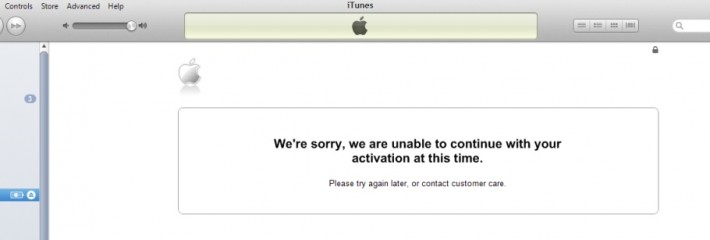
So if you see such messages:

“We’re sorry, we are unable to continue with your activation at this time. Please try again later, or contact customer care”

“ Your request couldn’t be processed. We’re sorry, but there was an error processing your request. Please try again later.”

we will try to fix them here or at least find out the reasons.

The problem can happen with anyone who has hactivated the gadget with Redsn0w / SAMPrefs, jailbroken with Absinthe, Evasi0n, Redsn0w, unlocked with different methods [SAM, Turbo SIM, Gevey SIM, Ultrasn0w], downgraded to previous firmware versions. It can also happen if the smartphone has been stolen, blocked, blacklisted, lost, etc. The error doesn’t depend on your iPhone IMEI unlock service. It’s the activation problem. This is what you can do to fix it.

Fix 1. Activate with No ZIP Code and SSN

We all know that a lot of customers like to make purchases on eBay. It can happen that you get an iPhone that requires an activation and needs your Social Security Number along with the billing ZIP code. This happens when the smartphone’s original owner hasn’t activated it after purchase. You are able to activate iPhone without SSN and zip code.

Fix 2. Refurbished or Replaced iPhone IMEI

Some refurbished smartphones get the problem when Apple activation server doesn’t recognize the IMEI code and doesn’t authorize it. You can try to put such an iPhone into DFU mode and insert the SIM card of the carrier it is locked to restore. If this also doesn’t help, you should contact the Cupertino company’s support to solve this issue as such a device can’t be unlocked and activated.

The same situation is with replaced iPhones. The IMEI of factory unlocked iPhone can be replaced with locked so Apple can’t find the correct (unlocked) IMEI and can’t activate it. In this case contact Apple.

Fix 3. DDoS Attacks

Sometimes the activation servers that belong to Apple suffer from DDoS attacks. This causes your device activation fail. Just wait a bit and try to activate iPhone factory unlocked once again. iTunes also suggest to “try again later” because of that.

Fix 4. Blocked / Barred IMEI

The smartphone might be barred / blocked by the carrier. There are a lot of reasons why this might have happened. It could have been stolen or reported as lost. You should purchase only activated iPhones in order to avoid this problem or ask its original owner to activate the handset using the SIM card of the operator it has been locked to.

If you got blacklisted iPhone you can still unlock it using packages for blocked devices.

Fix 5. SAM Activation Unlock

Here is what you should do if you wish to use SAM activation unlock method. It is important to insert the SIM card you have been locked to and activate the device, and only afterwards you can order factory IMEI unlock service.

Here is a short instruction on how it all works.

Firstly, you should jailbreak the device before you activate your factory unlocked iPhone with SAM.

Secondly, you add http://repo.bingner.com to your Cydia sources and install SAMPrefs app found in this repository.

Thirdly, you go to Springboard and find Yellow icon that says SAMPrefs. Open it and go to utilities where you are able to de-activate the handset.

Fourthly, you insert any SIM card into iPhone factory unlocked and launch iTunes to activate it.

In case you placed an order for factory unlock which fails to work, try the following thing. Restore your gadget and activate iPhone that has been factory unlocked with the original SIM card it was locked to by Apple. Restore it once again and insert any other SIM except the original one to activate it before you unlock using Gevey SIM, Turbo SIM or Ultrasn0w.

Fix 5. Blacklisted IMEI after Using Sn0wbreeze / TinyUmbrella

iPhone users who used either TinyUmbrella or program Sn0wbreeze for jailbreak / upgrade / downgrade must reset their hosts file on PC to activate the smartphone. Both tweaks change this file. When everything was reset you must update, find a different computer and insert the SIM card your handset was locked to activate successfully. You can permanently unlock the gadget once you have completed the steps above.

Fix 6. Activation via Wi-Fi

You are able to activate a factory unlocked iOS device via Wi-Fi Connection. It should be active. As soon as you got a confirmation from the company that performs factory IMEI unlock that your device has been unlocked, you must take out the SIM card the iPhone was locked to and insert any other SIM. Launch iTunes, wait till it detects your gadget and greets you with an “Activation Required” message. Connect to your Wi-Fi network and the iPhone will do everything else on its own.

Fix 7. Activation after Redsn0w Unlock

In case your iPhone has been unlocked you can try to activate it using Redsn0w. You must firstly download the latest version of this program. Secondly, you should connect the iPhone to your computer. Thirdly, you must launch Redsn0w and press “Jailbreak” which will put the device into DFU mode.

Wait till Redsn0w detects your build version and allows you deactivate [remember to un-check all features presented with this option]. Take the SIM card out after deactivation is complete and turn off your iPhone.

The last step is here. Turn your smartphone back on. Connect it to iTunes and insert the SIM card. You will be happy as your gadget should be unlocked.

New Sprint Family Share Pack Comes with 12GB of Data for iPhone

Different U.S. iPhone carriers tweak their plans once in a while to offer their old and new subscribers some new interesting deals. The new Sprint Family Share Pack has picked up the strategy used by AT&T and Verizon. It also tweaks the older offers and promises a certain amount of shareable data to Sprint iPhone 6 owners and other smartphone users for $90 a month.

sprint-data-plan-12gb

The big variety of Sprint data plans for iPhone 6, 6 Plus and older models 5S, 5, 5 etc. come with different costs and limitations even though the talk and text come unlimited. Since modern smartphones ‘eat’ much data, American mobile operators charge for data and not for conversations and chats.

The Family Share Pack launched by Sprint allows users to share 12GB of data each month starting at $90 monthly payment. This plan is good for families and friends with up to 10 phone lines. The bucket of data costs $90 but you have to pay extra $15 for each new gadget that accesses this data.

The carrier is also eager to purchase old contracts for Americans if they agree to subscribe to Sprint 12GB Family Share Pack. They can get customers from other mobile operator if they are ready to sign up for the Now Network plan and buy a smartphone via Easy Pay or leasing program offered by Sprint.

The offers won’t last long. You still have time to choose what you want more. The offers run till March 12, 2015 [the opportunity to sell your old contract] and March 31, 2016 [the chance to switch to Now Network].

How to Unlock Your UK iPhone for Free [O2, Vodafone, Virgin Mobile]

Before you will learn how to unlock iPhone in the UK for free and become free from your carrier you should first make sure that you are not unlocked already. Take any SIM card that doesn’t belong to your main network and insert it into your iPhone 6 or 5, 5S. Just remember that the iPhone 4S needs a MicroSIM which is bigger from what iPhone 6 Plus, 6, 5S, 5c and 5 need.

So once you are sure that you have a different SIM card [different from your mobile operator] and it is of the correct size, insert it into your SIM tray. Do you see the signal? If the signal appears you are fine and don’t even need to learn how to unlock iPhone 6 Vodafone, Virgin Mobile, O2 or any other carrier. If you are asked to insert a correct SIM or get a message about an invalid card or a card that can’t be accepted or there is no signal, you are locked to one network only.

o2-uk-unlock

How to Unlock O2 iPhone in the UK

We’ll add that it is simpler to unlock iPhone O2 UK by IMEI factory service, but we’ll still explain how you can do this directly from the carrier though it takes more time and is pretty expensive. This operator allows subscribers who are out of contract to fill an unlock form and pay either £15 [$23] or get the free unlock [which isn’t confirmed on the site].

You can give it a try and contact O2 to make sure you are eligible for direct unlocking service or just do the following thing. According to this carrier, non-O2 consumers can insert any SIM into their iPhone and connect to iTunes to become automatically unlocked. Give it a try, why not?

Just remember that you can unlock iPhone 5, 5S and earlier models through O2 and this carrier said that it had no plans for unlocking iPhone 6 Plus and 6 for a while.

virgin-mobile-uk-unlock

How to Unlock iPhone Virgin Mobile UK [Tesco Mobile]

If you have a new smartphone that was bought recently from Virgin Mobile it has to be already unlocked. According to the carrier, any older iPhone units that were locked to this network can be unlocked automatically once you update your iOS to iOS 8.1.3 which is the latest official public version of mobile firmware for Apple smartphones.

Tesco Mobile agrees to unlock only iPhones that are out of contract. You can call 0345-301-4455 to order the service directly from this carrier but first find out how much it will cost you. Remember you can order factory IMEI unlock instead.

vodafone-uk-unlock

How to Unlock iPhone Vodafone UK

If you have a Vodafone account or know the information about your iPhone previous owner who had such an account you can order unlock directly from Vodafone. The carrier promises to respond to your request within 48 hours and unlock your smartphone within the next 10 days if you are eligible.

Users who had their Vodafone data plan for over 12 months can become unlocked for free, but everyone else has to pay £19.99 [$31].

How to Use UK iPhone 6 / 6 Plus with All SIMs [Unlock Advice]

There is a big number of Apple iPhones that are locked to different networks which often gets really frustrating. At first, you are happy with your purchase of the new iPhone 6 or 6 Plus in the UK or in any other country from the world. You enjoy the new features, love how cool it looks… but suddenly you start to think about how to unlock iPhone in UK for free.

It is a big question to a lot of customers. Being locked means being limited to your particular carrier, its rules, data plans and changes. If you are tired of T-Mobile pricing and plans you cannot switch to Three, EE or Orange. You are locked and can’t move…. Unless you figure out how to unlock iPhone 6 Orange / 3 / T-Mobile etc.

iphone-6-unlock-uk

About iPhone Unlock for UK and Other Countries

It is worth noting that clean iPhones are faster and simpler to unlock than blocked. Everything depends on a number of factors, including your mobile operator, contract status, blacklist status and so on. Most gadgets bought in 2014 have been successfully unlocked by networks, but older gadgets might have big problems with their networks as their owners just know nothing about such a service.

You might be able to contact your carrier and ask it to make you SIM free. This is legal and there is nothing to feel shy about the issue. It’s your smartphone and it’s you who pay all those fees and charges, so why not it will be up to you which network to connect to?

Gadgets that were bought at the full price and out of contract models are easier to unlock than locked contract iPhone 6 and 6 Plus.

Am I locked or not? You can answer this question by inserting any SIM card of a different from yours carrier. For example, insert the Three UK card if you are using Orange mobile operator and if you don’t get the signal you are locked. There might be a message about ‘invalid SIM’ or something similar as well.

three-uk-unlock

How to Unlock iPhone Three UK Guide

If you got a Three iPhone 6 or 6 Plus it has to be already unlocked. The mobile operator assures that all iOS devices purchased from Three 3 after January, 1, 2014 are unlocked automatically once you activate your device through iTunes or Wi-Fi connection.

If you didn’t buy the iPhone from Three but it happened after the first of January, 2014 you might have to restore via iTunes to become unlocked.

Older iPhone users have to either contact Three online or use factory IMEI unlock service to get rid of the restrictions of being connected to only one UK carrier.

ee

How to Unlock iPhone 6 Orange, T-Mobile, EE

If you have a smartphone locked to any of these three networks you might have to pay over £20 [about $30] to order the unlock. The Three online form is not everything you have to fill in. It will take up to 20 days for you to get rid of the lock status.

The procedure of how to unlock T-Mobile iPhone and Orange model is similar. If you just wish to save your time and money, it is easier to order factory unlock by IMEI for your UK iPhone. At least, you’ll enjoy the high quality service and won’t have to pay all your bills if you own the account for less then six months.

How to Fix Can’t Connect to App Store Error on the iPhone and iPad

Sometimes you can’t connect to App Store even on the iPhone 6 and 6 Plus and on any other smartphone model that is running iOS 8 firmware version. Is there a way how you can deal with such a problem? There is a fix which you can try and it should solve the problem when App Store says ‘loading’ or demonstrates a blank screen to you.

What can I do when the App Store doesn’t work on my iPhone? You can use one trick to reset your App Store connection and make it load properly. This problem can appear on iOS 8 and any other firmware version [by the way, you can improve iOS 8 performance on the iDevice]. The good news is you can solve it yourself without seeing ‘Loading…’ instead of applications and games.

cant-connect-app-store-error

Fix iPhone Can’t Connect to App Store Problem

1. You can try to check your connection at first. What if there are problems with your 4G or 3G network? The information about your connection appears in the top left corner of your screen. Take a look at it. The store can try to connect and it might take a long time before it shows the error.

2. Users who are on WiFi, you can check your connection and even move closer to your router. You can also try to disable this connection through Control Center – WiFi or try your cellular network.

3. If App Store shows blank screen you can close it and open it once again. If the connection is good the store must be restarted. Click twice on your Home button and once Multitasking option appears you should take your App Store icon off the screen’s top to close it. Then you can launch it using the icon on the Home screen.

4. If the problem is still with you, try to log out of your account and log back in to it. Go to Settings – iTunes & App Store where you can click on Apple ID to sign out. Then you should re-enter your ID and password to sign in.

The App Store should work ok now and allow you to download iOS 8.1.3 apps and games without any ‘loading’ and blank screen information.

Upgrade to iPhone 6s Program Announced by Apple

Are you planning to upgrade to iPhone 6s? All U.S. carrier will soon offer this opportunity to customers who wish to bring their older model and exchange it to the newest one. The final iPhone 6s upgrade price depends on the smartphone working condition and other parameters you’ll learn more about once you bring the device to the carrier.

Apple upgrade iPhone 6s program also comes to the company’s retail stores. Every year the ‘fruit’ giant is offering the new generation handset. This year, for example, Apple releases two new versions: iPhone 6s and iPhone 6s Plus.

Apple iPhone Upgrade Program

Networks offer different installment plans to make the upgrade fasterand simpler for customers. The Cupertino-based company is also helping out. The iPhone maker starts the special iPhone Upgrade Program in 2015. Through this particular program you get a chance to get the completely SIM unlock iPhone 6s or 6s Plus including AppleCare+ option. You’ll be able to pay monthly installment for the final cost of this handset.

Such a program was earlier available from carriers only and it finally comes to the Apple retail stores across the U.S. It is fun that you can the SIM free gadget. In other words, you don’t have to pay extra for unlocking it from a carrier.

Apple plan offers 24 months of installment payments. The monthly payment starts at $32. According to news, Apple will allow users upgrade to the latest gen gadget every year. This sounds interesting however it is not clear if you have to pay off your device after 12 months in order to get the next generation device or not.

We don’t know when exactly the program launches. The official iPhone 6s release date is September 25th. This could also be the date when you can come to Apple retail store and pick up your unlocked ‘s’ model.

How Much Data iPhone 6 Plus Generates Compared to Other Models

Different posts review iPhone 6 vs iPhone 6 Plus specs and compare these two models to earlier Apple products. The new iPhone is surely bigger than its predecessors but it also consumes more data. Customers who care about how much their smartphone needs data each month might be curious to learn about iPhone data usage based on the information from different carrier subscribers.

iphone-6-5s-6plus-data-usage

How Much Data iPhone 6 Plus Generates

The report has some interesting points. As most users note, the iPhone 6 Plus generates double the data of the other model, iPhone 6. At the same time, while this might not sound as ‘too much’ to some of you, compare it to the iPhone 3GS and you’ll hear that the 6 Plus consumes ten times as much as the early version of the smartphone.

Such huge iPhone data usage is pretty notable. It is understood that each new model ‘eats’ more data so when you are eager to update to iPhone 5S, 6 or 6 Plus you must be ready to this as your gadget will need a bigger amount of data than iPhone 4 or 3GS.

You should also keep in mind that users with the most recent models use their smartphones more time compared to users with older versions. Thus, users who have the iPhone 5S say they use it about 55% of the time and owners of the 6 Plus model assure they use it 80% of the time.

You can guess that it’s the phone itself that consumes too much, it’s just the fact that customers spend different time with their gadgets and this results in the monthly amount of data they consume.
Still, compared to old models modern customers consume much more. The 6 Plus customers use 10 times more than users who had the 3GS model.

iphone-data-consumption

How are you engaged with your smartphone? Do you use it most of your free time and at work or not? Will you choose the iPhone 6 or 6 Plus? How eager are you to pay much more for your bill if you upgrade to the 6 Plus?

Consumers have to answer these questions themselves before purchasing a new device. The carrier’s data plan bill will be surely bigger for the bigger screen device that generates more data if compared to the iPhone 6 users.