Solve AT&T Data Overage Problem and Find Cheapest iPhone Data Plan

The on-going AT&T data overage problem makes some iPhone users upset. This is why you should learn how to deal with extra fee issues and switch to the most affordable data plan based on your needs and desires. We’ll explain how to check data usage on iPhone 6, 6s, SE and other models and share some interesting tips you can take advantage of.

What is the cheapest data plan for iPhone 6s / 6 / 5S / SE? Can you choose the best option from AT&T or is there a way to switch to a different network if you are not happy with AT&T overcharging data usage 2016 or price you have to pay each month? Let’s see what we know about the current affordable data packages and ways to save on your monthly bill.
Avoid Overage Data AT&T iPhone 6s SE 6 Overchage Extra Cellular Data Costs

How to Check Your iPhone 6 Data Usage

This is so simple to do. Just take your iPhone SE or any other model you own and launch Settings. Here you should select Cellular option and find Cellular Data Usage. Your device will show all the data you send and receive via AT&T cellular network for the current period.
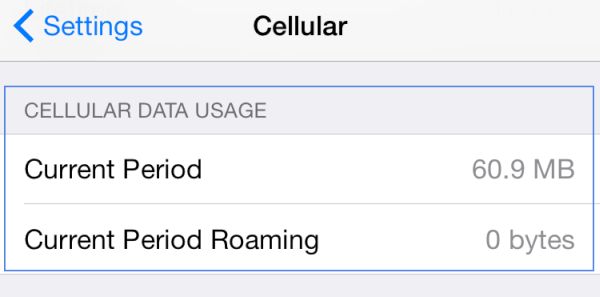
AT&T iPhone 6s SE Cellular Data Usage Settings

How to Check WiFi Data Usage on iPhone

Maybe iOS 10 will improve this feature however iOS 9.3 update already brought the improvements to Wi-Fi Assist. So now you can go to Settings – Cellular and select Wi-Fi Assist. You should see the data usage number right next to the on / off switch. This is where you can see how much data you have consumed.
By the way, many users blame this option for AT T data overage charges. Wi-Fi Assist automatically switches from WiFi to mobile network when you have no connection, weak connection or problems with WiFi connection.

In other words, this feature is not that popular among users as some of them got huge bills [there were reports about $2,000 and less] because they didn’t control when they started to unexpectedly consume mobile data instead of WiFi. Don’t like to risk? Just disable the app and you won’t pay anything extra to your carrier.

How to Reduce Data Usage on iPhone 6, 6s, SE

There are some simple things you can follow when you really wish to minimize data usage on iPhone. It works for AT&T and all other networks as well.

1. You should track your data usage

This is must do. You can follow the guide above and access information about used data through Settings – Cellular menu. Just remember to reset it when you start a new billing cycle. Use Reset Statistics option available at the bottom.
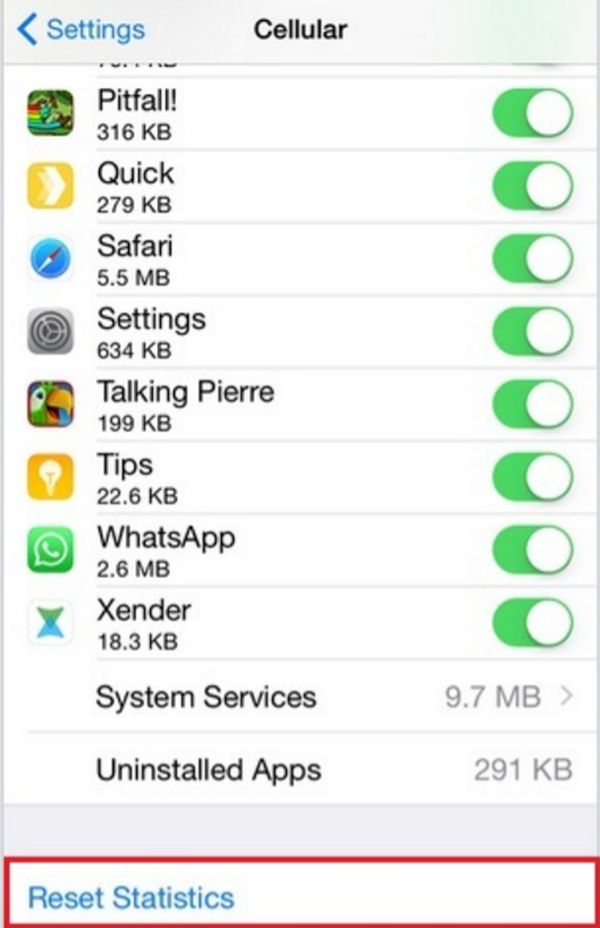
How to Reset Cellular Data Usage Statistics AT&T iPhone 6s 6 SE Guide

This is how you’ll know much data you consume each month.
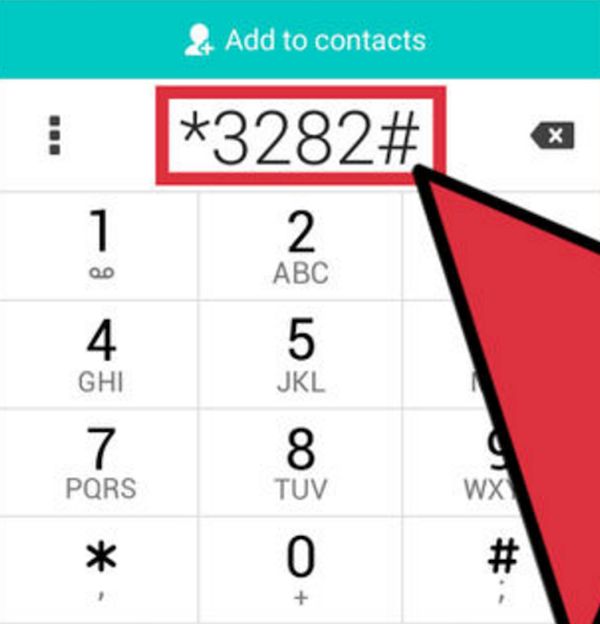
ATT iPhone Check Cellular Data Usage Dial 3282

AT&T subscribers can also dial *3282# and get this information on-the-go.
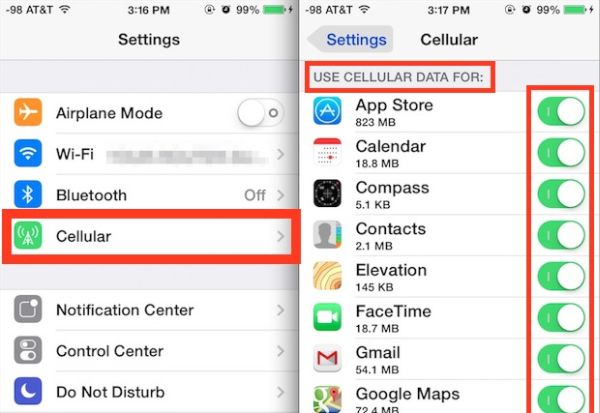
iPhone AT&T Cellular Data Settings Use Cellular Data For Option

2. Don’t use mobile data for all applications

There is no need to use cellular data for iOS programs. It is best to disable cellular data for Netflix and similar tools that can work great when you are connected to WiFi. You can see all the programs that use cellular at the moment under Settings – Cellular – Use Cellular Data For. Just turn off the switches for the applications that rely on mobile data when it’s not necessary.
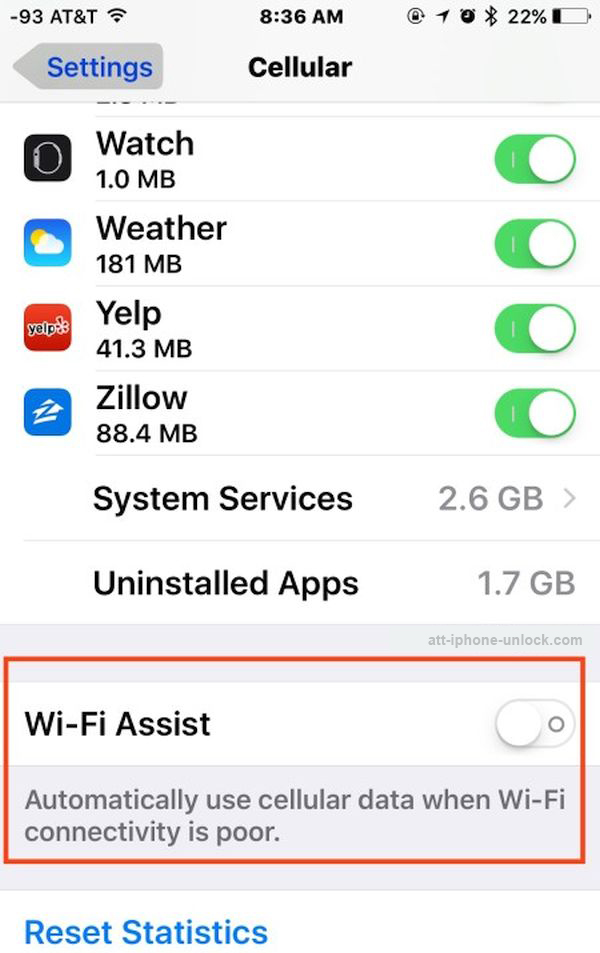
Turn Off WiFi Assist iPhone AT&T How to Guide Settings

3. Disable WiFi Assist to avoid overage charges from AT&T

We’ve discussed this but let’s recollect. Disable WiFi Assist if you don’t want your iPhone to use cellular when WiFi is off or weak. Believe many users who suffered from being overcharged and don’t repeat their mistakes.
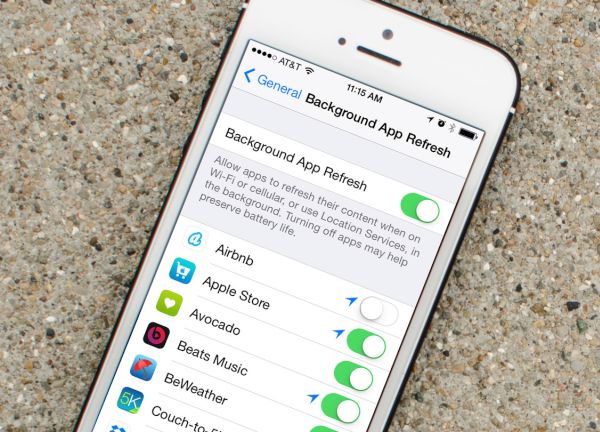
iPhone Settings Background App Refresh Option

4. Stop background app refresh and updates

The best way to save your data and not get excess charges from mobile operator is to prevent programs from consuming data aimlessly. Open Settings and select General – Background App Refresh option to turn of the tools from updating throughout the day. Do this for your social network applications and other programs. This way you’ll save both data and battery life. How cool is that?

These are must-known iPhone settings to save data usage on any carrier in and outside the U.S. Another thing you can do when you are completely not happy with your operator – get factory iPhone AT&T unlock and you’ll be permanently free to choose which carrier to connect to today or tomorrow. Switch SIMs as often as you wish and select the cheapest data options in your region.
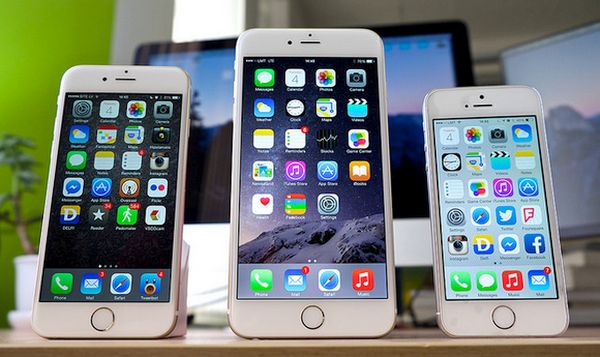
Avoid AT&T iPhone Overage Data Charges Extra Cellular Data Use

Best AT&T Family Plans / One Person Plans

When you choose your plan you should answer some questions. Do you need the best AT&T plan for one person? Do you have other family members who will use the same plan? Are you more interested in best AT&T family plan to divide between several gadgets? How much data do you need per month?

Remember that you always have to pay for each extra line you add to your data plan. With AT&T it costs $25 a month on top of the plan costs which start at $20 a month for 300MB and go up to $375 a month for 50GB. All the plans include unlimited text and talk. Remember about the new AT&T upgrading fee introduced for users this year.

Choosing the cheapest option could be a solution if you don’t need more than 300MB per month. If you do get over this limit you will have to pay $20 for additional 300MB [$40 for 600MB etc.] but the company promises to roll over all unused data to the next billing cycle.

Your personal cheapest data plan for iPhone AT&T would be the one that doesn’t overcharge you and offers enough data for your personal needs per month. Remember all the simple steps that help you preserve your mobile data and think of AT & T family plans for iPhone that help share data between several users if this costs less than individual packages.

You can always switch your plan or carrier thanks to distant unlocking service and numerous deals offered by different networks throughout the year.
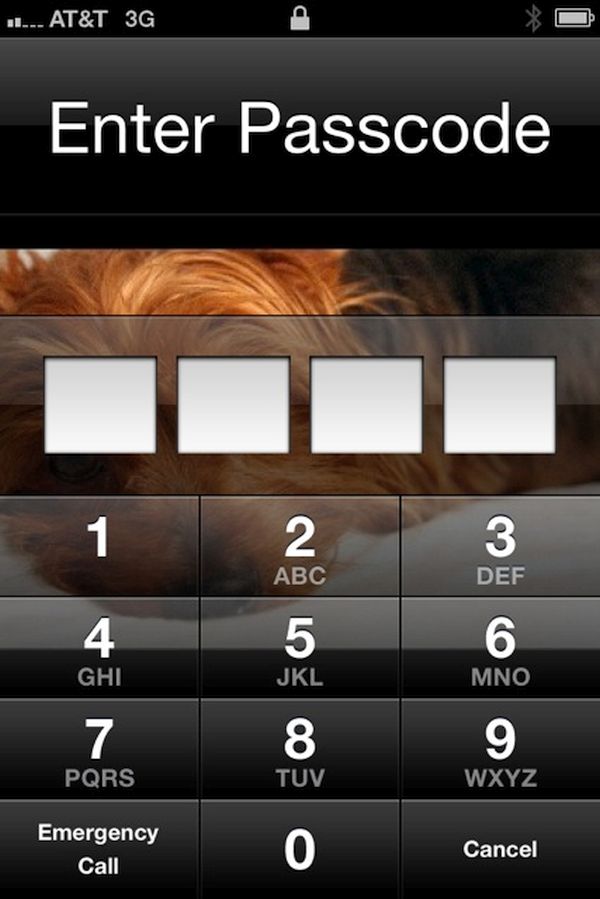
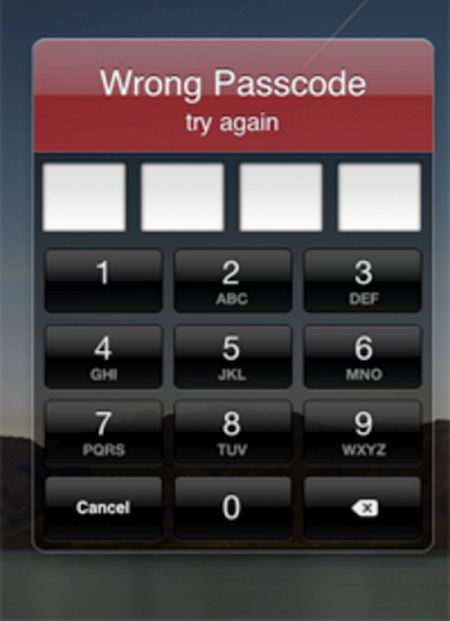
My iPhone Password Not Working: How Do I Unlock Handset without Erasing Data?

My iPhone password not working… I think I forgot it. Has it ever happened to you? Personally I keep in mind all my passwords but I swear there are situations when I just can’t remember the right one. It is simple with different online services, social networks and websites because you can recover your passcode through email which is so fast. With smartphones everything is so different. You need to remember how many tries to unlock iPhone you have and stay attentive to not lose your data.

Let’s learn more about the password on iPhone and how the gadget acts when you forget the important numbers.

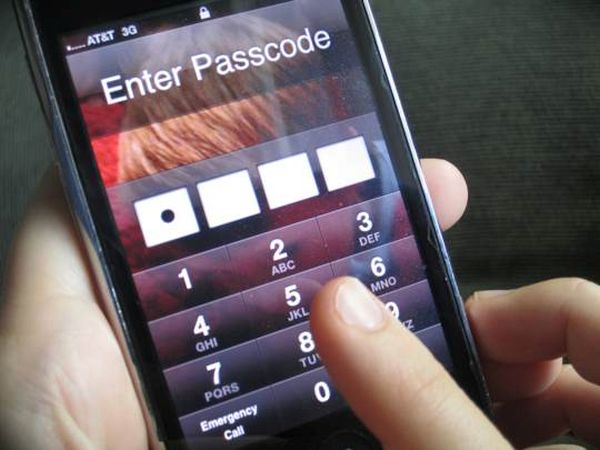
AT&T iPhone Enter Password

About iPhone Passcode: Details

Most modern handsets are protected by passwords. This way you can be sure no one accesses your personal information etc. The behavior of a smartphone truly depends on configuration so when you come across iPhone password forgot problem you should be wise.

According to Apple, there are no passwords by default. Still users choose to protect their privacy with a passcode and sometimes face an unpleasant situation when you can’t remember the password you were using day after day and it is not written down somewhere you can look it up.iPhone Forgot Password How to Unlock Without Erasing Data

How Many Tries Do You Get to Unlock an iPhone

Everyone understands that you have limited attempts to enter the corrent numbers [here is what to do if you have Activation Lock problem]. As noted by the Cupertino-based company, the more wrong passwords you enter, the longer become the intervals before your next try. Several unsuccessful attempts make you not being able to re-try again.

So how many failed passcode attempts iPhone 6 users have? The setting with the number of unsuccessful password entry is disabled by default. Still some users choose to turn it on before they forget their precious numbers. The configurations are located under Settings – General menu – Passcode Lock and if you enable this feature you will only have 10 attempts after which your iPhone will completely erase itself.

iPhone Enter Passcode Forgot Unlock Attempts

How to Unlock Your iPhone if You Forgot the Password

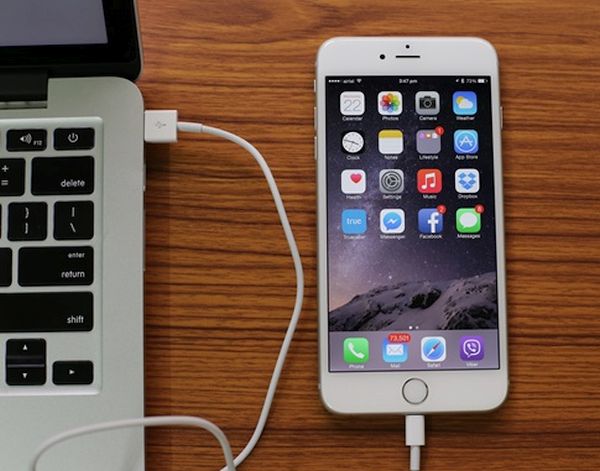
What should you do? You should connect the device to the computer with which it was synced for the last time. It doesn’t matter if you used iCloud or iTunes for this purpose. You can backup without password and save your information. Now restore the locked handset from a backup copy by selecting ‘Restore from iTunes backup’ option when you are asked to. Afterwards you can reset the code or leave this option disabled.

If your computer was never synced with the handset you can restore and unlock it however this method of how to unlock iphone 6 erases everything you have. Besides, if you choose to take your gadget to Apple service center and have it unlocked by their representatives – the smartphone will be erased just the same.

Connect iPhone to Computer to Unlock Erase Restore

Now you know answer to your question ‘How to unlock iphone 6 without erasing data:’

Method 1. Recollect the original password. It’s the best thing to do.

Method 2. Connect to your computer, restore from a backup [to save your personal information and important data], unlock and reset the password. This time you need to write down the numbers and remember where figures are written. This way you won’t have to restore if you ever happen to forget the code ever again.

The worst thing to happen after iPhone failed passcode attempts is erasing your data. Users who still remember their code are highly advised to create a backup copy just in case. This way you will restore from a backup in case anything bad happens and have all your data back. Deal?

We really hope that this detailed ‘how do i unlock my iphone if i forgot the password’ guide was useful to you. We also hope that you never have to restore the handset this way and lose contacts, apps and other content you really need.

iPhone Lost Data After Restore

What Data Might Be Lost After Restore

iPhone users should note that restore erases your videos, programs, images, all music, contacts unless you have a backup copy to use [the one that was created before you can’t remember password and unlock device without restore].

Only users who don’t enable password protection will never forget their code.

How to Erase iPhone through iCloud

There is another method we would like to mention. If you don’t remember where you left your iPhone but can log into your iCloud account using Apple ID and passcode, you should:

Step 1. Sign in to your iCloud via www.icloud.com site.

Step 2. Select Find My iPhone menu.

Step 3. Choose All Devices and select the handset you wish to erase [the one that you can’t unlock because you don’t remember passcode].

Step 4. Use this guide only if you lost your device and don’t want anyone to access your personal information. Don’t use it if you simply forgot password.

iOS 9.3.2 Firmware for iPhone: Must Know Details

Apple presented iOS 9.3.2 update for iPhone and iPad users. This operating system turned out to be buggy and this is the reason why users hesitate whether to install it or not. There are some basic facts and things you have to know about the mobile firmware.

The iOS 9.3 brought some new features to iDevices [find out if you can still downgrade from iOS 9.3.2 to 9.3.1 version]. Then iOS 9.3.1 followed and buggy iOS 9.3.2 that was supposed to fix problems in 9.3.1. Apple is now working on iOS 9.3.3 beta and hopefully this next minor update will do what it is supposed to do: solve all the issues.

Why to Install iOS 9.3.2 Firmware iPhone iPad Apple

iOS 9.3.2 details will help you understand if you need this update or not. Users who are running 9.2.1 or earlier iOS 9 system should know that iOS 9.3.2 is a bigger file. So you should make sure there is enough free space before you choose to update via OTA-update option.

If you are running iOS 9.3.1 or 9.3 [learn more about cool and new iOS 9.3 features] and are not interested in being jailbroken you can upgrade to iOS 9.3.2. This way you’ll be running the most recent public version of Apple mobile operating system.

It could take you about 6-8 minutes to install the iOS 9.3.2 version on iPhone 6s. There should be no problems with the installation itself. This OS version seems to run just any other Apple firmware.

Your UI should be just as fast as on previous iOS version. There should be no random reboots and bricking if you have the iPhone and not iPad Pro. Only 9.7-inch iPad Pro users can experience issues with iOS 9.3.2 and they are advised to install the latest version created specially for this model.

iPhone 7 Could Get 256GB Storage Capacity

There are so many iPhone 7 storage rumors that it’s hard to get an idea what exactly we will see this fall. There are predictions about possible big updates and there are ideas about minor changes so it’s impossible to say right now what ‘fruit’ model users can expect soon.

Apple is going to announce new iOS 10 and some other product updates this June however users still wonder what iPhone 7 storage options could be. If this device gets no AMOLED screen, no waterproof design, no dual-camera system and no innovative features – users can hope for the bigger iPhone 7 storage space. Right now iPhone 6s and 6s Plus are available in 16GB, 64GB and 128GB storage options. However we could see a new offer in September or October.

iPhone 7 256GB Storage Capacity Rumors

According to analysts, the next iPhone 7 storage space could be increased up to 256GB by Apple. This is how the company might like to attract more customers and persuade existing iPhone owners to upgrade to the first-in-Apple-history 256GB iPhone 7.

Of course, these are rumors and no one can confirm right now that iPhone 7 storage capacity will be over 200GB. There are thousands of iOS applications however Apple releases smartphones with capacity you cannot extend. If the company presents the 256GB handset models customers will be happy since they could save many more iPhone photos, videos and applications than on current smartphones.

Different sources say that Apple is planning to present major iPhone update in 2017. The company is believed to extend its upgrade cycle from 2 to 3 years.

Interesting Idea of All Glass iPhone 8 Gets More Realistic

The idea of all glass iPhone sounds too crazy however it could be more realistic than you could think. There could be real all glass iPhone 8 which should be released in 2017. This is the year when Apple is expected to bring something very special and unique. The company will celebrate its iPhone’s 10th anniversary.

The upcoming iPhone 7 and iPhone 7 Plus won’t be all-glass models. You might not remember iPhone 4 however we could see the specs of this old version released in iPhone 8. Such rumors arrive from one curious source: Ming-Chi Kuo. This analyst makes different predictions about Apple products and a lot of things do come true.

All Glass iPhone 8 Rumors 2017

Another hint comes from Catcher Technology. Its CEO Allen Horng believes that ‘glass case’ needs ‘metal frame’ to offer advanced technologies at ‘cheaper’ prices. In other words all glass iPhone 2017 model could be less expensive than iPhone 6 and iPhone 6 Plus. We don’t know the price for iPhone 7 as this handset arrives only in September.

Some experts are sure that the iPhone 7 will remind of iPhone 6 / 6s lineup. However iPhone 8 will be a big hit. This smartphone should amaze and impress all customers who upgrade their iDevice at least once in two years.

The changes might be curious if iPhone gets the all glass body [both back and front panels]. The curious addition. According to Kuo, users will be able to unlock their incredible iPhone 8 by just looking at the screen. Apple could bring iris or facial recognition feature.

Apple Presents iPhone Trade Up with Installments Program to Europe

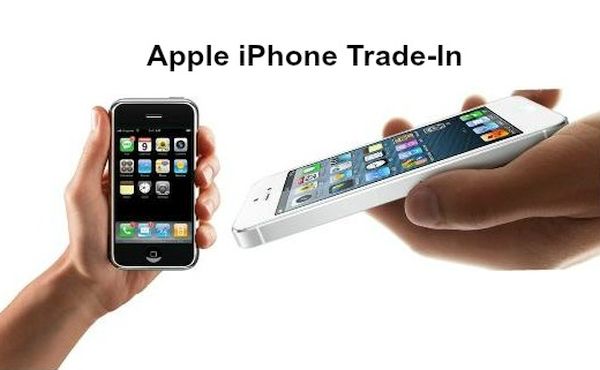
Apple presents new iPhone Trade up with Installments options to users from several European countries [do you know where to find the cheapest iPhone 6 in the world?]. The Cupertino giant has been offering this program in the U.S. only and now expands the list of supported areas.

You can get iPhone installments with trade up options in Spain, Italy, and France.What can customers get through this program? Firstly, they can trade in the old working iPhone towards the latest model with 24-month installments. Secondly, the same options are possible with other devices no matter if it’s Android or Windows Phone.

Apple iPhone Trade in Program Europe

While you can get finances for your next smartphone from Apple – it’s other financing companies that are doing the actual financing part. Thus users from France will get money from Sofinco, users from Italy will get money from Agos Ducato and users form Spain are supported by Cetelem.

How much can you get through Apple trade in program for iPhone? Everything depends on how old your gadget is and what its condition is like. Users from Italy, for example, can trade in their iPhone 5s 16GB model towards iPhone SE 16GB version and pay €16.98 per month for the next 24 months if they choose installment option [the program runs till the end of August]. The interest rate will be charged by the European bank and this doesn’t happen in the U.S.

The options can only be obtained through ‘fruit’ retail stores. In other words, you cannot trade in your old handset towards the new one online.

AT&T Announces New iPhone Next Program Without Two Year Contract

iPhone users who enjoyed AT&T 2 year contract options should know that the U.S. carrier has updated its ATT Next program. This way the company officially announced its plans for 2016. The Big Blue mobile operator now has only two options. It offers AT&T Next program and ATT Next Every Year data plan.

The iPhone network announced AT&T Next program back in 2013. Now, nearly three years later it updates the options and all subscribers should know about their new opportunities. The Every Year program allows you upgrading to the next iPhone after going through 12-month installment plan. If you haven’t made it yet you can pay 50% or more of the retail price to get the newer model.

ATT Next Plan iPhone New Update 2016

Without ATT two year contract you can still upgrade to new iPhone within AT&T Next program only once in 2 years after paying the 24-month installment. Or you have to pay 80% or more of the full retail price to get new smartphone version. Or you can order SIM unlock for AT&T iPhone 6s or 6s Plus to join other networks.

Any of the two AT&T iPhone programs offer installment payments and upgrade options. It’s hard to say if users can pay off their iPhone quickly because the U.S. carrier only offers users to pay more every month to upgrade. Maybe it will let subscribers to pay off iPhone at once and update to the newer model.

There are always several major and reliable networks to choose from so if you are not happy with the updated AT&T plans for iPhones you can select T-Mobile, Sprint, Verizon or other U.S. mobile operator with better upgrade options.

Can I Downgrade iOS 9.3.2 Back to iOS 9.3.1 on AT&T iPhone?

There is a fast way how to downgrade iOS 9.3.2 back to version 9.3.1 on AT&T iPhone 6s / 6. It’s risky to downgrade and Apple doesn’t like when users return to previous operating system versions. Still there are many users who choose to revert back no matter what the Cupertino-based giant thinks.

You can follow the short guide and downgrade iOS 9.3.2 to iOS 9.3.1. Remember that it’s risky so backup your AT&T iPhone via iTunes or iCloud before you do anything. Can I downgrade iOS 9.3.2? Sure, you can but stay attentive to details.

Downgrade iOS 9.3.2 to 9.3.1 iPhone How To Guide

Downgrade iOS 9.3.2 Guide

Step 1. Disable Find My iPhone option on AT&T iPhone using Settings – iCloud – Find My iPhone feature.

Step 2. Search for iOS 9.3.1 ipsw file for your particular iPhone model and download it [there are many iOS 9.3 features that are improved on 9.3.1 version]. Use Firefox to download the file or turn off automatic unzip option in Safari.

Step 3. Now connect your handset to computer and open iTunes.

Step 4. Press on Alt / Option on Mac while choosing Check for Update iTunes feature.

Step 5. Point to iOS 9.3.1 ipsw file and let iTunes to downgrade your smartphone. The program will ask you to confirm the decision to update (downgrade). Agree and wait for the program to complete everything.

Step 6. You might be asked to activate AT&T iPhone.

Apple won’t sign iOS 9.3.1 for a long time. It will soon stop signing this firmware and it will be impossible to downgrade. So double check if you can still downgrade 9.3.2 to 9.3.1 version.

Where Is Best and Cheapest Price on iPhone in the World?

Apple fans are constantly looking for the cheapest iPhone 6 deals. This is not the most recent generation smartphone released by this company still it’s new enough for upgrading if you find iPhone 6s too expensive and 4-inch iPhone SE too small.

Where is best price on iPhone 6 out there? Apple handsets are priced pretty high compared to other brands. If you live in Brazil or Indonesia you have to pay more for the iPhone than in the United States. Experts searched everywhere and found the cheapest iPhone 6 in the world price. It’s clear that the U.S. price hasn’t been taken into consideration because all the prices were compared to it.

iPhone 6 Cheapest Price in World

If you are looking for the most affordable ‘fruit’ handsets you’ll have to visit or buy it from the USA. If you are looking for a foreign country to make your purchase then you should know the most expensive iPhones are not only in Brazil and Indonesia but also in Italy, Sweden India and Denmark.

For example, iPhone 6 Brazil price can reach $1000-$1200 [the Cupertino-based company is now preparing to assemble next iPhone 7 smartphone model]. iPhone 6 in Indonesia could cost $800-$900. Apple is selling iPhone 6 in India for around $800. Still there are countries where the previous generation iPhone is less expensive.

The cheapest prices on iPhone 6 are in Hong Kong. You can also get the affordable iPhone 6 price in Japan, Singapore, Switzerland and other countries. Possibly the next iPhone 7 price could also be cheaper in these areas compared to more expensive countries.

New iOS 9.3.2 Fixes iPhone SE Bluetooth Issues

Some new Apple customers experienced iPhone SE Bluetooth issues on AT&T and other U.S. networks. Finally the company offers the fix to this problem and you can solve all the bugs right away. How can you do this?

Use iOS 9.3.2 bug fixes and install this latest operating systemon your AT&T iPhone SE. This minor firmware update is simple and arrives with simple improvements and fixes to known bugs. This includes the Bluetooth problems noticed on the 4-inch iPhone model.

Fix iPhone SE Bluetooth Bug with iOS 9.3.2 Update

Who needs this iPhone SE Bluetooth fix? Users who have the 2016 iPhone SE model and connect it to their infotainment system in vehicles might get issues with Bluetooth audio. If this happens to you – install iOS 9.3.2 and the bug will be gone.

Some 4-inch iPhone users also have other sound issues while using GPS navigator or streaming music. In other words, the problem can happen in different situations and it’s better to solve it now. It’s worth to note that while iOS 9.3.2 update offers fixes to issues it also brings some new bugs [you can SIM unlock AT&T iPhone iOS 9.3.2 just like iOS 9.3.1]. iPad Pro users suffer from Error 56 that bricks their device. No problems have been reported for iPhone SE so far but the operating system update has bee recently rolled out.

With the newest mobile firmware version you can turn on Low Power mode and Night Shift option simultaneously without using any tweaks or tricks. Apple offers this option by default and it’s a nice change.