Tips to Fix Mac OS Sierra Problems with Launchpad Apps Missing

Useful Mac OS tips and tricks are must-know for all users who are interested in fixing various Mac OS Sierra problems. Take a look at your Launchpad [not Touch ID which you can get on old Mac models]. Do you notice any applications missing from it? This is one of the Mac Launchpad issues you might come across. We know how you can solve everything and return your apps back to where they belong to.

What is launchpad Mac? This is so easy. Take your computer and take a look at it. There is a special platform with a launching option. In other words, this is the structure to launch apps on your OS X machine. It can be compared to iOS options as you can use your Launchpad on Mac as if you were managing your iOS 10 applications. Pretty similar for Apple consumers who own both iPhone and Mac [you can learn how to sync iPhone to your personal computer].

What should you do with launchpad manager to fix the problem? Follow the Mac tips and tricks and you could overcome the problem.
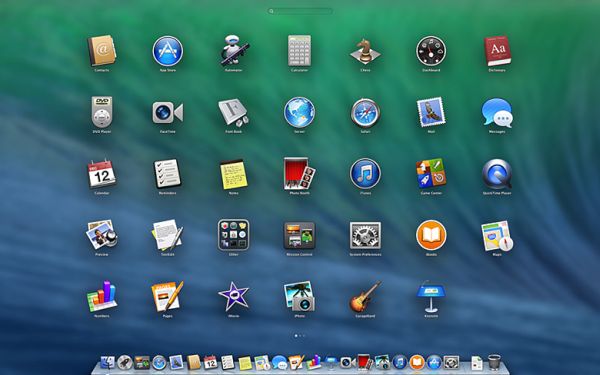
How to Reset Launchpad on Mac

How to Reset Launchpad Mac OS Sierra Guide

This is the first method you can use to reach your goal. Use your macOS Sierra features and complete the reset instruction. It helps when you download a new third-party application, install it on your computer and… don’t see it showing up in the Launchpad interface even on the new MacBook Pro with Touch Bar. You’ll love how simple this is.

Step 1. Are you sure you are running macOS Sierra? Double check the version of your operating system. Now press on your desktop.
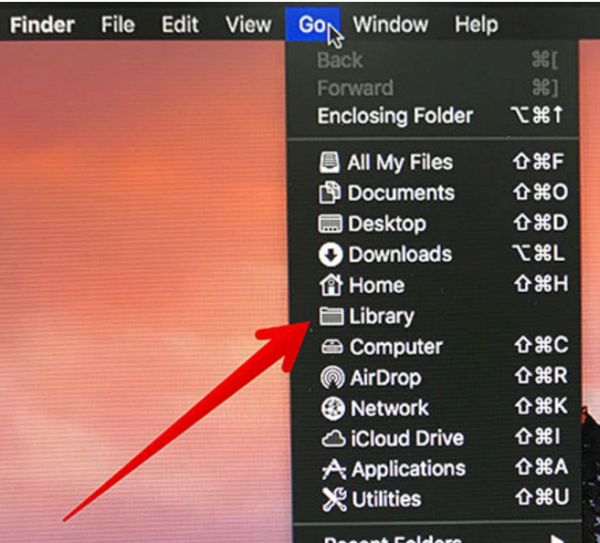
Finder Go Launchpad Mac Settings

Step 2. You should press on Go section. You’ll find it on the menu bar. This is necessary for Launchpad resetting.

Step 3. Click-hold Option and press on Library section.

Step 4. You will see Application Support folder. It’s necessary to double press on it.
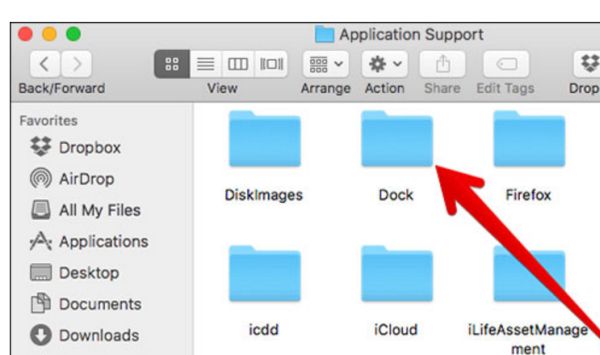
Dock Folder Mac OS X Launchpad

Step 5. You see your Dock folder. This is what you should double press on.

Step 6. Mac OS Sierra system has some .db files and you’ll have to drag them all into your trash on the computer.

Step 7. There will be an Apple icon at the upper left part of the screen. Press on it.

Step 8. Press on Restart menu.

Step 9. Confirm your decision by clicking on Restart button.

You need no launchpad cleaner as simple reset can fix Mac OS Sierra known issues with launchpad icon missing. In case you still don’t see the apps you can try a second method.

How to Fix Mac OS Sierra Problems via Default Locations

There are other Mac OS tips and tricks you can enjoy. Your Mac Launchpad shows applications that are found in default Applications folder. You can simply drag the app out of this folder. Then you need to log out – log in as this way you can restart Mac Launchpad settings. Then you should return the app back to the default folder and hopefully fix the bug.
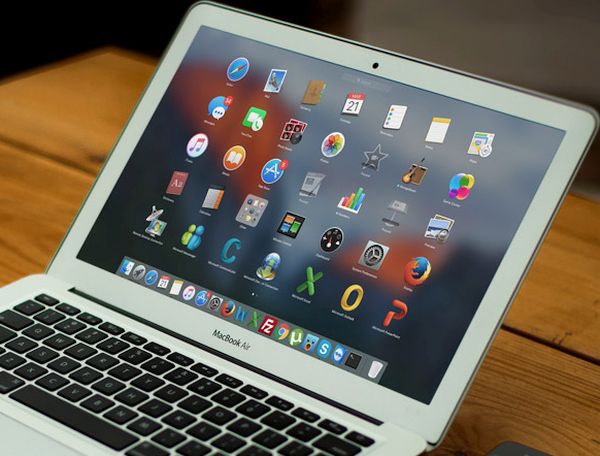
Launchpad Mac OS X Tips and Tricks

Other Mac Launchpad Secrets

It is possible to create Launchpad Mac shortcut. Just assign any shortcut you wish to use and launch System Preferences – Keyboard preference – Keyboard Shortcuts and press on Launchpad & Dock. Yo have to choose Show Launchpad option then click on either Return or Enter and provide your chosen shortcut.

There is also another problem that prevents apps from showing in your Launchpad. Maybe the issue is with the database that is controlled by macOS Dock [here are some details about cool iOS 10 bubble effect]. It is possible to rebuild the database and solve the bug:
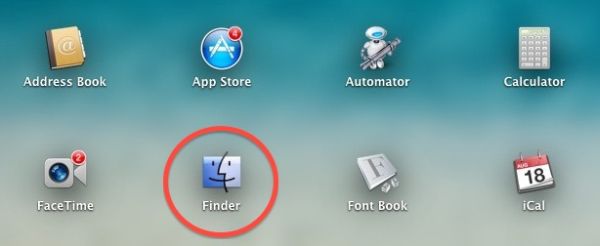
Mac Finder Folder

Step 1. Click-hold Mac Option key. You will open Finder – Go section where you can choose Library.

Step 2. Launch Application Support section.

Step 3. Choose Dock folder where you will find a lot of names saved as alphanumeric characters. You need to remove the files.

Step 4. Log out the account.

Step 5. Log in.

Step 6. This is how Launchpad resets along with Dock.

Step 7. Resetting will let the program scan your Application folders and apps will be shows in your Launchpad once again. Just let your computer reboot on its own before the changes take place.

Try all tips and tricks to make the issue disappear. If nothing solves the problem you should wait until Apple updates the version of macOS Sierra to newer version that fixes the bug by default. It often happens with different releases of mobile and desktop operating systems created by the iOS giant and other well-known companies.

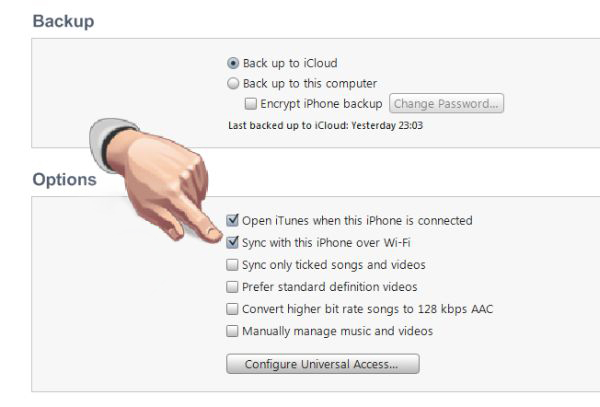
Guide on How to Sync iPhone with Windows 10 on PC

It’s great to have files from your phone saved on your computer [it is also possible to download videos from YouTube to your phone]. This way you will not lose them in case anything happens after firmware update, restore or other processes. Are you ready to sync iPhone to PC when Windows 10 not recognizing iPhone? It can happen unless you follow the step-by-step guide on how to sync the handset to personal computer with the most recent operating system version.

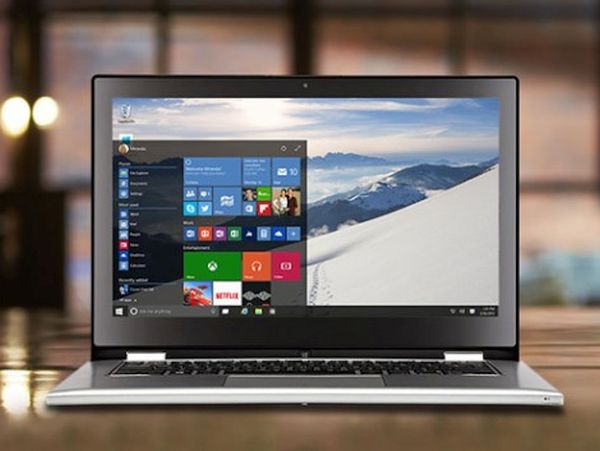
Keeping files up-to-date is possible and you can do this after you download iTunes for Windows 10 64 bit. Not every Apple fans has a Mac computer. There are people with iPhone and PC. This means you should use your personal computer and iTunes for Windows 10 (make sure the program supports this platform otherwise you won’t be able to use it). Learn how to reduce iPhone mobile data usage without issues.

Windows 10 iTunes program

iTunes Download for Windows 10

This is the easiest thing to do. You should search for iTunes download 64 bit for your operating system, get the link, download the program and install it. Maybe you already have this desktop tool. In this case you should upgrade it to the most recent release on your computer.

It’s not necessary to keep all your music files, films and TV shows on your smartphone. It’s much better to sync the iPhone to PC and and keep your content on the computer.

How to Sync iPhone with Windows 10 PC

How to Sync iPhone to Windows 10 via WiFi Network

Step 1. It becomes possible to transfer content between iPhone and Windows PC once they are synced. Take your Lightning to USB cable and connet the handset to your computer.

Step 2. You need no Windows 10 iPhone driver since you only need the right iTunes version.

Step 3. Launch iTunes. The program will take a moment to recognize your iDevice.

Step 4. Press on the iPhone button that is available in the upper left menu.

Step 5. Scroll down. You should get to the bottom so that you can turn on WiFi option.

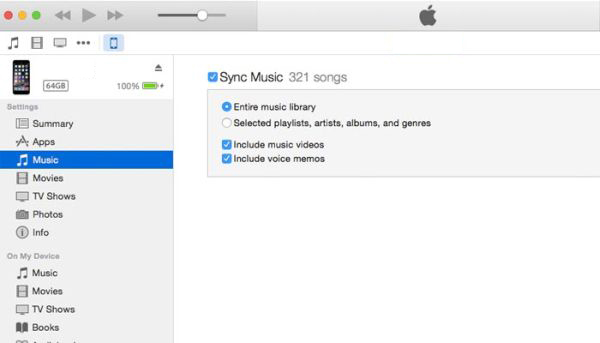
Step 6. You should check boxes next to several menu options. Firstly, this includes Sync with this iPhone over WiFi connection. Secondly, you should press on Music that can be found on the left and enable the box next to Sync Music. Repeat the same step for other content such as Photos, TV Shows and Movies.

Step 7. Press on Apply feature.

Step 8. Now click on Sync to enable it.

Congratulations! You have successfully synced your handset (maybe iOS 10 iPhone 7 or one of many previous models) with Windows 10 machine. Now when you connect to WiFi your gadgets will be automatically synced if they are connected to the same network.

Sync Windows 10 iPhone 7 Guide

Guide for iPhone Syncing to PC via Cable

Sometimes you have no internet connection. Is there a way how you can sync your phone to Windows 10 without WiFi? You can use your Lightning cable or 30-pin USB cable depending on the model of your handset. Here is what you should do:

Step 1. Your iTunes program should be updated to the most recent release. Update it if necessary before you launch it.

Step 2. Take the cable to connect your iDevice [here is how to factory SIM unlock your iPhone 6s] to your Windows PC.

Step 3. Select your phone from the upper left menu.

Step 4. There will be Music option on the left menu. Click on it.

How to Sync iPhone Music on Windows 10 iTunes

Step 5. You can now enable Sync Music feature. This way your music can be synced with your computer.

Step 6. Enable Sync options for Photos, TV Shows and Movies.

Step 7. You’ll have to confirm your decision by pressing on Apply.

Step 8. Now complete the procedure via Sync button.

That’s it. Use one of the methods described above to sync your files between the phone and PC. By the way, if you want to do the same thing on your Mac you can [here are some great MacBook pro touch customization tips]. Just use the iTunes version for your Apple machine and you’ll be happy with the results.

It is wonderful when you can transfer your files between devices but also remember to back up your iPhone via iTunes or iCloud once in a while. This way you can protect not only your music, movies and other files but also contacts and personal information.

iPhone 7 Storage Full But Not… How to Free Up iPhone Cache

Is your iPhone storage full but not? It’s important to get iPhone cache cleaner and clean your memory once in a while. This way you can remove junk files and free up so much space you’ll be surprised (it is easy to reduce mobile data usage on Apple phone).

Is it possible to deal with iPhone storage full issue without jailbreak? What tool can you use and where to download it? All these questions are to be answered in this post. Hopefully you’ll find the process of how to free up storage on iPhone and iPad running iOS 10 firmware version pretty easy and quick.

iPhone iCleaner Pro no Jailbreak

Great iPhone Cache Cleaner App

iPhone 7 and iPhone 6 storage full problem can be solved with iCleaner no jailbreak program. It is available for your iOS device. Users who were using iOS 9 and older platform versions remember that there was no iCleaner app for them unless they were jailbroken.

At the same time you are not able to perform jailbreak on iOS 10 iPhone 7 because there is no working solution. Luckily, you can use iPhone cache cleaner even without jailbreak once you update to the latest firmware (you can download iOS 10 ipsw for your gadget).

You cannot install the iCleaner App Store program because this programis not present in iTunes. There is a way how to use iCleaner source and obtain the application for your device.

How to Clean Cache on iPhone

How to Free Up Storage on iPhone or iPad: Install iCleaner Pro

Step 1. You should search for iCleaner Pro IPA file. It is available online. Download it for iOS 10 iPhone or iPad.

Step 2. Install the tool to deal with iPhone storage full issue.

iCleaner Pro for iPhone

Step 3. You will have to rely on Xcode as this is the only way to install iCleaner Pro. Where can you find Xcode 8.2 for Mac computer? Visit Apple Dev program and install this addition.

Step 4. Launch Menu on your computer and go to Preferences where you can select the Xcode.

Step 5. Read Terms and Conditions and agree to this information. You’ll be asked to type your admin password (the one you are using for Mac) and select Accounts – Preferences. Press on ‘+’ and get the Add Apple ID so that you can add a new account.

Step 6. You should use your Apple ID to log in.

Step 7. Open Terminal on Mac and type in the command:

sudo gem install cocoapods; git clone http://bitbucket.org/rileytestut/icleaner pro.git; cd icleaner pro; pod install

What does it do? It allows you downloadand launching Swift / Objective-C source code of the program.

Step 8. Now install iCleaner Pro on the iPad or iPhone.

Step 9. Launch the iOS 10 application.

Step 10. Open Settings – General menu and select Profile & Device Management. You’ll have to choose dev name to proceed afterwards.

Step 11. Click on Trust so that your system can accept the certificate. You are ready to clean your system. Proceed with ‘How to get more storage on iPhone 6s, iPhone 7, iPad’ and learn how to remove all the junk from your device.

Learn how to replace iPhone 6s battery for free.

iCleaner Pro App for iOS 10

How to Clean iPad Memory, iPhone Cache

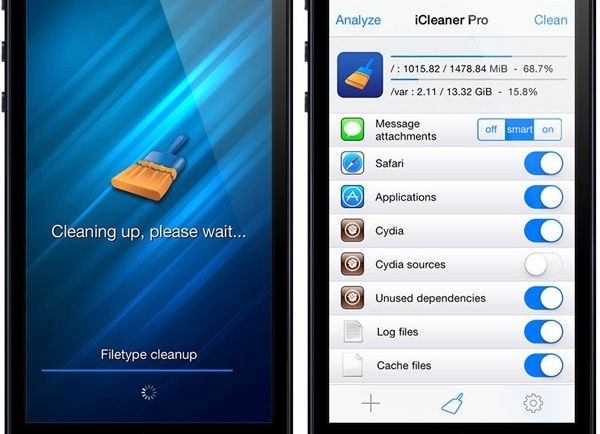
Step 1. Now let’s deal with ‘iPhone storage almost full’ problem. Open iCleaner Pro tool on your mobile device.

Step 2. There will be ‘Allow temporary files cleanup option’ you should allow. It will appear on the main screen.

Step 3. Believe us, this How to free up space on iPhone 6s instruction is simple.

Step 4. Click on Confirm when you receive a notice.

Step 5. Let’s begin. Press on Start cleaning option. The process of cache clearance should start in Fast mode. Remember to press on Continue.

Step 6. Don’t do anything while the clean up procedure goes on. You will see the progress bar that shows how it is going.

Step 7. How do you know if it’s over? You will see the Wiping Completed message. Confirm it. That means you have successfully deleted unimportant files and freed up some space on your handset or tablet computer.

Have you fixed storage almost full iphone 6 or iPhone 7 issue? Find out the information about your space used via iPhone – Settings – General menu – About / Storage & iCloud Usage. Hooray!

Find Out If You’re Eligible for iPhone 6s Battery Replacement from Apple

Some Apple users come across iPhone battery replacement issues eventually. How do you know it’s time to repair your decide? Are you eligible for the free iPhone 6s battery replacement service offered by the Cupertino-based giant?

The iPhone 6s was released in 2015. The latest iPhone 7 is an upgrade Apple sells this year. Not all users are eager to purchase the iPhone 7 or iPhone 7 Plus. Some are happy with their previous model however the battery problems could be the one big obstacle you have to deal with. So what is your decision? How much does it cost to repair the phone?

There are several ways you can try. There is the free Apple battery replacement program you could be eligible for. There are also services that can fix the issue but it would cost you money.

iPhone 6s Battery Replacement Free

iPhone 6 Battery Replacement Cost

The prices could be different depending on your country. U.S. customers can officially repair their iPhone 6s at $129 (if they wish to replace the screen). The battery replacement service would cost $79. By the way, the price doesn’t change if you wish to repair your screen or change the battery for older iPhone 6, 5s or iPhone SE.

iPhone 6s Battery Size

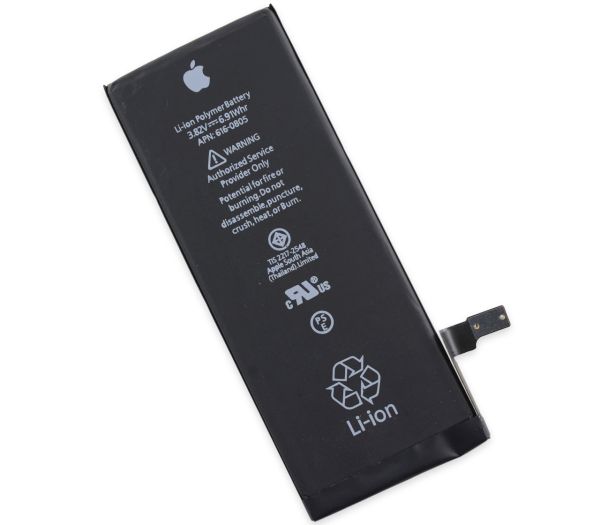
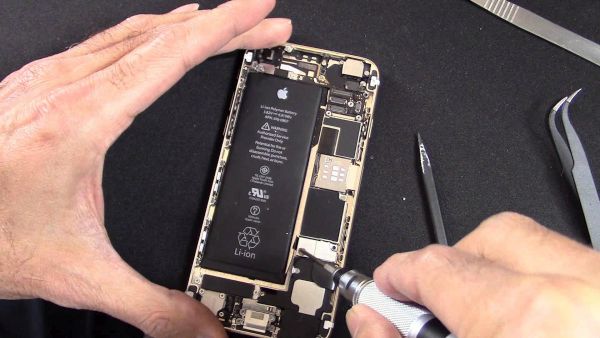
Let’s recollect information about iPhone 6s battery mAh. This handset has the Li-Ion 1715 mAh battery that is non-removable. You cannot replace it if you are not professional enough. There are big chances you’ll break the phone so it’s better to solve iPhone 6s battery problems with Apple’s help or through third-party repair services. You cannot fix iPhone 7 issues this way.

iPhone 6s Battery

iPhone 6s / iPhone 6s Plus Battery Life

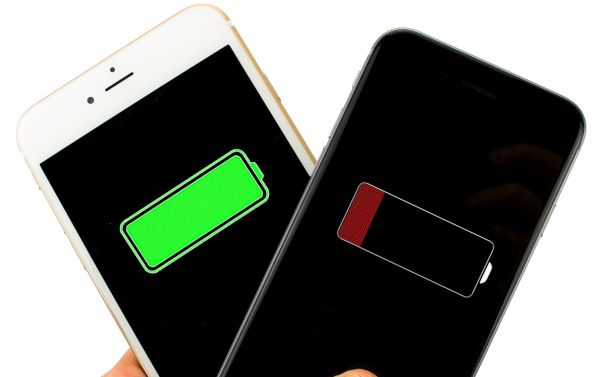
It lasts for about 8 hours if fully charged and actively used. Even the bigger 2915mAh battery built-in iPhone 6s Plus doesn’t last longer. In fact, a lot of users state that their phones’ life drains even faster especially after iOS 10 update.

You can run iPhone 6s battery life test on your own. If you are not happy with your gadget’s one-time-charge life you can try to replace the battery free of cost. Not anyone can get this service for free, but there is a way and it could be a perfect solution if your smartphone starts to reboot without any reason and it happens repeatedly.

If you have the newest device you can factory unlock iPhone 7 from AT&T and other networks.

How to Replace iPhone 6s Battery for Free

iPhone 6s Battery Replacement: How to Get It for Free

Apple reported that a small number of phones (limited serial number) has had manufacturer problems. Only the devices that were manufactured in September-October 2015 and phones that were released later on have no similar bug.

How to find out if you can get the replacement at no cost:

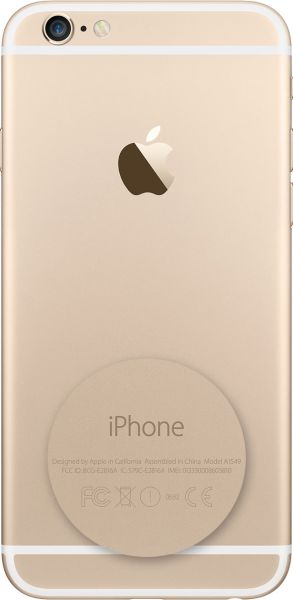
Step 1. Find your iPhone serial number. Launch Settings app if you don’t want to look it up on the back of the handset, choose General menu and visit About section.

How to Find iPhone Serial Number

Step 2. Be attentive as you have to closely study the 4-5th characters in the serial number.

Step 3. Do you see any of the following characters in it? We are talking about Q3, QJ, Q4, QH, Q5, QG, Q6, QF, Q7, QD, Q8, QC or Q9.

Step 4. You can take the phone with the serial number with numbers from Step 3 to Apple Authorized Service Provider (or your local Apple store) and get the free battery replacement for problematic device.

It’s great that even if you are out of warranty you can still get the service and pay nothing for it. Some users like to fix everything themselves. If you are like this you should definitely backup your iDevice before applying any changes. Do this through iTunes desktop program or iCloud.

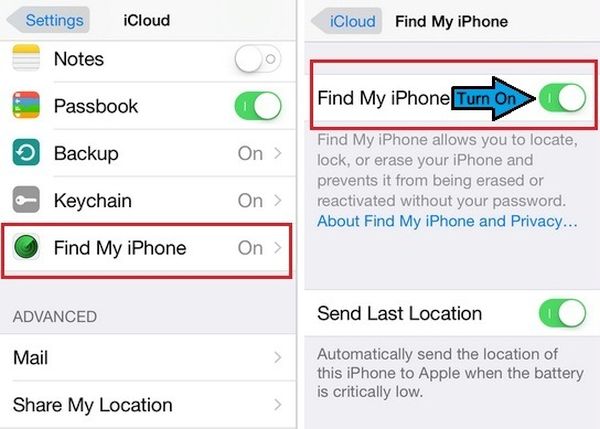
Disable Find My iPhone

You should also disable Find My iPhone:

Step 1. Launch Settings on the iDevice.

Step 2. Select iCloud section.

Step 3. Turn off Find My iPhone feature.

It’s also necessary to erase your information before taking the gadget to the service center:

Step 1. Open Settings on your smartphone.

Step 2. Select General menu.

Step 3. Press on Reset.

Step 4. Click on Erase all Content and Settings.

P.S. If your gadget unexpectedly shuts down after you tried to reboot, reset it and install the most recent version of iOS firmware – it could be time to send it to Apple service center. Learn more about iPhone 6s tips and tricks.