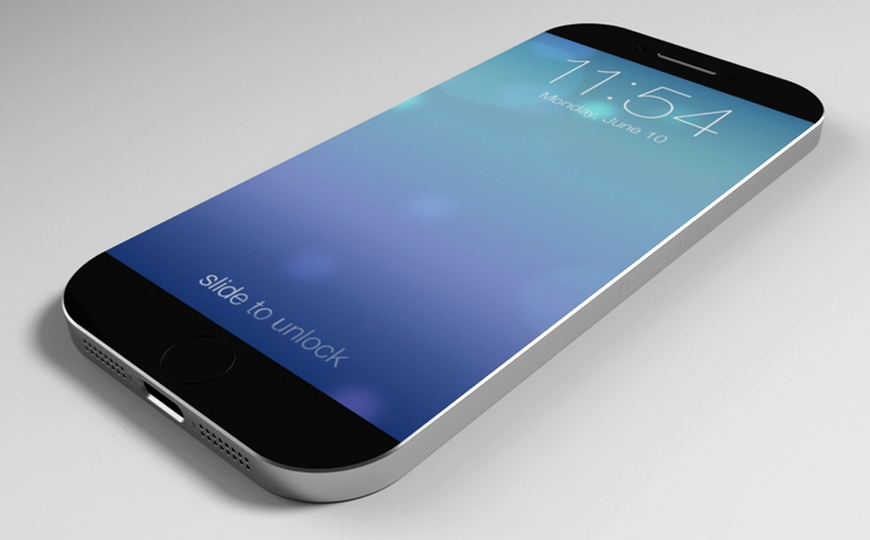
AT&T iPhone Unlock iOS 8.4.1 Possibility

What is the newest mobile firmware for iPhone? The famous Cupertino-based company released iOS 8.4.1 in August making it the most recent public version of operating system for its handset users. The next version, iOS 9, should be unveiled in September. If you are planning to resell your AT&T iPhone 6 or other model and get a newer iPhone 6S / 6S Plus this fall you might want to unlock iOS 8.4.1 AT&T iPhone 6 right now.
iphone-att-unlock-ios-8-4-1

Why do people make their gadgets SIM free? It’s not a secret that potential customers are more likely to buy a used SIM unlocked iPhone than a locked one. The retail price of a never-locked or unlocked model is much higher than on the device locked to any network within or outside the U.S.

AT&T iPhone unlock iOS 8.4.1 is now a great deal that could give you extra money to make the purchase of the “S” line more affordable. Even if you have a contract model it might be better to unlock and resell it. Not all customers are going to upgrade to iPhone 6S using AT&T program because this carrier becomes expensive.

How to Unlock iPhone AT&T Without Account

If you don’t have account within AT&T but still own a locked iPhone [run IMEI checker to make sure you are tied to AT&T network in the U.S.] – you can order factory service that doesn’t require any accounts with carriers.

You just need to learn if you are blacklisted or whitelisted, barred / blocked or clean, get your IMEI code, information about original carrier and iPhone model – and you can perform distant permanent and affordable SIM unlock of AT&T iPhone 6, 6 Plus or earlier models.

This is very simple and pretty cheap. You can be completely SIM free within a couple of days and use all possible mobile operators along with AT&T.
iOS 9 vs iOS 8 Performance Compared on Video

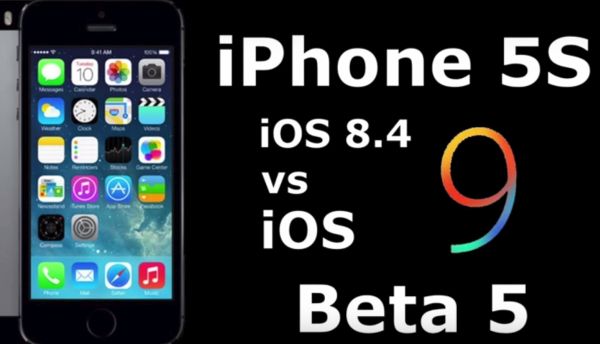
A lot of developers and public testers are now working with iOS 9 betas. Apple presented five versions of its upcoming mobile firmware that should be pre-installed on this year’s iPhone 6S and 6S Plus that are believed to be released in mid- or late September. Would you like to compare iOS 9 and iOS 8 performance?

Apple is bringing some new features to its next firmware version. For example, this operating system will arrive with new Wallet, News apps and other interesting additions. By the way, iOS 9 SIM card unlock service will be available for all supported iPhone models as soon as Apple releases this update. Permanent factory unlock works on all versions of iOS, basebands and smartphones created by the ‘fruit’ giant.

ios-9-vs-ios-8-performance

Is it safe to become SIM free? We know that Apple is in talks with different carriers about bringing e SIM card instead of the regular SIM however this project might be completed in a couple of years from now. This means that factory IMEI unlock will be still popular this fall. It is fast and affordable. Besides it doesn’t void Apple warranty and this is the main reason why a lot of AT&T iPhone, Sprint iPhone and other carriers’ subscribers are happy to unlock their device and use it with different networks once and forever.

So how faster is iOS 9 vs iOS 8 performance? You can watch the video yourself and see how the future firmware will be a bit faster than the most recent public iOS 8.4 version. Still don’t expect it to be too fast especially on older phone models. Maybe the iPhone 6S and 6S Plus running iOS 9 will quickly load applications, boot up and perform other popular tasks. Still earlier versions, even iPhone 6 and 6 Plus, might not show such a great result.

Experts think that the difference between iOS 8 and iOS 9 versions won’t be that major.

iOS 8.2 Firmware Is Now Available For Download

Now it is possible to download iOS 8.2 firmware, as yesterday, March 9, together with updated MacBook Air(s) and Pro, the new 12.1-inch MacBook with Retina Display, and the Apple Watch, Apple company has also launched iOS 8.2 to public.

This latest iOS version comes with backend support of a new “Apple Watch app” that lets users customize and modify certain aspects of the wearable device.

download iOS 8.2 firmware

The companion Watch app brought many features to control the wearable’s software. It will let users to setup their friends and relatives, customize notifications, browse apps for it and many others.

As it was shown onstage on March 9 by CEO Tim Cook, this dedicated Apple Watch app is capable of arranging its home screen, syncing with the device, and more. This latest iOS 8.2 software update also comes with a huge amount of bug fixes for some revealed issues connected with iTunes, Music app, Siri, Bluetooth calling, Calendar. It also gained many improvements for Health app, increased the stability enhancements for Mail, Flyover in Maps, Music and improves VoiceOver reliability.

The iOS App Store is gaining a new section that highlights apps compatible with the Apple Watch for download. Some noted examples include the astronomy aid Dark Sky, transit tool Citymapper, and the Nike+ Running fitness tracker. The Apple Watch itself is settled to be released to public on April 24.

You can download iOS 8.2 firmware on your device with bug fixes and a patch for the FREAK secure transport flaw from March, 9:

iOS 8.2 for iPhone:

iOS 8.2 for iPad:

iOS 8.2 for iPod touch:

iOS 8.2 Release Notes For Launch Date

iOS 8.2 release date notes leaked few days ago into internet suggested that the new software update could be released on the first week of March.

Now that the first week of March is here and till the iOS 8.4 update will see the public eye we can look through its release notes that gains some bug fixes and improvements for the Health app and of course get users prepared for the Apple Watch launch.

ios 8.2 release date notes

According to reports the Cupertino company held back on the public launch so it could release a final beta to its carrier partners and employees. This final piece of software apparently carriers 12D508 build number, and this is the one that’s being sent out to carrier partners.

Due to the fact that Apple company will have big “Spring forward” event scheduled for March 9 it makes a bit more sense that the iOS 8.2 public launch will be on that day.

This software update should also fix a security issue that was discovered recently, called “FREAK,” that Apple has already confirmed it would be fixing soon.

iOS 8.2 gained plenty of betas launched for it over the last several weeks, and there’s not much we don’t know about the mobile operating system at this point, so a public release should very soon.

The report introduced the full changelog for iOS 8.2, which focused on Health and Fitness.

Health App improvements bring the ability to select the unit of measurement, add a privacy setting and improves stability when working with large amounts of data. The update fixes units for vitamins and minerals and brought fixes for Health data and for graphics.

iOS 8.2 brought stability enhancements for Mail, Flyover in Maps, Music and improves VoiceOver reliability.

There are also many bug fixes for some revealed issues connected with iTunes, Music app, Siri, Bluetooth calling, Calendar.

All the details of iOS 8.2 release date notes we will see on the stage on March, 9.

iOS 8 iPhone Facetime Data Usage: How Much Data You Consume

There are a lot of programs that let you make audio and video calls from the iPhone. This includes Hangouts, Skype and FaceTime. Most iOS device users prefer calling each other through the last program mentioned. Do you know how much data is used by FaceTime on iOS 8 firmware?

Ever since the release of iOS 7 Apple fans fell in love with FaceTime as it allows making free calls which you still have to pay your network for [if you are not using the unlimited data plan] because FaceTime data consumption takes the place with this VoIP call service.

About iPhone FaceTime Data Usage

This information can be useful to iPhone owners who are not on the unlimited data plans and make such calls on their cellular network. Since such users have to pay for their data, it is important to understand how good or bad their communication method is if judged by the amount of money you pay for it.

How Much Data Is Used by FaceTime

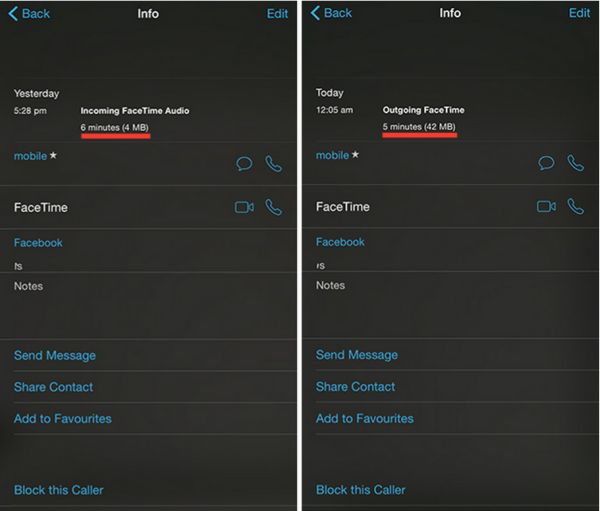
Here is an example of how much data can be used by FaceTime on iOS 8.1.3 or any earlier firmware version. A 6-minute audio call can take about 4MB data and a 5-minute video call can take about 42MB data. Based on your carrier’s data plan you can calculate how much one call can cost you.

How to Check How Much Data Your FaceTime Calls Use

Step 1. You can easily get the information on how much data your phone calls made via FaceTime consume. Apple created an improvement for iOS 8 firmware and this is what you have to do.

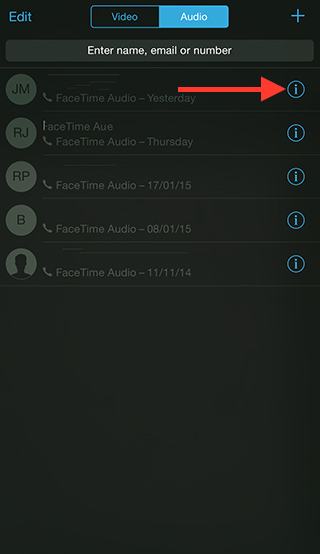
Step 2. Open FaceTime iOS 8 application.

Step 3. Select Video tab or Audio menu.

Step 4. There will be an ‘i’ icon. You can find it near the Contact Name. This information screen will show the details on your calls. You can see the history for both outgoing and incoming FaceTime calls including the duration of the conversation and data that was used for it.

Check FaceTime Call Info

There is a different method you can use. Just launch your Phone application and go to Recents where you will also see everything about the FaceTime video or audio call you have just made or got.

Learn All iCloud Photo Library Features

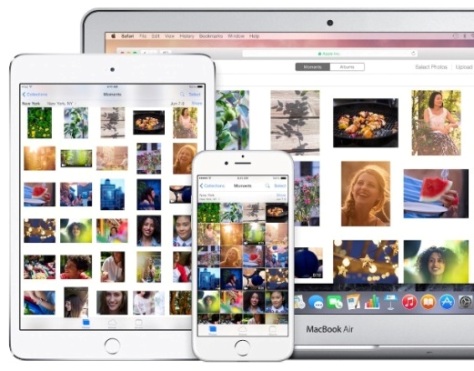
Let’s investigate all iCloud Photo Library features, that lets user to sync all photos and videos to iCloud, so that user will have the access to them from any device. It features to keep optimized and lightweight versions of your entire library. This allows to save space on your device. The original resolution of your entire library is stored in iCloud Photo Library. When you enable it the Camera Roll and My Photo Stream album will replaced with an All Photos album.

One of the limitations currently is that Albums are not synced to photo library. The files are stored in All Photos (which includes videos), Videos (which only has videos), and Favorites.

iCloud photo library features main

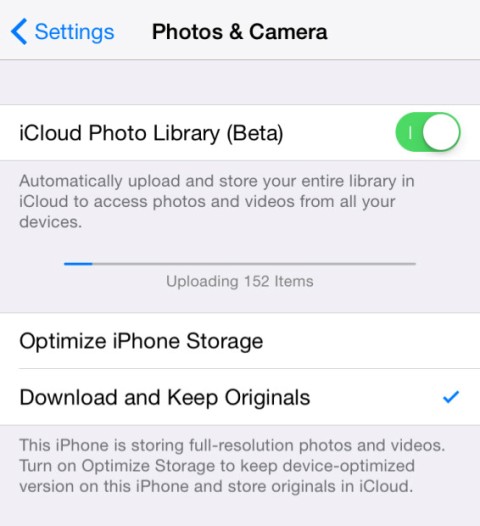
iCloud Photo Library is currently in its beta, so please proceed with caution. To turn on library need:

  • Go to Settings > iCloud > Photos & Camera.
  • Then click on the on/off toggle for iCloud Photo Library (Beta) to enable it.

Important note, your device needs to be on iOS 8.1 or higher to enable iCloud Photo Library.

Currently, there is no native app available for iCloud Photo Library. So you can access the photos and videos in the All Photos album on your iOS device.

Apple company plans to release Photos app for Mac soon this year. But until that time you can access your photos and videos only on iCloud.com. You need to login to iCloud account on your iOS device, and to access the files, click on iCloud Photo Library.

How Upload Photos Manually Using iCloud Photo Library Features

Upload photos by going to iCloud.com on your Windows PC or Mac running OS X Mavericks or earlier. Sign in to iCloud.com using your Apple ID, then tap on Photos, followed by the Upload button at the top. Select the photos you want to upload and tap OK.

Note: iCloud library supports the following photo and video formats: JPEG, RAW, PNG, GIF, TIFF, and MP4.

To prevent your photos from being synced to other devices you can go to Settings > iCloud > Photos and disable Upload to My Photo Stream.

The entire library does get counted against your iCloud storage. iCloud storage is used for iCloud Backup, iCloud Drive, iCloud Photo Library beta, iCloud Mail, and data from apps that use iCloud. Although, purchased apps, books, music, TV shows, movies, My Photo Stream do not get counted against your iCloud storage.

icloud photo library features

If your iCloud storage limit will be exceed, new photos and videos won’t be uploaded to iCloud, so they won’t be available on your other devices. You will need to upgrade your storage plan or reduce the storage you’re using.

To save space on your iOS device you need to go to Settings > Photos & Cameras > iCloud Photo Library or Settings > iCloud > Photos and select Optimize iPhone Storage.

When you edit a picture, the changes are updated across all your devices. If you’ve selected Optimize iPhone/iPad Storage then it will download the original photo or video for editing. The original pictures are stored in iCloud so you can revert back the changes at any time. If you delete a photo or video from the Photo app, it also gets deleted from iCloud Photo Library.

Although, you have the option to recover the photo from Recently Deleted album for 30 days. A little useful fact is that photos are backed up on Apple servers for 30 days after they’re deleted from your device. These are all useful iCloud Photo Library features you need to know.

How to Solve iPhone iOS 8 Performance Issues

While the newest iPhone 6 and iPhone 6 Plus users who got their locked smartphone with iOS 8 pre-installed on it have almost no problems with this firmware, earlier iPhone model owners complain about various issues after the update. If you wish to improve iOS 8 performance on iPhone or iPad, you can follow this instruction and get rid of the bugs.

Note that this guide is designed to solve iPhone iOS 8 performance issues and doesn’t support iOS 8.0.1 or 8.0.2 updates. If you have upgraded to the newer firmware you should have less problems than users who are still running iOS 8. This walkthrough will help you to make Safari load faster and solve similar issues with applications.

How to Fix iOS 8 Performance on iPhone 5S / 5c / 5 / 4S

Step 1. Make sure your iTunes version is the latest one. Just update your computer problem as iTunes plays an important role for correct app updates and upgrades.

Step 2. Upgrade all your older applications using iTunes to the most recent versions offered by developers as apps that support iOS 8 are running much better than older versions.

Step 3. Use the USB cable to connect your iPhone to your PC or Mac.

Step 4. Backup the smartphone. Having a backup copy of the iPhone or iPad is always handy as in case anything goes wrong you can always restore from this backup file.

Step 5. You can periodically use Check for Update options available in iTunes. It checks if there are any updates you can use.

Step 6. Sometimes if you change our Settings you can improve your system performance. For example, you can disable Parallax effect in iOS 8 by going to Settings – General – Accessibility where you can turn on Reduce Motion feature.

Step 7. Once in a while check your storage in Settings – General – Usage – Look where you can see how much storage you have available. Some users believe you should have about 1GB of free storage for good performance.

Step 8. Go to Settings and select General menu – Accessibility – Increase Contract option where you are able to enable Reduce Transparency feature. Just turn it on.

Step 9. If the steps above didn’t help you much you can also Reset All Settings which can make a big difference and make iOS 8 running faster and smoother.

iOS 8 And Other WWDC 2014 Expectations

Every Spring brings news to everyone who is interested in Apple new products that are likely to be released in fall. This is the halfway point between the last year’s and new year’s introductions. People who have purchased the iPhone 5S or 5c model by now wish to take a look at the next iPhone 6 and iOS 8.

ios 8 update

Experts believe that iOS 8 will look similar to iOS 7. Still it will introduce a lot of changes surely noticeable to iOS fans. The release of iOS 7.1 should happen this Spring. It might be too early to speak about the next firmware update but there are some rumors about it already. Why not to share them with you?

iOS 8 major upgrade will not become another revolution in the world of mobile firmware for iPhone, iPod touch and iPad. It will be an evolution with its new enhancements and ideas. Its design will mostly likely be preserved. It should fix more bugs experienced in the current OS.

The next update should bring stability and better usability to users with Apple smartphones and tablet devices. Some people believe it will be the firmware with no crashes, problems and issues, just what iOS 7 was supposed to be.

iphone 6
Hopefully, Touch ID will offer more options and interactions offering new shopping opportunities and other things. iOS 7 activation lock, Siri, Notification Center and other features might get refinement, new ideas and extra options.

We’ve heard about the next iOS 8 to become “healthy” meaning the introduction of scale system and other dedicated health changes based on M7 motion co-processor. The next iPhone 6 might get extra sensors to be able to collect personal health information such as blood pressure, heart rate, calorie burn etc.

More news should come at the WWDC event. This is when Apple could officially introduce it with the release following in September.