Free T Mobile iPhone 4G LTE CellSpot Option for Users

Some iPhone T-Mobile users are being throttled just like AT&T, Verizon and other network subscribers who are using too much data even if they are on unlimited data plan. Still U.S. mobile operators don’t only throttle but also offer different deals to iPhone 6s, and other phone model owners. For example, some iPhone users can get T-Mobile CellSpot for free.

It is possible to factory SIM unlock iPhone 6s T-Mobile as well as any other ‘fruit’ handset locked to this or other American network. The procedure is simple and affordable. It provides a permanent result and makes you free to choose your carrier and switch between networks as often as you wish.

T Mobile iPhone Free Internet CellSpot

T-Mobile iPhone CellSpot deal is a new program to attract current and new subscribers. For example, those iPhone users with 4G LTE devices who are subscribed to Simple Choice plan can use the new CellSpot for free. The option is to be available beginning from November 4th.

According to carrier, T Mobile iPhone 4G LTE CellSpot free option is the fast way to access the carrier’s 4G LTE network that should be covering up to 3,000 square feet. This is like the plug-&play feature that might be interesting to users.

Once you have the box from the carrier you are able to plug it in and connect to internet. This same box also offers full LTE coverage which is available to you at no cost if you are subscribed to particular T Mobile iPhone data plan and meet the requirements. Simple Choice users have to drop $25 in a refundable deposit in order to get the free CellSpot for usages and stay with T-Mobile.

As the carrier also notes, the CellSpot gives access to HD Voice option, VolTE and other features including the video calling.

New iPhone Sprint Unlimited Data Plan for $40

The iPhone 6s and iPhone 6s Plus users have a big variety of data plans to choose from and it is better to learn about all the options the network offers before purchasing the new Apple smartphone model. For example, recently the list of Sprint unlimited data plan options got a new plan worth $40 a month.

U.S. subscribers who already have Sprint iPhones and don’t want to unlock iPhone from Sprint carrier should know that the company is about to launch another unlimited data plan. The plan itself will cost from $20 a month however all subscribers who wish to get unlimited text and talk options as well will have to pay $40 a month instead.

Unlimited Sprint data plans for iPhone are the only real unlimited options in the country. AT&T / Verizon / T-Mobile is throttling unlimited iPhone users as well as T-Mobile. There will also be an additional charge for extra GB to use. Sprint will charge users $15 for every extra GB.

Sprint iPhone Unlimited Data Plan

The plan is pretty interesting. You can get the 2GB of data and free texts in some foreign countries within the Sprint Global Roaming plan. The talks would cost 20 cents / minute which is also ok if you are traveling and need to stay in touch with your family and friends.

There is also the new Unlimited High Speed Data Plan for Sprint iPhone owners which offers high speed data for users along with unlimited text, talk plus Global Roaming option and it costs $70 / month. Each new additional lines costs another $60.

Sprint, AT&T, Verizon and T-Mobile are currently fighting for more subscribers. The holidays season is always the time when people buy popular iPhone models [this year Apple update the lineup to iPhone 6s and iPhone 6s Plus] for Christmas and networks get new users.

T Mobile to Present iPhone Unlimited High Speed Data Plan for Videos?

The imagination of U.S. carriers is vivid. They are coming with new ideas how to get more subscribers and make iPhone users want use the particular network for as long as possible. This time the T Mobile unlimited data plan can get the option for unlimited video streaming [here is how to unlock T-Mobile iPhone 6s]. The company is preparing for the Un-carrier X event this fall.

iPhone Unlimited Video Streaming T Mobile Uncarrier X

iPhone unlimited high speed data T Mobile option could be an interesting plan that might attract iPhone 6s and iPhone 6s plus owners as well as previous iPhone model users. The T Mobile uncarrier X announcement sounds curious however all the details will be known on November 10th. This is the date we’ll hear more information from the company’s CEO John Legere. The teasers are all over the web and the Magenta mobile operator is about to bring something really interesting and worth learning about.

Right now we know that the mobile operator is planning to provide unlimited high speed data to those iPhone owners who will watch different popular video streaming services similar to HBO and Netflix. Fans of such channels will get unlimited options for watching their favorite movies and shows and they will not have to worry about running out of their LTE data.

The company should not count the data from steaming videos against user monthly data allowance. The only drawback of T-Mobile iPhone unlimited high speed video data is the limited list of services users will be able to use. This list should include Sling, Hulu and some other video services.

Similar plans are already offered for Music Freedom subscribers. iPhone users can enjoy unlimited music streaming from Apple Music, Google Play Music, Spotify, Pandora and similar services. LTE data cap is not being used.

O2 Direct Carrier Billing for Apple iTunes Purchases Offered in Germany

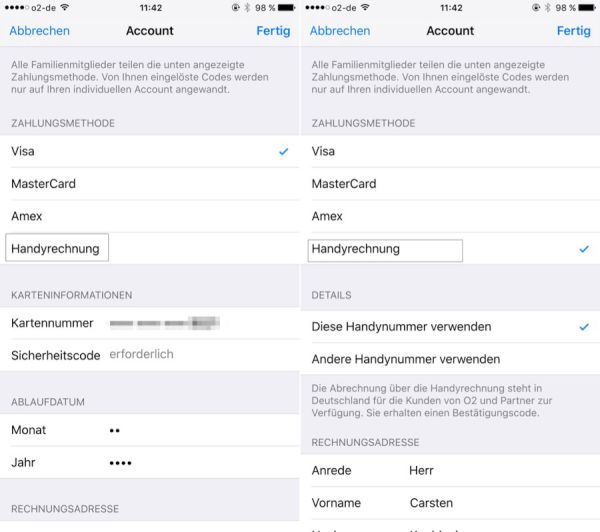
Apple introduces the new Apple Store carrier billing method in Germany. iPhone O2 users will be the first customers to try this option if they wish to. It is still possible to pay for different digital goods you get through iTunes via your gift card or credit card along with the new third option that is officially arrives this fall.

Carrier billing meaning. What is this service about? The famous Cupertino-based giant allows users to pay for different items from iTunes by linking their phone number to Apple account. This purchase price will appear in the next phone bill. Apple is currently working with O2 network [you can factory unlock iPhone from O2 carrier] only and the service is working in Germany for now.

iTunes Carrier O2 Billing iPhone

Apple carrier billing will soon be introduced in other countries. This is a great way to pay for goods when you don’t have time or desire to use your debit / credit card or wish to pay for the purchase later on. iTunes carrier billing is tied to the carrier bill you get each billing cycle. If you prever using O2 carrier billing in Germany you will have to pay for both carrier services + purchase you made via iTunes in the same billing cycle.

Are you welcome to use only iTunes? The service is available for the whole store meaning you can purchase goods via carrier billing in iBook Store, iOS App Store and Apple Music.

Please note that all prepaid customers will see the price deducted from their phone balance right after purchase. Only data plan subscribers will see the purchase cost in their next bill.

The service is rolling out to both postpaid and prepaid O2 Germany users in November 2015.
It looks like Apple is testing its new option in Germany. Once everything is settled down it will most likely bring the service to China, India and other countries.

Faster iPhone 6s Repair Program for iPhone Models 6S and 6

Users who’ll need to enroll in iPhone 6s repair program should know that some Apple Stores will provide loaners for iPhone 6 and 6s gadgets [the new iPhone 6s sold out in South Korea in just 5 minutes] that require off-site repair. This should make the whole procedure long-lasting. The introduction of the new option should shorten the wait times for customers who have some problems.

When you need to repair iPhone 6s Plus or iPhone 6s / 6 / 6 Plus you can first double check if your device is eligible for the off-site repair as this is much faster than going through Genius Bars in different countries across the world.

iPhone Repair Program for iPhone 6s and 6

The Cupertino-based company wants to improve its customer service and satisfy more users. Just visit your physical Apple Retail store and ask if you are eligible for faster repair. This program only supports iPhone 6s, 6s Plus, 6 and 6 Plus with 16GB capacity. If you own the 64GB or 128GB model you might be also lucky to be repair through faster way.

16GB iPhone owners can participate in the 2015 repair program if they are not able to connect to iTunes with their smartphone on Mac or PC, if their gadget doesn’t turn on, or if the iPhone doesn’t want to boot up and continues showing Apple logo.

There are three requirements that give you access to faster iPhone repair. It doesn’t matter if you own AT&T iPhone, Verizon iPhone or other carrier model. By the way, you can unlock iPhone from T-Mobile and any other network using factory IMEI distant service that is also fast and incredible just like the new Apple’s program.

Users who are eligible for off-site repair will be able to send their gadget to this department. The user will be able to use the 16GB smartphone while his own device is repaired [this should take about 3-5 business days]. It is believed that such a service will be available across U.S., in Europe and Japan.

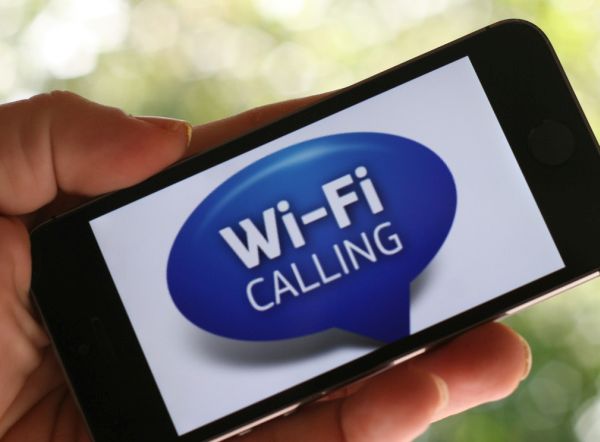
Verizon WiFi Calling iPhone Feature Coming Out?

Most U.S. major networks are already offering iOS 9 WiFi calling feature for iPhone subscribers. However only AT&T got approve from the FCC to roll out this option. Still a lot of iPhone AT&T users had issues with WiFi calling support for a long while. Verizon WiFi iPhone calling needs FCC approve.

The commission likes to block WiFi calling because modern networks that offer this feature don’t offer TTY support and this is must-have these days. AT&T managed to get the waiver for launching the iOS 9 feature without teletypewriter technology. Other companies, Sprint and T-Mobile, deliver the option even without the permission and this drives rivals crazy.

Verizon WiFi Calling iOS 9 iPhone

Verizon didn’t dare to launch Verizon WiFi calling iPhone in U.S. after getting FCC approve.When this happens – we don’t know but subscribers who wanted to factory unlock Verizon iPhone 6s or other model in order to get WiFi calling support from other networks might want to wait a bit until the mobile carrier is granter the waiver just like AT&T has done.

Since American network AT&T started to talk publicly about other networks offering the popular iOS 9 addition without the permission granted by the FCC – the commission could soon respond and make other carriers stop offering the option unless they also introduce support for TTY.

If Verizon gets similar to AT&T approval it will be able to enable the WiFi option for all iPhone users who are running iOS 9 pretty soon. The TTY replacement the company wants to offer in the future is its RTT program however it is reportedly not ready to roll out yet.

While you are waiting for the official WiFi calling support you can use some inner Verizon applications to enjoy this option on iPhone. However the integrated option is yet to come.

How to Fix iPhone 6s Touch Screen Not Working Issue

The 2015 iPhone models are purchased for a number of reasons [if you have issues with WiFi Assist not working here is how to fix it]. Touch screen and 3D touch is one of them. However some users report iPhone 6s Touch screen not working once in a while. Such random freeze can make you mad because you paid money to get a working and fast responsive touch action.

According to some Apple fans iPhone 6s Touch screen not responding bug can last for approximately 7 seconds. You can either wait or try one of the solutions we describe below. Since the problem happens randomly you might want to get acquainted with all the methods to use them when you are having troubles with your newest gen device.

iPhone 6s Touch Screen not Responding Fix Unresponsive Screen Bug

Unresponsive Touch Screen Fix for iPhone 6s / 6s Plus

Method 1.

The first think you might wanna try is resetting the settings on your iDevice. At least you’ll know if you have to try something else later on if this doesn’t help. Choose Settings if you can and go to General menu – Reset. You should press on the Reset All Settings option if your unresponsive touch screen lets you do so. Wait for the iPhone 6s to reboot.

Note that you’ll have to reconfigure all your settings [for Touch ID, WiFi, passcode etc.] afterwards since they will return to default after this.

Method 2.

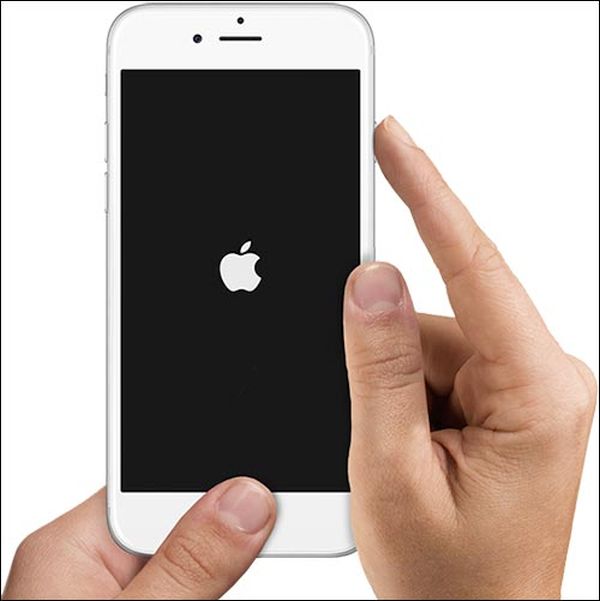
You can also solve the unresponsive iPhone 6s screen by hard rebooting [if you want to buy iPhone 6s you can sell your older iPhone model]. Press on Sleep / Wake button along with Home button and wait till you see Apple icon before you release the two buttons. Such method helps in most extreme situations with your iDevice.

Method 3.

One of the fixes to unresponsive iPhone 6s touch screen includes restore from backup option. To do this you should connect to iTunes through USB after disabling Find My iPhone feature. Choose Restore Backup feature from iTunes menu and remember to restore your phone as a new phone.

If the screen doesn’t respond after all the methods you should take your iPhone 6s to the Apple Store to exchange for a new working model.

How to Return iOS 9.1 to 9.0.2 Guide for iPhone, iPad, iPod touch

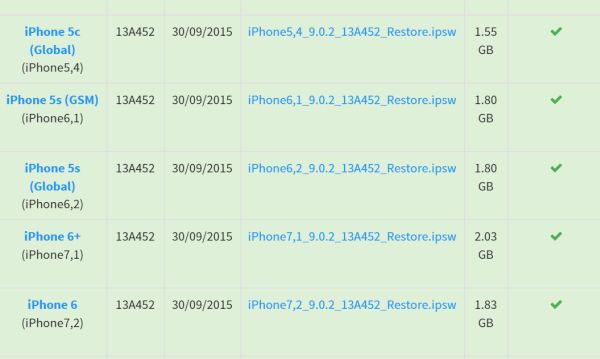
Users who are looking for the shortest iOS 9.1 downgrade to iOS 9 instruction can follow the guide below and successfully return from their newest mobile version on iPhone to the previous one [if you don’t have iPhone and hesitate between different models check our comparison of iPhone 6s and Galaxy S6]. Apple is signing 9.0.2 right now so you can install this particular firmware on your iDevice. Unfortunately you cannot get iOS 9 or iOS 8.

We’ll mention one pretty fast guide on iOS 9.1 downgrade iPhone 5 or other model you have. It is easy but you’ll have to do some search as you’ll need to find iOS 9.0.2 ipsw file if you didn’t download and save it when Apple officially released it.

How to Return iOS 9.1 to 9.0.2 on iPhone 5

Step 1. Firstly, make sure you have the 9.0.2 firmware file on your computer.

Step 2. Secondly, double check to make sure Apple is signing 9.0.2 version.

iOS 9.0.2 Apple Signing Status for Downgrade

Step 3. Launch Settings program on your iPhone 5. Select iCloud and disable Find My iPhone program.

Step 4. Users who started to prefer 6-digit code over the 4-digit code have to change it back to the 4-digit passcode. This way you’ll be able to unlock iPhone 5 when you are downgraded and running iOS 9.0.2 [here are some other useful iOS 9 tips and tricks you should learn about].

Step 5. Backup. Remember to do this. You can use iTunes.

Step 6. Now connect via USB to your computer while the iPhone is running iOS 9.1.

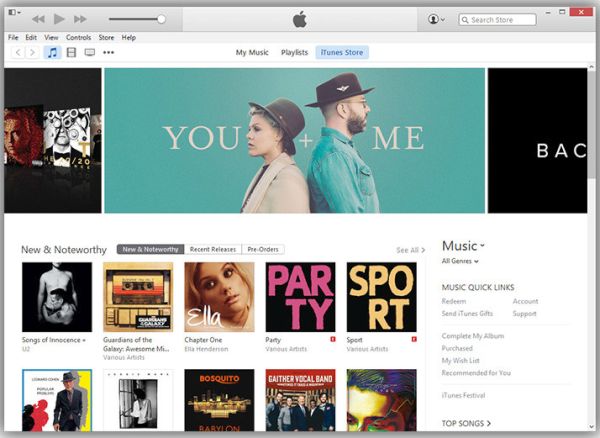
Step 7. Launch iTunes on PC / Mac.

Step 8. Choose your iDevice from iTunes top menu.

Step 9. Press on Shift [Windows] or Alt / Option [Mac] and click on Check for Update on iTunes.

Step 10. Choose your 9.0.2 file and allow iTunes to restore to iOS 9.0.2.

Step 11. Press update and wait.

Step 12. As soon as iTunes completes restoring your iPhone, it will restart and you will find Slide to upgrade option. You can enter the 4-digit passcode and activate the iPhone running iOS 9.0.2 instead of 9.1.

iTunes 12.3.1 Download Available with Better Performance

While you might be thinking which gadget is better to buy: iPhone 6s or Galaxy S6, the iOS 9.1 update was followed by new iTunes 12.3.1 update. Are you ready to install this program on your Mac or Windows? The upgrade brings some new enhancements and should deliver better performance.

The most recent iTunes 12.3.1 download is already available on Apple official site www.itunes.com/download. You can download it and install on your computer. The fixes are must-have. For example, the program should be more stable and perform better compared to the previous version.

You can also install it through Mac App Store where the update is available via Update menu [if you are trying to use iOS 9 WiFi Assist and it fails to work you should learn the reasons that can cause this]. Here are the main iTunes 12.3.1 system requirements you should meet in order to run it on your Mac or PC machine.

Download iTunes 12.3.1 Update System Requirements Mac Windows

iTunes 12.3.1 Requirements for Mac System

You should have Intel processor, 2.0 or 2.4 GHz Intel Core 2 Duo or faster if you are planning to watch 720p or 1080p HD videos on iTunes.

Remember to install OS X platform 10.8.5 or newer version. Users who are looking for Apple Music streaming service should update to OS X 10.9.5 or later operating system update [install OS X 10.10.3 or newer for iTunes Extras]. You’ll only need to make sure you have at least 400MB of free space on your disk.

iTunes 12.3.1 Requirements for Windows System

Users who have PC with 512 MB of RAM, the processor can be AMD / Intel with 1 GHz and SSE2 support. If you are planning to watch 720p HD videos you’ll need at least 1GB of Ram. For 1080p HD videos you’ll need at least 2GB of RAM.

The video card should be modern to be compatible with DirectX 9.0.

You must be running Windows 7 or newer version.

iPhone iOS 9.1 Unlock for Sprint, Verizon, T-Mobile

It doesn’t matter that much what carrier your iPhone is locked to. It is possible to order iPhone iOS 9.1 unlock for most popular networks across the world. You just need to know the name of your original network and status of your Apple smartphone.

You know that each iPhone has to be activated with network in order to use it. If the handset is not activated it is not found in Apple and carrier databases meaning it is impossible to SIM unlock it. Use iPhone network checker to make sure you are activated and proceed with the order.

SIM Unlock iPhone iOS 9.1

In order to unlock SIM iPhone 6, 6s, 6s Plus, 4S, 5s, 5 and other models from AT&T, Verizon, Sprint, T-Mobile and other networks in and outside the U.S. you should make sure you are activated, double check the name of your network and use IMEI network check service to get other important details about your phone: its blacklist status, contract / off contract state and lost / stolen status.

If the device is reported as stolen or lost you cannot unlock it. If the device is blocked [blacklisted] by carrier – you can SIM unlock it however you will not be able to use it in the country where you are originally blocked. The gadget will remain blocked after the service but it will be usable with other networks outside this country.

iPhone iOS 9.1 SIM unlock currently supports only clean IMEIs meaning the gadget must not be blocked, barred, blacklisted. You should choose your network and iPhone model and place your order. We guarantee fast unlock results at affordable price. Please read our Terms and Conditions before you place your order.

It is great that factory IMEI unlock doesn’t depend on your baseband or iOS version. The service is good for all current basebands and firmwares including the most recent iOS 9.1 that was released by Apple in late October.

The unlock is permanent. You’ll preserve your SIM free status after restoring, updating, upgrading and backing up.