Sprint Rolls Out iPhone WiFi Calling

All American major networks are now offering iOS 9 WiFi calling for their iPhone users. Sprint WiFi calling feature is officially rolled out now. It was presented alongside the new firmware update since Apple upgraded its new platform to version iOS 9.1. If you own the Sprint phone you can test the feature and see how great it is to stay connected even when your cellular signal is poor.

Sprint iPhone WiFi calling feature is available only to users who update to iOS 9.1. Without this latest operating system the option won’t work. So if you are not planning to upgrade for various reasons – you won’t be able to enjoy the wonderful feature.
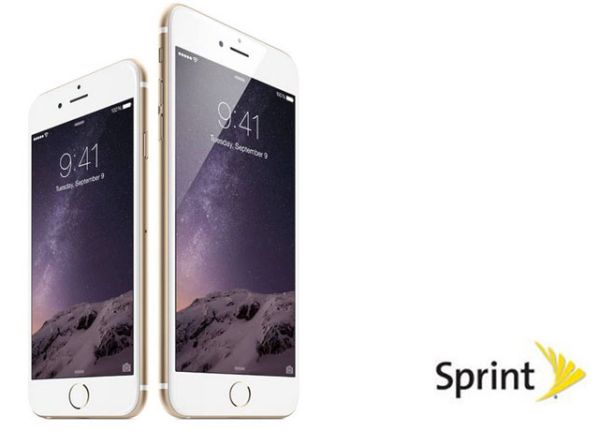
Sprint WiFi Calling iOS 9.1 Feature Release

We should say that AT&T iPhone users had problems with WiFi calling not being available to them because of the company’s policy. T-Mobile and Verizon released the option long time ago so users who have subscribed to these two networks enjoy getting all the benefits of getting WiFi calls.

It’s probably not the time to SIM unlock Sprint iPhone when you can get the WiFi Calling directly from this network if this is what you were looking for. According to the mobile operator, its technology makes it possible for iPhone, iPad, Apple Watch and Mac users to answer phone calls on any of the devices as long as they using the same Apple ID as on the smartphone.

You can also enjoy this feature after iOS 9.1 upgrade. To do so, follow the simple guide on how to enable WiFi Calling from Sprint on the iDevice:

Step 1. Launch Settings on the Sprint iPhone.

Step 2. Select Phone menu.

Step 3. Go to WiFi Calling and enable this iOS 9.1 option.

That’s it. The option offered by Sprint is improved compared to the similar WiFi Calling offered by AT&T and other U.S. networks.
How to Fix Facebook Battery Drain on iPhone 6, 6s

A lot of users get the same issue while using one popular social network program on their iPhone 6, 6s and other models [if you have iOS 9 flaws you can fix them]. Facebook battery drain iPhone 6 became a problem and it had to be fixed since millions of people from all over the world wish to preserve their battery life while still accessing their social network accounts.

Firstly, Facebook app battery drain was finally explained after numerous complaints from users. Secondly, when too many people report the same problem – it is indeed a big issue that must be addressed by a company.

iPhone Battery Drain Facebook Fix

Here is the best Facebook battery drain iPhone fix that should help you when you face the bug. There is an update you can download and install. It addresses iOS 9 battery concerns and is meant to solve the issue for most users who experienced it. You know that Apple rolled out iOS 9 firmware and upgraded it to iOS 9.1 you can download using direct links. There are also versions 9.0.1 and 9.0.2.

So what could cause the problem with fast iPhone battery drain when you were using Facebook app? The company thinks the issue was related to CPU spin. As noted by Facebook, its mobile program kept sending requests to the CPU to do ‘something’ even when the program wasn’t being in use. This was a problem in the network code and it is fixed in the update.

Once you install the most recent version of iOS 9 application the problem will be gone and Facebook will stop asking your iPhone for something and ‘eating’ its battery life that much. The improvements should help you out.

The more fixes are coming soon since the iOS 9 program has another issue the company is aware of. It continues to play audio if you were watching a video while the program was active and then put in the background.

How to Unlock iPhone iOS 9.1 from AT&T Network

As soon as Apple upgraded its mobile firmware version to iOS 9.1 a lot of AT&T iPhone users started to wonder whether it is possible or not to SIM unlock their smartphone. Great news, yay! You can already order iOS 9.1 SIM unlock for your handset if you are locked to U.S. network AT&T and are not satisfied with the service.

Why wouldn’t you be satisfied? Well, you know that AT&T iPhone unlimited data plan users are often throttled by this carrier. Besides, the data plan’s cost can be more expensive compared to smaller American carriers.

Unlock AT&T iPhone iOS 9.1

If you decide to factory unlock iPhone iOS 9.1 model you can use our service. We offer the top quality service at the most affordable price on the web. You can be on contract or off contract with AT&T and meet some other requirements if you wish to get SIM free starts once and forever.

How to Unlock iPhone iOS 9.1

Step 1. Use iPhone network check service to make sure you are activated with AT&T, locked to AT&T in U.S., have clean IMEI and your phone is not reported as lost or stolen.

Step 2. Select the unlock package for your AT&T iPhone model.

Step 3. Provide your IMEI number. You can look it up in Settings on the smartphone.

Step 4. Order and pay for the service.

Step 5. Wait for email confirmation for your order and once you are unlocked – for an email with instruction on how to insert a non-supported SIM and connect via iTunes to activate your SIM unlock.

Step 6. Enjoy using different networks and stay unlocked permanently.

This iOS 9.1 SIM unlock guide for iPhone AT&T is a great way to get a locked smartphone cheaper and spend minimum on making it never-locked. The full price of the iPhone is always higher than the subsidized + unlock cost.

Experts See No Difference in Apple A9 Chip from Samsung and TSMC

Are there any real difference in Apple A9 chip speed and specs? You know that the iPhone 6s and iPhone 6s Plus get different processors. Some are manufactured by Samsung. Others are manufactured by TSMC. As experts note, there are no major differences but Apple assures that the difference exists.

This year’s iPhone A9 processor can arrive from any of the two companies mentioned above. Learn how you can distinguish between the two A9 chip manufacturers using the simple instruction.

Apple iPhone 6s A9 Chip Processor Difference

Some users believe there is significant differences between the two processors. One chip is smaller than the other and this is what troubles the minds of potential customers. It is true that the TSMC processor is a big bigger than the chip made by Samsung.

Users started to think that the chip created by TSMC outperforms the one manufactured by Samsung affecting the battery life mainly. There were different tests that make it clear that the iPhone 6s or 6s Plus gets up to 2 hours of battery life additionally if it has the TSMC processor.

According to Consumer Reports, there is no major difference between the two chips. They compared the two smartphones with A9 processors from Samsung and TSMC and the same settings and assure that there is no difference between the battery life and thus users have nothing to worry about when they are choosing their ‘s’ handset.

Apple also states that the difference is not noticeable, only reaching about 2-3 percent and thus it doesn’t affect the end users if they are doing normal things on their gadget. Do you also believe that it doesn’t matter what company produced your iPhone 6s processor?

iPhone 6s and 6s Plus Sold Out in South Korea in Just 5 Minutes

The upcoming iPhone 6s South Korea release date only warms up the high demand for the new gadget by local customers. This country set up its own record on how quick iPhone 6s sold out can be expected. Consumers were so willing to purchase the new generation Apple handsets that they pre-ordered all available devices in half an hour.

iPhone 6s Pre Order Release Date South Korea

The iPhone 6s and iPhone 6s Plus sold out phenomenon is impressive. While the release of iPhone 6s in India turned out to be unenthusiastic – the situation is completely opposite in South Korea when the new-gen smartphones haven’t officially arrived yet. They were only available for pre-orders and sold out in 5-30 minutes.

As reports state, one local iPhone 6s South Korea KT carrier received ten thousand pre-orders within the first minute! The KT network had to close down its pre-orders within 10 minutes from the moment they went live becaused the company received 50,000 pre-orders from consumers. Another company, LG Uplus, was forced to stop taking pre-orders within 5 minutes due to extremely high demand from users. This firm however doesn’t share the exact number of orders it received.

Another mobile operator SK Telecom left pre-orders live for 30 minutes. It doesn’t report the number of orders taken within half an hour but experts think the number could reach 50,000 just like with KT carrier.

It is worth to note that consumers were aware of the pre-order date and waiting impatiently for it. The original kickoff of iPhone 6s pre-orders in South Korea was planned for the past week however it was delayed. The results are still overwhelming. Users who didn’t get a chance to pre-order their smartphone will be able to buy it officially on October 23rd.

Sprint Unlimited Data Throttle Officially Announced by iPhone Carrier

Does Sprint throttle data users just like AT&T iPhone carrier does to its unlimited data subscribers? The official changes announced by the U.S. mobile operator state that the Sprint throttling has also begun. Those iPhone owners who are locked to Sprint and subscribed to its unlimited data plan will notice slow speeds in congested areas.

It might be better to factory unlock Sprint iPhone 5, 6, 6s or other model you have if you are using unlimited data plan and don’t want to be throttled by your network. The new policy is out since October 16th so you have to be attentive with how much data you consume even if your plan is officially unlimited.

Sprint iPhone Unlimited Data Throttle

Sprint unlimited data throttle means that all unlimited plans in the United States are actually limited. Subscribers are forced to change their data plan or network and keep an eye on the data they use per month. You can surely reduce your data usage on iOS 9 iPhone using our guide however this method will not guarantee that Sprint will nto throttle you when you are in its congested area.

You can read the Quality of Service policy. According to this document, Sprint is planning to slow speeds for users who get over 23GB of data while being on unlimited plan. Similar steps are taken by AT&T and T-Mobile so Sprint is not the only network in the U.S. that doesn’t fully offer the unlimited plans to iPhone subscribers.

Have you ever been throttled by your carrier? It is worth to note that the new Sprint throttling policy will affect only new subscribers and those users who upgrade the iPhone and choose to stay with their unlimited plan.

How to Reduce Data Usage on iPhone iOS 9 Guide

It is sometimes necessary to find useful minimize data usage iPhone 6 iOS 9 instruction asap and when such importance comes you start searching for guides on how to reduce data usage on your iPhone and get tons of solutions. We will talk about the most important steps you should take in order to reach your goal.

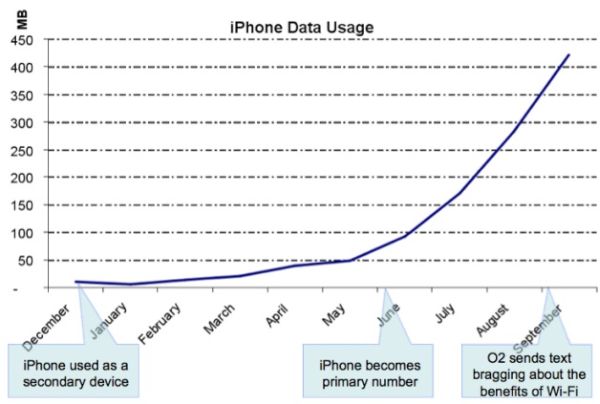
The tips and tricks you’ll discover below will make sure you don’t go over your monthly data limit. Even if you have the unlimited data plan for AT&T iPhone you can be throttled for using more data than the carrier allows you to – so keeping an eye on your usage and controlling / reducing your data limits is highly important.

Reduce iPhone High Data Usage iOS 9 AT&T iPhone

How to Reduce iPhone High Data Usage on iOS 9

Step 1. The new iPhone has WiFi Assist feature and you would like to disable it in order to stop using cellular data each time you get no signal or the service is bad. Launch Settings and choose Cellular – WiFi Assist to turn it off.

Step 2. Disable cellular data usage when you are using iCloud. Launch iCloud and choose Settings where you can turn off your Use Cellular Data option to save some data.

Step 3. iPhone background data usage also can eat your data. Turn off background app refresh option. Go to Settings and select General menu. You can turn off Background App Refresh feature.

Step 4. You should also turn off all automatic downloads when you are using cellular connection. Go to Settings on iPhone and disable cellular data for both iTunes Stores and Apps.

Step 5. You are advised to also turn off High Quality music streaming on cellular. You can go to Settings – Music and disable this option. This way you’ll be able to stream Apple Music files using WiFi connection only.

Step 6. Don’t use your cellular data if you are limited to 2GB of data per month. You better disable it in Settings – Cellular and use WiFi applications instead.

Step 7. Turn off applications that consume much data. This way you can also control your data usage even if you are limited to AT&T iPhone data plan.

iPhone 6s or Galaxy S6? Which Smartphone Is Best to Buy?

As soon as Apple released its new lineup of smartphones users got a new question ‘iPhone 6s or Galaxy S6’ – which model is better to purchase? If you haven’t upgraded your phone this year you might really want to first compare the two gadgets as they both have some pros and cons.

Why iPhone 6s vs Samsung S6 [also compare the Samsung and TSMC A9 chip used in the iPhone 6s and 6s Plus lineup]? Well, firstly the iPhone 6s is the most recent Apple device with tons of new features and cool options. Secondly, Galaxy S6 is Samsung’s flagship smartphone at the moment. It is fair to compare them both when you are making your choice.

iPhone 6s vs Galaxy S6 Compare

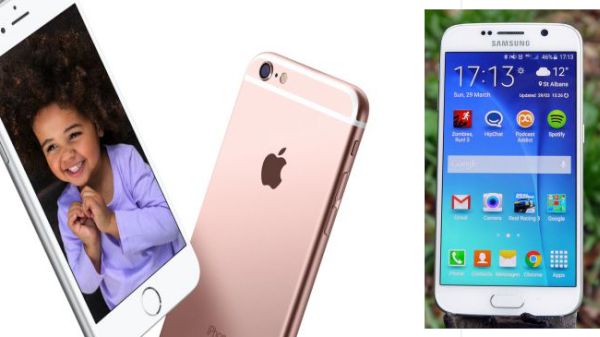
iPhone 6s vs Samsung Galaxy S6

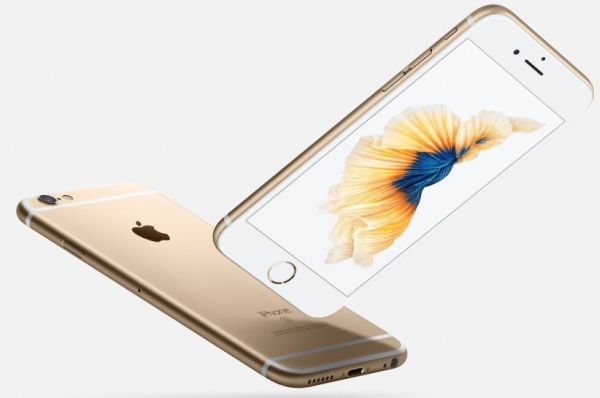
While Apple didn’t change the design of its new iPhone models, Samsung did big job while creating its S6 smartphones. The company chose to work with metal frame, back panel made of glass and went away from cheap plastic parts. When you look at the iPhone 6s you see the same iPhone 6 design but Apple added the new color option for its ‘s’ handsets: rose gold.

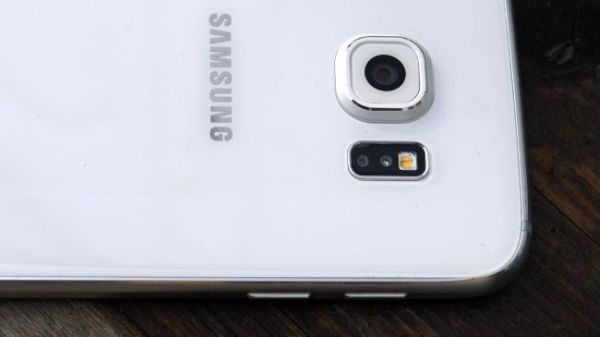
When you compare the specs of iPhone 6s and Galaxy S6 you can see that both gadgets allow recording 4K videos. Samsung added the 16 megapixel camera and Apple decided to go with the 12 megapixel camera and bigger aperture. Thus the iPhone 6s allows taking better low-light images and use optical image stabilization. The iOS devise definitely wins over Android in terms of camera features. Besides, you can enjoy taking Live Photos on iPhone 6s and this option isn’t available on other smartphones right now.

Samsung Galaxy S6 vs iPhone 6s

Apple offers 3D Touch feature and 4.7-inch screen with 1334 x 740 resolution while Samsung offers the 5.1-inch display with 2560 x 1440 resolution.

The 6s smartphone gets the newest 1.85 GHz A9 processor and 2GB RAM. S6 device gets the Samsung’s chip with 1.5 GHz Cortex-A53 and 2.1 GHz Cortex-A57. Once again, the new 2015 Apple iPhone 6s is performing better than Samsung Galaxy S6, according to benchmark tests. While iPhone scores 2488, the S6 models gets only the score of 1213.

iPhone 6s vs Galaxy S6

The iPhone has smaller battery capacity compared to Galaxy device. Apple released the 1715 mAH battery for iPhone 6s and Samsung launched the 2550 mAH battery for Galaxy S6. At the same time, it looks like users are not that happy with their Galaxy battery life time.

The Galaxy model costs less than iPhone and you get enjoy more storage space for your money if you choose S6 over 6s. Still if you wish to get 3D Touch, better performance, Live Photos you should better get the iPhone 6s.

Apple Assures It Is Impossible to Unlock iPhone

A lot of users are familiar with unlock iPhone iOS 9 options. There are two types of unlock you most likely know. One is the factory IMEI unlock from AT&T or other carrier and the other one is unlocking the phone to access your personal information.

Well, Apple started to say that it was impossible to unlock iPhone with iOS 8 release. This year the company officially launched iOS 9, updated it to iOS 9.0.1 and 9.0.2. The Cupertino-based giant still assures that it is impossible to unlock the gadgets if they are running of these platforms.

iPhone Unlock Impossible

The well-known iPhone maker believes that unlocking is not possible and when the judge asked Tim Cook [the company’s CEO] to unlock iPhone and access data stored on it – Cook assured it wasn’t possible for Apple to accomplish.

The iOS giant simply doesn’t store encryption keys for iPhone and iPad that is updated to iOS 8 or iOS 9. Passcode is required to access a locked screen. Still there are services that can bypass this restriction and find the correct passcode by tricking the system.

If you wish to learn how to unlock iPhone iOS 8 or iOS 9 to become SIM free [this is the different type of unlock as we already mentioned] you are welcome to select the corresponding unlocking package for your iPhone model and mobile network. You’ll become fully unlocked pretty soon and get the chance to use different SIM cards from various networks from all over the world.

There is no iOS 9 unlock code or iOS 8 unlock passcode to use with factory unlock. All you need to know is your IMEI number and your iPhone statuses as well as original carrier you are locked to. Use iPhone IMEI network check online to get this information about your handset.

AT&T Sues Its Employees for Unlocking AT&T Contract iPhone and Other Phones

How legal is it to unlock ATT contract iPhone in and outside the U.S.? The American government as well as governments in other countries are mostly supporting the opportunity of customers to choose their networks. Still carriers are against such a service. For example, recently AT&T has sued its former employees who offered unlock contract AT&T iPhone 6s, 6, 5s and other models / phones service to users.

AT&T accused its three former workers from Washington state in making thousands of AT&T contract phone unlocked. All the gadgets had to be bound to the networks’ contract however were successfully unlocked and could be used with any other mobile company across the world.

AT&T unlock iPhone contract issues

When you choose to become SIM free [while you are off contract or still on contract] – you have a big variety of choices where to order the special factory SIM free service. Is it safe to unlock iPhone online? If you are customer who is looking for the company to unlock your phone – you are safe. If you are working for AT&T – you could also sued by the network just like it already happened to several ex-employees who are accused of allegedly unlocking gadgets for using with different wireless operators.

According to the lawsuit, employees were able to unlock AT&T contract iPhone models by installing malicious software into their work computers [learn more about AT&T throttling its iPhone subscribers]. They were providing the service right in the AT&T store where they worked and generated automated unlock requests. They worked together with Swift Unlocks company, according to report, and could have been unlocking devices in order to resell them at lower cost than the price of the never-locked iPhone.

The accused workers didn’t cover their tracks and thus AT&T was able to learn about this group, catch them while doing the act and sue them. The lawsuit doesn’t mention any criminal fraud but the employees who were unlocking AT&T phones at their work place in AT&T store might be arrested and forced to pay all the lost profits of the carrier.