Perfect AT&T iPhone SIM Unlock for iOS 9.3.1 Firmware

AT&T iPhone users who have installed iOS 9.3.1 cannot downgrade back to iOS 9.3. The ‘fruit’ giant is no longer signing this previous release and keeps working on the future iOS 9.3.2 version. Still you can unlock iOS 9.3.1 iPhone as well as iOS 9.3 handset that is locked to AT&T carrier.

AT&T is one of the major American networks that are popular among customers. You can order AT&T iPhone SIM unlock iOS 9.3.1 service as this is the fastest and safest way to become SIM free once and forever.

SIM Unlock AT&T iPhone iOS 9.3.1

The service is distant. You should know your IMEI code and have a good account with AT&T. It is often possible to SIM unlock blacklisted phones as well but you have to double check regarding your iPhone model, firmware version and statuses.

Make sure the phone is activated with AT&T network beforehand because the only model that is not supported by SIM factory unlock is the iPhone that is not activated. Its IMEI number is simply absent from Apple and carrier’s databases.

How can you order factory unlock for AT&T iPhone? You can select your model from the list of supported devices, choose your network package and provide your IMEI code. You can run different IMEI checker services and make sure you are eligible for the service.

This is remote unlock. There is no need for you to leave your home. You can place your order online and wait till you are informed about successful unlocking. You’ll have to activate your new unlocked status through iTunes.
Can I Downgrade iOS 9.3.1 to iOS 9.3 on iPhone?

Apple released iOS 9.3.1 and a lot of iPhone and iPad users wonder how to downgrade iOS 9.3.1 and get back to the previous firmware versions. We’ll tell you if it possible to achieve this goal and how.

You have probably heard that Apple always stops signing previous iOS version once it presents a newer one. This has already happened to iOS 9.3 release that has no impact on battery life. In other words you cannot downgrade iOS 9.3.1 to iOS 9.3 because older operating system is no longer signed.

Downrade from iOS 9.3.1 to iOS 9.3 signing status

Why does it happen? The Cupertino-based giant is preventing its customers from downgrading. It’s curious that it took Apple less than 3 weeks to stop signing iOS 9.3 after iOS 9.3.1 update became available to public with numerous fixed to iOS 9.3 problems, bugs and issues.

Before you try to downgrade iOS 9.3.1 to 9.3 or any other future iPhone platform you should check the popular free site IPSW.me that shows the signing statuses for all Apple mobile firmware in real-time. All the changes are quickly reflected here so you will always know when the well-known ‘fruit’ giant stops signing another platform.

What will happen if you still try to downgrade from iOS 9.3.1 to iOS 9.3? You will get an error message [learn more about iPhone lock screen bypass issue]. You should also note that Apple could continue to sign some versions if they were meant to fix a previously known bug. This information can be also found on that special website.

Hopefully we have explained you some facts about downgrading. Remember that you cannot downgrade if you have installed iOS 9.3.1 on your iDevice. However once Apple releases iOS 9.3.2 you’ll be able to revert back to 9.3.1 until the company stops signing it as well.

Apple Finally Fixes iPhone Bypass Passcode Bug

Users who updated to iOS 9.3.1 which is the most recent Apple mobile operating system update were shocked to learn about iPhone bypass passcode bug. It allowed getting full access to contacts and photos on the smartphone that was running buggy firmware. Apple is believed to solve the problem by now.

If you are looking for Lockscreen bug fix on iOS 9 – it is here. The ‘fruit’ company released the fix through server-side upgrade. No one can access your files now as Siri don’t do the Twitter search without the passcode and contact information won’t come up. In other words, if you have installed iOS 9.3.1 no one can access your images or contact data.

iOS 9.3.1 iPhone Bypass Passcode Bug Fix

iPhone lock screen bypass on iOS 9.3.1 was patched by the Cupertino-based company. It only affected the two models iPhone 6s / iPhone 6s Plus. It works through 3D Touch option to get fast access to some files. When you try to ask Siri show you contacts or photos your personal assistant will remind you that it is necessary to unlock iPhone first.

There were mutliple issues with iOS 9 update. It is reported that the problem with Night Shift / Low Power Modes has also been resolved. When you turn on Low Power Mode you won’t be able to enable Night Shift option unless you turn off Low Power Mode at first.

Apple has also stopped signing iOS 9.2.1 so you can either update to iOS 9.3 or install iOS 9.3.1 version.

Get iOS 9.3.1 Fix to iPhone Crashing Issues

iPhone and iPad users get iOS 9.3.1 release. This new firmware version should fix the problem with opening links. If you installed iOS 9.3 when Apple presented it in March and noticed that any web link you were trying to open crashed once being tapped – you should try the newest firmware update.

iOS 9.3.1 fix to crashing links addresses only one problem. You are advised to use OTA-update option if you have had this particular problem with Safari links or couldn’t open links from within an app.

iOS 9.3.1 iPhone Update with Links Crash Fix

Actually iOS 9.3 is pretty buggy. It has numerous problems and Apple is trying to address each one with a new firmware update. The specific change offered by iOS 9.3.1 is the possibility to get away from crashing links. Still nothing is said about this release fixing other known iOS 9.3 bugs and issues.

For example, many old iDevice models get stuck during activation after iOS 9.3 update. Apple even had to pull this firmware for a number of devices because of this problem. At the same time, if you have installed iOS 9.3 on AT&T iPhone and everything is ok, you can already order SIM unlock for AT&T iPhone running the latest firmware version. This is a fast and reliable way to become free from AT&T carrier and choose different SIM cards for communication.

Have you had any issues with iOS 9.3 or iOS 9.3.1 so far?

iOS 9.3 Battery Performance: Has It Changed After Update?

Many users have installed iOS 9.3 update with bugs. Apple presented this new firmware in March and a lot of iPhone and iPad owners hurried to give it a try. Many older device users were upset because of the multiple problems, issues and bugs that came along with the new iOS. How is iOS 9.3 iPhone battery life? This is another question to ask.

How is your iOS 9.3 battery performance after update? Have you noticed any differences compared to previous operating system version? According to news, the latest platform doesn’t impact battery life that much. It comes with some new features however this doesn’t make battery drain faster than it used to.

iOS 9.3 Battery Performance iPhone

The upgrade arrives with Touch ID secure protection that work with Notes, new Night Shift mode that is comfortable for reaching at any time of the day and other changes. For example, Verizon subscribers should finally get support for WiFi calling.

Users with old iPads and iPhones got stuck on the activation screen after iOS 9.3 update. Apple fixed this bug with the iOS 9.3.1 release however there were other issues as well not related to battery life. Safari kept freezing for many users and the Cupertino-based giant promised to fix this problem soon.

The battery seems to be great on iPhone 6s, iPhone SE and other models [compare iPhone SE to iPhone 5s]. It could work not as good on older iPhone 5, 4s however these users were the one who couldn’t complete installation at all because they say only the frozen Activation screen on iOS 9.3 and nothing more. We’ll probably hear more about all the changes brought by the new OS as Apple continues to roll out iOS 9.3 updates with fixes to previous issues. iOS 9.3.1 is one of such versions available for download.

How to Fix Activation Server Unavailable iOS 9.3 Bug

Have you tried to update to iOS 9.3? Have you failed? A number of users experience different ‘unable to activate’ errors and we’ll be happy to help you fix this situation and successfully install the spring Apple update for iPhone and iPad.

If you try to install iOS 9.3 update and get stuck on activation screen – you’ll be surprised at how easy the fix iOS 9.3 issues guide is. You can simply and quickly solve known activation iOS 9.3 error if you follow this step by step guide.

iOS 9.3 Update

Activation Sever Unavailable iOS 9.3 Fix

Step 1. Take your iPhone and go to Settings.

Step 2. Choose General menu.

Step 3. Go to Software Update menu.

Step 4. You should be prompted to install Software Update so follow the installation guide on your screen.

Step 5. If you don’t have the prompt to update you should launch Setting and go to General – Storage & iCloud Usage and Manage Storage where you can delete iOS 9.3 listing. Return to Software Update menu and install iOS 9.3 build 13E237.

You should note that this update supports only iPod Touch 5G, iPhone 5c, 5s, 4 and 4s, iPad mini and iPad mini 2, iPad 2 / 3 4 and iPad Air / iPad Air 2. There should be no problems with iPhone SE – new 2016 Apple phone.

If you can’t get to Settings because you are already stuck on Activation screen you need to take a USB cable and connect to your computer, launch iTunes and download iOS 9.3 by following this guide:

Step 1. Once you launch iTunes you should force restart iPhone.

Step 2. When iTunes asks if you need to Update or Restore you should select Update option.

Step 3. Wait till iTunes downloads iOS 9.3 update and install it by following the on-screen guide.

There should be no activation issues.

Here Is a Fix to Safari Random Freezing on iOS 9.3

There are different iOS 9.3 Safari issues and one of the problems mentioned by users is the freezing bug. Safari mobile browser get frozen when you are trying to open links. The same thing happens with the Mail application.

Is there a way how to fix iOS 9.3 Safari problems after iOS 9.3 update? Many iPhone and iPad users are not happy with the bugs offered by Apple along with this minor update. It surely brings some new features to iDevices along with the bugs.

iOS 9.3 Download Update Fix Activation

If iOS 9.3 Safari freezes for you there is something you can try:

Step 1. Launch Setting app on iPhone or iPad.

Step 2. Scroll down and find Safari option.

Step 3. Click on Safari – Advanced and find javascript.

Step 4. Disable javascript by toggling it off.

Step 5. Relaunch Safari browser and see if you iOS 9.3 Safari problems are gone.

This solution to random Safari freezing is not permanent. Apple will soon present an updated iOS 9.3 file and address this bug. If the problem is still present you might want to force reboot your gadget and clear Safari cashe. If the issue still exists you might want to use Chrome for iOS 9.3 until Apple releases an update and solves the problem for you.

When You’ll See iOS 9.3 Release for Your iPhone

The upcoming iOS 9.3 release date made many users excited as this new firmware update offers some new features even though this is a minor upgrade. The company began testing iOS 9.3 beta in early 2016 [here is how to check if your iPhone is stolen or not]. The first beta was offered to developers on January 12th. The ‘fruit’ giant updated the beta for several times since then.

When Apple release iOS 9.3 is to take place? There were seven betas devs and public beta testers had seen and they promised new Night Mode that should make reading on iPhone easier and more comfortable. The new firmware offers other changes too but these are minor updates.

iOS 9.3 release download iphone ipad

The devices finally get new toggle in Control Center once they are updated to iOS 9.3 final public version that is presented by Apple this week [here is how to free up RAM on iPhone]. The extra toggle turns on Night Shift model which automatically detects the time of the day based on your geolocation and clock and shifts the colors on the screen to warmer or colder spectrum making it much easier on eyes to read.

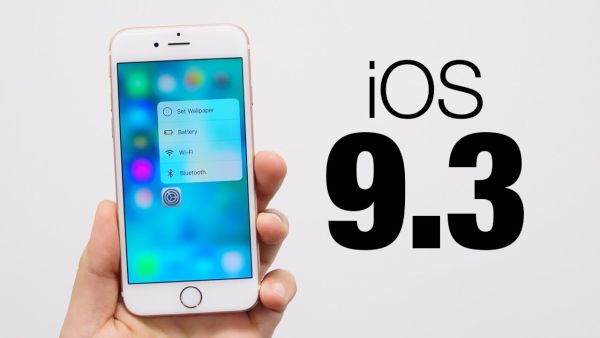
Apple also offers more protection to users since they are able to protect News and Notes with Touch ID / password. iPhone owners get 3D Touch Quick Actions for some stock applications, for example for Health, iTunes Store, Settings, App Store and others.

iOS 9.3 release helps duplicating all live photos as still images. Besides, students get an option to manage multiple Apple ID logins within Classroom application and use the same gadget for individual profiles.

Verizon iPhone users got WiFi Calling Support with iOS 9.3 public release. Other networks, AT&T, T-Mobile and Sprint already offer this feature. You can already download iOS 9.3 through OTA-update or via direct download links and install it on your iPhone or iPad at once to explore all the spring changes the Cupertino-based company has brought to millions of fans.

iOS 9.3 Issues: Fix Can’t Activate iOS 9.3 iPhone After Updating

Have you installed iOS 9.3 update? There are users who came up across iOS 9.3 problems. They are not able to activate their phone. Apple is aware of this issue however you can follow our instruction and try to solve everything.

Different iOS 9.3 issues would appear once in a while [by the way you can cheat Touch ID with Play-Doh]. Although Apple was testing this firmware before bringing it to public – users still get bugs and errors after update. Some of them can’t activate iPhone and if this is the same problem you are facing – here is how to fix it.

Fix iOS 9.3 Issues Problems Bugs Cant Activate iPhone

Solve iOS 9.3 Activate iPhone Fail Issue

Step 1. Take your iPhone and connect it to your computer.

Step 2. You should also install the most recent version of iTunes [Apple presented new software and products after Apple March Event].

Step 3. Choose your gadget and you’ll get the Activate iPhone screen.

Step 4. You need to enter Apple ID / password if you can’t activate iPhone and wish to solve this issue.

Step 5. The problem should be gone and you should successful pass activation.

Some users note that this method is not working. You can try to turn off iPhone and turn it back on, login to your iCloud account and launch Find My iPhone tool. You need to remove all gadgets from your account and set up your iDevice again.

This should remove the iOS 9.3 bug and fix the problem.

Of course, Apple would present a simpler iOS 9.3 fix to all users soon but we don’t know the exact date when it happens.

Apple Releases iOS 9.3 and Brings New Features to AT&T iPhone

Many AT&T iPhone users were waiting for iOS 9.3 update as much as Verizon owners who finally got WiFi Calling support this spring. AT&T subscribers are enjoying WiFi calls for a while but they were still happy to get new iOS 9.3 features and options.

Apple presented iOS 9.3 release in the end of March. A lot of users are now updating to this mobile operating system to see what changes are offered and explore all the interesting additions the Cupertino-based company has brought.

iOS 9.3 Features Download ipsw iPhone AT&T OTA Update

Main iOS 9.3 features include the great Night Shift mode. This is a great improvement that will be enjoyed by book worms who prefer reading messages and surfing the web on their mobile device. iPad users who update to iOS 9.3 public version will finally enjoy reading at any time of the day and night. Thanks to your iPhone / iPad clock and geolocation – the Night Shift option can shift the colors in your screen. It becomes easier on your eyes. Once you download the firmware on AT&T device head over to Control Center and turn on the option.

The long-awaited iOS 9.3 release allows protecting News and Notes with Touch ID / password. This is also cool as well as all the 3D Touch Quick Actions you can enjoy. They work with Apple stock programs including Settings and iTunes store.

If you decide to unlock AT&T iPhone via factory SIM unlock and switch to Verizon – you’ll be able to make WiFi callings as the latest upgrade brings WiFi Calling support to this network.

It is possible to install iOS 9.3 through OTA-update. To do this, go to Settings and select General menu. Choose Software Update option and wait till the device downloads the iOS 9.3 ipsw file for you and allows installation.