Can I Downgrade iOS 9.3.2 Back to iOS 9.3.1 on AT&T iPhone?

There is a fast way how to downgrade iOS 9.3.2 back to version 9.3.1 on AT&T iPhone 6s / 6. It’s risky to downgrade and Apple doesn’t like when users return to previous operating system versions. Still there are many users who choose to revert back no matter what the Cupertino-based giant thinks.

You can follow the short guide and downgrade iOS 9.3.2 to iOS 9.3.1. Remember that it’s risky so backup your AT&T iPhone via iTunes or iCloud before you do anything. Can I downgrade iOS 9.3.2? Sure, you can but stay attentive to details.
Downgrade iOS 9.3.2 to 9.3.1 iPhone How To Guide

Downgrade iOS 9.3.2 Guide

Step 1. Disable Find My iPhone option on AT&T iPhone using Settings – iCloud – Find My iPhone feature.

Step 2. Search for iOS 9.3.1 ipsw file for your particular iPhone model and download it [there are many iOS 9.3 features that are improved on 9.3.1 version]. Use Firefox to download the file or turn off automatic unzip option in Safari.

Step 3. Now connect your handset to computer and open iTunes.

Step 4. Press on Alt / Option on Mac while choosing Check for Update iTunes feature.

Step 5. Point to iOS 9.3.1 ipsw file and let iTunes to downgrade your smartphone. The program will ask you to confirm the decision to update (downgrade). Agree and wait for the program to complete everything.

Step 6. You might be asked to activate AT&T iPhone.

Apple won’t sign iOS 9.3.1 for a long time. It will soon stop signing this firmware and it will be impossible to downgrade. So double check if you can still downgrade 9.3.2 to 9.3.1 version.
Where Is Best and Cheapest Price on iPhone in the World?

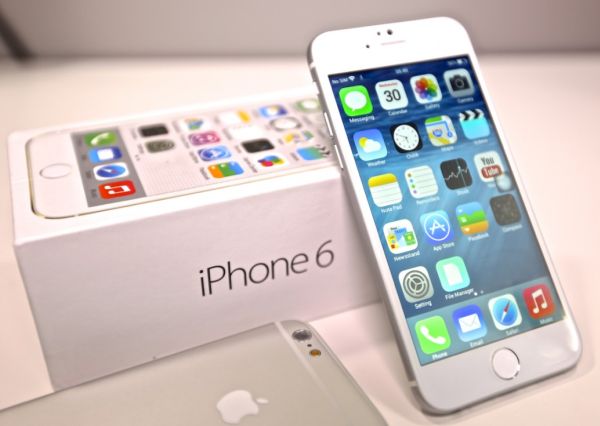
Apple fans are constantly looking for the cheapest iPhone 6 deals. This is not the most recent generation smartphone released by this company still it’s new enough for upgrading if you find iPhone 6s too expensive and 4-inch iPhone SE too small.

Where is best price on iPhone 6 out there? Apple handsets are priced pretty high compared to other brands. If you live in Brazil or Indonesia you have to pay more for the iPhone than in the United States. Experts searched everywhere and found the cheapest iPhone 6 in the world price. It’s clear that the U.S. price hasn’t been taken into consideration because all the prices were compared to it.

iPhone 6 Cheapest Price in World

If you are looking for the most affordable ‘fruit’ handsets you’ll have to visit or buy it from the USA. If you are looking for a foreign country to make your purchase then you should know the most expensive iPhones are not only in Brazil and Indonesia but also in Italy, Sweden India and Denmark.

For example, iPhone 6 Brazil price can reach $1000-$1200 [the Cupertino-based company is now preparing to assemble next iPhone 7 smartphone model]. iPhone 6 in Indonesia could cost $800-$900. Apple is selling iPhone 6 in India for around $800. Still there are countries where the previous generation iPhone is less expensive.

The cheapest prices on iPhone 6 are in Hong Kong. You can also get the affordable iPhone 6 price in Japan, Singapore, Switzerland and other countries. Possibly the next iPhone 7 price could also be cheaper in these areas compared to more expensive countries.

How Fast Is iOS 9.3.2 Compared to iOS 9.3.1?

Apple updated mobile firmware for its iPhones and iPads this May. How fast is iOS 9.3.2? This new operating system version has many bugs but they mostly affect 9.7-inch iPad Pro users.

Experts compared iOS 9.3.2 vs 9.3.1 through speed test. They loaded different applications, tested multitasking option and how the iPhone 6s was booting up on different firmware versions. All tests were performed on iPhone 6s only which is the ‘fruit’ handset released in the fall 2015. Apple also presented new 4-inch iPhone SE this spring.

iOS 9.3.2 vs iOS 9.3.1 Speed Test Comparison iPhone 6s

The just released firmware fixes some bugs and improves some processes. It should run smoother on your smartphone. Does it really do this? What iOS 9.3.2 speed test shows to ordinary users?

Actually the difference between iOS 9.3.1 and 9.3.2 running on iPhone 6s is not big. Both versions boot up with similar speed. Maybe version 9.3.2 is a second faster but you won’t notice this change when you are using your Apple device every day of the week. So the minor update is very similar to previous operating system version regarding boot up speed.

Good the new firmware didn’t get slower than iOS 9.3.1 [here is how to unlock iOS 9.3.1 AT&T iPhone]. Apple also enhanced security on newer firmware. The company heard users’ wishes and allowed enabling both Low Power Mode and Night Shift option simultaneously.

Do you notice any difference with iOS 9.3.2 update? Is your iPhone running smoother or same as on 9.3.1 firmware version? Do you have any issues with the update?

New iOS 9.3.2 Fixes iPhone SE Bluetooth Issues

Some new Apple customers experienced iPhone SE Bluetooth issues on AT&T and other U.S. networks. Finally the company offers the fix to this problem and you can solve all the bugs right away. How can you do this?

Use iOS 9.3.2 bug fixes and install this latest operating systemon your AT&T iPhone SE. This minor firmware update is simple and arrives with simple improvements and fixes to known bugs. This includes the Bluetooth problems noticed on the 4-inch iPhone model.

Fix iPhone SE Bluetooth Bug with iOS 9.3.2 Update

Who needs this iPhone SE Bluetooth fix? Users who have the 2016 iPhone SE model and connect it to their infotainment system in vehicles might get issues with Bluetooth audio. If this happens to you – install iOS 9.3.2 and the bug will be gone.

Some 4-inch iPhone users also have other sound issues while using GPS navigator or streaming music. In other words, the problem can happen in different situations and it’s better to solve it now. It’s worth to note that while iOS 9.3.2 update offers fixes to issues it also brings some new bugs [you can SIM unlock AT&T iPhone iOS 9.3.2 just like iOS 9.3.1]. iPad Pro users suffer from Error 56 that bricks their device. No problems have been reported for iPhone SE so far but the operating system update has bee recently rolled out.

With the newest mobile firmware version you can turn on Low Power mode and Night Shift option simultaneously without using any tweaks or tricks. Apple offers this option by default and it’s a nice change.

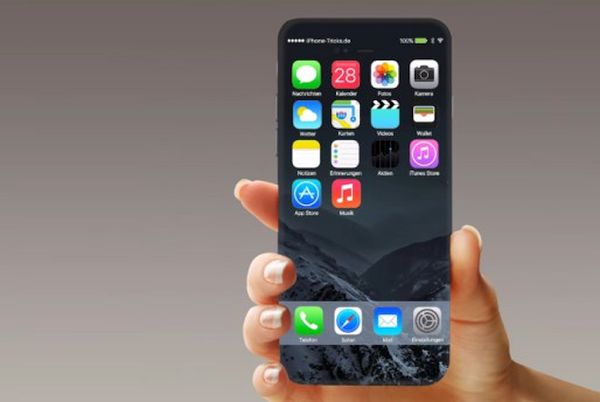
iPhone 7 Leaked Image Surfaces to Suggest Upcoming 2016 Changes

Have you seen iPhone 7 leaked image? There are several iPhone 7 leaks but these are just rumors and no one can give you 100% guarantee that the showcased device is the next generation Apple smartphone. Still judged by the photos we can imagine the next ‘fruit’ device.

The so called iPhone 7 leaked picture shows the gadgets sized similar to iPhone 6s. The sketch demonstrates the 138.3mm x 67.12mm iPhone 7 and this height / width is exactly as the iPhone 6s model boasts. Apple likes to update its smartphone design once in a while but it appears that this year we might see no major changes.

iPhone 7 Concept Leak

The iPhone 7 leaked photo says nothing about the gadget’s thickness. We’ve heard from some experts that the upgrade could be 1mm thinner than iPhone 6s but this is just another unconfirmed rumor.

Curious changes show us bigger camera lens cutout on the phone’s back and if this is true we’ll get improved camera performance in the next generation smartphone which could feature better sensor. This would be amazing if Apple enhances camera for iPhone 7 [will iPhone 7 be waterproof?] or introduces dual camera system for iPhone 7 Plus this year still we’ve also heard that such changes could be only offered in 2017.

The iPhone 7 release is expected in the fall 2016. Apple already presented smaller 4-inch iPhone SE this year but millions of users are waiting for bigger smartphone introduction. The next gen device will get iOS 10 pre installed on it. Apple will be testing future mobile firmware this summer.

What Causes Apple Music Library Disappear / Missing Issues

Many Apple users report Apple Music library missing and this issue seems to bother a lot. Apple assures that its Apple Music program doesn’t delete or remove files without user’s permission. So why Apple Music library disappeared for some of us?

The Cupertino-based company seems to know the real reason that makes Apple Music library gone without user knowing about the changes until they try to listen to their favorite tunes [learn more about upcomig WWDC 2016 event date]. This is possibly the iTunes bug 2016 which makes music disappear.

Apple Music Disappear Deleted Removed iTunes Bug 2016

At first users heard that this wasn’t Apple Music fault why users’ music suddenly was deleted orremoved from the library on Mac. It turns out there is a bug in iTunes version that could make this happen. It’s not clear for now if the iTunes make local music libraries being deleted or Apple Music is doing some ‘tricks’ but the number of people who complain about the problems is growing.

Apple is believed to offer safeguard patch for users soon. According to the ‘fruit’ giant, only a small number of people reported their music missing. Apple tried to reproduce the bug but failed so it is now trying to help those users who suffer from the unknown bug. The company also notes that people who get similar issues are welcome to contact AppleCare at once.

The iPhone giant has many different services and users get different kinds of bugs once in a while [for example, Apple fans suffer from iPhone iMessage problems]. Usually the company is quick to solve the bugs. Still you might want to downgrade your iTunes latest version to previous edition to avoid any issues with Apple Music and your personally owned music libraries. It’s always good to keep your music on your computer and not have it accidentally removed by the bug, right?

Unlock iOS 9 iPhone from AT&T Carriers Using SIM Factory Unlocking

Many users keep dreaming of iPhone AT&T unlock however it’s not that easy to get iPhone factory unlock directly from this U.S. carrier. There are other American networks that stopped locking Apple smartphones but this is not the case with the Big Blue Carrier.

You can unlock AT&T iPhone running any firmware version. In other words, you can unlock iOS 9 iPhone from AT&T without any issues [read some iPhone 7 rumors to learn more about upcoming Apple smartphone]. The permanent service is remote. You can order it distantly and get the result online. It’s cool, fun, quickly and affordable. You’ll definitely like the price on AT&T iPhone unlock service.

AT&T iPhone SIM Unlock Factory

Official unlock is based on your IMEI code and Apple database of IMEIs. You have to make sure you meet all the requirements. Otherwise you will fail. Here are main things you should remember when you wish to become SIM free.

Firstly, iPhone factory unlock for AT&T works just any other factory unlocking. Your account has to be active and in good standing. Blacklisted and blocked AT&T iPhones cannot be unlocked in most situations through there are exceptions. Secondly, AT&T iPhone SIM unlock works on activated smartphones only. If you haven’t activated your handset the service will fail.

You can unlock AT&T iPhone by placing your order online. That’s really simple. Just add your IMEI code and wait until you get the successfully result. Everything happens pretty quickly and you become permanently SIM free.

What does it mean to you? Switch between carriers, insert any SIM card and connect to any carrier in and outside the U.S. You are not longer locked to one carrier only. This won’t change even after you restore and update.

Does it sound fun?

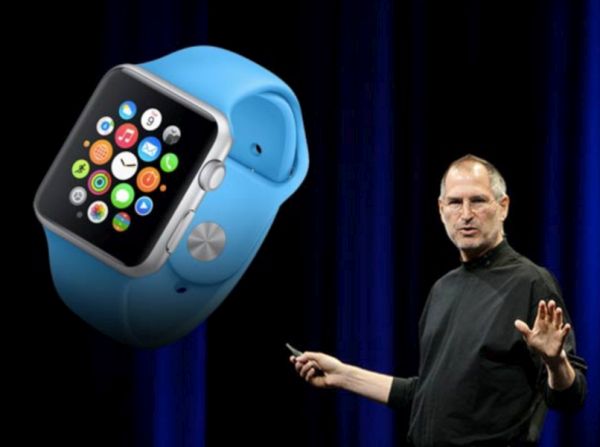
Did Steve Jobs Know About Apple Watch Product?

Was Apple Watch Steve Jobs’ idea or not? It took the ‘fruit’ company three years to present this gadget after its famous co-founder passed away [you can easily SIM unlock iOS 9 iPhone from AT&T or other network]. Apple is still associated with Steve Jobs. He did so much to create recognized and popular mobile devices that millions of users would remember him forever.

Jobs inspired Apple to move forward. He died in October 2011 after fighting with pancreatic cancer. He spent much time with healthcare system and got a new dream to create a product that offers better healthcare to all iPhone owners. Apple Watch just continues Jobs’ mission. It’s a good device that offers patients data about their health.

Steve Jobs Apple Watch

Different Apple products offer healthcare tools. For example, users can get HealthKit, Apple Watch device, CareKit and ResearchKit for iPhone and iPad. This way you can participate in different surveys and provide better and more information to healthcare professionals.

While Apple Watch itself hasn’t become as popular as iPhone because it mostly relies on Apple smartphone and cannot offer many mobile features on its own – users can track their steps, health data and live a healthier lifestyle. The Watch can motivate you to stay active and will be always there when you need it the most.

Jobs wanted to make Apple customers healthier and this mission continues even after his death. Maybe his vision of how to make this happen was different from what Watch delivers. We don’t know. No one clears it if Jobs knew about smartwatch coming or not.

We also don’t know how Apple Watch could be different if it was created while Steve Jobs was Apple CEO.

Wonderful Yet Hidden iOS 9.3 Features for iPhone Users

Apple presented iOS 9.3 firmware version this spring with new iOS 9.3 features and interesting options. There are hidden and new updates you should learn about to get better experience until Apple introduces iOS 9.3.1 or iOS 10 upgrade.

It is no longer possible to downgrade iOS 9.3.1 to 9.3 but there are still users who are using this firmware version. Night Shift mode is probably the top option that arrives in iOS 9.3, 9.3.1 and will be present in upcoming iOS 9.3.2 version.

iOS 9.3 Hidden Features

There are numerous iPhone Night Shift guides and jailbreak tweaks that make it easier to use this option. For example, you can enable both Night Shift and Low Power modes at once and save your battery life while reading comfortably from the screen at any time of the day.

The quickest way to access Night Shift mode is to swipe up from iPhone display bottom in Control Center and tap on the iOS 9.3 Night Shift icon.

It si possible to see how much WiFi data you are using you can take advantage of WiFi Assist usage data [here is how to fix iOS 9.3.1 crashing issues]. There is no need to guess how much data you have used and save on your cellular data bill. You can protect Notes with password.

In News you can Save, Mute and do other actions by simply swiping right / left. You can sync iBooks and PDFs to Apple cloud. You can duplicate Live Photos as still images. Improved Education applications and CarPlay should make the full experience better. Siri starts to support Malay and Finnish. Notes got checklist option you can use to quickly make new lists.
You can watch videos, enjoy stories in iOS 9.3 landscape mode. It is possible to long tap on the picture and get thumbnail of the bigger image.

You can navigate through Safari / Mail / Spotlight lists using arrow keys. You can also use space bar forscrolling in Mail and Safari. Have you discovered all hidden features on iOS 9.3?

Users Troubled by App Store Search Issues

Is App Store not working properly? You are not alone. A lot of users report different App Store search issues and can’t get to different titles that are showed in the search results [luckily there are no issues with iOS 9.3.1 AT&T iPhone SIM unlock service]. This happens all across the world and is not an issue in the U.S. only.

In other words, App Store search issues today is a commonly reported problem and bug that troubles many iPhone and iPad customers. The widespread issue is not the first time when ‘fruit’ customers have problems with Apple services.

App Store Search Bug April 2016 iPhone

It’s curious that App Store search issues are noticed in Google, Tumblr, Spotify and other applications. Some games are also affected by the unknown bug. iPhone, iPad and even iPod touch users from Europe, the United States, Canada and other places mention the very same App Store not working bug. The problems occur on different smartphone models including newest iPhone SE that is strongly demanded in China.

Apple System Status page at first said nothing about the problem. There were still users who were affected by the issue and wished it to be solved as soon as possible – so the company soon updated the website to show that the issue was real and truly experienced by a number of users.

Have you had any issues with the App Store or were you lucky to get past all the problems? With big companies and big projects it’s hard to avoid bugs and issues. Apple users often come across bugs but the ‘fruit’ giant always fixes the problems.