iDevice Users Get iOS 7.1.1 Update Links from Apple

Just like experts predicted, Apple launched its new iOS 7.1.1 for public use. It solves some problems experienced by users and improves the firmware performance along with Touch ID option and keyboard response.

There are two main methods on how you can get iOS 7.1.1 update. One way is using OTA upgrade option. The other one is through download links.

ios-7-1-1-download

Method 1

iOS 7.1.1 install process can be done this way. Firstly, you should backup your iPhone or other gadget through iCloud program or iTunes. Secondly you need to connect the smartphone or tablet to your computer and open Settings application. Then you have to select General menu and Software Update menu where Install Update is available.

Method 2

This is also simple. You need to download iOS 7.1.1 file depending on your device model and version.

If you have iPod touch 5 generation you can install update from here.

If you have iPad Air, you can download IPSW for Wi-Fi + Cellular and Wi-Fi.

If you own iPad 4 gen, use these links: CDMA, GSM or Wi-Fi.

If you have iPad 3 generation, upgrade from here: Wi-Fi model, AT&T Wi-Fi + Cellular and Verizon Wi-Fi + Cellular.

iPad 2 users get four links to choose from: Wi-Fi (Rev A and regular Wi-Fi, Wi-Fi + 3G GSM and Wi-Fi + 3G CDMA version.

iPad mini CDMA, GSM and Wi-Fi links and iPad mini 2 Wi-Fi + Cellular and Wi-Fi model.

iPhone links for iOS 7.1.1 download are available below:

iPhone 5 CDMA and GSM

iPhone 5c CDMA and GSM

iPhone 5S CDMA and GSM

iPhone 4S

iPhone 4 GSM Rev A, GSM and CDMA

Can You Unlock AT&T iPhone for T-Mobile? Cheap Solution for iPhone 5S iOS 7.1

Here is a chance to use your AT&T iPhone with T-Mobile SIM card whenever you are. Forget about roaming and other staff like that. Just insert SIM and enjoy calls!

Some users have already installed the most recent iOS 7.1 firmware on the iPhone 5S which brings new features, including CarPlay app and new YouTube Audio in background feature. While jailbreak is not available for this operating system you can still unlock AT&T iPhone 5S iOS 7.1 device for T-Mobile at an affordable price.

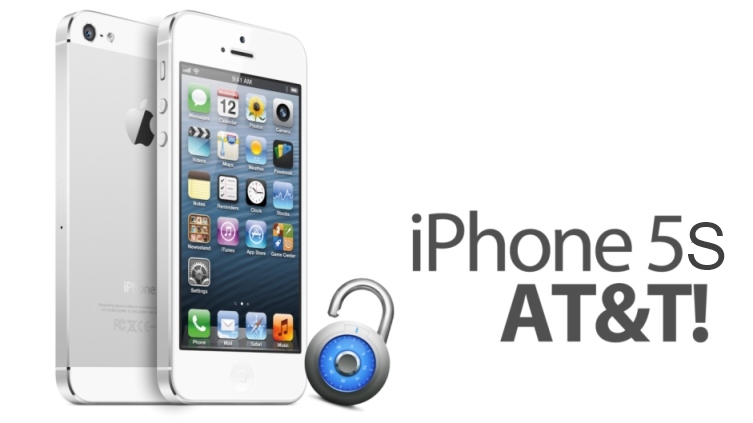
unlock iphone 5s at&t

Sadly, AT&T will not unlock the device for free because there are no out of contract smartphones 5S yet. There are no other unofficial unlocking ways for iPhone 5S. Even jailbreak won’t help. Why? The answer is simple. Apple patched the exploits and Evasi0n7 cannot jailbreak iDevices.

Factory Unlock AT&T iPhone 5S for T-Mobile and Other Networks

We all know that IMEI unlocking is official service that supports all versions of iOS, including the new iOS 7.1, all iPhone models and most carriers. It can help you to unlock iPhone T-Mobile, Verizon, Sprint, O2, Orange and a lot of other mobile companies with ease and with 100% guarantee. But here you can unlock iPhone locked to AT&T US carrier.

Millions of Apple customers have tried this service and become happy being able to insert not only T-Moble but different other SIM cards. This is not the only advantage brought by this unlocking method.

Benefits of AT&T Official Unlock

  • You are SIM-free just like never-locked iPhone users
  • Safe update to iOS 8 etc. / restore [never re-locked]
  • Price on the unlocked iPhone is higher than on a locked smartphone
  • You can connect to T-Mobile or any other network even abroad and safe money on roaming fees
  • Apple warranty is preserved
  • Support for all iOS versions, iPhone models and basebands

unlock at&t to tmobile

How to Unlock iPhone 5S / 5c / 5 /  4S / 4 AT&T to T-Mobile

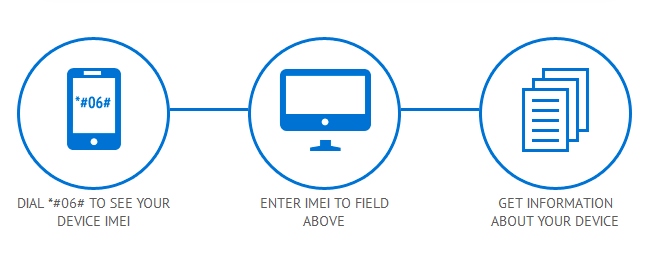
You need to find your IMEI. Do this by dialing *#06#. It is also best to run iPhone network checker and blacklist check service to be sure your IMEI is clean, your original carrier is AT&T and your smartphone is activated with AT&T network.

Step 1. Once you’ve done all the preparations and your iPhone is clean choose this package to order unlock to T-Mobile SIM card.

Note: If your iPhone is blacklisted contact us.

Step 2. Provide IMEI number and your email.

Step 3. Use PayPal or credit/debit card to pay the affordable price for the official service.

Step 4. You will get an email with unlock confirmation and instructions on what to do next after iPhone will be unlocked.

Step 5. Insert a T-Mobile SIM card and connect your iPhone 5S to iTunes to see that you are finally unlocked once and forever. You can use any other non AT&T Sim card to complete the process.

iOS 7.1 Features: YouTube Audio in Background How to Play

iPhone users who have installed iOS 7.1 get a small problem. Each time they are listening to YouTube music or watch videos they hear the music stop playing once they are trying to do other things on the smartphone. There is cool iOS 7.1 feature you must know about.

Download Jasmine for iOS 7

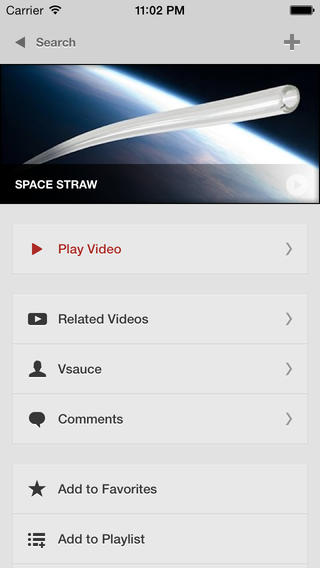
There is a good application called Jasmine. You can find it in the App Store. It can fix the issue and allow you playing YouTube audio files in the background on the iOS 7.1 iPhone 4S and iPad. This is a walk around you will like.

First you download this application. Then you should do small trick and get music playing in the background.

Step 1. Download Jasmine for iOS 7 gadgets.

Step 2. Launch YouTube video you wish to watch. Click on the home button. You will hear no music now as it stops playing.

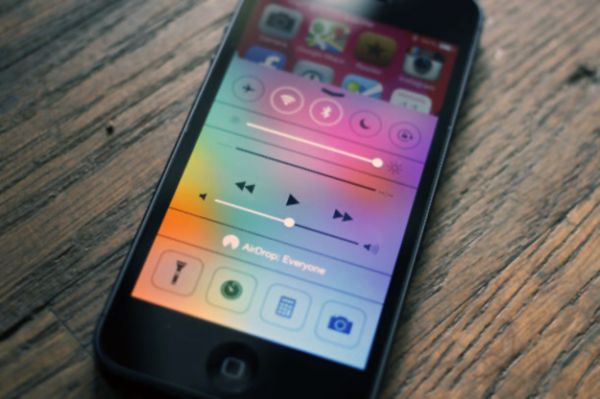
Step 3. Swipe upward from the bottom of the screen and you will open Control Center.

Step 4. There will be a triangle Play option. Click on it. It will show your audio file played last.

Jasmine for iOS 7

Step 5. Now you can have iOS 7.1 YouTube video play in your background.

We hope that iPhone and iPad users enjoy using this little tip and discover other great iOS 7.1 features.

iOS 7.1 Problems with Slow Keyboard: How to Fix

Most users know how to update to iOS 7.1 through OTA option or via direct links to this firmware. iTunes can also help you with the updating however there are some problems you need to know about before you install the latest Apple operating system for its iPhone, iPad and iPod touch.

iPhone keyboard problem has surfaced in addition to battery and Wi-Fi issues some users complain about on Apple support forums. Luckily, there is a fix to this bug and we’ll explain how exactly you can make your slow keyboard faster after installing iOS 7.1.

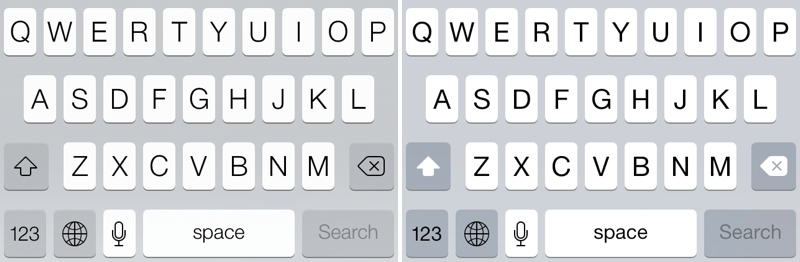
The new keyboard bug appeared after the first reboot that followed firmware update. As users note, their screen registered passcode taps for a long while, and usually this procedure takes less than a second. It takes key taps long time to register which makes typing kind of difficult. The bug is actually frustrating especially if you are in a rush.

iOS 7.1 Problems with Keyboard

How to Fix iOS 7.1 Keyboard Problem on iPhone

If you get the issue, here is what you need to do to solve it.

Step 1. Launch Settings.

Step 2. Select General tab.

Step 3. Click on Reset option.

Step 4. Select Reset Keyboard Dictionary.

Step 5. You will have to enter a passcode when you are asked to do so.

Step 6. Now the problem should be gone however you need to add custom words again if you had them before because resetting deletes all the words.

iPhone IMEI Information and Unlock Checker Tool

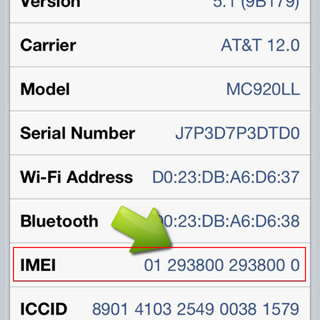
IMEI is an exclusive [unique] code given to each Apple smartphone. It is a shorten form for International Mobile Station Equipment that is important to the manufacturers, carriers and users. You can learn a lot about your handset if you know its IMEI number because it gives you access to interesting iPhone IMEI info. This number is like a fingerprint.

iphone imei details

iPhone IMEI Details

You can use iPhone unlock checker here and learn more about the gadget you have. It is possible to figure out your unique number by dialing *#06# on the phone’s digital keyboard. You can also see it in Settings – General – About. Why is it so important?

find imei

Firstly, the code helps companies to identify iPhones. Secondly, it allows stopping a lost or stolen handset from being used on the network it is locked to. In case someone steals your fruit gadget you can simply call your carrier and ask it to list your IMEI as barred / blacklisted [in other words, to block it]. This way whoever has your device will not be able to use it on your network or any other network [even if the SIM is replaced]. By the way, you can also use IMEI blacklist checker to find out if your device is clean or not network checker doesn’t shows such info.

Other iPhone Details IMEI

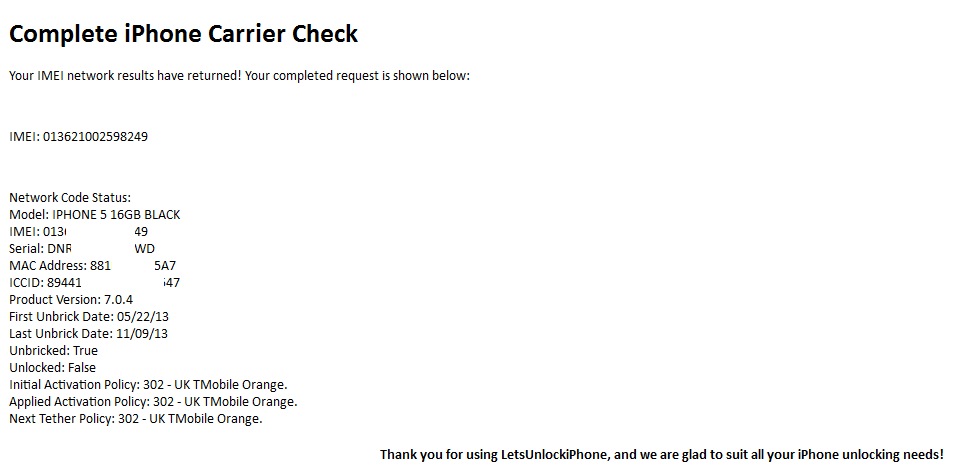
Users who purchase their handset from other users can run iPhone IMEI checker to learn which carrier this phone is originally locked to [or find whether it has never-locked status]. After purchasing our service you will get such results:

iphone details imei

iPhone IMEI Info Check

It is highly recommended for insurers, security professionals, sellers and customers to check IMEI iPhone for any suspicious device. There are a lot of platforms that have a full database with information about phone’s models, maker and its status that are linked to the official reporting agency and rightful owners.

Such services is available to anyone. Don’t wait till someone starts using your lost or stolen device. Report its IMEI to your carrier and protect yourself.

iPhone 4S iOS 7.1 Problems with Wi-Fi Connectivity

iOS 7.1 update didn’t go as smooth as most of us hoped. Apple tried its best to release the major firmware upgrade and the first reports cam soon. People complained about battery issues. This is not the only bug, as iPhone 4S owners experience bad or not working Wi-Fi connectivity.

The operating system brought new features such as CarPlay for the iPhone 5S. Of course, this option doesn’t support the 4S smartphone but lacking one feature is one things and getting different iOS 7.1 problems is another thing.

Right now this bug isn’t common. It is faced by a small number of Apple customers, according to support forums devoted to Apple products. Wi-Fi issue on iPhone 4S after iOS 7.1 update shows the following error:

“Wi-Fi not available”

Wi-Fi no available ios 7.1

Such a problem comes because Wi-Fi somehow becomes disabled after you install iOS 7.1 on your iPhone 4S model. There is a fix to the issue shared by users. They say that you can reset your handset’s settings for network and use your WiFi connection. But this fix doesn’t help everyone. Some users note that their Wi-Fi chip has been burnt after the firmware update.

Having different iOS 7.1 bugs [previous reports mentioned fast battery drain on their smartphones and tablets] is not too nice. Apple is silent but it will most likely offer bug fixes in the next operating system update.

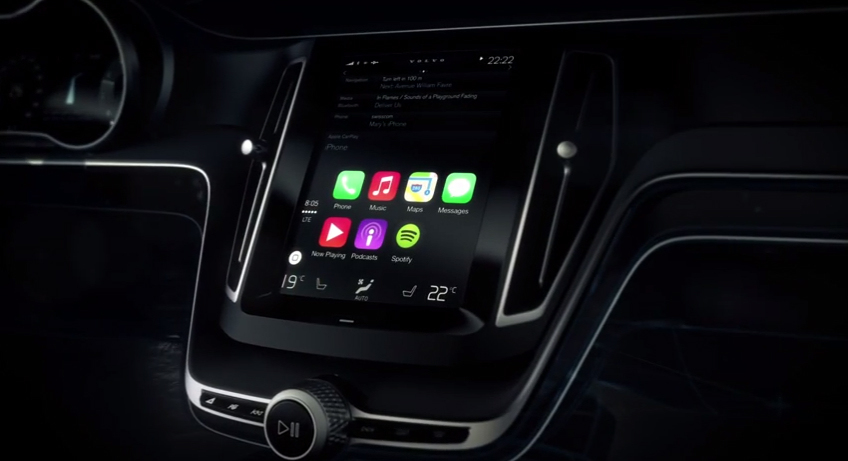
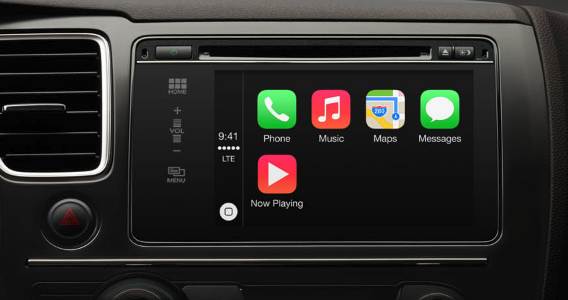
Apple iOS in the Car Integration Released in CarPlay Update for iPhone 5S / 5c / 5

iOS 6 car integration was long awaited from Apple, and now with iOS 7 introduction and high popularity a lot of drivers keep waiting for iOS in the car feature official presentation. You get an ability to drive safely since you are able to use Apple Maps while holding the steering wheel. You can do this with CarPlay.

This new Apple technology was introduced earlier this week. The Cupertino-based company showed the opportunities of its iOS CarPlay feature at the Geneva International Motor show. Different firmware users, including iOS 7 future updates, will get a chance to have iOS software on the car dashboard.

iOS CarPlay feature

Being able to control your vehicle and use iOS options at the same time is really interesting. This is something that will be loved by most “fruit” device fans with vehicles. iOS in the car makes it easy to control your apps with a word. You can also activated different options with fast touch.

Car and navigation bar in iOS 7 and further operating system updates will be a great feature to introduce during WWDC 2014.

iOS CarPlay

CarPlay brings your iPhone content at your fingertips. The new option offers minimum distraction from the road. You can get all the news, Maps directions, Siri help and other things on-the-go.

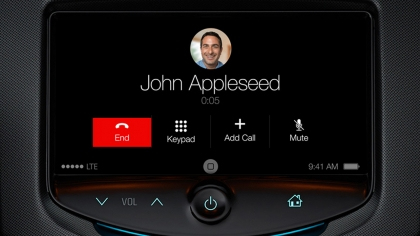
You have to connect your smartphone with CarPlay. This will give you control over different iOS features through your vehicle’s interface. Siri can be enabled with the click on your steering wheel. This personal assistant can make iPhone calls, let you hear your voicemails, get to your contacts list and much more.

apple CarPlay

The new iPhone in the car feature let’s you hear your songs, iTunes Radio, hear your messages etc. The first vehicles to get CarPlay support include some Mercedes, Volvo and Ferrari models. They will be sold this year. The next cars to get iOS car option should be Honda, Toyota, Nissan and General Motors.

iPhone 5S in the car option works together with iOS 7 and two more handsets, iPhone 5 and iPhone 5c.

iPhone Battery Drain Fix After iOS 7.0.6 Update

iOS 7.0.6 release is the latest iOS 7 firmware version that can downloaded today. Apple presented it as the fix to SSL network verification. A lot of people were fast to adopt this operating system to get rid of iOS 7 problems with the build 11B651. New reports suggest that iOS 7.0.6 update brings iPhone battery bug.

The file that people can download via OTA-upgrade or through iTunes is not too heavy. For instance, iPhone 5S iOS 7.0.6 upgrade weighs at 35.5MB. This is not too much, but even such light files can bring new problems on your iPhone.

ios 7.0 6 battery drain

How to fix fast battery drain on iPhone

Hackers provided a way on how to solve SSL problems on iOS 7.0.5 and iOS 6.1.3 without installing iOS 7.0.6 and 6.1.6 released by Apple. At the same time, a lot of people had time to upgrade and are now facing another issue.

The huge battery drain is experienced by iPhone owners who are now running iOS 7.0.6. Some people assure their iPhone battery can jump from 20% to 17% within seconds. This is really fast and not comfortable at all. You can’t have a charger with you 24/7. Is there a way to solve this new problem with a warm smartphone and short battery life?

There is a good fix that can make iPhone battery last longer. It also solves the problem with warm gadget.

Firstly, you should close all the applications you have in the background. Multitasking is a good feature but it can eat much of your iPhone battery life. To quit iOS apps you can click twice on your Home button and swipe up each program you wish to close. This doesn’t take much time but it does extend battery life on the iDevice.

Secondly, it is necessary to reboot your handset by pressing both Power and Home buttons. Your device will reboot and the problem will be gone.

iOS 7 Calculator with Bunch of Cool Options for iPhone / iPad

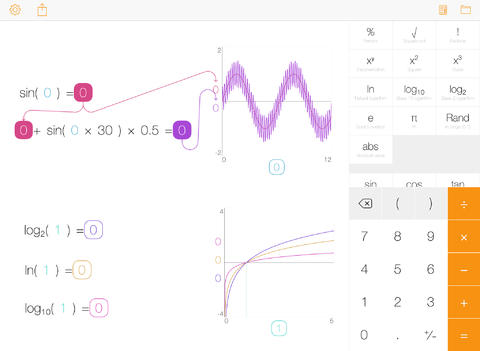
iOS 7 calculator with a lot of features can be installed on your iDevice with Tydlig app. This program has been re-imagined for the new firmware and its latest update brings a number of cool options that are not available in your built-in app.

The interface is easy-to-use. It is adjusted for the firmware 7 devices and offers flat design and different options. What does it offer to users who count a lot? By paying $3.99 or updating for free [if you already had the earlier version of this iOS 7 application], you get cool graphing, linked numbers, fast results, left-handed mode, progressive calculation engine, number annotation and freeform canvas.

Tydlig app ios 7 calculator

The calculator now supports both iPhone and iPad though the original program was released for iOS tablet only.

The app comes with over 30 languages. It has slider for all numbers, text size you can adjust to your taste, separators you can turn on and off, EE function and many other features.

This calculator is probably one of the best and must have for you if you work with numbers. It doesn’t require jailbreak so it is available to any Apple fan.

AT&T iPhone Blacklist Checker Service [Must-Use Before Unlock]

Check Blacklist iPhone AT&T Status

Blacklisted AT&T iPhones can’t be unlocked. Most companies that offer unlocking service for iPhone users do not accept barred / blocked / lost / stolen IMEIs. If you place an order for factory iPhone unlock with blacklisted IMEI you will lose your money because no refunds are made for such orders. You can run our iPhone blacklist checker to make sure everything is ok / not ok with your device beforehand.

A lot of iPhones are in the blacklist in the U.S., UK, Australia and other countries across the world. You can’t make phones / send messages / connect to the internet on such smartphones as they are blocked within the country they are in. It is impossible to unlock such iPhones but particular service can unlock blocked iPhone to work with networks outside their original country. But if you have blocked AT&T iPhone we can’t unlock it.

AT&T iPhone 6 blacklist check gives important answers for other models like 6S, 5S, 5C, 5, 4S, 4 too. You will know whether the iPhone is blacklisted or not, whether it is stolen / lost [if the police got such a report you will know about it] and other useful facts about the handset.

The procedure of running iPhone blacklist checker is simple. You need to know your IMEI code. Get it through Settings menu [look under General – About section] or by typing *#06# to have it shown on your iOS display.

Here is How to Place Your Order.

Step 1: Provide the correct IMEI code and your valid email address. This is important. We’ll email you the results to this mailbox address.

Step 2: Press on Buy Now option.

Step 3: Pay for your order via PayPal or other method [select “I don’t have PayPal account” to enter your credit card information].

Step 4: Once we get the payment we will send the request to the carrier. It is impossible to cancel or refund your order at this point.

Step 5: We will email you the results as soon as your request is completed.

Step 6: In case there is no email from us you can either contact us or look in your spam / junk folder.

After using this service you will receive results like:

RESULTS SAMPLE:

CLEAN

IMEI: 35799305249XXXX

Model: Apple iPhone 5S (A1453)

Status: CLEAN

BLACKLISTED

IMEI: 35445206161XXXX

Model: Apple iPhone 6 Plus (A1522)

Country: United States

Status: BLACKLISTED

Blacklisted By: Verizon Wireless

Blacklisted On: 2015-06-09 03:08:02.0

Blacklisted Country: United States

BLACKLIST HISTORY

IMEI: 99000284880XXXX

Model: Apple iPhone 5 (A1429)

Status: CLEAN

Blacklisted By: Sprint

Blacklisted On: 2014-01-24 06:05:55.0

Blacklisted Country: United States

Blst. Removed By: Sprint

Blst. Removed On: 2014-01-27 06:09:30.0

Blst. Removed Country: United States

Note: This is not unlocking package. This service checks IMEI only.

Important Notes

  • Agree to our Terms and Services [read them carefully] before you order the checking service.
  • Run our iPhone checker for blacklisted IMEI codes in U.S., UK and other countries. if your iPhone is clean and locked to AT&T you can unlock it here.
  • It doesn’t matter to what carrier your iPhone is locked.
  • Your iPhone must be activated with the carrier it is locked to. If it is not activated the checker will fail to provide you the information about your blacklist IMEI.

We hope you now know the information about your iPhone and it satisfied your expectations. Note that our support team is always happy to assist you in case you have any further questions.