Create iPhone Invisible Folder to Hide Apps and Shortcut [Guide]

It is possible to create iPhone invisible folder and hide your shortcuts and applications in this folder [do you already think about the possible iPhone 7 features?]. This is pretty easy and fast if you follow our trick guide. It is not required to be jailbroken as everything can be done on any iOS 9 smartphone.

The instruction explains how to use hide shortcut iPhone option though you’ll have to install some additional tools to make this happen as Apple doesn’t allow anything like this by default. What will you be using? You won’t believe it but you need the wallpaper as the trick is related to the wallpaper shadow.
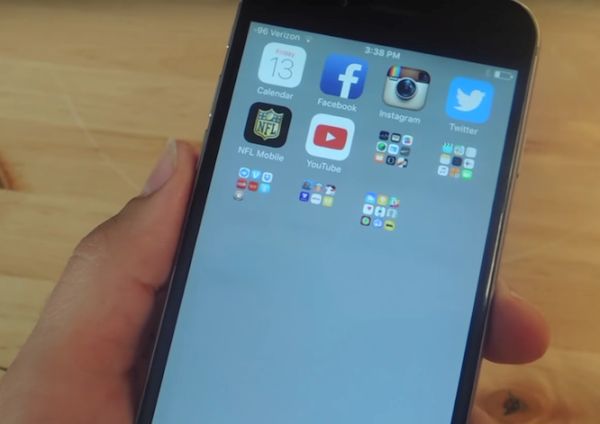
iOS 9 iPhone Invisible Folder Hide Apps Shortcut Guide

How to Hide Apps on iPhone / Shortcuts on iOS 9

Step 1. You need to download gray wallpaper or get white wallpaper because our folder will blend into your new background and these two colors are just perfect for what we are planning to do. Since the solid color is required on the lock screen you can continue using other images for your home screen background.

Step 2. Go to Settings and select General – Accessibility menu. We should now Increase Contrast. Disable Reduce Transparency for white background or use Reduce Transparency for gray background.

Step 3. You need to return to Settings again and select Wallpaper – Choose a New Wallpaper. Select the gray or white image you have downloaded from All Photos option. Remember to choose Use as Wallpaper feature and Set Home Screen.

Step 4. Now return to iPhone Home Screen. You see not folders? They are there but they blend into your new background.

Step 5. Get the App Icons Free which is free on the App Store. Install it and launch. Click on Create Icon option and select Go to Link. You need to choose Photo – solid wallpaper you have downloaded – Choose and press the space bar when you are asked to enter the URL. Choose Install. You will see shortcut icon in Safari browser now so Share it – Add to your Home Screen.

Step 6. You’ll have to replace the shortcut label with a period before you Add it. There will be a new blank app icon on the iPhone. Look for the period label – it could be the last icon on your Home Screen.

Step 7. Drag any app you are planning to hide on the ‘period’ app and this way you’ll create an invisible folder. Just move these apps on the second page within your new invisible folder so that they are not present on your Home screen [you can also learn how to make Siri silent on iOS 9 device].

Step 8. You can now remove your folder’s label. Create a blank space (about 7 spaces) and copy – paste it as your folder’s label through edit option. Save the changes by clicking on your Home button.

You can now enjoy the invisible folder with the blank name.
Can’t Update Apps App Store Issues Today with iOS 9

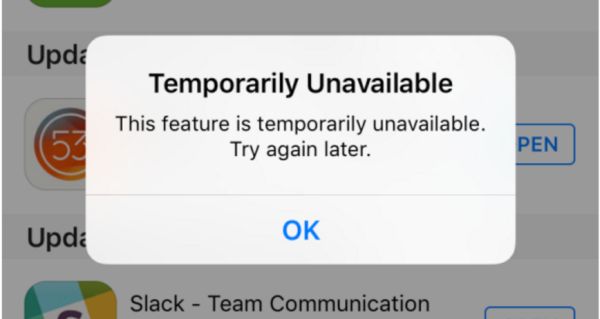
Do you experience can’t update apps App Store problem? A lot of AT&T iPhone and iPad owners come across App Store issues today and assure they cannot upgrade programs using iOS application store so popular among millions of Apple fans from all over the world. They keep getting the same message ‘Temporarily Unavailable’ from the store with suggestion to ‘try again later.’

Different sources mention App Store problems iOS 9 [if you have issues with extreme data usage you can reduce data usage on iOS 9 iPhone 6] and while this is usually not common, a lot of people cannot use the store and its options once in a while. The 2015 fall problem is not the first outage experienced this season. Different Apple services become unavailable while there are no indications of outage on the company’s System Status page.

App Store Can't Update App Temporary Unavailable

A number of reports and tips from different users suggest that they can’t update apps via App Store while all the processes are ‘green’ on the System Status site meaning everything is ok and working just as normally as usual.

Did you have any issues with updated your iOS 9 applications lately [by the way you can get more AT&T iPhone data for free]? Apple will absolutely fix the issues and there might not be any problems when you try to update a program the next time. Sadly, the company often prefers fixing issues silently without mentioning there was a real problem for a number of its users.

If you have problems with upgrading programs [maybe particular apps and not all applications you are trying to update for iOS 9 device] – you should know that the problem could be with Apple servers even though the company doesn’t indicate this. When several tips suggest the issue exists – it means a lot of users are struggling like you do and waiting for the Cupertino-based company to fix the problem.

Use iSpeed-Dial for Creating Visual Speed Dial iCons on the iPhone

You can often get what you want without hacking your iPhone and without jailbreaking it. Some features can’t be received this way, but there are a lot of applications that serve interesting purposes allowing users get more out of their iDevice with little effort.

It was previously possible to create speed dial icon on the iPhone using once hack. Now the procedure is simple because developers created a program called iSpeed-Dial. The web program was developed by Unreal Apps.

ios-7-1-1-download

The application is available at $0.99. iSpeed-Dial download should not be a problem. Use it for making speed dial iPhone icons to the contacts you are calling often. There will be no need to search the address book as all your favorite number will appear as icons on your Home screen.

The speed dial icons can be made for text messaging as well as email.

Icons can be created through your camera or images. There are also some standard icons you can use in case you don’t want to upload photos.

Do you think such method of creating visual speed dial icons on iPhone 5, iPod touch and iPad can save you time? Is it worth paying for such service without hacking and jailbreaking or is it better to jailbreak and use the free long and painful method of making icons?

iPhone Guide: Use Flash as Led Notification

If you want to add some extra options to your iPhone, you can use this guide and make your iPhone use flash as LED notification. It is simple to add these changes with the help of different Accessibility features. This can turn your smartphone into a device with the LED notification light.

Follow this simple guide and get flash LED phone in a few steps. Once you complete this instruction, your fruit device will light up whenever you get a notification alert. This is handy, especially if your sound is turned off but you are waiting for an important message from someone.

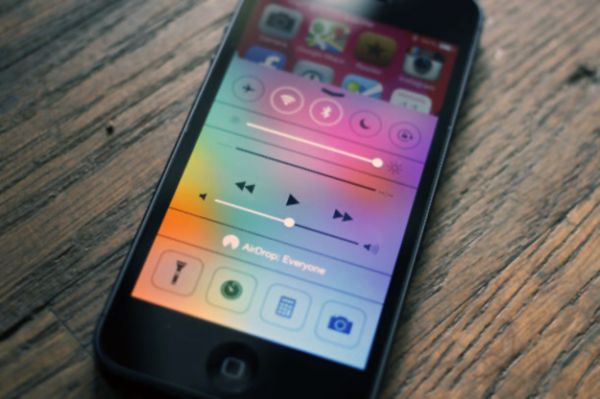
iphone-led-flash-notification-on

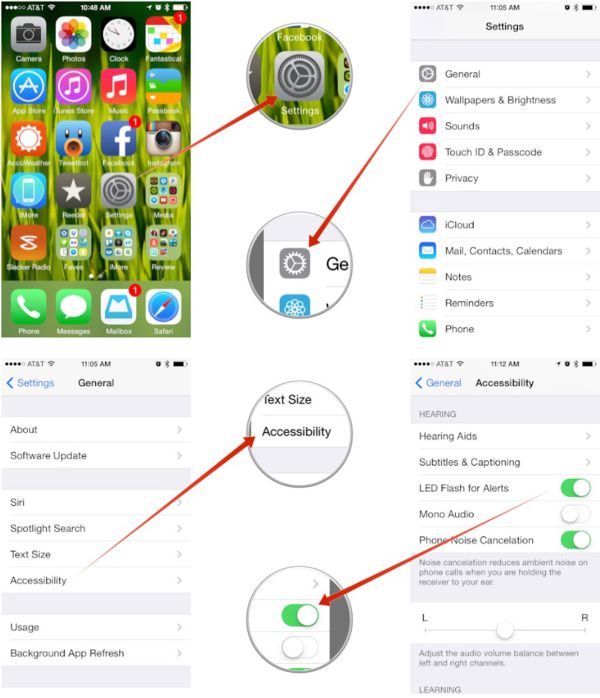
Step 1. Open Settings application. This program has a lot of different options for various changes.

Step 2. Go to General menu.

Step 3. Now you need to get to Accessibility menu.

Step 4. We are almost done. Scroll down till you find the Hearing option.

Step 5. Go to this Hearing section and make your camera LED flash notification work by enabling LED Flash for Alerts. Just toggle it on.

Step 6. You have successfully asked your iPhone to light its LED flash up for different notifications.

Apple’s handset offers various options to users even if it is not jailbroken. Some users who wish to get more features prefer jailbreaking their cell phone as this adds Cydia store to your Home screen where you can download different apps and jailbreak tweaks.

iOS 7 Calculator with Bunch of Cool Options for iPhone / iPad

iOS 7 calculator with a lot of features can be installed on your iDevice with Tydlig app. This program has been re-imagined for the new firmware and its latest update brings a number of cool options that are not available in your built-in app.

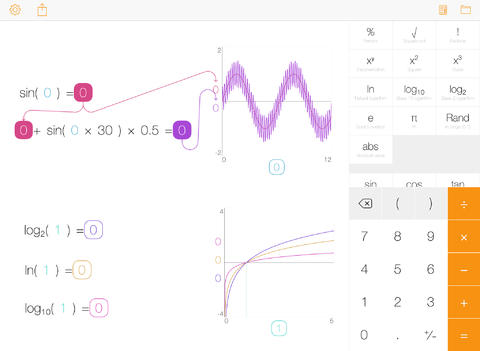
The interface is easy-to-use. It is adjusted for the firmware 7 devices and offers flat design and different options. What does it offer to users who count a lot? By paying $3.99 or updating for free [if you already had the earlier version of this iOS 7 application], you get cool graphing, linked numbers, fast results, left-handed mode, progressive calculation engine, number annotation and freeform canvas.

Tydlig app ios 7 calculator

The calculator now supports both iPhone and iPad though the original program was released for iOS tablet only.

The app comes with over 30 languages. It has slider for all numbers, text size you can adjust to your taste, separators you can turn on and off, EE function and many other features.

This calculator is probably one of the best and must have for you if you work with numbers. It doesn’t require jailbreak so it is available to any Apple fan.

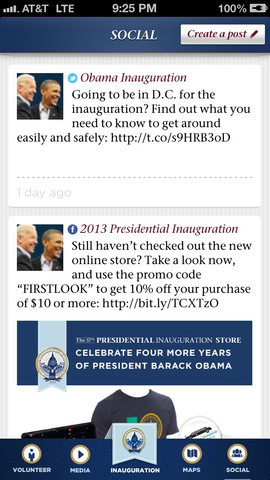
AT&T Releases Obama Inauguration Live App

You do know that Barack Obama will be inaugurated the next week and you can watch this official inauguration live if you download AT&T Inauguration app released for iOS and Android devices this week.

The second term of Obama’s office should be interesting to observe. There is no need to fly to Washington to see this event, and in case you don’t have a TV set at your office, you can follow along the news with the new application by AT&T carrier. We will shortly describe this program and provide you a direct link for download so that you can get it at once and get ready for Monday big event.

Download AT&T Inauguration App

Free App Description

What can you watch through the application? Firstly, of course, the Inauguration live event. Secondly, AT&T has added schedules, maps and various useful info to this program so that iOS and Android users who plan on visiting Washington and watching the Inauguration have a reliable source in their pocket.

Surely, news block is also present so you can learn everything about the festivities from different media resources and bloggers.

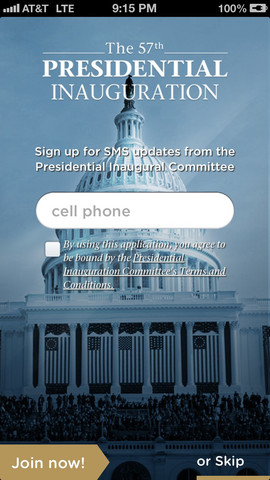
AT&T Inauguration App

Get It for Free Now

There is nothing bad if you download AT&T Inauguration app to check it out as it is free anyway. Use this link on iTunes for iPhone or go to Google Play to get it today for Android gadget, and if you have time to watch Inauguration live you will simply know a bit more than other people who wouldn’t get such a chance.

It is always nice to be ahead of your colleagues and know more news, since you can be the source they get interesting facts from. You will need internet connection to enjoy all the benefits of the new AT&T application for iOS and Android devices.

Just don’t forget your iPhone at home next Monday. It will be your closest source with ceremonial swearing-in of the U.S. President Barack Obama. Remember, it’s January 21st you should be waiting for. In order to keep this date in mind, you can simply sign up for app’s notifications.