Get iOS 9.3.1 Fix to iPhone Crashing Issues

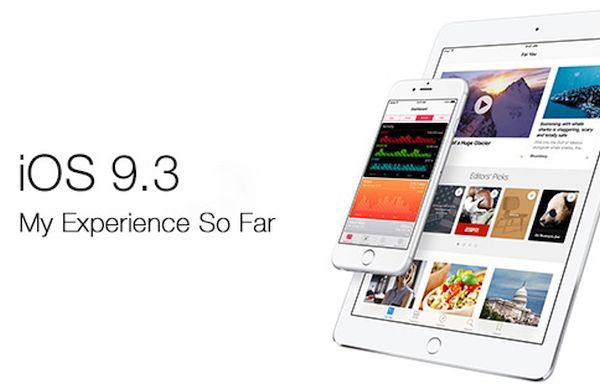
iPhone and iPad users get iOS 9.3.1 release. This new firmware version should fix the problem with opening links. If you installed iOS 9.3 when Apple presented it in March and noticed that any web link you were trying to open crashed once being tapped – you should try the newest firmware update.

iOS 9.3.1 fix to crashing links addresses only one problem. You are advised to use OTA-update option if you have had this particular problem with Safari links or couldn’t open links from within an app.
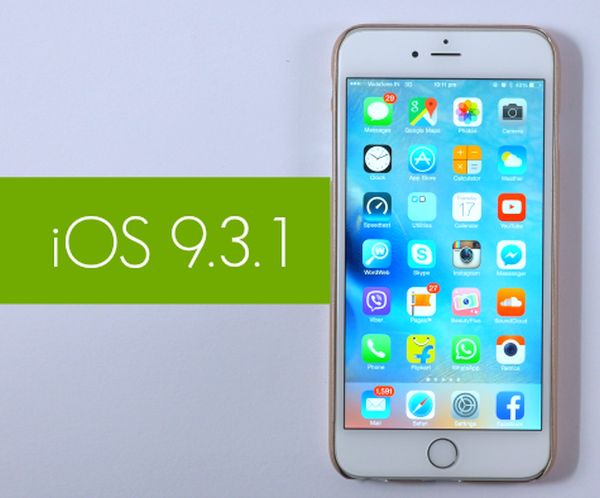
iOS 9.3.1 iPhone Update with Links Crash Fix

Actually iOS 9.3 is pretty buggy. It has numerous problems and Apple is trying to address each one with a new firmware update. The specific change offered by iOS 9.3.1 is the possibility to get away from crashing links. Still nothing is said about this release fixing other known iOS 9.3 bugs and issues.

For example, many old iDevice models get stuck during activation after iOS 9.3 update. Apple even had to pull this firmware for a number of devices because of this problem. At the same time, if you have installed iOS 9.3 on AT&T iPhone and everything is ok, you can already order SIM unlock for AT&T iPhone running the latest firmware version. This is a fast and reliable way to become free from AT&T carrier and choose different SIM cards for communication.

Have you had any issues with iOS 9.3 or iOS 9.3.1 so far?

iPhone SE vs iPhone 6s Popularity: How Popular Is iPhone SE

Apple introduced the smaller 4-inch iPhone SE [find out how iOS 9.3 battery performance changed]. There were many users who wished to get a cheaper version of the popular ‘fruit’ smartphone. Still how popular is iPhone SE? Can it win over iPhone 6s that was released in the fall 2015 or not? Could it be more popular than the future iPhone 7 that should be unveiled later this year?

It is now impossible to compare iPhone SE model and iPhone 7 because the next generation model is not officially presented yet. Still we can look at the shipments of the iPhone 6s and see how popular iPhone SE is compared to those figures.

iPhone SE vs iPhone 6s How Popular iPhone Is

According to experts, the new iPhone SE order are ‘relatively slow’ is compared with the same time in previous years. For example, in Quarter 2, 2015 Apple sold more smartphones than in Quarter 2, 2016. This is rather curious because this year Apple is selling three new iPhones: iPhone 6s, 6s Plus and smaller iPhone SE while a year ago it was only offering two new devices: iPhone 6 and iPhone 6 Plus.

Experts are also sure that the demand for 4-inch iPhone SE is not that high compared to the fall demand for new company’s devices. The latest 4-inch gadget is believed to reach 4-5 million unit sales in Q2. There shouldn’t be any growth in orders till the launch of iPhone 7. This is what different sources say. Later, when Apple introduces new Mac iPad Pro and iPhone 7 – the situation could change.

There are different ideas about iPhone 7 specs and features. Some people think this gadget could be water-resistant, arrive with OLED display and get wireless charging option. We’ll surely hear more about the next-gen handset soon.

Verizon Offers New iPhone Upgrade Prices in April 2016

Different U.S. carriers start to charge for upgrading. Even Verizon Wireless has joint this list recently. The company offers new Verizon upgrade fee for all iPhone customers. The updated prices are available starting in April 2016.

What does it mean? Verizon upgrade prices would simply make the new iPhone more expensive than it used to be. If you are planning to upgrade your device to a newer model you’ll have to pay $20 upgrade fee if you are

iOS 9.3 Battery Performance: Has It Changed After Update?

Many users have installed iOS 9.3 update with bugs. Apple presented this new firmware in March and a lot of iPhone and iPad owners hurried to give it a try. Many older device users were upset because of the multiple problems, issues and bugs that came along with the new iOS. How is iOS 9.3 iPhone battery life? This is another question to ask.

How is your iOS 9.3 battery performance after update? Have you noticed any differences compared to previous operating system version? According to news, the latest platform doesn’t impact battery life that much. It comes with some new features however this doesn’t make battery drain faster than it used to.

iOS 9.3 Battery Performance iPhone

The upgrade arrives with Touch ID secure protection that work with Notes, new Night Shift mode that is comfortable for reaching at any time of the day and other changes. For example, Verizon subscribers should finally get support for WiFi calling.

Users with old iPads and iPhones got stuck on the activation screen after iOS 9.3 update. Apple fixed this bug with the iOS 9.3.1 release however there were other issues as well not related to battery life. Safari kept freezing for many users and the Cupertino-based giant promised to fix this problem soon.

The battery seems to be great on iPhone 6s, iPhone SE and other models [compare iPhone SE to iPhone 5s]. It could work not as good on older iPhone 5, 4s however these users were the one who couldn’t complete installation at all because they say only the frozen Activation screen on iOS 9.3 and nothing more. We’ll probably hear more about all the changes brought by the new OS as Apple continues to roll out iOS 9.3 updates with fixes to previous issues. iOS 9.3.1 is one of such versions available for download.

How to Fix Activation Server Unavailable iOS 9.3 Bug

Have you tried to update to iOS 9.3? Have you failed? A number of users experience different ‘unable to activate’ errors and we’ll be happy to help you fix this situation and successfully install the spring Apple update for iPhone and iPad.

If you try to install iOS 9.3 update and get stuck on activation screen – you’ll be surprised at how easy the fix iOS 9.3 issues guide is. You can simply and quickly solve known activation iOS 9.3 error if you follow this step by step guide.

iOS 9.3 Update

Activation Sever Unavailable iOS 9.3 Fix

Step 1. Take your iPhone and go to Settings.

Step 2. Choose General menu.

Step 3. Go to Software Update menu.

Step 4. You should be prompted to install Software Update so follow the installation guide on your screen.

Step 5. If you don’t have the prompt to update you should launch Setting and go to General – Storage & iCloud Usage and Manage Storage where you can delete iOS 9.3 listing. Return to Software Update menu and install iOS 9.3 build 13E237.

You should note that this update supports only iPod Touch 5G, iPhone 5c, 5s, 4 and 4s, iPad mini and iPad mini 2, iPad 2 / 3 4 and iPad Air / iPad Air 2. There should be no problems with iPhone SE – new 2016 Apple phone.

If you can’t get to Settings because you are already stuck on Activation screen you need to take a USB cable and connect to your computer, launch iTunes and download iOS 9.3 by following this guide:

Step 1. Once you launch iTunes you should force restart iPhone.

Step 2. When iTunes asks if you need to Update or Restore you should select Update option.

Step 3. Wait till iTunes downloads iOS 9.3 update and install it by following the on-screen guide.

There should be no activation issues.

Here Is a Fix to Safari Random Freezing on iOS 9.3

There are different iOS 9.3 Safari issues and one of the problems mentioned by users is the freezing bug. Safari mobile browser get frozen when you are trying to open links. The same thing happens with the Mail application.

Is there a way how to fix iOS 9.3 Safari problems after iOS 9.3 update? Many iPhone and iPad users are not happy with the bugs offered by Apple along with this minor update. It surely brings some new features to iDevices along with the bugs.

iOS 9.3 Download Update Fix Activation

If iOS 9.3 Safari freezes for you there is something you can try:

Step 1. Launch Setting app on iPhone or iPad.

Step 2. Scroll down and find Safari option.

Step 3. Click on Safari – Advanced and find javascript.

Step 4. Disable javascript by toggling it off.

Step 5. Relaunch Safari browser and see if you iOS 9.3 Safari problems are gone.

This solution to random Safari freezing is not permanent. Apple will soon present an updated iOS 9.3 file and address this bug. If the problem is still present you might want to force reboot your gadget and clear Safari cashe. If the issue still exists you might want to use Chrome for iOS 9.3 until Apple releases an update and solves the problem for you.

What iPhone SE Color to Choose: Silver, Gold, Rose Gold or Gray

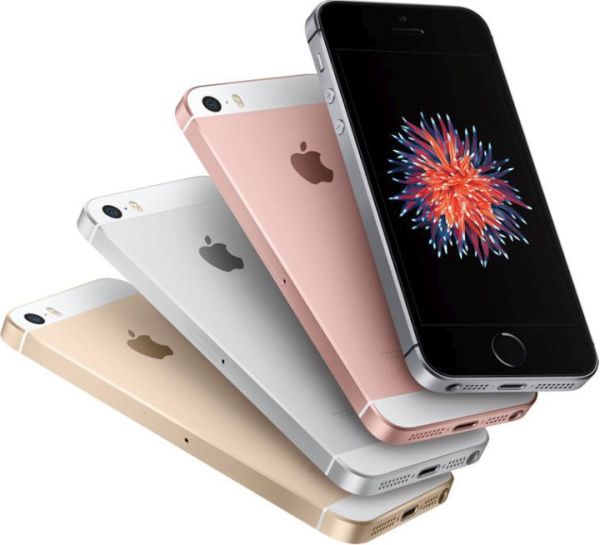
The iPhone SE colors choice is pretty wide. You can select between gold and rose gold, silver and space gray. What iPhone SE to buy? Apple is selling 16GB and 64GB versions and four color options [compare iPhone SE with iPhone 5s to figure out what device is better].

There are things to consider when you choose iPhone SE color. This powerful gadget arrives with 4-inch display. You can get Gold model if you love this color. Such device looks appealing and cute along with white trim on the back and front plate. You’ll have to get the lint-free cleaning cloth to keep your smartphone nice and avoid scratching the phone.

iPhone SE Colors

There are fans of rose gold color. They can choose this option if they prefer it to ordinary gold color. This iPhone SE is classy and looks feminine. Users will surely notice your 2016 gadget if you select this color. Please note that it could highlight the dirt so you need to take good care of your rose gold iPhone SE.

Space gray models get the black front. Their back of grey anodized aluminum and they look very stylish. This is a great dark color that can hide dirt. However it would show off scratches more than lighter color versions.

Cute silver iPhone SE arrives with white front plate. It also has the white trim across its back just like rose gold / gold models. This color is lighter comparedto space gray color. It still looks cute and nice.

You can see that iPhone SE colors choice is not limited to only silver and gray. Customers can purchase gold and rose gold models as well. Have you decided which color to get?