Apple iPhone 7 Pro Pics Reveal Smart Connector and Dual Cameras

More iPhone 7 rumors surface to reveal interesting iPhone 7 features that we could possibly see later this year. Apple presented iPhone SE this spring however the 4-inch handset is not the only handset model customers can purchase in 2016. The ‘fruit’ giant has plans to launch iPhone 7.

There are some pics with iPhone 7 specs that show Smart Connector, dual cameras and other interesting options. There would be no details about this future smartphone from Apple since the company usually introduces the gadgets to users during public events.
iPhone 7 Pro Rumors

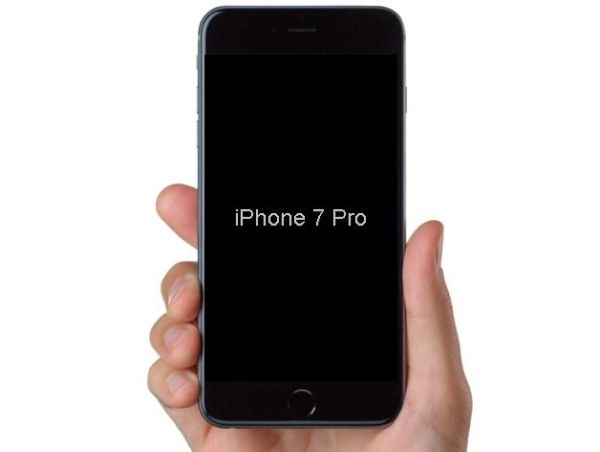
The iPhone 7 Pro schematics were published in one Japanese magazine. The name iPhone 7 Pro hasn’t been confirmed by Apple. It is only mentioned by the media. The images show a handset with similar to iPhone 6s Plus size [even the same 7.3 mm thickness]. It features dual cameras on the back. Apple seems to remove the 3.5 mm headphone jack.

If these image are real we will see the new iPhone 7 which won’t be much thinner than the iPhone 6s Plus [we might not hear about this next gen phone during WWDC 2016 conference]. The gadget also gets Smart Connector but there are no other details about this handset.

Designers are also thinking about the next generation iPhone. There are different iPhone 7 concepts however there is no official information about the gadget’s specs, features, options and design.

Apple is sure that its iPhone SE is pretty demanded by customers while experts are sure that this model is the biggest mistake made by ‘fruit’ company. Could the new iPhone 7 get higher sales than the extremely popular iPhone 6?
Apple Watch 2 to Feature Improved Processor?

Wanna hear some new Apple Watch 2 rumors? Apple is believed to improve its next generation smartwatch. We have no idea when the company is planning to unveil this device since many experts prediction Watch update for spring 2016 which hasn’t happened yet.

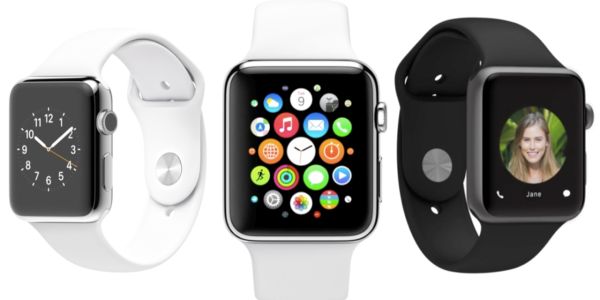
Apple Watch 2 specs mentioned in the most recent reports include better processor and cellular connectivity. The Cupertino-based giant is believed to be working on its next gen model. The company could present it along with iPhone 7 in the fall or wait till spring 2017.

Apple Watch 2 rumors

Interesting Apple Watch 2 features also include a standalone modem that should make the smartwatch independent from smartphone. In other words, the second generation Watch 2 should function on its own and not completely depend on iPhone as it happens with original Apple Watch device.

The powerful Apple Watch 2 processor is needed to make the gadget independent and interesting for potential customers. The ‘fruit’ giant managed to sell around 12 million Apple Watch units in 2015 [learn why people buy Apple smartwatch]. This is pretty cool for the smartwatch and still there are many consumers who weren’t impressed by the idea. Apple wants to catch attention of its fans and is believe to be improving the device to bring it to the market in the future and make as attractive to users as possible.

The iPhone itself is an independent gadget that is extremely popular across the world. Apple’s other products [iPad and Mac lineup] are also highly demanded by customers and this is not surprising that the iOS giant wants to make its Apple Watch also interesting to masses.

When Apple Holding WWDC 2016 Event This Summer

With fast summer approach users wonder when Apple WWDC 2016 event will take place. This annual conference is popular among developers and ordinary users who like to follow the famous ‘fruit’ company, test its new firmwares and hear more about next generation gadgets.

Apple said nothing about WWDC 2016 announcement yet. User are expecting to hear something about the future iOS 10 since right now the company is busy with updating its mobile platform to version iOS 9.3.2. Users can currently download iOS 9.3.1 as it should fix some iOS 9.3 issues and bugs experienced on new 4-inch iPhone SE and older smartphones.

Apple WWDC 2016 Dates Announcement

Worldwide Developers Conference is a long awaited event. It usually takes place in early June. This is why experts think that WWDC 2016 date should be June 13 – June 17. Apple would unlikely postpone its popular developers conference to July. Besides there is one interesting tip you can try.

Your Siri assistant knows more than you do. Ask Siri ‘When is WWDC’ and you’ll be surprised when it responds that the dates are June 13 through June 17. Siri also says that the 2016 conference will take place in San Francisco. Can’t you also wait till this event? By the way, AT&T has increased its iPhone upgrade fees so you might think of SIM unlocking and choosing a different network.

Some users who tried to perform this trick earlier heard that WWDC was no announced yet however there seems to be an update and Apple has most likely shared the dates to promote its upcoming conference among users.

Apple Pay Arrives to Singapore but Still Limited

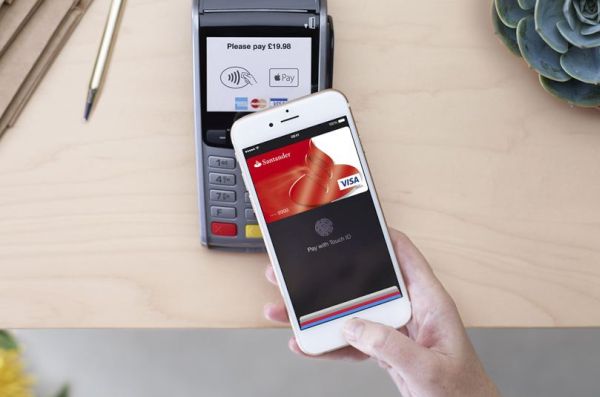
There were many talks about Apple Pay Singapore launch which was planned to the fall 2015 [the service should come to France soon]. The ‘fruit’ giant expended its mobile payment presence outside the U.S. and is now available in a number of countries. Apple Pay in Singapore is also available but it arrives only in the spring 2016.

It is curious that no public announcements were made prior to Apple Pay arrival to Singapore. The company added all the changes silently. For example, the official website already has a list of supported documents. Still not all iPhone users who can use Apple Pay are able to do this in Singapore at the moment. The ‘fruit’ giant still has to improve this service and extend to different cardholders.

Apple Pay Singapore Launch

Right now if you live or are visiting Singapore you can pay for goods and services with Apple Pay if you have American Express credit or debit card. The iPhone maker works in partnership with American Express and this is the reason why other cards are not supported right now. If you have American Express card you can add it to your Apple Pay and use all stores that support this mobile payment system. By the way, Apple Pay should also arrive to Japan, Brazil and Hong Kong in 2016.

The iPhone creator should soon bring support for all major banks credit cards including Visa in Singapore. This is just a matter of time when this happens and customers get more payment options available to them.

The ‘fruit’ mobile payment is present on newest iPhone SE, iPhone 6s and 6s Plus, older iPhone 6 and iPhone 6 Plus. The service is working in the United States and some other countries across the world including China, Canada, the UK and Australia.

Learn to Type Faster on Mac using Text Replacement Option

Computer users who type a lot during the day might want to learn how to type faster on Mac. There is OS X option you can use as it can really improve your typing speed and save some time [you can also play PS4 games on your Mac]. How is it possible to do? There is always information you are using over and over again, right?

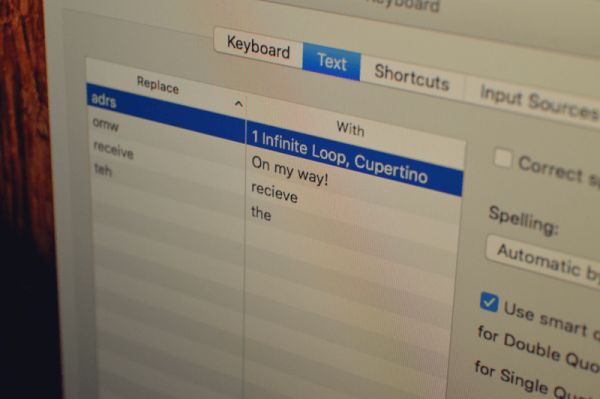
For example, you often enter your address, using email templates or other information, simple or complicated. OS X Mac text replacement is a cool option you can take full advantage of. It is present under Text menu. It allows you creating a shortcut / snippet that converts into the piece of text by your operating system. Just create shortcuts to help it automatically change into something you meant.

Mac OS X Text Replacement Feature How to Type Faster

Let’s imagine you need to type your email address in every letter you create. Add your email address to the shortcut and name it ‘@@@’ – when you type @@@ your computer will automatically replace it with your full email address.

How to Use Mac Text Replacement Feature

Step 1. Press on Apple in menu.

Step 2. Go to System Preferences – Keyboard.

Step 3. Select Text.

Step 4. There are two sections on the left that say ‘Replace’ and ‘With’ – you’ll also find the ‘+’ which allows adding a new shortcut. Learn what you have to do next [users who suffer from Mac issues can learn how to fix Mac Startup disk full error].

Step 5. Enter your shortcut or snippet into ‘Replace’ section. Enter the full text or what you wish the shortcut to transform into the ‘With’ section. Create as many snippets as you need.

Step 6. You can now launch TextEdit or similar program and try to type faster on Mac using your new shortcuts.

Apple Silently Solves iOS 9.3.1 iPhone Bug

Apple presented several iOS 9 versions and iOS 9.3.x is the latest one available for download. All users who have heard about 1970 date bug iPhone issues that made a brick out of a working handset within seconds should know how to fix this unpleasant problem and avoid bricking this spring.

The real 1970 iPhone bug fix is silently brought with iOS 9.3.1 update. This version automatically solves the issue with the particular date of Jan 1, 1970. If previously you were able to manually change the date and enter January 1st, 1970 and this resulted in full iPhone brick – you are no longer able to enter this date after iOS 9.3.1 installation.

Apple Fix 1970 Date Bug iOS 9.3.1 iPhone iPad

Users who wish to avoid the crazy bug you should get iOS 9.3.1 bug fix and install the firmware. Apple should soon update this version as well and hopefully solve other known issues and problems with its new iPhone SE and software. A lot of users were happy to purchase 4-inch iPhone model this March and April and they also experience various issues and bugs.

According to experts, the problem with 1970 date was caused by ‘evil’ WiFi network called ‘attwifi’ and all users who were redirected or visited the spoofing site or set their date to January 1, 1970 caused the full self-destruction of their iPhone or iPad.

Anyways it’s always better to protect yourself and install the firmware version that fixes known issues just in case. Have you ever come across the bricked iPhone?

iPhone Users Unlock Their Sartphone 80 Times a Day

There many users who wish to own the popular Apple smartphone. How addictive is iPhone? You’ll be surprised to hear that there are many customers who are using their gadget so many times a day you couldn’t imagine.

We are not talking about SIM iPhone unlock for AT&T and other carriers. This is a different distant service that you makes SIM free from any network. Even if you are SIM unlocked you will keep unlocking your gadget several times a day to check on your emails, play games, work in apps and perform other tasks.

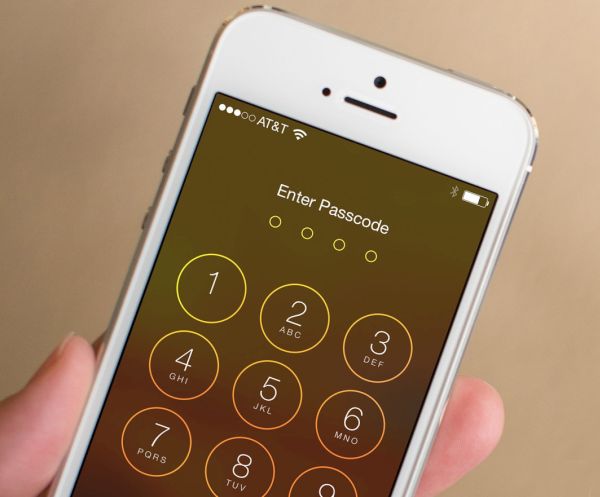
iPhone AT&T Touch ID Unlock Addiction

How often can you check your iPhone throughout the day? What are your thoughts on how often iPhone is unlocked by users? Well, just think about it. Average iPhone users usually unlock their gadget 80 times a day. Isn’t it crazy?

The report about how often iPhone is unlocked was shared by Apple. The company assures that most users unlocked their smartphone using Touch ID. This option is not available on all iPhone models. Still with Apple upgrading its gadgets at least once a year most customers prefer getting a newer model with exclusive features so there are not too many old devices these days. Users who own the Touch ID supported gadget unlock it with this option. Nearly 90 percent of users who have Touch ID use it to unlock iPhone.

Learn more about AT&T iPhone SE data plans. This is the most recent Apple smartphone that is also unlocked pretty often.

There are also people who unlock iPhones more than 130 times a day. So you can see how addictive this handset is.

Apple Promises to Fix iOS 9.3 Problems with Safari

Since iOS 9.3 bugs and issues trouble many people Apple will have to release an update soon. The company already presented the fix for Activation problem. Now it’s time to solve problems with Safari iOS 9.3 [the new iOS 9.3 supports Verizon WiFi calls] since this browser doesn’t work right for many users who have already installed the newest firmware release.

If you wish to fix iOS 9.3 Safari bug you’ll have to either wait or try to fix it on your own. You can also use Chrome browser for a while. Since the browser isn’t working right users can’t open links using Safari.

iOS 9.3 Activation Lock Fix

It is curious that users who haven’t updated to iOS 9.3 also seem to experience problems with Safari. They can’t launch web links from within the applications and the apps keep crashing. It could be related to third-pary tools or can be a bug with Safari.

There is no permanent solution [learn how to add bookmarklets in Safari]. If you can’t click on a link in Safari, Messages, Mail or other program and notice that your iPhone or iPad get stuck or freezes – you get the bug and there is no real fix to this yet. You might try to delete web cache but this will most likely not solve the issue.

Apple promises to release a fix to the problem. Hopefully the solution will be present soon.

Apple Maps Gets New Transit City Support

Are you a fan of Apple products? iPhone and iPad users who travel a lot are most likely using either Google Maps or native Apple Maps program while AT&T has raised its iPhone upgrade fee in 2016. The ‘fruit’ giant recently introduced minor Apple Maps update with a new city added to the list of supported Apple Maps transit cities. Where can you now travel and get all transit details?

Apple introduced transit data along with iOS 9 release in 2015. The company is constantly updating its programs and expands functionality to offer more opportunities to its customers. Now Apple Maps transit Oregon supports Portland and if you visit this city you can get data on-the-go.

Apple Maps Transit Cities USA

iPhone users how live in Portland, Oregon can also enjoy the fastest way to find public transit information [here is how to fix iOS 9.3.1 bugs on iPhone after update]. This is very handy as you can get bus schedules, underground information and other useful transit data in some cities across the U.S., Canada, Germany, the UK, Australia and other countries. Of course, Maps doesn’t support all major cities across the globe at the moment but the updates make it more detailed and would soon cover even more popular areas in and outside the United States.

Can we name other Apple Maps transit cities? Absolutely! This service is supported in Montreal (Canada), Mexico City (Mexico), Berlin (Germany), Sydney (Australia), different American locations (NYC, Los Angeles, Chicago, Boston, Philadelphia etc.). You can see the the list is not too long although we should also include some Chinese metro locations as well.

What Does T-Mobile Offer to iPhone Subscribers in 2016?

Are you a fan of baseball games and curious to see new T Mobile iPhone deals in 2016? A lot of iPhone users who are subscribed to this U.S. carrier might be interested in the free MLB.TV subscription. The company has such a deal.

T Mobile offers for subscribers include the free subscription to MLB.TV for one year. T-Mobile has officially confirmed that it is the official sponsor for the Major League Baseball in 2016 [Apple is expected to release iPhone Pro this fall]. All subscribers will celebrate along with baseball fans because the un-carrier company gives each users a 1-year free subscription to MLB.TV. Yes, this is no-charge deal.

T Mobile Free Baseball Game Subscription 2016

The interesting T Mobile iPhone deals 2016 will allow all T-Mobile iPhone users watching baseball games on their handset. You can save your money since the MLB.TV subscription usually costs $109.99 per year and you’ll get it for free if you are subscribed to the main un-carrier company.

It’s also cool if you are taking advantage of Binge On service since this way you’ll be able to watch all the season games without exceeding your monthly data allowance. Does it sound interesting and worth switching to T-Mobile from other U.S. network such as AT&T, Verizon or Sprint with 2 year contract.

If you are not interested in all the sweet 2016 deals – you can SIM unlock T-Mobile iPhone 6s or other model and switch to a different network. This is a simple procedure that makes you free in your carrier’s choice and allows selecting your preferred data plan, best service and best price.