iOS 9 Flaws Fixes with iOS 9.0.2 Firmware Update

A lot of users with iPhone 6s and other models are looking for iOS repair. Their iOS 9 flaws are frustrating to a many new customers. Apple is aware of the problems and is trying to present solutions as soon as possible. The company has just upgraded its mobile OS to bring the fix to millions of its fans from all over the world.

The number of issues with both new iPhone 6s and 6s Plus as well as iOS 9 is growing fast. The models have been around for about a week and consumers keep reporting more and more problems. Apple is also offering some iOS 9 fixes and you can already solve one major issue.
iOS 9 Flaws Fix

First Big iOS 9 Problems Fix

Experts found a big issues in iOS 9 code. It allowed bypassing the lock screen and access some application the iPhone without having to enter the passcode. This could be a major problem if you happen to lose your iDevice or have it stolen.

It turned out that you could enter the passcode incorrectly a couple of times. The last try should help you access the device if you access Siri which in its turn allows using Contacts and Photos app. This issue was discovered on September 24th however it took Apple several days to update the firmware and present the solution.

The company unveiled iOS 9.0.2 upgrade on September 30. You can already download it and fix the lock screen bypass bug. This security flaw might be dangerous so it is better to either downgrade from iOS 9 to iOS 8.4.1 or update to the most recent version. Remember that downgrading will be possible until Apple stops signing that older operating system version for iPhone, iPad and iPod touch.
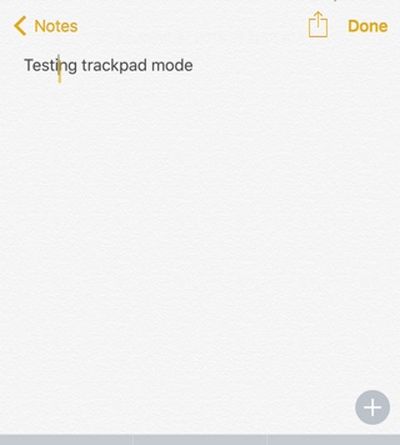
Fun Trackpad Kyeboard iOS 9 iPhone 6s Instruction

Users who got the most recent Apple smartphones [iPhone 6s or iPhone 6s Plus] can easier edit and select text thanks to trackpad keyboard iOS 9 feature. Learn how to use this option with your 3D Touch that is also present in the new generation smartphones.

There is the fun iPhone trackpad keyboard feature that can be used on 3D Touch gadget with iOS 9 firmware pre-installed. For example, iPad users can do similar thing on their tables and edit text and move it like this: just place your two fingers on your iDevice display and move them directing your cursor to letter / word that requires editing.

While the iPhone option is a bit different it is pretty comfortable and nice to have.

Turn iPhone 6s Keyboard into Trackpad

How to Turn iPhone 6s Keyboard into Trackpad

Step 1. Take the iPhone 6s Plus or iPhone 6s model. We’ll be using the 3D Touch feature so turn it on in case you have already disabled it.

Step 2. Press firmly on your iOS 9 keyboard. Remember that the 3D Touch is sensitive to your touch.

Step 3. Once your iOS 9 keyboard is turned into trackpad on iPhone 6s you are able to launch applications using it [learn more about iPhone 6s AT&T coverage compared to Sprint carrier’s opportunities].

Step 4. The cursor can be moved with your finger. Swipe around and edit text just as you normally do on your computer trackpad.

Step 5. It is possible to move a finger around the display. The feature still works even when you are not working within the keyboard area.

Step 6. Users who need to select the text can press deeper and continue moving the cursor to get more of text selected. You can then copy it or delete, cut etc.

Does the feature look neat to you? Have you give the iPhone 6s keyboard a chance to work as your trackpad?

Can I Update iOS 9 GM to Final Public iOS 9 via OTA?

Have you been testing iOS 9 betas and iOS 9 GM [Golden Master version] on your iPhone, iPad or iPod touch? Apple launched the first Public Beta testing program this year and a lot of users were searching for bugs in the new firmware this summer. How it is possible to update to iOS 9 from beta or GM version?

As soon as Apple released iOS 9 firmware to public users started to ask the same question: if iOS 9 GM update to final version is possible or not. It is possible and you can also find out what to do and how to get iOS 9 OTA update if you were testing beta firmware releases and / or the last GM build 13A340 that was unveiled earlier in September.

iOS 9 OTA Update for iOS 9 GM and Beta

GM or Gold Master version always precedes the public firmware launch. Still iOS 9 public version has a different build number than the GM and thus users wish to upgrade to the final platform offered by Apple. Since its build number is different [it is 13A5344] you should get the OTA update option and download the latest version available.

Since there are a lot of users with iPad, iPhone and iPod touch who are trying to use iOS 9 OTA update feature – the high traffic might cause errors and not let you install this platform right away. If this is the case you should manually update via iTunes by downloading the ipsw file through direct iOS 9 download links or download it directly from iTunes [if high traffic doesn’t lead to issues].

Remember that Apple is taking iPhone 6s pre-orders and also testing iOS 9.1 beta now so you might want to get this firmware version instead of public iOS 9 if you are planning to continue testing and reporting bugs you find this fall.

Users who have a jailbroken iDevice will not get the OTA update for iOS 9 as they will only see ‘Checking for Update’ message in General menu. If you want to lose the jailbreak and get this firmware you should use iTunes for upgrading.

iOS 9 Bugs Reported by iPhone Users

iOS 9 bug report shows that the new 2015 mobile operating system Apple released this week is pretty buggy. The company was testing its iPhone, iPad and iPod touch software the whole summer however this cannot prevent from all possible issue and problems as users note.

What iOS 9 bugs are known so far? The system definitely has a number of interesting options and cool improvements. But it also has issues and problems you have to know about before you decide to install this firmware.

iOS 9 Bugs

iOS 9 Buggy Issues

*Control Center Bug

Even though you wish the Control Center becomes better on iOS 9 this doesn’t happen [it might work better on iPhone 6s or 6s Plus]. There are problems with this part of the new firmware just as it was on iOS 8.

*iPad External Keyboard

If you click on the Bluetooth keyboard which you connect to iPad to turn on its display you will fail to achieve the iOS 8 result as this feature is not enabled on iOS 9.

*Portrait / Landscape Keyboard Mode

This feature is very slow especially on the iPad.

*Messages Problem

The popular iOS 9 Messages program is pretty slow when you want to scroll. Its UI has no animations in some areas and this makes users unhappy.

*iOS 9 Calendar

The Calendar doesn’t want to update or doesn’t show all your events after upgrade.

*iOS 9 Settings Issue

Sometimes when you launch Settings you will notice that the list of features is scrolled half-way down. Such bug could be annoying.

*Proactive Feature

Go to the Suggested Apps menu and you will see either blurred of differently-sized app icons.

*Safari iOS 9 Bug

iPad Air 2 owners report Safari freezing issue which doesn’t seem to bother iPhone and iPod touch users.

How to Update to iOS 9 on iPhone Guide

Are you ready for iOS 9 download ipsw links? Apple has rolled out the long-awaited firmware upgrade that had been tested by public beta testers and developers in June, July, August and early September. Finally all iPhone, iPod touch and iPad users who would like to see all the new features on their devices can download and install this software version.

There are a couple of ways how to install iOS 9 on iPhone 6, 6s, 6s Plus. You might want to check the OTA update option right on your gadget or ask iTunes to download the new file. Besides, you can use direct iOS 9 links and manually update through iTunes.

iOS 9 Direct Download Links

How to Update to iOS 9 on iPhone: Download Links

Step 1. Create a backup copy of the iDevice. This will save all your information for future use.

Step 2. Use the links below to download your iOS 9 version:

Direct Download Links for iOS 9 for iPhone:

iPhone 6

iPhone 6 Plus

iPhone 5s (Models A1453, A1533)

iPhone 5s (Models A1457, A1518, A1528, A1530)

iPhone 5c (Models A1456, A1532)

iPhone 5c (Models A1507, A1516, A1526, A1529)

iPhone 5 (A1428)

iPhone 5 (A1429)

iPhone 4s

Direct iOS 9 IPSW Download Links for iPad

iPad Air 2 A1566

iPad Air 2 A1567

iPad Air A1474

iPad Air A1475

iPad Air A1476

iPad (4 generation Model A1458)

iPad (4 generation Model A1459)

iPad (4 generation Model A1460)

iPad Wi-Fi (3 generation)

iPad Wi-Fi + Cellular (model for AT&T)

iPad Wi-Fi + Cellular (model for Verizon)

iPad 2 Wi-Fi (Rev A)

iPad 2 Wi-Fi

iPad 2 Wi-Fi + 3G (GSM)

iPad 2 Wi-Fi + 3G (CDMA)

iPad mini A1432

iPad mini A1454

iPad mini A1455

iPad mini 2 A1489

iPad mini 2 A1490

iPad mini 2 A1491

iPad mini 3 A1599

iPad mini 3 A1600

iPad mini 3 A1601

iOS 9 IPSW Download Links for iPod touch

iPod touch 5G

iPod touch 6G

Step 3. Launch iTunes on your computer.

Step 4. Click on Option or Shift [depending on your computer, Mac or Windows PC] and at the same time press the Check for Update option in iTunes.

Step 5. Point to the ipsw file you have downloaded and install iOS 9 through Update option.

Step 6. Wait till the new operating system is installed and start exploring all the great features, options and specs you get.

iPhone 6s Hey Siri Always On Feature on iOS 9

Apple is about to explain how to use Hey Siri option on iOS 9 and new generation smartphones. The company is bringing iPhone 6s Siri feature that will be always on similar to Google assistant. The famous ‘fruit’ giant decides users don’t need to click on their Home button in order to activate their personal assistant. Everything will be faster and simpler.

While iOS 9 Hey Siri not working on the beta firmware it will be available as soon as Apple unveils new products and makes its mobile operating system for iPhone, iPad and iPod touch officially available to everyone. This might happen this week since rumors suggest the iPhone 6s and 6s Plus models are to be launched next Friday, September 18th and they will be arriving with iOS 9 pre-installed.

Apple Hey Siri Always On iPhone iOS 9 Feature

It could happen so that the iPhone maker releases Hey Siri always on option on September 15th or 16th since developers haven’t seen the Gold Master beta version yet and they hope it will precede the final upgrade.

Right now we still don’t know if users have to connect to a power source in order to use Hey Siri always-on feature. This will be cleared up on September 9th when Apple presents its fall 2015 updates to public. By the way, the private event this year is teasing with ‘Hey Siri’ tagline so this feature might be outstanding and bring new experience to the company’s fans.

The detailed guide on how to use Hey Siri will be published once this option is launched. Will it support all Apple gadgets or only the latest iDevices such as iPhone 6, 6 Plus, 6s and 6s Plus? We don’t know yet.

If you own an untethered iOS 8 smartphone you can get similar to Hey Siri always-on experience by getting the free tweak called UntetheredHeySiri. It might not work exactly like the new option Apple is about to introduce.

Hidden iOS 9 Features List

The upcoming iOS 9 features list has a lot of hidden options users might want to learn about [if you are running the most recent official Apple mobile OS you might want to learn more about iOS 8.4.1 unlock possibilities]. You can watch most iOS 9 features on YouTube channel as different experts and devs reviewed most of them or even all of them. We are about to speak about those hidden options iPhone and iPad owners will truly care about this September or in the future.

iOS 9 Hidden Features

Firstly, Apple should introduce special battery saving mode. This is a great addition to the iDevice owner who wants to stay in touch and doesn’t like it when his battery life suddenly dies. The mode will automatically turn off your iPhone screen when you put it face down on the surface. Besides, there is Low Power option that can conserve your power and give you more time for using the iPhone when there is no option to charge it soon.

Secondly, the new iOS 9 version will come with iCloud Drive and you’ll be able to access it through Settings – iCloud menu where you will find iCloud Drive option. It’s hidden by default.

Thirdly, Apple allows users searching through Settings and across the firmware. This is a wonderful feature that was absent in iOS 8 and earlier firmware versions.

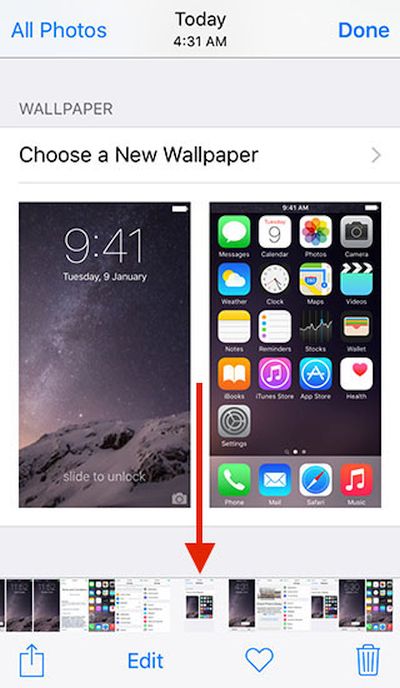
iOS 9 Photos Scrubber Feature

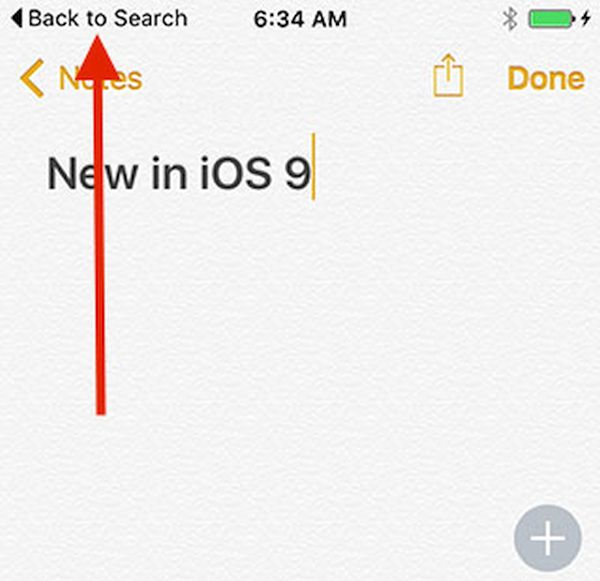
Hidden iOS 9 features include the scrubber in the Photos application which makes it possible to flip through images right in the camera roll, back to app / back to search feature, Shift key that controls your keyboard characters for typing [turn it on and you will see caps, turn it off and you will see all lower-case characters], redesigned app switcher and Siri. It will become possible to attach files to your Mail right from iCloud Drive and use side switch option for muting and locking your screen on iOS 9.

Besides, you can protect your iPhone with 6-digit passcode once you install iOS 9 platform but Apple also gives you a choice to choose the old 4-digit code system.

iPhone 6S Plus Force Touch Leaks

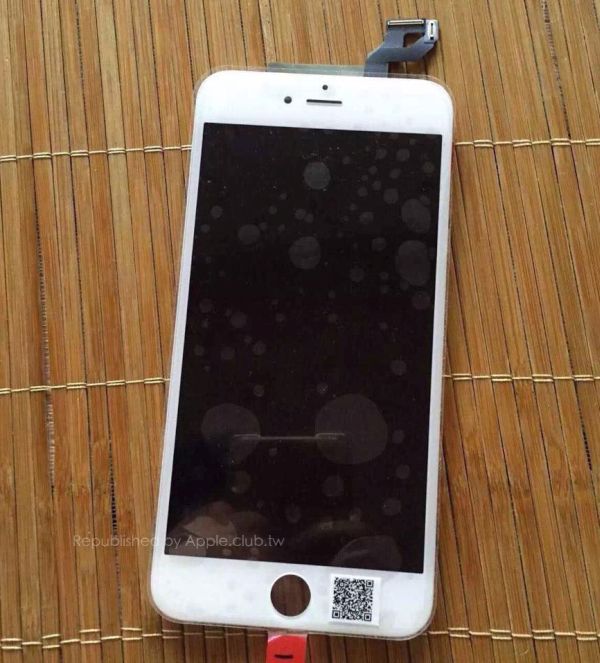
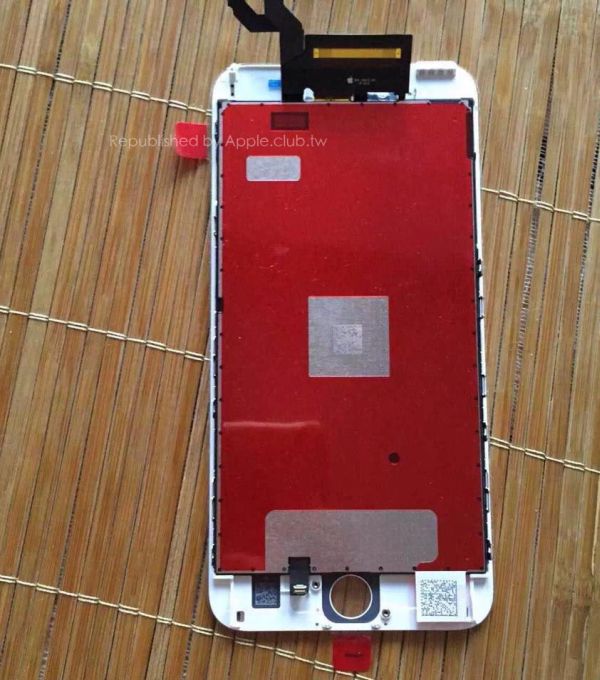
Apple will soon release the new iPhone “S” lineup. There are a lot of rumors and leaked images of the upcoming handsets. For example, the latest iPhone 6s Force Touch leakage shows the display of the future smartphone with the built-in new technology.

Would you like to see the 2015 iPhone 6s Plus Force Touch image? The photos don’t show the assembled device. Instead, you can only see the display of what is expected to be the new generation Apple handset. There are only two images you can take a look at however they give an idea what the Cupertino-based giant has on its mind for the fall.

iPhone 6S Plus Force Touch Leak

What Force Touch iPhone means to users? This shouldn’t be the same technology as used in the Watch or Mac models. Apple is rumored to modify it for the iPhone 6s and 6s Plus and this is one of the reasons why experts don’t expect high iPhone sales in the end of 2015 and early 2016.

Customers like to upgrade their smartphones to the most recent generation devices however they are not looking for just Force Touch update along with iOS 9 changes. They want more features and major changes like it was with iPhone 6 compared to iPhone 5S.

iPhone 6S Plus Force Touch Leakage

If you pay attention at the leaked images you will notice the LCD panel which was absent in the iPhone 6 / 6 Plus versions. This is the main difference between the looks of the previous and future generation handsets.

iOS 9 WiFi Calling on AT&T Network Activated in New York

iOS 9 beta 5 offers WiFi calling on AT&T network however this mobile operator hasn’t activated this feature across the U.S. yet. If you live in New York city you should know that you can already start testing the fun option there since AT&T’s calling service is already working in this area.

Some users already got a chance to test AT&T WiFi calling New York opportunity. It only works on iOS 9 beta 5 and should become public along with iOS 9 final release this September. Apple is going to unveil the new mobile platform in less than a month from now since rumors mention September 18th as the official iPhone 6S release date [and the smartphones are usually launched later than firmware updates].

att-wifi-calling-ios-9-new-york-city

AT&T WiFi calling news confirms that this U.S. network is planning to fight for more subscribers in the fall. Sprint and T-Mobile are also offering this new service so users get more choices of carriers with WiFi calling option.

T-Mobile is currently the leading carrier with innovative ideas even though it doesn’t have as many subscribers as AT&T and Verizon. Still its jump on the WiFi calling makes other companies take the same step to not lose users who start to prefer ‘uncarrier’ data plans over regular data plans offered by their networks.

If AT&T WiFi calling option doesn’t make you happy, you can always unlock AT&T iPhone for any other network. This is affordable and fast through factory SIM unlock service. Since the procedure is performed distantly it is available to users from all over the world.

Are you testing iOS 9 beta versions? Have you succeeded enabling WiFi calling in New York city for your AT&T iPhone model or not? How do you find this service?

iOS 9 vs iOS 8 Performance Compared on Video

A lot of developers and public testers are now working with iOS 9 betas. Apple presented five versions of its upcoming mobile firmware that should be pre-installed on this year’s iPhone 6S and 6S Plus that are believed to be released in mid- or late September. Would you like to compare iOS 9 and iOS 8 performance?

Apple is bringing some new features to its next firmware version. For example, this operating system will arrive with new Wallet, News apps and other interesting additions. By the way, iOS 9 SIM card unlock service will be available for all supported iPhone models as soon as Apple releases this update. Permanent factory unlock works on all versions of iOS, basebands and smartphones created by the ‘fruit’ giant.

ios-9-vs-ios-8-performance

Is it safe to become SIM free? We know that Apple is in talks with different carriers about bringing e SIM card instead of the regular SIM however this project might be completed in a couple of years from now. This means that factory IMEI unlock will be still popular this fall. It is fast and affordable. Besides it doesn’t void Apple warranty and this is the main reason why a lot of AT&T iPhone, Sprint iPhone and other carriers’ subscribers are happy to unlock their device and use it with different networks once and forever.

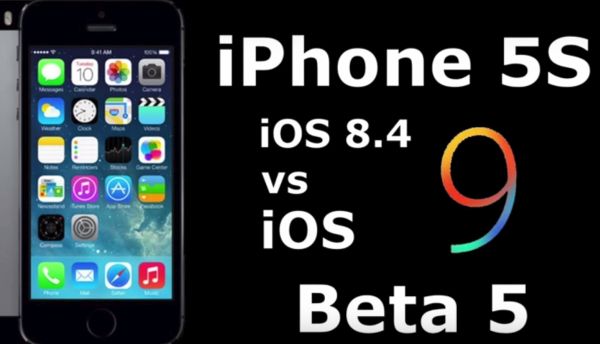
So how faster is iOS 9 vs iOS 8 performance? You can watch the video yourself and see how the future firmware will be a bit faster than the most recent public iOS 8.4 version. Still don’t expect it to be too fast especially on older phone models. Maybe the iPhone 6S and 6S Plus running iOS 9 will quickly load applications, boot up and perform other popular tasks. Still earlier versions, even iPhone 6 and 6 Plus, might not show such a great result.

Experts think that the difference between iOS 8 and iOS 9 versions won’t be that major.