How to Reduce Data Usage on iPhone iOS 9 Guide

It is sometimes necessary to find useful minimize data usage iPhone 6 iOS 9 instruction asap and when such importance comes you start searching for guides on how to reduce data usage on your iPhone and get tons of solutions. We will talk about the most important steps you should take in order to reach your goal.

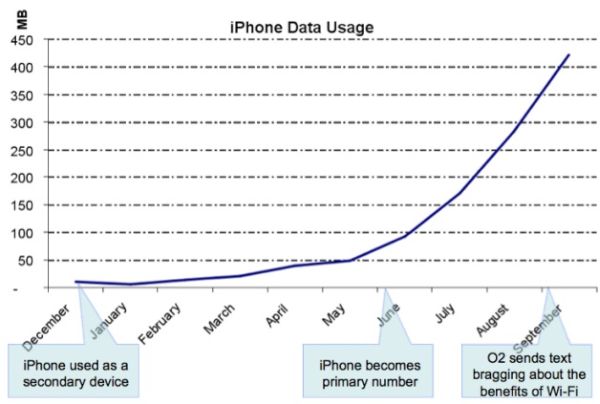
The tips and tricks you’ll discover below will make sure you don’t go over your monthly data limit. Even if you have the unlimited data plan for AT&T iPhone you can be throttled for using more data than the carrier allows you to – so keeping an eye on your usage and controlling / reducing your data limits is highly important.
Reduce iPhone High Data Usage iOS 9 AT&T iPhone

How to Reduce iPhone High Data Usage on iOS 9

Step 1. The new iPhone has WiFi Assist feature and you would like to disable it in order to stop using cellular data each time you get no signal or the service is bad. Launch Settings and choose Cellular – WiFi Assist to turn it off.

Step 2. Disable cellular data usage when you are using iCloud. Launch iCloud and choose Settings where you can turn off your Use Cellular Data option to save some data.

Step 3. iPhone background data usage also can eat your data. Turn off background app refresh option. Go to Settings and select General menu. You can turn off Background App Refresh feature.

Step 4. You should also turn off all automatic downloads when you are using cellular connection. Go to Settings on iPhone and disable cellular data for both iTunes Stores and Apps.

Step 5. You are advised to also turn off High Quality music streaming on cellular. You can go to Settings – Music and disable this option. This way you’ll be able to stream Apple Music files using WiFi connection only.

Step 6. Don’t use your cellular data if you are limited to 2GB of data per month. You better disable it in Settings – Cellular and use WiFi applications instead.

Step 7. Turn off applications that consume much data. This way you can also control your data usage even if you are limited to AT&T iPhone data plan.
Apple Assures It Is Impossible to Unlock iPhone

A lot of users are familiar with unlock iPhone iOS 9 options. There are two types of unlock you most likely know. One is the factory IMEI unlock from AT&T or other carrier and the other one is unlocking the phone to access your personal information.

Well, Apple started to say that it was impossible to unlock iPhone with iOS 8 release. This year the company officially launched iOS 9, updated it to iOS 9.0.1 and 9.0.2. The Cupertino-based giant still assures that it is impossible to unlock the gadgets if they are running of these platforms.

iPhone Unlock Impossible

The well-known iPhone maker believes that unlocking is not possible and when the judge asked Tim Cook [the company’s CEO] to unlock iPhone and access data stored on it – Cook assured it wasn’t possible for Apple to accomplish.

The iOS giant simply doesn’t store encryption keys for iPhone and iPad that is updated to iOS 8 or iOS 9. Passcode is required to access a locked screen. Still there are services that can bypass this restriction and find the correct passcode by tricking the system.

If you wish to learn how to unlock iPhone iOS 8 or iOS 9 to become SIM free [this is the different type of unlock as we already mentioned] you are welcome to select the corresponding unlocking package for your iPhone model and mobile network. You’ll become fully unlocked pretty soon and get the chance to use different SIM cards from various networks from all over the world.

There is no iOS 9 unlock code or iOS 8 unlock passcode to use with factory unlock. All you need to know is your IMEI number and your iPhone statuses as well as original carrier you are locked to. Use iPhone IMEI network check online to get this information about your handset.

AT&T Sues Its Employees for Unlocking AT&T Contract iPhone and Other Phones

How legal is it to unlock ATT contract iPhone in and outside the U.S.? The American government as well as governments in other countries are mostly supporting the opportunity of customers to choose their networks. Still carriers are against such a service. For example, recently AT&T has sued its former employees who offered unlock contract AT&T iPhone 6s, 6, 5s and other models / phones service to users.

AT&T accused its three former workers from Washington state in making thousands of AT&T contract phone unlocked. All the gadgets had to be bound to the networks’ contract however were successfully unlocked and could be used with any other mobile company across the world.

AT&T unlock iPhone contract issues

When you choose to become SIM free [while you are off contract or still on contract] – you have a big variety of choices where to order the special factory SIM free service. Is it safe to unlock iPhone online? If you are customer who is looking for the company to unlock your phone – you are safe. If you are working for AT&T – you could also sued by the network just like it already happened to several ex-employees who are accused of allegedly unlocking gadgets for using with different wireless operators.

According to the lawsuit, employees were able to unlock AT&T contract iPhone models by installing malicious software into their work computers [learn more about AT&T throttling its iPhone subscribers]. They were providing the service right in the AT&T store where they worked and generated automated unlock requests. They worked together with Swift Unlocks company, according to report, and could have been unlocking devices in order to resell them at lower cost than the price of the never-locked iPhone.

The accused workers didn’t cover their tracks and thus AT&T was able to learn about this group, catch them while doing the act and sue them. The lawsuit doesn’t mention any criminal fraud but the employees who were unlocking AT&T phones at their work place in AT&T store might be arrested and forced to pay all the lost profits of the carrier.

How to Get Refund for AppleCare Plan You Don’t Use

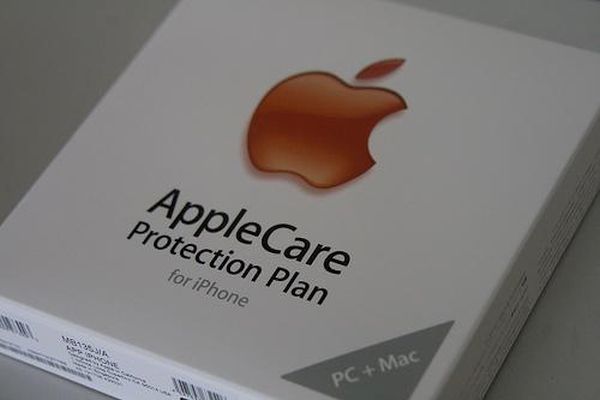
Many customers purchase the warranty plans and never use them. Does unused Apple Care expire? This is one of the questions asked by ‘fruit’ users along with ‘how to prepare AT&T iPhone 6 for sale‘- however it is better to search for ‘how to get refund for AppleCare’ if you didn’t use it. This is possible and you should do this since the plan has expiration date.

It is surely great when you have AppleCare plan and need to repair your gadget since such a plan offers lower fees. However if you are careful and take good care of your iPhone or other device – you might want to get unused AppleCare refund. We’ll explain what you should do and when it is possible to request your money back.

How to Get Refund for AppleCare iPhone Plan You Don't Use

How to Get Refund for AppleCare You Don’t Use

When you sign up for any plan you can learn details about it. However in stores when we are offered to pay extra for 2-year care plan or other additional options we don’t have time to get into details and often agree to pay even when we don’t really need this service.

If you accidentally purchased AppleCare plan with your iPhone, Mac or other device you can cancel it within 30 days of purchase date. The ‘fruit’ company should give you the full refund if you didn’t use any service. Or it will minus the value of the service you got. If you also experience any AT&T LTE problems with your iPhone 6s you can fix them yourself.

Users who think about cancelling their plan after 30 days from the moment of purchase can get the refund based on the percentage of the coverage that hasn’t expired. The value of additional services you used would be minused, of course.

It has sense to cancel your plan even after a year in case you got the 2-year option. You will not get all the money back but you could easily return nearly 50% of what you paid. This is a nice bonus if you truly don’t need this service.

For example, if you buy the 2015 model iPhone 6s [Apple released iPhone 6s in September] and pay $129 for your AppleCare plan (just an example) – you’ll be able to get the refund of nearly $60 in a year. Is it worth contacting Apple and learning about your options? Of course, give it a try and you’ll be surprised at the possible refund you can get if your plan hasn’t expired yet.

New App Store Outage 2015 Experienced This Week

A lot of AT&T iPhone owners who get AT&T WiFi calling release delayed by the carrier this week have issues with iTunes. They are unable to connect to App Store and this has nothing to do with U.S. carrier. Other network users get the same problem. They report iTunes connect fail.

Don’t hurry to order SIM unlock for AT&T iPhone 6s as once if you get issues with your iTunes App store. This year there are a lot of problems with Apple services that surface once in a while. Usually when the company is updating its product line or software versions a lot of customers are not able to download apps and use iTunes / App Store just as they ordinary do.

App Store iTunes Outage 2015

The new App Store outage 2015 however is not caused by updates because the latest iOS 9.0.2 was offered much earlier. Apple is now working on iOS 9.1 version and testing it along with developers and public beta testers and other users get brief outage. The problems are surely fixed and the famous Cupertino-based company is trying to solve issue as quickly as possible. This time users had experienced the outage for a couple of hours.

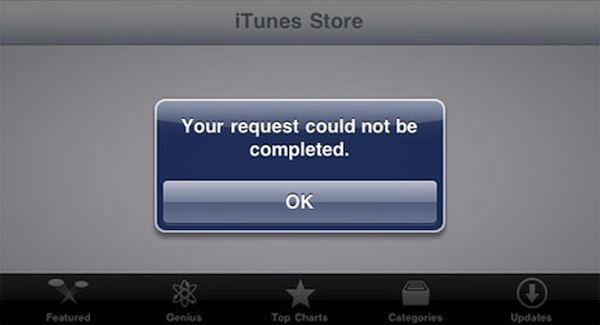
Apple was fast to fix the issue however a lot of users kept complaining as the new outage appeared [do you know when Apple is expected to release cheaper iPhone 6c?]. According to reports, iPhone and iPad users got ‘cannot complete your request’ error while trying to connect to App Store through iTunes. Of course, the system status page Apple has didn’t reflect the outage at once and kept showing the green marks meaning everything was all right.

The issue wasn’t common however the ‘fruit’ giant still updated its system status page and confirmed the outage. The company took some time to solve the issue and everything should return to back to normal by now.

iPhone 6s Video Quality: Opinion of Professional Photographer

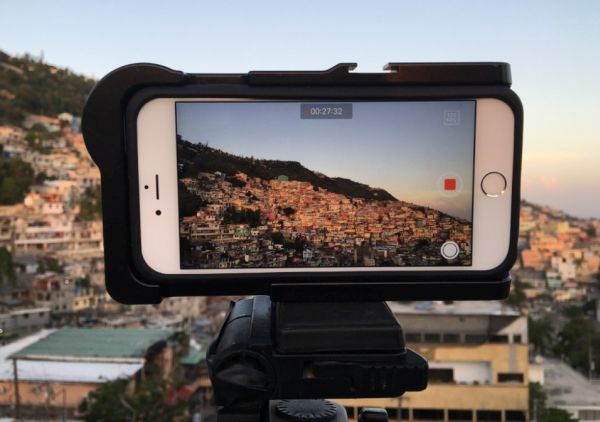
The new line of iPhone updated by Apple this fall allows users shooting incredible videos. According to different customers who already purchased iPhone 6s or iPhone 6s Plus [here is more information about iOS 9 bugs] – they enjoy taking 4K videos and live photos. How good is iPhone 6s camera? It’s best to let experts answer this question.

No one expects the smartphone to compete with professional cameras. When you need to make outstanding and wonderful photos it is better to use an expensive camera. However iPhone 6s video quality is already amazing, as noted by photographer Lee Morris.

iPhone 6s Shootage Video Quality

As expert notes, the new iPhone 6s can easily compete with some DSLRs that cost around $3,000 [if you orders your new AT&T iPhone 6s you can check on your order status here]. The Apple device can even beat some current DSLR if talking about videos and not stills. There are some circumstances you have to meet in order to get better videos taken with iPhone 6s than with the DSLR. For example, you need enough light however this fact is surprising.

Morris reports that he did color and contrast tests and got similar results but sometimes the 4K footage made by the smartphone looked even bettern than footage created by Nikon camera. The 6s handset model surely cannot outperform all DSLRs but it does create similar 4K videos to some of modern cameras in bright light environment.

It is also worth to note that not DSLR models can let you shoot 4K videos while the iPhone 6s and 6s Plus can make it happen [if you experience any problems with battery life you can fix iPhone 6s battery issues]. Learn how to record 4K videos on iPhone 6s. This is not difficult and the results can really impress you.

Have you tried taking photos and recording videos with the iPhone 6s or 6s Plus camera? What are your impressions about this latest generation smartpone released in 2015?

Cheaper iPhone Release Date in 2016

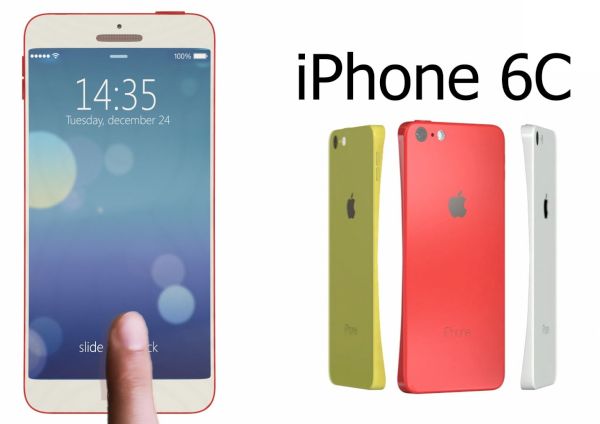
When can Apple offer cheap iPhone 6c model? Some experts thought the company would release this device along with more expensive iPhone 6s and iPhone 6s Plus in the fall. However it turns out that Apple didn’t even talk about any cheaper iPhone release date.

Now analysts suggest the famous ‘fruit’ giant could wait for the spring 2016 and present the upgrade then. Would customers be happy when they get iPhone 6c release date and be able to buy the more affordable smartphone? The previous similar experiment was held by Apple a couple of years ago. The company released iPhone 5s and cheaper 5c however the most affordable model didn’t succeed as much as its more expensive ‘family members.’

iPhone 6c Release Date Rumors

At the same time if Apple decides to unveil cheap iPhone 6c that could be a ‘skinny’ handset similar in size with iPhone 6 version. The company could make it affordable for the emerging markets and attrack more customers who are price sensitive. This is what experts think.

There are not many rumors on the new phone. We don’t know any specs and features that could follow in a few months from now. Could it support some of the options supported by the most recent generation iPhone 6s or iPhone 6s Plus? Will it get Force Touch [3D Touch screen], improved Siri and other impressive things customers like about the ‘s’ lineup of will it be just another copy of previous gen iPhone 6?

Will Apple make its next handset out of plastic or metal? What will be the size and weight? How do you imaging the future device?

It could possibly arrive in the colorful plastic bodies, with a 4-inch screen and other ideas Apple seemed to already drop. Still rumors are rumors and it’s always interesting to see what really arrives in the market and is offered to millions of consumers from all over the world. Especially, if the device is created by Apple.

How to Prepare iPhone 6 for Sale [Instruction]

Are you getting ready for iPhone 6s official release date with iOS 9 features? You might want to learn how to prepare iPhone 6 for sale and sell it in time Apple launches the upgrade. This way you can save money on updating to the most recent gen device and get rid of your older generation model. There are a lot of customers who are happy to get the pre-owned older Apple version if it is in good shape, unlocked and ready-to-use.

We’ll explain how to sell iPhone with Flappy Birds or without this popular game. It actually doesn’t matter that much how many games or apps you have installed on the device. Of course, when you have some rare apps [for example, Flappy Birds] you can resell your phone at a higher price. You can still get much for your device without rare games if you follow our instruction. Remember to buy iPhone 6s with Force Touch or iPhone 7 after you resell your older generation version.

How to Prepare iPhone 6 for Sale AT&T Guide

How to Prepare iPhone for Sale [AT&T Owner’s Guide]

Step 1. If you are locked to AT&T you should definitely make your smartphone SIM free before reselling it. This way you’ll get more money for it. You can order distant AT&T iPhone 6 unlock service that is affordable and fast and become permanently unlocked within 1-2 days.

Step 2. Since you don’t want to lose your information [images, applications, games etc.] you should create a backup copy of your iPhone 6 that you are planning to resell. You’ll be able to transfer all your games, apps and files to the new iPhone 6s or 6s Plus you are planning to purchase this fall. You can back up through iTunes or iCloud.

Step 3. Turn off Find My iPhone application through Settings – iCloud menu. You have to delete your account [if you are running iOS 7 or older OS version] or sign out of iOS 8 firmware and choose option called Delete from My iPhone. It is important to turn off Activation Lock feature since the new iPhone owner might have issues with the gadget if you don’t disable this security option.

Step 4. If you don’t have Flappy Birds game you should definitely erase your smartphone. Do this by going to Settings – General menu and choosing Reset – Erase All Content and Settings option.

Step 5. Create an ad on different websites [eBay, Gazelle, Amazon, BestBuy, Craigslist etc.] offering your used but unlocked iPhone 6 and wait for your customer.

AT&T WiFi Calling Release Date Delayed

A lot of U.S users who purchased AT&T iPhone 6s or iPhone 6s Plus wished to also get the announced AT&T WiFi calling 2015 option. However this feature hasn’t been released yet. It is being delayed and millions of subscribers are now upset.

While AT&T WiFi calling iPhone 6s option is not working because the mobile operator is awaiting for the FCC to approve this feature, users who are subscribed to Sprint or T-Mobile can enjoy the wonderful calling iOS 9 option. You might even want to unlock AT&T iPhone 6s or 6s Plus right away and become SIM free to use the feature with a different network provider while waiting for your original carrier to get the approval.

AT&T WiFi Calling Feature Delayed

AT&T WiFi calling release date was expected right after the ‘s’ lineup launch. The company was testing this option together with Apple in the end of the summer. This made a lot of users believe that they would get iOS 9 WiFi calling right after this firmware update. Apple indeed upgraded its mobile operating system and has already launched two versions: iOS 9 and minor iOS 9.0.1 update. At the same time, AT&T is still holding back on releasing the WiFi calling on its network.

AT&T hoped to release its WiFi calling service without offering TTY support for hard-of-hearing and deaf people. It has to get the FCC approval to make this happen. It is curious that both Sprint and T-Mobile that launched iOS 9 WiFi calling feature support do not offer TTY support as well.

Originally AT&T WiFi calling launch was planned on September 25th or 26th. The company is not going to offer the service unless it gets the approval. Are you going to wait for the option to be launched or do you plan to factory unlock iPhone from AT&T in order to use the option on a different network?

AT&T LTE Problem or No iPhone App Downloads

A number of iPhone AT&T users have issues with Apple Music service. Some people cannot download applications. The AT&T LTE issues are reported by a lot of U.S. subscribers. It is interesting that the new Apple smartphones were released in the end of September and more and more customers are getting their hands on the new generation iDevice.

AT&T LTE problem is not common yet but some users do report issues. When some Americans are connecting to LTE network from AT&T they cannot download applications and Apple Music doesn’t stream. Some of the users also report about being throttled by the mobile network.

iPhone AT&T LTE Issues

It is interesting that the same iPhone owners assure that they have no issues with both Apple Music and app downloading when they are connected to WiFi network. There is also a report about iOS 9.0.1 update with VPN configurations and on this platform everything works just great.

The problems are reported with AT&T LTE connection only. At the same time the speed test shows no problems. Users note that the issues might be regional as they are not experienced by people from across the U.S.

It looks like the bug is related to AT&T iPhone carrier only. Users who are subscribed to T-Mobile and Verizon don’t suffer from any LTE issues. What models could be affected by the unknown AT&T issue? There are users with the iPhone 6s model which was released on September 25th who have this problem as well as older smartphone and tablet owners, including iPhone 4S and different iPad versions.

AT&T promises to release the fix. The company thinks that the bug is caused by iOS 9 and 9.0.1 upgrade so if you are using this carrier and are still running iOS 8 platform – you might want to wait with updating to the most recent version.