T-Mobile BingeOn List of Partners Gets YouTube and Other Popular Services

There were issues with YouTube videos streamed through BingeOn service on T-Mobile iPhones but this seems to be fixed by the companies. T Mobile Binge on list simply got a couple of new services along with YouTube.

What does it mean to ordinary subscribers? T Mobile Binge On Youtube and other services supported by this option allow users stream videos without having an impact on their speed-data monthly allowance. T-Mobile has the right to low the quality of video streams and this what the main reason why YouTube was unhappy with the service at first [when it wasn’t supported by Binge On].
T-Mobile BingeOn YouTube Support

The current T-Mobile Binge On list includes not only YouTube but also Red Bull TV, FilmOn.TV, Discovery GO. It also supports Google Play Movies. Fans of Baeble Music and KlowdTV would also be happy to discover that they can stream these videos without impacting monthly data allowance. Fans of Fox Business and ESNE should also smile as these two services are also on the list.

According to T-Mobile, it really works in partnership with Google and YouTube is official BingeOn partner. YouTube used to say that T-Mobile was downgrading its videos for all iPhone subscribers and now it agreed to become a part of BingeOn service and officially allows the carrier to optimize YouTube videos on mobile smartphones.

Still there are reports that some partners are allowed to ‘pot-out’ of optimizations made by BingeOn. Previously all videos streamed through this service were automatically optimized to 480p and YouTube didn’t like this. The company seemed to change its mind only once T Mobile agreed to allow providers exclude their videos from optimizations.

The iPhone carrier will add all the companies that don’t agree to optimize videos to a dedicated site.
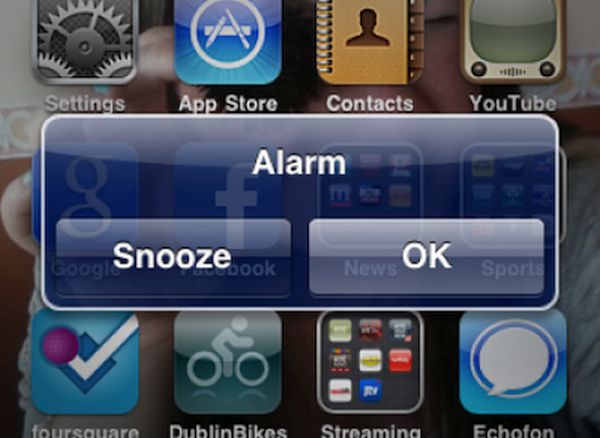
Learn How to Increase Your iPhone Alarm Volume to Make It Louder

Many people rely on their iPhone when they need to wake up in the morning [you can also SIM unlock your AT&T iPhone 6s without issues]. Sometimes users ‘don’t hear’ their alarm and this is why you might want to increase iPhone alarm volume. This is not difficult to do. It’s simple and the whole guide can be found below.

All heavy sleepers should adjust their volume. When you increase the volume of your handset you will automatically increase all sounds. This way you will always hear the alarm but unexpected calls in the middle of the night will also wake you up. Here is what you should do in order to have all sounds low while the alarm’s volume would be up.

iPhone Alarm Increase Sound

How to Make iPhone Alarm Louder

Step 1. Firstly you can set your volume to maximum and use Do Not Disturb mode at the same time. This way no one would wake you up at night. You’ll sleep till the alarm goes off.

Step 2. Second method advises to change your speakers. Simply connect your handset to external speakers and you’ll know for sure that you won’t miss the alarm. These could be your computer speakers, iPhone dock or Bluetooth. Anything would work if it makes the alarm louder. You should also know how iPhone 4s works on iOS 5 compared to iOS 9 platform.

Step 3. Thirdly you might choose a different ringtone / alarm sound for your iPhone alarm. There are many sounds to choose from so you can select anything you’ll be pleased to hear in the morning.

All these simple methods will help you increase iPhone alarm volume.

Apple Releases Fix for Security Update on Macs

Some iMac and MacBook users noticed issues with Ethernet. Apple Mac security update should solve this bug and fix connectivity [here is how to fix MacBook Pro storage problems]. The problems have been reported by different users for a while so the Cupertino-based giant had to react and confirm the problem was real.

The ‘fruit’ giant even offered a support document that describes the problem and explains how to fix it. Users who installed the update offered by Apple assured that their Ethernet port refused to work. The same situation was on some iMac and MacBook models. Users couldn’t understand why the software blacklisted driver but this caused Enternet connectivity to quit working.

How to Fix Mac Security Update Bug

Fix for Security Update Macs Offered by Apple

Since a lot of users hurried to install the update brought by the iOS giant, their machines were affected. Apple pulled the update but it was too late for many users. Here is how to solve the issue right now:

Step 1. Press Option on your computer.

Step 2. Choose System Information from Apple menu.

Step 3. You need to expand software section [by the way you can chat on iPhone without internet connection].

Step 4. Choose Installations option.

Step 5. You can sort the list by pressing on Software Name column header.

Step 6. You need to find ‘Incompatible Kernel…’ message. Is this extension configuration data version 3.28.1? You can fix the Ethernet bug by launching Terminal and typing the command:

sudo softwareupdate –background

Step 7. Once you type in the command your Incompatible Kernel Extension Configuration Data version will be updated and the bug will be fixed.

Step 8. You can now quit terminal.

Step 9. In order to complete the procedure you should restart your computer.
Hopefully your problems with connectivity on iMac or MacBook are now gone.

New Leaked Images Show iPhone 7 Plus Camera

While Apple has confirmed March 21st event which could unveil iPhone SE model – millions of users are curious about iPhone 7 specs. This next smartphone model could be officially presented in the fall. What features could it get?

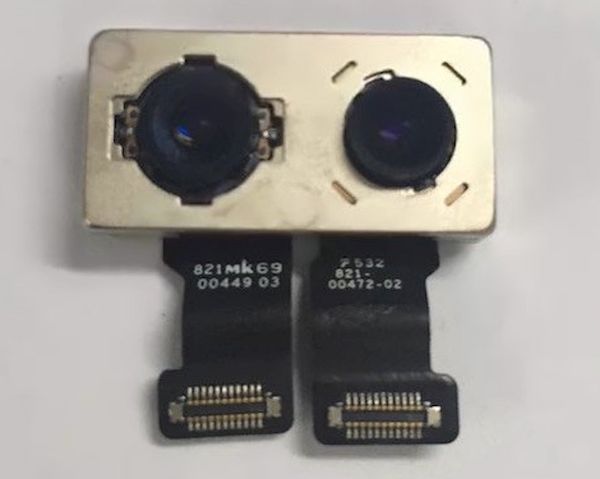
Some of the iPhone 7 Plus rumors promise that at least iPhone 7 Plus version could get the dual-camera module. This part is believed to appear on some new images. The handset would be redesigned and get large screen. If iPhone 7 camera get dual-camera option – this version would differ from iPhone 7. The situation could remind of iPhone 6 / 6 Plus models.

iPhone 7 Dual Camera Leaked Image

We should note that all these rumors are not confirmed and the leaked images can’t verify anything right now. We’ve seen some other images that point to the big camera update. Could it really mean that Apple is planning big and interesting changes in the fall?

The spring iPhone launch won’t be a major update. Of course, this device would offer some new features and Apple would do everything possible to make this affordable [as rumored] model extremely popular. As for the iPhone 7 upgrade – this should be a big update and all users who didn’t buy iPhone 6s will be happy to update to iPhone 7 with dual camera. Thus rumors and multiple iPhone 7 concepts offered by designers promise an interesting fall release.

Would you enjoy updating to a new generation handset this fall if it is better than the current iPhone 6s or not?

How iPhone 4s Performs on iOS 5 through iOS 9: Speed Test

How good is new Apple firmware for the older smartphones [here are some iOS 9 useful features]? You can take a look at iPhone 4s speed test results for different versions of mobile operating systems for ‘fruit’ handsets. You won’t be surprised to learn that the gadget perfirms slower every year if you update it to the latest iOS.

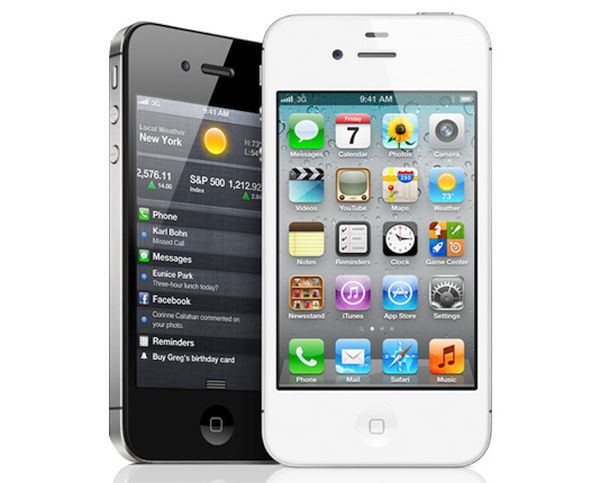
Old firmwares are faster on old devices and iOS 9 speed test iPhone 4s can confirm this. The aging handset works much better with iOS 5. Some experts decided to see how this particular model works on iOS 5, iOS 6 and other firmwares including iOS 9.

iPhone 4s Speed Test iOS 5 iOS 9

You know that Apple is now testing iOS 9.3. The company could offer the upgrade this March or in April. It is also believed to present 4-inch iPhone and bigger iPhone 7 in 2016. The smaller handset could arrive as soon as in the end of the month. There was no Apple March event yet and nothing has been officially confirmed.

Tests show that iPhone 4s is running faster on iOS 5 and iOS 6. At the same time, apps and different menus load slower once you install iOS 7, iOS 8 and iOS 9. Web pages and and Safari also load faster on iOS 5 – iOS 7 compared to iOS 8 and iOS 9.

Of course, users don’t have to be surprised by this fact. Apple constantly updates its mobile OS and iPhone lineup and stops supporting older gadgets. The reason could be the fact that newer platforms require newer smartphones.

For example, when millions of iPhone users are already owning iPhone 6s and iPhone 6 – they would be happier to install iOS 9. The number of iPhone 4s owners is getting lower and thus the need to offer iOS 5 and iOS 6 support is less required.

MacBook Selfie Stick Is Real!

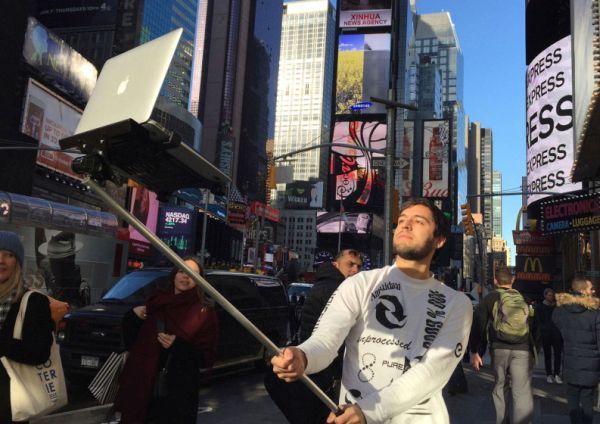
Can you image anyone working out there with the MacBook selfie stick? Well, you should know that there are Apple fans who got the stick to take pictures with their MacBooks. It might look unusual as most users who are taking selfies own iPhone or other smartphone [learn how to SIM unlock any iPhone from any network]. Still there are people who prefer bigger devices.

Selfie stick for MacBook can be purchased and users are willing to pay for such an accessories. The project for such sticks was created by a team that also put a site for the new device. You can see what the selfie stick looks like and how you could be different walking with your MacBook and selfie stick, taking images in NYC or in other well-known places.

MacBook Selfie Stick Image

You would definitely get much attention if you take selfies with your MacBook.You can take selfies anywhere you go even if your device looks big and ridiculous for using with a selfie stick. It’s a new trend and there are users who wish to be popular and look modern.

There are many different accessories for Apple products in the market. Apple creates different accessories for iPhones, iPads, Macs. For example, iPad Pro users prefer buying Apple Pencil and use it as a navigational tool. iOS 9.3 beta testing performed by developers and public beta testers showed that Apple Pencil lost its navigational feature. Users got upset and Apple quickly reacted to their mood promising to return the popular option in the next beta firmware update.

Are you a fan of any modern accessory? Would you buy a selfie stick for MacBook?

Apple Pay to Come to Hong Kong, Brazil and Japan This Year

The latest Apple Pay 2016 news promise some interesting events this year. The Cupertino-based company already brought this Apple Pay mobile payment service to China and offers it in the U.S., Canada and the UK. When will Apple Pay in Japan become available as well as Brazil and Hong Kong?

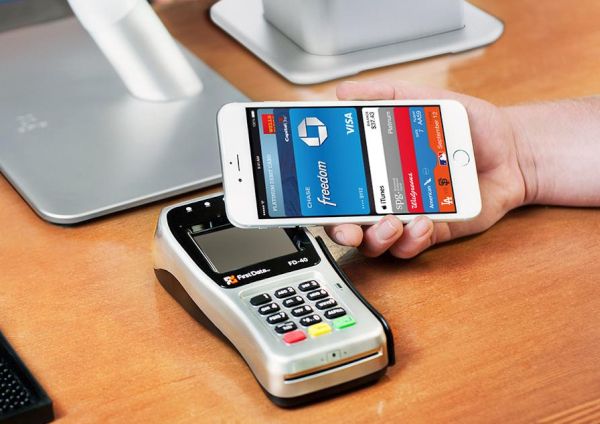
Apple Pay 2016 Plans

While you know where Apple Pay works today [the list includes only four countries at the moment] it seems that the iPhone maker has plans to extend the service to several new countries later in 2016. The company could work in partnership with MasterCard and bring Apple Pay in Brazil, Japan and Hong Kong.

The iPhone Pay service should also arrive to France soon. This release was expected along with China launch however France doesn’t offer Apply Pay as payment option yet. There are also reports about possible release in Singapore by end of 2016.

Apple Pay in Hong Kong, Singapore, Brazil, France and Japan is still questioned because all the news come from unnamed sources. Apple doesn’t talk about expanding and confirms no rumors. The company is currently testing iOS 9.3 and working on possible iPhone SE and Apple Watch 2 release which is expected to take place in late March or early April.

It could be nice if MasterCard supports Apple Pay in different countries. For example, right now this service is supported by American Express cards in Canada. Apple used to tease users about bringing its own mobile payment option to Spain, Singapore and Hong Kong however those plans haven’t become real yet.

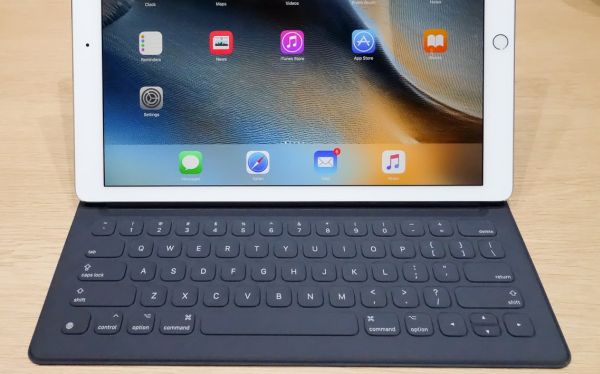
Fix to iPad Pro Smart Keyboard Issues

Some iPad Pro users noticed issues with their Smart Keyboard. They had connectivity issues and Apple offers iPad Pro Smart Keyboard fix to all users who suffered from the bug. The Cupertino-based company offers software update to those iPad pro owners who experienced the issues with their Smart Keyboard.

The ‘fruit’ site got a support document published. It details the update and promises that iPad Pro Smart Keyboard issues are fixes with the software update. By the way, there were rumors about Apple Pencil losing its stylus features with iOS 9.3 update. Apple is no testing this beta firmware and promises that iPad Pro users will still be able to use their Pencil as a navigational tool after updating to iOS 9.3. The company assures it would return this option in the next beta release.

iPad Pro Smart Keyboard Fix Update

iPad Pro and Smart Keyboard Problems

Apple details the issue with iPad Pro owners whose tablet device wakes up intermittently while working with the Smart Keyboard can solve this bug. They should remove the Smart Keyboard. Wait for a couple of minutes and plug the keyboard back in. Now there should be a request for you to update your Smart Keyboard. Agree and wait for the update to complete.

Now the connectivity issues should be fixed. Still there is no information about other bug fixes. For example, some iPad Pro users assure that their keyboard loses connection for no reason and Command-Tab shortcut sometimes stopped working.

If you have any other problems with iPad Pro you might fix everything by installing iOS 9.3. Apple should soon offer this firmware as public upgrade.

Verizon Free Data Promotion for iPhone

Different American networks offer various promotions to iPhone users throughout the year. For example, right now you can get free Verizon data. The 2016 deal is not the new idea. Verizon used to offer this popular promo a while ago and now it returns the attractive option.

Verizon Free iPhone Data 2016

Verizon free data promotion gives you an extra 24GB of data that you can use without paying for it. Not all iPhone users are eligible for this deal. You have to either upgrade to a new smartphone model or activate a new phone and subscribe to the XL or bigger data plan offered by Verizon [not satisfied? Unlock iPhone Verizon model with factory IMEI service]. For example, you can get 12GB of data via XL plan at $80 a month or more. With the promo deal you’ll get 14GB a month for the same price.

Fans of XXL plans have to pay at least $100 a month however they will be able to use 20GB of data per month (with the promo) while they regularly get 18GB of data per month. So if you are planning to upgrade or activate your Verizon iPhone by agreeing to XL or XXL data plan in early 2016 – you will get an extra 24GB per year [or +2GB a month to your original data plan].

The company offers the deal to each line on the account that uses the big data plan and meets the requirements. In other words, if you have 4 lines on one account you are eligible for 96GB of extra free data per year. According to Verizon, its free iPhone data offer is running ‘for life’ and however you cannot use all your free data within one months only as the company breaks the 24GB per 12 months.

AT&T BOGO iPhone Offer for 2016 Customers

It is now time to get AT&T BOGO iPhone offer. Users who have plans to own two new Apple iPhones and wish to get the attractive deal can now buy two smartphones with one free model. The deal supports new customers along with existing subscribers.

The 2016 AT&T BOGO iPhone deal can be used only if you agree to AT&T Next with particular data plan. Your first iPhone can be an upgrade or new line however the second free iPhone has to be a new line only and you should buy it through Next 24 option.

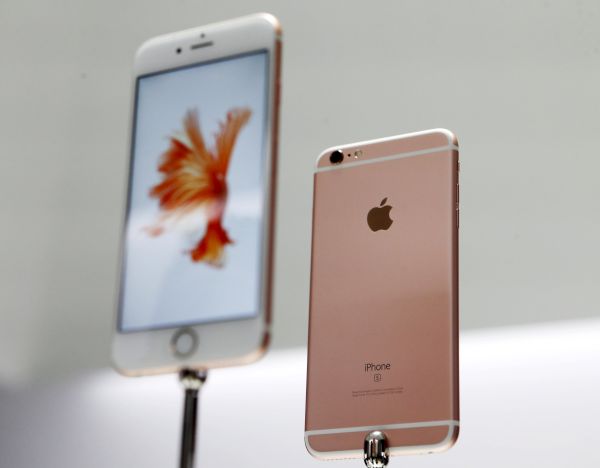
The new Apple iPhone 6S and 6S Plus are displayed during an Apple media event in San Francisco

You’ll have to pay tax on both phones. You can only choose devices from the same manufacturer. For example you cannot buy iPhone and Samsung through this deal. The U.S. carrier is offering up to $650 in bill credits you will receive within the next 30 months. This sum will be spread out over your monthly payments.

AT&T is not the only network that offers BOGO deals. T-Mobile announced similar BOGO deal a while ago. Sprint and Verizon don’t give you a chance to buy iPhone and get the second one for free right now but these two carriers might also offer something similar soon. Or they could stay aside and think of a different promotion that could attract users in 2016.

What do you think about the deal? Is it a nice offer when you buy one and get the second phone with a huge discount?