How to Adjust 3D Touch Sensitivity on iPhone 6s iOS 9

Users who would like to bring their interaction with iOS 9 handset to completely new level can use 3D Touch sensitivity iPhone adjustment instruction. The guide explains how you are able to change your 3D Touch responsiveness. Everything will surely depend on how firmly your press the display or how light your screen touches are.

When you adjust 3D Touch sensitivity you will notice a huge difference at how iPhone understands your every move. Apple created iOS 9 platform but it’s up to you how to make it even better with simple changes to your settings.
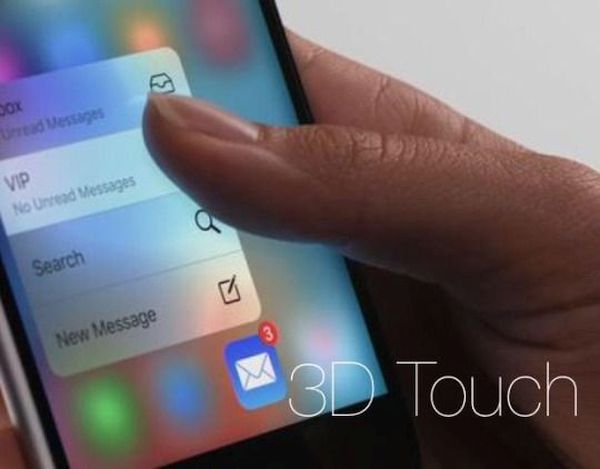
Adjust 3D Touch Sensitivity on iPhone 6s

How to Adjust Touch Sensitivity on iPhone 6s

Step 1. Take your iPhone 6s [or repeat this same procedure on iPhone 6s plus as both devices support 3D Touch feature and are running iOS 9] and go to Settings.

Step 2. Open General tab.

Step 3. Go to Accessibility and select 3D Touch feature.

Step 4. You can change the sensitivity of your screen sensor by sliding the option to Firm, Medium or Light. You can guess the Light feature responds to light touches while Firm stands for hard press. Apple uses Medium as default option.

Step 5. It is also possible to disable or enable your 3D Touch feature. It can be also done through Settings – General – Accessibility – 3D Touch menu. Remember that if you turn off this option you won’t be able to use 3D Touch throughout iOS 9 system [find more iOS 9 tips you can use].

Adjust the settings to your likes and start using iPhone 6s 3D Touch option while enjoying the quick reaction of the screen to your every touch.
iOS 9 Read Receipts for Easier and Simpler Reading

The screen is too bright. Now, the fonts are spindly. Oh, it’s hard to read in the sunlight. These are some of the common iOS 9 read text complaints from iPhone users [it is possible to decrease iPhone data usage on iOS 9]. You can change some settings and enjoy reading on your smartphone. Of course, this is not a book but you might want to check your text messages, emails or read something online – anyway it’s better when you enjoy the fonts, background and other things.

iOS 9 read receipts can explain what exactly you need to change and adjust in order to create bigger, bolder, brighter fonts and dimmer background on the iPhone.

iPhone Adjust Text for Reading

iOS 9 Reading Settings Guide

Step 1. All iPhone users can apply the changes through Settings app.

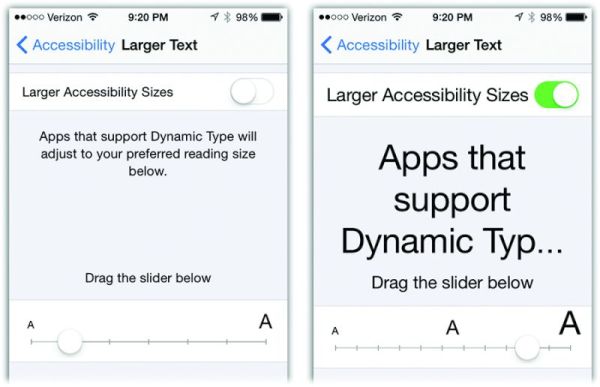
Step 2. Go to General – Accessibility menu where you are able to increase the font size and make texts more appealing to your eye. Large type size wouldn’t appear throughout the system. If you increase the text you’ll find it bigger in iBooks and your Messages, but it won’t be present in apps that don’t support Dynamic Type feature.

Step 3. You can also make bold text and play with contrast [there are a lot of iOS 9 tips and tricks you can enjoy]. For example, you can make solid background for Notification or Control Center by reducing transparency or create darker colors making fonts look heavier.

Step 4. It is also possible to play with your button shapes if this helps to improve your reading experience.

Step 5. There are some on and off switches that make white background for the switch when you are using Off option and green background for On option.

Step 6. Disable parallax motion if you want to reduce iOS 9 motion.

All these simple changes can make reading on the iPhone so much greater.

iPhone 7 What’s Next: Specs and Possible Changes

The next iPhone 7 specs could lack the 3.5 mm port. There are iPhone 7 rumors that believe Apple would bring some changes to its next generation smartphone. This year the iPhone 6s that was released in September [you can already SIM unlock your AT&T iPhone 6s or the same model locked to other U.S. carrier] didn’t get major changes compared to iPhone 6. It surely got a lot of new features but still has the same design.

iPhone 7 Changes Specs Characteristics

iPhone 7 What’s New

There will be no official information about the iPhone 7 changes until Apple presents it to mass media. This could happen just before the public launch date. Till then we can only rely on rumors. It’s the only way to get an idea about the new smartphone we would see either in 2016 or 2017.

iPhone 7 changes are already discussed on the web. Some sources state Apple decided to remove the 3.5mm port. The ‘fruit’ giant could create the gadget as thin as iPod touch. Actually the promised iPhone 7 characteristics [absence on the 3.5mm audio port] could be caused by the new thickness of the handset.

iPhone 7 What’s Next

What else could add Apple? The company could easily present new headphones that connect via the lightning cable. Would iPhone 7 be even thinner than the iPhone 6s? We don’t know but this is what rumors mention.

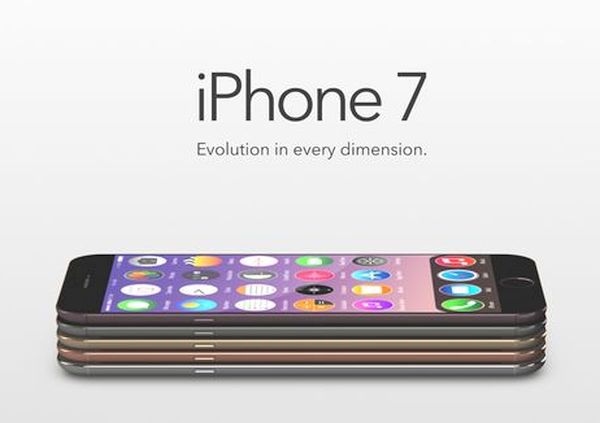
Some designers share their vision of iPhone 7 concept. Apple could get rid of bezels, according to some concepts. The company could also make a smaller handset once again, according to other concepts. The Cupertino-based giant could also create OLED displays for its new iPhones as there are rumors that say the company already ordered such screens for its handsets.

There are also predictions about iPhone 6c launch next spring.

Apple Pay in China: The iPhone Maker to Partner with UnionPay

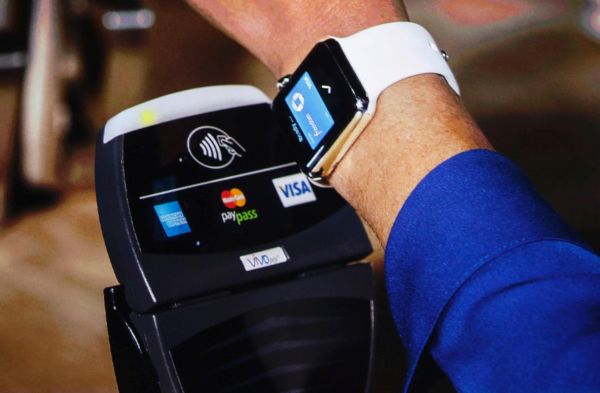
The Apple services are popular around the world. The company managed to make its iPhone lineup one of the most demanded smartphones in many countries. It brought the Apple Watch, iPod touch and new iPad Pro to international markets and is working on expanding the use of Apple Pay service. Experts are sure that Apple Pay in China could be available as soon as February 2016.

Apple Pay in China Rumors

There are many payment systems customers use. Apple Pay is one of the youngest systems introduced in the market. The company released it a year ago. At first, only U.S. customers with iPhone could pay via Apple Pay. Now users from Canada, the UK and Australia are also able to checkout using Apple Pay service.

The news about Apple Pay China market extension isn’t surprising. The ‘fruit’ giant is highly popular in this Asian country and this is proved by high iPhone sales. Recent reports assure that Apple has reached agreement with UnionPay to bring Apple Pay to China. The Cupertino-based company would be able to use point-of-sales network created by UnionPay in this part of the world.

The agreement hasn’t been finalized yet. It is rumored that both companies are waiting for banks approval since a lot of banks in China are anxious about Apple fees they should pay in order to support Apple Pay service [here is how to set up Apple Pay].

While U.S. merchants are paying 2 percent fees for each transaction made via credit / debit card [Apple is receiving 0.15 percent from the 2 percent] – merchants in China are paying 0.38 percent fees per each transaction and giving nearly half of the fee to Apple is what worries local banks.

Previous rumors stated that Apple Pay could come to China in February 2016. At least the company is ready to launch its service in this country. The China market has to decide now.

Can Apple iPad Pro Completely Replace Your Computer?

The new iPad Pro 2015 was launched in November. You can take a look at the first iPad Pro photos and impressions and get some Sprint iPad Pro deal. Some people believe this tablet with 12.9-inch screen can replace a desktop computer. Is it really so?

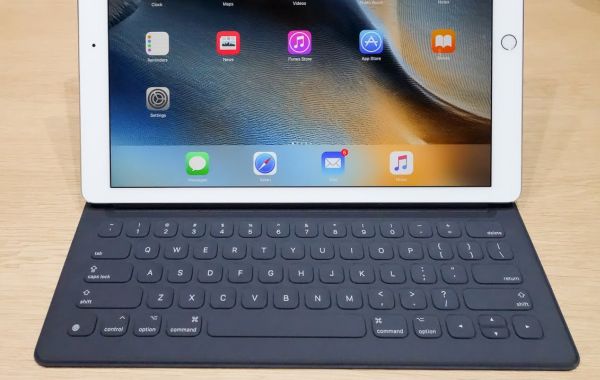
It is actually possible to turn the gadget into your desktop machine. You’ll need to get Smart Keyboard accessory as this way it become faster, simpler and more comfortable to check on the emails, work with documents, surf the web, watch videos etc.

iPad Pro Smark Keyboard to Replace Desktop Computer

The iPad Pro review shared by first customers leave nice impressions. If you attach the iPad Pro with magnets to the Smart Keyboard, for example, you’ll get a gadget that is very similar to the laptop and can be used as the desktop replacement. It might take some time before you get used to the new device with the clever keyboard and unique specs the tablet has. Apple included the 3-pin Smart Connector to its latest tablet. You can pair your iPad Pro with the keyboard and charge it through this pin.

Surely you could feel that a trackpad is required for completely replacing a laptop with the iPad Pro 2015. The Smart Keyboard doesn’t have it. Still the tablet is lighter than a laptop. Once you are used to the touch screen you will understand that it is possible to live without a trackpad.

Thanks to the iOS 9 Split View option you will enjoy more features on the iPad Pro than on your computer or laptop. You’ll surely lack many options that are so familiar on computers but it is possible to find a workaround for the Home Button that is absent and some function keys needed for media control.

Would iPad Pro really replace computers? We doubt this. Apple fans could enjoy using the tablet in most situations however it is still easier to use Mac or PC where you have no problems with renaming images and documents, working with tons of applications that are not supported by iOS 9 and there are other reasons why computers still remain computers and tablets are tablets.

iPad Cyber Monday Sales 2015 and Top Deals

What are the best Cyber Monday iPad deals 2015 [here are some of the most interesting iPhone Christmas deals from T-Mobile]? This tablet device is pretty popular among customers these days. Smartphones, tablets and computers are always one of the top wanted toys for Christmas among adults.

If you also wish to find this gadget under your Christmas tree this year you might want to check some iPad Cyber Monday deals 2015. Maybe the desired device would cost less and you’ll be able to purchase it with a discount.

iPad Cyber Monday Deals Sales 2015

Firstly, you can visit or call Best Buy. This U.S. store offers $50 off the iPad Air. It’s their Cyber Monday 2015 deal. Unfortunately you won’t be able to buy iPad mini 4 / iPad Air 2 or iPad Pro with a discount here. Still double check since there could be a one day deal you won’t want to miss.

Secondly, iPad sale is offered at Target stores. You can get $80, $100 or $150 gift card with the purchase of particular Apple tablet models. The biggest discount is offered towards the purchase of iPad Air 2.

Thirdly, visit MacMall where different discounts from $12 to $40 are offered for iPad Pro 2015, ipad mini 2, iPad Air 2 versions.

At last but not least, remember about Walmart stores where you can get $69 off your iPad mini 2 if you are ok with getting the 16GB version.

iPad sales 2015 could be also offered in early December. If you don’t have a chance to buy the tablet on Cyber Monday you would get more deals later on.

Apple Watch Study Reveals Why People Buy Smartwatch

Why do people buy iPhones? You know the reasons. This smartphone offers tons of options and features, can boast great specs and some really unique features. Why do people buy Apple Watch [from T-Mobile, Sprint, Apple]? This is the new gadget that was officially presented in spring 2015. It’s curious that most customers get it for the most obvious reason.

Why People Buy Apple Watch

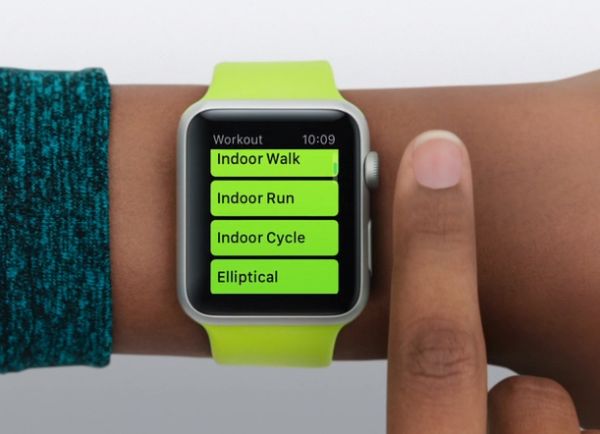
As Apple Watch study reveals consumers are getting the iWatch only to use it as a watch. Even though this smartphone has different options and works in pair with the iPhone 6s or iPhone 6 [you can simply unlock iPhone even if it is blacklisted] – most users still prefer getting it and use as an ordinary watch. They are checking time on it many times a day even though the Cupertino-based giant created it to be much more than simply a watch.

The study was conducted by Wristly and Brown. The two companies found the results interesting. Over 50 percent of iWatch owners check on the time 4-5 times an hour. A lot of users check on the notifications using this gadget and many customers just quickly glance at the Apple Watch face to see the time.

The amount of people who are actually checking on Maps or emails is very low. Besides, most users prefer using only the default Watch apps offered by Apple. Not too many customers are searching for third-party applications to use most functions the wearable device can truly offer.

At the same time the device is pretty popular. A lot of iPhone 6, 6 Plus, 6s and 6s Plus [here are some great iOS 9 tips if you are running this firmware] are getting the Watch as well. Apple is rumored to present the second generation smartphone next year. Would the company take the results of the surveys into consideration? We don’t know yet.

Get Free Gift for Using Apple Pay London Service

You know that Apple Pay is a service available in a number of countries. It was originally launched by Apple in the U.S. Then it was introduced in the UK and is now also offered in Australia and Canada. If you are using Apple Pay London service along with the MasterCard credit card – you can get the free gift for this holiday season.

It is easier to checkout with Apple Pay because you don’t have to enter your credit card details every time. Use your iPhone and fingerprint recognition to pay for goods. This is fast and secured, according to Apple.

Apple Pay London Free Rides Gift

If you are using public transport in London – we have good news for you. The just announced Apple Pay deals promise free rides for you if you live in the United Kingdom and travel on buses, train or in tube in London. Besides you can use the DLR for free as well. The deal will continue for four Mondays in a row.

This is the deal offered by MasterCard. It is called ‘Fare Free Mondays’ and has already begun this week. Unfortunately it will be over after December 14th. Besides, the free rides are only offered on Mondays and you’ll have to pay on Tuesdays and other days of the week. By the way, some iPhone 6 users are not able to add their cards to Apple Pay.

If you are planning to use the promotion you will have to pay for the tickets via MasterCard Apple Pay. All the money should be refunded back to your account. This could take up to 28 days. It is possible to return this way up to £27.90 per credit card holder.

Free London Tube Rides Apple Pay

Please note that you will still be charged. Just the money will be returned later on. This is just the way to popularize the new payment method in London. What do you think about it?

Verizon Gives Data to Users to Share with Friends and Family

It is possible to now share your gigabyte as Verizon data free gift with your family and friends. The U.S. carrier makes it possible to some of its subscribers to give sweet Christmas gifts to people you love and care for. This is an interesting feature that could be used by a lot of people.

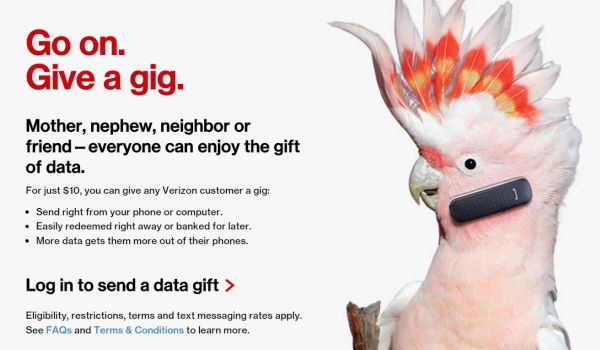
You can get this spirit of giving and participate in the program Verizon gives data to users. The company allows you sending 1GB of your data to your family and friends. This would be a gift from you.

Verizon Share Gigabyte Gift with Family Friends

Is it possible for iPhone users to share the GB of data? Right now we only know that there is a new Android app called Verizon Messages which provides the new way of sending your data to others. Will there be similar program for iOS 9 users this holiday’s season [you can fix the issues with iOS 9 increasing data usage on iPhone]? It might be also released as sharing can be so much fun.

1GB of data is a good gift. It’s virtual but it offers you an opportunity to read about 13 thousand emails, visit 3 thousand web pages or steam video for three hours. It’s not free to send a gigabyte of free data. Your friend will receive it for free but you’ll have to pay $10 for this gift.

Verizon Give a Gig Option

iPhone users could be able to buy such data using Verizon site. It is also possible to personalize your gigabyte of Christmas data.

What do you think about such deal? Is it interesting to buy virtual gifts and send them to friends who are using Verizon as their network?

Free LTE Data for iPhone Offered as T-Mobile Holiday Gift

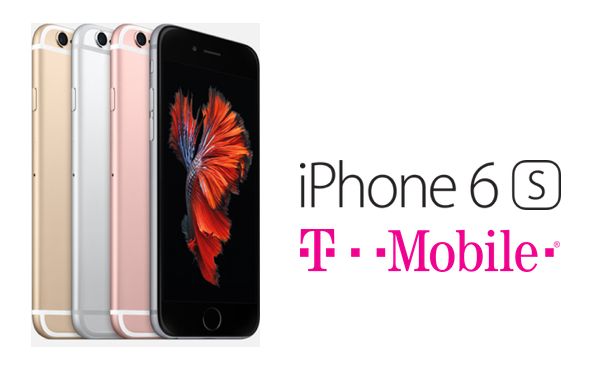
Are you ready for Christmas gifts? Would you like to get free LTE data for iPhone? It has become possible for some users. If you are subscribed to T-Mobile Simple Choice plan you will get the free gift. The U.S. network is willing to offer unlimited LTE data at no additional cost and this will last for the next three months. Isn’t it cool?

T Mobile free unlimited data for iPhone Simple Choice users was officially announced as Cyber Monday deal. Besides, the company is planning to offer new holiday gifts for the each week of December.

T Mobile iPhone 6s Free LTE Unlimited Data How to Get

You might want to unlock T-Mobile iPhone now as this network is planning to give gifts to subscribers who switch from AT&T, Sprint or Verizon [here are some top iPhone 6s Black Friday 2015 deals]. Similar options are already offered by some other networks.

Unfortunately not all users can enjoy the three month free LTE data. Only users who subscribed to Simple Choice plan before November 23rd are eligible for this gift. It will become available on December 1st. Getting high speed data for free is nice but you will not get this plan if you decide to subscribe now.

The company didn’t announce the gifts planned for subscribers of rival networks. As for the free data plan offered to Simple Choice users – it will be added automatically to all the active accounts. The deal will end on March 1, 2016.

Cyber Monday is traditionally the best shopping day for gadget fans. This is the time to buy tablets, smartphones, computers and TVs with even bigger discounts on the Black Friday 2015.