If an iPhone Is Unlocked What Does It Mean?

Some users ask the same question ‘iPhone unlocked what does it mean’ and we are happy to explain all the nuances about being SIM free from your network. By the way, the unlocking rules have changed in the U.S. in 2015. When you are locked you cannot switch the SIM and start using a different carrier as you will simply get no signal or see messages that something is wrong with the card you are inserting if it doesn’t belong to the network you are limited to.

Being unlocked means being free from any mobile operator. If an iPhone is unlocked what does it mean? It means you can insert different SIMs, choose any carrier, switch carriers at any moment and change data plans no matter what country you are in or traveling to.
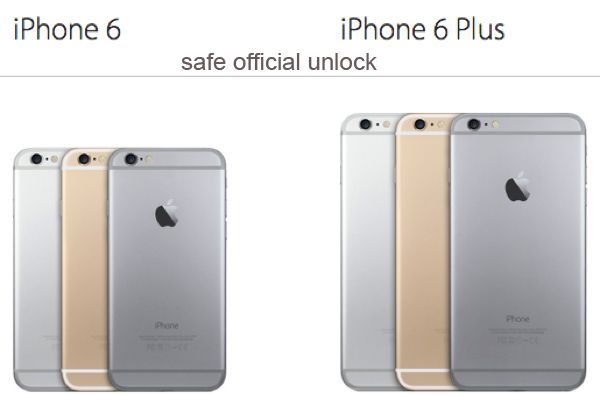
iPhone Unlocked What Does It Mean

Some U.S. and foreign mobile networks are eager to unlock iPhone subscribers at some cost or even for free. If your operator refuses to make you SIM free you can always order factory IMEI unlock for your carrier, iPhone model and blacklist / contract status and still become permanently free from any restrictions. This is safe, legal and officially allowed across the world.

What to Do with Unlocked iPhone

Step 1. After your unlock request has been processed by your carrier or an unlocking company you should get a new SIM that was previously unsupported by your gadget and take your old SIM out changing it for the new one. Remember to turn off your gadget while you are doing this.

Step 2. Turn the smartphone back on.

Step 3. Connect to your computer and launch iTunes. Backup.

Step 4. If you don’t have your original SIM card but you are already unlocked you might need to resent your cell phone. To do so, go to Settings, launch General and Reset option where you can select Erase All Content menu.

Step 5. Your information will be now wiped from the iOS device.

Step 6. Follow the setup instructions which your iPhone assistant shows on your screen and restore your unlocked iPhone from the backup you have.

Step 7. The model of yours should now support any SIM card and you can choose carriers and switch them as often as you like.

Are you ready to order iPhone official unlock by IMEI or would you rather try to get this service directly from the mobile operator you are using?
Use Makeovr To Change Homescreen On iPhone Without Jailbreaking

Do you know how change iPhone Homescreen without jailbreak. Here is how to do it. Use Makeovr.io. It cleverly utilizes some invisible icons you save to your home screen tired with wallpapers to make some nice attractive creations that you can watch below:

To create such screens all you need is to visit Makeovr.io on your iPhone 5, iPhone 6 or iPhone 6 Plus and follow the instructions. But first you need to save a Homescreen wallpaper and after that use the Makeovr website to save icons, which you then put in a new order.

Step 1. Choose the background. You can download one of Makeovr.io. background images or take an screenshot of your current background.

Step 2. Create new icons. Use Makeovr to cut icons right from your device’s background and add them to your Homescreen.

Step 3. Customize your device’s Homescreen. Shuttle these icons around and attract era attention from your friends .

You can use the video below to do all the things in right order. It gains detailed instruction how to save a Homescreen wallpaper and set new icons with Makeovr.io.

William Stoy developed Makeovr. The creator told that this piece of application was developed with his partner Gabe Whaley, formerly from BuzzFeed.

I tried this Makeovr on my device and it works as advertised. The only thing is it takes some time to rearrange the invisible icons and the Makeovr.io ones.

So if you take some adventures you can try change iPhone Homescreen without jailbreak.

AT&T Presents New iPhone Mobile Share 7GB Value Offer in February

U.S. Apple fans who have an AT&T iPhone 6 or any other smartphone model locked or connected to this network might have already heard about the new AT&T Mobile Share Value plan that was introduced in February, 2015.

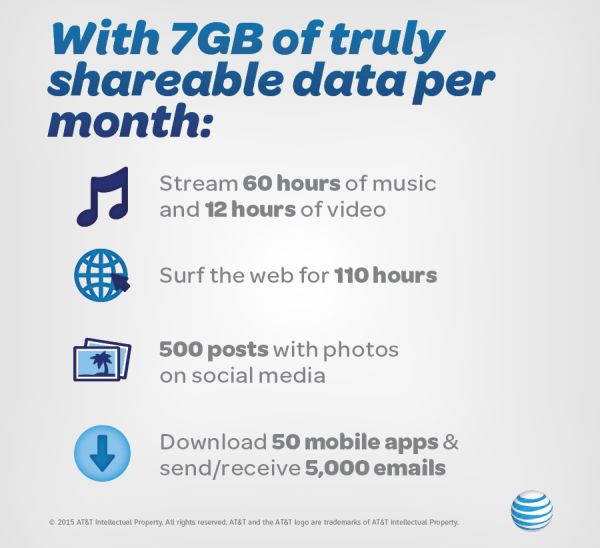
AT&T iPhone 7GB Mobile Share Value Plan

The new data plan is already official. This 7GB data option is available for a limited time for Mobile Share Value subscribers. According to AT&T iPhone data plans, the latest offer comes with unlimited text and talk and it allows sharing data allotment with other lines on the same account.

Earlier AT&T unveiled Rollover Data option that allows to bring unused data from one month to the next one for usage. This feature is also available to 7GB Mobile Share Value users.

The plan costs $75 a month. Does the U.S. carrier offer anything on top of this? As the report goes, the company has decided to include a monthly access charge for only one device on the line which usually runs $40 a month if you are on a 2-year agreement. It will now cost less, $15 a month for users who are purchasing and upgrading to AT&T Next plan that comes with installment option.

It is not clear when the option expires.

Microsoft Gaines Office iCloud Support For iOS 8 Devices

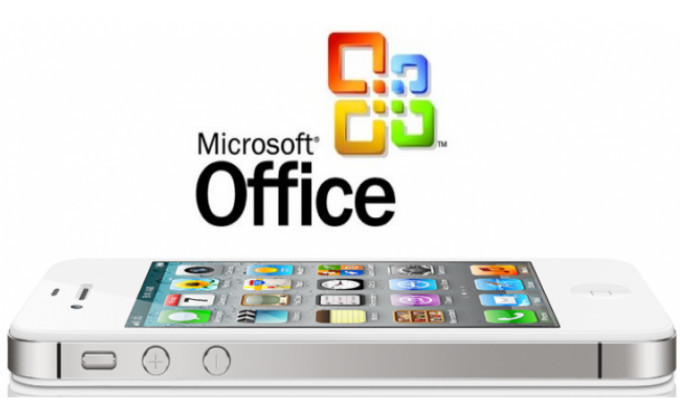
As it became known that now iOS 8 devices have got Microsoft Office iCloud support. This improved integration is available only in Office for iOS today, but Microsoft company is working on expanded cloud storage support to bring to its Android- and Windows-based Office apps.

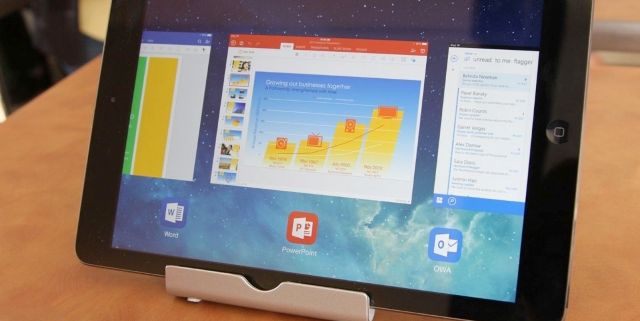
This latest updates for Word, Excel, and PowerPoint allows users to open documents straight from services as iCloud Drive and Box, to edit and to save the documents back to Apple’s service using iOS 8 devices. This is really useful feature in case your business makes regular use of Box storage on other devices. Or you use Office on a Mac and have turned to iCloud Drive for your online storage needs.

microsoft office icloud support

Although these Microsoft’s improvements has some limitations. Using these third-party services you can open existing documents, but there is no way to save new documents to iCloud Drive or Box.

The track to your existing iCloud documents is also a little bit difficult, because you need to the Open tab, then to view iCloud files push More. In case you need to utilize other services like Box, then to enable it you must launch Locations > More. No other service shows up under the main Places menu, as Dropbox and Microsoft OneDrive both do.

powerpoint

Except Microsoft Office iCloud support, Microsoft company plans to enhance more third-party storage services support in the near future. The company will try to make users’ documents more readily available on a wide range of services.  Microsoft Word, Excel, and PowerPoint with the version 1.6 are now available for free from the App Store.

iOS 8 iPhone Facetime Data Usage: How Much Data You Consume

There are a lot of programs that let you make audio and video calls from the iPhone. This includes Hangouts, Skype and FaceTime. Most iOS device users prefer calling each other through the last program mentioned. Do you know how much data is used by FaceTime on iOS 8 firmware?

Ever since the release of iOS 7 Apple fans fell in love with FaceTime as it allows making free calls which you still have to pay your network for [if you are not using the unlimited data plan] because FaceTime data consumption takes the place with this VoIP call service.

About iPhone FaceTime Data Usage

This information can be useful to iPhone owners who are not on the unlimited data plans and make such calls on their cellular network. Since such users have to pay for their data, it is important to understand how good or bad their communication method is if judged by the amount of money you pay for it.

How Much Data Is Used by FaceTime

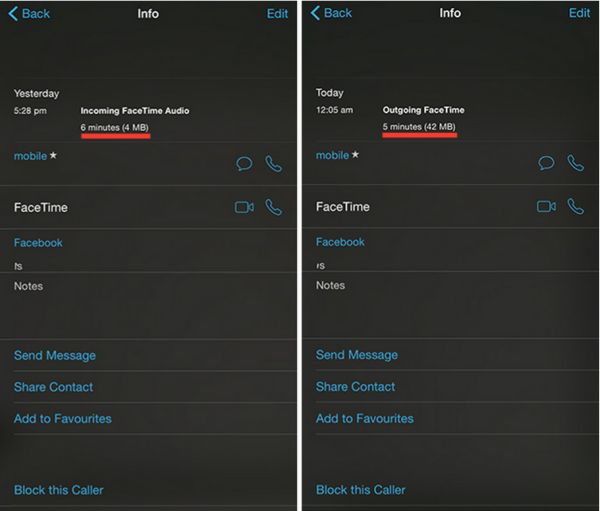
Here is an example of how much data can be used by FaceTime on iOS 8.1.3 or any earlier firmware version. A 6-minute audio call can take about 4MB data and a 5-minute video call can take about 42MB data. Based on your carrier’s data plan you can calculate how much one call can cost you.

How to Check How Much Data Your FaceTime Calls Use

Step 1. You can easily get the information on how much data your phone calls made via FaceTime consume. Apple created an improvement for iOS 8 firmware and this is what you have to do.

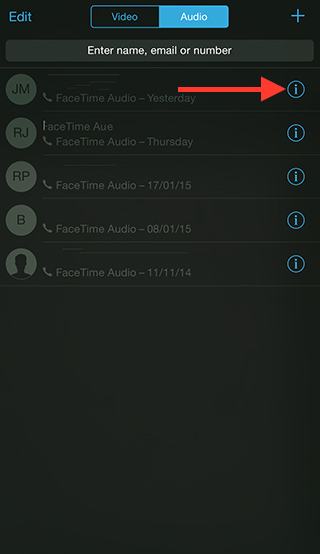
Step 2. Open FaceTime iOS 8 application.

Step 3. Select Video tab or Audio menu.

Step 4. There will be an ‘i’ icon. You can find it near the Contact Name. This information screen will show the details on your calls. You can see the history for both outgoing and incoming FaceTime calls including the duration of the conversation and data that was used for it.

Check FaceTime Call Info

There is a different method you can use. Just launch your Phone application and go to Recents where you will also see everything about the FaceTime video or audio call you have just made or got.

iOS 8.4 Release Notes: New Features for iPhone Users from Apple

While developers are testing the first iOS 8.3 beta [the previous official iOS 8.1.3 can be unlocked], Apple is reportedly working on its next iOS 8.4 features trying to improve its mobile firmware for iPhone 6, 6 Plus and earlier models, iPad and iPod touch 5G.

iOS 8.4 Features Specs

There are no official iOS 8.4 release notes yet still rumors mention a lot of interesting options we might see in the future. According to different sources, the ‘fruit’ company is planning to add a new music service to its iOS 8.4 specs making the OS even better.

This next firmware version even has its codename. Some sources say Apple calls it Copper, and this operating system update should be unveiled soon after the Apple Watch official release which is planned for April 2015.

iTunes that has been also developed by Apple offers a lot of music to iPhone 6 and 6 Plus users, but since the company stopped upgrading its iPod touch line experts believe it can introduced a new music streaming service to current and new iPhone, iPad and future Watch owners.

There are no details about this project yet. We hear only rumors and suggestions. Maybe the first half of 2015 will bring something interesting and useful to all fans of music and Apple products. The time is so fast we won’t even notice it when the Cupertino-giant introduces its wearable gadget to public along with next OS updates.

Verizon Offers Lower Data Plans Prices for iPhone 6 Users

Soon after Verizon Wireless announced that it was planning to increase the activation / upgrade cost for iPhone 6 customers in the U.S., the same American carrier, the Big Red one, introduced its new Verizon iPhone 6 data plans with lower pricing.

The company has tweaked its More Everything data plans. The average price has been decreased by $10 so this fresh Verizon data plans prices look more attractive. The mobile operator has offered some other changes as well.

New Verizon iPhone 6 Data Plans

Will the new Verizon iPhone 6 data plans attract customers or act opposite making it lose its current and future subscribers? The idea about more expensive activation and upgrade policy doesn’t sound too cool. Still the company added some other options that do sound nice when you wish to use more data on your iDevice every month.

Here is more information on the updated Verizon data plan changes for U.S. customers who are to purchase iPhone 6 off contract or on contract.

If you were using the 6GB data plan and paid $80 a month for it you will be glad to pay $70 from now on. Users with 1GB-4GB plans should also be happy as their monthly cost has also dropped by $10 a month from the original price.

Those who are on the 8GB plan will pay $85 instead of $90 a month.

Only users who were on the 500MB will pay the same $20 a month.

The 10GB plan costs $100 and the 20GB plan is $140 per month. Users with the 12GB, 14GB and 16GB plan have to pay $110, $120 and $130 respectively.

All these effects are already going on. Edge plan subscribers can also get some discounts which is $5 less a month if they are on 6GB or 6GB+ plan.

New iPhone Unlock Eligibility Requirements in the USA in 2015

The new iPhone unlock USA eligibility requirements that start on February 11, 2015 should make unlocking easy, fast and simple for all customers. It was previously pretty hard to become SIM free directly from your mobile carrier, AT&T, Verizon, Sprint, T-Mobile, U.S. Cellular etc. The game is changing this year.

iPhone 6 Unlock in USA

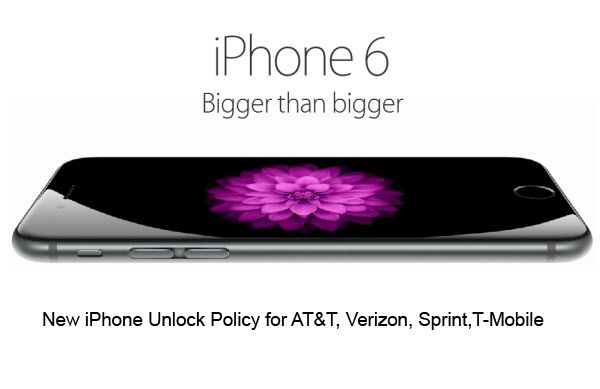
Users who will want to unlock their iPhone out of contract from AT&T, Sprint, Verizon, T-Mobile will have to meet some requirements, but these rules are simpler than it used to be. The new standards for iOS 8 iPhone 6 unlock that also work on all other models, including iPhone 6 Plus, iPhone 5S, 5c, 5, 4S and earlier models were announced back in 2013, but only in 2015 they finally become real. The set of requirements for unlock has been made by CTIA.

This new AT&T, T-Mobile, Sprint iPhone unlocking policy works only for users who have paid the full price for their smartphone or are already out of contact. If you are still on contract, you can order factory IMEI unlock for iPhone 6 / 6 Plus and other models which is not free, but guarantees fast and reliable result that lasts forever.

If you are out of contract and your IMEI is clean you will have to call your carrier and ask it to unlock you whether by MSL or DSU type of service. The first one supports all iPhones [carriers will send special unlock code for iPhone users that should remove the restrictions]. The second method is the special auto unlock via OTA update that will support only iPhone 5S / 6 and 6 Plus models starting on February 19, 2015.

It is also must-know that only existing customers will get the free service from their network. New subscribers as well as former users will have to pay AT&T, Sprint, Verizon, T-Mobile for the chance to become SIM free even once they are out of contract and have a clean IMEI.

FCC Internet Net Neutrality to Get New Regulation Proposal

How can FCC Internet regulation protect net neutrality in the U.S.? Back in November of 2014, President Barack Obama urged the Federal Communications Commission to make up the rules that can complete this goal. Recently the Commission announced its FCC Internet net neutrality proposal. It is interesting that it also made it expensive for companies to block iPhone personal Wi-Fi hotspots not so long ago so hotels and businesses should now avoid such steps.

FCC Net Neutrality Proposal

According to the FCC chairman Tom Wheeler, the regulations should remind of a public utility. As different sources mention, the new strong rules will not allow providers to make ‘fast lanes’ in order to provide faster speeds for money.

The new FCC regulations for Internet should reclassify high-speed Internet which will become telecommunications service instead of being information service. It will appear under Title II in the new Act.

According to net neutrality principle, Internet data must be treated equally. This topic has been widely discussed across the United States, and the FCC even approved ‘Open Internet’ rules in 2014. This should improve service and stop ISPs from throttling and blocking websites across country.

How will ‘net neutrality’ continue to enhance with time? Will it truly create transparency between providers and their customers in the future?

Right now the FCC is working on a new proposal that will be focused on neutrality rules and not on paid prioritization. The new proposal will be voted on in the end of February.

It is curious that the iOS giant, Apple, is trying to develop its own network and wished to work with different ISPs in order to professionally deliver content to clients and consumers, but such deal might not be allowed in 2015 once the new proposal is implemented by the FCC.

iTunes Connect Shows Error Logs

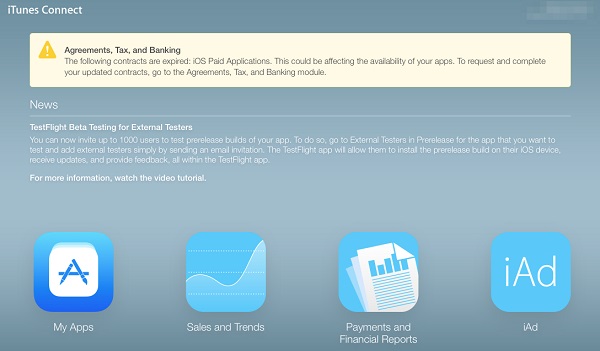
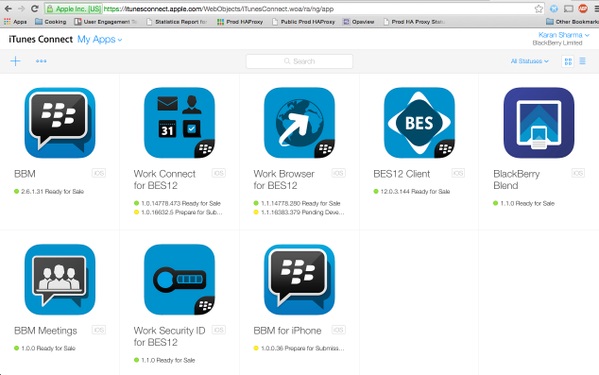
iTunes Connect error logs is the problem that has appeared recently. According to developer’s reports after logging into the iTunes Connect website they found out that the login credentials shown were for other unknown person. When browsing to the “My Apps” section, developers were also introduced with applications that are not theirs.

iTunes connect error logs

Let’s analyze the example. One developer who logged in, only to see the information for a random person who works for the Sherwin-Williams Company. When logged in, the applications displayed on the screen were Kelly Services, Inc.- an entirely different company. It meant that the username may not be associated with the apps that were shown. After this developer logged out and then attempted to log back in, he was showing the message that said” iTunes Connect is not available”.

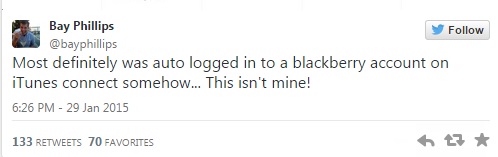
itunes connect error logs to tweet 1

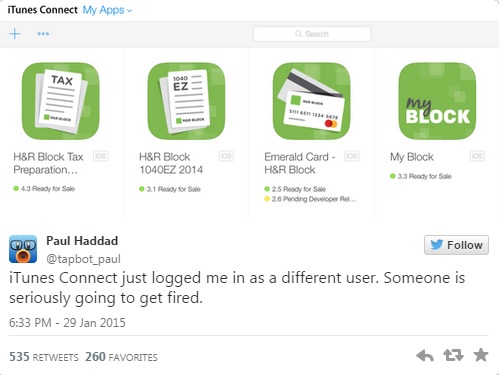
iTunes connect crash logs bug first appeared on Thursday morning. The issue emerged as developers, noticing that they had access to apps they clearly did not develop, began posting screenshots on Twitter about the annoying problem. For example, Paul Haddad of Tapbot, maker of Tweetbot, logged in to see a series of H&R Block tax applications, and received numerous responses from other developers experiencing the same issues. Paul Haddad said in his tweet that iTunes has just logged him in as a different user. And added that someone was seriously going to get fired.

tweet1

tweet2

This iTunes Connect error logs bug lets developers see such personal details as private email addresses of people they were logged in. It’s unknown now whether the login error let those developers to make some changes to people’s accounts.