Possible T-Mobile Phone Unlock Problems You Can Come Across

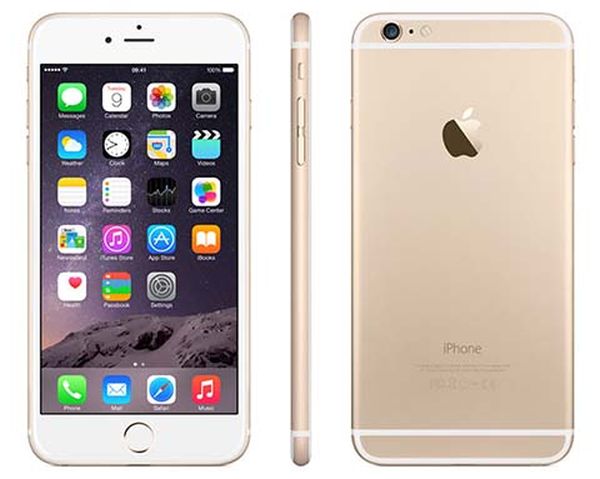
While iPhone 6 users cannot get T-Mobile unlock app non-Apple devices that support it can become SIM free in no time. This is a no-cost application created by the carrier but at the moment it supports only two gadgets, Sony Xperia Z3 and Samsung Galaxy Avant. If you happen to have a second phone besides your iPhone you might like to distantly unlock it using this program.

There are possible T Mobile phone unlock problems we’ll mention below. Still let’s begin with the free T-Mobile unlocking software that you can download directly from this U.S. carrier if you have one of the two smartphones mentioned above.

Once again, you cannot unlock your iPhone 6, 6 Plus, 5S, 5c, 5 or other model from T-Mobile with this program.
T-Mobile Phone Unlock App Issues

Unlock Phone with T-Mobile App Guide

Step 1. Download the T-Mobile Mobile Device Unlock application for either Sony Xperia Z3 or Samsung Galaxy Avant, that are both Android phones.

Step 2. Connect to cellular or WiFi network.

Step 3. Select the option titled Device Unlock and choose either temporary or permanent solution. Wait till you become SIM unlocked.

T-Mobile Phone Unlock Issues

*I get an alert in the notification tray after unlock.

If you have such a problem you should restart your phone.

*I cannot get temporary unlock via WiFi network.

Temporary unlock can be only achieved via cellular data connection. WiFi doesn’t support this type of SIM unlocking.

*How do I know when my temporary unlock expires?

Once it expires you will get an expiration message.

*Why can’t I unlock my Android phone with the app?

You have to make sure you are eligible for this unlock. Even though this is a free app to use directly on the smartphone you still have to have a T-Mobile active account in good standing, clean IMEI and clean device.

*I get a message that server is not responding.

You should check your internet connection.

How to Unlock iOS 8.2 iPhone 6 and 6 Plus from AT&T, Verizon, Sprint, T-Mobile

Is it possible to unlock iPhone 6 AT&T or from any other mobile network across the U.S. or outside this country? It is indeed possible and everything is so simple you’ll be surprised. There is no need to even leave your house or search for places where to unlock iPhone 6 in NYC or other cities worldwide.

There is a number one solution that supports all carriers you can be using, including Sprint, Vodafone, T-Mobile, Virgin, AT&T, O2, Orange, Telstra, SFR, Tele, Verizon or other network from the U.S., Australia, France, the UK, Canada, Germany and other countries.

In order to unlock iPhone 6 iOS 8.2 which is the most recent mobile firmware released by Apple. If you are not updated to it, you can easily install iOS 8.2 through OTA update or direct links. Don’t worry. If you don’t wish to upgrade and prefer staying on iOS 8.1.3, 8.1.2 or earlier versions you can still become SIM free with ease.

iOS 8.2 iPhone 6 Unlock

How to Unlock iOS 8.2, 8.1.3, 8.1, 8 etc.

Step 1. It doesn’t matter if you live in New York or somewhere in China. You can order distant IMEI factory unlock that is 100% safe to use and pretty fast to get. There is a big number of companies that are eager to provide you with reliable and simple solution at an affordable price. Just when you choose the company you will work with you should read reviews, see if the company is PayPal authorized and certified by other well-known and trusted services. You can trust only the companies that are open and have a physical address, for example, in New York or in other American city.

There is no need to visit the company’s office. This is just the prove that it is real and will successfully unlock your iOS 8.2 iPhone 6 or other smartphone, firmware from any network.

Step 2. Once you have chosen the company you should make sure that you are eligible for unlock. All companies that provide such a distant service also speak about all the requirements you have to meet in order to become free from all carriers [learn what being phone unlocked means]. Read the list, recheck all the information about your iPhone model, original carrier, IMEI number, activation and blacklist status and only then you can choose the correct package that matches all this information and order the service.

Step 3. Fill in all the fields along with IMEI code and your email address and place your order. You’ll be asked to pay for it via PayPal (this is safe and simple) or using your credit card. Choose the method you like the most and wait till you hear from the company. It will most likely email you at least twice. The first email will confirm your order and provide you with its number. The second one will announce that you are unlocked.

Step 4. After you get the second email you can take your old SIM out and insert any new SIM card that wasn’t supported before. Connect to iTunes and… hooray! you are unlocked!

The best part of such deals is your Apple warranty is with you, your firmware can be updated without fears to lose unlock and you can jailbreak if you wish while still staying unlocked! Yes, this is the only permanent solution that is real and it truly equals the never-locked iPhones bought directly from Apple at the full price. The only difference is that you pay way less for becoming unlocked by IMEI.

Sprint iPhone Carrier Reimbursing ETF / Installment Fees in U.S.

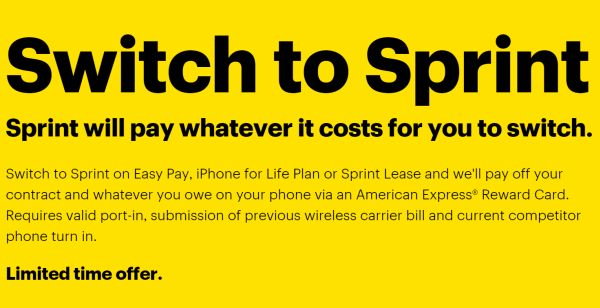
Different American mobile operators come up with various ideas on how to attract new subscribers. It has now become possible to join Sprint online [as this is the only operator in the U.S. that has problems with iPhone unlock] and even get your previous fees reimbursed if you are eager to switch from a different carrier to Sprint network.

The company is eager to pay off your installment plan and ETF fees if you take its offer and agree to start using Sprint instead of another mobile network. The ideas of switching between carriers is not new. Others also present customers with opportunities to join their company and win in some payments.

Switch to Sprint Offer in U.S.

How to Switch to Sprint from a Different U.S. Carrier

The operator made an announcement on March 13. It assures that it is eager to pay user’s early termination fees if he or she agrees to become Sprint subscriber. It can also pay your installment plan if you take this opportunity and join this U.S. carrier.

The initiative sounds unusual, yet it has its eligibility requirements.

* You can preserve your old phone number as Sprint can bring it from other networks to its own network

* Sprint will pay off your ETF / installment plan

Situations when Sprint is going to do what it offers:

* You agree to sign up for one of the three plans: Sprint Easy Pay, iPhone for Life or Sprint Lease

* You must turn in your old iPhone or other phone [you can guess that is must be in working / good condition]

* You have a choice of paying full retail for a new smartphone [this can be done or not done at the moment you are activating a new line of service with Sprint]

* You must upload your bill with all the charges that have to be reimbursed at www.sprint.com/joinsprint [do this within 60 days of your Sprint activation, otherwise the carrier will not pay off your fees]

When Do I Get Refund After I Join Sprint Online?

The carrier is going to send you an American Express Reward Card with all the costs it reimburses for you within 15 days after your registration is completed.

T-Mobile Brings ‘Data Stash’ to iPhone Simple Choice Prepaid Users

iPhone owners who are using T-Mobile Simple Choice which is a prepaid data plan can get a new option by the end of March [this carrier along with other major networks in the USA accepted the new cell phone unlock rules]. The carrier has taken a decision to broad the scope and bring its un-carrier initiatives to more subscribers. This time users are getting Data Stash and it won’t differ from the same feature offered to postpaid customers.

T-Mobile Data Stash for Prepaid iPhone Users

According to the U.S. mobile operator, all iPhone and other smartpone users can get T-Mobile Data Stash plan, no matter if you are on a prepaid or postpaid plan. What does Data Stash offer you if you are using this network?

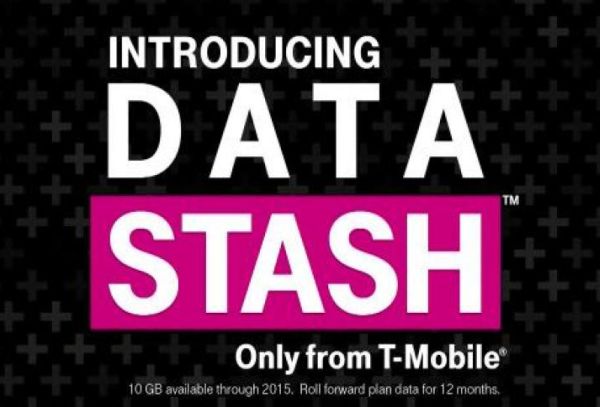
Data Stash which was announced at Un-carrier 8.0 initiative in the end of 2014 makes it possible to roll over your unused data for up to one year which sounds really cool. Other carriers offer simple options, for example, AT&T rollover data plan was also released, but in 2015.

The new deal announced by T-Mobile will be available to prepaid users beginning on March 22. The company also shares some free rollover data. Its customers are welcome with 10GB of 4G LTE data. This is how much data a Starter Stash provides you with.

How do you find this new idea?

iOS 8.2 Brought Many Bug Fixes On iPhone

There are many iOS 8.2 bug fixes on iPhone, that Apple company has recently release with the new software update for iOS devices. The update has also brought Health app improvements, stability enhancements, and added support for Apple Watch via a companion app.

For those users who faced with issues that stroke Health app than the iOS 8.2 resolved many of the problems. Those who had Health data issue where it wouldn’t refresh after the data source order change, it is also fixed. Now all graphs showed data right values. The update fixed the issue that hadn’t allow users to add a photo in Medical ID. iOS 8.2 brought with it privacy setting. They enables turning off tracking of flights climbed, steps and distance. Also units for minerals and vitamins were fixed.

iOS 8.2 bug fixes on iPhone

Now let’s also look through the others iOS 8.2 bug fixes on iPhone. Some of users reported earlier that they had faced with the issue in Maps. It prevented them navigate to some favorite locations. Now it is works good. The update also fixed an issue with deleted audiobooks that sometimes remained on iOS device.

Also there were issues connected with iTunes. Now they all are fixed as well. Lovers of iPhone music had also problems some music or playlists hadn’t synced from iTunes to the Music app. It is works as usual now.

There was also an issue with Bluetooth calling, where no audio is heard up to the time when user answered the call. The iOS 8.2 fixed this bug. It also resolved the problem that didn’t allow call audio from routing to car speakers while using Siri Eyes Free. There were other bugs that were fixed with this software update launch. You can check them all from release notes.

Unfortunately, there are not so many users who reported about the Safari issue after upgrading their iPhones to iOS 8.2.

iOS 8.2 VS iOS 8.1.3 Speed Video Comparison

Let’s compare iOS 8.2 vs iOS 8.1.3 speed. As usual, after Apple new Apple’s iOS version appears on the scene, there’s always a complaint, and this time, the battery life is apparently affected. Although the common problems with iOS 8 has been the performance level on older and less able devices.

Below you can compare the speed of iOS 8.2 vs iOS 8.1.3 running on iPhone 4s and iPhone 5 devices. You have an ability to check out the iOS 8.2 vs iOS 7.1.2 comparison.

After you will watch the videos with comparison you will see that there’s not a great difference between iOS 8.1.3 and iOS 8.2 software updates. However there were no huge expectations to be at this stage, but it’s really interesting to see how they run on fresh installs on identical iOS devices.

compare ios 8.2 vs ios 8.1.3 speed

Let’s observe every video and discuss all the details.

First video presents the iPhone 4s running on iOS 8.2 vs 7.1.2. One noticeable difference is that the older version wins, and as such, those who’ve stuck with iOS 7 on the iPhone 4s were probably right to do so.

Next video, the iPhone 4s is running on iOS 8.2 vs 8.1.3. As the person doesn’t tap and swipe at the exact same time, it is hard to say about some noticeable differences in speed. However sometime the latest software update is faster.

Finally the last video shows the iPhone 5 that repeats the above test on iOS 8.2 vs 8.1.3. Again, it’s very hard to pick between the two of them.

With iOS 8.3 already rumored to be launch and iOS 9 focused on improving performance and optimizing the features, it won’t be long before we have yet another build to compare these to.

You can watch the videos below and compare iOS 8.2 vs iOS 8.1.3 speed and make your own conclusions.

iOS 8.2 Brought Freak Security Flaw Fix

If you don’t know how to fix iOS 8.2 freak security flaw than you need to check the information below. Just a week ago a fatal “FREAK” security flaw was discovered by researchers. And now learned the source of the problem Apple company has released to public a security update to fix this issue.fix iOS 8.2 freak security flaw

The security flaw touched all Apple’s devices, including Macs, Apple TV, iPhone and the iPad. The Cupertino giant has released a fix for all these devices with the latest software update that was launched on the March, 9. The update brought new Apple Watch app support and many improvements and bug fixes for Health app and to others iOS revealed issues . While the iPad and iPhone fix is included in the iOS 8.2 update, the Apple TV security patch was tucked inside the Apple TV 7.1 update that it received today. For OS X users, the company launched security update OS X 2015-002 update to patch this device’s vulnerability.

As was reported last week in the original article, “FREAK” issue was an result of the government policies that forced companies to create “export-grade” products that made use of weaker encryption practices. While the rules were lifted by the government decades ago, although it was still used by many companies to ship out their products to public. That’s why it is not strange that many users faced with the problem on their iOS devices.

Now you have got all information how to fix iOS 8.2 freak security flaw on your device.

Simple AT&T, Verizon iPhone SIM Unlock in 2015: Sprint Out of Luck

Can I unlock my iPhone 6 in the USA [learn what unlocked iPhone means to customers]? If you are locked to AT&T, Verizon or T-Mobile you should have no problems in getting iPhone unlock in 2015 because it has become fully legal and simple to do this, but only if you are not locked to Sprint having a smartphone that was purchased before March 2015.

iPhone SIM Unlock in 2015

The procedure surely has its caveats but it is overall much easier to achieve what you want [here is the full list of new requirements for SIM unlocking]. We’ll explain how to unlock iPhone in the USA if you meet the eligibility rules which are not that hard to meet. Firstly, you have to pay off your Apple smartphone if you chose it through an installment plan [the plan term has to end]. Secondly, your contract has to be over in case you got a subsidized model with a 24-month contract.

Don’t smile yet, because there is another moment you have to pay attention at. The age of your iPhone is now highly important. For example, if you have Sprint iPhone 6 or another model locked to this network and it was sold before February 11, 2015 you will have troubles with it as Sprint will not unlock it for you that easy. This is the only tricky carrier right now.

Sprint iPhone Unlock Policy in 2015

The mobile operator is eager to unlock your handset for foreign use but it won’t do the same for older gadgets to be used on the U.S. networks. This company used CDMA standard for its smartphones which can’t work on GSM networks and all Sprint iPhone models sold in early 2015 and in the past were built to this standard.

The carrier notes that it just doesn’t have technological procedure that could unlock phones for use on different American networks.

If you purchase Sprint iPhone 6 or 6 Plus this March, you can call 888-211-4727 and request an unlock to use the cell phone with other U.S. mobile operators.

T-Mobile iPhone Unlock Rules for 2015

This carrier is eager to unlock up to 2 smartphones per line within one year period. You have to be active for at least 40 days before you are eligible for the service. You can call 1-877-746-0909 to make sure you can use the service. If you need to unlock an Android smartphone you might be able to use special T-Mobile’s app and do everything yourself. Sadly, this doesn’t work on iPhones.

AT&T iPhone SIM Unlock in the U.S.

If you are a prepaid subscriber you have to use your iPhone for a least half a year before you can order full unlock from AT&T. As always, you have to have a good account and meet all the requirements set by the carrier in order to request unlock and become SIM free in a 2-days period.

Verizon iPhone Unlocking Policy

All 4G LTE Verizon smartphones are shipped unlocked, so there is no need to specially request this service from this carrier. If you have a 3G prepaid iPhone you should contact Verizon and order the unlock.

If you have the iPhone 6 or 6 Plus and meet all the requirements you can order unlock service from your U.S. carrier and get it for free.

iOS 8.2 Firmware Is Now Available For Download

Now it is possible to download iOS 8.2 firmware, as yesterday, March 9, together with updated MacBook Air(s) and Pro, the new 12.1-inch MacBook with Retina Display, and the Apple Watch, Apple company has also launched iOS 8.2 to public.

This latest iOS version comes with backend support of a new “Apple Watch app” that lets users customize and modify certain aspects of the wearable device.

download iOS 8.2 firmware

The companion Watch app brought many features to control the wearable’s software. It will let users to setup their friends and relatives, customize notifications, browse apps for it and many others.

As it was shown onstage on March 9 by CEO Tim Cook, this dedicated Apple Watch app is capable of arranging its home screen, syncing with the device, and more. This latest iOS 8.2 software update also comes with a huge amount of bug fixes for some revealed issues connected with iTunes, Music app, Siri, Bluetooth calling, Calendar. It also gained many improvements for Health app, increased the stability enhancements for Mail, Flyover in Maps, Music and improves VoiceOver reliability.

The iOS App Store is gaining a new section that highlights apps compatible with the Apple Watch for download. Some noted examples include the astronomy aid Dark Sky, transit tool Citymapper, and the Nike+ Running fitness tracker. The Apple Watch itself is settled to be released to public on April 24.

You can download iOS 8.2 firmware on your device with bug fixes and a patch for the FREAK secure transport flaw from March, 9:

iOS 8.2 for iPhone:

iOS 8.2 for iPad:

iOS 8.2 for iPod touch:

iOS 8.2 Release Notes For Launch Date

iOS 8.2 release date notes leaked few days ago into internet suggested that the new software update could be released on the first week of March.

Now that the first week of March is here and till the iOS 8.4 update will see the public eye we can look through its release notes that gains some bug fixes and improvements for the Health app and of course get users prepared for the Apple Watch launch.

ios 8.2 release date notes

According to reports the Cupertino company held back on the public launch so it could release a final beta to its carrier partners and employees. This final piece of software apparently carriers 12D508 build number, and this is the one that’s being sent out to carrier partners.

Due to the fact that Apple company will have big “Spring forward” event scheduled for March 9 it makes a bit more sense that the iOS 8.2 public launch will be on that day.

This software update should also fix a security issue that was discovered recently, called “FREAK,” that Apple has already confirmed it would be fixing soon.

iOS 8.2 gained plenty of betas launched for it over the last several weeks, and there’s not much we don’t know about the mobile operating system at this point, so a public release should very soon.

The report introduced the full changelog for iOS 8.2, which focused on Health and Fitness.

Health App improvements bring the ability to select the unit of measurement, add a privacy setting and improves stability when working with large amounts of data. The update fixes units for vitamins and minerals and brought fixes for Health data and for graphics.

iOS 8.2 brought stability enhancements for Mail, Flyover in Maps, Music and improves VoiceOver reliability.

There are also many bug fixes for some revealed issues connected with iTunes, Music app, Siri, Bluetooth calling, Calendar.

All the details of iOS 8.2 release date notes we will see on the stage on March, 9.