Top iPhone Black Friday Deals 2015

This is Black Friday week and there are a lot of interesting iPhone Black Friday deals 2015 you might want to pay attention to [Apple is believed to present iPhone 6c pretty soon]. This is the perfect time to get Christmas gifts and purchase gadgets you dreamt about as the prices can really wow and make you happy.

iPhone Black Friday 2015 deals are must-considered when you are thinking about your shopping strategy. Save your money and get the device you really want to own. Carriers and stores offer discounted prices, offers, deals that you can get full advantage of.
iPhone 6s Black Friday Deals

Best Black Friday Deals 2015 on iPhone

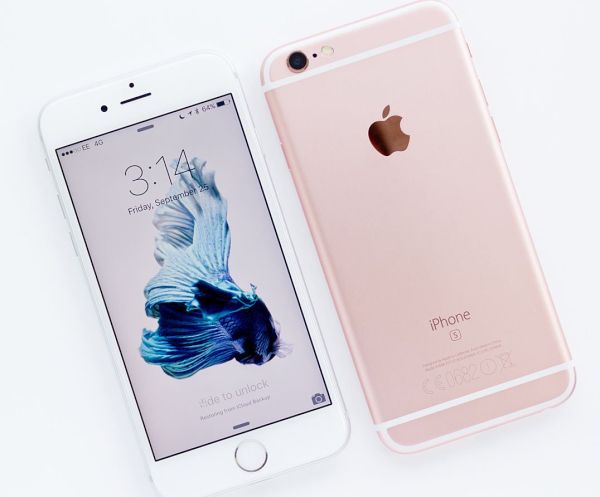
• Visit Target if you wish to get the new iPhone 6s / 6s Plus with the $250 gift card. This store is offering you Target gift card if you buy the 2015 Apple smartphone model through installment plan offered by U.S. carriers. You can get the smartphone locked to Verizon, AT&T or T-Mobile.

• Best Buy is another place to shot. This store is eager to give you the $200 gift card with any purchase of Sprint, Verizon or AT&T iPhone 6s Plus or 6s. You can either buy or lease your new handset. It is also possible to trade in an older gadget [the iPhone 5] if you have it in working condition.

• Each year Walmart is also willing to offer iPhone deals. This week you can buy either AT&T or Verizon iPhone 6s and get the $200 discount. The offer is valid on AT&T Next plan and Verizon Device Payment option. You’ll have to schedule the activation appointment this Thanksgiving.

Are you planning to get the iPhone 6s this week? Do you think stores could offer even better deals in early December?
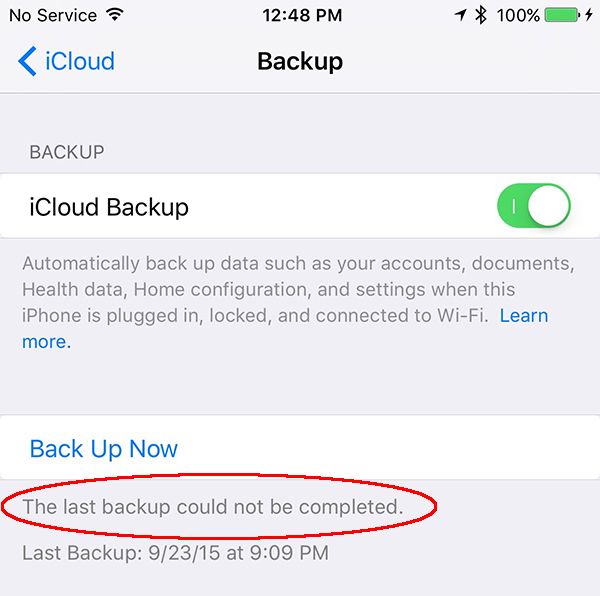
How to Fix Error the Last Backup Could Not Be Completed on iOS 9

iPhone and iPad users who are running iOS 9 experience problems with iCloud backup creation. It is necessary to back up your iDevice when you are planning to restore, jailbreak, upgrade and in other situations. This way you can preserve your personal data and information you really need. Sometimes you come across iCloud error iOS 9 and we know how to solve it.

What should you do when you receive ‘the last backup could not be completed’ iOS 9 error? There are several things you can do so please follow our fix iCloud error guide and you should be safe and fine.

Fix Last Backup Could Not Be Completed iPhone iOS 9

How to Fix Error The Last Backup Could not Be Completed

Step 1. Firstly, backup using iTunes just to be safe. This should work.

Step 2. When something is wrong with the gadget you should reboot it. Turning off and on will not help. You should force the reboot by pressing Sleep / Wake + Home button. Wait for a few seconds and Apple boot logo will appear. When the iPhone is back on you should launch Settings and choose iCloud to backup. Hopefully this would work.

Step 3. If this doesn’t happen you can log out of iCloud account and log backin. Maybe this way you’ll be able to successfully backup without ‘the last backup couldn’t be completed’ iCloud error.

Step 4. Try to update to the most recent firmware version. The most recent one available today is iOS 9.1 [learn about possible iOS 9.1 update issues prior to installing this version]. You can either download iOS 9.1 ipsw file or go to Settings and select General – Software Update option.

Step 5. It isalso possible to reset network settings and try to backup afterwards.

Step 6. There is one more option you can use. Just go to Settings, choose iCloud and go to Storage – Manage Storage where it is possible to delete your old backup copies. Now try to backup again and this hopefully would work without any iCloud errors.

iPhone 7 Expected Specs and Features

Even users who purchased the latest iPhone 6s or 6s Plus this fall are already think about upcoming iPhone 7 features [if you have the 6s device you might experience Touch ID not working issues after iOS 9.1 update]. This next generation smartpone should be launched in less than a year from now. Apple is most likely already working on it even though some experts suggest the company would also present a cheaper colorful iPhone 6s sometime in spring.

The new iPhone 7 expected released date is September 2016. This is the month the Cupertino-based giant is presented new lineups of its popular handsets for years in a row. Could it change the date the next year? It possibly could but millions of users are used to buying the new iPhone in the fall as this is the perfect time to get a great Christmas gift.

iPhone 7 Features Expected Release Date

There are a lot of iPhone 7 expected specs users would like to see. We could list some of them. It would be great if Apple offers a better processor, improved battery with longer battery life at one charge, new software [iOS 10 possibly], innovative features that make the gadget a must-have.

What else can we hope for? We are sure that most customers would also like to get a stronger display. This is the main issue with all iPhones. Testers who perform crash tests always show cracks and shatters instead of the display. Maybe Apple could do something similar to what Motorola introduced. Its Droid Turbo 2 device can boast the shatterproof screen and the ‘fruit’ giant could really add something like this to its iPhone 7.

Probably if iPhone comes with the screen that doesn’t break it would be a perfect smartphone with AMOLED screen and other protective layers.

What iPhone 7 features and specs do you dream about? Would you like this handset to be unbreakable and have no battery drain problems or are you satisfied with the current easily-breaking displays the iPhone 6s and 6s Plus have?

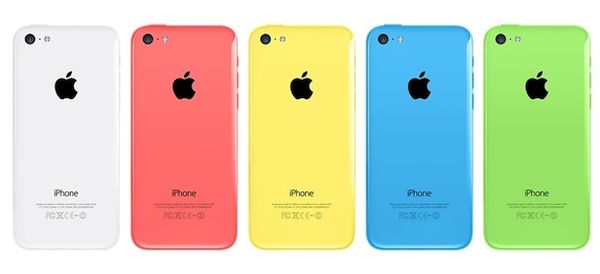
iPhone 6c Colors Release Date Planned for 2016

This fall Apple presented several new products. The company updated its mobile firmware version to iOS 9, Mac software and gadgets (including the new iPhone 6s and iPhone 6s Plus). iPad Pro is the most recent update that appears in stores. A lot of users are already using this biggest tablet created by the ‘fruit’ giant and some customers wish to know when iPhone 6c colors release date is going to be.

We’ve heard that Apple would present this gadget soon after iPhone 6s upgrade however this didn’t happen. Now rumors state we’ll see the colorful handsets in 2016. Some experts even know when exactly the devices could debut.

iPhone 6c Release Date Color

The news arrives from Kevin Wang. This HIS analyst believes Apple will launch iPhone 6c in mid 2016. There were not too many rumors about this colorful model but we’ve heard about possible colorful iPhone 6c launch along with iPhone 6s and 6s Plus in September [if you have the latest handset you can learn how to get more data on iPhone 6s from AT&T for free]. Now, experts assure, this device’s launch was pushed back to the next year.

We don’t know much about the 6c lineup. The only thing repeated in rumors hints to the 4-inch screen size and colorful gadgets that should be cheaper than the current 6s models. Will the Cupertino giant really present the affordable c-series update or not in 2016? The company is expected to unveil Apple Watch 2 sometimes in 2016 however it’s hard to say if it really plans to also unveil another iPhone. So far the company presented the updates only once a year.

Some designers already share their iPhone 7 concept ideas with users. Customers are also waiting for the iPhone 7 launch in 2016. Will we see both iPhone 7 and 6c in the same year? Let’s follow the news and see what happens in several months from now.

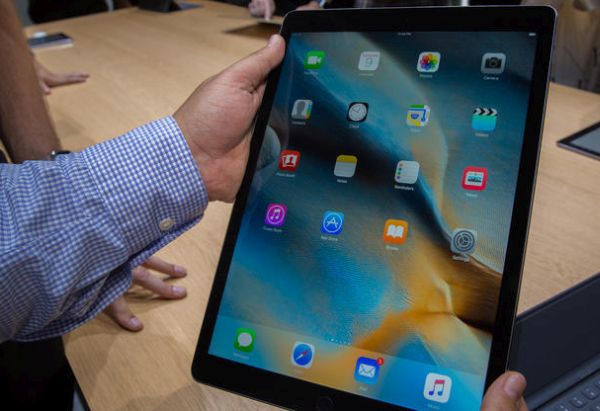
12.9 Inch iPad Pro Price and AT&T Package

The new iPad Pro 2015 is already available in the U.S. Some Apple Stores have it in stock and American networks are also join the list and offer their deals to customers [meanwhile designers are already creating iPhone 7 concepts]. For example, you can get AT&T iPad Pro starting November 11th or purchase the tablet online from Apple site to later pick it up from the physical store.

If you are a fan of AT&T you can purchase AT&T iPad Pro from the carrier’s website or local store. The Big Blue network decided it didn’t want to wait and announced the official release on the date the new device appeared in Apple stores.

2015 iPad Pro 12.9 inch AT&T Data Plan

Still most AT&T retail store report they would be getting iPad Pro shipments starting November 13th. Still you can order your device now and get it on Friday or next week. While the release is officially confirmed the mobile operator doesn’t provide much information about 12.9 inch iPad Pro price.

The retail cost of iPad Pro Cellular and WiFi model is about $1,079. This is the model that will be offered by AT&T in U.S. Still since the company will most likely offer the 2-year contract [a lot of users prefer to SIM unlock contract AT&T iPhones] the price on the iPad Pro could be around $879. Besides, the network often sells devices through AT&T Next data plan and thus users could get the latest tablet device through monthly installments.

Are you planning to update your iPad Pro to the newest model? This year Apple presented the new lineup of iPhone [the new 6s generation with a lot of new specs, options and features] and now offers the new tablet gadgets. The next generation Apple Watch is expected to be unveiled in spring 2016 along with the cheaper iPhone 6c versions.

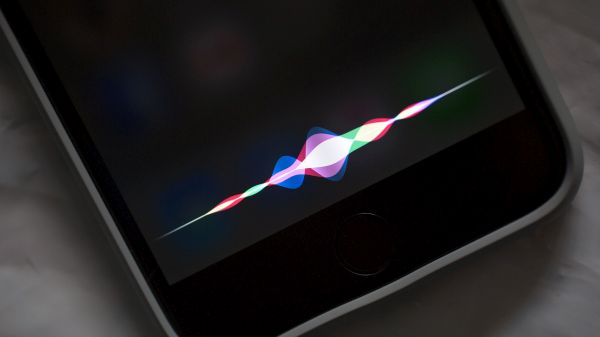
Make Siri Silent iOS 9 Guide and Disable iPhone Audio Feedback

It is too easy to activate Siri on iOS 9 and sometimes this could happen during an important meeting or in a class [you can always SIM factory unlock AT&T iPhone 6s and other models if you want to use different networks without restrictions]. Users who like to check on their smartphone once in a while and don’t want to become red because their personal assistant is suddenly activated can use Siri silent mode iOS 9 or simply make it silent.

We’ll tell you how to disable Siri on iOS 9 and this is probably the best solution which makes sure the assistant will stay silent and not be awoken during an intense conference or other event you are attending. We’ll also explain how to turn off your audio feedback just in case.

Disable Siri iOS 9 Audio Feedback Turn Off How to

Make Siri Silent iOS 9 Instruction

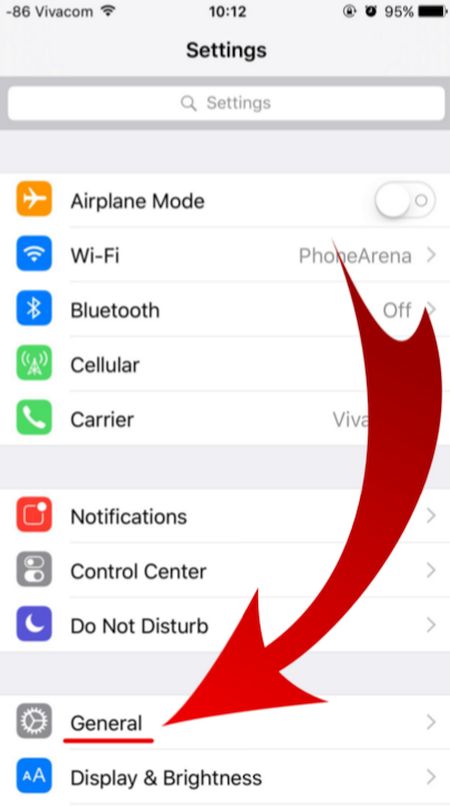
Step 1. Firstly take your iPhone and launch Settings app.

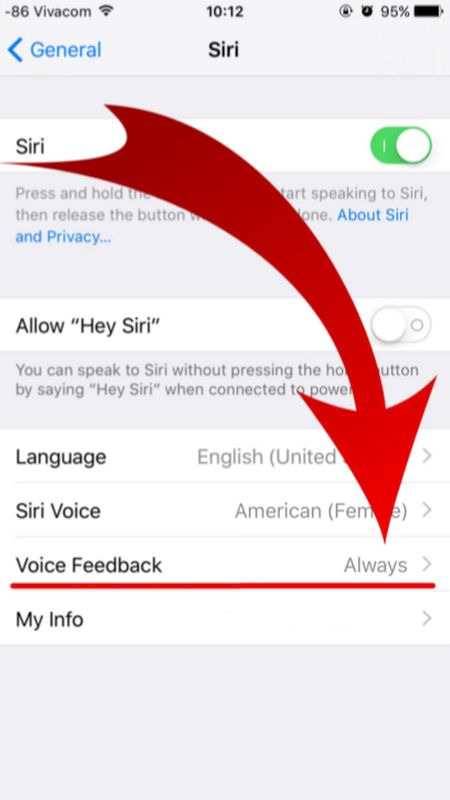
Step 2. In General menu you will find Siri option.

iOS 9 iPhone Settings General menu

Step 3. There are several options under Siri menu. Look up for Voice Feedback feature as we are here to learn how to turn off audio feedback on iPhone that is updated to one of iOS 9 firmware versions [Apple released iOS 9, updated it to iOS 9.0.1, 9.0.2 and 9.1 which is the most recent release and the only firmware signed in by the company right now. Some users report AT&T iOS 9.1 Touch ID not working issue on their smartphone after upgrade].

iOS 9 Voice Feedback Siri Disable iPhone

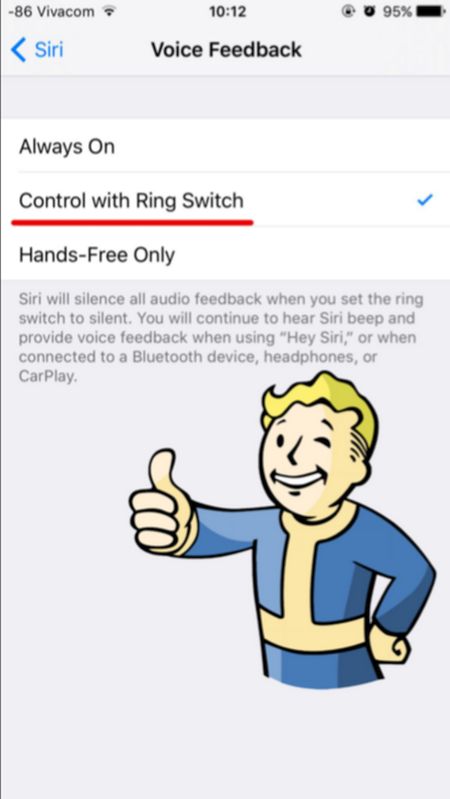
Step 4. You don’t need the Siri Voice Feedback being always on so disable it and you will complete Siri silent iOS 9 guide. How can you turn it off? Just select a different option. For example, tap on Control with Ring Switch. Why not? This is very simple but unfortunately Apple doesn’t set this feature this way by default.

Turn off Voide Feedback Siri iOS 9 Feature

Your personal assistant Siri will never surprise you after you go through the guide above and change the settings for iOS 9 Siri. You can use it but it will remain silent letting you attend meetings and other events without having to worry whether you awake Siri unexpectedly or not.

Touch ID Not Working After iOS 9.1 Update

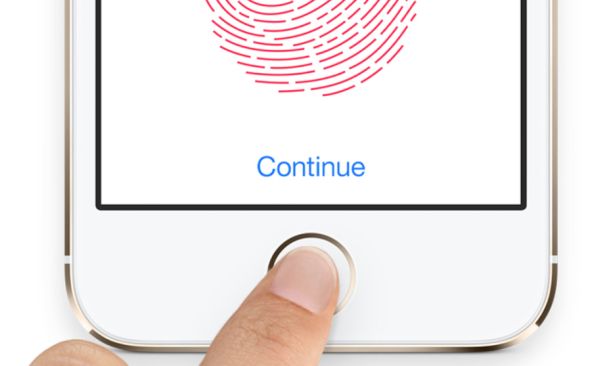
A number of iPhone users report they experience iOS 9.1 Touch ID issues are updating to this firmware [it is possible to download iOS 9.1 ipsw or update via OTA; you can also SIM unlock AT&T iPhone on iOS 9.1]. According to different Apple customers, their Touch ID does not work, becomes too slow or is not responding at all. This happens right after you install the new platform firmware but the problem is not common yet.

Only some iDevice owners assure their Touch ID not working after iOS 9.1 update [if you expeirence battery life issues you can also fix battery drain on iPhone 6s]. It is also curious that Apple released the iOS 9.1 upgrade in the end of October however the first problems surface in November, according to complaints. Users who have updated and started using the latest mobile OS assure that their Touch ID slow in iOS 9.1 or stops working at all.

iPhone iOS 9.1 Touch ID Not Working Slow Not Responding

The reports about unreliable Touch ID option are not rare. Previously it was possible to downgrade iOS 9.1 to iOS 9.0.2 however now this doesn’t work because Apple is not signing the previous firmware version any more. Lucky users who got a chance to downgrade have no problems with their smartphones but users who didn’t downgrade complain about the issues on the company’s Support Forums.

iOS 9.1 Touch ID Not Responding Bug

As noted by Apple fans who have installed version 9.1, their iPhone Touch ID becomes useless and they have to input the passcode. This happens on iPhone 6, iPhone 5s and even the new iPhone 6s that was officially realeased this fall [the problems also affect the App Store]. Before the update, users assure there were no issues with their Touch ID work. Everything started to happen only after the upgrade, using low power mode or other actions.

Apple doesn’t explain what happened and when it is planning to fix Touch ID not working iOS 9.1 problem. Maybe the company will offer the solution in iOS 9.2 release that is being tested now by developers and public beta testers. You can try to reboot if you have the bug as well however this is only a temporary fix and the problem will return pretty soon.

Set Video as Your Facebook Profile Pic on iPhone: How to

Did you know that you can use video as Facebook profile pic which you can make / set using your iOS 9 iPhone [there are many problems with iOS 9 update]? This popular social network connects millions of people from all over the world. Still images are not as fun as video profiles that are becoming popular lately and you can follow this trend as well and create your own outstanding video profile to surprise your friends, family and people who are visiting your page.

The feature is available since September. It might be not work for all users who want to use iPhone Facebook profile video picture. If you cannot use it – wait some time as this new option will soon support all devices and platforms.

Set Facebook Video Profile on iPhone

How to Set Facebook Profile Video on iPhone

Step 1. Launch iOS 9 Facebook application on the smartphone.

Step 2. Find the More menu. You’ll see it at the bottom.

Step 3. Choose Profile Name and look at the bottom of the profile page.

Step 4. If you see the the camera icon under the profile image you can switch between camera / video.

Step 5. Tap the profile image to get the menu that allows Uploading Video or Photo / Taking a New Profile Video [here is how to fix Facebook battery drain problem on iPhone if you have it]. Choose the option you would like to use. If you don’t have a saved video on Photos you can create one using your iPhone camera.

Step 6. It is possible to create a 7-second video profile and set it as your Facebook profile video. Just remember to choose the thumbnail that will be used when your profile video becomes unavailable.

Step 7. That’s it. View your profile and enjoy the video as your profile icon on Facebook.

Isn’t it a nice idea?

iOS 9 WiFi Calling AT&T iPhone 6 Set Up Guide for Mac

There were some problems with iOS 9 WiFi Calling AT&T option as the U.S. carrier was waiting for the approval from the FCC before it was ready to finally launch the announced service. The latest news state that users will be able to enjoy iPhone AT&T WiFi Calling on Mac once Apple officially updates iOS 9.2 version.

The Cupertino company started to test iOS 9.2. Developers got the first and second beta already and this latest OS makes it possible to answer your AT&T iPhone calls from Mac through WiFi connection. You just have to make sure that your computer and smartphone are both connected to the same network.

iPhone ATT WiFi Calling Mac Support

iOS 9.2 beta 2 supports AT&T NumberSync technology. Previous releases didn’t offer such support so you cannot answer phone WiFi calls from Mac right now. You’ll be able to do this when iOS 9.2 is launched for public use or if you are a public tester. Apple will definitely release iOS 9.2 public beta with support for AT&T NumberSync option.

How to Set Up WiFi Calling on iPhone 6 iOS 9.2

Step 1. Firstly you should install iOS 9.2 beta on iPhone [you can also SIM unlock AT&T iPhone 6s at any time].

Step 2. Now you can launch Settings on the phone.

Step 3. Select Phone – WiFi Calling menu.

Step 4. You need to Add WiFi Calling for Other Devices. This option is exactly what activates the feature on your computer.

Step 5. Follow the on-screen guide until you activate the iOS 9.2 WiFi Call support for AT&T.

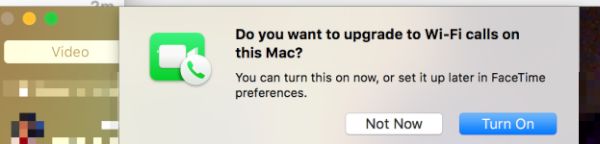
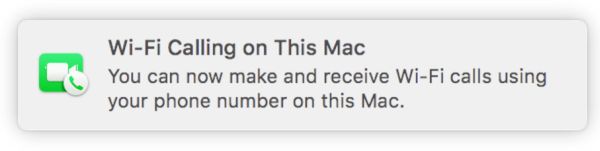
Step 6. If both Mac and iPhone are connected to the same WiFi network you will see a pop-up message from FaceTime that confirms everything is working.

AT&T WiFi Calls Mac

Step 7. On your Mac launch FaceTime and agree to enable WiFi Calling feature for Mac. The computer will provide you with the code. Enter it into your iPhone.

Step 8. When someone calls your iPhone via WiFi AT&T Calling you’ll be able to answer the call from Mac.

What do you think about such feature?

Great iPhone 7 Concept Shows iPhone 7 With No Bezel

This year Apple presented two new iPhone models, iPhone 6s and iPhone 6s Plus [you can fix battery drain issues on iPhone 6s if you need to]. Analysts believed the company could also introduce cheaper iPhone 6c but this didn’t happen in the fall. Some experts think that the new iPhone 6c could be unveiled in spring 2016. While the official iPhone 7 release date is still nearly a year ahead there are some great concepts presented by designers already.

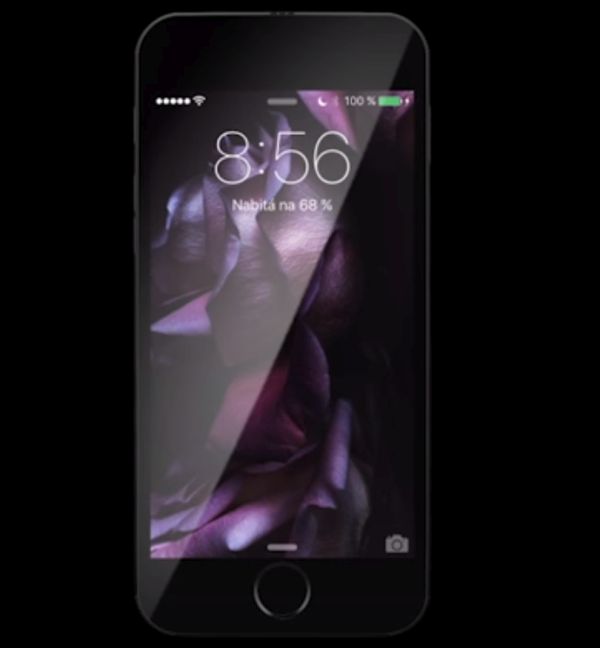
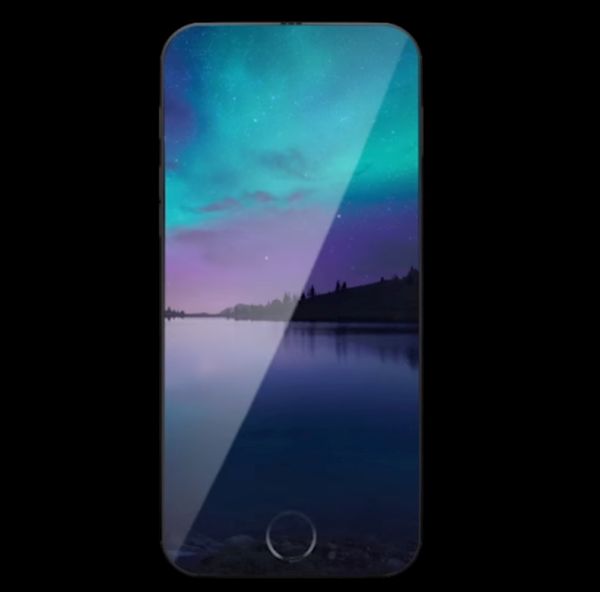
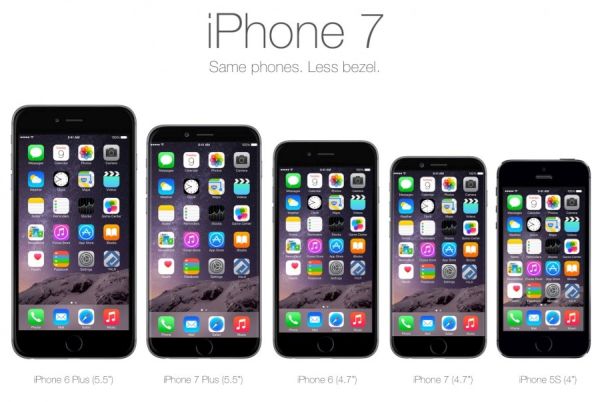
The beautiful iPhone 7 concept created by DeepMind shows a smaller handset that has not bezels around. The idea of iPhone without bezels is not new. Different designers created such devices in their concepts but Apple releases only the familiar phones with bezels around the screen.

iPhone 7 Concept

Still having a fullscreen version might be an interesting idea for the future. Can you imagine how great it could be to view your photographs fullscreen or watch videos on the big display that takes up the entire front iPhone panel?

It’s curious that this time designers created iPhone 7 no bezel model with virtual bezels that make the gadget look pretty similar to any other iPhone in the market. Still this is only the virtual effect as the bezels disappear as son as you press your Home button that has the popular Touch ID option [some users might want to learn how to get refund for not using AppleCare plan]. Once there are no bezels visible you can enjoy the content without borders.

Could Apple truly launch the no bezel iPhone 7 in 2016? Probably not. The company doesn’t like to make major changes as it cares about each customer and people buy the iPhone because it is the Apple iPhone!

iPhone 7 Concept no Bezels

Do you like the current iPhone 6s? It’s design hasn’t changed compared to previous iPhone 6 but Apple added some new features, improved some options and specs and made millions of users want this update.

The next year the company could really add some minor changes to the design. For example, make the bezels smaller similar to the iPhone 7 concept. Why not?