Simple Fix to iTunes Error 3194 on iPhone

Do you get iTunes error 3194 while trying to update or restore your Apple device? It is simple to solve this problem [find out if it’s possible to downgrade iOS 9.3.1 to 9.3]. This method works for different problems. For example, you can fix Error 17 and 1639. This guide is good for Errors 3000 – 3020 and is great for iTunes errors 3100 – 3999.

Yay, there are multiple bugs and problems that can be resolved. It happens because iTunes doesn’t ‘talk’ to update server so you should check hosts file. If you are using Mac you can fix error 3194 iTunes through Terminal command. Simply enter:

sudo nano /private/etc/hosts

Click on Enter and you’ll see the hosts file where you should search for gs.apple.com entry. If it exists you need to remove or comment it by adding # with ‘space’ at the beginning of entry. Save the file and restart your Mac machine.
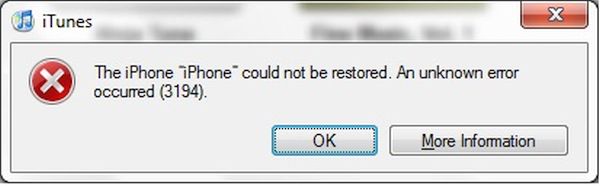
Error 3194 iTunes iPhone Fix

Windows users can fix error Can’t Restore 3194 iTunes problem [learn more about Apple online iPhone upgrade program] by getting to Search and typing Run to click on Run icon. You should type the following into Open window:

%WinDir%\System32\Drivers\Etc

When Etc folder is launched you can double press on Hosts file. It is necessary to edit it by removing gs.apple.com entry and saving the file.

The issue should be fixed after restore.

There are predictions that say iTunes error 3194 mostly appears on previously jailbroken devices where jailbreak caused the appearance of new entry hosts file that you have to remove in order to fix the problem. It can be solved on both Macs and Windows computers and this is nice. No matter if you have iPhone or iPad you can still fix the bug without issues.
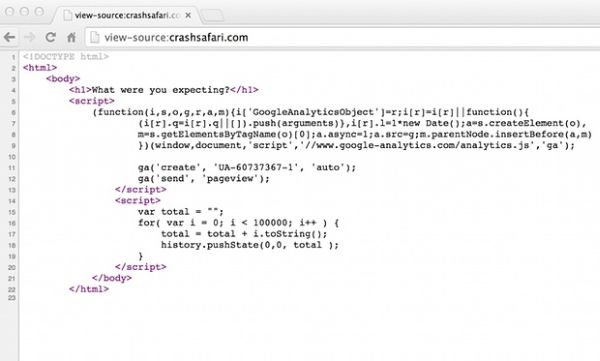
Safari Crashes at Launch: Apple Knows about This Bug, Working on a Fix

Some users experience crash Safari iPhone and Mac OS X bug. The browser either crashes at launch or causes the device to reboot. Apple reports that it is aware about the problem and working on the fix [it already tried to fix the Gatekeeper vulnerability].

There is the site called Crash Safari that makes Safari browser to self-generate test string and reboot / heat up the device that causes crash Safari Mac OSX issue and is the reason why Safari crashes at launch. This is the crash safari code request that makes the problem and the Cupertino-based company assures it is trying to find a working fix to the issue.

Safari Crash Issue on iPhone iOS 9 and Mac OS X

It seems that users with Google Chrome browser won’t crash or reboot and only get slowdown or overheated. Still iDevices and Macs get the bug fixed. This website is a gag site, as it looks like. Users who own Apple gadgets are advised to avoid it and prevent iPhone or Mac from crashing / rebooting / overheating [there is another issue you can face: iPhone 6s battery percentage doesn’t change for many users]. It’s not malicious or anything, but users who end up visiting it get the problems and have to recover from the unpleasant state.

If you happen to visit the site and reboot / crash you should be ok once you recover. There should be no issues with your iPhone or Mac afterwards, still you are highly advised to make no jokes and avoid the problem.

Apple is looking into the fix. Maybe the company would come up with some ideas soon. Meanwhile you should scout the sources and URLs before you click on the link.