AT&T Wants to Buy Verizon Spectrum: What Worries Customers

The news about AT&T Verizon spectrum purchase is worth hearing. AT&T is willing to pay Verizon Wireless $1.9 billion to use its spectrum across 18 U.S. states and reach 300 million customers with this LTE network by 2015.

Right now all iPad users in the U.S. know that the 4G LTE networks of AT&T and Verizon are not compatible. Why has it happened? Can it ever change? Is this the main reason for customers looking for iPad Wi-Fi only models and ignoring the more expensive 4G LTE models? Being unable to switch mobile operators, iPad owners have to choose between the two carriers all the time.
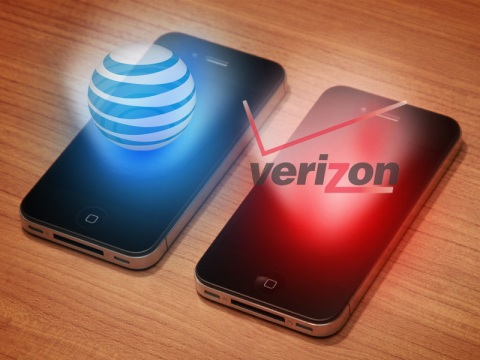
AT&T Verizon spectrum purchase

Being locked to one carrier is not too great. Still U.S. customers who want to have Apple tablet computer have no choice as their AT&T device will not work on Verizon and vice versa. We’ll try to explain the main differences between the carriers’ networks and discuss the AT&T Verizon spectrum purchase event. You will also learn some other interesting facts.

The New iPad and Carriers

It is true that the new model of iPad is built for two carriers, AT&T and Verizon, differently. So you should choose which carrier you wish to use before you make a purchase. You must also know that your AT&T or Verizon tablet will not work on Sprint or MetroPCS.
This is very frustrating and sad when you are unable to roam onto another operator’s network. Verizon got the 700 MHz spectrum and promised the FCC to keep its network “open” yet this doesn’t mean that you are able to freely use any iPad on it. AT&T has the same spectrum while Sprint uses 1900 MHz and partly 800 MHz.

The question is why the two operators with the same spectrum cannot interoperate. The case is that 700 MHz band has a lot of band-classes and two portions (upper and lower) used by different carriers that are unable to interoperate. Verizon uses the upper block while AT&T has got the lower portion.

What to Expect Tomorrow?

Will this situation ever change? The FCC, of course, is trying to make different carriers that share the same band to interoperate. Even if this happens, mobile operators are able to “close” their network and lock gadgets to their service only.

If the AT&T purchase deal of Verizon spectrum becomes a reality the competition between the two carriers will get tougher, still it doesn’t mean that iOS customers will win as we have no idea whether it will be possible to use the same gadget within two carrier’s networks or not.
Why I Can’t Activate iPhone After Factory Unlock?

Sometimes we receive such question from our consumers. We decided to provide you with more details about AT&T iPhone activation problem and how to fix it if it cannot be used to unlock this iPhone.

The problem is in iPhone activation and it is clear. Apple try to secure its products from any kind of fraud and accepts iPhones only with suitable data.

Note: To get factory unlocked iPhone successfully you need to activate your iPhone with the original carrier. Otherwise Apple may block your iPhone when you connect it to iTunes.

Attention: Unlocking and activation are two different things. And if you can’t activate iPhone after factory unlock this is not service’s fault. The reason isn’t in unlocking, the problem is in activation.

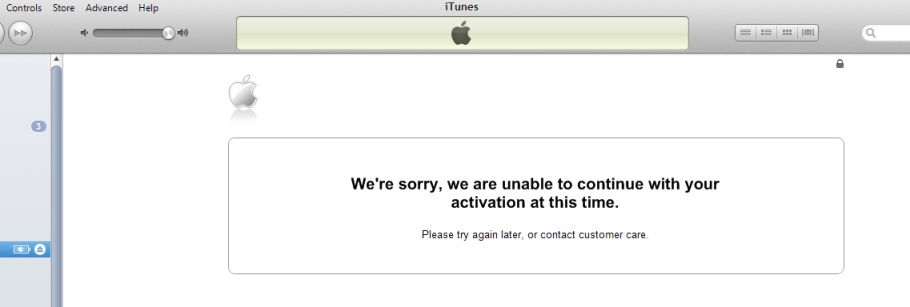
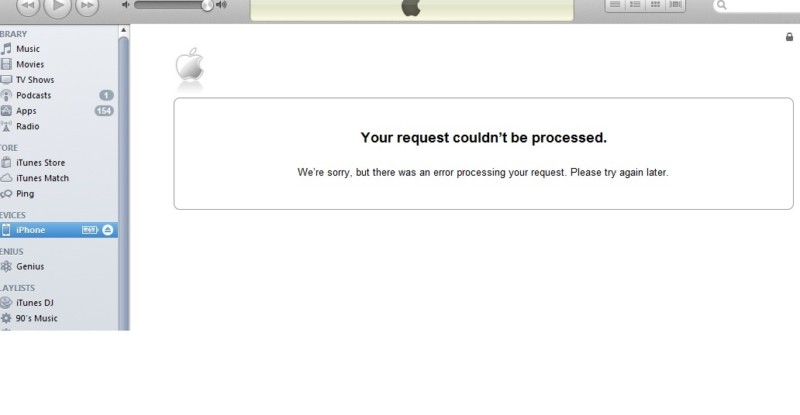
So, let’s find out what you should do if you will get such messages as:

“We’re sorry, we are unable to continue with your activation at this time. Please try again later, or contact customer care”

at&t iphone activation problems


or

” Your request couldn’t be processed. We’re sorry, but there was an error processing your request. Please try again later.”

how to activate iPhone at&t
If you get one of these messages or AT&T iPhone activation No Service error even after factory unlock you may perform some actions. Very often No Service status may be caused by problems or inaccessibility of the following network.

Generally this is a good sign when you get No Service except unsupported Sim because you can be sure that iPhone accepted Sim which means unlocked.

Note: Follow the link to fix No Service on iPhone after factory unlock.

So, let’s find out how to fix that issues with activation.

Common AT&T iPhone Activation Errors [Reasons and Fixes]

1.Very often Apple servers are under DDoS attack and iPhone activation failed and it cannot be used to unlock this iPhone. Also Apple server may down due to millions of users activating their iPhones. In this case – take some time and try again later as Apple asks you in the message.

2. iPhone was bought on eBay or other seller and now you need Billing ZIP Code and Social Security number (last 4 digits) to activate iPhone. Sometimes previous owner didn’t activate device so you need to find the solution for that.

To fix that problem we have 100% working service which helps you to activate iPhone without zip code and SSN for the cheapest price on the web.

3.Your iPhone may be blocked by Apple. This can be after:

  • Your iPhone was not activated and you order factory unlock using IMEI service. Never buy factory iPhone unlocking services before you can activate your item with original network. Apple doesn’t always block iPhones but you better remember it.

In this case you will need to activate iPhone with any AT&T SIM card.

Note: If you have ordered factory unlock and it doesn’t work restore iPhone and activate it with AT&T; then restore again and activate with any other SIM card (except AT&T).

Attention: Only after SAM activation unlock you will need to use original SIM card with original phone number to successfully activate iPhone. Only then order factory unlock.

  • Jailbreaking / Downgrading / Updating / Hacked by such tools as Redsn0w, Evasi0n, Absinthe, Sn0wbreeze, TinyUmbrella.

If you used TinyUmbrella or Sn0wbreeze you hosts file on computer was changed. In this case just reset file on Windows and activate iPhone. Or, once again, update and activate iPhone with AT&T Sim card on other computer and only then order permanent unlock.

  • The iPhone was hacked or hacktivated using Redsn0w or SAM app.

If you haven’t ordered permanent unlock just update iPhone to the latest iOS and activate it with AT&T Sim card.

But if you have already ordered unlock and receive that your request was successfully completed, to fix that try to restore iPhone and activate it with AT&T; then restore again and activate with any other SIM card (except AT&T).

  • Refurbished and IMEI # couldn’t be authorized by Apple activation server.

Contact with the carrier or find other service because we don’t unlock these types of iPhones.

Also you can always to contact with Apple support for help. Or perform clean restore with non-AT&T Sim card while iPhone is in DFU mode.

You need remember these reasons and solution if you have AT&T iPhone activation problems and errors. We hope these tips & tricks will help you to successfully complete factory AT&T iPhone unlock and never have activation issues.

Use AT&T iPhone Activation Service Without Billing Zip Code and Social Security Number

AT&T iPhone Activation Service

Many AT&T iPhone 5 and iPhone 4S, 4, 3GS, 3G users have activation problems, even after using factory unlock service you can’t activate AT&T iPhone without Billing ZIP code and SSN (Social Security Number).

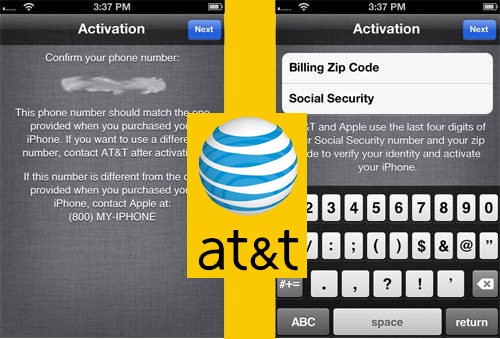
During activation steps you stuck on the screen which asks you to enter Billing Zip code and the last 4 digits of Social Security number.

This step is needed for identification the original owner of iPhone. If you are that person – no problems just enter it and click next.

But there are many who purchased in-contract AT&T iPhone 5, 4S on eBay or other third-party hands and have such issue. If you are one of them and see this screen, you need to put information which indicates the original owner.

activate iphone without ssn zip code

Note: You can’t provide ZIP code and social security number that aren’t the same as original owner’s. Restore and different SIM card don’t help as well.

In such situation there is no way to activate AT&T iPhone without SSN as well as without zip code or vice versa.

Activate AT&T iPhone Using ZIP Code and SSN

Fortunately there is one easy method. There is no need for you to search for that billing zip code and last 4 digits of social security number.

Attention: THIS IS NOT Find my iPhone removing service. Use this service only when your iPhone asks for Billing ZIP code and SSN (4 digits). NO REFUND if this service was purchased to remove Find my iPhone or for the device which is not locked to AT&T US network.

iphone ssn zip code

Important Notes

  • It is strongly suggested that you’ve an AT&T SIM card. You are assuming the possibility it doesn’t activate iPhone when we have given you the activation details. However it is not always needed. Only in some cases.
  • After you activate your device you can unlock AT&T iPhone .
  • Read carefully Terms and Conditions before clicking the Buy Now button. Delivery times only apply during business hours, not guaranteed turnaround time. (Business time is 9 am – 6 pm PST).
  • If you won’t see email, please check the junk / spam folder in your mail box or add contact@geo-location.site to your safe mail list.

Note: This service is only for iPhone locked to AT&T network. If you don’t know to what carrier your iPhone is locked, you can use the cheapest IMEI network checker on the web. No refund for wrong orders (carrier).

How to Make An Order

  1. Enter IMEI # (General – Settings – About).
  2. Enter Email.
  3. Enter the original phone number which was tied after the first purchase.
  4. Agree with Terms and Conditions.
  5. Click the Buy Now button.

After you successfully provide all needed info wait for email from us for further instructions.

Factory Unlock iPhone Locked to AT&T Network Free of Charge

Our company makes free AT&T iPhone unlock submission for Not Found code. but only once and only for AT&T network. If you are interested – go on reading.

If our clients receive Not Found after ordering iPhone unlock, there can be several reasons. Very often it is just a typo in IMEI number. Sometimes unlock may failed from our site.

Also sometime users didn’t check network and ordered AT&T unlock but not for iPhone locked to AT&T. In this case, according to our Refund policy, we are not obliged to refund because it is consumer’s error. But we understand that too and decided to give a second chance for our customers.

free at&t iphone unlock

How To Get AT&T iPhone Unlock for Free

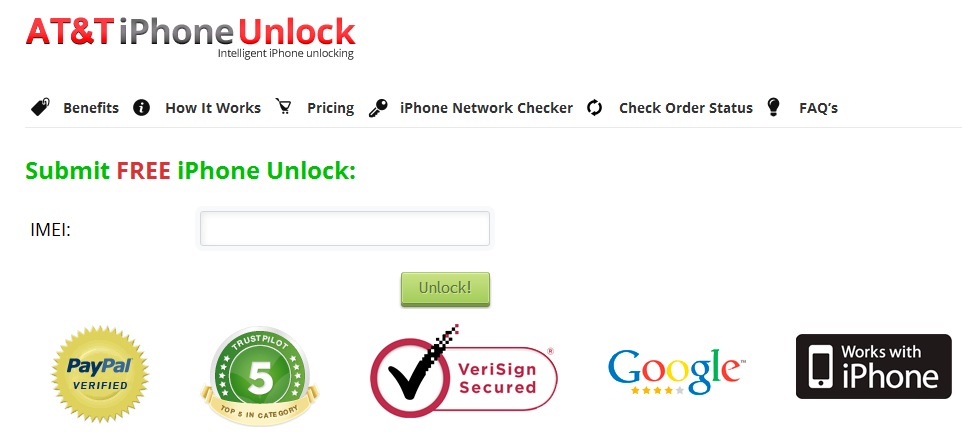
In case you will receive Not Found code after ordering iPhone unlock you will have one free AT&T unlock request. To get it just register on our website using email that you used to order unlock. After registration – login and you will see the form for free iPhone unlock submission but only for AT&T network.

Attention: If you’ve submitted unlock not for AT&T network and got Not Found code you still have one free submission but only for AT&T iPhone IMEI. So, please check iPhone carrier before ordering because if you will submit non AT&T iPhone IMEI using one free submission you will receive NOT Found again and lose free unlock forever without refund.

That’s it. Just register with email you used for first unlock request, enter you account and you will see what to do next.

Also we have other free and discount offers for our loyal clients and customers who bought unlock at our site for the first time.

Here below you can find links for free unlock AT&T iPhone:

How to Get Discount or One Free Unlock for AT&T iPhone

How to Get Multiply AT&T iPhone Unlocks for Free

iPhone Unlock Trouble Because of DDoS Attacks on Apple Restore Servers

Beginning from January 29 we have been facing with the long wait for IMEI network checker results. Also there are few messages from our consumers that they have problems with activation in iTunes after unlock delivering.

It is caused by issues with Apple servers status which unable to give respond. In most cases the results come after couple of hours but sometimes it may be delivered as Not Found.

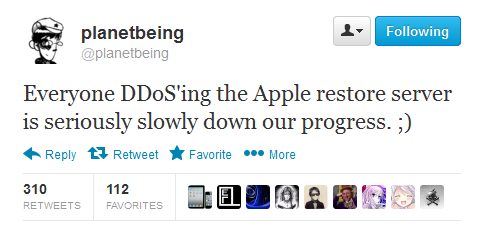
Also there is information from hackers that Apple restore servers are under DDoS attack. However there are no names about attackers but this news came from famous hacker Planetbeing. He is known for developing software which you can use to hack Apple iOS. Let’s see what he wrote that day:

apple restore servers ddos attack

As you may see we are not the only who face with this issue. So don’t worry and wait for the results. Those of you who have activation problems wait till the end of DDoS attacks and contact us: contact@att-iphone-unlock.info.

Stay tuned with us and we will inform about any changes in this situation. We hope that DDoS attack on Apple restore server won’t take long time.

How to Unlock iOS 6.1 beta 5 (GM) Using IMEI

Yesterday late Apple released another beta version of 6.1 firmware. Here you will find out how to unlock iOS 6.1 beta 5 and be ready for iOS 6.1 update.

There are many those who have already updated their devices and found out that their iPhones became locked again. It happened because baseband was updated too, so such unlock tools as Gevey, Ultrasn0w for iOS 6.0.1, SAM and others stopped working. And that is a big problem. However this will never would happen if your iPhone was factory unlocked.

From now many iPhone users are looking for iOS 6.1 beta 5 unlock. And if you are here you have just found it.

unlock ios 6.1 beta 5

iOS 6.1 beta 5 includes minor software updates, improvements that are mainly concentrated within the interface. Key changes will enhance the search technology in Apple standard maps and also the emergence of possibilities to reserve movie tickets using voice assistant Siri in USA.

Sure you can use SAM tool but you need to have activation tickets for this. Also there is only Gevey for iPhone 4S running on iOS 6 baseband. As you see there is no way except IMEI unlock.

Factory iPhone unlock is the most popular unlocking solution in nowadays. And it is not strange. Simple because if you unlock IMEI # your iPhone will be forever unlocked (never lock device).

You can also unlock iOS 6.1 beta 5 for free now or in the future!

This means that you will be able to use any SIM card of any carrier. But what is also great is that you will forget about such iPhone hardware as baseband.

Don’t worry when Apple releases its new iOS because you will be able to upgrade your device (and baseband) and stay factory unlocked.

So, if you need it you can factory unlock iOS 6.1 beta 5 now if your iPhone is locked to AT&T. After which you will be able to enjoy any iOS update (including 6.1) and any GSM SIM card around the world.

How to Unlock iOS 6.0.1 iPhones with Ultrasn0w Fixer

We have a couple of news for you. One is not too exciting because the iPhone Dev Team hasn’t launched its Ultrasn0w for iOS 6.0.1 yet. The other one is much better. There is unofficial Ultrasn0w fixer unlock iOS 6.0.1 program which can help you to unlock iPhone 3GS and iPhone 4 in case you have planned to upgrade these models to the firmware version 6.0.1.

This fixer has been presented by two folks you so know well. They are msft.guy and zmaster, the developers of popular Cydia tweaks. Their new project known as Ultrasn0w fixer unlock iOS 6.0.1 can really unlock Apple smartphones.

Important Notice

This tweak is easy to use if you meet all the requirements, including the iPhone models and basebands supported. Keep in mind that Ultrasn0w fixer for firmware 6.0.1 will work on iPhone 4 baseband 01.59.00 and iPhone 3GS basebands 04.26.08, 05.11.07, 05.13.01, 05.12.01 and 06.15.00. How do you know the iPhone baseband? Go to Settings – General – About and you will see it.

Now let’s speak about all the requirements you must meet. Firstly, it is important to downgrade iPhone baseband 06.15.00 before you try Ultrasn0w tweak. Secondly, if you do have one of the basebands mentioned above you must first jailbreak your iOS 6.0.1 iPhone via Redsn0w 0.9.15b3 utility [this is untethered jailbreak for owners of iPhone 3GS]. At last, you must keep your old baseband when you upgrade to iOS 6.0.1.

As you see too many requirements and restrictions. Factory unlock is much better and there is no need to be worry about those baseband, iOS, downgrade, jailbreak and other different actions. Just order unlock now and enjoy it in couple of hours.

Now we can move to the process of iOS 6.0.1 iPhone unlock via Ultrasn0w fixer.

Ultrasn0w Fixer Unlock iOS 6.0.1


Instruction for Ultrasn0w Fixer Unlock iOS 6.0.1

Note: This is instruction on how to get free unlock but can also get free factory unlock using our membership program.

In the first step we will ask you to get the latest version of Ultrasn0w and install it. You can find it at Cydia – Manage – Sources – Edit – Add and here you simply use the following repo:

 http://repo666.ultrasn0w.com

In the second step you should type the word Ultrasn0w in the Cydia search field and find the latest version 1.2.7.

In the third step you must open Cydia once again and go to Manage – Search – Edit – Add to add:

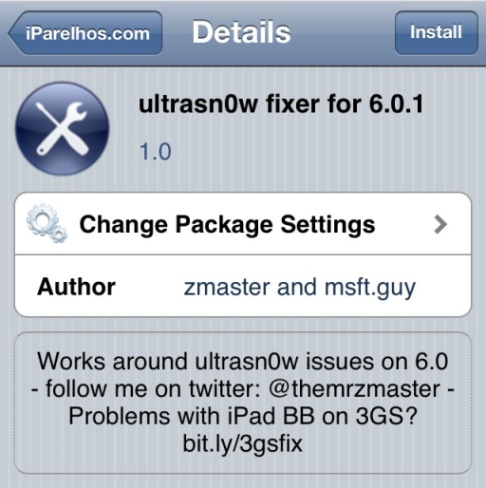
 http://repo.iparelhos.com

In the fourth step you should search for Ultrasn0w fixer for iOS 6.0.1 [use the similar way as you did in step 2] and install it on the iOS smartphone.

In the fifth step you should take the SIM card you like the most and insert it in your iPhone. Users who have iPhone 3GS can simply restart their gadget just like they normally do. Users with iPhone 4 must boot their device tethered:

  • connect their iPhone 4 to a personal computer or Mac via USB and open Redsn0w 0.9.15b3;
  • choose Extras => Just Boot;
  • get ready to see the smartphone entering DFU mode;
  • allow Redn0w to do everything and simply wait till it finishes.

The last step is the easiest one. You should hear the signal of your mobile operator after the iPhone rebooted.

This was the step by step instruction for how to unlock iOS 6.0.1 iPhone 3GS and 4 via Ultrasn0w fixer for 6.0.1. Enjoy!

Now You Can Officially Unlock AT&T iPhone For Free

Free AT&T iPhone Unlock Offer For Unlockers

Now it’s time to hand out gifts to our loyal customers and those who are here for the first time. You can factory unlock AT&T iPhone for free legally and without a fear to be locked again.

We provide the most accountable customer service in the unlocking industry, respect our members’ privacy, and communicate regularly with members to assure their complete satisfaction and their consent at every step. We are authorised by PayPal company with SSL certificate and certified by TrustGuard service.

How to Get Free AT&T iPhone 6, 6+, 5S, 5C, 5, 4S, 4 Unlock

Attention: We provide free unlocking for clean (not blacklisted) and activated AT&T iPhone.

Our mission is to bring information to people that we are not scam website and offer real unlocking solution for any AT&T iPhone model. So our team starts a new campaign to prove that we are genuine and legit AT&T unlocking service.

All you need to do is to help us to promote our service. If you want to order unlock or we have already unlocked your iPhone and want to get another one at no cost you will get it.

Like our service but want to get a free factory unlock AT&T iPhone? Then you will get it because now we give great chance to everyone to enjoy unlocked iPhone at no cost.

Here below is a social form you can use. Simply Like us on Facebook, G+ and tweet about our service to get free AT&T unlocking ordering form.

[sociallocker]- CLICK HERE FOR FREE AT&T UNLOCK -[/sociallocker]

Remember: Unfortunately not all iPhones can be unlocked for free even if device is not blacklisted. There are many reasons of the possible failure which depends on contract srtatus of iPhone at AT&T company. If your unlock will not go through, don’t worry, we have a special Premium services that provide 100% unlock success rate but paid:

How to Get Every 3d AT&T unlock for Free

As we constantly taking orders and many people want to unlock not only one IMEI but more. We care about our clients and created membership program for all who would like to order more than one factory unlock.

If you register account at our site you will have the possibility to get AT&T USA iPhone factory unlock for free and enjoy all benefits of permanent unlock. But only under one condition:

Every 3d iPhone Unlock is Free For Our Consumers.*

If you are interested here below you will see how to get started.

Factory Unlock AT&T iPhone For Free

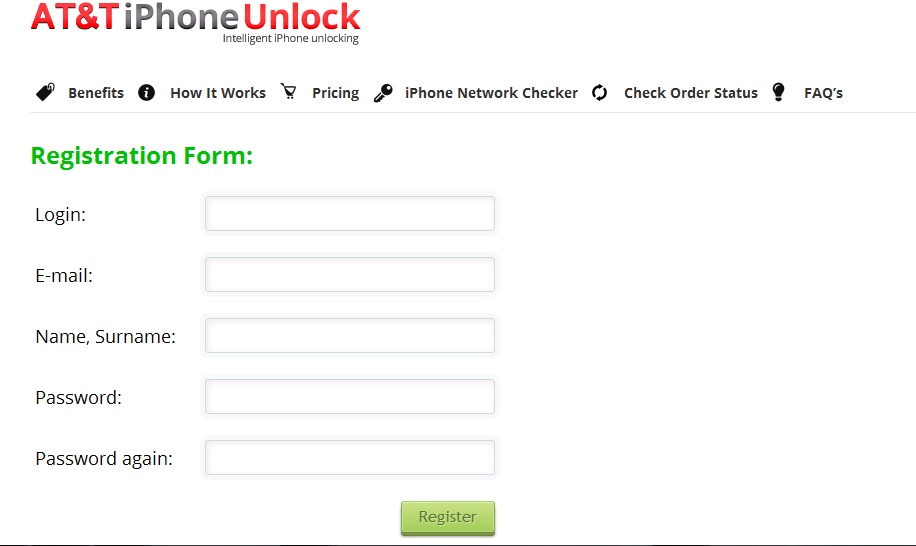
Step 1. At the top left corner of our home page you will see Login or Register option. So click Register.

Step 2. Then provide all needed info:

  • Login
  • Email
  • Name, Surname
  • Password

Note: Those of you who have already used our service, please, enter email which you used to order iPhone unlock (no PayPal addresses please).

registration

Once all the fields are filled click Register.

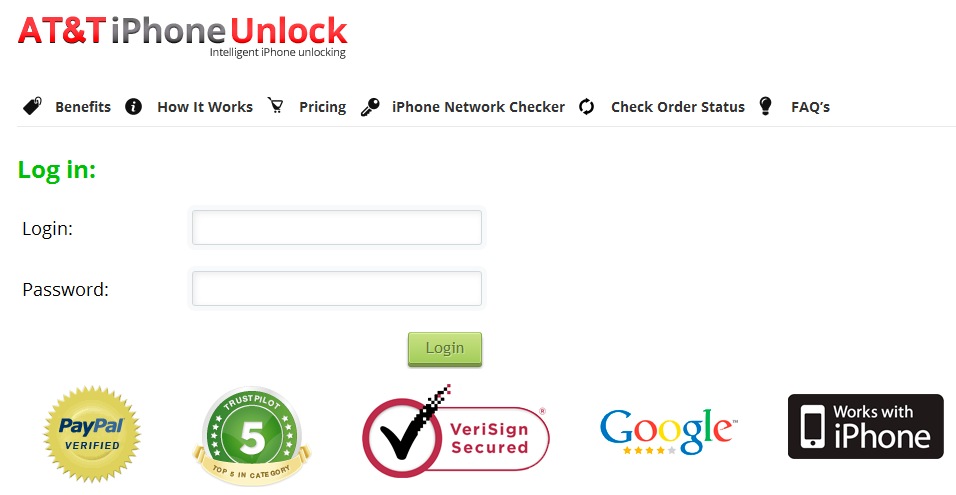
Step 3. When you register an account – log in:

login

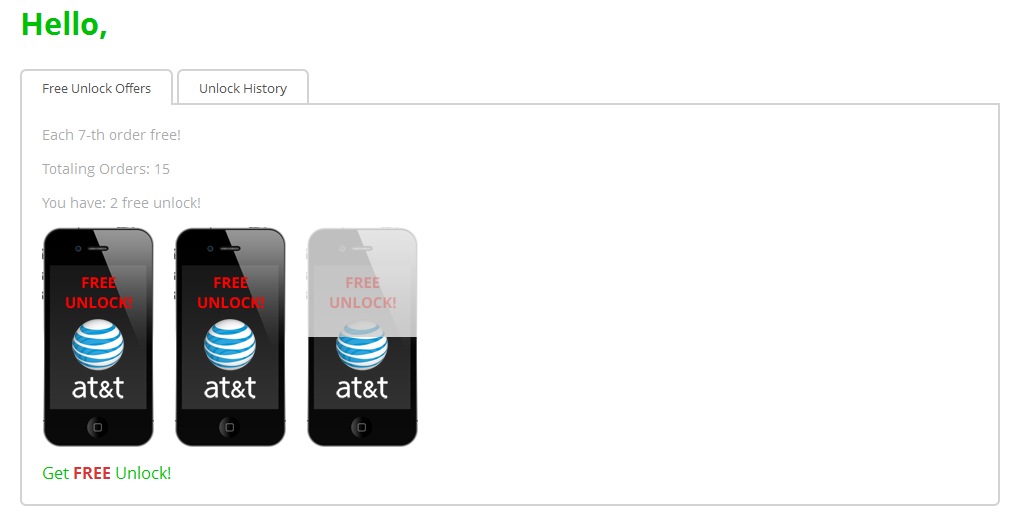
Step 4. After authorization you will be able to see how many unlocks you have ordered before and how many left to get at no cost and permanent unlocking solution.

In the middle you’ll see a shadowed picture of the iPhone and after 3d unlock you will notice the full and clean image and active button “Get FREE unlock” below.

account

After you click it, enter IMEI and get unlock for free!

free factory at&t iphone unlock

Also you can check your unlock history and find out when you got or can order free factory iPhone unlocking. Very easy and and there is no need to do some additional actions. Go to our Pricing category and start to order unlock according to our Terms and Conditions.

Be the big part of our unlocking community and get factory unlock iPhone AT&T free of charge!

*every 3d unlock from $9.99/$15 Regular package.

Officially Unlocked iOS 6.1 iPhone SAM Activation Guide

Would you like to use SAM activation for iOS 6.1 iPhone unlock? We will provide you with a detailed instruction how you can factory unlock your handset using SAM tool. This is not the easiest guide, but it is possible to complete if you closely follow each step.

If you choose to use SAM activation iOS 6 smartphone won’t be detected by iTunes after you use factory unlock for your gadget. You can face the issue with SAM tool and IMEI/IMSI number. Even when you use iPhone network checker you the spoofed IMEI after SAM will be titled as Not Found. Why does it happen?

Users who hack their iPhone models 3G, 3GS, 4S and 4 via SAM actually cheat the Cupertino-based company because this changes the IMSI # and you are able to use various SIM cards within the smartphone. The exploit is no longer available unless your SAM activation tickets have been saved and you still have them.

factory unlock ios 6.1 sam

The problems with SAM activation iOS 6.1 service became with the availability of the official iPhone unlock with IMEI number. iTunes stopped detecting the handset because of its IMSI that has been changed, and some iPhone owners were stuck in this step. Are you ready to fix the problem? Here is the solution that will help you out.

iPhone SAM Activation iOS 6.1 Fix Guide

Firstly you have to get the newest Apple firmware, iOS 6.1. Download iOS 6.1 (when it will be available).

Secondly, you should attach the iPhone of yours to the PC, and launch iTunes.

Thirdly, you need to backup the handset as you would like to save your information, right?

Fourthly, hold SHIFT if you are using Windows machine and Option/Alt if you are using Mac computer, and choose to Restore to iOS 6.1.

You handset will reboot, and after this is done you have to activate the iPhone. In order to do this, you will be required to have your original SIM [the one your iOS smartphone has been locked to]. Insert it and activate the device.

When the iPhone has been activated you order iPhone unlock. After delivering it just connect iPhone to iTunes with any other GSM SIM card. Disconnect your iPhone after approximately 10 seconds and wait till the message appears that congratulates you with successful unlock.

Also you can try free method to unlock AT&T iPhone in iTunes but it’s only for AT&T consumers.

Hopefully the steps described above were useful to you.

The AT&T Get Alltel Deal

The news about AT&T getting Alltel remains can make people who live in rural areas happy since the carrier should improve its services soon. The company has decided to get Alltel which was earlier purchased by Verizon Wireless. Does it sound weird to you? It should not. I think it is good because you will have chance to unlock AT&T and Alltel.

It happened this week, on Tuesday. This was when one of the biggest U.S. mobile operators reported the AT&T buy Telenetwork Alltel news. The agreement to acquire ATNI whose retail carrier was well-known as Alltel was signed that day. This deal will cost AT&T $780 million in cash. What does AT&T get for this price? According to announcements made by the company, it will get over 580,000 subscribers. Besides, it will be also netted wireless properties.

The AT&T Get Alltel Deal

About the Deal

As AT&T gets Alltel it also gets wireless properties, as we have mentioned above [including Alltel retail stores, licenses and network assets]. The service improvement should be felt by customers who live in rural areas in North Carolina, Idaho, Georgia, South Carolina, Ohio and Illinois. Also AT&T have plans in Europe too.

The “AT&T get Alltel” deal also allows the carrier to harmonize its network with wireless spectrum in the three bands. They are 850MHz, 700MHz and 1900MHz. Even though Alltel is CDMA carrier, AT&T believes it will upgrade the company’s network to provide customers with a better mobile Internet services.

Review Process

The deal hasn’t been closed yet. It should be reviewed by the FCC [Federal Communications Commission] and only afterwards AT&T will be able to get its hands on Alltel. Analysts expect this deal to close in the 2nd half of 2013.

What do you think about such a deal? Do you believe that it can truly improve the service for customers who live in rural areas in the southeastern part of the United States? According to Alltel’s representative, the deal with AT&T can bring new better experience to Alltel’s clients as they will be able to access to the 4G network. It is unclear now how this can be possible since Alltel’s CDMA-based network isn’t compatible with AT&T’s GSM network. We just have to wait till the deal is closed to learn all the details.