Apple March Event 2016 New Date Reported

There are many rumors around Apple March media event 2016. The company is expected to present several new devices this year [customers have many expectations from Apple in 2016 including iOS 9.3 Apple Pencil navigational features] and this list possibly included the 4-inch iPhone SE, new Apple Watch and tablet updates.

It was originally rumored that Apple would hold the event on March 10th. Then this date got postponed to March 15th and now reports mention the new date for Apple March event 2016. This time different sources promise the company would organize its spring media event on March 21st.
March Event 2016 News

No one really knows if the date of new iPhone media event was postponed or originally Apple scheduled it for a different day. Right now these are rumors as Apple hasn’t confirmed anything yet. If the company really introduces its new devices in the end of March we could see their official release in early April.

Experts think that this won’t be the big event like it was with iPhone 6s / 6s Plus launch. Apple is believed to bring a smaller iPhone SE update to attract customers who don’t want to pay much for their smartphone and still with it to be the iPhone.

The ‘fruit’ giant could organize the event in its Town Hall in Cupertino. The company might introduce new Apple Watch, 4-inch iPhone and possibly iPad Air 3 or iPad Pro update. The smaller smartphone model is mostly meant for emerging markets in countries such as China and India.
How to Add RSS Feeds to Your iOS 9 Apple News on iPhone

Are you a fan of Apple hot news RSS feeds? Many iPhone and iPad users are following the latest news from all over the world. The ‘fruit’ company released its stock News App [do you know that you can get $200 discount on iPhone 6s from Verizon?] and you can now add Apple News RSS feeds to keep an eye on the most interesting and important events that take place every day.

Using best Apple RSS feeds you can catch up with everything that happens in politics, sports, tech world, culture etc. There are so many news aggregators you can add, so many websites you might want to follow through RSS. We’ll explain what you have to do in order to bring a new sources of news to your iOS 9 application.

Apple News RSS Feeds iOS 9 iPhone

How to Add RSS to Apple News on iOS 9 iPhone

Step 1. Launch Safari on your smartphone.

Step 2. Open the website you wish to add to your News application.

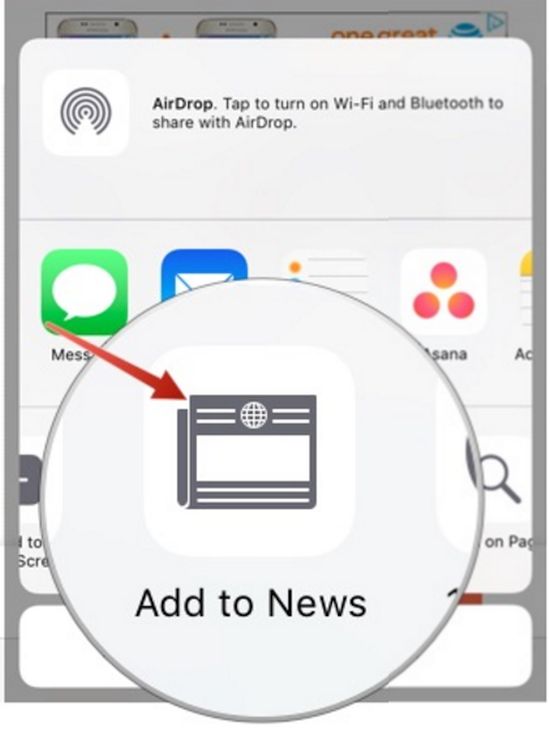
Step 3. Press on Share option and you will get the Share Sheet where you are able to select the feature called Add to News.

Add to News RSS Feed iPhone

Step 4. Click on Add to News option and confirm your decision [this is an important step since the actual adding of the new source to your News program happens when you confirm].

Step 5. Now you will find this site in your news feed. Isn’t it awesome [the new iPhone 5SE is coming this spring]? Just launch News tool on iOS 9 smartphone and look in Favorites section. There will be the new website added to your RSS feed.

Thanks to the simplicity of adding RSS to Apple News you can easily create the personal RSS reader you will enjoy reading. This way you’ll always know what happens in your favorite world.

Sprint 2 Year Contract for iPhone Is Back

Sprint tried to stop offering Sprint 2 year contract deals for iPhone users [AT&T is eager to pay you for switching networks]. The company announced such plans in early 2016. Well, the network changed its mind. It decided to bring back the popular offer.

Some American carriers dropped back contracts for iPhone and other phone subscribers. The Now Network wanted to take the same step. The company now announces that it takes its customers’ opinions into consideration and wants to offer as many options as possible.

Sprint 2 Year Contract iPhone 2016 Deal

While other iPhone networks don’t offer 2 year contracts any more, Sprint iPhone subscribers can purchase the new handset with more possibilities. They can lease the gadget, buy it through installment plan, pay full retail price or get the two year contract.

It is possible to SIM unlock contract Sprint iPhone if you decide to get this deal. Factory unlocking service supports both contract and off contract smartphones. You can be running any version of iOS to become unlocked. All versions of Apple mobile operating system including iOS 9.3 beta can be unlocked permanently.

At the same time most U.S. carriers believe that users prefer upgrading to new handsets by leasing or through installment plan [Verizon is offering $200 discount on iPad Pro]. They are sure that these are the most demanded offers in 2016. Why has Sprint changed its mind? Why did the company return its 2 year contract for iPhone and other smartphone models?

What upgrade option do you prefer? Do you think Sprint iPhone potential customers could prefer getting a contract over lease or installment?

iPad Pro / iPhone 6S Plus Verizon Discount 2016 Saves You $200

Do you not have the modern iPhone 6s or iPad Pro or waiting for 4-inch iPhone 5se release? It could be time to buy the newest Apple devices with a nice discount offered by Verizon Wireless. iPad Pro price slash can save you as much as $200. If you aim at iPhone 6s Plus you are able to purchase this ‘fruit’ handset with $100 discount.

Verizon is offering nice deals for users who have plans to get iPhone 6s or iPad Pro. Saving $100 – $200 could be attractive. The discounts are offered through Verizon official website. In other words you can buy the gadgets online and save your money.

Verizon iPhone 6s Plus Discount 2016

Thus if Apple Store sells the iPad Pro at $1,079 [128 GB model] you are able to get the same device at $879. Verizon offers $200 off Apple’s original price [AT&T is also eager to pay you for switching to its network]. You’ll have to subscribe to Verizon and agree to the 2-year contract. You’ll also have to pay $40 to activate your model.

If you buy the iPad Pro or iPhone 6s with a discount and wish to end your 2-year contract before it’s officially over – you’ll have to pay $175 as early termination fee. You are still able to unlock Verizon iPhone 6s Plus if you want to use different networks with your contract device. This is not a problem and is completely safe.

The iPhone 6s Plus is offered at $649 or $749 (for 16GB and 64GB models) while Verizon is selling it at $549 and $649. The discount is $100 no matter what model you choose.
With 2-year contract you’ll have to pay the same monthly payment for the next 24 months. The only limit you have is the color of iPhone 6s Plus sold with a discount. You can only get gold color model if you want to save $100.

Can Apple Pencil Be Used as iOS 9.3 Navigational Tool?

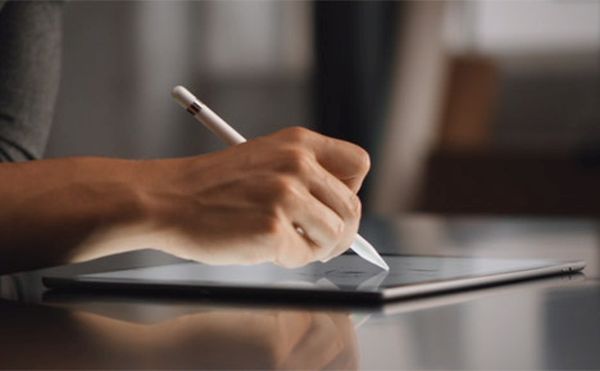
Apple is currently working on new devices and software updates. The company is testing iOS 9.3 platform for iPhone, iPad and iPod touch [beware of iOS 9 iPhone bricking bug]. Some iPad Pro owners are frustrated as it turns out the upcoming iOS 9.3 will limit the functions of Apple Pencil that is popular among iPad Pro users. Apple Pencil iOS 9.3 update would take away one important option this accessory can do.

Apple Pencil iPad Pro iOS 9.3 Rumors

Will you get iOS 9.3 navigation Apple Pencil support? No, you won’t. The ‘fruit’ company decided to remove this popular option. Users who will upgrade to iOS 9.3 on their iPad Pro will not be able to use their Apple Pencil as a navigational tool like it happens on iOS 9.2 platform. For some reasons Apple dropped down this support. At least the beta versions of iOS 9.3 [beta 1, beta 2 and beta 3] show that you won’t be able to scroll, select, sipe and tap on buttons with Apple Pencil on your tablet device without staying inside the drawing application.

Apple Pencil will become just an accessory with limited functionality within iOS 9.3 [Apple is believed to improve 3D Touch in its next iPhone 7]. Surely these are just predictions for now because there is no public mobile firmware update yet. Apple could listen to what people think that decide to keep the function that is so popular and widely used by many of users who purchased the iPad Pro along with Apple Pencil.

Would you be ok if your Pencil becomes a simple stylus? Would you update to iOS 9.3 or prefer staying on iOS 9.2 for as long as possible to keep using your Pencil as a navigational tool on the tablet?

iPhone 5se Processor Rumors: Next Apple A9 Chip

Apple doesn’t share information about iPhone 5se processor. Users and experts believe the company would offer A9 series chips for this smartphone. It is also believed that the Cupertino-based company will unveil the update pretty soon [be aware of iPhone 2016 brick reasons]. Apple will have an even in early March where it should announce iPhone 5se and iPhone A9 chip specs.

While we now know some 4 inch iPhone specs we should also add that iPad Air 3 could get the A9X processor. This tablet was rumored to be released in 2015 however Apple introduced iPad Pro model instead. The situation should change in 2016 when the ‘fruit’ giant should unveil several new devices in spring and fall.

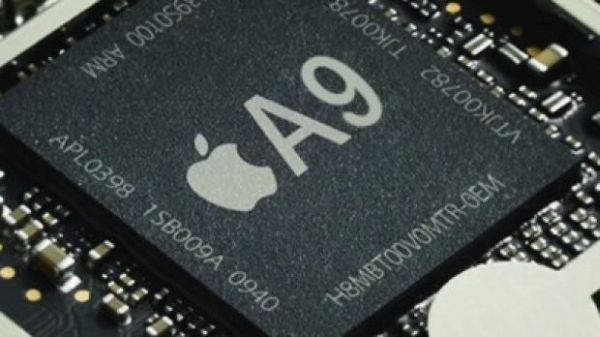
iPhone 5se A9 Chip Rumor

The iPhone 5se chipset and iPad Air 3 processor should belong to A9 series. Nothing is confirmed officially yet. No public comments are shared. Only rumors continue to surface while millions of customers are preparing for the big launch. Since the iPhone is smaller compared to the next iPhone 7 or iPad Air device it would get A9 processor and the bigger device would arrive with more powerful A9X chipset.

The tablet 2016 model could also get 4GB RAM, Smart Connector and 4 stereo speakers and remind of current iPad Pro. The iPhone 5se could arrive with A8 or A9 chip as both model are mentioned in rumors.

If users truly get the A9 chip the smartphone in March their new phone won’t be outdated once the next iPhone 7 / 7 Plus are revealed. These bigger phones should arrive sometime in September or October.

How to Fix Startup Disk Full Error on Mac

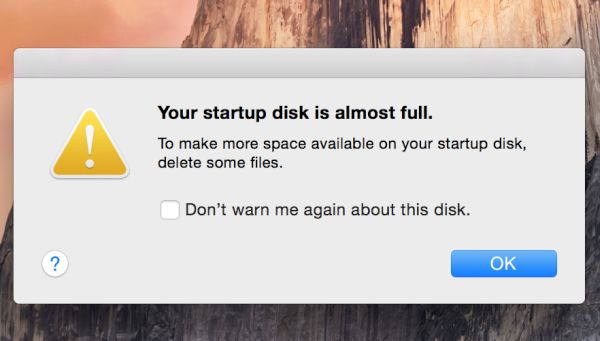
Is your Mac startup disk full? You might get this warning on your computer [there are malicious apps for Mac you have to be aware of]. It’s possible to fix the issue and free some storage space. Sooner or later you will face the message about your disk being nearly full so the guide below can be handy.

You can surely try to delete large file you don’t use. But how can you find such files? Is there a way how to free space without losing any important data you have?

Fix Mac Startup Disk Almost Full Error

How to Fix Startup Disk Full Mac

Step 1. Backup your hard drive. This is an important thing to do before you decide to make any changes. Use Time Machine. You’ll protect all information you need this way.

Step 2. Go to the Apple icon [the top left one] and choose About This Mac.

Step 3. Select Storage and you’ll see the diagram of your storage. You will have to remove the files that get the largest bar of this image.

Step 4. We can predict that most space is taken with images, movies and your backups [it is also important to back up your iPhone espcially with error 53 that can brick the handset at once]. You might really want to back up your photographms and videos to a second location. There is a big amount of cloud storages you can always use. With backups ready you can remove movies and images you don’t really need right here right now.

Step 5. You can also find largest files using Finder tool and remove them as well.

Step 6. A lot of Mac users backup iPhone once in a while and with time they get many old smartphone backups stored on computer. Delete old backups.

Step 7. There are many files in Downloads folder and you can clear it as well.

Step 8. Empty Trash folder and restart your Mac.

There should be no Mac startup disk full message anymore.

Twitter Messages Video Sharing Allowed in Direct Messages

Would you like to know how to send video on Twitter? iOS 9 iPhone users who like to share tweets with family, friends and strangers should know that Twitter has decided to let users recording videos and sharing them in direct messages.

The popular Twitter application extends the experience with networking platform by adding a new feature [by the way AT&T is to pay iPhone users who decide to switch carriers]. It’s not a secret that iPhone owners like to take pictures and record videos. The 4K videos are enjoyed by many Apple fans. This is what different social networks are trying to take full advantage of.

Twitter GIF Photo Video Sharing iPhone iOS 9

With Twitter messages video sharing becomes extremely simple. The Direct Message feature introduction is innovative and should be liked by users who have the iPhone and tweet at the same time. It was previously possible to only share images and photos through messages on iOS 9 Twitter.

The recently announced Twitter share photos and videos options are welcomed by millions of iPhone users. When you are using the Direct Message option you will find a camera icon. Use your iOS 9 camera to record new videos and share them right from your iPhone in messages.

Everything will be very similar to your standard Timeline. Besides video sharing Twitter feature is not the last thing you can do with this mobile application. The company also allows users sharing GIF images and even search for GIFs. This search feature is built-in into Twitter app which was officially confirmed by the company.

iOS 9 Twitter will soon be updated to iOS 10 application and users will see new iPhone 7 launch. Apple is currently upgrading to iOS 9.3 and developers and public testers are working on this beta firmware. It will soon offer public update to all users.

This year we’ll also see the new iPhones, iPad Pro and other devices.

Apple Watch Force Close App Guide

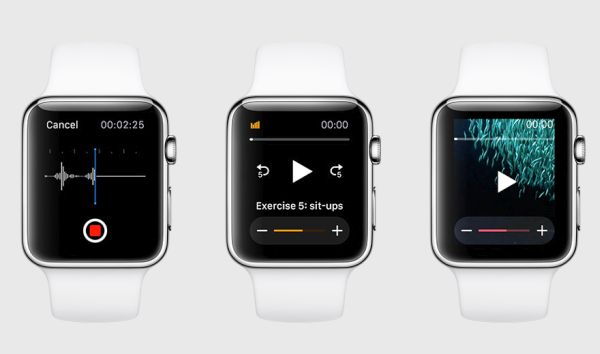
Sometimes you can get into a situation when your Apple Watch app is unresponsive [a lot of iPhone users get bricked over error 53]. Is there a way how to solve this difficulty and use your smartwatch again? You can follow the simple Apple Watch force close app guide and be able to close any application when it doesn’t want to be closed the ordinary way.

In most situations WatchOS will simply lock up when you cannot leave the application and if you are stuck inside the program that is frozen you can force close it. This task is easy to perform.

Apple Watch Force Touch App Close

How to Force Close Apple Watch Apps

Step 1. There is a Side button your device. Apple created its Apple Watch with external tools that can be handy in a difficult situation. You should use it when you are locked up in the frozen application and wish to get back to Glances or your home screen.

Step 2. Keep pressing the Side button until you see the Power Reserve, Power Off and Lock Device options.

Step 3. Release the Side button and but don’t choose any options.

Step 4. Press the Side button once again and you’ll force the app to close. You will force quit it.

If you did everything the correct way you’ll now see your Home screen on Apple Watch. The frozen application will be force closed by you.

Apple is currently working on the next generation Apple Watch 2 and new iPhones that could get improved 3D Touch feature. This new device should be unveiled this spring.

Apple is also testing the new WatchOS 2.2 version. Developers and public beta testers can install it on the Watch after updating iPhone to iOS 9.3 beta and see all the changes and features the company is to offer in 2016.

Are you satisfied with your Apple Watch model? Would you like to upgrade to Apple Watch 2 this year?

iPhone Brick Reasons in 2016: Be Careful

Some users might wonder now why iPhone bricked and what could happen in 2016 to make the popular Apple smartphone a useless device [here is next iPhone 7 design rumors]. It turns out that even simple changes in Settings app can brick your handset. You don’t want the iDevice to go on lockdown, right?

What is brick iPhone? This is the device that is locked down permanently. You cannot unlock it. You cannot use it. You cannot restart and use it because the device will stay bricked after being restarted, connected to iTunes etc. Anyways, you don’t want to brick your gadget by simply changing the date and time on it. So here is an advice: learn about all potentially dangerous dates you should avoid and you won’t get bricked in 2016.

iPhone Brick iOS 9 2016

iPhone Brick Reasons

Users who following the online prank and tried to set their iPhone clock to January 1, 1970 are very unhappy with the result: bricked phone after restart. Simple joke bricked their gadget. It is easy to change the date and time on iPhone through Settings – General menu where you can access Date & Time option and disable Set Automatically feature [there are also problems with iPhone 6s battery]. This is the way to select any date and time you wish. Just don’t get back to 1970 even if you want to surprise someone.

The bug seems to affect iOS 9 and iOS 8 smartphones with 64-bit chip. In other words, all users with iPhone 5s, 6 and 6s should not perform any tricks with their date and time until Apple fixes the problem which seems to affect smartphones with A7, A8, A8X, A9 and A9X processors.