iPhone SE Battery Life Lasts Longer Than Other iPhone Batteries

Apple updated its iPhone lineup this spring. The company released the 4-inch smartphone. Many potential customers wonder how iPhone SE battery performs and if it lasts longer than the battery of other smartphones.

It seems that the smaller 4-inch iPhone SE has a better battery which outlasts some popular handsets. For example, reports assure that iPhone SE battery can outperform Samsung Galaxy S7 and iPhone 6s. This is good news for ‘fruit’ fans although the new gadget doesn’t have all the iPhone 6s features and options.
iPhone SE Battery Life

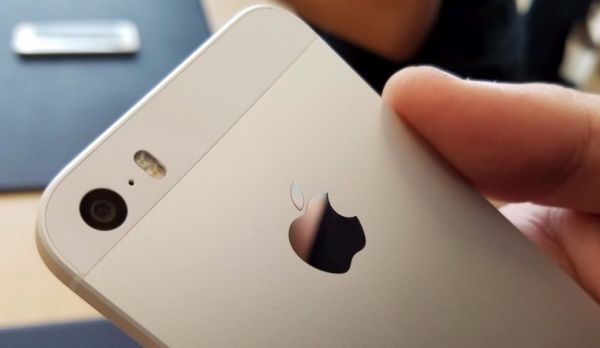
iPhone 6s vs iPhone SE battery One Stress test showed that the smaller iPhone can last for 10 hours. At the same time Apple flagship iPhone 6s can only last for 8 hours similar to Samsung Galaxy S7 device [this gadget lasts for about 7 hours]. Getting a new iPhone with longer battery life might be a cool solution. Surely, this phone can’t boast all the coolest specs and options but it can last longer.

A lot of Apple customers were hoping that the company would offer better battery one day. It seems to happen with the iPhone SE specs. This could be understood since the 4-inch iPhone gets lower resolution screen of 1136 x 640 and has no 3D Touch option.

The new Apple device’s price starts at $399. To compare, the bigger iPhone 6s with 1334 x 750 resolution display costs at least $250 more than the 2016 iPhone SE model.
Learn How to Save Offline Google Maps to Use on iPhone

Modern world seems to offer Internet connection everywhere. iPhone users can connect to WiFi nearly everywhere [do you know that Sprint iPhone 2-year contract is back?] still sometimes there is no available network and this is when Google Maps offline iPhone comes handy.

We’ll explain how you can save offline Google Maps iPhone and use maps anywhere you are. Apple has its own Maps application for smartphones [the company’s March Event announced new 2016 models] still a lot of users prefer using Google Maps and offline maps are one of the reasons why ‘fruit’ device owners choose this tool over stock iOS program.

iPhone Google Maps Save Offline Guide

How to Save Offline Google Map on iPhone

Step 1. Make sure you install Google Maps on your handset. This is a free tool and you can find it on the App Store. Many users have it already installed on the iPhone.

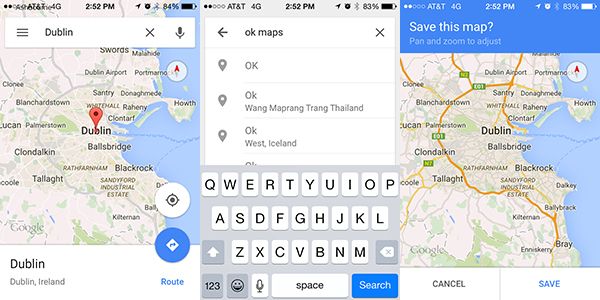
Step 2. Launch Google Maps and find the location / area you wish to save for using offline.

Step 3. Have you found the maps you want to save? Click on menu icon [it looks like 3 horizontal lines] and select Offline Areas [this instruction should work on the new iPhone SE as well].

Step 4. Here click on the Plus [+] icon and select the exact location by zooming and pinching around.

Step 5. Keep in mind that bigger maps download slower. Now click on Download and add the title to your map.

Step 6. Press on Save and wait till the map is downloaded to the iPhone. The map will be saved for 30 days. Once the month is over it will be automatically deleted by Google from the iPhone. It happens in order to save your space.

Step 7. You can re-download offline maps from Google Maps as often as you need.

Hopefully this guide on how to use Google Maps offline on iPhone is helpful to you.

iOS 9.3 Issues: Fix Can’t Activate iOS 9.3 iPhone After Updating

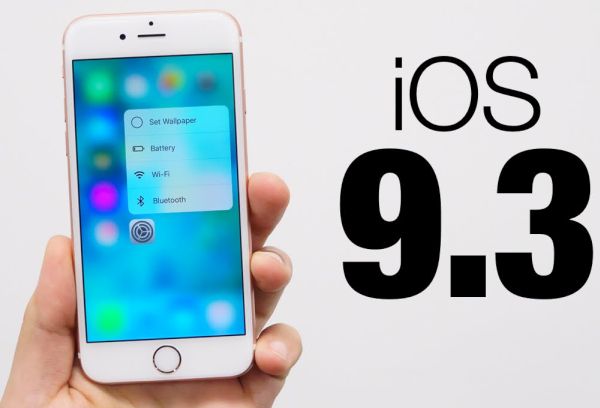
Have you installed iOS 9.3 update? There are users who came up across iOS 9.3 problems. They are not able to activate their phone. Apple is aware of this issue however you can follow our instruction and try to solve everything.

Different iOS 9.3 issues would appear once in a while [by the way you can cheat Touch ID with Play-Doh]. Although Apple was testing this firmware before bringing it to public – users still get bugs and errors after update. Some of them can’t activate iPhone and if this is the same problem you are facing – here is how to fix it.

Fix iOS 9.3 Issues Problems Bugs Cant Activate iPhone

Solve iOS 9.3 Activate iPhone Fail Issue

Step 1. Take your iPhone and connect it to your computer.

Step 2. You should also install the most recent version of iTunes [Apple presented new software and products after Apple March Event].

Step 3. Choose your gadget and you’ll get the Activate iPhone screen.

Step 4. You need to enter Apple ID / password if you can’t activate iPhone and wish to solve this issue.

Step 5. The problem should be gone and you should successful pass activation.

Some users note that this method is not working. You can try to turn off iPhone and turn it back on, login to your iCloud account and launch Find My iPhone tool. You need to remove all gadgets from your account and set up your iDevice again.

This should remove the iOS 9.3 bug and fix the problem.

Of course, Apple would present a simpler iOS 9.3 fix to all users soon but we don’t know the exact date when it happens.

iPhone SE Release and Comparison with iPhone 5s

The iPhone 5s is becoming old. This gadget is getting an update while users see iPhone Se release. This new model is a curious release that is meant to replace the 2013 iPhone 5s handset. Would you like to learn more about iPhone SE features and specs?

Firstly, when you compare iPhone SE vs iPhone 5s you’ll notice how similar these two gadgets look. Secondly, you’ll pay attention at how many iPhone SE specs remind you of iPhone 6s. This is a great update that could be popular among customers who are not willing to pay nearly twice more for iPhone 6s and iPhone 6s Plus.

iPhone SE Specs Release

The long-awaited iPhone SE release is planned for March 30th. This is the date when you can purchase the model in your Apple store. Consumers who wish to pre-order the 4-inch device can do this starting on March 24th.

iPhone SE specs remind of both iPhone 5s and iPhone 6s [compare iPhone 6s and LG G5 model]. This LCD screen gadget comes with A9 processor [the iPhone 5s has A7 processor], support for 3D Touch [there is no such a feature on 5s], Live Photos [this is iPhone 6s unique spec] and other unique features older 5s version lacks.

It is possible to take panoramas with SE thanks for 63MP resolution, Retina Flash. The ‘fruit’ smartphone is more powerful and has longer battery life than the iPhone 6s. According to Apple, its spring update will be twice faster than iPhone 5s. This is a good reason for updating to SE version in March or April, isn’t it?

iPhone 5s has only 1GM RAM and SE arrives with 2GB RAM. Still while iPhone 5S had 32GB storage option – SE will arrive only with 16GB or 64GB storage versions. The SE model will get 150Mbps LTE connection compared to 100Mbps LTE in 5s.

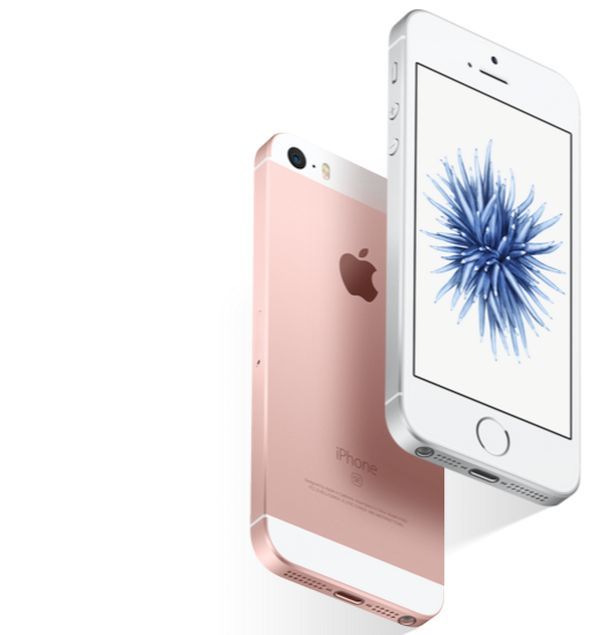
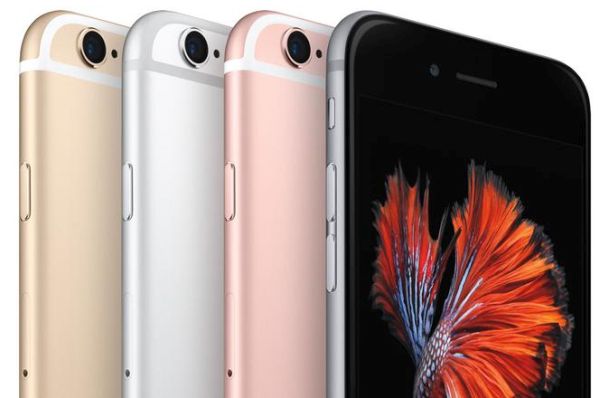
You’ll soon see iPhone SE in space gray, silver, gold and rose gold colors on the store shelves.

Apple Releases iTunes 12.3.3 Update for Download

This week is a week of Apple updates. The company presented new iOS 9.3 with interesting features and offered iTunes 12.3.3 release. You can download this popular ‘fruit’ program for your Windows or Mac as the latest version supports iPhone SE and 9.7-inch iPad Pro models.

You can download iTunes 12.3.3 right away. This is another update that also follows OS X El Capitan 10.11.4 launch, watchOS 2.2 update and tvOS 9.2 presentation. Yay, so many releases at the same time. You can even update all your gadgets and discover all the features for Apple Watch, iPhone, iPad, Mac and iPod touch.

iTunes 12.3.3 Release for Mac Windows PC

Once you download iTunes 12.3.3 versions you’ll be able to sync this program with the iPad Pro model or iPhone SE. Both models can be pre-ordered starting on March 24th. Stores will get both gadgets on March 30th.

iTunes doesn’t update Apple Music interface while there were such rumors. The popular company could present such changes with iTunes 12.4 release and this could happen in the end of March or in April.

All Mac users can get iTunes 12.3.3 through mac App Store. Isn’t it simple? Are you looking forward for the new Apple device updates? The company changed its regular iOS lineup update schedule presenting the two new models in spring. This was rumored but still came unexpected since there should be more gadgets presented in the fall.

Compare iPhone 6s and LG G5 Models

The iPhone 6s is a popular device in the market today. Still Apple is not the only company that releases smartphone updates. Samsung and LG also have new models to offer. While we are waiting for iPhone 5se official release let’s compare iPhone 6s and LG G5 versions.

It is interesting that both gadgets have their pros and cons and there are several tings that make LG G5 phone even better than iPhone 6s. What could possibly put the iPhone in the shade? What could LG offer to users that Apple handset lacks?

iPhone 6s vs LG G5

iPhone 6s vs LG G5 Smartphones

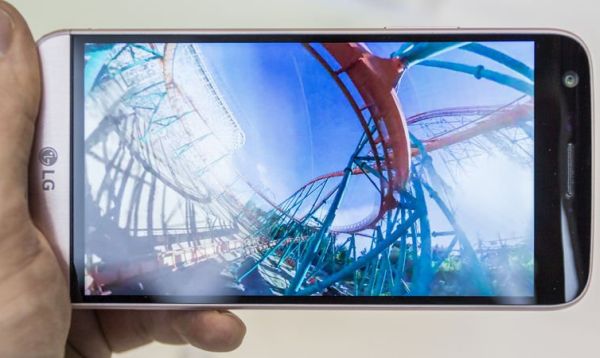
LG G5 has been just introduced at MWC. It offers some features that are better than on iPhone 6s. For example, we can pay attention to screen, battery, cameras and processing power and will notice the difference.

It is not fair to compare the device that is half a year old and the brand new LG G5 still we should point to some details. Unlike the iPhone, LG G5 comes with front-facing and two rear cameras. This is a big improvement as the new 8Mp rear camera can go wider at 135 degrees and the 16Mp rear camera gets 78-degree lens. The iPhone 6s has two cameras at the moment.

LG G5 vs iPhone 6s

G5 comes with 5.3-inch screen and iPhone 6s gets 4.7-inch display [the iPhone 6s Plus arrives with 5.5-inch screen and you should know the reasons of iPhone bricking to avoid this bug]. LG offers 2560×1440 with 554 ppi screen resolution and Apple’s iPhone 6s comes with 1334×750 with 326 ppi display.

G5 comes with 2800mAh battery that is removable while the iPhone 6s gets 1715mAh unit that can’t be removed by user. The LG offers 4GB of RAM with quad-core processor and Apple sells iPhone with 2GB of RAM and dual-core chip.

Both devices are available in gold, grey, silver and pink (rose gold) colors. This is similar but customers have a choice. While right now LG G5 could look better in different fields compared to iPhone 6s – Apple will unveil iPhone 7 later this year and this smartphone update would surely impress millions of users.

Find New iPhone SE Leaked Pics That Could Be Real or Fake

Would you like to see photos of iPhone SE before Apple introduces this long-awaited 4-inch smartphone next week? It seems that someone shared the images of this upcoming handset with us.

Still remember that so-called iPhone SE leaked pics could be either real or fake. The official event with the gadget’s introduction is planned for March 21st. While there are still a few days till the public event – view iPhone SE images and imagine this smartphone.

iPhone SE Leaked Image

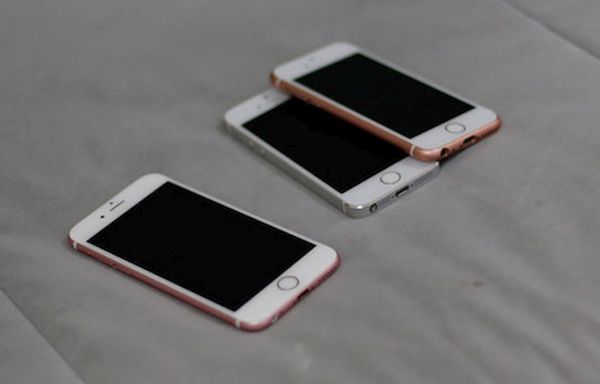
There were several ‘leaked’ photos of the new handset. The new images also arrive from China like most other photos did. Does Shenzhen really know hat to expect this spring from the Cupertino-based giant or not? The latest pics show the mock-up of the device that has been rumored for months.

The iPhone SE reminds of the iPhone 5s and iPhone 6. It won’t be as powerful as iPhone 6s and it will definitely lack many popular features created specifically for the 2015 ‘s’ lineup. Still it should arrive with some curious options and get enough power to compete with other smartphones in the market.

Apple is said to create iPhone SE models mostly for Indian and Chinese markets where customers wish to own the ‘fruit’ gadget but are not eager to pay for the iPhone 6s and find it expensive.

We’ll know all the truth pretty soon. The March Event is just around the corner. It will provide all the details about the new 4-inch iPhone and other iOS devices we should see in March – April.

iPhone SE Design Looks Great in Renders

The new images of iPhone SE design have surfaced online. These renders promise an interesting smartphone from Apple that is believed to be released this spring. The famous Cupertino company is expected to present the 4-inch handset in the end of March.

iPhone SE release date is rumored for end of March – early April. Apple hasn’t confirmed the official presentation date and iPhone SE price and specs yet. We only see rumors and ideas on what to expect this year.

iPhone 5SE renders

Most customers will see the new iPhone 7 in the fall. Many iPhone 5c owners who haven’t updated to iPhone 6S because of the high price are looking for a smaller 4-inch iPhone update that would bring an affordable and powerful model.

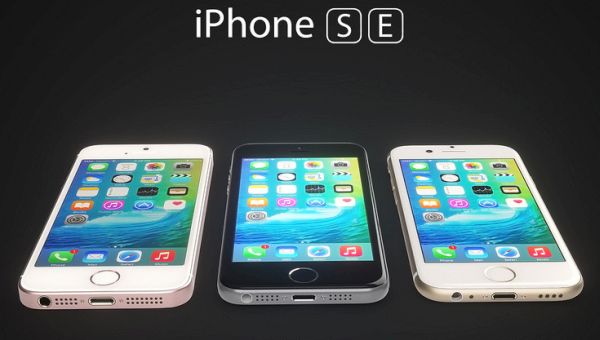
What can this SE upgrade look like? Different renders and so-called leaked images show us an Apple-like smartphone that is similar to iPhone 6 and iPhone 5s. This model reminds of a smaller iPhone 6 and it has antenna bands and cute curved edges. The gadget is rumored to get 4-inch screen. Still no one knows for sure how it would look like because all the images come from unknown sources.

Designers took advantage of different rumors and created renders of what iPhone SE design could be. This model might get colorful options like iPhone 5c [do you know that AT&T pays iPhone users for switching carriers?]. It could get 12Mp camera with a protrusion on the back [many users don’t like this design but iPhone 6 that has similar back is extremely popular and sold very well].

We don’t know if iPhone SE really exists and is to be launched this March – April or not. Apple says nothing about all the rumors and its March event is still under question.

Will Apple Release iPhone Pro This Fall?

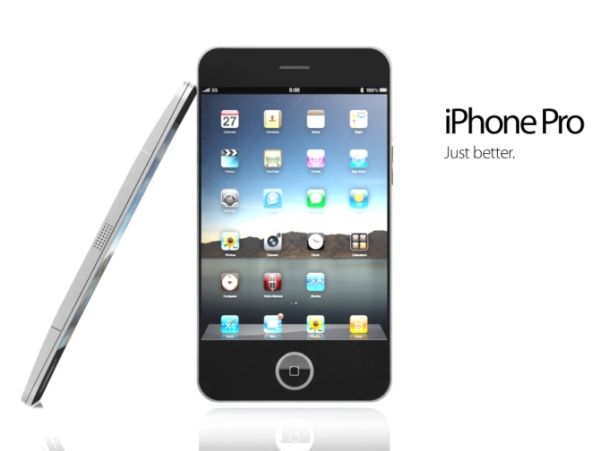
Could Apple give its new 2016 smartphones new name? There are iPhone 7 rumors that hint to an interesting change – the next gadget we’ll see this fall could be named iPhone Pro [iPad Pro was released recently]. By the way, the spring 4-inch iPhone could also get a new name iPhone SE. Is this for real?

Apple is not a fan of radical changes. The company prefers introducing minor updates as its fans are looking for ‘fruit’ gadget and don’t want to see ‘android’ surprise instead. The 2016 could be the year for new changes. Apple is believed to soon launch iPhone SE, 4-inch handset that should be powerful and cheaper than other iOS smartphones. The iPhone 7 release is expected sometimes in September or October and there are reports that point to iPhone Pro name.

iPhone Pro 2016 Release Rumors

There are many rumors, predictions and ideas about upcoming Apple phones. The company hasn’t confirmed anything yet. It says nothing about iPhone SE or iPhone Pro launch. We can also take guesses and wait for the Cupertino-based giant to officially present 2016 upgrades.

Some experts even think Apple could present 4 different smartphones this year including iPhone 7 with cool features. Still Apple never launched more than 2 models at once so we doubt the company could enjoy such major changes. Besides the sales of iPhone 6s are not a high as iPhone 6 sales were a year ago. Can the famous company take such risks and bring four handsets to the market within the same year?

What do you think about the possibility of launching iPhone SE, iPhone 7, iPhone 7 Plus and iPhone Pro in 2016? Would you agree to purchase the 4 gadgets at once?

Users Can Hack iPhone Touch ID with Play-Doh

Sometimes users who find or purchased a used iPhone and upgrade to iOS 9 have an issue [by the way Apple March event is confirmed for March 21st]. They are willing to find a way how to hack iPhone Touch ID and access the device without making it a brick. Touch ID has been introduced by Apple to secure the gadgets and not allow third-party users access, delete, restore the iPhone.

Touch ID is mainly aimed at thieves. But there are situations when ordinary users get in trouble with buying pre-owned Apple smartphones and they want to know how to cheat Touch ID. It seems that even kids might perform this task if they have Play-Doh toy.

iPhone Touch ID Hack Bypass Play Doh

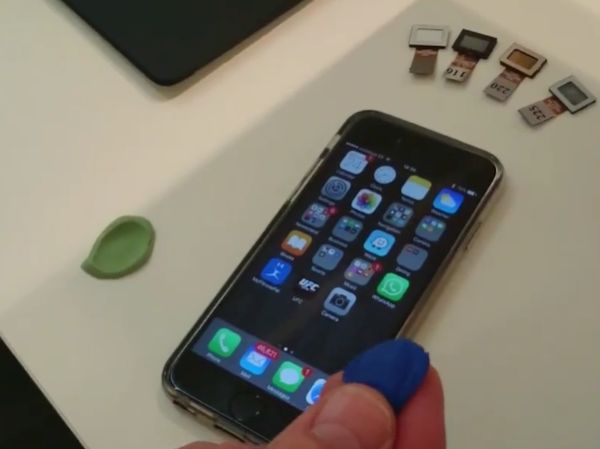
The Chinese group of hackers showed how to unlock iPhone and bypass Touch ID security measure with Play-Doh. Yes, you are not mistaken. Using popular Play-Doh you could be able to unlock the device. You might need a couple of tries to succeed but this method is successful if you try hard.

There were users who managed to unlock iPhone with different body parts still the fact that the same thing can be done with Play-Doh can’t make everyone happy because thieves could potentially use the same method.

Still this is only theory. Everything is not that simple in reality. Creating a fingerprint from Play-Doh also requires making a cast of finger created in dental paste. Simple Play-Doh won’t help you. The hack is still curious but potential thieves will have to get your fingerprint’s dental paste cast before they can make the Play-Doh fingerprint to hack your iPhone.

You see that it’s not that simple. Apple said nothing about this hack yet.