iPhone 6s Repair Cost: When Your New iPhone Is Out Of Warranty

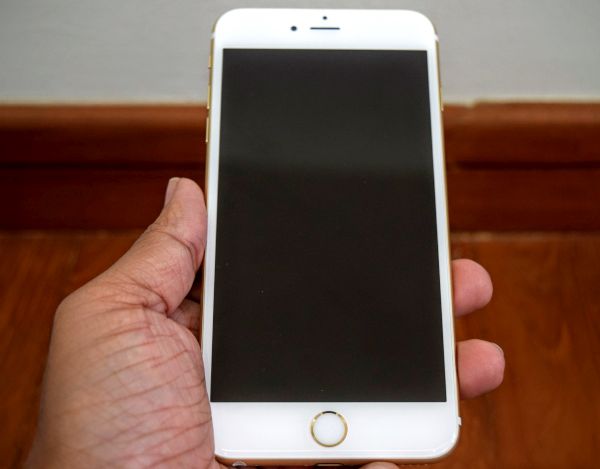
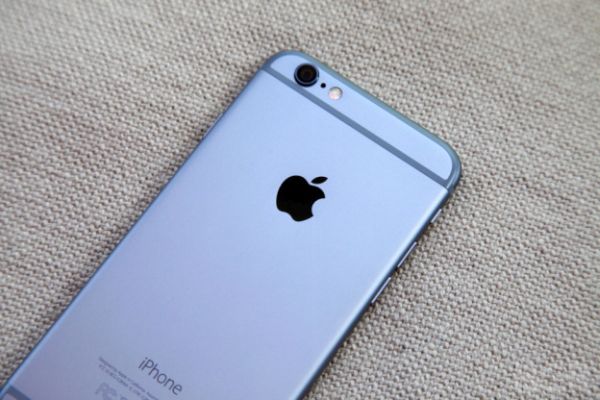
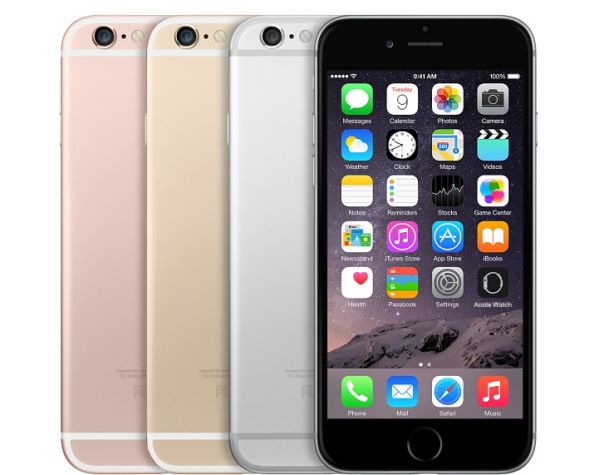
A lot of Apple fans already purchased the company’s new iPhone 6s and 6s Plus. Do you have the 1 year warranty or have you extended it to two years? No matter, what your plan is you should know iPhone 6s repair cost for when your handset gets our of warranty status. It’s pretty much the same as for the previous generation iPhone 6 and 6 Plus. However there are some differences in the price.

If you visit the official Apple site you will find the Other Repair menu. It is devoted to iPhone 6s out of warranty repair and provides the pricing for customers who’ll need such services.

iPhone 6s Repair Cost Out of Warranty

Users who’ll need to replace their iPhone 6s screen will have to pay $129 for iPhone 6s and $149 for iPhone 6s Plus.

iPhone 6s out or warranty repair will cost you $299. The same service for iPhone 6s Plus model is more expensive and costs $329. This pricing for general repairs haven’t changed that much as it costs $299 to repair previous generation iPhone 6 device.

Users who will need to replace iPhone 6s battery will have to pay $79 for any model if they are out of warranty.

If you wish to purchase AppleCare+ for your new handset, prepare to pay $99.99-$129.99 plus the $79.99-$99.99 service fee for iPhone 6s / iPhone 6s Plus. These prices are higher for the ‘s’ lineup compared to previous Apple smartphones, maybe 3D Touch option is the main reason for increasing the cost.

Do you own the iPhone 6s? Did you buy the insurance for your handset? Users who have any Apple device are advised to use the case and use the gadget carefully. This is the only method how you can avoid high iPhone repair costs.

How to Unlock iPhone 6s [Become SIM Free with Ease]

If you have the iPhone 6s factory unlocked which Apple sells directly to customers you should still unlock it. We’ll explain what to do and how to complete this procedure in order to use your brand new 2015 model with any U.S. and worldwide networks, including AT&T, Verizon, T-Mobile, Vodafone, O2 and many others.

Most guides on how to unlock iPhone 6s include the IMEI factory unlocking. You don’t need this service since your Apple handset paids in full is already unlocked. You just need to make it ready for being used with various mobile operators.

How to Unlock iPhone 6s Guide

How to SIM Unlock iPhone 6s Paid in Full

Step 1. Take your new iPhone 6s. If you have iPhone 6s Plus that you got at the full price you can also use this same instruction to succeed.

Step 2. Take the USB cable. You should connect to your PC or Mac.

Step 3. You also need to use the latest version of iTunes. Launch it.

Step 4. Your new iPhone should have the SIM included. You need to insert it into your smartphone.

Step 5. Follow the activation guide included by carrier.

Step 6. There should be an unlocked message. It’s the confirmation that your iPhone 6s is unlocked and can support all SIM cards from any network.

This instruction only works for users who paid the full price for their Apple device. Customers who got the iPhone from Apple with the 2-year contract or with the payment plan from a mobile operator – cannot unlock their device using the method described above. They have to order factory distant SIM unlock service to become SIM free.

Do you own this year’s handset?

Verizon iPhone 6s Upgrade Program Announced

The new Verizon iPhone 6s upgrade program was introduced by this U.S. carrier. More mobile operators realize that customers like to upgrade to a newer smartphone every year. Thus they offer more possibilities to update as often as users wish. Since Apple introduces new generation models once a year – subscribers are allowed to get the new iPhone just as often.

Verizon iPhone 6s Annual Upgrade Program

If you wish to upgrade to iPhone 6s Verizon you might want to learn more about the new Annual Upgrade program this operator introduced. From now on, all iDevice subscribers can get the Apple iPhone from Verizon every year. At the same time they can pay the same minimal amount of money each month for carrying the handset.

Right now only Verizon iPhone 6s Plus and iPhone 6s subscribers are the only ones who can participate in the new Annual program offered by the Big Red mobile operator in the U.S. Each customer who already pre-ordered the new model through Device Payment option already take part in the program.

Annual Upgrade subscribers have to turn in their older model in order to get the most recent release. You are also allowed to keep the old version as well though you’ll have to pay your installment fees for the 24 months.

The smallest capacity iPhone 6s and 6s Plus [16GB models] can be purchased at $27.09 or $31.24 per month accordingly. This is the price offered by Verizon. Some other carriers allow annual iPhone upgrade options at a cheaper price. What do you think about the new Verizon annual upgrade program?

iOS 9 Face Down iPhone Battery Saving Tips

The firmware version iOS 9 brings iPhone face down screen support for some models. Unfortunately it won’t work for all iDevice users however if you are a lucky owner of a supported smartphone you’ll be able to save your battery life throughout the day.

iOS 9 face down feature is meant to save your battery and make it last longer. The official name of this option is Facedown detection. Apple introduced it in the fall 2015 and now a lot of users are already taking benefits of using it. It can bring up to one hour of your battery life and this is great because the feature turns off your iOS 9 display when you are not using your iPhone.

iPhone iOS 9 Face Down Feature

iPhone iOS 9 Battery Saving Tips

The feature is one of the coolest additions to iOS 9 tricks and features. When you put the handset facedown on the surface its display will stop lighting up. Even when you get a phone call or notifications the screen will not light up and your battery will last longer.

The new iOS 9 feature Facedown detection supports different surfaces including glass surface. You can even suspend your smartphone in the air and the option will still work. Still it requires a particular model.

If you have the iPhone 6s, 6s Plus that are on sale from September 25th, iPhone 6 Plus, iPhone 6 or iPhone 5s – you can enjoy the new iOS 9 facedown feature. If you own the older iPhone 5c, 5 or 4s you are out of luck. The new option doesn’t support these three versions of Apple mobile device.

iPod touch and iPad users cannot use the facedown option as well. It is exclusive for supported iPhones only.

It is possible to turn off the feature by turning off iOS 9 Fitness tracking option in your Settings application. There is no other way to disable it.

iPhone 6s and iPhone 6s Plus Launch Date in India

When is iPhone 6s release date in India? A lot of customers from other countries will see the official launch on September 25th however Netherlands, India and some other areas will only see the release in October.

iPhone 6s India launch date is rumored to take place on the same date when customers from Netherlands could purchase the new generation Apple smartphones. The iPhone 6s and 6s Plus were significantly improved from the previous iPhone 6 / 6 Plus models. They get the 3D Touch option, more features, new iOS 9 platform with tons of changes and many other interesting things that make them so popular.

iPhone 6s India Launch Date

Apple already sold a lot of devices during pre-orders time. It is rumored that the company is experiences shortage with iPhone 6s Plus being in stock. Some stores might not even get the iPhone 6s or iPhone 6s Plus in stock on the official release date.

iPhone 6s and iPhone 6s Plus launch date in India is expected on October 2 or 10. It is also reported that customers can pre-order new iPhone in India on September 25 [this si the date when iPhone 6s goes on sale in the UK, the U.S., Australia, Canada, France and other countries]. The new gen models will be priced higher than previous 6 and 6 Plus models.

These are rumors that come from difference sources. Will the Indian market get the latest generation Apple handsets in early October or later in 2015 – we don’t know for sure.

Apple’s devices are becoming more popular across the globe. The company successfully continues to grow sales in U.S., European and Asian markets. This year Apple wants to beat its 2014 sales record. Could the new ‘s’ lineup get more than 10 million sales on the first weekend of official salesor not? What is your opinion?

Unlock Blacklisted Sprint iPhone 5S, 5C, 5, 4S, 4

[meta_info]

Tips Before Purchase:

*Use network checker if you are not sure what carrier your iPhone is locked to.

  • Activated iPhone only

*Your iPhone has to be activated within Sprint network meaning you have to connect to Sprint using its SIM card at least once.

  • Unlock Success Rate: 100%

*Unlock success rate depends on Sprint account status of each device.

[/meta_info]

[content_tab]

From now you can unlock Sprint iPhone with BAD ESN. This service supports blacklisted iPhone 5S, 5C, 5, 4S running any iOS version. Check if your iPhone is eligible for unlocking and place an order to get permanent solution.

If your iPhone is blacklisted, blocked, has unpaid bills, reported lost or stolen you can use this service. Also this service is good for those who used unlock for clean IMEI but got Not Found. If iPhone is locked to Sprint this package is all you need to unlock iPhone.

Just provide IMEI number and working email address, place an order and after some time enjoy your permanently unlocked iPhone.This solution is permanet so you will be able to update your device to any iOS and connect it to iTunes.

Before start check if iPhone is activated and locked to Sprint US network. Due to the User Agreement, there is no refund for bad requests.

Please do not make an order in case your iPhone 5S, 5C, 5, 4S has ever been sent to Apple Care / Technical Service or is a replacement unit.

To avoid any errors and mistakes, mistypes before confirming your order, please check twice all the information you provide. Note that we won’t be able to cancel your IMEI unlock order after it has been accepted and processed.

We are doing our best to deliver your new status as soon as possible. Factory unlock Sprint iPhone 5S, 5C, 5, 4S with bad ESN service is working on Monday through Friday during business hours. It takes longer to perform unlock during weekends and holidays.

[/content_tab]

[details_tab]

How to Unlock blocked Sprint iPhone 5S, 5C, 5, 4S

Step 1. Goto Setting app on your device and find IMEI number (General – About). Also you can type #*06* and IMEI will appear on the screen. We need these digits.

Step 2. Put ESN and email address into the unlocking request form. Don’t foreget to read and check Terms&Conditions. After adding all info pay for the service and check email box for the letter with your personal order ID.

Step 3. There is an average delivery time when unlocking results can come. You will receive email with the results. Follow instructions to complete unlock for blocked Sprint iPhone in iTunes.

See how to place an order for blocked Sprint iPhone and now let’s pay attention at options that make you eligible for using this service.

Important Notes!

  • This unlocking package is for iPhone 5S, 5C, 5, 4S, 4.
  • You must own an iPhone locked to Sprint U.S. carriers which you can check by using IMEI network checker. This service will find out whether your device is activated with Sprint or not.
  • If iPhone 5S, 5C is not activated, your unlock will fail and there is no refund in such case.
  • If you have got clean IMEI then we offer unlock for clean Sprint iPhones.
  • Before placing your order please read and agree to our Terms & Conditions.
  • We work during business hours from 9 AM to 6 PM PST, Monday- Friday.

Unlock Sprint iPhone if blocked IMEI using easy steps and enjoy any SIM card and iOS permanently. You will be able to install new iOS version, update your iPhone, sync with iTunes and never lose your “unlocked” status, as the service lists your IMEI number as forever unlocked in the official Apple database of IMEI codes. This is legal, fast, safe and really with a lifetime guarantee.

[/details_tab]

iPhone Upgrade Program Created by Apple to Start by Samsung

This year Apple iPhone upgrade program is offered directly by the Cupertino-based company. Different U.S. carriers, AT&T, Verizon, Sprint, T-Mobile and others also offer leasing options to customers whoever users get a chance to get the never-locked [SIM free] iPhone 6s and 6s Plus right from the famous ‘fruit’ company.

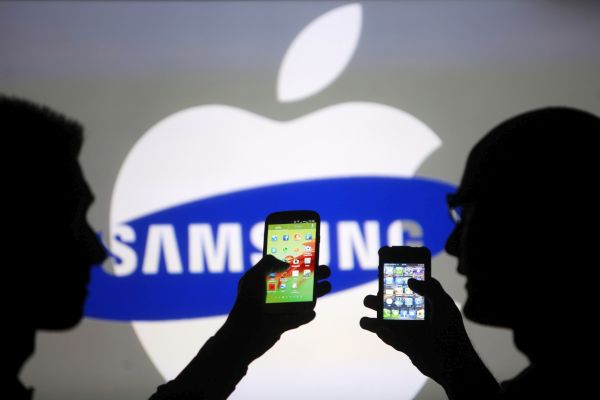
This program seems to be already popular and other companies are following Apple’s footsteps. For example, Samsung Upgrade Program has been rumored to be soon presented to customers. We all know that Samsung and Apple are two rivals that compete in the market of mobile devices for many years in a row.

Apple Samsung Phone Upgrade Program

By offering iPhone 6s and iPhone 6s Plus Upgrade Program Apple is trying to eliminate mobile networks that were always the middlemen in the procedure of purchasing handsets in the United States. Samsung also wants to offer its own leasing options and eliminate carriers.

As different reports state, Samsung will announce its leasing program in the next couple of months. No one can say the exact offers and deals this company will offer.

Apple iPhone Upgrade Program was officially introduced on September 9th. The company held the ‘Hey Siri’ private event where it talked about the new program and presented the new lineup of iPhone 6s and iPhone 6s Plus along with other gadgets. The program offers direct leasing options through Apple retail stores across the U.S. The prices to start from $32 monthly payments for the 24 months. Consumers will be able to pick up their new 2015 phone model starting on September 25th when both iPhone 6s and 6s Plus go on sale.

Samsung wants to launch the similar Apple-like program and try to keep the high sales in and outside the United States. All the worldwide networks will continue selling popular handsets through their stores as well.

iOS 9 Tricks and Features That Are Fun to Use

There is a long list of iOS 9 features you could find useful and enjoy using everyday on your iPhone or other Apple device. The company finally allows saving battery life through special Lo Power Mode. It created the iCloud Drive as iOS 9 application and provides a lot of great options for those who enjoy taking pictures and recording videos.

There are a lot of other iOS 9 tricks you might like. For example, you can group your notifications by applications making it simpler to find them later on.

iOS 9 Tricks Features Tips

Those of you who are using Mail a lot can edit files right on the iOS 9 iPad, iPhone or iPod touch. Apple brings the new Reply and Markup functions and you can edit attachments [add your signature, text, drawings and other things] using Share sheet.

It has become possible to use Notes as your special word app. It gets tons of new options including checklists, sketching, Maps support and other useful additions.

Bedies, Mail and iCloud Drive allow you adding attachments and saving attachments. This is a great extra option that is lacking in iOS 8 and earlier firmware versions.

Apple allows saving battery life by placing the smartphone face down. This way the display doesn’t light up when you get a notification or text message.

It also important to mention the Quick Reply feature in the iOS 9 tips guide. It has been added to WhatsApp and similar programs. The company upgraded and improved Maps program and lets users disable vibrations for messages, phone calls and notifications through Settings – Accessibility.

Users who search iOS 9 contacts and names can place a call right from Search. When you wish to undo your last step you can shake your iDevice to Undo. Safari and other programs have also been improved. And finally Apple allows protecting your gadget using both 4-digit and 6-digit passcodes.

How to Downgrade to iOS 8.4.1 Instruction for iOS 9 Users

There are several ways how to downgrade to iOS 8.4.1. We want to mention the quickest one. It will help iPhone, iPod touch and iPad owners to downgrade iOS 9 to 8.4.1 version. Apple upgraded its mobile firmware in mid September and will soon stop signing the previous operating system. You still have time to get back to the older version in case you don’t like or don’t need the newest iOS 9.

This method is fast. Still it might not be recommended to all users. Besides, Apple doesn’t support downgrading.

Downgrade iOS 9 to iOS 8.4.1 iPhone Guide

iOS 9 to iOS 8.4.1 Downgrade Instruction

Step 1. Take your iPhone and launch Settings. Go to iCloud and disable Find my iPhone application.

Step 2. If you are already using the 6-digit passcode iOS 9 option you should change it back to 4-digit otherwise you will fail to unlock iPhone or iPad once you are running iOS 8.4.1 again because iOS 8.4.1 doesn’t support the 6-digit passcodes.

Step 3. Download iOS 8.4.1 ipsw for your device. Save it on your computer.

Step 4. It’s time to use USB cable and connect to your PC or Mac.

Step 5. Open iTunes and let is detect your device. Choose your gadget from iTunes menu. If you are using PC click on Shift [Mac users should hold Alt / Option] while pressing on Check for Update feature.

Step 6. Point to your iOS 8.4.1 file.

Step 7. When iTunes tells you it will update your iDevice to 8.4.1 version you should press on Update.

Step 8. Patiently wait for the downgrade to complete. It’s done when Slide to upgrade appears on your screen. You’ll have to enter our passcode to unlock iPhone and start using it.

Step 9. That’s it.

Remember that Apple will not sign iOS 8.4.1 for months in a row. It will soon stop signing the previous firmware so keep an eye before you downgrade. It could become impossible any time soon.

iPhone iCloud Blacklist Checker [Lost / Stolen]

[meta_info]

Tips Before Purchase:

  • IMEI check Success Rate: 100%

*IMEI check success rate depends on correctness of IMEI of each device.

[/meta_info]

[content_tab]

Free iClous lost/stolen checker can help you to find if iPhone is clean or blacklisted which will give you the right direction to remove iCloud lock.

All you need to do is to Like, Share, G+ or tweet about our service to get free Lost or Stolen checker ordering form.

This service will NOT UNLOCK or UNBLOCK your iPhone. This service will not activate or remove iCloud lock.

RESULTS SAMPLE:

FMI STATUS: CLEAN

FMI STATUS: LOST

FMI STATUS: OFF

GSM STATUS: LOST

FMI STATUS: CLEAN – FMI on device is turned ON but iCloud status is Clean

FMI STATUS: LOST – FMI on device is turned ON and iCloud status is Lost or Erased mode

FMI STATUS: OFF – FMI has beeng turned Off, so no activation lock mode for device

GSM STATUS: LOST – Device has beeing reported lost or stolen to carrier

NOTE: If IMEI has been reported Lost or Stolen to Carrier, iCloud status cannot be checked.

Is there no email from us in your mailbox? Search in SPAM or, please, add contact@geo-location.site to your contacts.

[/content_tab]

[details_tab]

This FREE service can help you check if iCloud locked iPhone is reported Lost or Stolen. It is easy to remove iCloud lock on iPhone [All models] if IMEI is clean using special service we provide. The solution is highly reliable, official, affordable and fast to be delivered. It is performed distantly without voiding Apple warranty on your device.

How to Get IMEI Number

  • Your IMEI can be looked up in Settings – General – About section.
  • It can be displayed if you type *#06#.

How to Place Online Order for free iCloud lost/stolen check

  • Like, Share, G+ or Tweet on the social form on the right sidebar
  • Enter IMEI code and email address

Notes

  • Find My iPhone feature in iCloud must be ON
  • We guarantee deliveries Monday through Friday from 9 am till 6 pm PST.

[/details_tab]