
The list of iPhone secret codes tricks and iOS tips and tricks is constantly growing because Apple continues to release new smartphone models and firmware versions. The company updated mobile operating system earlier this fall so you can now enjoy various iOS 10 shortcuts once you install this firmware.
Right now we want to talk about accessibility shortcuts you can enjoy using. These iPhone magic tricks are amazing and they simplify your everyday smartphone usage. It becomes faster and easier to perform various actions when you can access them using iPhone accessibility setting and some little secrets.
You can quickly master new iPhone secrets codes on iOS 10 within Accessibility section. It’s perfect for both iPad and your handset. Once you learn how to use iOS 10 shortcuts you will love launching the features you love the most by triple-clicking your Home button. Besides it will become so much easier to switch between iOS 10 features you’ll be surprised. Let’s get into details and explore the world of your beloved handset.
There are so many interesting and useful iPhone accessibility settings you need to explore. Still you know that the first thing you should do is turn on this amazing feature, right?
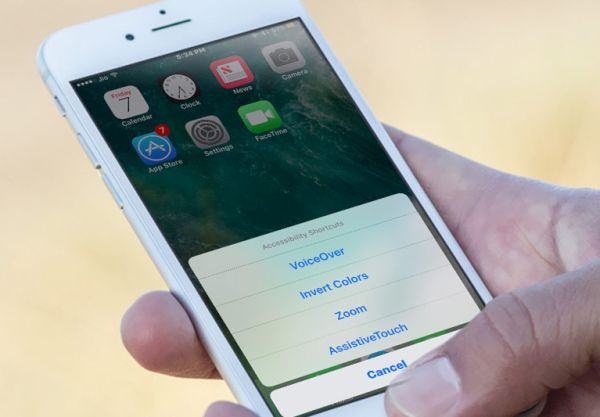
How to Enable Accessibility Shortcuts on iPhone Running iOS 10
Step 1. Anything you are trying to setup on your iPhone goes through Settings.
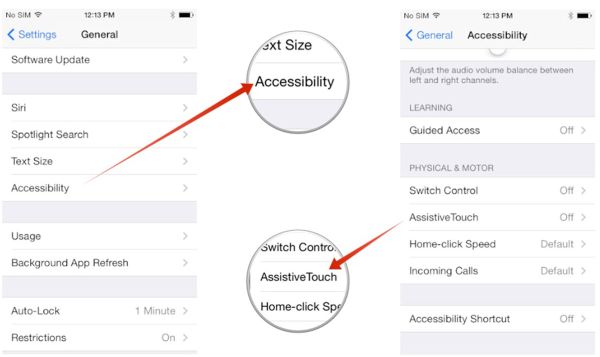
Step 2. Choose General menu and click on Accessibility option.
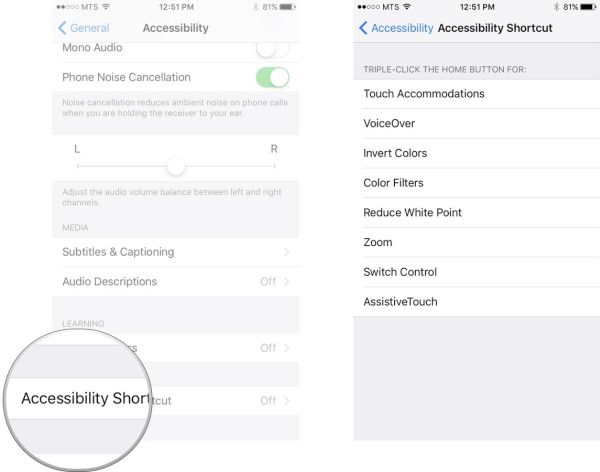
Step 3. Choose Accessibility Shortcut feature which you’ll find at the bottom of the screen.
Step 4. Select the features you wish to use. The list contains 7 various options you can enjoy and it is possible to choose several at once.
How to Create iPhone Triple Tap Action
This is pretty easy to do. You need to only decide what action you wish to do during your iPhone triple tap performance:
Step 1. On your iPhone 7, iPhone 7 Plus or other model you should go to Settings program.
Step 2. Select General option.
Step 3. Access Accessibility section.
Step 4. You’ll find Accessibility Shortcut feature way-way down the menu. Click on it.
Step 5. Now select the action for your Home button triple clicking. You are done.

List of Accessibility Shortcut iPhone Features
Here are the options you can select from when you enable iPhone magic tricks for easy access.
- Color Filters
This feature can help you customize your screen color layout. Just select the color you like and go with it.
- VoiceOver
Would you like your display contents to be spoken? Your iPhone 7 is capable of this as well as other iOS 10 gadgets.
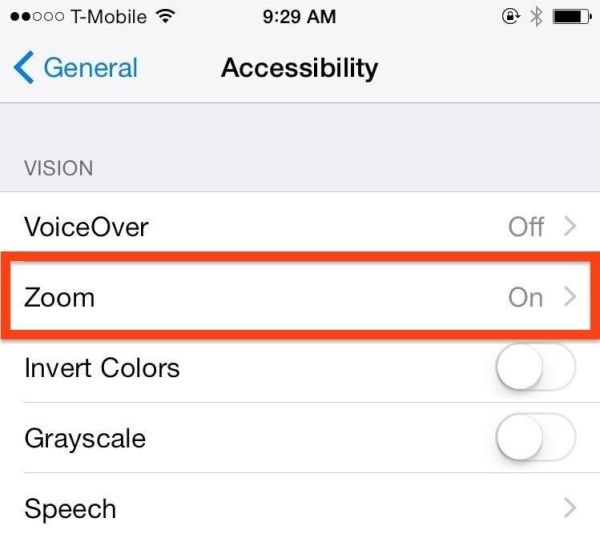
- Zoom
Sometimes it is cool to zoom in your screen content. Improve your visibility using this fun option on iOS 10 platform [learn how to backup iPhone manually].
- Touch Accommodations
Choose how you want your display to respond to your taps and clicks.
- Switch Control
This is another interesting motor accessibility option you can enjoy. Turn your handset display or external switch to your control.
- Reduce White Point
You have most likely guessed that this particular feature allows adjusting the bright colors to your personal likes. Reduce the color intensity and improve your ‘fruit’ life.
- Invert Colors
This is the simplest thing. This option can invert the colors across iOS 10 firmware.
- Assistive Touch
Simplify the control for some buttons and enjoy gestures. This is a great function for users with motor impairments.
Remember that you are able to select several features and they all will be assigned to your triple click action. However if you choose one option it becomes activated as soon as you click three times on your Home button. If you select more features you will see the menu with all the options to choose from. Use the same triple-click to disable the option.
We hope you enjoyed exploring the new iOS tips and tricks. Remember that they work only on the firmware version 10 and newer. The first official release was offered in September however Apple keeps improving its mobile operating system and presents newer updates to fix previous bugs and issues.