Time to Get Out of a Two Year Contract with Sprint?

We earlier heard about Sprint iPhone with 2 year contract disappearing in 2016 however this carrier took a decision to bring back these contract plans. The mobile operator seems to cannot get its mind together. Now it once again promises that its previous decision was the right one.

There is leaked image that says you’ll get a simple way on how to get out of a two year contract with Sprint. The network will simply axe this option in the end of May. Are you ready for the changes or do you like the contract option?

Sprint 2 Year Contract iPhone 2016

You know that you can SIM unlock Sprint iPhone even today. This is a simple distant procedure that is safe, affordable and simple. Factory unlocking offers permanent result that can be achieved distantly.

Users won’t be able to buy Sprint two year contract phones this summer if the rumors turn out to be true. Many other U.S. networks already says goodbye to such plans and Sprint wants to join the list.

You might be able to only lease iPhone from Sprint, purchase it through installment plan or pay full price for Apple smartphone. In other words, you might have only three options with iPhone 7 Sprint purchase in the fall.

It’s curious that deciding to bring back Sprint iPhone with two year contract was because Sprint ‘listened to the customers’ and now it wants once again to shut down contracts. Similar steps were already taken by T-Mobile, Verizon and AT&T.
Learn What’s New in iOS 9.3.2 Public Release

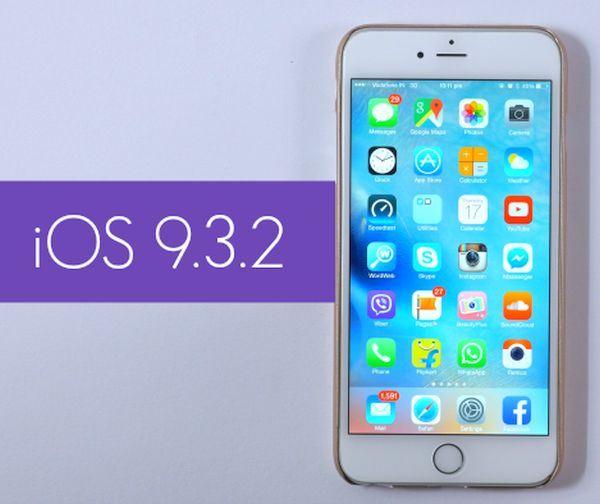
Have you been waiting for iOS 9.3.2 release date? This iPhone and iPad firmware update is finally here and you are welcome to download it and explore all the minor changes the iOS giant has to offer. The Cupertino-based company was testing iOS 9.3.2 this spring and presented the official download links before the WWDC 2016 event which is incredible.

Don’t expect any major new iOS 9.3.2 features and improvements. This is not a big upgrade like iOS 10 will be [the next iPhone 7 model will get iOS 10 pre-installed]. By the way we’ll learn more about iOS 10 firmware version this June because Apple will unveil its next firmware beta during WWDC and allow developers to test it during the summertime.

iOS 9.3.2 Release Update Download for iPhone iPad Apple

Before we’ll get into iOS 9.3.2 what’s new details we should note that this operating system version got only four betas before it became pubic. Beta testers and devs were exploring it before anyone else got a chance to download and install this update. The firmware fixes some previous bugs, offers some security enhancement and other changes.

Firstly, if you had any Bluetooth issues on iPhone SE they will be gone once you upgrade to iOS 9.3.2. Secondly, users who need Japanese Kana keyboard while checking their Mail / Messages programs won’t have problems with typing their email because the bug is gone with 9.3.2 release. Thirdly, Apple fixed dictionary, VoiceOver and other issues.

You can get iOS 9.3.2 for free for any iDevice that supports iOS 9 using OTA-update. This is simple, fast and easy to do. Remember that you will soon get iOS 10 firmware but this would only happen in the fall.

Apple Working on iPhone Distribution and Sales in India

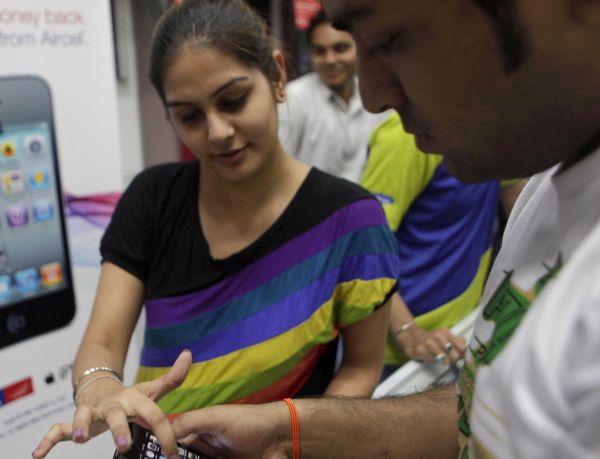
Apple in India: this company has big plans for this new emerging market. Local customers enjoy getting ‘fruit’ smartphones because they are extremely popular here. The only problem most consumers have is the expensive price.

According to report and Apple in India news, the company’s CEO Tim Cook is going to visit this country and meet with telecom executives. What will they discuss? Apple wants to talk about distribution partnership with top local companies and sale iPhones and other ‘fruit’ gadgets.

iPhone in India Sales 2016

The iPhone giant thinks to widen LTE network and boost iPhone sales in India. Right now customers really enjoy getting the smaller and cheaper 4-inch iPhone SE model. This device was released in spring. It should eventually replace iPhone 5s in the market. Still millions of eyes are looking forward to the next iPhone 7 update. This should happen in the fall.

As it was noted during Q2, 2016 earnings call, Apple mentioned that ‘fruit’ handset sales in India are actually limited and the reason is ‘slow data speeds.’ So once LTE network is improved and expanded users will be happier to buy new iPhones and Apple could truly boost sales.

Apple could meet with Vodafone, Airtel and Reliance Jio. Besides, there are rumors about Cook meeting with Indian Prime Minister. In other words, Apple continues to expand its presence across the world.

The Cupertino-based giant cannot boast iPhone sales growth this year. It is trying to boost the figures by bringing iPhone to China and India.

Simple Distant Verizon iPhone SE Unlock for iOS 9 Platform

Many Apple customers have heard a lot about Verizon iPhone SE unlock and other models / carriers unlocking services. With Verizon everything is much simpler than with other major U.S. networks. Why? Well, Verizon stopped locking handsets since iPhone 5.

If you wish to unlock iOS 9 iPhone SE you have to do nothing. We won’t get into details how to unlock Verizon iPhone SE for one major reason: your handset is already unlocked from this carrier because it comes with universal GSM / CDM / LTE cellular radio. You can simply switch the SIM card and connect to a different network without requesting the company to unlock your gadget.

Unlock Verizon iPhone SE How to Factory IMEI Unlocking Service

While iPhone SE Verizon unlock is available to you by default if you buy the handset directly from Verizon, you might have to order factory unlock if the gadget is locked to AT&T or other American network. Yes, there are still mobile operators that like to lock iPhones to their network.

All 4G iPhones sold by Verizon are shipped already SIM free. If you have older model that is still locked to the network you need to order affordable distant factory IMEI unlock for Verizon iPhone. This is fast, simple and very easy to do.

You should find out your IMEI number [this can be done through iPhone Settings app] and make sure your handset is not blacklisted or blocked by Verizon. Place your order for iPhone Verizon unlock online and wait for a couple of days until you can a confirmation about successful unlock.

Connect your iPhone to iTunes after inserting a non-supported SIM card and your unlocked IMEI will be automatically activated by the program. You’ll be able to connect to any carrier from all over the world.

You can also contact Verizon Customer Service at 800-11-8300 and ask the carrier for SIM unlock. Any method is great.

iPhone 7 Could Feature Flush Camera and No Antenna Bands

We still should wait for a couple of months before we’ll learn more about the next Apple smartphone. iPhone 7 release date is expected in September 2016. The company is already working on this handset upgrade, new iOS 10 which will be announced this June and other new products the Cupertino-based giant has up its sleeve.

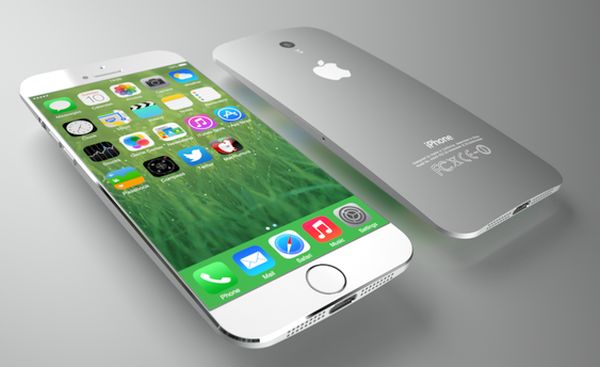
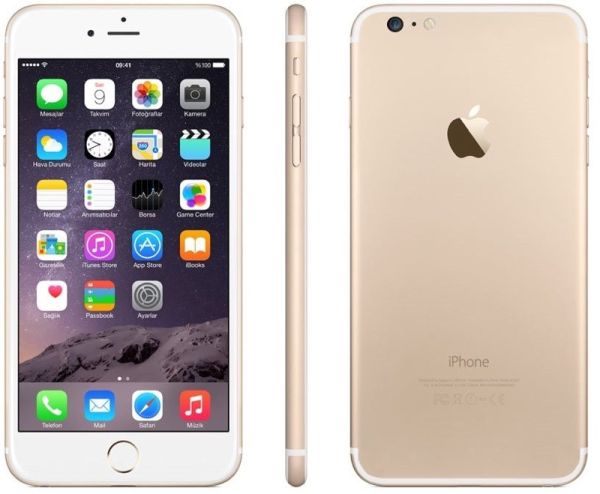
There are different iPhone 7 rumors and concepts. So it’s hard to say how the real model would look like. There are many ‘leaked’ images of the future iPhone but no one knows if any of the picture really showcases the real iPhone 7. One of the latest leaks shows iPhone 7 being very similar to current iPhone 6s with slight changes. What are the differences?

iPhone 7 Concept Rumors

Firstly, iPhone 7 camera would be a flush rear camera while iPhone 7 Plus could get the exclusive dual camera system on its back.

Seconly, the next gen model has no antenna bands. Different rumors promise the missing bands which could be moved on botton or top edge of the smartphone. In other words, the iPhone 7 edges could be extended just a bit.

Thirdly, the next generation Apple iPhone 7 could arrive with Smart Connector that would be capable of transferring data and maybe even wirelessly charging your device. It should be located near the iPhone bottom. It’s curious that there were reports about no Smart Connector in the next iOS smartphone [you can upgrade to new Apple iPhone online with Apple] however such big change could be postponed until iPhone 8 release in 2017.

What do you expect to see in the fall? How do you imagine iPhone 7 and iPhone 7 Plus?

Affordable T Mobile iPhone SE Unlock Service Helps Millions of Users

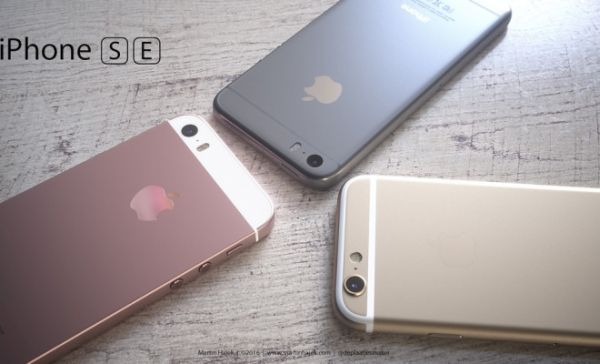
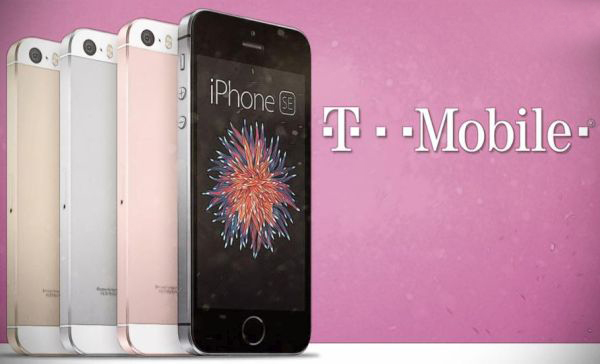
T-Mobile is the only ‘uncarrier’ carrier in the United States. Still it also have many locked iPhones that cannot switch to a different network until they unlock T Mobile iPhone SE or other Apple handset model. This unpopular policy of locking phones is still used by different American companies.

What is iPhone SE unlock price? How long does it take to unlock your device? How safe and fast is the procedure? For how long would iPhone stay unlocked from T-Mobile? We are sure that all these questions worry you.

iPhone SE TMobile SIM Factory Unlock Service

T Mobile iPhone SE unlock is very fast, quick and safe. The factory unlocking service is distant and doesn’t touch your device. The whole thing happens in Apple database of IMEI numbers where your unique IMEI is listed as ‘unlocked’ by the unlocking company. This is legit, affordable and permanent.

In other words, once you order unlock and become SIM unlocked from T-Mobile you will be able to use your iPhone SE with any network from all over the world. The criteria for unlocking is simple. You have to own an activated iPhone SE with T-Mobile network and have a good account. Your device shouldn’t be blacklisted, barred or blocked.

If everything is good with your smartphone you can remove network restriction and become free from all carriers once and forever. Exactly, the service has to be ordered only once with you remaining unlocked for the rest of your iPhone’s life.

Millions of iPhones are SIM unlocked every day. A lot of users who get new Apple handset hurry to also unlock it because it is cheaper to buy locked T-Mobile or other network iPhone and unlock it than to pay full price for brand new ‘fruit’ device.

To activate your unlock you’ll have to use iTunes. This is also safe, fast and secure. With factory IMEI iPhone SE T-Mobile unlock service you have nothing to be afraid of. This is the most convenient and affordable way to be SIM free.

Learn How You Can Save iPhone Email Attachments to Your iCloud Drive

Do you know that you can save your iPhone email attachments to iCloud Drive? This can be done on iOS 9 platform [learn more about future iPhone 7 that should be released in the fall 2016]. There is no need to search for any third-party tools because your default iOS Mail application supports this feature.

All you have to do is enable your iCloud Drive. In other words, you should make sure it is installed on your iDevice. Follow our simple instruction and learn more about iOS Mail attachment iCloud Drive ‘partnership’ and your new opportunities offered by Apple to all iPhone users.

Save iOS 9 Mail Attachment iPhone to iCloud Drive

How to Save Email Attachments to iCloud Drive: iPhone Guide

Step 1. Once you download and install iCloud Drive application on iPhone you should launch Settings app.

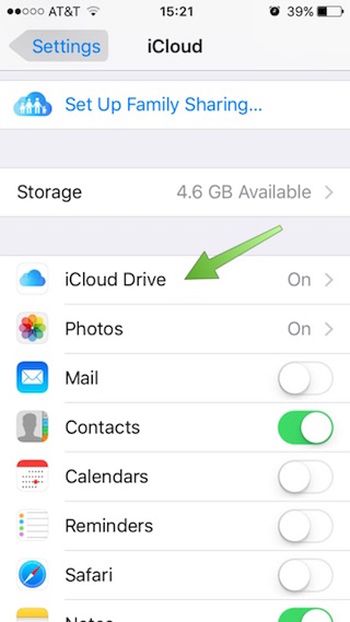
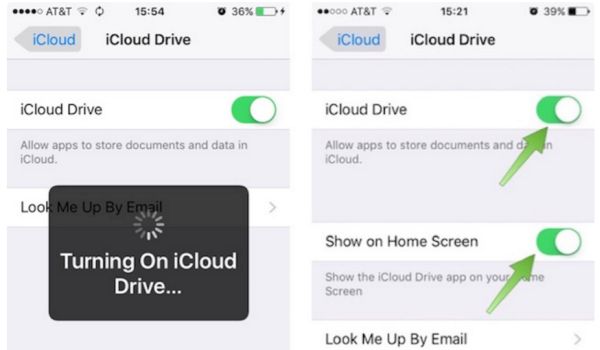
Step 2. Choose iCloud – iCloud Drive and use your login / password to log into the iCloud account. Do this right from your smartphone.

Login to iCloud Drive on iPhone

Step 3. With iCloud Drive being turned on you should also choose ‘Show’ option for Home Screen. Look for the iCloud Drive icon which appears on iPhone Home Screen [this can be done on popular iPhone SE and other Apple handset models]. Do you see it?

Turn On iCloud Drive on iPhone

Step 4. Go to Mail program.

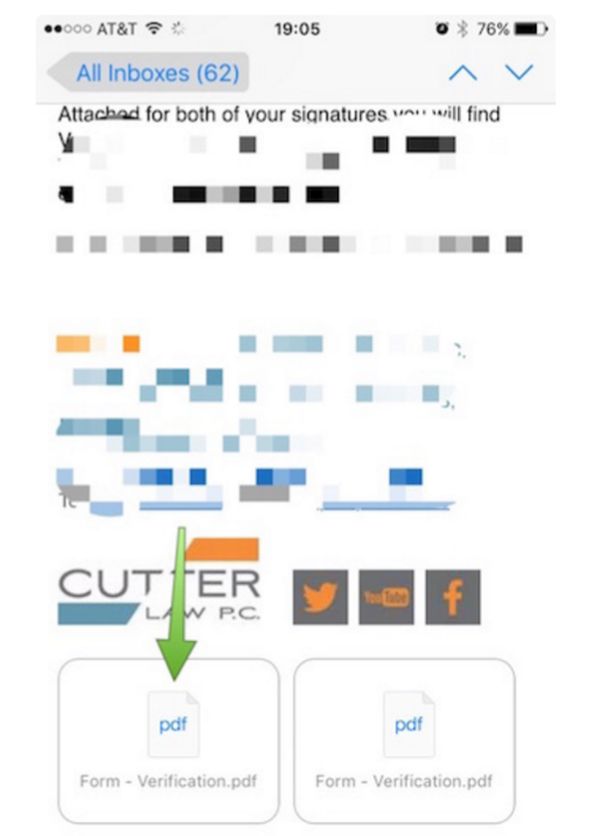
Step 5. You need to select email with any attachments.

Step 6. Click on icon to download the attachment.

Download iOS 9 Mail Attachment

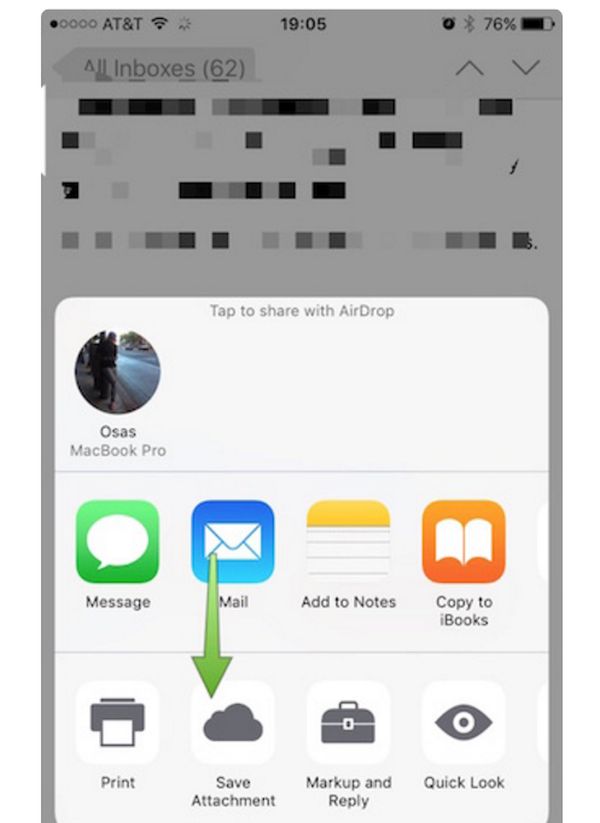
Step 7. You need to click-hold your attachment to see Share sheet option.

Step 8. Swipe in Share sheet to get to Save Attachment feature. You’ll see this icon so click on it to get to iCloud Drive.

Save iPhone Mail Attachment to iCloud Drive

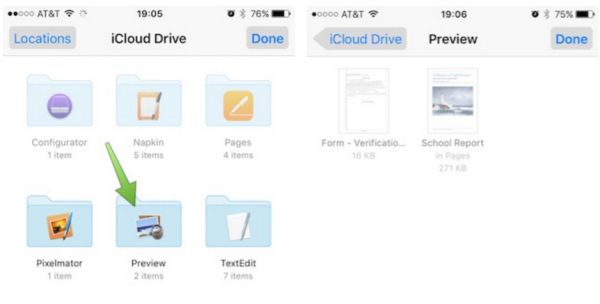
Step 9. Choose the folder where your file will be saved. Remember to click ‘Export to this location’ option in order to save your file and press on Done.

How to Save iPhone Mail Attachments on iOS 9 to iCloud Drive Guide

That’s it. You have successfully saved iOS 9 Mail app attachment to your iPhone iCloud Drive.

iPhone 7 Rumors Mention Edge to Edge Display and Other Specs

While iPhone 7 release is still months away users keep hearing more iPhone 7 rumors and predictions. What this next gen smartphone would look like? How Apple is planning to change its design and improve its options?

The most curious iPhone 7 specs include better Touch ID sensor, embedded front-facing camera and other additions. There could be edge to edge display and other interesting features. There are rumors that Apple could improve only the iPhone 8 and keep its upcoming iPhone 7 pretty close to what iPhone 6s offers.

iPhone 7 Concept Rumors Features Options

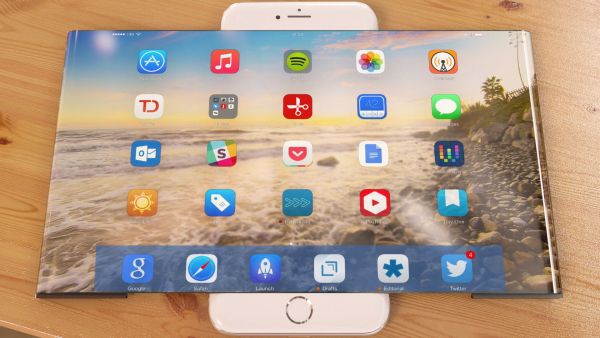
Cool iPhone 7 edge to edge display sounds interesting. No one knows if the rumors are real and true and how the new iPhone to looks like. If the entire iPhone face becomes the screen it would be interesting to see the Touch button and other specs. Could iPhone get the same ‘iPhone 6s’ size with edge to edge screen or would Apple have to ‘grow the display’ and make iOS 10 handset even bigger?

All these questions will be answered in September when the company officially presents the updated handset. All these rumors keep telling us about bigger display and interesting changes but they mention next iPhone 7 and iPhone 8. Which generation ‘fruit’ phone will get the most wonderful and awesome improvements? When is Apple preparing the best changes and ‘wow’ factor?

AMOLED screen with no Home button or edge to edge display could be the change that would attract new customers and make current Apple users want to upgrade to next model.

New iOS 9.3.2 Fixes iPhone SE Bluetooth Issues

Some new Apple customers experienced iPhone SE Bluetooth issues on AT&T and other U.S. networks. Finally the company offers the fix to this problem and you can solve all the bugs right away. How can you do this?

Use iOS 9.3.2 bug fixes and install this latest operating systemon your AT&T iPhone SE. This minor firmware update is simple and arrives with simple improvements and fixes to known bugs. This includes the Bluetooth problems noticed on the 4-inch iPhone model.

Fix iPhone SE Bluetooth Bug with iOS 9.3.2 Update

Who needs this iPhone SE Bluetooth fix? Users who have the 2016 iPhone SE model and connect it to their infotainment system in vehicles might get issues with Bluetooth audio. If this happens to you – install iOS 9.3.2 and the bug will be gone.

Some 4-inch iPhone users also have other sound issues while using GPS navigator or streaming music. In other words, the problem can happen in different situations and it’s better to solve it now. It’s worth to note that while iOS 9.3.2 update offers fixes to issues it also brings some new bugs [you can SIM unlock AT&T iPhone iOS 9.3.2 just like iOS 9.3.1]. iPad Pro users suffer from Error 56 that bricks their device. No problems have been reported for iPhone SE so far but the operating system update has bee recently rolled out.

With the newest mobile firmware version you can turn on Low Power mode and Night Shift option simultaneously without using any tweaks or tricks. Apple offers this option by default and it’s a nice change.

Unbelievable iPhone 7 and 7 Plus Features

Looking for more iPhone 7 rumors? Wanna hear what experts say about the upcoming Apple smartphone? There are design concepts and predictions about this next generation ‘fruit’ device. It is expected to be better than iPhone 6s or similar to this model. Different experts share different opinions.

What iPhone 7 options could the Cupertino-based giant really offer? We’ve heard about smart connector, dual camera system and even edge to edge screen. Designers create their own concepts and show ideas that could inspire Apple fans and make them wait for something unbelievable.

iPhone 7 Rumors Features Options Specs

Apple knows how to surprise and make its customers fall in love with the new flagship model. Could iPhone 7 and 7 Plus features be as good as it was with iPhone 6? This was an incredible financial year for the company as millions of users from all over the world were willing to upgrade or purchase iPhone 6 and 6 Plus models.

The 2015 iPhone 6s and 6s Plus updates weren’t as successful and Apple Q2, 2016 earnings report proves this. The iPhone SE is a minor update compared to bigger models because the 4-inch model is mainly meant for fast emerging markets as China and India. This is the update to iPhone 5 lineup. iPhone 7 release should be much bigger and really attract more ‘fruit’ customers.

This update could feature 3.5mm headphone jack or Apple might drop it. There are opposite opinions. It could also get dual camera system and smart connector. Would it really get wireless charging feature or not?

Will iPhone 7 or iPhone 8 be better than iPhone 6s? What do you expect from Apple this year?