Apple Pickup in Store Option Comes to Europe

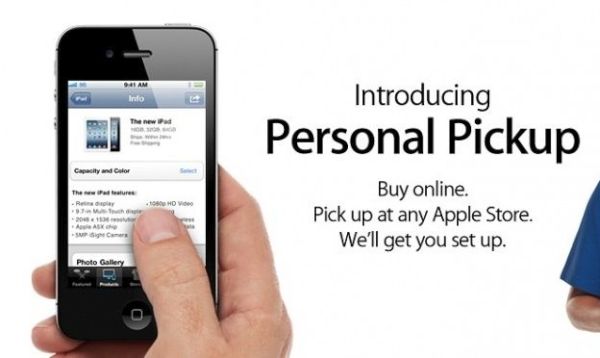
U.S. customers can easily reserve their new iPhone 6s online and collect it later at a local store [learn how to adjust 3D Touch sensitivity on your latest iOS 9 handset]. Now the same Apple iPhone pickup service comes to some international countries. European consumers from some countries are able to take the full advantage of this option and reserve their ‘fruit’ gadgets or other goods on the company’s site to pick it up at their local store.

Is Apple pickup in store service nice? Of course, it is must use in modern world when you don’t want to spend much time in lines or get unpleasant feeling when the brand new model has sold out just before you were able to purchase it.
iPhone Apple Pickup Service Europe

Right now only six European countries support the option. It is possible to reserve online and pick up in Apple store if you live in Germany, Spain, France, Sweden, Italy or the Netherlands. Soon the same service could arrive to other parts of the world as well.

If you live or visit your family in one of these territories you can go to the online Apple store or use your iOS 9 App store application to make a purchase of the iPhone 6s, iPad Pro or any other popular device offered by this company and pick it up at the time that suits you the best.

You won’t have to wait for the gadget to be shipped as you can pick it up on the same day. Besides, you’ll be sure that the model you have chosen will wait for you and won’t be sold out because your reserve is yours once you have paid for it.

Personal Apple pickup in store option is a great opportunity in the holiday season when a lot of customers are searching for Christmas and New Year gifts for their family and friends [for example, Verizon allows you to share 1GB of data as Christmas gift this year] and don’t want to stay without a gift they were dreaming of. Remember to bring your photo ID when you are ready to collect your new iPhone or iPad from your local Apple store.

How to Change iPhone Screen Timeout on iOS 9

It is possible to change your iOS 9 screen timeout on iPhone. If you already have the most recent Apple smartphone model iPhone 6s you might want to adjust this setting [if you have clean IMEI you can unlock AT&T iPhone 6s to use it with other SIM cards]. Everything is pretty fast and simple. Follow the instruction and you’ll learn how to deal with this option.

Your iOS 9 iPhone screen timeout if the period of time that passes until the smartphone shuts off its display after you stopped playing with your gadget. You are the one who can set up the time that passes after the last touch and before the screen shuts down automatically.

Change iPhone 6s Screen Timeout

How to Adjust Screen Timeout iPhone 6s Guide

Step 1. Take your Apple smartphone. The iPhone 6s has tons of great features [users are already looking for new iPhone 7 features and specs] but this particular setting is not that easy to find at first. Go to Settings as this is where our journey begins.

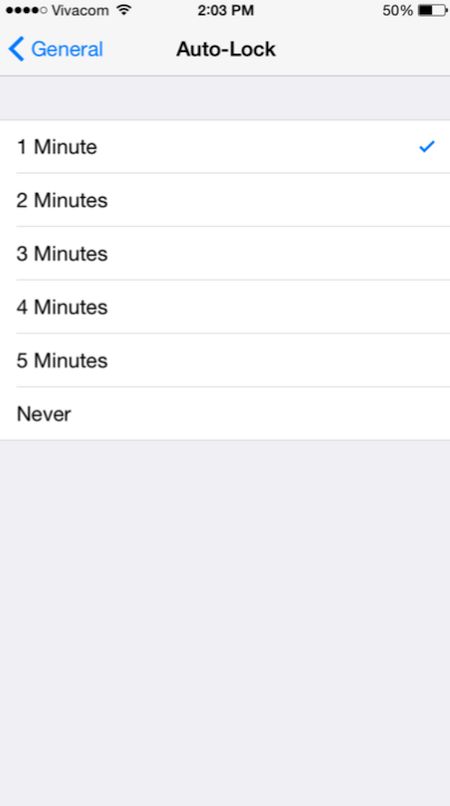
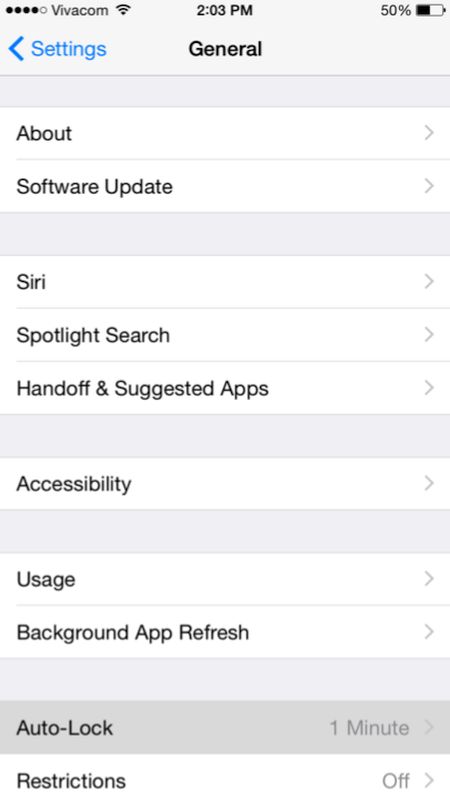
Step 2. To change iPhone screen timeout you need to launch General menu and select Auto-lock option which appears at the bottom.

step 2 Change iPhone Screen Timeout

Step 3. There will be a checkmark which you need to use in order to change the screen timeout option.

step 3 Adjust Screen Timeout iPhone

This is pretty simple once you know where to look at. Right? There are numerous great iOS 9 changes and features you might also want to use in your everyday life. The iPhone offers a lot of possibilities and is a very popular smartphone nowadays.

How to Adjust 3D Touch Sensitivity on iPhone 6s iOS 9

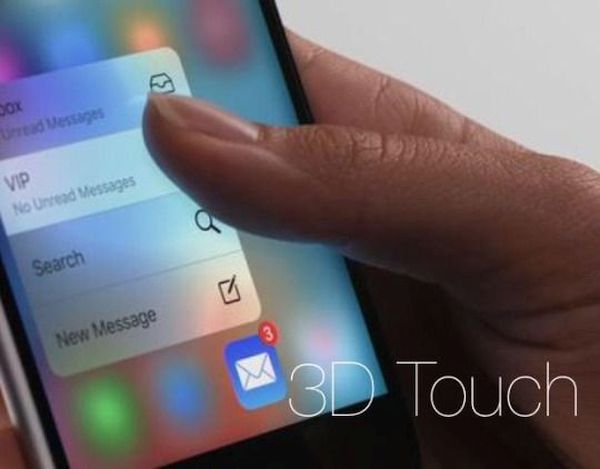
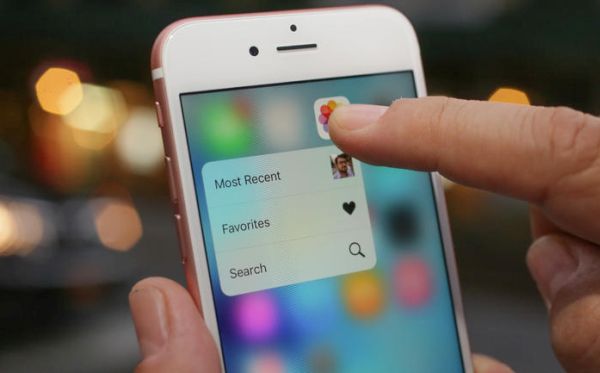
Users who would like to bring their interaction with iOS 9 handset to completely new level can use 3D Touch sensitivity iPhone adjustment instruction. The guide explains how you are able to change your 3D Touch responsiveness. Everything will surely depend on how firmly your press the display or how light your screen touches are.

When you adjust 3D Touch sensitivity you will notice a huge difference at how iPhone understands your every move. Apple created iOS 9 platform but it’s up to you how to make it even better with simple changes to your settings.

Adjust 3D Touch Sensitivity on iPhone 6s

How to Adjust Touch Sensitivity on iPhone 6s

Step 1. Take your iPhone 6s [or repeat this same procedure on iPhone 6s plus as both devices support 3D Touch feature and are running iOS 9] and go to Settings.

Step 2. Open General tab.

Step 3. Go to Accessibility and select 3D Touch feature.

Step 4. You can change the sensitivity of your screen sensor by sliding the option to Firm, Medium or Light. You can guess the Light feature responds to light touches while Firm stands for hard press. Apple uses Medium as default option.

Step 5. It is also possible to disable or enable your 3D Touch feature. It can be also done through Settings – General – Accessibility – 3D Touch menu. Remember that if you turn off this option you won’t be able to use 3D Touch throughout iOS 9 system [find more iOS 9 tips you can use].

Adjust the settings to your likes and start using iPhone 6s 3D Touch option while enjoying the quick reaction of the screen to your every touch.

Cyber Monday Deals on iPhone 6s 2015

Have you purchased the new iPhone 6s with a big discount this Black Friday? If not, it’s time to look for the best Cyber Monday iPhone deals. A lot of U.S. stores are now offering discounts and other deals on the newest iPhone 6s, 6s Plus and previous generation Apple smartphones.

The list of Cyber Monday deals on iPhone 6s is long. You can visit almost any store and find out if it is offering discounted prices or gift cards with the purchase of the iOS 9 iPhone. It could be possible to get a big discount on iPhone 6 or older iPhone 5s as well as buy or lease the most recent 6s model that was released this fall.

iPhone 6s Cyber Monday deals 2015

It’s not necessary to visit AT&T iPhone store or go to Verizon, Sprint or T-Mobile place to shop. There are big retailers that are offering deals from all major American networks all at one place. For example, if you go to Best Buy you’ll be able to purchase / lease the iPhone 6s from several carriers and get $200 gift card with it.

It is also possible to trade in your older working handset. Most discounts are offered on the 2-year contract deals. Thus, you can get $100 off your new iPhone if you agree to sign a contract with Verizon or Sprint. This discount can be applied towards the purchase of iPhone 6s Sprint, for example.

Target is also eager to offer more deals on iPhone purchase. Its Cyber Monday offers are also attracting. You can also visit Walmart and other popular stores where it is possible to get incredible offers right in time for Christmas. It’s always nice to save money on buying what you really want.

iOS 9 Read Receipts for Easier and Simpler Reading

The screen is too bright. Now, the fonts are spindly. Oh, it’s hard to read in the sunlight. These are some of the common iOS 9 read text complaints from iPhone users [it is possible to decrease iPhone data usage on iOS 9]. You can change some settings and enjoy reading on your smartphone. Of course, this is not a book but you might want to check your text messages, emails or read something online – anyway it’s better when you enjoy the fonts, background and other things.

iOS 9 read receipts can explain what exactly you need to change and adjust in order to create bigger, bolder, brighter fonts and dimmer background on the iPhone.

iPhone Adjust Text for Reading

iOS 9 Reading Settings Guide

Step 1. All iPhone users can apply the changes through Settings app.

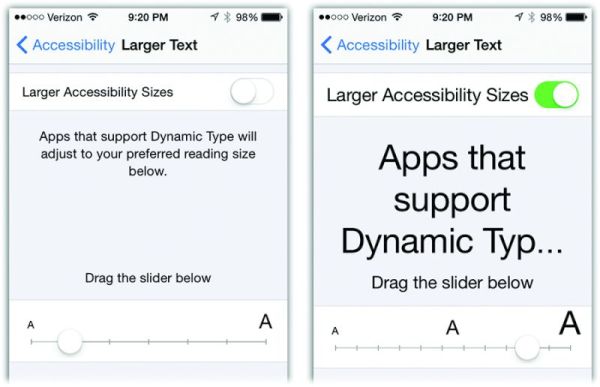
Step 2. Go to General – Accessibility menu where you are able to increase the font size and make texts more appealing to your eye. Large type size wouldn’t appear throughout the system. If you increase the text you’ll find it bigger in iBooks and your Messages, but it won’t be present in apps that don’t support Dynamic Type feature.

Step 3. You can also make bold text and play with contrast [there are a lot of iOS 9 tips and tricks you can enjoy]. For example, you can make solid background for Notification or Control Center by reducing transparency or create darker colors making fonts look heavier.

Step 4. It is also possible to play with your button shapes if this helps to improve your reading experience.

Step 5. There are some on and off switches that make white background for the switch when you are using Off option and green background for On option.

Step 6. Disable parallax motion if you want to reduce iOS 9 motion.

All these simple changes can make reading on the iPhone so much greater.

Spam Text Messages Verizon and AT&T iPhone: Carriers vs Critics

iPhone text message spam is a common problem. Have you ever received spam text messages Verizon [here are some interesting holiday’s deals from Verizon and AT&T]? Or have you ever come across spam text messages AT T issue? The FCC could allow imposing common network regulations on text messaging by accepting the Twilio’s petition. The U.S. carriers are not happy that the status of SMS is unsettled. Why?

US carriers block spam – they assure they do this with text messages. They are asking the Federal Communications Commission to rejet the petition by Twilio that declares SMS to be under Title II regulation. American mobile operators believe that this petition would prevent them from blocking spam while the document is meant to stop throttling / blocking the text message traffic in the U.S.

iPhone Spam U.S. Carriers

Could millions of Verizon iPhone and AT&T iPhone users get tons of spam mobile messages eventually? T-Mobile and Sprint are also against the petition. At the same time Twilio believes that mobile operators can block text messages to boost their revenue.

The net neutrality rules offered by the FCC forbid carriers to block messages that are delivered via Internet. Still these rules do not clarify the SMS status. Companies that rely on text messaging don’t want carriers to block SMS so they are trying to convince the FCC to stop mobile operators.

Ordinary users don’t participate in the new ‘war’ between carriers and companies that want to send / receive text messages to / from their customers. What will the FCC do? Would it support U.S. companies or listen to carriers and take their side? Who will win this time?

iPhone users should not suffer from spam and at the same time they would most likely enjoy communicating with companies via SMS. What do you think about this situation?

iPhone 7 What’s Next: Specs and Possible Changes

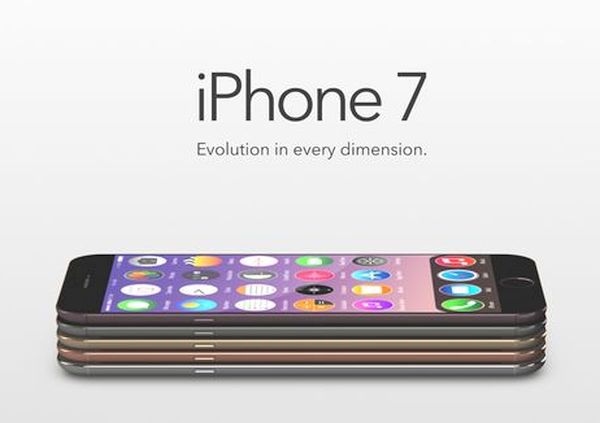
The next iPhone 7 specs could lack the 3.5 mm port. There are iPhone 7 rumors that believe Apple would bring some changes to its next generation smartphone. This year the iPhone 6s that was released in September [you can already SIM unlock your AT&T iPhone 6s or the same model locked to other U.S. carrier] didn’t get major changes compared to iPhone 6. It surely got a lot of new features but still has the same design.

iPhone 7 Changes Specs Characteristics

iPhone 7 What’s New

There will be no official information about the iPhone 7 changes until Apple presents it to mass media. This could happen just before the public launch date. Till then we can only rely on rumors. It’s the only way to get an idea about the new smartphone we would see either in 2016 or 2017.

iPhone 7 changes are already discussed on the web. Some sources state Apple decided to remove the 3.5mm port. The ‘fruit’ giant could create the gadget as thin as iPod touch. Actually the promised iPhone 7 characteristics [absence on the 3.5mm audio port] could be caused by the new thickness of the handset.

iPhone 7 What’s Next

What else could add Apple? The company could easily present new headphones that connect via the lightning cable. Would iPhone 7 be even thinner than the iPhone 6s? We don’t know but this is what rumors mention.

Some designers share their vision of iPhone 7 concept. Apple could get rid of bezels, according to some concepts. The company could also make a smaller handset once again, according to other concepts. The Cupertino-based giant could also create OLED displays for its new iPhones as there are rumors that say the company already ordered such screens for its handsets.

There are also predictions about iPhone 6c launch next spring.

Apple Pay in China: The iPhone Maker to Partner with UnionPay

The Apple services are popular around the world. The company managed to make its iPhone lineup one of the most demanded smartphones in many countries. It brought the Apple Watch, iPod touch and new iPad Pro to international markets and is working on expanding the use of Apple Pay service. Experts are sure that Apple Pay in China could be available as soon as February 2016.

Apple Pay in China Rumors

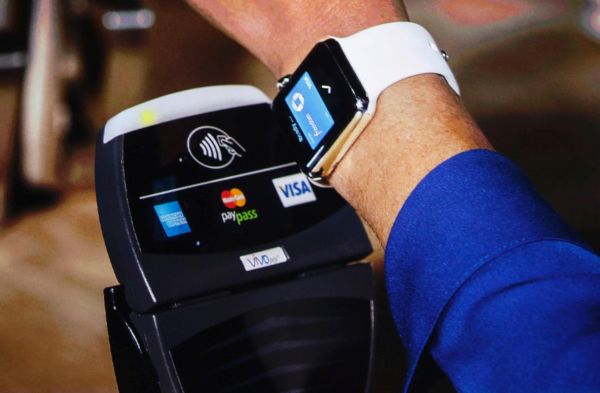
There are many payment systems customers use. Apple Pay is one of the youngest systems introduced in the market. The company released it a year ago. At first, only U.S. customers with iPhone could pay via Apple Pay. Now users from Canada, the UK and Australia are also able to checkout using Apple Pay service.

The news about Apple Pay China market extension isn’t surprising. The ‘fruit’ giant is highly popular in this Asian country and this is proved by high iPhone sales. Recent reports assure that Apple has reached agreement with UnionPay to bring Apple Pay to China. The Cupertino-based company would be able to use point-of-sales network created by UnionPay in this part of the world.

The agreement hasn’t been finalized yet. It is rumored that both companies are waiting for banks approval since a lot of banks in China are anxious about Apple fees they should pay in order to support Apple Pay service [here is how to set up Apple Pay].

While U.S. merchants are paying 2 percent fees for each transaction made via credit / debit card [Apple is receiving 0.15 percent from the 2 percent] – merchants in China are paying 0.38 percent fees per each transaction and giving nearly half of the fee to Apple is what worries local banks.

Previous rumors stated that Apple Pay could come to China in February 2016. At least the company is ready to launch its service in this country. The China market has to decide now.

Can Apple iPad Pro Completely Replace Your Computer?

The new iPad Pro 2015 was launched in November. You can take a look at the first iPad Pro photos and impressions and get some Sprint iPad Pro deal. Some people believe this tablet with 12.9-inch screen can replace a desktop computer. Is it really so?

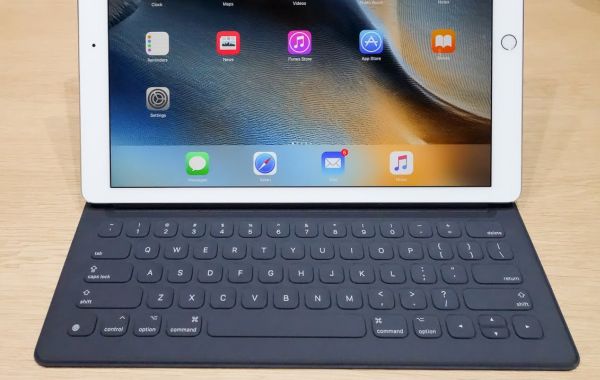
It is actually possible to turn the gadget into your desktop machine. You’ll need to get Smart Keyboard accessory as this way it become faster, simpler and more comfortable to check on the emails, work with documents, surf the web, watch videos etc.

iPad Pro Smark Keyboard to Replace Desktop Computer

The iPad Pro review shared by first customers leave nice impressions. If you attach the iPad Pro with magnets to the Smart Keyboard, for example, you’ll get a gadget that is very similar to the laptop and can be used as the desktop replacement. It might take some time before you get used to the new device with the clever keyboard and unique specs the tablet has. Apple included the 3-pin Smart Connector to its latest tablet. You can pair your iPad Pro with the keyboard and charge it through this pin.

Surely you could feel that a trackpad is required for completely replacing a laptop with the iPad Pro 2015. The Smart Keyboard doesn’t have it. Still the tablet is lighter than a laptop. Once you are used to the touch screen you will understand that it is possible to live without a trackpad.

Thanks to the iOS 9 Split View option you will enjoy more features on the iPad Pro than on your computer or laptop. You’ll surely lack many options that are so familiar on computers but it is possible to find a workaround for the Home Button that is absent and some function keys needed for media control.

Would iPad Pro really replace computers? We doubt this. Apple fans could enjoy using the tablet in most situations however it is still easier to use Mac or PC where you have no problems with renaming images and documents, working with tons of applications that are not supported by iOS 9 and there are other reasons why computers still remain computers and tablets are tablets.

iPad Cyber Monday Sales 2015 and Top Deals

What are the best Cyber Monday iPad deals 2015 [here are some of the most interesting iPhone Christmas deals from T-Mobile]? This tablet device is pretty popular among customers these days. Smartphones, tablets and computers are always one of the top wanted toys for Christmas among adults.

If you also wish to find this gadget under your Christmas tree this year you might want to check some iPad Cyber Monday deals 2015. Maybe the desired device would cost less and you’ll be able to purchase it with a discount.

iPad Cyber Monday Deals Sales 2015

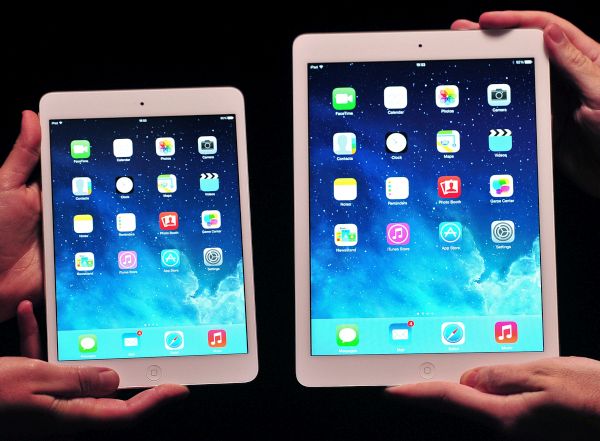
Firstly, you can visit or call Best Buy. This U.S. store offers $50 off the iPad Air. It’s their Cyber Monday 2015 deal. Unfortunately you won’t be able to buy iPad mini 4 / iPad Air 2 or iPad Pro with a discount here. Still double check since there could be a one day deal you won’t want to miss.

Secondly, iPad sale is offered at Target stores. You can get $80, $100 or $150 gift card with the purchase of particular Apple tablet models. The biggest discount is offered towards the purchase of iPad Air 2.

Thirdly, visit MacMall where different discounts from $12 to $40 are offered for iPad Pro 2015, ipad mini 2, iPad Air 2 versions.

At last but not least, remember about Walmart stores where you can get $69 off your iPad mini 2 if you are ok with getting the 16GB version.

iPad sales 2015 could be also offered in early December. If you don’t have a chance to buy the tablet on Cyber Monday you would get more deals later on.