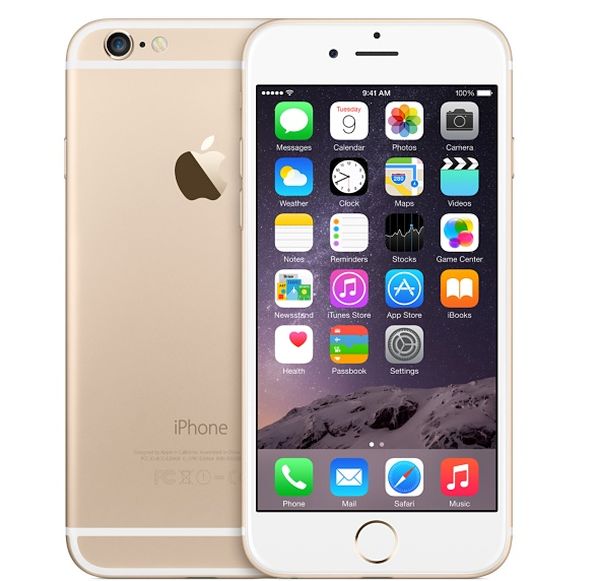
iOS 9.3 Features Get iCloud Music Library Improvements

New iOS 9.3 features are coming soon and meanwhile users suffer from iPhone error 53 brick. Apple is testing iOS 9.3 beta with developers and public beta testers and latest reports assure that this platform will extend options of iCloud Music Library.

Beta stage will soon be over and public will see the final iOS 9.3 release for iPhone, iPad and iPod touch. Users who listen to music will welcome the new options Apple offers. The company gave a light to third-party programs and this way users are able to add more music to their iCloud Music Library.

iCloud Music Library iOS 9.3 Feature

Right now users are not advised to download and install iOS 9.3 beta 3 because all beta firmwares are buggy and could cause different errors. Still there are users who like to take risk and update to beta mobile operating system before it becomes available to millions of users.

If you happen to run iOS 9.3 beta you can launch Settings and choose Privacy menu where you’ll find a new setting. It is known as Media Library. This is your new iOS 9.3 iCloud Music Library feature update.

If you decide to use this option and permit it, devs will be able to add songs to your iCloud Music Library. Right now there are no applications that could use this option through iOS 9.3 API but in the future you could be able to export songs from apps similar to SoundCloud.

You can already upload songs from Apple Music and iTunes Match to your cloud account if you are subscribed to these Apple services. You have to use iCloud Music Library option this way.
iPhone 7 Wireless Charging Could Be Possible

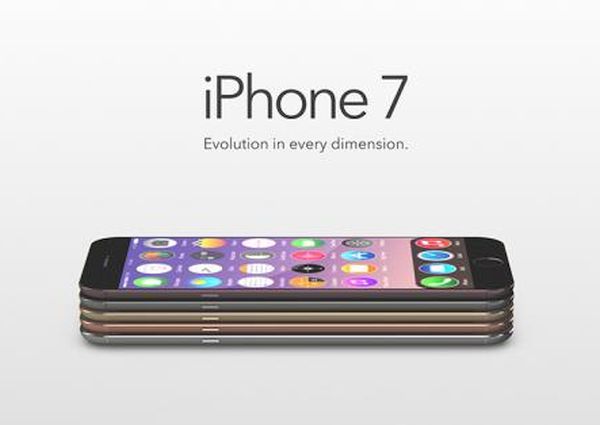
iPhone is a popular smartphone that is highly demanded across the world. What users wish to see soon is iPhone 7 wireless charging technology. There are rumors about Apple working together with Energous to make this happen.

According to reports, the ‘fruit’ company could introduced wireless charging iPhone 7 this or next year. Users might get a chance to charge their smartphones distantly from up to 15 feet. It could work like WiFi and can be introduced as soon as 2016. The next iPhone 7 might be officially released in the fall and bring some new features and options to attract new customers and keep current users interested in upgrading.

iPhone 7 Wireless Charging

The iPhone 6 sales were extremely high. Millions of users chose to upgrade their older iPhones to iPhone 6 in 2014 and 2015. The iPhone 6s popularity wasn’t as successful as iPhone 6. Trying to meet customers’ demand, Apple is believed to offer iPhone 5se with 4-inch screen this spring.

Apple could use WattUp by Energous and transmit energy to iPhones that are up to 15 feet away from the transmitter. The Power Router used in this technology could send energy through RF signal to all supported iDevices.

The iPhone 7 will get a new processor that will be paired with this Router. We will most likely hear more details about this upcoming smartphone pretty soon. Of course, at first we should see the iPhone 5se release because Apple is believed to introduce it in March.

There are rumors and Apple hasn’t confirmed the partnership with Energous. Predictions are made by expert Zach Epstein.

iPhone that can be charged wirelessly could be a win strategy. Who wouldn’t like to update to the ‘fruit’ smartphone that can be charged remotely? Is this something you wish to see soon?

iPhone 7 Chip Manufacturer Decreases Shipments

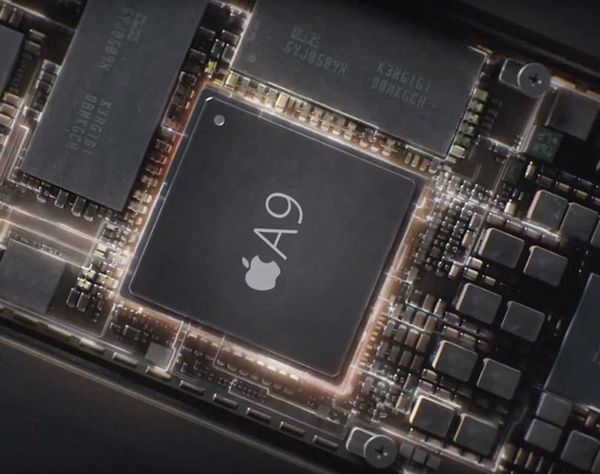
iPhone 7 chipset is believed to be produced by TSMC company. However recently the iPhone 7 chip manufacturer had to decrease shipments of the iPhone 6s / 6s Plus A9-series processors for Apple smartphones because of Taiwan earthquake [the company also experiences iPhone 6 error 53 bug].

According to TSMC, the earthquake caused the damage for one of its facilities and this forces the manufacturer to decrease the shipments by over 1 percent. Samsung is also producing processors for iPhone 6s line and Apple could ask this company to ship more while TSMC steps aside because of the new circumstances.

Apple A9 Chip iPhone 6s

Will the 6.4 magnitude earthquake have an impact on Apple long-term chipset production? TSMC has to indicate this by analyzing all the damage it got in Taiwan in February. The earthquake injured many people and caused 116 deaths.

At first, the company believed that it could restore most of its foundry machines within 2-3 days. But it seems that this wouldn’t work for all Fabs it has. Still TSMC is positive about its revenues because it still targets the U.S. $5.9-$6.0 billion revenue for Q1, 2016. The decrease in iPhone 6s chip shipments [find out what the most popular iPhone size is] shouldn’t affect these plans.

Apple is rumored to let TSMC produce all A10-series iPhone 7 processor parts and the earthquake shouldn’t have an impact on future iPhone supply. So the next iPhone 7 and 7 Plus should get their chipsets on time.

AT&T Testing iPhone 5G Network

iPhone 5G network will soon be offered instead of the current fast 4G LTE. AT&T is already testing the upcoming technology. According to rumors, the 5G should be 10-100 times faster than AT&T 4G. The wireless industry is getting prepared for big changes.

AT&T 5G network testing is officially confirmed by the U.S. carrier. The Big Blue carrier announced that it would start its tests on the new wireless technology in 2016. The mobile operator promises to begin more precise lab tests later this year, most likely in Q2. The field tests are expected to start in the summer.

AT&T iPhone 5G Network News

The future AT T 5G network for iPhone should be spectacular [you can still SIM unlock your AT&T iPhone 6s or any other model if you wish]. Numerous rumors suggest the speeds could be increased up to 100 times if compared to current 4G network. Of course, the reality will be known once the network becomes public which would not happen in 2016. Still consumers are promised to get gigabits per second instead of current megabits. This sounds very exciting.

Other U.S. companies are also starting to test 5G technologies. Verizon Wireless has also confirmed that its tests are to start this year. T-Mobile and Sprint would probably also show their interest in 5G soon. AT&T could roll out the 5G in 2020 and Verizon promises to offer the service sometimes in 2018. Still iPhone users who live in Austin (Texas) could access the fixed points of 5G and give it a try as soon as this year.

AT&T Buy One Get One Free iPhone 2016 Offer

There are many users who are subscribed to AT&T in the U.S. Some of them choose to SIM unlock AT&T iPhone to use with other networks and some enjoy staying with this mobile operator for years. Current and new customers can get T&T buy one get one free 2016 deal on iPhones. This is an interesting offer in the market.

The Big Blue network is trying to stand out among other American mobile companies. Its new BOGO deal is back and it’s interesting that existing subscribers can also get advantage of it. New users are also welcome to buy one iPhone get one free AT&T smartphone device.

AT&T BOGO Free iPhone Deal 2016

You should sign up for AT&T if you are want to pick up an iPhone and get the second one at no cost. What are the caveats, you might wonder?

Firstly, you have to be a new or current AT&T consumer to be eligible for the BOGO deal. Secondly, you have to buy both iPhones from AT&T and choose Next installment plan [it is also possible to get AT&T unlimited data plan in 2016]. While your first handset can be an upgrade or new line, the second device has be only the new line and you should buy it through AT&T Next 24 offer.

You’ll have to pay tax on both devices. It is possible to get the offer starting at $70 per month (for the two devices) and get up to $650 spread out over 30 months bill credits within your three bill cycles. In other words, AT&T is willing to cover your charges (only up to $650 spread out for 30 months) within 3 billing cycles once you pay the tax up-front for your second iPhone.

The BOGO sounds attractive but all the complications can make getting the second free iPhone from AT&T pretty difficult.

How to Quickly Enable Low Power Mode on iPhone

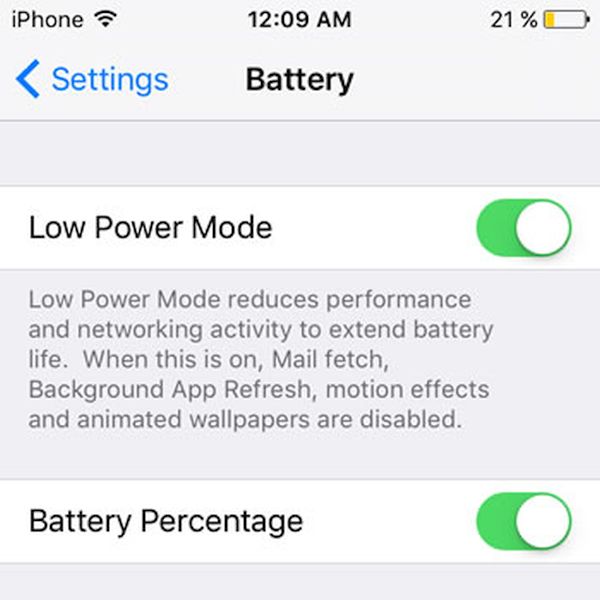
It is possible to easily and quickly enable Low Power mode iOS 9 feature on Apple smartphone [read some latest iPhone 7 and 7 Plus rumors]. All iPhone users who are running iOS 9 can use this option. Using this mode you are able to lower down your gadget’s power consumption and extend battery life.

When you are using iPhone Low Power mode you automatically turn off all the options and features the program believes are not necessary right now. This model disables automatic downloads, reduces mail fetch, turns off background program refresh and other effects you don’t need right here. The result is nice. Your battery life can run for up to 3 hours longer.

How to Quickly Enable Low Power Mode iOS 9 iPhone

How to Normally Enable Power Mode on iPhone

Step 1. Take the iPhone and launch Settings. This is the only place to bring all the changes to your handset.

Step 2. Open Battery menu.

Step 3. Select Low Power Mode feature.

Step 4. When the iOS 9 option is enabled your battery icon color will become yellow [when this mode is off this color is usually green or red]. Apple is bringing some other new and must-have features in iOS 9.3 which is currently being tested.

Step 5. Enjoy using the Phone with longer battery life.

How to Quickly Enable Power Mode on iPhone

Step 1. Users with ‘Hey Siri’ option being on can launch Siri and say ‘Enable Low Power Mode.’

Step 2. The task will be performed at once and you’ll enable the iOS 9 battery saving option without taking many steps. Isn’t it cool?

AT&T iPhone or T-Mobile iPhone / Sprint iPhone Lease?

What U.S. network should you choose? iPhone owners get multiple opportunities still all carriers have pros and cons. For example T-Mobile iPhone lease has become more expensive. The similar situation is with Sprint leasing program.

If you happen to already own AT&T iPhone you can SIM unlock it using permanent unlocking service. This is safe to do and you can connect to all networks once you are free from your original mobile operator. This is the real freedom as you are the one to select the best service, most affordable plans and other things you like.

iPhone T Mobile Sprint AT&T What Network to Choose

T Mobile lease iPhone price has silently been changed by the company. It is interesting that Sprint lease iPhone 6s program also gets the price hack. Users could be disappointed to learn this since the rates were revised without any notice.

If previously Sprint charged you $22 per month it would now ask for $26.39. T-Mobile used to charge $20 a month and would now ask you to pay $27. There were times when U.S. network T-Mobile let users lease the brand new iPhone 6s at $5 per month if you agreed to hand over your iPhone 6 [it’s worth to mention that iPhone 7 Plus is coming this year]. The same deal was even more attractive if you chose Sprint because you had to pay $1 monthly.

Such low prices couldn’t last forever. Analysts think that U.S. networks couldn’t afford such deals any longer. As for customers who are planning to lease a device now – they have to think twice. According to experts, if you pay $26.39 a month you’ll spend more within 12 months than if you buy the brand new smartphone at once. You’ll be at the break-even price at the 13-month for sure. No network will unlock your phone while you are on contract. SIM unlock will be your only choice.

Error 53 iPhone 6 Biggest Apple Fiasco

A week ago many users learned what Apple error 53 was. Once their smartphone as bricked by the company because it was repaired by shops non approved by the Cupertino-based company. Since thousands of people suffer from the same issue, discussions around Apple’s error 53 are very hot along with iPhone 7 rumors this week.

Those users who repair their smartphones in Apple Store, official ‘fruit’ Service Center and Authorized Service Provider are ok and they get no error 53 on iPhone 6 and other models. But those customers who chose to replace a broken Home button or other part in random repair shop are now faced with a huge disappointment. Their device is not working and has become a ‘brick.’

Apple iPhone 6 Error 53

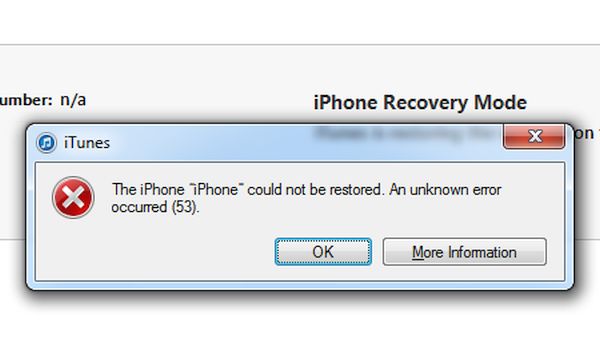
Error 53 iPhone 6 and 6 Plus issue occurs because the Home button contains Touch ID sensor. Your iOS 9 firmware can check if this sensor matches all other components used in the handset and if the match fails you get the error 53 message that states your iPhone cannot be restored because an unknown error occurred.

The components don’t match if you repair the phone in an unauthorized repair shop. Only original Apple components can be used for iPhone 6 and newer smartphone models repair [find out how popular iPhone 6s is these days]. Otherwise you can get the error 53 bug and lose your smartphone.

Apple is aware about error 53 and the problem faced by thousands of customers. The company states that the checks performed by iOS 9 are really important because they offer additional protection to users. Finding a mismatch results in unpleasant issue.

All users who come across Apple error 53 are advised to contact official Apple Support help. It’s currently unclear if the company has plans to replace the fraudulent Touch ID sensor in broken devices to help users get their iPhone back. What do you think about this issue?

Most Common iPhone Size Used by Two-Third of iPhone Owners

What is the most popular iPhone size? You know that Apple offers older4-inch models and newer iPhone 6s and 6s Plus with a bigger display. What satisfies customers in 2016? There is an interesting report gathered by Mixpanel. It suggest that not too many users are still happy with their 4-inch smartphone.

While about one-third of all ‘fruit’ users are still owning the 4-inch model, two-third of people who love Apple gadgets prefer bigger screens. Thus the most common iPhone size in 2016 is the 4.7-inch iPhone 6 or iPhone 6s. About 19% of users favor iPhone 5s and only less than 8% are using iPhone 5 and 6% are owning iPhone 5c.

Most Popular iPhone Size Common iPhone 6

This data is pretty curious, especially when there are so many rumors about the 4-inch iPhone release in 2016. Would users be happy to upgrade to a smaller screen smartphone after they purchased bigger iPhone 6 / 6s line?

Apple surely knows that about 30% of customers using smaller display phones. Would it aim at these people while presented the new 4-inch iPhone 5se this spring? Could 60% of users with bigger screen models choose to buy smaller handsets or would they wait for bigger iPhone 7 release in the fall 2016?

There are many questions that aren’t answers. There is also no confirmation from Apple regarding smaller and bigger iPhone launch this year. The iPhone 6s is pretty popular among users as over 35% of people have already upgraded to this most recent handset model.

What iPhone size is most popular and common to you?

Facebook Messenger Tricks iPhone Hidden Chess Gameplay

Did you know about Facebook Messengers tricks iPhone you can find and use? If you are running iOS 9 you can play chess game that is hidden inside of this application [also learn about next iPhone 7 Plus features]. Popular Apple smartphone can let you chat with friends and also discover some nice secrets. Isn’t it cute?

The little secret you can get is a simple command you have to learn about. There is no need to install any additional programs or tools. This should work on AT&T iPhone 6s and other models as well as the iPad. You’ll need to be connected to the Internet because the secret built-in chess game is used in your browser.

Facebook Messenger iOS 9 Hidden Game Tricks iPhone

Users who are locked to AT&T network but wish to use T-Mobile or other carriers with their smartphone can perform SIM AT&T iPhone 6s unlock. This is permanent option that results in your ability to connect to all networks from all over the world by changing the SIM cards. It supports all versions of iOS and all iPhone models. You can be still be on contract and become unlocked.

Here is how to play the Facebook Messenger hidden game when you are bored or have some free time. Enter @fbchess play plus name of the person you would like to play with [for example, the command will look like @fbchess play Kris]. If you don’t enter one name you’ll be starting a group conversation.

Your friend will make the first move. Colors are chosen at random. Enter @fbchess command followed by letter + position [to select and move pieces]. This command would look like @fbchess Pd6 [use K for King, P for Pawn, Q for Queen, N for Knight, B for Bishop and R for Rook].

If you wish to get all available commands you can use @fbchess help option. That’s it. You can now play chess on iOS 9 AT&T iPhone 6s and other other iPad, iPhone with Facebook Messenger application installed on it.