It is possible to easily and quickly enable Low Power mode iOS 9 feature on Apple smartphone [read some latest iPhone 7 and 7 Plus rumors]. All iPhone users who are running iOS 9 can use this option. Using this mode you are able to lower down your gadget’s power consumption and extend battery life.
When you are using iPhone Low Power mode you automatically turn off all the options and features the program believes are not necessary right now. This model disables automatic downloads, reduces mail fetch, turns off background program refresh and other effects you don’t need right here. The result is nice. Your battery life can run for up to 3 hours longer.
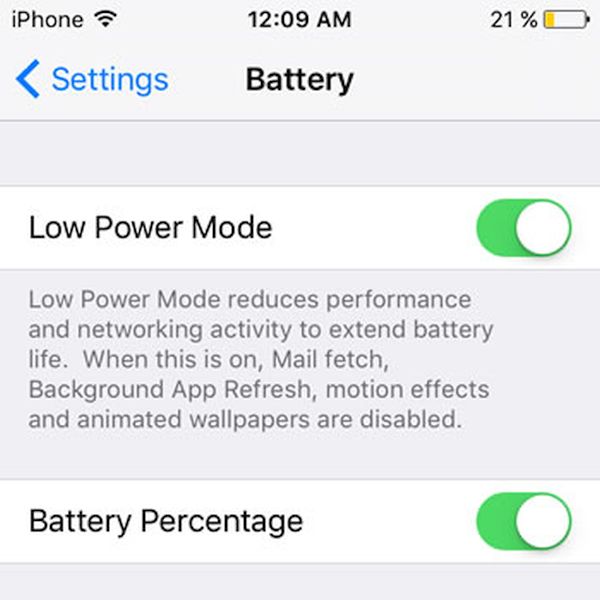
How to Normally Enable Power Mode on iPhone
Step 1. Take the iPhone and launch Settings. This is the only place to bring all the changes to your handset.
Step 2. Open Battery menu.
Step 3. Select Low Power Mode feature.
Step 4. When the iOS 9 option is enabled your battery icon color will become yellow [when this mode is off this color is usually green or red]. Apple is bringing some other new and must-have features in iOS 9.3 which is currently being tested.
Step 5. Enjoy using the Phone with longer battery life.
How to Quickly Enable Power Mode on iPhone
Step 1. Users with ‘Hey Siri’ option being on can launch Siri and say ‘Enable Low Power Mode.’
Step 2. The task will be performed at once and you’ll enable the iOS 9 battery saving option without taking many steps. Isn’t it cool?