Is it your friend’s birthday or any other holiday you want to celebrate in an unusual manner? You can take advantage of iMessage stickers that are perfect for iOS 10 iPhone and iPad. Have you heard that you can send sticker pack telegram via your ‘fruit’ device? It’s simple, fast and it can be a wonderful gift idea for any special occasion you can think of.
Follow the instruction below and you’ll find out how to send sticker pack for iOS 10 iMessage. Firstly, make sure you have installed iMessage app on your gadget. If your version is an old one you should upgrade it to the most recent release. Secondly, learn more about iMessage stickers and how they can be useful to you. By the way, you can easily transfer files from Evernote to iPhone notes.
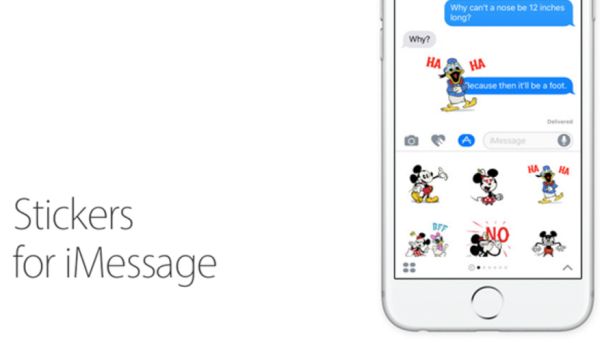
About Stickers for iMessage
There are a lot of great iOS 10 iMessage effects you can enjoy. Using iMessage apps and iOS 10 stickers you can create joyful moments for your friends and family member. Apple presented new iOS 10 in early fall. The company spent the whole summer testing it and trying to fix all known issues and bugs. There are some iOS 10 problems that need to be resolved yet still there are also many interesting changes you can try.
Improve your iMessage iOS 10 app and start the entertainment. This program has the coolest things to offer and sticker pack is one incredible feature you should give a try. Sometimes you can’t find the right words to express yourself. However a cute or funny sticker can show your emotions even better than simple words. No additional efforts are required when you have a step-by-step guide to follow.
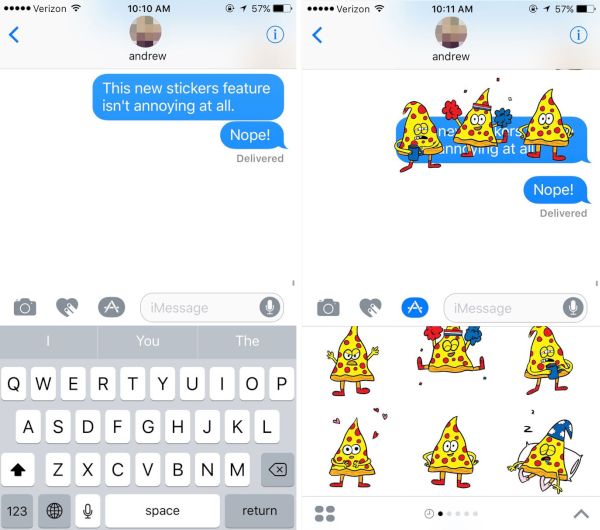
iMessage Stickers Tutorial
Step 1. Open iMessage app on your iPhone or iPad [learn more about single sign-on technology].
Step 2. Select the contact (any contact is good for now since you are not selecting the recipient of the iOS 10 stickers gift yet).
Step 3. Look at the text field. You should see the App icon. Do you see it? Click on it to proceed.
Step 4. Now look down at the left lower corner. There is an App drawer. You should click on it.
Step 5. Press on Store option and choose the sticker pakc you like the most.
Step 6. Click on the Share option that can be found at the upper right part of summary.
Step 7. You are so closer to sharing iOS 10 iMessage effects with other iPhone 7 users. Click on Gift option in the share field.
Step 8. Provide the email address of the gift recipient now [make sure this is the email related to Apple ID].
Step 9. Once the email is entered you can add a message to personalize your virtual gift.
Step 10. Choose the date when you want the gift to be sent.
Step 11. Click on Next at the upper top part of the screen.

Step 12. Select the theme for the gift card you are creating. Click on Next option.
Step 13. Double check all the information and click on Buy option (can be found at the upper right part of the screen).
Step 14. Press on Buy once again and provide your Apple ID passcode.
Step 15. To complete this iMessage stickers guide you should press on OK.
Step 16. Click on Done to complete your purchase.
Send sticker pack telegram as a gift and those who will receive it can use those stickers for free (since you are the one who is paying for the service). Do you think it can be a fabulous holiday gift?
A lot of iOS 10 iPhone 7 / iPhone 7 Plus users should be glad to receive hilarious messages with nice stickers. There are always so many great packs to select from that you’ll love creating exclusive text messages through iMessage. By the way, you can easily find new packs to share in the App Store.