iOS 9.3 What’s New: Specs, Features, Options

Public beta testers are exploring new iOS 9.3 specs [here are best iOS 9 tips and tricks]. Developers who are registered in the official Apple Dev program are also testing the most recent mobile platform for iPhone and iPad that would soon become official.

Let’s see what new iOS 9.3 features Apple has prepared for millions of iDevice owners from all over the world. The company is believed to offer only minor update still there are some interesting additions discovered by testers already.
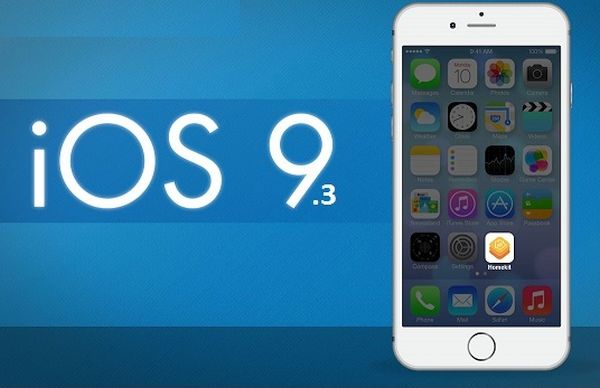
iOS 9.3 What's New

iOS 9.3 What’s New

The ‘fruit’ giant brings Night Shift model to the newest platform. This allows your iPhone and iPad to shift the color tones and match the time of the day. This happens automatically. The gadget simply adjusts your geolocation and smartphone’s clock. Thanks to the shifted color tones you should enjoy looking at your screen at any time. By the way, if you are using AT&T iPhone and wish to reduce mobile data usage on iOS 9 – it is possible to do.

Apple improved News tool an added Editors’ Picks to For You menu. Users will get a list of trending topis right on the smartphone and keep an eye on the most important events that take place all over the globe.

The list of iOS 9.3 options includes changes to Notes program. You can now sort your notes by alphabet, time of creation and last modification. Besides, Apple allows using Touch ID to protect your Notes with fingerprint or password on the upcoming mobile firmware version. This way you can keep your personal information and financial details without worrying about anyone getting access to this data.

Some changes are brought to Health application. It should show you exercise, move and stand data, some new categories and other simple changes. AT&T is bringing unlimited data plans for some iPhone users this year, and this change is also great.

Apple enhanced CarPlay tool and focused on education. The upcoming iOS 9.3 should be a nice upgrade before the company seeds the future iOS 10 in early June 2016.
Apple Brings Some iOS 9.3 Changes to iPhone and iPad

Developers and public testers saw the new iOS 9.3 beta release and discovered some curious iOS 9.3 changes that would soon arrive to all iPhone and iPad devices [here are rumors about upcoming iPhone 7]. While ordinary users cannot download iOS 9.3 beta using Apple’s direct ipsw links they can either search for alternative direct links or learn more about the upcoming changes.

There is a minor iOS 9 redesign you can pay attention to. Apple decided to bring a new popup alert and it resembles Android’s feature. You can notice it inside Safari app. The new box gets a simple and cleaner design and this is what reminds of Android popup alert to some experts.

iOS 9.3 Changes Popup Alert iPhone

The new iOS 9.3 popup alert can be only noticed in the most recent iOS 9.3 beta 1.1 that was seeded to developers. Public testers would yet get this upgrade from the famous Cupertino-based company. Some devs believe this could be the teaser for the future iOS 10 that would be actively tested in the summer. Apple would traditionally introduce this update during WWDC event that gathers experts and developers from all over the world.

You’ll see the UIAlert interface in iOS 9.3 public update or iOS 10 beta for public testers [here are some curious iOS 9 iPhone tips]. Since Apple introduced the public beta testing program all users with iPhone and iPad are able to register for free and take part in it. This way you can test the future mobile firmwares from the ‘fruit’ giant and report on bugs you discover to help Apple improve it by the time of official release.

The new popup option gets buttons aligned to the right while Apple users to center them. These are just suggestions about Android-similar style. Apple also likes to bring cleaner design to the iOS platform so the changes could be unique.

Reduce Data Usage iPhone 6 / 6s Guide for Different Mobile Carriers

Do you own iPhone 6 or iPhone 6s? Are you using AT&T, T-Mobile, Sprint or Verizon? Have you noticed that your bill is getting too high at the end of the month? Is there anything you can do to change this situation? Try to reduce data usage iPhone 6 instruction [you can also SIM unlock iPhone 6s AT&T] and you will learn how to avoid shock bills and use less mobile data on your smartphone.

Follow these iOS 9 tips and tricks to use less mobile data while still checking your Facebook page and other social networks.

Reduce iPhone 6s AT&T Mobile Data Usage

How to Reduce Mobile Data Usage on iPhone

Step 1. Turn off auto-play video option when you are using your cellular connection. This helps to use less data when you are on Facebook, Twitter and similar sites and there is no Wi-Fi network anywhere near you at the moment.

If you wish to check on how much data you have used you should launch Settings app and go to Cellular – Use Cellular Data For and choose apps you want to check for data usage.

Step 2. To turn off the autoplay video feature on Facebook you should launch this program on iPhone [learn some of the best iOS 9 iPhone tricks] and choose More – Settings – Videos and Photos – Autoplay. It is possible to select On Wi-Fi Connections Only to assure this option is enabled only when you are connected to WiFi network.

Step 3. For Twitter program you can to launch the app, select Me – gear icon near your profile image – Settings – Video autoplay. You can also select the Use WiFi only option and make sure you don’t use too much mobile data any more when you are on social networks.

This guide is simple and it offers some nice data savings to iPhone owners.

AT&T Unlimited Data Plan Offered to Particular Subscribers in 2016

Does AT&T have an unlimited data plan for iPhone users? You know that this carrier is throttling those subscribers who are still using grandfathered dataplans. There is no real ‘unlimited data’ you can use each month because everything is limited nowadays. Still the U.S. carrier seems to offer unlimited AT&T data to particular subscribers in 2016.

The changes are brought by the Big Blue network but they are not available to all users meaning if you own the iPhone that is locked and subscribed to AT&T – you might not get the unlimited data this year. What is the catch?

AT&T Unlimited Data Plan for iPhone 2016

AT&T unlimited data plan that is introduced in 2016 is aimed at particular users [if you are not satisfied you can SIM unlock AT&T iPhone]. You have to be subscribed to U-verse or DirecTV to get this ‘delicious’ option. This could be a great deal to users who are currently using other networks and wish to switch to AT&T while being subscribed to either TV provider.

Current AT&T subscribers who are using either DirecTV or U-verse can also switch to the new data plan and enjoy unlimited data [until the company decides to throttle your data speeds in the future]. The plan’s cost starts at $100 a month. You should also pay $40 extra each month per additional line.

AT&T unlimited wireless data plan for iPhone smartphones can also gift you $500 in credits if you are planning to switch from T-Mobile or other carrier. There is also a limited-time deal for 4 lines that would cost you $180 a month without anything extra to pay on top for the line. This way you can get unlimited text, talk and data for up to four lines a month.

Does it attract you?

AppleCare Replacement Device Lawsuit News

Apple is used to different lawsuits against the company and its creations. The latest AppleCare lawsuit is just another one the Cupertino-based giant firm has to face [here are some rumors about iPhone 7 and 7 Plus device]. This times it’s about AppleCare replacement gadgets.

Unlike the lawsuits against the iPhone or other Apple’s designs, this time the lawsuit is focused on what devices it offers as a part of AppleCare+ service requests from customers. The AppleCare replace iPhone and other devices lawsuit was class-action one however the judge rejected such status over this case.

AppleCare Replacement Device Lawsuit News

The lawsuit was filed several months ago. Only now the decision is taken. Besides, the judge who rejected the class-action case over Apple’s AppleCare replacement devices also called the lawyer ‘manifestly incompetent’ and this is pretty surprising as you don’t always hear bold statements in courts.

The judge voiced that the lawyer actually seemed to encourage the plaintiffs to buy AppleCare plans. Then the interactions were recorded and this was the main idea of the class-action lawsuit. Of course, the case is not over yet.

It’s just not the class-action case, as decided by the judge. Still experts think that there will be designation in it. Could this lawsuit have any impact on the parts and gadgets the famous ‘fruit’ giant is using for AppleCare and AppleCase+ replacements?
It’s better to follow the news and keep an eye on this situation.

New iPhone 7 Specification and iPhone 7 Plus Rumors

How can Apple change its popular smartphones in 2016? There are some curious iPhone 7 and iPhone 7 Plus rumors that promise us a brand new update. Would you like to get a more powerful battery than on the iPhone 6s that tops Google searches in 2015? Do you dream about more storage space? All these wishes could come true this year.

According to rumors, the next iPhone 7 specification could get the 256GB storage feature along with 3,100mAh battery. Isn’t it fantastic? It’s unclear if Apple has plans to continue releasing the 16GB models along with 256GB devices. It could finally stop launching such models and offer the base storage of 32GB though you never know what the Cupertino-based giant is about to do.

iPhone 7 Features iPhone 7 Plus Rumors

The lack of internal storage that customers don’t like that much is made up via cloud storage offered by the iPhone maker. You can use its cloud services to store your videos, photos and other files. Still it’s always better to own a gadget with enough storage space for all your ‘wants.’

The larger battery could bring a nice jump of 12.7 percent in its capacity which would be incredibly good for the iPhone 7 Plus or iPhone 7 model. The longer and better battery life is something iPhone owners really dream about.

It’s curious that rumors that promise a bigger battery and more storage also mention a thin iPhone 7 that is similar to iPhone 6s Plus. Could Apple come up with some innovations and find a new technical solution?

Surprisingly there are no expected changes in the 4.7-inch and 5.5-inch screen sizes when we hear first rumors about iPhone 7 and 7 Plus. While the 256GB storage option sounds incredible not many customers would probably go for such an expensive model.

Best iPhone Tricks for iOS 9: Holiday Guide

Have you found the new iPhone 6s purchased from AT&T under your Christmas tree? This model is running iOS 9 platform and there are some top iPhone tricks you should discover. Even if you are familiar with Apple smartphones you probably didn’t know that such secrets exist.

We have a compilation of the of the best iPhone tricks for the most recent mobile operating system from Apple, iOS 9. There are so many features and brilliants specs you can use to enjoy you brand new smartphone!

iPhone 6s Tips and Tricks

Awesome iPhone Tips and Tricks

*Record videos and takes photos simultaneously

The iPhone 6s can boast a nice camera you can use for shooting amazing videos and taking pictures. It is possible to accomplish both tasks at the same time. For example, when you are recording some impressive moments of your life you can also take a photo without stopping the recording process. Simply click on your camera button and you will get the shutter option on your screen. Isn’t it great?

*Can’t answer the phone call? Create automatic reply!

It is possible to create custom replies for the calls you cannot answer at the moment. Go to Settings and choose Phone – Respond with Text option [have you heard about iPhone 6s is the top Google search in 2015?]. It is possible to add a custom message but note that you’ll have to delete one of the three default options because your iPhone iOS 9 can hold only three prepared messages at a time.

When someone calls you next time you don’t have to answer the call. Just tap on message above the Slide to Answer option or select Respond with text feature.

*iPhone vibrations set up

It is possible to use custom vibrations to know who is calling you when your iPhone is in your pocket. This is a fun iOS 9 features and it’s very simple to set custom vibrations. It is very similar to how to assign ringtones to your contacts. Select Contacts and choose the contact you wish to add the new vibration to. Click Edit and find the vibration field. Choose the pattern you like or Create New Vibration to add your own rhythm. Save your custom vibration and enjoy!

iPhone Undelivered Text Message Problem Resolved for Apple

A lot of iPhone users who decided to switch to Android smartphones experienced undelivered messages Android issue [this happened to users with older smartphones, if you own iPhone 6s which is the top search in 2015 you shouldn’t have such problems at all]. There were many frustrated users who filed cases against Apple because no guides on how to see undelivered messages on Android if they were sent through iMessage helped them read those texts.

The judge ruled that the case against the Cupertino-based giant was denied access to class-action level however this year the new ruling is made by the same person. This time all lawsuits against the iPhone maker regarding the iPhone undelivered text message problem for Android gadgets have been dismissed.

Not Delivered iMessage iPhone Android

Apple indeed tried to fix the issue and solve complaints of users who tried to switch from iOS gadget to Android platform and stopped receiving text messages that were lost because of iMessage. The Cupertino giant offered a special tool that helped such users to remove their smartphone phone number from iMessage after they have switched to Android device. This way they could finally receive text messages. The text message delivery problem can be fixed this way nowadays as well.

Since the whole procedure is simple and working, the judge dismissed the lawsuit against the iPhone maker regarding iMessage – Android text message delivery issue [the next iPhone 6c is expected to be released in spring 2016]. Since the new ruling has been made, all active lawsuits against the iOS giant have been closed too. Apple has won this game.

Have you ever switched from iPhone to any Android device? Have you had problems with text messages being lost and not delivered to your new smartphone? Has Apple service helped you to fix the problem and enjoy the new handset to the fullest?

iPhone 6s Holiday Days: Next Day Delivery for Christmas 2015

Are you looking for last minute iPhone 6s deals? Apple is offering some interesting solution to customers who didn’t have free time to buy this smartphone online or in store. If you decide to find the handset under your Christmas tree this year, you still have time to place your order because Apple is about to offer next day delivery for free.

Yes, you won’t have to pay for your AT&T iPhone 6s next day delivery if you place your order with Apple store for this particular handset mode on December 23rd. Of course, this is the last moment purchase but if you happen to be the last-minute shopper and visit Apple Store online you can order the iPhone 6s right before Christmas Eve and get guaranteed delivery on December 24th at no additional cost.

iPhone 6s Christmas

It is necessary to keep in mind one important requirement. The order has to be placed by 2 pm on December 23rd to guarantee the free next delivery. Apple promises to offer this free shipping deal to purchase of any iPhone 6s and any other items.

If you don’t get a chance to place your order with free delivery by 2 pm Apple offers the pick up option and its stores will gladly let you pick up the iPhone 6s or other Christmas gift purchase two hours before they close on December 24th.

Right now Apple is also eager to ship your iPhone with next day delivery service however this deal doesn’t support other items purchase and they are shipped through standard 2-day shipping method.

Will the iPhone 6s be under your Christmas tree in 2015? Is this the smartphone you wish to become your Christmas gift or not?

AT&T iPhone 6 / 5 Excessive Data Usage Hits Apple with New Lawsuit

The iPhone excess data usage has become a big issue for Verizon and AT&T subscribers. The bug surfaced several years ago. At first, users who were running iOS 6 and iOS 7 complained that their smartphone used too much data on Verizon network. Apple fixed Verizon bug in 2012. Still the issue occurs nowadays on iOS 8 and iOS 9.

The famous Cupertino-based giant is already being suit because of the WiFi Assist iOS 9 option because a lot of users notice how fast this feature gobbles GBs of their data. Customers were unaware of the iPhone 6 excessive data usage as well as earlier phone models when they learned about this feature and started to use it.

att iphone 6 lawsuit excess data usage

For example, AT&T iPhone 5 and AT&T iPhone 5s subscribers experience a very unpleasant bug: iPhone 6 using excessive data because it automatically switches from LTE connection to WiFi network. This is very similar to what Verizon users suffered from years ago and Apple solved the problem through OTA update back then.

For some reasons, AT&T iPhone users had to wait for years until Apple managed to fix this very same issue on iOS 8.1. This was in 2014. Still the iOS 9 update offered this year seems to bring back the old bug to iPhone 5 and 5s models.

How does it happen? The company that filed lawsuit against Apple assures that if you are streaming a video via WiFi on one of these iPhone versions for over 10-20 minutes, your smartphone will start saving the battery life by making A6 / A7 CPU going to sleep. The result is frustrating because this also leads to your handset switching to LTE video streaming and makes you lose your precious GBs of data offered by AT&T.

If you want to fight against iPhone excessive data usage you might want to SIM unlock AT&T iPhone 5 / 5S and choose a different U.S. carrier that doesn’t charge you extra money because of Apple mistakes.

Do you experience this issue on your device?