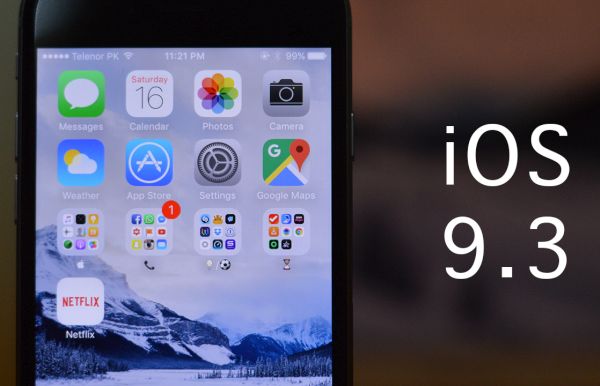
Here Is a Fix to Safari Random Freezing on iOS 9.3

There are different iOS 9.3 Safari issues and one of the problems mentioned by users is the freezing bug. Safari mobile browser get frozen when you are trying to open links. The same thing happens with the Mail application.

Is there a way how to fix iOS 9.3 Safari problems after iOS 9.3 update? Many iPhone and iPad users are not happy with the bugs offered by Apple along with this minor update. It surely brings some new features to iDevices along with the bugs.
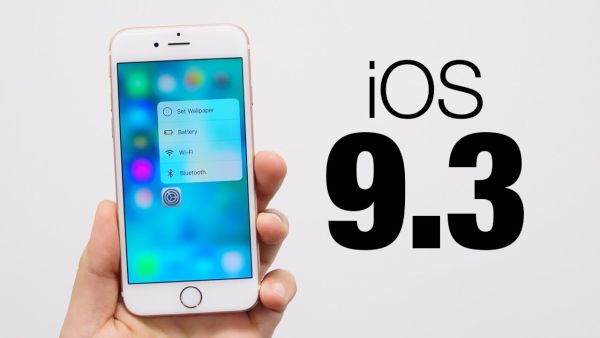
iOS 9.3 Download Update Fix Activation

If iOS 9.3 Safari freezes for you there is something you can try:

Step 1. Launch Setting app on iPhone or iPad.

Step 2. Scroll down and find Safari option.

Step 3. Click on Safari – Advanced and find javascript.

Step 4. Disable javascript by toggling it off.

Step 5. Relaunch Safari browser and see if you iOS 9.3 Safari problems are gone.

This solution to random Safari freezing is not permanent. Apple will soon present an updated iOS 9.3 file and address this bug. If the problem is still present you might want to force reboot your gadget and clear Safari cashe. If the issue still exists you might want to use Chrome for iOS 9.3 until Apple releases an update and solves the problem for you.
What iPhone SE Color to Choose: Silver, Gold, Rose Gold or Gray

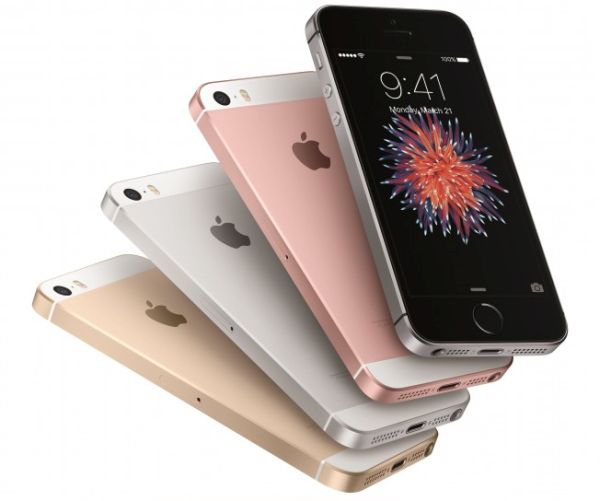
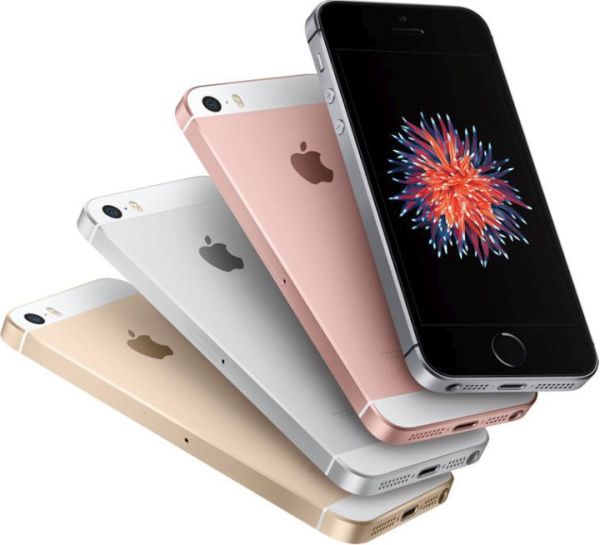
The iPhone SE colors choice is pretty wide. You can select between gold and rose gold, silver and space gray. What iPhone SE to buy? Apple is selling 16GB and 64GB versions and four color options [compare iPhone SE with iPhone 5s to figure out what device is better].

There are things to consider when you choose iPhone SE color. This powerful gadget arrives with 4-inch display. You can get Gold model if you love this color. Such device looks appealing and cute along with white trim on the back and front plate. You’ll have to get the lint-free cleaning cloth to keep your smartphone nice and avoid scratching the phone.

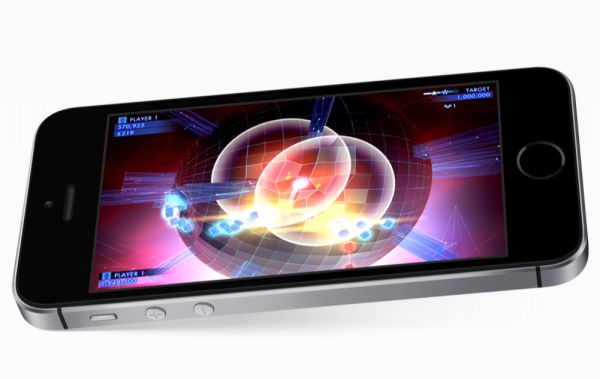
iPhone SE Colors

There are fans of rose gold color. They can choose this option if they prefer it to ordinary gold color. This iPhone SE is classy and looks feminine. Users will surely notice your 2016 gadget if you select this color. Please note that it could highlight the dirt so you need to take good care of your rose gold iPhone SE.

Space gray models get the black front. Their back of grey anodized aluminum and they look very stylish. This is a great dark color that can hide dirt. However it would show off scratches more than lighter color versions.

Cute silver iPhone SE arrives with white front plate. It also has the white trim across its back just like rose gold / gold models. This color is lighter comparedto space gray color. It still looks cute and nice.

You can see that iPhone SE colors choice is not limited to only silver and gray. Customers can purchase gold and rose gold models as well. Have you decided which color to get?

AT&T WiFi International Calling Available for U.S. iPhone Subscribers

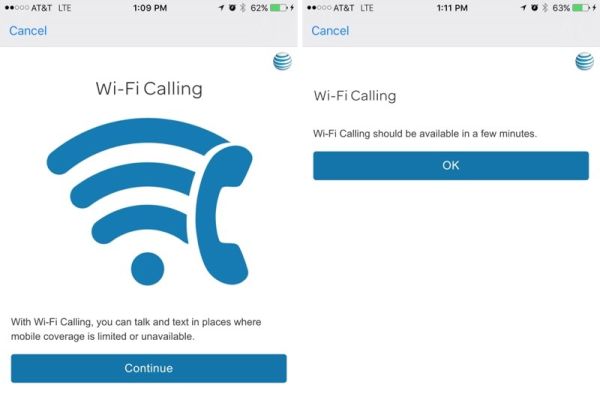
AT&T WiFi international calling support is brought for iPhone subscribers. If you are locked to AT&T carrier you should get ATT WiFi calling update feature that allows making phone calls to the U.S. while you are travelling abroad. Isn’t it cool?

AT&T WiFi calling was introduced in 2015. This is a great option for all Apple fans since it takes advantage of WiFi network when cellular signal is poor or absent. This way users can stay connected, make and receive calls over WiFi in different areas across the United States.

ATT WiFi Calling International iPhone

If you are outside the U.S. but have the AT&T iPhone with WiFi calling support you can call your family and friends in the U.S. at no cost through WiFi. This saves your money as you don’t have to use ordinary cellular network and avoid roaming fees.

ATT calls over WiFi international don’t support calls to non-U.S. numbers. If you need to call to a different country you will have to pay international call charge rates set up by your AT&T data package.

What models support AT&T WiFi calling feature? According to the official carrier’s site, users who have the iPhone 6, iPhone 6s, iPhone 6s Plus or iPhone 6 Plus and are updated to iOS 9.3 firmware [this is the most recent Apple mobile operating system for iDevices] can get the option after they install AT&T carrier update for iPhones that enables WiFi calls.

Would you take advantage of this interesting addition? Isn’t it great to make free calls to the U.S. from overseas?

When You’ll See iOS 9.3 Release for Your iPhone

The upcoming iOS 9.3 release date made many users excited as this new firmware update offers some new features even though this is a minor upgrade. The company began testing iOS 9.3 beta in early 2016 [here is how to check if your iPhone is stolen or not]. The first beta was offered to developers on January 12th. The ‘fruit’ giant updated the beta for several times since then.

When Apple release iOS 9.3 is to take place? There were seven betas devs and public beta testers had seen and they promised new Night Mode that should make reading on iPhone easier and more comfortable. The new firmware offers other changes too but these are minor updates.

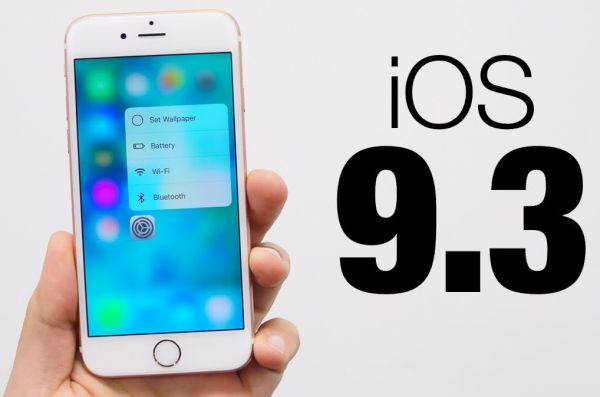
iOS 9.3 release download iphone ipad

The devices finally get new toggle in Control Center once they are updated to iOS 9.3 final public version that is presented by Apple this week [here is how to free up RAM on iPhone]. The extra toggle turns on Night Shift model which automatically detects the time of the day based on your geolocation and clock and shifts the colors on the screen to warmer or colder spectrum making it much easier on eyes to read.

Apple also offers more protection to users since they are able to protect News and Notes with Touch ID / password. iPhone owners get 3D Touch Quick Actions for some stock applications, for example for Health, iTunes Store, Settings, App Store and others.

iOS 9.3 release helps duplicating all live photos as still images. Besides, students get an option to manage multiple Apple ID logins within Classroom application and use the same gadget for individual profiles.

Verizon iPhone users got WiFi Calling Support with iOS 9.3 public release. Other networks, AT&T, T-Mobile and Sprint already offer this feature. You can already download iOS 9.3 through OTA-update or via direct download links and install it on your iPhone or iPad at once to explore all the spring changes the Cupertino-based company has brought to millions of fans.

Two Apple Devices Discontinued: No More iPhone 5S or iPad Air

Apple has officially presented a new iPhone SE and 9.7-inch iPad Pro. At the same time we finally know iPhone 5s discontinued date. The Cupertino-based giant announced iPad Air discontinued and iPhone 5s discontinued news. Both models are no longer sold in the Apple stores.

The news arrived in the end of March. Users can buy no iPad Air and no iPhone 5s if they shop in official retail stores. Only used and pre-owned models can be purchased through different platforms such as eBay. Maybe some sellers still have the new iPhone 5s or original iPad Air while these two models are discontinued.

iPhone SE 2016 Release

If you are planning to purchase either iPhone 5s discontinued or iPad Air original model – keep in mind that there is no support for them from Apple starting this March. It might be a better idea to get a newer generation device. For example, you can pre-order iPhone SE which has 4-inch screen and options similar to iPhone 6s [find out when iPhone 7 is coming out]. It surely lacks the unique features brought in the 6s lineup but this is still an interesting smartphone to look at.

Apple offers the 16GB iPhone SE at $399. You can already see this gadget on Apple’s landing page for iPhones. It has indeed replaced the older iPhone 5s on the website.

If you wish to get a tablet – you can take a look at iPad mini 2 that is offered at $269 or choose iPad mini 4 / iPad Air 2 which start at $399 just like the iPhone SE.

Compare iPhone SE and iPhone 5s: What’s Better

iPhone SE is the official name of the 2016 iPhone. Apple is releasing this version in the end of March with pre-orders starting on March 24th. It is time to compare iPhone SE and iPhone 5S because the new SE version is replacing the 5s model.

Apple presented iPhone 5s in 2013. The time has come to offer an update and iPhone SE vs iPhone 5s could give you an idea if the replacement is worth your attention. Compared to this predecessor it’s a nice update since it offers more power and some unique features that are absent on the 5s device.

iPhone SE vs iPhone 5s

Of course, if you compare iPhone SE and iPhone 6s you will understand that the ‘6s’ version can boast more options and specs – but iPhone 5s vs iPhone SE shows that the 4-inch model is an interesting release.

iPhone SE vs iPhone 5s

Both gadget have the 4-inch LCD screen with 1136 x 640 resolution. At the same time the iPhone SE display is brighter as it has the newer panel. The weights is also similar: 112g and 113g.

It is curious that iPhone SE can record 4K videos which is impossible on older iPhone 5s. The new camera reminds more of the iPhone 6s than 5s specs and this is also a wonderful change. Besides, SE 2016 model supports Live Photos and can impress you with the Retina Flash.

The A7 processor used on iPhone 5s has been updated to A9 chip in iPhone SE.

No need to say that the newest iPhone SE is faster compared to the previous generation device. It will be possible to order this update in March.

Apple Releases iOS 9.3 and Brings New Features to AT&T iPhone

Many AT&T iPhone users were waiting for iOS 9.3 update as much as Verizon owners who finally got WiFi Calling support this spring. AT&T subscribers are enjoying WiFi calls for a while but they were still happy to get new iOS 9.3 features and options.

Apple presented iOS 9.3 release in the end of March. A lot of users are now updating to this mobile operating system to see what changes are offered and explore all the interesting additions the Cupertino-based company has brought.

iOS 9.3 Features Download ipsw iPhone AT&T OTA Update

Main iOS 9.3 features include the great Night Shift mode. This is a great improvement that will be enjoyed by book worms who prefer reading messages and surfing the web on their mobile device. iPad users who update to iOS 9.3 public version will finally enjoy reading at any time of the day and night. Thanks to your iPhone / iPad clock and geolocation – the Night Shift option can shift the colors in your screen. It becomes easier on your eyes. Once you download the firmware on AT&T device head over to Control Center and turn on the option.

The long-awaited iOS 9.3 release allows protecting News and Notes with Touch ID / password. This is also cool as well as all the 3D Touch Quick Actions you can enjoy. They work with Apple stock programs including Settings and iTunes store.

If you decide to unlock AT&T iPhone via factory SIM unlock and switch to Verizon – you’ll be able to make WiFi callings as the latest upgrade brings WiFi Calling support to this network.

It is possible to install iOS 9.3 through OTA-update. To do this, go to Settings and select General menu. Choose Software Update option and wait till the device downloads the iOS 9.3 ipsw file for you and allows installation.

Is My iPhone Stolen Check / Identify Guide

A lot of customers buy used iPhones. With pre-owned devices it’s hard to know if everything is well with it [Apple is planning to release iPhone 7 in the fall]. Use is my iPhone stolen check to make sure everything is ok with your device. There are different ways how to do this. Let’s talk more about the check system.

There are users who iPhone was truly stolen. No matter how hard Apple is trying to protect the ‘fruit’ handsets from being stolen – thieves often pay attention to the iPhone because of the high demand for iPhones. Millions of Apple fans wish to own this smartphone but not everyone is eager to pay the full price for it.

How to Check if iPhone Is Stolen

How to Check if iPhone Is Stolen

Step 1. It’s better to run IMEI checker (network checker) before you purchase a used iPhone. Don’t pay any money until you are sure the device is clean.

Step 2. It’s best to meet with seller in person and ask to Erase All Content when you are nearby. This way you’ll be sure that the device is not stolen because you must enter passcode to restore, erase or unlock the iPhone.

Step 3. Big discounts should make you curious about the iPhone’s real owner. In case you have already purchased a phone you should check its status. Get the IMEI code through Settings – General – About menu [or by dialing *#06#] on the iPhone and use this IMEI number to check your gadget’s information via Activation Lock site. This is legal and the fastest way to learn about the phone.

It is best to check the IMEI code when you have the gadget in your hands. Distant checking via Skype is not the best idea because you can simply receive a different ‘stolen’ model afterwards.

iPhone SE Packaging Leaks and Confirms Some Great Features

Not much is known about iPhone SE features yet. This shouldn’t surprise you since Apple hasn’t officially announced this model yet. Still there are many leaked images that promise the ‘real’ or ‘fake’ 4-inch smartphone.

Apple is holding its March even next week and this is when we’ll hear about iPhone SE specs, real iPhone name and all the spring releases we’ll see from the Cupertino-based company this spring.

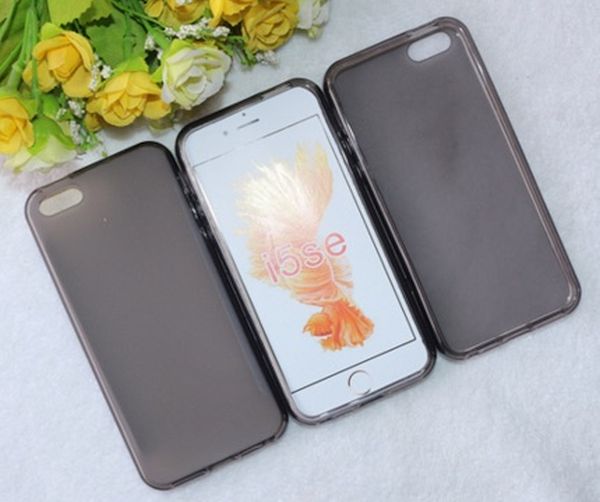
iPhone 5se Packaging

The most recent leaks from China shows the so-called iPhone SE packaging we should hear more about during Apple March event. According to this report, the 4-inch model would arrive with 16GB of base storage. The smartphone should also support Apple Pay option, LTE-FDD and TD-SCDMA. The box should also arrive with Lightning to USB cable and Earpods.

We have already heard about LTE / NFC support. The new smaller handset would boast 4-inch screen. It could feature Hey Siri option and A9 processor. There could be 16GB and 64GB models available to customers.

Apple is believed to present the new smartphone specifically for Chinese and Indian markets still the company could sell its new iPhone SE in the U.S. and worldwide as this gadget could replace the iPhone 5s.

This won’t be the only iPhone update in 2016. The ‘fruit’ giant is also expected to present new powerful iPhone 7 and 7 Plus sometime in the fall. Still it’s curious to see the spring release of the smaller smartphone in 2016 [if it really happens].

Are you more excited about future iPhone 7 or smaller 4-inch iPhone SE release?

Apple Confirms Long-Awaited Apple March 21st Event

What to expect from Apple in 2016. Millions of users who have become Apple fans can’t wait to see new models and software updates. Right now the company is testing iOS 9.3 beta and this upgrade should follow soon along with other interesting gadgets. The rumored Apple March event has been confirmed.

The Cupertino-based giant has confirmed Apple March 21 event but said nothing about what we should expect this year. Let’s remember all the rumors that we’ve already heard.

Apple March 21 Event 2016

The famous iPhone maker is believed to launch iPhone SE model. This phone will be the 4-inch model that should be similar to iPhone 5s and iPhone 6 [not current powerful iPhone 6s]. This powerful device [rumors mention A9 processor, Hey Siri option, high-resolutio camera and other features] will be cheaper than the current iPhone 6s and this is one of the reasons why users can’t wait to see its presentation.

The iOS company could also present 9.7-inch iPad Pro that would remind of iPad Air 3, get the iPad Pro similar features along with A9X chip, more RAM and other options. This model should also support Apple Pencil and get the opportunity to record 4K videos.

Will Apple present Apple Watch 2? We don’t know about the second gen smartwatch update but rumors promise Apple Watch bands launch. There are reports about the Apple Watch 2 release in the fall alongside iPhone 7 model still only March 21 will unveil all the secrets and provide more details about what to expect from the company this year.