iOS 9 Release Date and Rumored Features / Specs

The iOS 9 rumors roundup can give you an idea on what the new mobile operating system offered by Apple for its iPhone and iPad users could be like [the latest firmware available is iOS 8.3]. The official iOS 9 release date will take place in the fall although the company is expected to present the first beta version during the WWDC event this June.
iOS 9 Specs, Features and Release Date Rumors

Developers who are planning to attend the Worldwide Developers Conference in San Francisco soon will be the first ones to peer inside the real iOS 9 specs. Everyone else will learn about this firmware as soon as devs and public testers get theirs hands on it.
The unofficial iOS 9 release date could be June 9. This is when the company holds a keynote. What specs can we expect?

The list of enhancements includes transit Maps with ‘Browse Around Me’ options. Such information could be perfect for getting train, bus and other routes in town. The company could also bring split-screen multitasking to iOS 9 tablet devices which can make it possible to run two applications at once.

iOS 9 rumored features [as soon as this operating system is launched you can find out what carrier your iPhone is locked to] also include Proactive option that replaces Spotlight. This could be a great visual assistant that can get any information you would be looking for from your device. Siri assistant on iOS 9 should also be improved becoming colorful and might even become available for third-party app development.

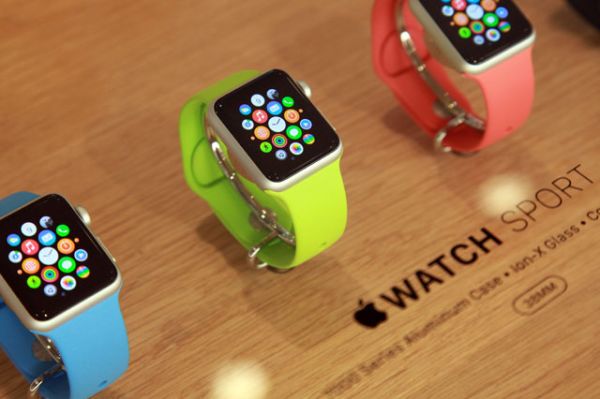
iPhone 6S Plus and maybe 6S models could also get the Force Touch option that is similar to the current Apple Watch technology.

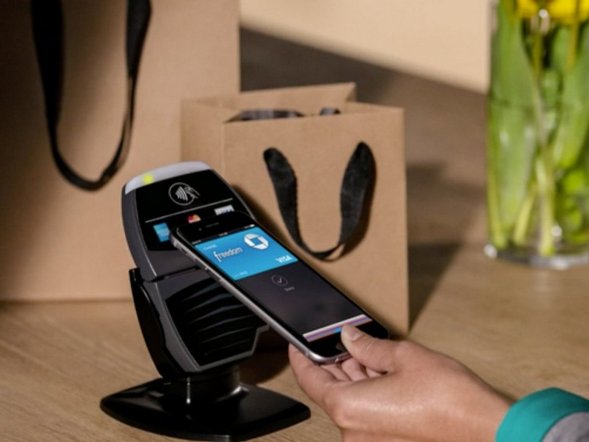
The whole iOS 9 should get an updated look with Watch’s San Francisco Font. It should also get HomeKit and other changes. The Cupertino-based giant could introduce new services and apps for its upcoming version of mobile OS with improved Apple Pay system, deep application linking and other innovations.

All these changes should be unveiled pretty soon.
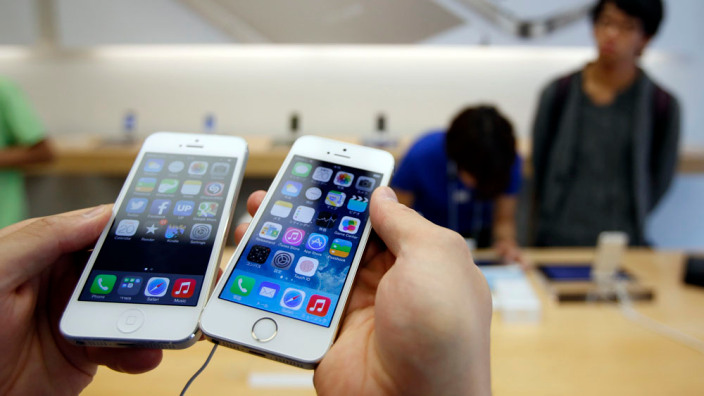
Apple Decreases AT&T iPhone Trade In Apple Store Value

AT&T iPhone trade in Apple Store value theme is very actual at present, as both online and brick-and-mortar Apple Stores around the US are about to drop subsidies for iPhone models sold via carrier AT&T. What is more, Cupertino giant is said to increase trade-in price value of older iPhone models just a little bit.

Starting from this month, trade-in values for iPhone 4s, iPhone 5 and iPhone 5s models will increase by $15, or $25 in the case of used iPhone 5s devices.

AT&T iPhone trade in Apple Store value
Apple is offering the following improvements to its trade-in pricing:

  • iPhone 4: $50 of credit, previously $35
  • iPhone 5: $100 of credit, previously $85
  • iPhone 5S: $200 of credit, previously $175

The change is only available in the United States.

Talking for iPhone subsidy, the AT&T Next program offers its customers to buy an iPhone and pay for the price of the hardware over a several month period (20, 24, or 30 installments) and upgrade to new hardware earlier than before (after 12, 18, or 24 installments).

Talking about AT&T iPhone trade in Apple Store value, this change is occurring for standard iPhone purchases, it is said that two year subsidies via AT&T will remain for business purchases via Apple company. Customers, who will move to Next will be able to keep unlimited data plans.

For Verizon customers, those who now buy an iPhone via the Edge program will no longer be eligible for the connected Edge Up feature.

To make conclusions, customers who became eligible for early hardware upgrades after 18 months will move back to 24 months for the standard Edge program. Lastly, Verizon is said to price-matching AT&T and kill two-year contract subsidies by the end of this summer.

PayPal Updated iPhone App With Touch ID Support

We have great news to all iPhone users about PayPal iPhone Touch ID support, as PayPal has updated its iPhone app with Touch ID authentication support and  removed the need to enter a PIN every time the app is opened.

Touch ID is really handy option so any app that can use the fingerprint sensor instead of requiring to enter passwords or passcodes will always be welcomed by every iOS device user. Now we can add PayPal’s iPhone app in the list of apps that utilize Touch ID authentication.

apple-online-paypal-payments

Last year PayPal said that  it would be making use of the new Touch ID API added to iOS and the recent update has taken quite a chunk of time to arrive and comes months after other apps received similar updates. And now we have one more app that requires a password or passcode. Finally.

Unfortunately, this update has brought with it some unnamed bug fixes and  PayPal has still not added appropriate support for the iPhone 6 and iPhone 6 Plus. It means that text is still too big, buttons are still oversized and the status bar continues to look like it doesn’t quite belong. Come on PayPal, we’re closing in on a year since Apple’s newest phones were released and just about everyone else has managed to get iPhone 6/6 Plus updates out the door.

You can grab PayPal iPhone Touch ID supported app absolutely free. If you have the app already installed then simply launch the App Store from your home screen and update away.

How to Activate My Verizon iPhone from Other Carrier?

Do you own AT&T iPhone 6 or other model or are you using T-Mobile, Sprint Apple gadget? You can participate in the new iPhone activation Verizon program and easily activate your smartphone even from a different network. The U.S. carrier launches a new program that makes it possible to get iPhone activation for gadgets supplied by other mobile operators.

Previous when you wanted to activate my Verizon iPhone you had to buy the handset from Verizon or get a never-locked model from Apple. If you purchased device from a rival carrier you had to order factory IMEI AT&T iPhone unlock or service for a different network – and then activate the device with Verizon or any other provider within and outside the U.S.

Activate AT&T iPhone on Verizon Network

If you are planning to switch to the Big Red U.S. carrier now – everything should be simpler. You should be able to activate any iPhone as well as Google Nexus 6. Are you eligible for activation? It is important to note that Verizon has a set of requirements you should meet in order to activate Verizon iPhone.

Firstly, you should be out of contract. Secondly, you might need to first unlock your iPhone by IMEI code. Thirdly, you should visit Verizon site and learn everything about the new program and eligibility rules.

Different companies are preparing for the next iPhone 6s launch. Apple is going to unveil this model in early September and Verizon along with AT&T, T-Mobile and Sprint are all coming with new programs, data plans and deals to attract new customers during the 2015 holiday season.

What carrier are you locked to? Would you like to get the opportunity to easily activate your smartphone with different U.S. carriers without being unlocked? Are you dreaming about the e SIM card from Apple that could allow using several networks at once without the need to become SIM unlocked?

iPhone AT&T T-Mobile Interoperability Coming in 2015

AT&T promised to offer its iPhone band 12 LTE and AT&T iPhone band 17 for network interoperability and it is working to make this promise come true sometime in 2015. The U.S. carrier is now working with both U.S. Cellular and T-Mobile to make 700MHz network interoperating for Apple smartphone and other handset users.

AT&T iPhone Network Interoperability with T-Mobile

The information about the progress in AT&T T-Mobile interoperability comes from the FCC. This commission assures that the mobile network is doing well and keeps the promise to support two bands, 12 and 17, offering iPhone LTE interoperability between subscribers of AT&T and T-Mobile in the United States.

AT&T used to be against of supporing both band 12 and 17 because of the high cost. Then it changed its mind and now wants to prepare devices for working between bands 12-17 in mid-2015. It has to develop and organize MFBI capabilities throughout its mobile U.S. network and thanks to this multi-frequency band indicator it will become possible to operate on both bands and offer customer support in both classes.

In simple words, iPhone LTE interoperability between AT&T and T-Mobile allows you roaming between networks when one carrier doesn’t have its own LTE support. Besides, what it means is when you buy an unlocked AT&T iPhone you will have a compatible gadget with 700MHz spectrum supported by T-Mobile.

It is also worth to note that there is no need to wait till such interoperability becomes available. You can unlock AT&T iPhone 6, 5S and all other models using factory IMEI unlock right now and start using different network with your smartphone.

This is safe, fast and reliable. Once becoming SIM free you have nothing to worry about. Get any SIM card, insert it into your Apple handset and make calls.

AT&T Failed to Dismiss iPhone Throttling Data Speeds Lawsuit

The fact about AT&T slowing data speeds for iPhone users and other subscribers made users and the FCC so frustrated [it began in the summer of 2011] that the Federal Trade Commission filed a lawsuit where it assures that the U.S. carrier uses deceptive practices with AT&T throttling data speeds for unlimited plan users. The carrier tried to dismiss this lawsuit however the federal court judge rejected its request in spring of 2015.

at-t-wifi-plans

If you noticed that your data speeds were throttled by your carrier there is no need to stay on this network. Even if you are a contract user who is locked to AT&T, you can order factory SIM card unlock for iPhone 5S, 5c, 5, 4S, 6 and 6 Plus and become free from it. You will be able to connect to any other carrier which doesn’t throttle you. Isn’t it simple?

Well, yes, it was AT&T that carried the iOS smartphone back in 2007. But being the first wireless provider to work with ‘fruit’ iDevices doesn’t give you the right for AT&T iPhone unlimited data throttle, right? This is what the FCC thinks as it continues to express disappointment over such facts.

AT&T tried to argue with the FCC because it believes to be the common carrier while the lawsuit is related to non-common carriage services, mobile data. The company is planning to continue persuading judges that after mobile data was reclassified as a common carriage service it could be placed outside the Federal Trade Commission’s jurisdiction.

At the same time, the FTC is planning to prove that AT&T throttling data speeds for its unlimited data plan subscribers was unfair.

Have you ever suffered from being throttled by any carrier you were using?

iOS 8.3 Unlock for iPhone AT&T: Fast Permanent Reliable Service

If you have already updated to iOS 8.3 that was officially released on April 9, you might want to also unlock your smartphone from AT&T carrier. This is useful if you are locked to U.S. AT&T network. We offer iOS 8.3 unlock iPhone AT&T permanent solution that is fast, reliable and simple for you. You have nothing to install in order to become SIM free and connect to any other network for the rest of your iPhone’s life.

Even though a big number of countries sells only unlocked iPhones, the U.S. carriers mostly sell this handset being locked to their network only. You can also purchase the never-locked model from Apple or T-Mobile, but if you have already got your iPhone 6, 6 Plus or earlier model being locked to AT&T and you wish to use other carriers as well, you have to order factory IMEI unlock service from a trusted and reliable firm.

iOS 8.3 Unlock iPhone AT&T

This service has to be ordered only once. After you are successfully unlocked you can update to new firmwares, connect to any network of your choice, downgrade, restore and even jailbreak without losing the SIM free status which is permanent and lasts for a lifetime.

How to Unlock iOS 8.3 iPhone

Step 1. Make sure you are running iOS 8.3 which is the most recent version of mobile OS released by Apple. The unlock works for any other version as well, so this actually doesn’t matter at all.

Step 2. You are highly advised to run several checkers before unlocking. Firstly, find out if your iPhone is out of contract or on contract with AT&T. Off contract models can be unlocked faster and cheaper than contract devices. Secondly, find out what carrier your iPhone is locked to. This is must-know answer because you have to be 100% sure you are locked to AT&T. Thirdly, use iPhone blacklist check service to make sure you are not blacklisted, blocked or barred by your network. Blacklisted iPhones cannot be unlocked in most situations though sometimes you can find the solution.

Step 3. After you make sure your iPhone is clean, locked to AT&T, you can select the unlocked package. If you have AT&T iPhone 6 or 6 Plus, you have to choose one solution. If you have an older model, you’ll have to choose a different package.

Step 4. Select your package and fill in the form for iOS 8.3 unlock. Provide your IMEI [dial *#06# to see it on your screen], choose your handset model, enter your email address twice, agree with our Terms & Conditions and click on Submit.

Step 5. After you pay for your order, it will be confirmed. You will also receive an email after your iPhone is unlocked from AT&T with a guide how to activate it through iTunes. This is free, fast and simple.

Enjoy being unlocked from your carrier on iOS 8.3 or any other firmware version you are running.

iOS 8.3 Firmware Is Available For Downloading On Your iOS Device

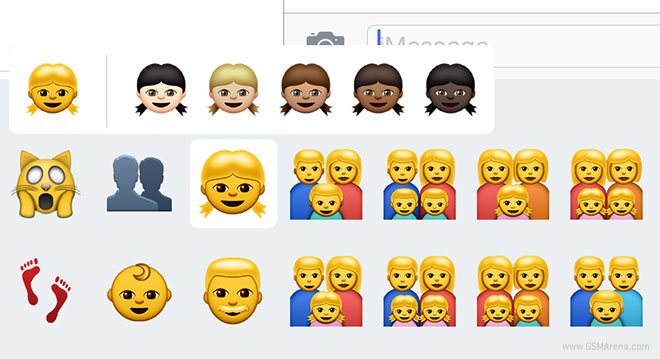
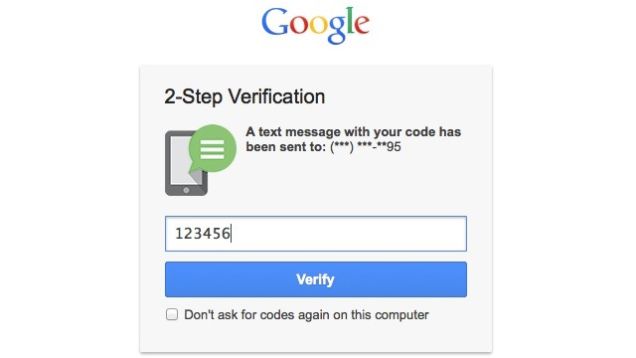
Apple has recently pushed the third major update to iOS 8 with the public release of 8.3, which brings several new features to iOS devices along with tons of bug fixes. Some of the new features are racially diverse emoji, new Siri languages, two-factor authentication for Google. After updating to the new firmware you can unlock iOS 8.3 iPhone and use it with any other networks worldwide.

The iOS 8.3 software update is available as an over-the-air update or through iTunes.

download iOS 8.3 firmwareDownload iOS 8.3 firmware file suitable for your iOS device below:

iPhone:

Let’s learn the most interesting features that this new Apple’ update has brought.

Diverse emoji

Diverse emoji

Almost all of the human emojis can be modified – including minor ones like surfer, swimmer, and runner . Although Apple still hasn’t added the skin tone modifiers to the family emojis.

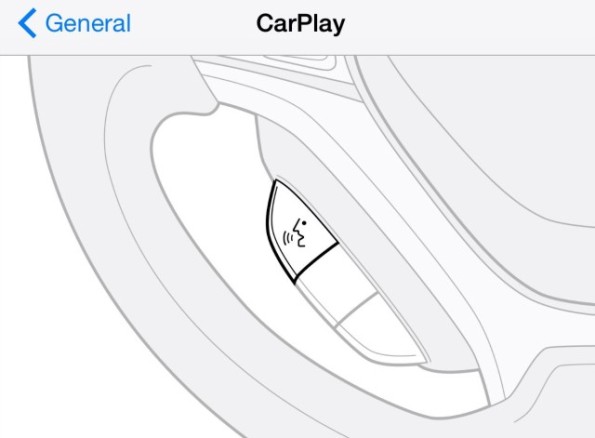
Wireless CarPlay

carplay

Apple company has added a new CarPlay section to the Settings menu. It makes it easier to set up CarPlay wirelessly. Those who have a car that supports wireless CarPlay, from now will be able to press and hold the voice-control button on steering wheel to begin the CarPlay setup process.

Google Two-Factor authorization support

two-factor authentication for Google

Cupertino giant has gained Google’s two-factor login support for iOS users that prefer Gmail and Google Calendar.

Apple Pay for China

Apple Pay for China

This is only big news if you live in mainland China, but iOS 8.3 software update at last adds support for Apple Pay on UnionPay, bringing Apple’s mobile wallet to the country with the most iPhone 6 owners in the world.

New Siri languages

siri

Download iOS 8.3 firmware with new new Siri languages.The full new Siri languages list includes Russian, Danish, Dutch, Thai, Turkish, Swedish and Portuguese. The virtual assistant also supports more English-speaking regions, such as New Zealand.

Can I Order Apple Watch from AT&T in the U.S.?

If you had plans to order AT&T Apple Watch just like you did with AT&T iPhone 6 or other Apple smartphones you are out of luck. The U.S. mobile networks are still either silent about their smartwatch sales plans or confirm that they have no intentions to carry this product in April.

Will AT&T carry the Apple Watch? A lot of customers are now asking this question. The truth can upset you or make you happy. AT&T will not offer the Watch on April 10 when this device becomes available for pre-orders or April 24 when the iOS giant releases it officially. The mobile company continues to sell the ‘fruit’ smartphones but it has no plans to carry the watch at launch.

Apple Watch AT&T

Other wireless networks in the United States are currently silent about their watch sales plans. According to AT&T spokesman Mark Siegel, the carrier will not sell the watch at its release. This network was the first one to sell iPhone years ago but this doesn’t seem to happen with the new device. Other carriers haven’t confirmed their decisions yet but they don’t speak about carrying the watch either.

Is it the price or Apple rules that influence this situation? The cheapest smartwatch will cost $349 and the price on the luxurious models will start at $10,000. Such high cost can scary potential customers away and this could be the reason why U.S. carriers are not going to sell the gadget on its launch date. Apple might also restrict sales to its stores and boutiques. We don’t know for sure though.

While Apple Watch AT&T won’t be available in April you can still pre-order it directly from Apple beginning on Friday, April 10. Are you planning on getting this personal device or not? How much are you willing to pay for it?

Fix iPhone Crashes When Deleting Apps Issue With Ease

If you iPhone crashes when deleting apps then here is very useful guide for you. Some of users reported that using iOS 8, their iPhones crashed when trying to delete an app. They could do anything when this happened. All they could do was to wait an excruciatingly long time for the delete option to finally did it work.

iphone crashes when deleting apps

It seems that not everyone experienced this issue but those that do seem to typically have the following things in common:

  • Lots of apps installed on your iPhone or iPad (200+)
  • Majority of apps are running in the background
  • iOS 8.0 software update or higher

Happily, there is a way to stop the crashing issue from happening, at least until Apple company will develop a permanent issue fix.

How to Fix iPhone Crashes When Deleting Apps

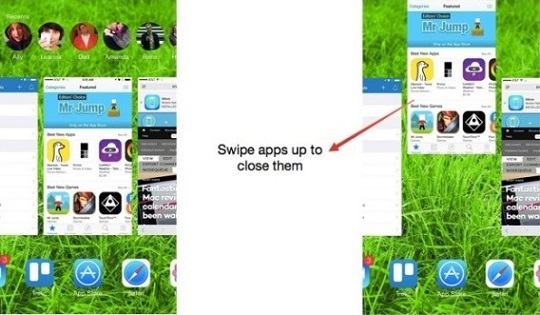
This issue seems to result from a way iOS handles memory. Closing all open apps from the multitasking section of iOS before trying to delete an app solves the problem. If you don’t know how to do that, please follow these steps to do it with ease:

Step 1. Double click your Home button on your iPhone or iPad to bring up multitasking.

Step 2. Swipe all open apps up in order to close them.

Step 3.You can touch and delete up to three apps at once to save time

Step 4. Once all the apps have been closed, try deleting an app again. After that the iPhone crashes when deleting apps issue should be gone.