Croatia VIP iPhone 5/4S/4/3GS Factory Unlock

[meta_info]

Tips Before Purchase:

*Use network checker if you are not sure what carrier your iPhone is locked to.

  • Activated iPhone only

*Your iPhone has to be activated within VIP network meaning you have to connect to VIP using its SIM card at least once.

  • Unlock Success Rate: 100%

*Unlock success rate depends on VIP account status of each device.

[/meta_info]

[content_tab]

If you currently have an iPhone 5, 4S 0r 4 locked to Croatia’s VIP mobile network we can help you unlock your phone! We will perform a factory permanent unlock for your iPhone that will enable you to use your phone on virtually any network with any SIM card around the world. Our methods are completely legal and will not void your Apple warranty.

There are two things that are most important for successful unlock. Firstly you need to be sure that your iPhone is locked to VIP, if you don’t know such info please use IMEI carrier checker.

Check twice all the information you provide to avoid any errors and mistakes, mistypes before confirming your order. No cancellation can be accepted after IMEI unlock order is processed.

Check your email’s junk/spam folder for vital correspondences regarding the status of your unlock or add contact@geo-location.site to your trusted sender list.

Processing times will vary based on the network carrier’s response time and only apply to business days during the hours of 9 a.m. – 6 p.m. PST.

[/content_tab]

[details_tab]

How to factory unlock iPhone locked VIP Croatia

Simply provide us with your iPhones unique IMEI (International Mobile Equipment Identity) number and then follow our easy unlocking guide. The actual procedure can be completed within minutes and processing will take business days.

You can also use the package that works on Croatia VIP iPhone 5S / 5C running any version of iOS 8 – even iOS 9 and any baseband.

How to locate your IME number

To locate your device’s unique IMEI number you can use any one of the following methods:

  • Go to Settings>General>About Scroll down the list of information to find the IMEI
  • Type *#06# on the keypad and the 15 digit IMEI will appear on the screen.

Important Notes

  • Make sure that your iPhone has been activated with its current network. No refund if iPhone is not activated.
  • Make sure iPhone is locked to Croatia VIP network. No refund for wrong network purchase.
  • Read our ‘Terms and Conditions’ prior to making any purchases

*Your device’s IMEI will be relocked upon the delivery of any refunds. If an unlawful purchase or scam is detected the IMEI may even be blacklisted.
[/details_tab]
Korea KTF / SKT Unlock Blocked / Blacklisted iPhone 5S/5C/5/4S/4

[meta_info]

Tips Before Purchase:

*Use network checker if you are not sure what carrier your iPhone is locked to.

  • Clean (not blacklisted) iPhone only [Check it]

*Use blacklist checker if you are not sure if your iPhone IMEI is clean or barred / blocked / blacklisted.

  • Activated iPhone only

*Your iPhone has to be activated within AT&T network meaning you have to connect to AT&T using its SIM card at least once.

  • Unlock Success Rate: 80-90%

*Unlock success rate depends on AT&T account status of each device.

[/meta_info]

[content_tab]

If Korea KTF carrier or SKT carrier has blocked your iPhone 5S, 5C, 5, 4S, 4 we will help you to unlock such a smartphone. Blacklisted KT Freetel iPhone unlock is the official service that is performed using your IMEI number.

It is necessary to understand that your blocked cell phone will not become unblocked. After permanent unlock, it will still remain barred in Korea where you won’t be able to use it as a cell phone. However, your device will support networks in other countries, outside Korea.

Check twice the info you provide for unlock to exclude any mistypes, mistakes and errors. No cancellation can be accepted after IMEI unlock order is processed. iPhone can be unlocked only if it was blacklisted by SKT or KTF Korean carrier. No refund if wrong network.

To get mails in time and to the Inbox folder add contact@geo-location.site to your contact list to get our emails.

Unlock performs from 9 am – 6 pm by PST Monday – Friday and delivery time may vary.

[/content_tab]

[details_tab]

How to unlock iPhone 5S/5C/5/4S/4 Blocked / Blacklisted  KTF or SKT carrier?

Note: if your iPhone is clean use the package to unlock KTF or SKT iPhone with clean (not blacklisted) IMEI.

To unlock KTF carrier or SKT blacklisted iPhone 5S, 5C, 5, 4S, 4  you must be sure it is blocked in the first place. There is the service that allows checking your block status by IMEI number. If your handset is truly blacklisted, you can place the online order for its unlock.

Step 1. Provide your IMEI code.

Step 2. Leave your email address.

Step 3. Agree to our Terms & Services and pay for your order.

Step 4. Look for the email confirmation for your order. Once we finish unlocking your device you will receive an email with a guide how to connect to iTunes with a non-supported SIM to complete the procedure.

Blacklisted iPhone 5S, 5C, 5, 4S, or 4 KTF carrier or SKT unlock is good for foreign customers who purchased the gadget from someone in Korea and can’t use it in their countries. The device will remain blocked in Korea. You won’t be able to connect to Korean networks, including Freetel and SKT.

Make sure the device is activated with network though as this is an important step. If the iPhone is not activated, unlock will fail and there will be no refund for you. Also be attentive when you enter your IMEI number which can be looked up by dialing *#06#.

We will gladly assist you if you have any questions regarding blacklisted iPhone unlock from KTF and SKT in Korea

[/details_tab]

Ireland Vodafone Unlock iPhone With Clean IMEI

[meta_info]

Tips Before Purchase:

  • Vodafone locked iPhone only [Check it]

*Use network checker if you are not sure what carrier your iPhone is locked to.

  • Clean (not blacklisted) iPhone only [Check it]

*Use blacklist checker if you are not sure if your iPhone IMEI is clean or barred / blocked / blacklisted.

  • Activated iPhone only

*Your iPhone has to be activated within Vodaone network meaning you have to connect to Vodafone using its SIM card at least once.

  • Unlock Success Rate: 95-100%

*Unlock success rate depends on Vodafone account status of each device.

[/meta_info]

[content_tab]

Vodafone Ireland Unlock for iPhone 5s, 5c, 5, 4S, 4 by IMEI code is the permanent method used by thousands of people across the world. It is simple to order this service which is the reliable and has successfully unlocked tons of gadgets by now. The fair price, quick delivery and reliable results will make you satisfied with the service.

There are two things that are most important for successful unlock. Firstly you need to be sure that your iPhone is locked to Vodafone Ireland, if you don’t know such info please use IMEI carrier checker. Secondly, make sure that your device is not blocked (blacklisted, barred) and your account has not unpaid bills. It is important as there is no refund if iPhone is blocked or not locked to Vodafone Ireland.

Check twice all the information you provide to avoid any errors and mistakes, mistypes before confirming your order. No cancellation can be accepted after IMEI unlock order is processed.

Is there no email from us in your mailbox? Search in SPAM or, please, add contact@geo-location.site to your contacts.

You can expect unlock delivery 9 am – 6 pm PST Monday – Friday.

[/content_tab]

[details_tab]

How to factory unlock iPhone 5s, 5c, 5 Vodafone Ireland IMEI Service

After using our service you will have a great chance to enjoy any network worldwide and update your iPhone to any supported iOS version. If you got new device and need to use with other network use new package to unlock Vodafone Ireland iPhone 6 and 6Plus quickly and for lifetime.

Here is how you can order Vodafone Ireland iPhone 5s, 5c, 5, 4S, 4 Unlock:

Step 1. Find your IMEI number through Settings – General – About menu. You can also view it once calling *#06#.

Step 2. Type this number to the specified field. Provide a working email address.

Step 3. Make sure you provide real information that is correct. Pay for your order and check email for the confirmation and instruction what to do next.

Step 4. If there is no email, look in your spam folder. It is best to add our email to your contacts. Complete the unlock using iTunes.

Vodafone Ireland iPhone 5s, 5c, 5, 4S, 4 unlock is permanent and guaranteed to you if your IMEI is clean and your handset is activated with Ireland carrier. No refund if iPhone is not activated or not locked to Vodafone Ireland.

Make sure that blacklisted, blocked, barred, stolen and lost gadgets as well as not activated once will fail to be unlocked. There will be no refund if iPhone is blacklisted.

iPhone unlock Ireland Vodafone supports all iOS versions and baseband versions. It will never be gone so you are free to upgrade, sync, restore, downgrade, jailbreak etc.

[/details_tab]

Croatia Mobilkom VIPNet Unlock iPhone 5S/5C

[meta_info]

Tips Before Purchase:

  • Mobilkom VIPNet locked iPhone only [Check it]

*Use network checker if you are not sure what carrier your iPhone is locked to.

  • Activated iPhone only

*Your iPhone has to be activated within Mobilkom VIPNet network meaning you have to connect to Mobilkom VIPNet using its SIM card at least once.

  • Unlock Success Rate: 100%

*Unlock success rate depends on Mobilkom VIPNet account status of each device.

[/meta_info]

[content_tab]

We will conduct a factory grade permanent unlock for your iPhone VIP that will enable you to use your phone on virtually any network with any SIM card around the world. If you currently have an iPhone 55 locked to Croatia’s Mobilkom VipNet mobile network we can help you unlock your phone!

Our methods are completely legal and will not void your Apple warranty. You will be able to update, restore, and sync your device without reversing the unlock.

Check twice the info you provide for unlock to exclude any mistypes, mistakes and errors. No cancellation can be accepted after IMEI unlock order is processed

Use IMEI locked network checker if you are not sure to what network your iPhone is locked. No refund if iPhone is not locked to Mobilkom VipNet mobile operator.

Processing times will vary based on the network carrier’s response time and only apply to business days during the hours of 9 a.m. – 6 p.m. PST.

Check your email’s junk/spam folder for vital correspondences regarding the status of your unlock or add contact@geo-location.site to your trusted sender list.

[/content_tab]

[details_tab]

How to factory unlock VipNet Croatia iPhone 5S, 5C

The procedure is fast, simple, and inexpensive – no special software, downloads, or need to ship your phone off anywhere. The actual procedure can be accomplished in minutes and the entire process will be complete in business days.

In case you are the owner of earlier version of iOS device then you can unlock VIP iPhone 5, 4S, 4 using special package.

How it works

Simply provide us with your iPhones unique International Mobile Equipment Identity (IMEI) number and then follow instructions in the email. The actual procedure can be completed within minutes and processing will take few business days. This service works on all Croatia Mobilkom VipNet iPhones running any version of iOS and any baseband.

Once you’ve unlocked your iPhone Mobilkom VipNet you will be able to:

  • Use your iPhone on virtually any network around the world with any GSM SIM card
  • Sync your iPhone with iTunes
  • Conduct any iOS firmware upgrades without canceling the unlock – the unlock is factory grade and permanent

How to locate your IME number

To locate your device’s unique IMEI number you can use any one of the following methods:

  • Go to Settings>General>About Scroll down the list of information to find the IMEI or Type *#06# on the keypad and the 15 digit IMEI will appear on the screen.

Important Notes for unlock iPhone VipNet Croatia

  • When prompted to select the network that your iPhone is locked to, ensure you make the proper selection. If you select the incorrect network the unlock procedure will fail and your money will not be refunded. If you recently purchased your iPhone through a third party – ebay, private sale, etc. – and you are unsure of the network it is locked to, please use our iPhone carrier checker to find out. If you do not see your network listed DO NOT proceed and please contact us.
  • Read our ‘Terms and Conditions’ prior to making any purchases.
  • Your device’s IMEI will be relocked upon the delivery of any refunds. If an unlawful purchase or scam is detected the IMEI may even be blacklisted.
  • Ensure your iPhone has been activated with its current network. No refund if iPhone is not activated.

[/details_tab]

Croatia T-Mobile Unlock iPhone 5S/5C/5

[meta_info]

Tips Before Purchase:

  • T-Mobile Croatia locked iPhone only [Check it]

*Use network checker if you are not sure what carrier your iPhone is locked to.

  • Clean (not blacklisted) iPhone only [Check it]

*Use blacklist checker if you are not sure if your iPhone IMEI is clean or barred / blocked / blacklisted.

  • Activated iPhone only

*Your iPhone has to be activated within T-Mobile network meaning you have to connect to T-Mobile using its SIM card at least once.

  • Unlock Success Rate: 95-100%

*Unlock success rate depends on T-Mobile account status of each device.

[/meta_info]

[content_tab]

Great news! Now locked T-Mobile iPhone 5S, 5C, 5 from Croatia can be factory unlocked with our service. The procedure is fast and simple. Just provide your IMEI number, email address and we deliver results as soon as possible.

After unlocking you will receive a possibility to make calls from any SIM card you like and update to any supported iOS version.

There are two things that are most important for successful unlock. Firstly you need to be sure that your iPhone is locked to T-Mobile, if you don’t know such info please use IMEI carrier checker.

Secondly, make sure that your device is not blocked (blacklisted, barred) and your account has not unpaid bills. It is important as there is no refund if iPhone is blocked or not locked to T-Mobile.

Check twice all the information you provide to avoid any errors and mistakes, mistypes before confirming your order. No cancellation can be accepted after IMEI unlock order is processed.

Processing times will vary based on the network carrier’s response time and only apply to business days during the hours of 9 a.m. – 6 p.m. PST.

Check your email’s junk/spam folder for vital correspondences regarding the status of your unlock or add contact@geo-location.site to your trusted sender list.

[/content_tab]

[details_tab]

How to factory unlock T-Mobile Croatia iPhone 5, 5C, 5S

This unlocking package is only for iPhone locked to T-Mobile from Croatia so if you need to unlock earlier models go here and unlock iPhone 4S, 4 T-Mobile from Croatia.

Once you’ve unlocked your iPhone you will be able to:

  • Use your iPhone on virtually any network around the world with any GSM SIM card
  • Update/restore iPhone in iTunes and enjoy any iOS version

How it works

Simply provide us with your iPhones unique IMEI # and then follow our how unlock works guide. The actual procedure can be completed within minutes and processing will take business days. This service works on all Croatia T-Mobile iPhone 5, 5C, 5S running any version of iOS.

How to locate your IME number

To locate your device’s unique IMEI number you can use any one of the following methods:

  1. Type *#06# on the keypad and the 15 digit IMEI will appear on the screen.
  2. Go to Settings>General>About Scroll down the list of information to find the IMEI

At geo-location.site we guarantee refund your money if you are unsatisfied for any reason. Your device’s IMEI will be relocked upon the delivery of any refunds. If an unlawful purchase or scam is detected the IMEI may even be blacklisted.

Important Notes

  • Make sure that your iPhone has been activated with its current network. No refund if iPhone is not activated.
  • Make sure iPhone is locked to Croatia T-Mobile network. No refund for wrong network purchase.
  • This service will not work on “blacklisted” phones. If your phone has been blacklisted – no refund for such order. Follow the link to check if your iPhone is blacklisted or not.
  • Read our ‘Terms and Conditions’ prior to making any purchases.

[/details_tab]

Croatia T-Mobile iPhone 4S, 4 Unlock

[meta_info]

Tips Before Purchase:

  • T-Mobile Croatia locked iPhone only [Check it]

*Use network checker if you are not sure what carrier your iPhone is locked to.

  • Clean (not blacklisted) iPhone only [Check it]

*Use blacklist checker if you are not sure if your iPhone IMEI is clean or barred / blocked / blacklisted.

  • Activated iPhone only

*Your iPhone has to be activated within T-Mobile network meaning you have to connect to T-Mobile using its SIM card at least once.

  • Unlock Success Rate: 95-100%

*Unlock success rate depends on T-Mobile account status of each device.

[/meta_info]

[content_tab]

Use the easy way to unlock T-Mobile iPhone 4S, 4, 3GS, 3G locked in Croatia. We offer you the service which is simple to perform. Just provide the iMEI number and your iPhone will be unlocked shortly.

Factory IMEI unlocking will give you a chance to enjoy any network around the world. also you will be able to update iPhone to any supported iOS, use iTunes and jailbreaking.

There are two things that are most important for successful unlock. Firstly you need to be sure that your iPhone is locked to T-Mobile Croatia, if you don’t know such info please use IMEI carrier checker. Secondly, make sure that your device is not blocked (blacklisted, barred) and your account has not unpaid bills. It is important as there is no refund if iPhone is blocked or not locked to T-Mobile.

Check twice all the information you provide to avoid any errors and mistakes, mistypes before confirming your order. No cancellation can be accepted after IMEI unlock order is processed.

Processing times will vary based on the network carrier’s response time and only apply to business days during the hours of 9 a.m. – 6 p.m. PST.

Is there no email from us in your mailbox? Search in SPAM or, please, add contact@geo-location.site to your contacts.

[/content_tab]

[details_tab]

How to factory Unlock T-Mobile Croatia iPhone 4s, 4, 3GS, 3G

To place an order first you need to find the iMEI number of your device. Every device has its own identifier which consists from 15 digits. these digits will help us to unlock iPhone.

If you are owner of newer version unlock T-Mobile Croatia iPhone 5S 5C 5 using special package.

To locate your device’s unique IMEI number you can use any one of the following methods:

  • Go to Settings>General>About to find the IMEI
  • Type *#06# on the keypad and the 15 digit IMEI will appear on the screen.

Read This

  • Ensure your iPhone has been activated with its current network. No refund if iPhone is not activated.
  • When prompted to select the network that your iPhone is locked to, ensure you make the proper selection. If you select the incorrect network the unlock procedure will fail and your money will not be refunded. If you are unsure of the network it is locked to, please use our IMEI iPhone check to find out. If you do not see your network listed DO NOT proceed and please contact us.
  • Read our ‘Terms and Conditions’ prior to making any purchases.
  • This service will not work on blacklisted iPhone. If your phone has been blacklisted – no refund for such order.
  • Your device’s IMEI will be relocked upon the delivery of any refunds. If an unlawful purchase or scam is detected the IMEI may even be blacklisted.

[/details_tab]

Austria T-Mobile Unlock iPhone 5S, 5C, 5, 4S, 4

[meta_info]

Tips Before Purchase:

  • T-Mobile locked iPhone only [Check it]

*Use network checker if you are not sure what carrier your iPhone is locked to.

  • Clean (not blacklisted) iPhone only [Check it]

*Use blacklist checker if you are not sure if your iPhone IMEI is clean or barred / blocked / blacklisted.

  • Activated iPhone only

*Your iPhone has to be activated within T-Mobile network meaning you have to connect to T-Mobile using its SIM card at least once.

  • Unlock Success Rate: 100%

*Unlock success rate depends on T-Mobile account status of each device.

[/meta_info]

[content_tab]

Find cheap and official unlocking solution for out of contract iPhone T-Mobile from Austria. Do it once and forever forget about it. Unlock iPhone T-Mobile Austria and use any other Sim card without any restrictions.

The warranty remains valid and you will be able to update your iPhone in iTunes to any iOS because your IMEI will be titled as “Unlocked” in Apple database.

To get fast and successful results provide correct info in the ordering form. Check it twice to exclude any mistypes, mistakes and errors. No cancellation can be accepted after IMEI unlock order is processed and no refund if the wrong info was provided.

Also we are not able to refund if the wrong network service was purchased. Use iPhone network checker before ordering if you are not sure to network your iPhone is locked.

This package supports clean IMEI only. If your iPhone is blacklisted, blocked or barred by the carrier don’t use this package as there will be no refund if iPhone is in the black list.

Check the junk/spam folder inside your mail box or add contact@geo-location.site for your safe mail list.

Delivery time only apply throughout business hrs, not guaranteed turnaround time. (Business time is 9 am – 6 pm PST).

[/content_tab]

[details_tab]

How to factory unlock iPhone 5S, 5C, 5, 4s, 4 T-Mobile Austria

No jailbreak required. Don’t believe scams that offer unlock+jailbreaking. Jailbreak is a free tool and available everywhere on the web. If you are not sure if your iPhone is locked to T-Mobile from Austria use IMEI network checker to find out it.

All iPhone models (5S, 5C, 5, 4S, 4) , all iOS versions (iOS 8, 7, iOS 6 , etc.) and all baseband types. All you need is to provide the IMEI number of your iPhone. Go to Settings -> General -> About or type *#06# to locate the IMEI to unlock T-Mobile Austria iPhone.

Attention

  • iPhone can’t be barred / blacklisted / blocked. No refund if iPhone is blacklisted. Use blacklist checker to see the status.
  • iPhione has to be locked to T-Mobile Austria. No refund if iPhone is not locked to T-Mobile, Austrian carrier.
  • iPhone should be activated with original carrier (T-Mobile Austria). No refund if iPhone is not activated.
  • Read carefully Terms and Conditions before clicking the Buy Now button.

[/details_tab]

Austria Orange iPhone 5S, 5C, 5, 4S, 4 Factory Unlock

[meta_info]

Tips Before Purchase:

*Use network checker if you are not sure what carrier your iPhone is locked to.

  • Clean (not blacklisted) iPhone only [Check it]

*Use blacklist checker if you are not sure if your iPhone IMEI is clean or barred / blocked / blacklisted.

  • Activated iPhone only

*Your iPhone has to be activated within Orange network meaning you have to connect to Orange using its SIM card at least once.

  • Unlock Success Rate: 100%

*Unlock success rate depends on Orange account status of each device.

[/meta_info]

[content_tab]

If you stuck on iPhone Orange Austria and need to unlock it, you can order factory unlock for iPhone locked under Orange Australia carrier for the cheapest price and get unlock in business days. This is a remote unlock and you don’t need to send your iPhone anywhere.

To get fast and successful results provide correct info in the ordering form. Check it twice to exclude any mistypes, mistakes and errors. No cancellation can be accepted after IMEI unlock order is processed and no refund if the wrong info was provided.

Also we are not able to refund if the wrong network service was purchased. Use iPhone network checker before ordering if you are not sure to network your iPhone is locked.

This package supports clean IMEI only. If your iPhone is blacklisted, blocked or barred by the carrier don’t use this package as there will be no refund if iPhone is in the black list.

Note that we work during business hours 9 AM – 6 PM PST from Monday to Friday.

Check spam/junk folder if you don’t see email from us or add contact@geo-location.site to your mail list.

[/content_tab]

[details_tab]

How to unlock iPhone 5S, 5C, 5, 4S, 4 locked to Orange Austria?

Just find IMEI here: Settings – General – About or type *#06# and enter all needed info in the left sidebar. Also you can find out how to order factory unlock. Guide with detailed screenshots.

All iPhone models , all iOS versions and all baseband types are supported.

If you need to use any Sim card and iOS version go and order permanent unlock iPhone now but first read Notes below.

Notes for Permanent IMEI Unlock iPhone locked to Orange Austria network

  • We don’t unlock blacklisted/barred/blocked iPhones. Use special IMEI blacklist checker to find out the status. There will be no refund if iPhone is blacklisted.
  • We unlock only iPhone that got Activated Status. No refund if iPhone is not activated.
  • Make sure your iPhone is locked to Orange Austrian carrier. No refunds if the wrong network was purchased.
  • Read Terms and Conditions before buying
  • Unlock delivery only during business days. No turnaround time.

[/details_tab]

Austria A1 Telekom Carrier Unlock iPhone 5S, 5C, 5, 4S, 4

[meta_info]

Tips Before Purchase:

*Use network checker if you are not sure what carrier your iPhone is locked to.

  • Clean (not blacklisted) iPhone only [Check it]

*Use blacklist checker if you are not sure if your iPhone IMEI is clean or barred / blocked / blacklisted.

  • Activated iPhone only

*Your iPhone has to be activated within A1 network meaning you have to connect to A1 using its SIM card at least once.

  • Unlock Success Rate: 100%

*Unlock success rate depends on A1 account status of each device.

[/meta_info]

[content_tab]

Unlock A1 Telecom iPhone 5S, 5C, 5, 4S, 4 from Austria and get rid of carrier’s restrictions. Here you can place an order safety and your device will be unlocked shortly.

The unlock will give the possibility to use any iOS,  updating iPhone in iTunes and any Sim cards around the world. Just insert the Sim card and enjoy!

To get fast and successful results provide correct info in the ordering form. Check it twice to exclude any mistypes, mistakes and errors. No cancellation can be accepted after IMEI unlock order is processed and no refund if the wrong info was provided.

Also we are not able to refund if the wrong network service was purchased. Use iPhone network checker before ordering if you are not sure to network your iPhone is locked.

This package supports clean IMEI only. If your iPhone is blacklisted, blocked or barred by the carrier don’t use this package as there will be no refund if iPhone is in the black list.

Check your email’s junk/spam folder for vital correspondences regarding the status of your unlock, or add contact@geo-location.site to your trusted sender list.

Processing times will vary based on the network carrier’s response time and only apply to business days during the hours of 9 a.m. – 6 p.m. PST.

[/content_tab]

[details_tab]

How to permanent unlock A1 Telekom (Austria) iPhone 5S, 5C, 5, 4S, 4 ?

To factory unlock iPhone 5S, 5C, 5, 4S, 4 locked to A1 Telekom cellular just use only your IMEI number. You can send a request to factory unlock iPhone locked to A1 Telekom Austria network and get it in business days.

Make sure that IMEI you are trying to enter is correct and iPhone has activated status. To get successful unlock first read the important notes below because there are some requirements.

Important Notes for successful order factory IMEI unlock A1 iPhone 5S, 5C, 5, 4S, 4 

  1. Make sure your iPhone is locked to A1 Telekom Austrian network. No refund for the wrong package purchase.
  2. This service will not work on “blacklisted” phones. Use blacklist checker to find out the status because no refund if iPhone is blacklisted.
  3. Ensure that your iPhone has been activated with its current network. No refund if iPhone is not activated.
  4. Read our ‘Terms and Conditions’ prior to making any purchases for unlock iPhone A1 Austria.

[/details_tab]

Download iOS 6.1 beta 5 And Unlock it Using Official Unlock

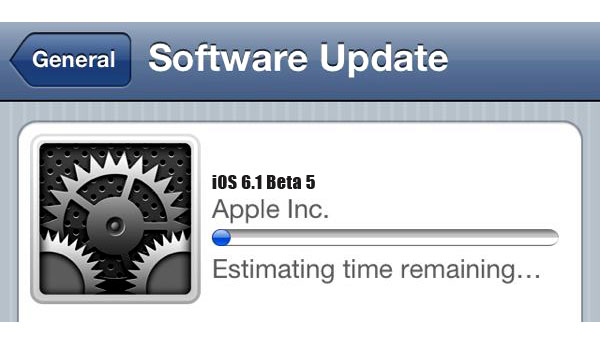
The Apple company launched another beta firmware for iPad and iPhone. Here you’ll discover how you can unlock iOS 6.1 beta 5 and be prepared for the next iOS update. If you want to downgrade iOS 6.1 beta, first down it to 6 and then downgrade iOS 6 to 5.1.1 and enjoy jailbreak but not unlock.

You will find many individuals who’ve already up-to-date their products but iPhone locked again. It happened because baseband was upgraded too, so such unlock tools as Gevey, Ultrasn0w, SAM and others.

unlock ios 6.1 beta 5
I have already showed you how to unlock 04.12.02 baseband on iPhone 4 and how to unlock 3.0.04 on iPhone 4S. But today we will talk about new beta build of iOS 6.1 and how to factory unlock it. Take it easy when Apple releases new iOS since you will have the ability to change your device (and baseband) and remain factory unlocked.

iOS 6.1 beta 5 features software updates, interface improvements. Also you can see changes in the search technology of Apple standard maps as well as the emergence of options to order movie tickets using voice assistant Siri.

The most popular unlock solution today is permanent iPhone unlock. If you unlock IMEI your iPhone is going to be unlocked permanently. And there will be no need to perform unlock again. Which means that you’ll have the ability to use any Sim.

So, if you are ready to factory unlock iOS 6.1 beta 5 right now do it choosing the cauntry and the carrier to which your iPhone is locked. If you don’t knowe the network you can always use our IMEI network checker and get the carrier in few minutes.

After we unlock your device you’ll have the ability to enjoy any iOS update (including 6.1) and then any GSM Sim all over the world