The ‘fruit’ devices always have various issues and bugs you have to solve or wait for the Cupertino-based giant to fix on your behalf. Some Apple users might even remember the iPhone 6 stuck in headphone mode water problem. It seems to also happen to new iPhone 7 models. What should you do when you can’t deal with iPhone headphone mode?
There could be more than one method for iPhone stuck in headphone fix. We’ll share several ways you can try to get our of iPhone headphone mode and use your handset the regular way again. Remember that you can always try a different method if one doesn’t work for you.
Can it be the problem with the latest iOS 10 firmwaver version? If the issue is with the operating system, it might be eventually fixed by Apple. However it could be a different problem that causes the ‘stuck’ mode. It’s curious when you see the bug when your headphones are not even plugged in. In other words, the issue might be with the headphones, your iPhone hardware or the bug with the software version you are using.
How to Solve iPhone 7 Stuck in Heaphone Mode
Since there could be multiple reasons for the problems there is more than one solution. Don’t get upset in case nothing helps you out. Even with the iPhone 7 handset running iOS 10 you can experience issues. So let’s try something out and hopefully figure out how to get iPhone out of headphone mode.
iPhone Stuck in Headphones Mode Fix: Method 1
Since the problem can be with your accessories and not iPhone or iOS 10 (iOS 9 or earlier version if you happen to still use iOS 8) you need to try plug in your headphone and then plug it out. Why could this solve the problem?
Sometimes when you remove headphones too quickly your mobile operating systemmight not detect this action and thus iPhone 7 or iPhone 6 thinks headphones are plugged in while they are not (learn what to do if your iPhone 6 starts to restart on it own). Be gentle when you plug out the accessories and the system will have enough time to ‘understand’ your operation.
Do you still face the bug?
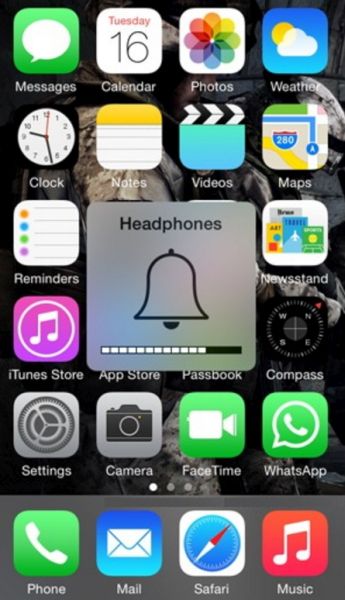
iPhone Stuck in Headphone Mode Fix: Method 2
You have probably read so much about iOS problems and bugs. Different versions of Apple firmware suffer from different issues. Even iOS 10 is not perfect. Thus when the problem is not with your headphones or ports you could try to restart your handset.
Simple iPhone restart can solve many problems with ease. The software restarts and ‘clears’ issues so you get rid of the bug. Restarting is safe as you lose no information or your data.
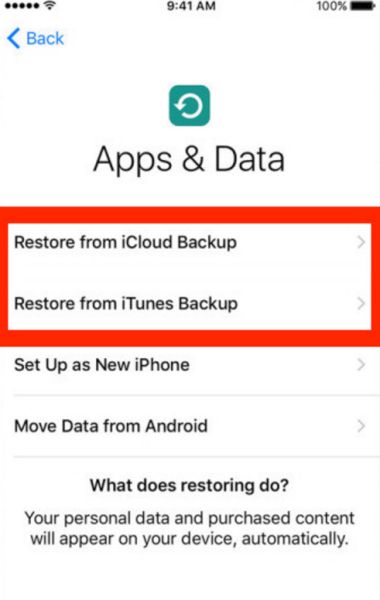
iPhone 6 Stuck in Headphone Mode Solution: Method 3
If you back up your new iPhone 7 or other model once in a while you can try to restore from previous backup versions. It’s great to back up so that you can restore and get all your information back (including apps, games, personal data etc.).
Keep an eye on iOS updates. You can download and install the most recent firmware because every new release fixes some previous bugs.
iPhone Headphone Mode Fix: Method 4
You can borrow your friend’s headphones and try to use them instead of yours. Maybe the problem is with the accessories and you can fix everything by plug in a different pair of headphones.
iPhone port might not detect your old headphones because of the metal used in them. If they are not original, if you are using a cheaper version – this could cause the problems.
iPhone Port Problem: Method 5
Is everything right with your 3.5 mm port? Gently try to clean it with a toothpick. Maybe there is some dust inside.
At last but not least. If the problem still exists and you tried everything to solve it, you have to try another method. Take your iPhone to your closest Apple Store and hopefully your warranty can cover the repair or iPhone replacement.
This year the ‘fruit’ giant presented the iPhone 7 with more storage and some interesting features. Still most customers are looking forward the next generation because iPhone 8 could offer so much more than all previous devices.