Let’s check iOS 8.3 features roundup, as Apple company has just launched iOS 8.3 for iOS devices. It is the third major update since iOS 8 was released, that gains a long list of improvements and bug fixes.
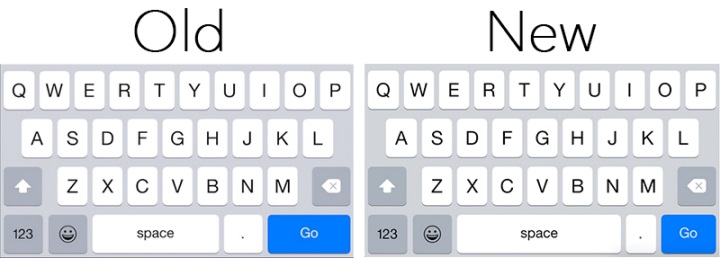
As we could see from the betas of iOS 8.3 software update brought improved performance for App responsiveness and launch, Control Center, Keyboard shortcuts, Messages, Safari tabs, Simplified Chinese keyboard, Wi-Fi, 3rd-party keyboards.
This last Apple’s update gained also bug fixes and improvements for Wi-Fi and Bluetooth. It fixes an continuously conformation for login credentials issue and where hands-free phone calls could become disconnected, also where audio playback could stop working with some Bluetooth speakers.
There are many fixes for Messages. It resolve problem that caused group messages to sometimes split and fixes an issue that sometimes removed the ability to forward or delete individual messages. The update also gains the ability to report junk messages directly from the Messages app and possibility to filter out iMessages that are not sent by your contacts.
iOS 8.3 brought fixes for Family Sharing, Enterprise, Accessibility options.
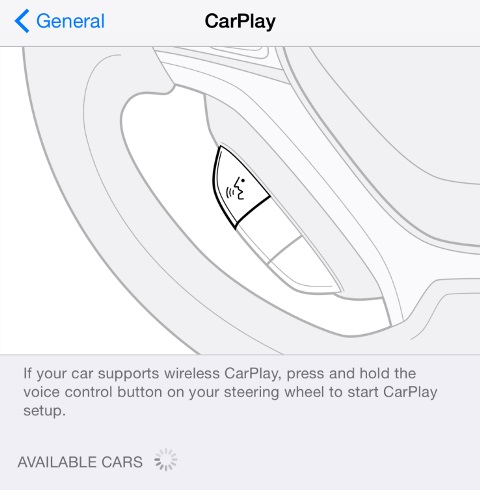
There are also resolution for problems connected with CarPlay. The update fixes an issue where Maps could come up as a black screen and where the UI could be incorrectly rotated. It also resolves an issue where the keyboard could appear on the CarPlay screen when it shouldn’t.
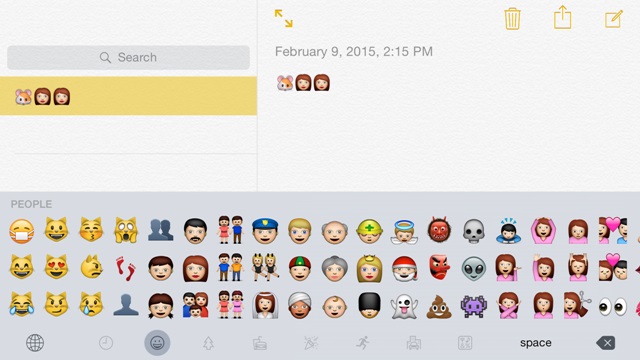
Apple’s last update introduces a redesigned Emoji keyboard with over 300 new characters. iCloud Photo Library has been optimized to work with the new Photos app on OS X 10.10.3 and is now out of beta.
It was iOS 8.3 features roundup and jailbreakers, should note that if their devices are on iOS 8.1.2 version or lower, then they must avoid upgrading to iOS 8.2 or 8.3, as you will lose their jailbreak, and currently there is no tool available to jailbreak iOS 8.3update.
In case you don’t plan to jailbreak your device in near future, then the update is available as an OTA download for iOS devices navigating to Settings > General > Software Update.
If you don’t looking for jailbreak you can update your device via iTunes and direct download iOS 8.3 links:
iPad Air 2 (6th generation WiFi)
iPad Air 2 (6th generation Cellular)
iPad Air (5th generation WiFi + Cellular)
iPad Air (5th generation WiFi)
iPad Air (5th generation CDMA)
One thought on “Check Roundup Of iOS 8.3 Features”