Choose the Best iPhone Unlimited Data Plan from UK Carriers

The 2014 Apple iPhone 6, 6 Plus and earlier models rely on data very much this is why it is so important for users to get unlimited data packages. If you live in the UK or travel to this country you might be looking not only for the full iPhone UK carrier list but also for the company that offers the best service, unlimited data and calls at the best price.
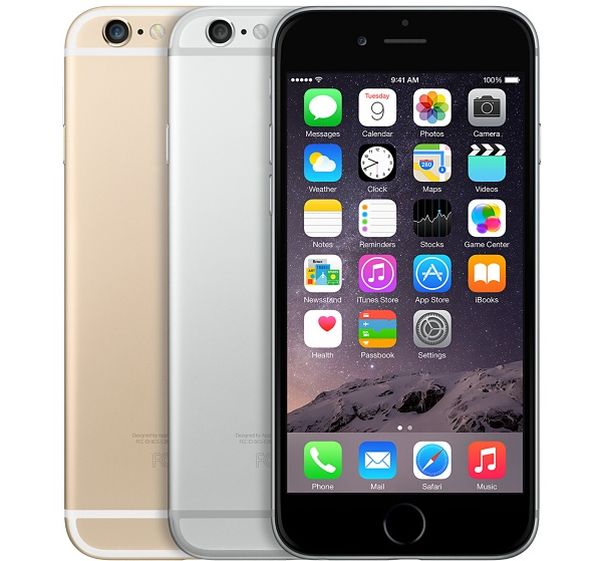
iphone-6-uk-unlimited-data-plan

This post can help you choose the best iPhone network in the UK. It is true that most plans are trying to limit you with no more than 2GB, 5GB etc. per month. Major local mobile operators aren’t that generous, but you can still figure out which plan can give you more than others.

iPhone Unlimited Data Plan UK by Carriers
ee
EE

Let’s begin with EE network which offers the biggest coverage in the UK. Other operators, Tesco, O2, Three and Vodafone are also expanding inside the country but their networks aren’t that large yet.

Sadly, even while EE has 4G service for iPhone 6 users it doesn’t offer any unlimited data plans. It can offer up to 50GB of data per months which is not that unlimited. If you want to get more you’ll have to pay more. For example, if you decide to buy the new smartphone directly from EE you can get it with a data plan of up to 500MB of data per month for £40.99. If you want to go for the 50GB plan you’ll have to pay around £75.99 a month.
o2O2

Sadly, this company doesn’t have unlimited data packages as well as EE. When choosing the top iPhone network in the UK, you should know that O2 iPhone 6 offers plans from 1G to 20GB per month and the more you choose the more you have to pay. This is one of the most expensive LTE carriers in the country as it offers you the 8GB plan for £63 per month.
tesco-mobileTesco Mobile

This is also not the iPhone unlimited data plan UK carrier as everything it can offer its subscribers is the limited plan that costs money. If you buy the new Apple iPhone 6 Tesco Mobile on-contract you will have to pay £52.50 per month for the next 24 months and everything you will get for this price includes 3GB of data, 3,000 minutes and 5,000 text a month.
threeThree

Can UK iPhone 6 Three be called the best iPhone operator in the United Kingdom? It actually can because it has the unlimited data plans for 3G and 4G networks. You can use as much data and internet with this carrier as you want on ‘all you can eat’ plan.

You can eat up to 1,000GB a month and choose between the three plans this company has. If you decide to purchase the iPhone 6 and pay £9 upfront you’ll have to pay £60 per month. If you choose £49 or £99 upfront payment your plan will cost you £53 or £50 per month respectively.
vodafone
Vodafone

This mobile company has no unlimited plans for iPhone owners. But if you decide to buy the iPhone 6 Vodafone UK model you’ll have to go with the 4GB plan worth £48.50 per month for the next 2 years and £129 upfront payment.

It is not that easy to decide which company to choose. Three is the best choice for users who need much data every month. Other operators simply don’t have an unlimited data plan in the UK at the moment.
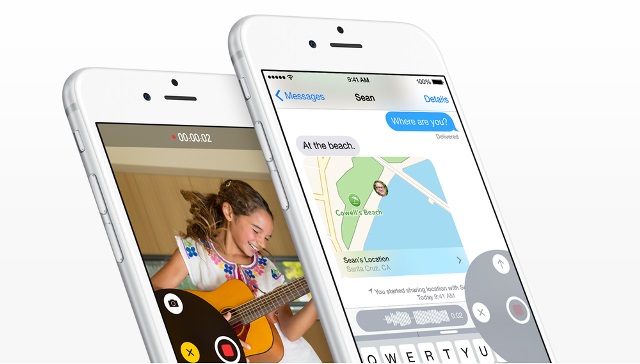
Two Ways To Unregister Phone Number From iMessage

Here is all useful information how to unlink phone number from iMessage. It sometimes happens that you have to switch from an iPhone to Windows phone or Android. And you may have noticed that it sometimes does not receive messages that other iPhone users have been sent.
You didn’t notice it because you didn’t get any of the messages. Although many your friends probably told you that they have sent you texts. The main reason is in iMessage, which is strongly tired with a phone number that belongs to an iPhone. And if you do not unregister phone number from iMessage, it will gather all the messages in one storage (Purgatory), and prevent them from being delivered to the new non-Apple phone. There are two ways to get a phone number out of the storage. They are described below.

unlink phone number from iMessage

The first way to unlink phone number from iMessage is to simply turn off it on the iPhone while it’s still active, before switching out SIM cards or switching service through a CDMA provider. Go to Settings on the phone and disable iMessage.

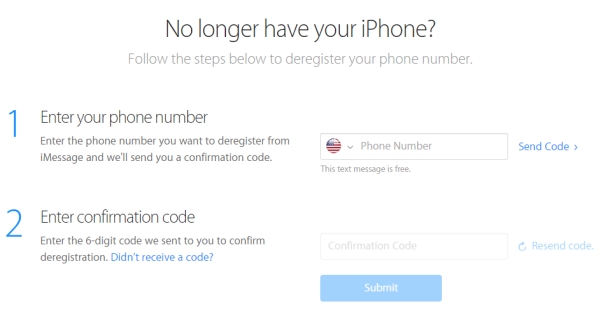
Another way to unregister phone number is to use the official de-registration service that Apple company offers users. You will receive a text message with confirmation code to complete the deactivation. That’s why you need to have phone handy to complete this process.

Step 1. Hold the new phone with the same phone number active and nearby. You’ll receive the confirmation code on it.

Step 2. Go to Apple.com official re-registration website and enter the phone number to deactivate iMessage for

unregister phone number from imessage
Step 3. Then you will get the SMS text with confirmation code. Now you need to enter that in the same website and choose ‘Submit’ to remove the phone number from the iMessage database.

These are  really needed methods for people who have switched to an Android or left an iPhone for some reason. You just need to disable or deactivating iMessage for the given phone number to prevent loosing received messages.

Now Google Earth Pro Is Available For Free Download

Search giant Google has just announced that you can download Google earth Pro for free on your iOS device. The previous software was $399 per year. This Pro version offers features previously unavailable to those without a subscription.

distance
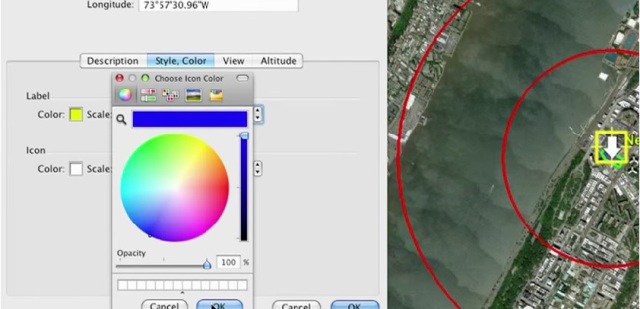
Google Earth Pro is a 3D interactive globe that can be used to aid planning, analysis and decision making. It got a lot of benefits. The first great feature is that with the Google Earth Pro advanced measuring and drawing tools you can plan, measure and visualize a site without leaving your place. It allows to calculate distance in miles, feet, kilometers, acres, and more. You can plan the length of a road, the distance between two bridges, or the circumference of a new store. The great plus is getting quick area and radius measurements to determine the cement needed for a new building or the buffer zone for an energy plant. Using 3D measurements you can determine the height of a building, measure line-of-sight to the ocean.

change the color
You can visualize your own information using this app alongside exclusive data layers such as demographics, land parcel and historical traffic data.
3d mesuranment
Another good feature is that you can create videos and share with stakeholders and customers, providing a unique perspective for any location-based project. You can send large image files. The app will automatically optimize them for intelligent viewing. The app allows you to quickly create thematic maps of your data. You have the choice to change the title, color and height of an whole data. Go and download Google Earth Pro for free on your iOS device as it is very easy to aggregate and overlay different layers of data with this app.

Spain Orange iPhone 6 Plus/6/5S/5C/5/4S/4 Unlock by IMEI [Blacklist Support]

[meta_info]

Tips Before Purchase:

  • Orange Spain locked iPhone only [Check it]

*Use network checker if you are not sure what carrier your iPhone is locked to.

  • Activated iPhone only

*Your iPhone has to be activated within AT&T network meaning you have to connect to AT&T using its SIM card at least once.

  • Unlock Success Rate: 95-100%

*Unlock success rate depends on Orange account status of each device.

[/meta_info]

[content_tab]

You can have your iPhone 6 Plus, 6, 5S, 5C, 5, 4S, 5S, 5c, 4, 3GS Spain unlocked from Orange mobile operator using the fast, safe and cheap unlocking service based on IMEI factory unlock. This package supports all IMEIs no matter if you are blacklisted, blocked or clean which is must-use by anyone who wishes to become free from one carrier and start switching SIM cars with ease.

Here are important notes for factory unlock iPhone. Make sure you have read these notes before ordering unlock.

It is possible to unlock all IMEIs for Orange Spain, including clean IMEIs, blacklisted, barred and blocked. Please be attentive when you provide your IMEI number, make sure it is correct.

Check twice all the information you provide to avoid any errors and mistakes, mistypes before confirming your order. Provide a real email address as this is where we will send all the details about your unlocking request.

We offer no refunds for incorrect orders (wrong carrier/model/IMEI) or customer’s mistake.

Note that we work during business hours 9 AM – 6 PM PST from Monday to Friday. Please, add our email to your contacts list to avoid receiving our letters as spam or junk.

Enjoy being unlocked! Our support team is always happy to answer any questions you have about your order.

[/content_tab]

[details_tab]
You might wonder how to unlock Orange Spain iPhone 4 or other model. Everything is not complicated at all as millions of users have successfully ordered unlock for iPhone Orange Spain and other carriers / countries and are now happy to not depend on their operator data plans, pricing policy and other conditions.

To place your order for iPhone unlock Spain Orange all IMEIs you need to know the IMEI number. Find it using the methods below.

Method 1
Call this number: *#06# and your identifier will appear on the Home screen. This is completely no-cost.

Method 2
Take your iPhone and open Settings app. Look in General – About menu for your 15-digit IMEI number. This second method is also free to use.

How to Unlock iPhone Orange Spain All IMEI

It is simple to follow these steps to place the unlocking request.

Step 1. Run iPhone network checker to be sure you are locked to Orange in Spain and activated with this network. If you are not activated, don’t place your order as it will fail to be complete.

Step 2. Provide your IMEI and email after selecting your unlock package base on your model and IMEI blacklist/clean status.

Step 3. Pay for your order via PayPal or using your credit card.

Step 4. Look in your mailbox for the email with order confirmation and later – with information about successful unlock and details how to finish this procedure.

Step 5. Follow the instruction you get via email and connect to iTunes with a non supported SIM card to become SIM free permanently.

Important Notes for Factory Unlock iPhone 6 Plus/6/5S/5C/5/4S/4 Spain

  • You must be locked to Orange carrier in Spain to order this package. If you are not sure you are locked to Orange Spain, use iPhone carrier check service to learn this information
  • IMEI factory unlock is permanent meaning you can update your iOS, baseband and not lose the unlock status
  • Factory unlock doesn’t void Apple warranty
  • iPhone 4 IMEI unlock for Orange Spain is fast, but the delivery time still depends on different factors [delivery delays are mostly experiences on weekends]
  • You must read and agree to our Terms & Conditions before placing your unlocking request online
  • You must be activated with Orange Spain network to be eligible for factory IMEI unlock. If you are not sure that you are activated with Orange Spain, you can check this through iPhone network checker

[/details_tab]

iTunes Connect Shows Error Logs

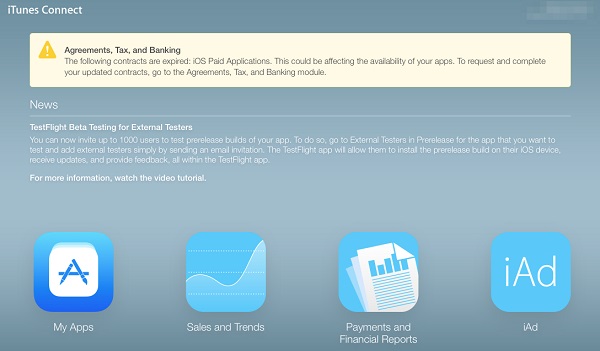
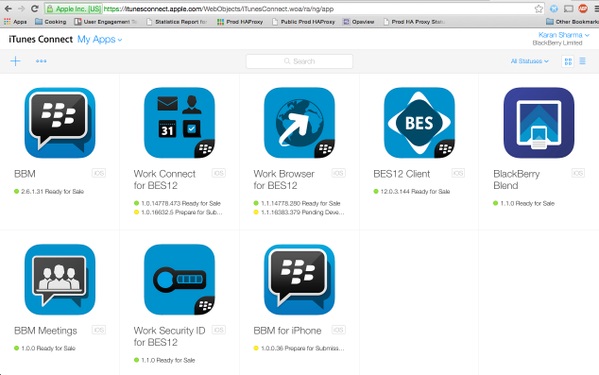
iTunes Connect error logs is the problem that has appeared recently. According to developer’s reports after logging into the iTunes Connect website they found out that the login credentials shown were for other unknown person. When browsing to the “My Apps” section, developers were also introduced with applications that are not theirs.

iTunes connect error logs

Let’s analyze the example. One developer who logged in, only to see the information for a random person who works for the Sherwin-Williams Company. When logged in, the applications displayed on the screen were Kelly Services, Inc.- an entirely different company. It meant that the username may not be associated with the apps that were shown. After this developer logged out and then attempted to log back in, he was showing the message that said” iTunes Connect is not available”.

itunes connect error logs to tweet 1

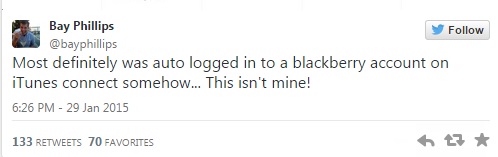
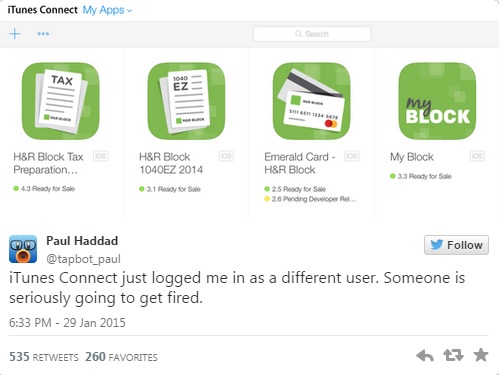
iTunes connect crash logs bug first appeared on Thursday morning. The issue emerged as developers, noticing that they had access to apps they clearly did not develop, began posting screenshots on Twitter about the annoying problem. For example, Paul Haddad of Tapbot, maker of Tweetbot, logged in to see a series of H&R Block tax applications, and received numerous responses from other developers experiencing the same issues. Paul Haddad said in his tweet that iTunes has just logged him in as a different user. And added that someone was seriously going to get fired.

tweet1

tweet2

This iTunes Connect error logs bug lets developers see such personal details as private email addresses of people they were logged in. It’s unknown now whether the login error let those developers to make some changes to people’s accounts.

iOS 8.2 Beta 5 Download Links and Installation Guide [Without UDID]

It seems that Apple has just released iOS 8.1.3 with new features to public, but the company has already offered another update. iOS 8.2 beta 5 download links are available for both developers who have a registered account with Apple dev program [they can update via OTA or by logging into their account] and ordinary users without UDID. This post is devoted to iDevice owners who are not afraid of risking and wish to update for free without a dev account.

Before you install iOS 8.2 beta 5 without UDID, you should know that this firmware is available under the build 12D5480a. This update reportedly fixes the problem with Facebook app and GMT Calendar syncing.

Download iOS 8.2 Beta 5 No UDID

How to Install iOS 8.2 Beta 5 without Developer Account

Step 1. Backup your iDevice. Use iCloud or iTunes in order to make such a copy.

Step 2. It is necessary to get the ipsw file of the beta operating system release. We’ll share the links with you that don’t require logging into a dev account on Apple site.

iOS 8.2 Beta 5 Download Without Developer Account [Direct Links]

iPhone

iPhone 6 Plus

iPhone 6

iPhone 5S CDMA

iPhone 5S GSM

iPhone 5c CDMA

iPhone 5c GSM

iPhone 5 GSM

iPhone 5 CDMA

iPhone 4S

iPod touch

iPod touch 5 users can download iOS 8.2 beta 5 for iPod as well.

iPad and iPad mini

iPad mini 3 Wi-Fi

iPad mini 3 CDMA

iPad mini 3 TD-LTE

iPad mini 2 Wi-Fi

iPad mini 2 Wi-Fi Cellular

iPad mini CDMA

iPad mini GSM version A1454

iPad mini Wi-Fi

iPad 4 Wi-Fi

iPad 4 GSM

iPad 4 CDMA

iPad 3 Wi-Fi

iPad 3 Wi-Fi Cellular CDMA

iPad 3 Wi-Fi Cellular GSM

iPad 2 Wi-Fi Rev A

iPad 2 Wi-Fi 3G CDMA

iPad 2 Wi-Fi 3G GSM

iPad Air 2 Wi-Fi

iPad Air 2 Wi-Fi Cellular

iPad Air Wi-Fi

iPad Air Wi-Fi Cellular

Step 3. Launch iTunes.

Step 4. Hold Alt key on Mac / Shift on Windows and click on Update option in iTunes.

Step 5. Point to the ipsw file you have downloaded.

Step 6. If everything goes smoothly you will be running iOS 8.2 beta 5 for free.

Siri Helps To Locate Lost iPhones

Don’t panic Siri locates lost iPhone. Currently lost or stolen iPhones become a real problem for owners. As today we all spend so much time on our device and it is overfilled with important information not just about us, but our family, friends, and the work we do.

siri locates lost iphone main
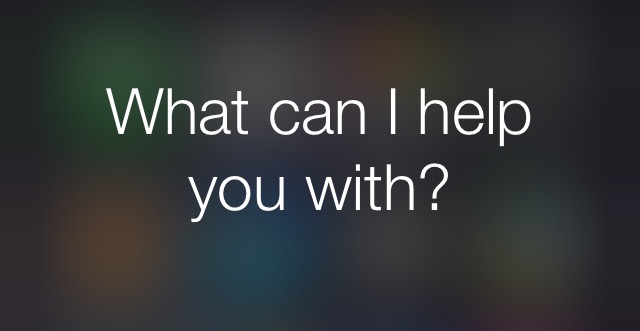
Let’s think from the other side. If you have found a lost iPhone and want to reunite it with its owner. What will you do in such situation? Of course the first thought will be to go to police station. But you can just ask Siri who the iPhone belongs to.

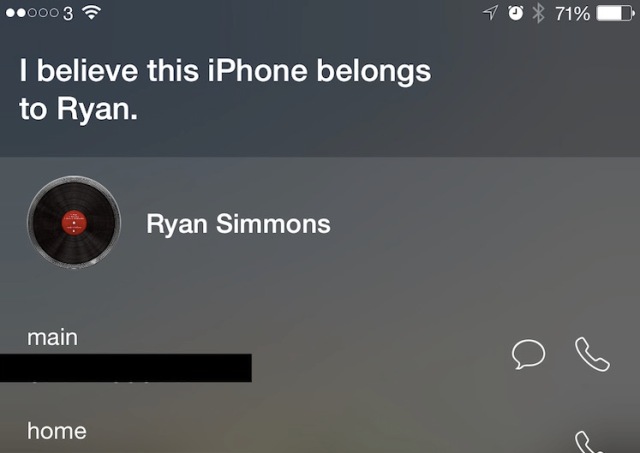
iPhone users who use Siri activated and has set up it for the lock screen use can hope that their phone will be found. The person who will find your lost device can be done with the simple request of “who does this phone belong to?”. The person will get the response with the owner’s contact card as specified in the iPhone’s settings. That card can be specified under Settings > Mail, Contacts, Calendars and then the My Info option.

Also you can use iPhone blacklist checker to find out if the phone is registered as lost or stolen.

siri locates lost iphone
As an iPhone owner very important thing to remember here is that the information shown will be everything in that contact including phone numbers, notes, addresses etc.

That’s why it is recommend to create a contact specifically for this use, giving it a phone number and perhaps a note explaining that you may offer a reward for the device’s safe return. In this case any person who knows that Siri locates lost iPhone and how to ask it who owns an iPhone won’t also know your work telephone number as well.

Verizon Hikes Up Fees for iPhone Activation and Upgrade in 2015

U.S. mobile company also known as the Big Red carrier has decided to introduce new pricing for iPhone Verizon subscribers and other customers. Beginning February 5, 2015 the company is going to charge more for Verizon activation fee and upgrade option.

Verizon Hikes Activation Upgrade Fees

Right now if you decide to upgrade your iPhone or other smartphone on Verizon network you have to pay $30. But you will have to pay $40 soon. These are not the only changes the company is believed to introduce in 2015. Verizon upgrade policy changes along with its new activation fee which will cost also $40.

Let’s put it in other words. When you get Verizon iPhone upgrade fee of $40 you will also see another extra $40 on your bill once you sign the new deal and activate a new mobile device on the mobile company’s network.

The new pricing is to kick off on February 5. What do you think about the upcoming changes? Isn’t it better to upgrade or activate your iPhone 6 / 6 Plus or any other device in Verizon network [if you are planning to join this carrier any time soon] right now, while there is still time to pay less?

P.S. Here is how to activate Verizon iPhone 6 in case you have purchased or are about to buy this Apple mobile device.

Galaxy S6 to Take on iPhone 6 In Less Than a Month

The iPhone 6 brought all the attention to Apple and its new products, but Samsung Galaxy S6 release date is arriving soon. The company will unveil the new smartphone on March 1. Which gadget should you buy in case you haven’t updated your iPhone to either 6 or 6 Plus model yet?

Samsung Galaxy S 6 Release Date
Samsung has already invited media and guests to its release event of the new product. It is unclear if this gadget will be slightly curved like Galaxy Note Edge or not. The tease photo shows the device that has a similar display but all the confirmation will follow only in late February or on the launch date.

The battle between Galaxy S6 vs. iPhone 6 / 6 Plus is to start soon. The Korean giant will compete with the Cupertino-based company which has already stolen all the thunder on its seventh-generation iDevice in both the U.S. and Asian region.
Reports and various rumors from experts and curious people promise the device with about 5.1 or 5.3-inch display, Exynos chip, 4GB RAM and 20MP camera. But all these teasers are still not confirmed.

Apple and Samsung are really competing, and each company has to introduce something that will wow all the customers who now seem to preffer bigger screens, awesome features and elegant design.

P.S. You might like to unlock T-Mobile iPhone 6 if you have the smartphone locked to this network and wish to use it with even more carriers across the globe.

How to Unlock iPhone 5 / 5S / 5c / 6 / 6 Plus iOS 8.1.3

Anyone who is looking for the best service to unlock iPhone iOS 8.1.3 or any other Apple smartphone model can do so with ease. We are happy to announce that you don’t have to search for any iPhone unlock code that doesn’t even exist. Apple has presented its new firmware update and if you have installed iOS 8.1.3 on your cell phone you can also unlock it by IMEI number.

iOS 8.1.3 Unlock

Factory unlock for iPhone 6 on iOS 8.1.3 running the same or any other firmware version is the perfect decision that guarantees you will be unlocked permanently and use any carrier you like. For example, if you need to unlock iOS 8.1.3 iPhone you can do so using our service and you will be able to connect to Verizon, Sprint, T-Mobile, O2, Vodafone and tons of other networks across the world by just switching the SIM card.

Permanent service is done by IMEI code. Each iPhone’s IMEI is registered in Apple Database servers and you can simply unlock the device by changing the status of your phone from ‘locked’ to ‘unlocked.’

This AT&T iPhone Unlock is the best site where you can make an order and get the final Apple phone unlock. This is the safe and trusted service that is PayPal verified, powered by Norton Secured and certified by Trust Guard in the U.S. Such certifications and verifications are highly important as they mean you can truly trust the company and get top quality service.

Let’s understand why everything is safe. Firstly, your Apple warranty on the iPhone you are planning to unlock using factory IMEI service stays in live. Secondly, you do not install anything [no apps, no software, no programs, no codes] meaning your gadget stays clean and the unlocking does nothing to its software or hardware.

  • Everything you need for this type of unlock is your AT&T 15-digit IMEI code.

iOS 8.1.3 comes with minor changes to previous versions of firmware, but after you unlock it you will be able to update to iOS 8.2 and any future version and stay unlocked. This is pretty cool and is simply awesome!