Factory Unlock iPhone Locked to AT&T Network Free of Charge

Our company makes free AT&T iPhone unlock submission for Not Found code. but only once and only for AT&T network. If you are interested – go on reading.

If our clients receive Not Found after ordering iPhone unlock, there can be several reasons. Very often it is just a typo in IMEI number. Sometimes unlock may failed from our site.

Also sometime users didn’t check network and ordered AT&T unlock but not for iPhone locked to AT&T. In this case, according to our Refund policy, we are not obliged to refund because it is consumer’s error. But we understand that too and decided to give a second chance for our customers.

free at&t iphone unlock

How To Get AT&T iPhone Unlock for Free

In case you will receive Not Found code after ordering iPhone unlock you will have one free AT&T unlock request. To get it just register on our website using email that you used to order unlock. After registration – login and you will see the form for free iPhone unlock submission but only for AT&T network.

Attention: If you’ve submitted unlock not for AT&T network and got Not Found code you still have one free submission but only for AT&T iPhone IMEI. So, please check iPhone carrier before ordering because if you will submit non AT&T iPhone IMEI using one free submission you will receive NOT Found again and lose free unlock forever without refund.

That’s it. Just register with email you used for first unlock request, enter you account and you will see what to do next.

Also we have other free and discount offers for our loyal clients and customers who bought unlock at our site for the first time.

Here below you can find links for free unlock AT&T iPhone:

How to Get Discount or One Free Unlock for AT&T iPhone

How to Get Multiply AT&T iPhone Unlocks for Free

How to Unlock iOS 6.1 beta 5 (GM) Using IMEI

Yesterday late Apple released another beta version of 6.1 firmware. Here you will find out how to unlock iOS 6.1 beta 5 and be ready for iOS 6.1 update.

There are many those who have already updated their devices and found out that their iPhones became locked again. It happened because baseband was updated too, so such unlock tools as Gevey, Ultrasn0w for iOS 6.0.1, SAM and others stopped working. And that is a big problem. However this will never would happen if your iPhone was factory unlocked.

From now many iPhone users are looking for iOS 6.1 beta 5 unlock. And if you are here you have just found it.

unlock ios 6.1 beta 5

iOS 6.1 beta 5 includes minor software updates, improvements that are mainly concentrated within the interface. Key changes will enhance the search technology in Apple standard maps and also the emergence of possibilities to reserve movie tickets using voice assistant Siri in USA.

Sure you can use SAM tool but you need to have activation tickets for this. Also there is only Gevey for iPhone 4S running on iOS 6 baseband. As you see there is no way except IMEI unlock.

Factory iPhone unlock is the most popular unlocking solution in nowadays. And it is not strange. Simple because if you unlock IMEI # your iPhone will be forever unlocked (never lock device).

You can also unlock iOS 6.1 beta 5 for free now or in the future!

This means that you will be able to use any SIM card of any carrier. But what is also great is that you will forget about such iPhone hardware as baseband.

Don’t worry when Apple releases its new iOS because you will be able to upgrade your device (and baseband) and stay factory unlocked.

So, if you need it you can factory unlock iOS 6.1 beta 5 now if your iPhone is locked to AT&T. After which you will be able to enjoy any iOS update (including 6.1) and any GSM SIM card around the world.

How to Unlock iOS 6.0.1 iPhones with Ultrasn0w Fixer

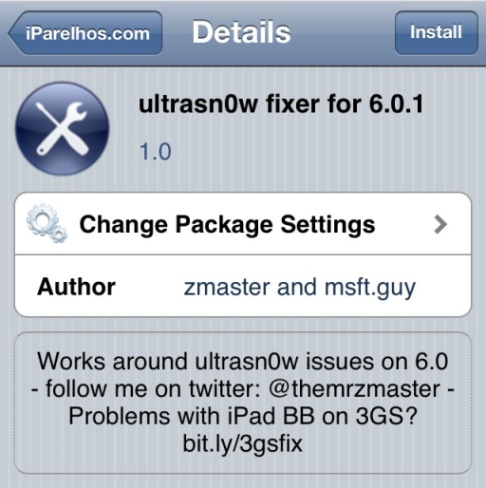
We have a couple of news for you. One is not too exciting because the iPhone Dev Team hasn’t launched its Ultrasn0w for iOS 6.0.1 yet. The other one is much better. There is unofficial Ultrasn0w fixer unlock iOS 6.0.1 program which can help you to unlock iPhone 3GS and iPhone 4 in case you have planned to upgrade these models to the firmware version 6.0.1.

This fixer has been presented by two folks you so know well. They are msft.guy and zmaster, the developers of popular Cydia tweaks. Their new project known as Ultrasn0w fixer unlock iOS 6.0.1 can really unlock Apple smartphones.

Important Notice

This tweak is easy to use if you meet all the requirements, including the iPhone models and basebands supported. Keep in mind that Ultrasn0w fixer for firmware 6.0.1 will work on iPhone 4 baseband 01.59.00 and iPhone 3GS basebands 04.26.08, 05.11.07, 05.13.01, 05.12.01 and 06.15.00. How do you know the iPhone baseband? Go to Settings – General – About and you will see it.

Now let’s speak about all the requirements you must meet. Firstly, it is important to downgrade iPhone baseband 06.15.00 before you try Ultrasn0w tweak. Secondly, if you do have one of the basebands mentioned above you must first jailbreak your iOS 6.0.1 iPhone via Redsn0w 0.9.15b3 utility [this is untethered jailbreak for owners of iPhone 3GS]. At last, you must keep your old baseband when you upgrade to iOS 6.0.1.

As you see too many requirements and restrictions. Factory unlock is much better and there is no need to be worry about those baseband, iOS, downgrade, jailbreak and other different actions. Just order unlock now and enjoy it in couple of hours.

Now we can move to the process of iOS 6.0.1 iPhone unlock via Ultrasn0w fixer.

Ultrasn0w Fixer Unlock iOS 6.0.1


Instruction for Ultrasn0w Fixer Unlock iOS 6.0.1

Note: This is instruction on how to get free unlock but can also get free factory unlock using our membership program.

In the first step we will ask you to get the latest version of Ultrasn0w and install it. You can find it at Cydia – Manage – Sources – Edit – Add and here you simply use the following repo:

 http://repo666.ultrasn0w.com

In the second step you should type the word Ultrasn0w in the Cydia search field and find the latest version 1.2.7.

In the third step you must open Cydia once again and go to Manage – Search – Edit – Add to add:

 http://repo.iparelhos.com

In the fourth step you should search for Ultrasn0w fixer for iOS 6.0.1 [use the similar way as you did in step 2] and install it on the iOS smartphone.

In the fifth step you should take the SIM card you like the most and insert it in your iPhone. Users who have iPhone 3GS can simply restart their gadget just like they normally do. Users with iPhone 4 must boot their device tethered:

  • connect their iPhone 4 to a personal computer or Mac via USB and open Redsn0w 0.9.15b3;
  • choose Extras => Just Boot;
  • get ready to see the smartphone entering DFU mode;
  • allow Redn0w to do everything and simply wait till it finishes.

The last step is the easiest one. You should hear the signal of your mobile operator after the iPhone rebooted.

This was the step by step instruction for how to unlock iOS 6.0.1 iPhone 3GS and 4 via Ultrasn0w fixer for 6.0.1. Enjoy!

Now You Can Officially Unlock AT&T iPhone For Free

Free AT&T iPhone Unlock Offer For Unlockers

Now it’s time to hand out gifts to our loyal customers and those who are here for the first time. You can factory unlock AT&T iPhone for free legally and without a fear to be locked again.

We provide the most accountable customer service in the unlocking industry, respect our members’ privacy, and communicate regularly with members to assure their complete satisfaction and their consent at every step. We are authorised by PayPal company with SSL certificate and certified by TrustGuard service.

How to Get Free AT&T iPhone 6, 6+, 5S, 5C, 5, 4S, 4 Unlock

Attention: We provide free unlocking for clean (not blacklisted) and activated AT&T iPhone.

Our mission is to bring information to people that we are not scam website and offer real unlocking solution for any AT&T iPhone model. So our team starts a new campaign to prove that we are genuine and legit AT&T unlocking service.

All you need to do is to help us to promote our service. If you want to order unlock or we have already unlocked your iPhone and want to get another one at no cost you will get it.

Like our service but want to get a free factory unlock AT&T iPhone? Then you will get it because now we give great chance to everyone to enjoy unlocked iPhone at no cost.

Here below is a social form you can use. Simply Like us on Facebook, G+ and tweet about our service to get free AT&T unlocking ordering form.

[sociallocker]- CLICK HERE FOR FREE AT&T UNLOCK -[/sociallocker]

Remember: Unfortunately not all iPhones can be unlocked for free even if device is not blacklisted. There are many reasons of the possible failure which depends on contract srtatus of iPhone at AT&T company. If your unlock will not go through, don’t worry, we have a special Premium services that provide 100% unlock success rate but paid:

How to Get Every 3d AT&T unlock for Free

As we constantly taking orders and many people want to unlock not only one IMEI but more. We care about our clients and created membership program for all who would like to order more than one factory unlock.

If you register account at our site you will have the possibility to get AT&T USA iPhone factory unlock for free and enjoy all benefits of permanent unlock. But only under one condition:

Every 3d iPhone Unlock is Free For Our Consumers.*

If you are interested here below you will see how to get started.

Factory Unlock AT&T iPhone For Free

Step 1. At the top left corner of our home page you will see Login or Register option. So click Register.

Step 2. Then provide all needed info:

  • Login
  • Email
  • Name, Surname
  • Password

Note: Those of you who have already used our service, please, enter email which you used to order iPhone unlock (no PayPal addresses please).
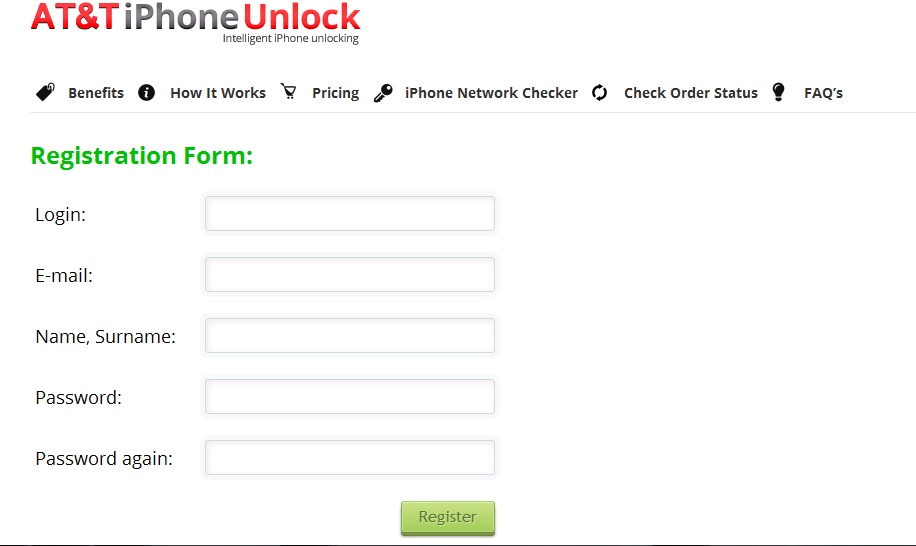
registration

Once all the fields are filled click Register.

Step 3. When you register an account – log in:
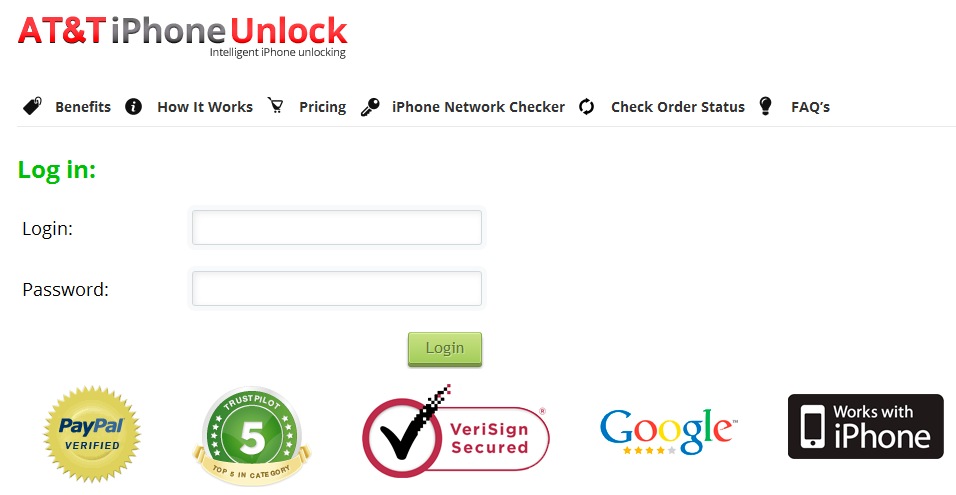
login

Step 4. After authorization you will be able to see how many unlocks you have ordered before and how many left to get at no cost and permanent unlocking solution.

In the middle you’ll see a shadowed picture of the iPhone and after 3d unlock you will notice the full and clean image and active button “Get FREE unlock” below.
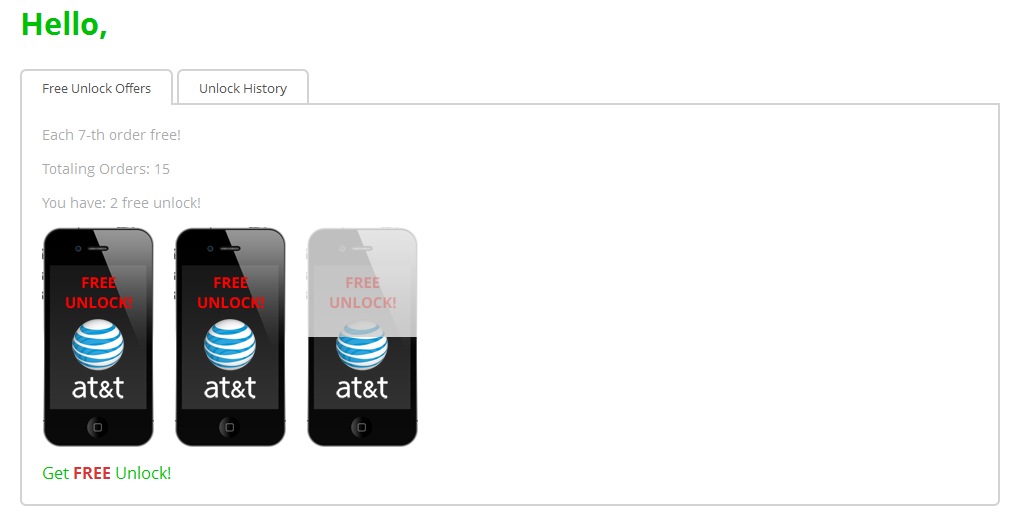
account

After you click it, enter IMEI and get unlock for free!
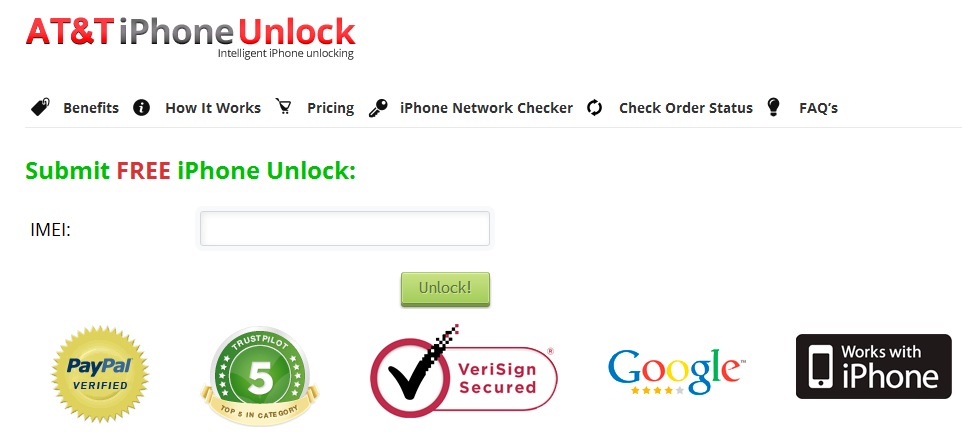
free factory at&t iphone unlock

Also you can check your unlock history and find out when you got or can order free factory iPhone unlocking. Very easy and and there is no need to do some additional actions. Go to our Pricing category and start to order unlock according to our Terms and Conditions.

Be the big part of our unlocking community and get factory unlock iPhone AT&T free of charge!

*every 3d unlock from $9.99/$15 Regular package.

Learn How To Unlock AT&T iPhone Officially For Free Using IMEI

Here I want to show you another method to unlock AT&T iPhone via iTunes. This method is official and want is the most exciting it is completely for free. Yes it is true. You can get your device unlocked for free.

Also I can assure you that this unlock will be permanent and factory unlocking benefits you can read about too. Because this method is the best for your iPhone.

So let’s see what you should do before you will get it.

unlock AT&T iphone for free

How to Unlock iPhone AT&T For Free Via IMEI

1.Go here and at the bottom put a check and click Agree.

2. In the menu select: Non-Customer

3. Fill: IMEI Number, First Name, Last Name, Email Address, Purchase Location (place of purchase, the phone is better to choose AT&T)

4. Now click Submit

5. Wait for email which will come from “order@ecom.wireless.att-mail.com – IPhone Unlock Request Received” and you will find there this info:

“We have received your request to unlock your iPhone. Your Request Number: *****
Thank you for contacting AT&T Customer Care about unlocking your iPhone. Please retain your Request Number for reference. In order to process your unlock request, we must receive a faxed copy of your original receipt. Please fax us a copy of the receipt including your Request Number and IMEI to 1-214-782-6442 within 48 hours. You will receive the status of your request at the email address you provided in 5 to 7 business days.
Your request is subject to iPhone unlock eligibility requirements. If we have further questions or instructions, we’ll contact you by email.

Sincerely,
The AT&T Customer Care Team

DO NOT REPLY TO THIS MESSAGE
All replies are automatically deleted.”

As you see you need to send the a fax with the copy of your original receipt for successful request. However I know that sometimes it can work without a fax, so you can try.

And after three days you will receive another email where you should see this text:

order@ecom.wireless.att-mail.com — How to Complete Your Authorized iPhone Unlock
Request number: *****
Thank you for contacting AT&T Customer Care about unlocking your iPhone.
We have reviewed your request and confirmed that you are eligible to have the requested iPhone unlocked.
Please allow 24 hours upon receipt of this notification to complete the unlock.
To complete the unlock, simply:
Open iTunes on your Mac or PC and verify that you have Internet connectivity.
Ensure a SIM card is inserted into your iPhone.
Connect your iPhone using the dock connector to USB cable that came with your iPhone.
Backup and restore your iPhone using iTunes. For information on backup and restore, please visit http://support.apple.com/kb/HT1414.
After restoring, your iPhone will be unlocked.
Additional information on unlocking can be found at http://support.apple.com/kb/TS3198
For questions regarding AT&T’s wireless service and iPhone, please visit the Phone/Device Learning Center.
We thank you for your continued business.

Sincerely,
AT&T Customer Care Team

That’s it. Now you can enjoy factory unlocked AT&T iPhone for free and without any fears to be locked again. But if you will failed with this method you can always try our service to remotely unlock your iPhone and enjoy the same factory unlock for less then 10 bucks!

AT&T Unlock iPhone 3G/3GS/4/4S Out Of Contract Only [SLOW]

Attention: Because of new AT&T unlock policy this service might be delayed. Delivery times only apply during business hours, not guaranteed turnaround time. (Business time is 9 am – 6 pm PST).

So please don’t submit your order if you need it earlier or simply can’t wait.

How Long Does It Take Us to Unlock Your iPhone?

The unlocking process is usually delivered placing an order online and only for out of contract iPhone 3G, 3GS, 4 and 4S. You can check AT&T iPhone out of contract status as well.

This package is only for Out of Contract AT&T iPhone. In case your iPhone is still under contract you can follow this link to unlock under contract AT&T iPhone.

If you wish to get permanent unlock solution for 7 and 7 Plus models, you should order AT&T iPhone Unlock which we also offer.

Only buy an unlock service if your device can meet the service requirements. If you purchase the unlock service not supported for your device and don’t meet the service requirements, we consider that unwelcome and malicious buying with no refund available.

Are You Eligible?

Before you request factory AT&T iPhone 3G/3GS/4/4S unlock from us, make sure you are eligible for this service:

  • Your iPhone is locked to AT&T
  • Your iPhone is out of contract with AT&T
  • It is not listed as stolen or lost (not blacklisted)

Steps To Place Your Order

  • Submit your iPhone IMEI number and email
  • Choose the model of your iOS handset
  • Agree with Terms and Conditions
  • Click the Buy Now button

Important Notes!

If you won’t see email, please check the junk / spam folder in your mail box or add contact@geo-location.site to your safe mail list.

We don’t unlock blacklisted/lost/stolen iPhone. No refund if iPhone is blacklisted. You can check it here before making an order.

This method unlocks only Out of Contract handsets locked to the U.S. carrier AT&T. NO REFUND FOR THE WRONG SERVICE (NETWORK/MODEL) PURCHASE

If your iPhone 6/ 6S is blacklisted or you just can’t wait you can order unlock for iDevices all models.

iPhone must be activated before placing an order.

If your iPhone has ever been sent to Apple Care / Technical Service or is a replacement unit please do not order.

iOS 7 users or the user who plans to update iPhone to iOS 7 should first check if Find My iPhone is turn on / off otherwise you may face with iOS 7 activation lock. No refunds will be given for faulty iOS 7 Activation. Use this Find my iPhone iOS 7 Activation Lock Check Tool to check if this feature has been enabled.

Read carefully Terms and Conditions before clicking the Buy Now button.

*Delivery times only apply during business hours, not guaranteed turnaround time. (Business time is 9 am – 6 pm PST, Monday-Friday). On the weekend unlock delivery can be delayed till Monday.

Note: In case you will receive Not Found code because of the blacklisted IMEI or some other reason you can reprocess with the special package to unlock AT&T iPhone 7, 7 Plus if Not Found and get 100% successful results.

Finally AT&T Unlock Under-Contract iPhone: But Not for All

From now all the under-contract iPhones can AT&T unlock for free. What such changes? Let’s find out.

AT&T is definetly performing iPhone unlocks for many clients whose contracts remain effectively. Based on latest news several posters were able to unlock the gadgets after posting unlock asks to AT&T, despite the truth that some of them still had time-sometimes a number of time-left on the contracts. Continue reading Finally AT&T Unlock Under-Contract iPhone: But Not for All

Free iPhone Unlock by AT&T: Unlock Your iDevice Online

This year has brought a lot of nice surprises to iPhone users. Firstly, AT&T promised to officially unlock iPhones for free if consumers meet particular requirements set by the mobile operator. This was an amazing promise to all users who wished to use their smartphone overseas or on a different network in the USA but didn’t want to jailbreak their gadget, however the unlocking process was pretty hard since you had to call AT&T directly and request the unlock. Secondly, the carrier finally announces free iPhone unlock online and in stores. And this news is even greater since the process has been much simplified! Continue reading Free iPhone Unlock by AT&T: Unlock Your iDevice Online