iOS 9 Update Failed Fix Guide for ‘Software Update Failed’ Error

A number of Apple users experience iOS 9 update error while trying to install this new 2015 firmware version the company released in mid September. If your iOS 9 update failed you can also follow the guide below and solve the problems.

The famous Cupertion-based company brings a lot of new features and specs to its iDevices through the most recent iOS 9 version that was officially released to public on September 16th. Some users have no problems iOS 9 update and are already running this platform. However there are iPhone and other users who keep getting the same ‘Software Update Failed’ error message. If you have this problem as well – learn what to do in order to avoid or bypass it.
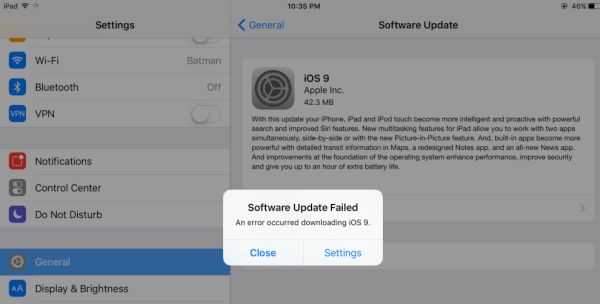
iOS 9 Update Error Software Update Failed Fix

How to Fix iOS 9 Update Error

Step 1. If you are planning to get the update from iTunes you might get the message about software update failed. Don’t worry since a lot of people are trying to download the new iOS 9 firmware at once and Apple servers experience extremely high traffic.

Step 2. If iTunes doesn’t want to check for the update yet you should try another installation method. For example, try the OTA update option. It could work better and you will not see the error message.

Step 3. If the error occurs when you are downloading the 2015 firmware version you should either wait for a while [the high traffic won’t last forever and everything should calm down within a couple of days] or download direct iOS 9 ipsw file for your iPhone and manually install the firmware through iTunes.

As you can see there are several solutions you can try to use. One will definitely work and you will successfully upgrade to iOS 9 platform. If you get the ‘Update Requested’ or error message while using one of the methods, just try another way and something will work.
iOS 9 Direct Download Link for iPhone, iPod Touch and iPad IPSW

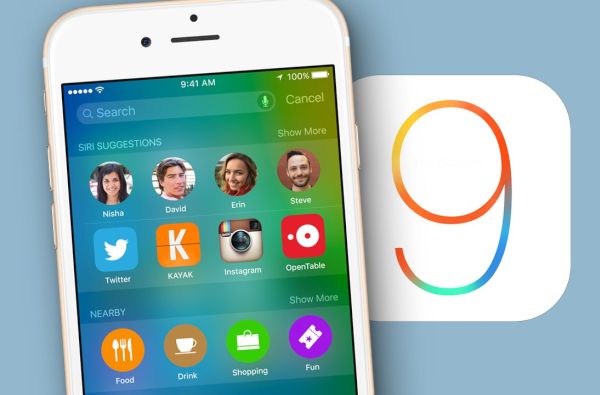
The new 2015 version of Apple mobile firmware is out with iOS 9 release links for all supported devices. Users who don’t care much about jailbreak can already upgrade to this most recent operating system and get hands on a lot of new features and specs that were previously not available on iPhone, iPod touch and iPad.

You can download iOS 9 ipsw free update using direct links or via OTA-update option. Any method is great and should successfully install the new firmware with improved Notes, News, Map and other apps, Low Power mode, smart Siri and other things Apple offers this fall.

It is possible to install the latest iOS 9 ipsw on iPhone 4s or newer smartphone, iPod touch 5G or 6G, all iPad mini models, all iPad Air versions, iPad 2 or newer iPad.

Direct iOS 9 Download Links ipsw free

iOS 9 Direct Download Link List

If you are not a fan of OTA updates you can either install the firmware through iTunes or update manually via iTunes by getting the ipsw file for your particular iPhone, iPod touch or iPad. The version you’ll need is the build 13A5344. Select your gadget from the list below and download the free iOS 9 ipsw file to install it through iTunes.

Direct iOS 9 Links for iPhone 4S – 6 Plus:

iOS 9 for iPhone 6

iOS 9 for iPhone 6 Plus

iOS 9 for iPhone 5S (A1453, A1533)

iOS 9 for iPhone 5S (A1457, A1518, A1528, A1530)

iOS 9 for iPhone 5c (A1456, A1532)

iOS 9 for iPhone 5c (A1507, A1516, A1526, A1529)

iOS 9 for iPhone 5 (A1428)

iOS 9 for iPhone 5 (A1429)

iOS 9 for iPhone 4S

Download iOS 9 ipsw for iPad tablets:

iOS 9 for iPad Air

iPad Air 2 (Model A1566)

iPad Air 2 (Model A1567)

iPad Air (Model A1474)

iPad Air (Model A1475)

iPad Air (Model A1476)

iOS 9 for iPad mini

iPad mini 3 (Model A1599)

iPad mini 3 (Model A1600)

iPad mini 3 (Model A1601)

iPad mini 2 (Model A1489)

iPad mini 2 (Model A1490)

iPad mini 2 (Model A1491)

iPad mini (Model A1432)

iPad mini (Model A1454)

iPad mini (Model A1455)

iOS 9 for iPad 2, 3 and 4

iPad (4 gen version A1458)

iPad (4 gen version A1459)

iPad (4 gen version A1460)

iPad Wi-Fi (3 gen)

iPad Wi-Fi + Cellular (AT&T)

iPad Wi-Fi + Cellular (Verizon)

iPad 2 Wi-Fi (Rev A)

iPad 2 Wi-Fi

iPad 2 Wi-Fi + 3G GSM

iPad 2 Wi-Fi + 3G CDMA

iPod Touch iOS 9 Direct Download Links:

iOS 9 for iPod touch 5 gen

iOS 9 for iPod touch 6 gen

Have you already updated to this firmware?

iPhone Unlock Leads to False iOS 9 Update Alert Messages

Public beta testers, some developers and users who like to test new Apple firmware versions and installed the iOS 9 beta keep getting false iOS 9 update alerts. Apple is officially rolling out its new mobile firmware version this week. However the upgrade is not available to public yet while a number of users get the alert that is false.

iOS 9 update free links will be published on September 16th. This is a major ‘fruit’ firmware upgrade from Apple. The platform was tested in the summer and last week the last iOS 9 GM version was seeded to make sure all the bugs are fixed and problems are solved.

iPhone 6 Unlock iOS 9 Update False Alert

It might be annoying to get iOS 9 update alert messages 2015 on your iPhone or iPad, especially since the problem affects every time you unlock iPhone 6, 5s, 6 Plus or other model that is still running the beta version of this operating system.

The ‘new iOS 9 update is now available’ message sounds reassuring however there is no iOS 9 presented to public yet. You might want to either update to iOS 9 Golden Master version to fix this bug or downgrade to iOS 8.4.1 and wait for the public introduction of the final firmware version that will be followed by iPhone 6s release on September 25.

We don’t know what causes the false message to appear. But we know another method that kills the bug. Since Apple already presented the next iOS 9.1 beta 1 you might want to download this version and continue testing the company’s betas without the false ‘update’ alerts.

So there are three main solutions you could go with: upgrade to iOS 9.1 beta, downgrade to iOS 8.4.1 public version or wait for the official iOS 9 release this week. Some users also believe that the problem is gone after you force restart the iPhone or iPad. Just click on your Power and Home buttons at the sametime and wait for the issue to disappear.

When iOS 9 Is Coming to U.S., India and Other Countries

When can you download iOS 9 ipsw files for your iPhone, iPod touch and iPad? Apple has already released all the possible iOS 9 betas to developers and public beta testers and this means the soon public launch of the new iPhone, iPod touch and iPad mobile firware version in 2015.

When iOS 9 is coming? We already know the official iOS 9 release date in India, U.S. and all other countries. It is September 16th. The next week, on September 16, Apple is officially rolling out a lot of new features, options and tricks the operating system 9 offers to users.

iOS 9 Release Date in India and US

What does this mean? It means that you can easily update to iOS 9 when iOS 9 will release on Wednesday, September 16. This upgrade will be major. Unlike iOS 8 platform that is available throughout 2014 and 2015, the new version iOS 9 should bring new split-view multitasking to iPad users, better Apple Maps with transit directions and other cool features, improved Notes, Siri and many more great additions users should enjoy.

It is curious that Apple brings a lot of things that were previously not available on its iOS firmware. It will be easy to search throughout the system, make great photos, get better interface and simpler navigation.

Remember that you can unlock iOS 9 iPhone from AT&T, Sprint, T-Mobile and Verizon as soon as you purchase your new phone. Apple starts to offer never locked [fully SIM unlocked] iPhone 6s and iPhone 6s Plus this year with the 24 months installment plan. This is an interesting option you might want to consider instead of buying AT&T iPhone 6s and ordering its factory unlock online.

The new generation phones will boast better security, Proactive feature that comes with iOS 9 upgrade, Apple Pay system, low power battery mode that should extend the battery life and other great options.

iPhone 6s Box Image Leak Hints to Apple Motion Wallpaper Options

We’ll soon see real iPhone 6s unboxing videos and photos. The Cupertino-based company, Apple, is officially presenting its next gen smartphones this week. Millions of eyes can’t wait to see what these handsets are like and what major changes Apple brings to both iOS 9, iPhone 6s, iPhone 6s Plus and other ‘fruit’ products.

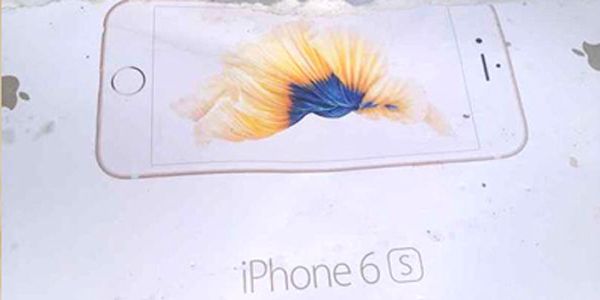
There is iPhone 6s box photo leaked on the web ahead of the public iPhone 6s launch. No devices are yet shipped to masses. Users will be able to pre-order their new generation ‘s’ model later this or next week and thus seeing what is believed to be the gadget’s box is pretty cool.

iPhone 6s Box Motion Wallpaper Feature

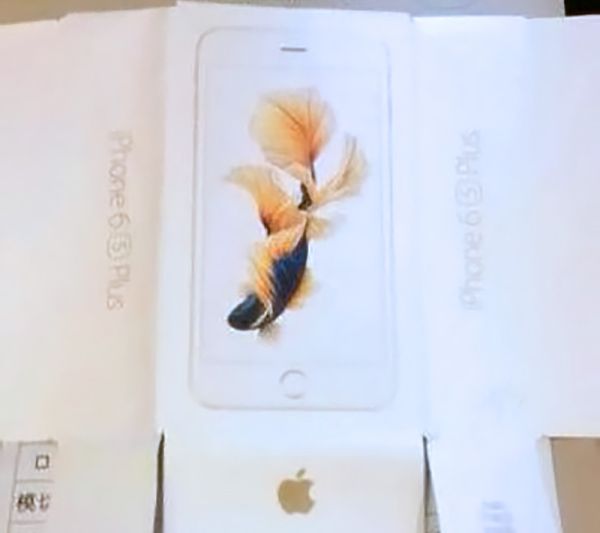
Of course, this could be only a box that has nothing to do with the iPhone 6s still there are chances that this is exactly the design we’ll see later this year. By the way, the box that appeared online suggests Apple Motion wallpaper feature that is present on the company’s Watch wearables is coming to the iOS 9 iPhones.

The picture of the box for iPhone 6s was published by one German site. It points to ‘Motion’ wallpapers that were first introduced at the iWatch premiere. Seeing amazing butterflies flapping their wings on your background or incredible animations of flowers and other things is always beautiful and inspiring. This is something the new iPhone 6s customers could get.

iPhone 6s Box Image Leak

Will the upcoming iPhone 6s unboxing show us amazing Motion backgrounds? The image of the front of the box shows the fish that was swimming earlier on the Apple Watch and this is why experts started to think Apple is bringing this wonderful option from wearables to smartphones.

By the way, the new iPhone 6s lineup is also getting Force Touch feature [it is also available on the Watch], better processor and camera, more RAM and other interesting specs.

iOS Browsers with Adblock Get New iPhone Extension

Are you searching for iOS browsers with adblock option? Just before Apple officially introduced the new iOS 9 firmware version and iPhone 6s lineup to users [this system will get the adblock option], a team of developers launched the free iOS 8 adblock browser extension which you can give a try before you are able to upgrade to the latest Apple mobile operating system.

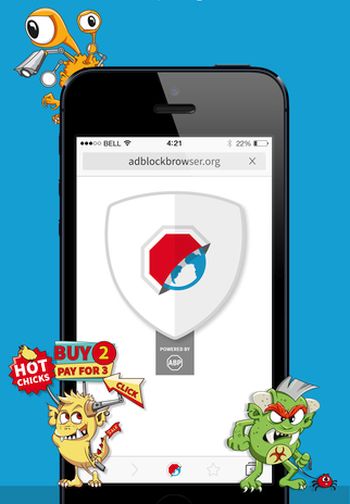
The new browser app supports iOS devices. It was available as the beta option for a couple of months before devs decided it was time for it to land on the iOS platform. Since the application can be downloaded and used for free, you can try to see how to block ads on iPhone with the help of Adblock Browser.

iOS 8 AdBlock Browser for iPhone

While Apple’s solution will make its popular Safari browser ad-free, the devs who stand behind Adblock Plus presented their own browser that is believed to consume less battery life and save iPhone and iPad data [when T-Mobile data throttle is announced it is better to ‘eat’ less data].

You know that all the ads present on the webpages take time to upload, need a ‘bite’ of your data plan and a bit of battery life. Once the ads are blocked you can enjoy texts and information you are aimed to get.

This is a nice tool to use when you really need to preserve your battery life while searching the web. The browser created by Adblock team looks simple. It is only designed to make internet surfing on the iPhone or other Apple gadget ad-free and it is doing what it is meant for.

Some users note that the free browser crashes once in a while. If this is the issue you experience as well, you just have a couple of more days to wait for Apple to unveil its new iOS 9 firmware with Safari adblock feature.

In case you are still interested in iOS 8 adblock browser extension Adblock Browser you can download it for free from iTunes.

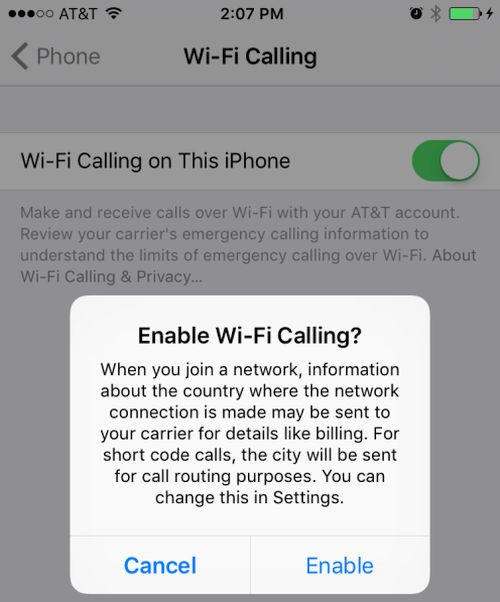
iOS 9 WiFi Calling Brings Support for AT&T iPhone 6 / 6S

A lot of users might have already downloaded iOS 9 beta 5 that was released in August by Apple and can be downloaded through direct no UDID links even though this testing version is meant for registered developers. This update brings AT&T WiFi calling 2015 support that was rumored to roll out and seems to be officially released soon.

iOS 9 WiFi calling has already supported T-Mobile and Sprint networks. Verizon is the only company that doesn’t hurry to support the new option. If you wish to use such an option this fall you might want to SIM unlock Verizon iPhone 6 even though this carrier also promises to offer full support sometime this year.

ios-9-att-wifi-calling-iphon

AT&T WiFi Calling iPhone 6 feature hasn’t been tested by users yet because it is not available to most of them. Still the new mobile platform does support the option. This means that AT&T iPhone subscribers should be able to make cellular calls using WiFi network when their cellular signal is too weak or absent.

If you have the AT&T iPhone that is running iOS 9 beta 5 you can launch Settings and take a look into your iPhone menu. You’ll find WiFi Calling feature there which you cannot enable at the moment but it should work once Apple officially presents the next operating system for mobile devices.

The U.S. carrier doesn’t say when it is going to roll out this feature. According to rumors, this should happen sometime in September however the option is already being tested in some U.S. regions. If you are lucky to live in the area where AT&T is testing WiFi Calling you might be able to actually turn it on right now even within the beta iOS 9 version.

Do you think iOS 9 will be cooler than iOS 8? We all know that Apple should still unveil iOS 8.4.1 as the company is testing this firmware along with future iOS 9.

Telstra iPhone Apple Music Deal for Australian Users

Do you own the Telstra iPhone in Australia [learn more about the possibility to SIM unlock any iPhone models from different carriers]? All users who are subscribed to the Go Mobile data plans could also get the advantage of the new Telstra Apple Music deal that is related to the no cost music streaming subscription for the whole year.

telstra-free-apple-music-iphone-subscription

Apple released its Apple Music service along with iOS 8.4 update. The company will definitely include it to the upcoming iOS 9 firmware version which is now being tested by developers, partners and ordinary users who are participating on the official Beta Testing program. All Australian customers could get the new offer right away.

Apple offers is new service with a 3-month trial period and later it is going to charge users per month. Telstra Apple Music subscription free period will last 12 months [or the whole year] for all users who are on the Go Mobile data plan. The company is later planning to charge customers for the service right in the bill.

What does this mean? It seems that Apple and Telstra Australia worked together to support music service via direct billing. Who is eligible for the offer? You have to own the iPhone and be subscribed to the Telstra Go mobile plan for 12 or 24 months. These are the main requirements for using the free one-year music streaming subscription.

This is the first time in carriers’ history when a mobile operator is planning to give away no-cost Apple Music subscription along with its own network service. All users who decide to stop using the music streaming option after the free period comes to an end will have to send a message to Telstra and inform your Australian carrier that you wish to cancel your subscription otherwise you will be automatically charged for this service after a year of free usage is over.

iOS 9 Public Beta 2 Install Instruction for iPhone, iPad, iPod Touch

Unlike iOS 9 beta 2 and 3 and well as the first public beta, the latest iOS 9 public beta 2 install guide includes iPod touch 6G that was released in July. All previous firmware versions didn’t support this new model because it wasn’t unveiled yet. It is possible for users to download iOS 9 beta 4 [there are direct links without developer’s account you can find on the web] or register in Public Beta Testing Program and download all the versions Apple releases for public testers.

ios-9-public-beta-2-release

We’ll explain how to update to iOS 9 public beta 2 if you are already running the first version [you can also unlock your iPhone running iOS 9 beta]. Everything can be done within minutes. You’ll have to use your account or download the new release right from your iPhone, iPad or iPod touch.

How to Install iOS 9 Public Beta 2

Step 1. Take your iPhone or iPad and go to Settings.

Step 2. Choose General menu.

Step 3. Select Profile.

Step 4. Click on iOS 9 Beta Software Profile [all registered testers should have this option].

Step 5. Choose Delete Profile and confirm your decision by clicking on Delete.

Step 6. You’ll have to reboot now. This is important.

Step 7. Go to Settings once your iDevice is turned back on. You have nearly completed the task.

Step 8. Choose General – Software Update.

Step 9. The new iOS 9 beta should be available for download now.

Step 10. Download it and install.

Step 11. Start testing the new firmware from Apple and report any bugs and issues you’ll come across.

The guide above works for all users who are not developers and wish to test iOS 9 which should be officially unveiled in the fall 2015. It’s nice that you can SIM unlock iPhone running iOS 9 beta from any carrier. You just have to have a clean IMEI number and activated smartphone.

Has the guide helped you?