It is too easy to activate Siri on iOS 9 and sometimes this could happen during an important meeting or in a class [you can always SIM factory unlock AT&T iPhone 6s and other models if you want to use different networks without restrictions]. Users who like to check on their smartphone once in a while and don’t want to become red because their personal assistant is suddenly activated can use Siri silent mode iOS 9 or simply make it silent.
We’ll tell you how to disable Siri on iOS 9 and this is probably the best solution which makes sure the assistant will stay silent and not be awoken during an intense conference or other event you are attending. We’ll also explain how to turn off your audio feedback just in case.
Make Siri Silent iOS 9 Instruction
Step 1. Firstly take your iPhone and launch Settings app.
Step 2. In General menu you will find Siri option.
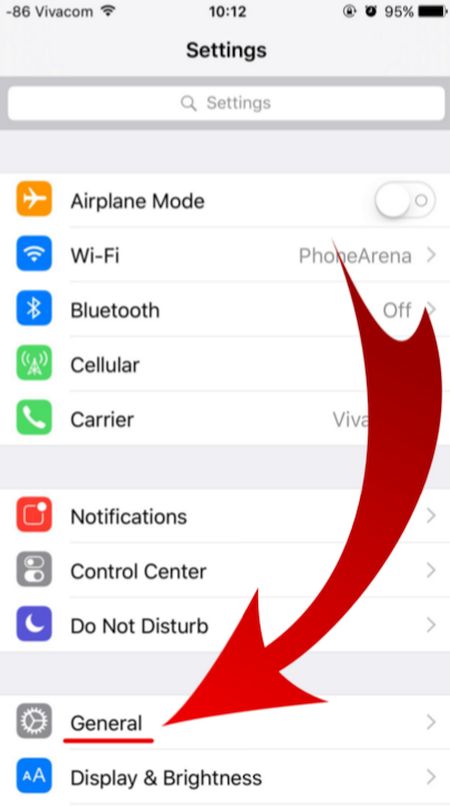
Step 3. There are several options under Siri menu. Look up for Voice Feedback feature as we are here to learn how to turn off audio feedback on iPhone that is updated to one of iOS 9 firmware versions [Apple released iOS 9, updated it to iOS 9.0.1, 9.0.2 and 9.1 which is the most recent release and the only firmware signed in by the company right now. Some users report AT&T iOS 9.1 Touch ID not working issue on their smartphone after upgrade].
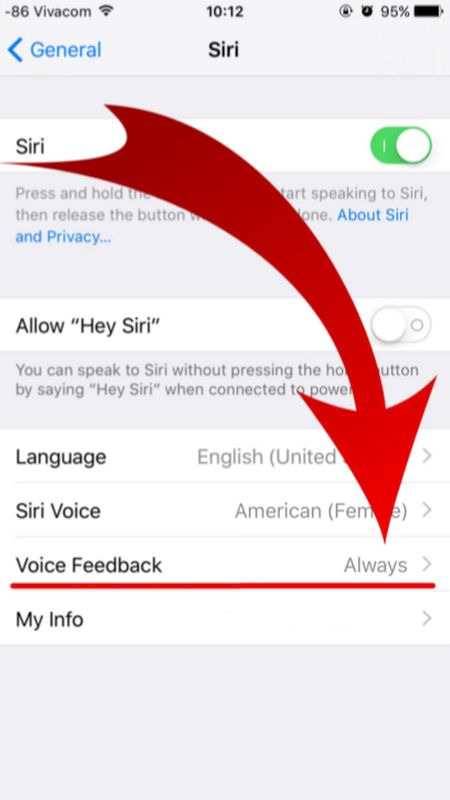
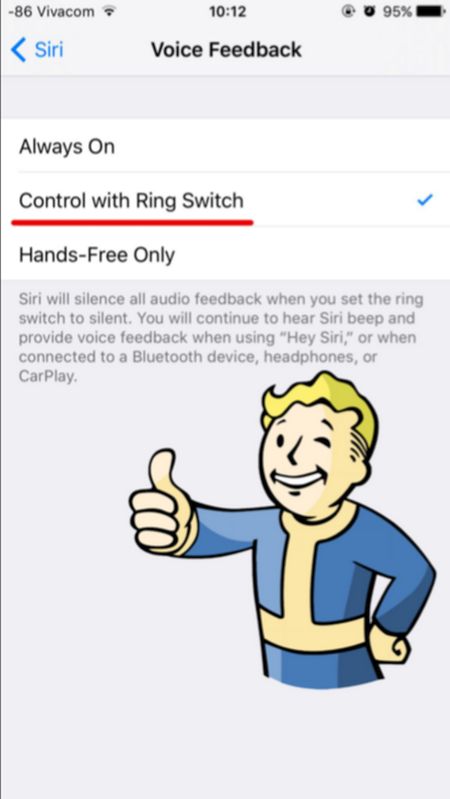
Step 4. You don’t need the Siri Voice Feedback being always on so disable it and you will complete Siri silent iOS 9 guide. How can you turn it off? Just select a different option. For example, tap on Control with Ring Switch. Why not? This is very simple but unfortunately Apple doesn’t set this feature this way by default.
Your personal assistant Siri will never surprise you after you go through the guide above and change the settings for iOS 9 Siri. You can use it but it will remain silent letting you attend meetings and other events without having to worry whether you awake Siri unexpectedly or not.