There were some problems with iOS 9 WiFi Calling AT&T option as the U.S. carrier was waiting for the approval from the FCC before it was ready to finally launch the announced service. The latest news state that users will be able to enjoy iPhone AT&T WiFi Calling on Mac once Apple officially updates iOS 9.2 version.
The Cupertino company started to test iOS 9.2. Developers got the first and second beta already and this latest OS makes it possible to answer your AT&T iPhone calls from Mac through WiFi connection. You just have to make sure that your computer and smartphone are both connected to the same network.
iOS 9.2 beta 2 supports AT&T NumberSync technology. Previous releases didn’t offer such support so you cannot answer phone WiFi calls from Mac right now. You’ll be able to do this when iOS 9.2 is launched for public use or if you are a public tester. Apple will definitely release iOS 9.2 public beta with support for AT&T NumberSync option.
How to Set Up WiFi Calling on iPhone 6 iOS 9.2
Step 1. Firstly you should install iOS 9.2 beta on iPhone [you can also SIM unlock AT&T iPhone 6s at any time].
Step 2. Now you can launch Settings on the phone.
Step 3. Select Phone – WiFi Calling menu.
Step 4. You need to Add WiFi Calling for Other Devices. This option is exactly what activates the feature on your computer.
Step 5. Follow the on-screen guide until you activate the iOS 9.2 WiFi Call support for AT&T.
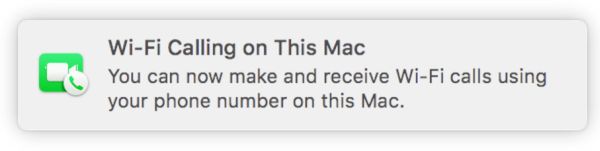
Step 6. If both Mac and iPhone are connected to the same WiFi network you will see a pop-up message from FaceTime that confirms everything is working.
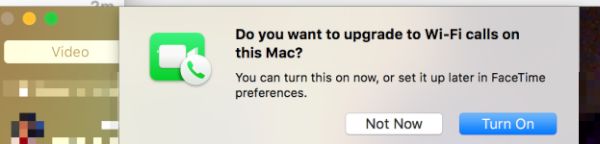
Step 7. On your Mac launch FaceTime and agree to enable WiFi Calling feature for Mac. The computer will provide you with the code. Enter it into your iPhone.
Step 8. When someone calls your iPhone via WiFi AT&T Calling you’ll be able to answer the call from Mac.
What do you think about such feature?