Is LTE not working on iPhone 6 or 6s? Sometimes you can come across software issue and while the bug can be solved it’s still not fun when you can’t make something work. Many Apple fans are reporting new iPhone 6 3G problems. Of course, you might be enjoying 4G and have no desire to use LTE still there are many users who really need to fix the glitch asap. Is it possible? How can you make the problem disappear?
How can you enjoy LTE working on your iPhone 6, 6s or other model [future iPhone 7 for example]? All there 3G bugs will be covered below. We hope that you’ll find the detailed guides on how to set LTE on iPhone 6 or make it work for Verizon and other U.S. carriers useful and must-have.
If you believe you experience LTE or 3G connectivity problems because of your network you can try some quick steps that could have an amazing effect and make you enjoy your device and mobile operator. If the problem is with your hardware – you’ll have to take your iPhone 6 to Apple Service center and have professionals take a look at it and repair your smartphone.
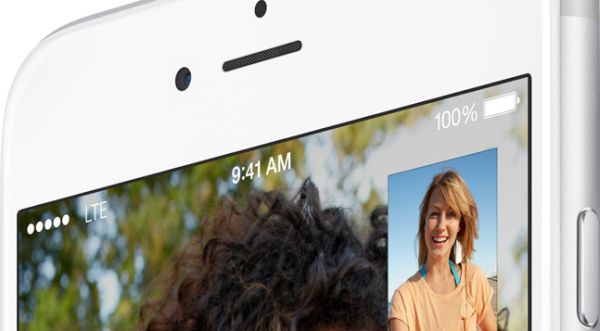
No LTE on iPhone 6 Because of Cellular Connection Bug Solution #1
Sometimes you cannot use 3G / LTE because the issues are with your mobile connection. To eliminate this problem you need to check if everything is ok or not. Follow the short instruction and complete this checking procedure:
Step 1. On your iPhone you need to open Settings.
Step 2. Select Mobile menu on iPhone 6.
Step 3. Toggle Mobile Data off and on a couple of times.
Step 4. Maybe the bug could be solved by this simple step. Your mobile date and LTE could be enabled and working well once again.
Step 5. You might also want to play with Airplane Mode. Just go to Settings and enable / disable this option.
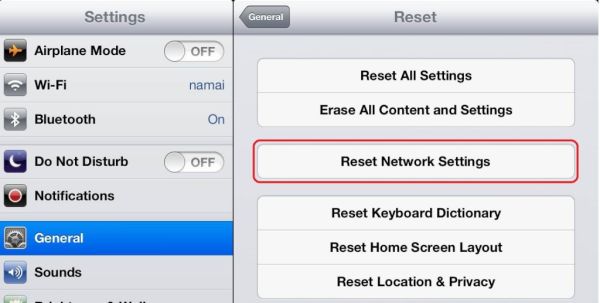
iPhone 6 LTE Not Working Solution #2
The issue could be with your network settings. Reset and everything might be running well again. Just make sure you know all your passcodes for VPN, WiFi and other possible networks you are using because resetting will erase all this information and you’ll have to enter everything once again.
Step 1. You need to go to Settings on the device.
Step 2. Select General menu.
Step 3. Find Reset option.
Step 4. Click on Reset Network Settings. Is the issue still present?
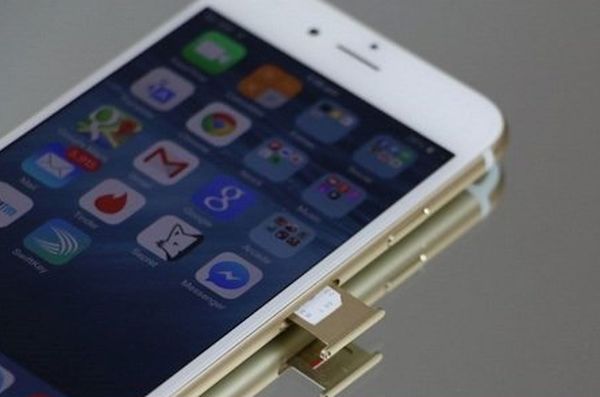
Why Don’t I Have LTE on My iPhone 6 Solution #3
Issues with LTE or 3G could be related to your SIM card. Users who dropped their smartphone might need to either replace the mobile SIM card or try to fix the current one by taking these steps:
Step 1. Turn off the handset.
Step 2. Carefully take out the current SIM card for Verizon or other network.
Step 3. Look at the SIM. Does it look fine to you?
Step 4. Try to insert it back into your device.
Step 5. Turn on the phone after a while. Do you have connection back?
3G on iPhone 6 Issue Solution #4
Everything could be pretty simple. When was the last time you updated your software? Apple releases new iOS versions once in a while and the new ones have to fix previous issues.
Step 1. Make sure there is enough battery life. It’s better if it’s full.
Step 2. Go to Settings.
Step 3. Choose General – Software Update.
Step 4. If there is a new version you should click to Download and Install it.
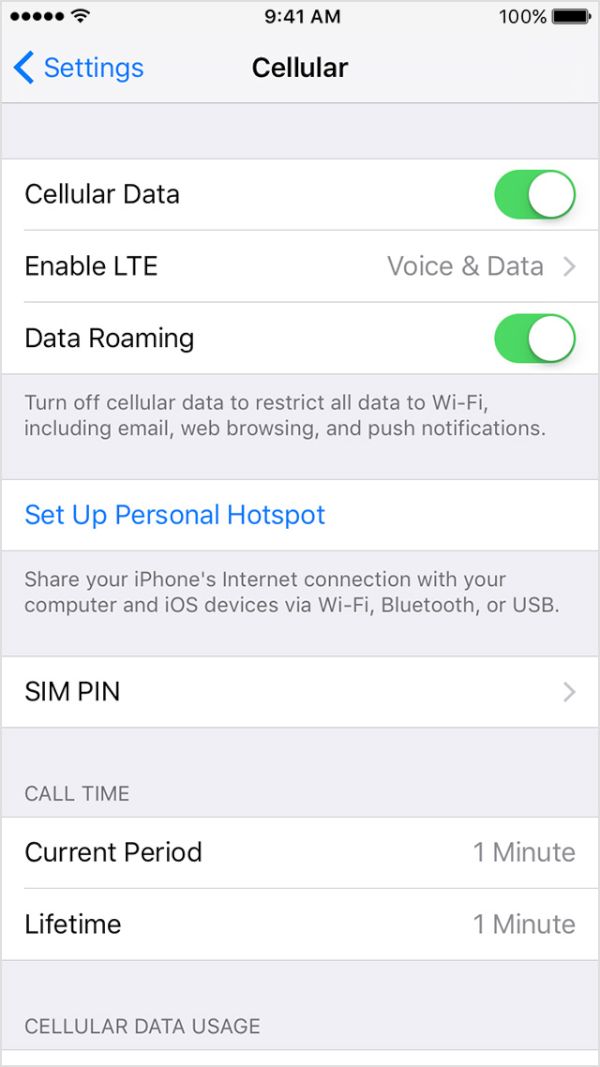
My iPhone 6s Not Connecting to LTE Solution #5
It could happen that you blocked your cellular data by enabling SIM PIN. This could be if you turned off / on the phone or switched SIMs. Maybe you decided to SIM unlock Verizon iPhone 6 and now trying to insert a different card.
Step 1. Settings is the place to go for a fix.
Step 2. Choose Phone menu.
Step 3. Click SIM PIN option and make sure it is disabled.
Solution #6
You might try to restore the gadget as new if nothing else fixed the bug. You should backup first because restoring erases all your information, videos, songs.
Step 1. You need your computer and iTunes running on it [here is how to fix iTunes error 3194].
Step 2. Open iTunes and backup the phone after you connect it to your PC or Mac.
Step 3. Choose Restore iPhone option and restore it as new device.
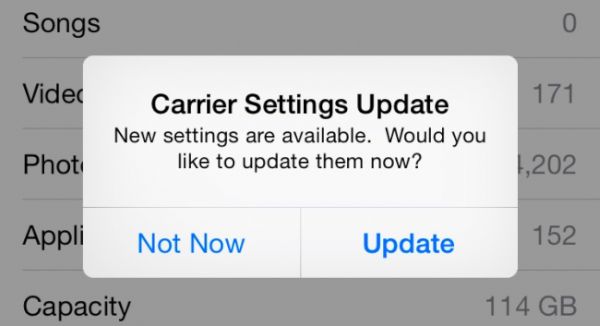
Verizon LTE Not Working on iPhone 6
The issue might be with your carrier settings update. You should make sure that were no recent upgrades. Check it on Settings – General – About and see if there is any update available under OK option.
Make sure everything is good with your mobile data plan. Maybe the issue is related to this.
If nothing helped you should contact your mobile operator and make them figure out what is wrong with your handset.