IMEI is an exclusive [unique] code given to each Apple smartphone. It is a shorten form for International Mobile Station Equipment that is important to the manufacturers, carriers and users. You can learn a lot about your handset if you know its IMEI number because it gives you access to interesting iPhone IMEI info. This number is like a fingerprint.
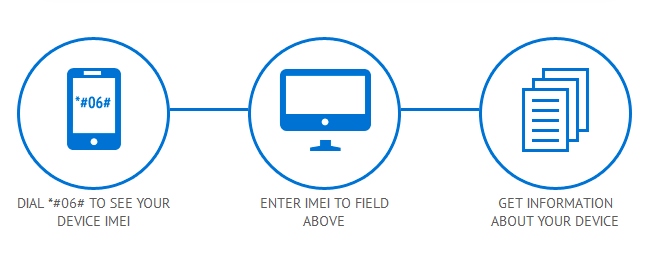
iPhone IMEI Details
You can use iPhone unlock checker here and learn more about the gadget you have. It is possible to figure out your unique number by dialing *#06# on the phone’s digital keyboard. You can also see it in Settings – General – About. Why is it so important?
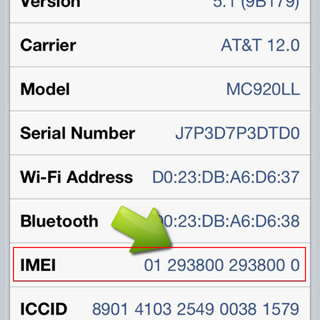
Firstly, the code helps companies to identify iPhones. Secondly, it allows stopping a lost or stolen handset from being used on the network it is locked to. In case someone steals your fruit gadget you can simply call your carrier and ask it to list your IMEI as barred / blacklisted [in other words, to block it]. This way whoever has your device will not be able to use it on your network or any other network [even if the SIM is replaced]. By the way, you can also use IMEI blacklist checker to find out if your device is clean or not network checker doesn’t shows such info.
Other iPhone Details IMEI
Users who purchase their handset from other users can run iPhone IMEI checker to learn which carrier this phone is originally locked to [or find whether it has never-locked status]. After purchasing our service you will get such results:
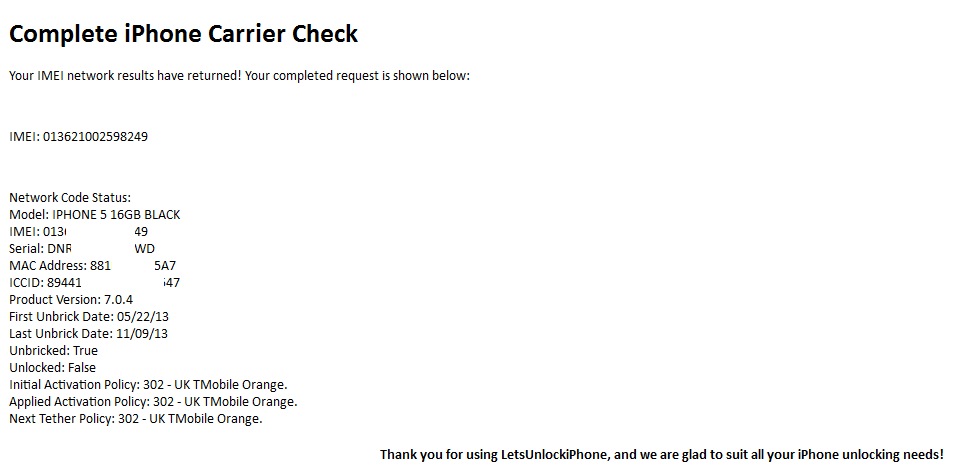
iPhone IMEI Info Check
It is highly recommended for insurers, security professionals, sellers and customers to check IMEI iPhone for any suspicious device. There are a lot of platforms that have a full database with information about phone’s models, maker and its status that are linked to the official reporting agency and rightful owners.
Such services is available to anyone. Don’t wait till someone starts using your lost or stolen device. Report its IMEI to your carrier and protect yourself.