The most recent firmware from Apple is iOS 7.1 update that was introduced to public on March 10. It is a long-awaited upgrade with new features and more problems. Some users report they are not able to install iOS 7.1 because they cannot get past iOS 7.0.6 version on their iDevice. You can solve the problem using our how to install iOS 7.1 instruction.
Both iPhone and iPad can get stuck on firmware v.7.0.6. If your upgrade was smooth you don’t have to reinstall the program. But if you face the same problem you can use the guide below to solve this issue.
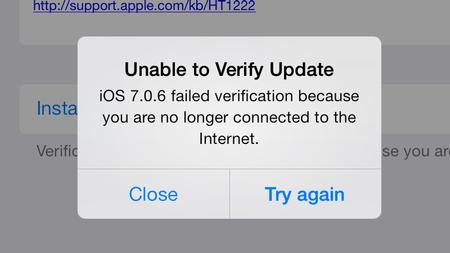
Users who complain about not being able to update to the newest firmware version say that they see just version 7.0.6 available in Settings – General – Software Update menu which doesn’t even work. When trying to click on this option they see an error message like this:
“failed verification because you are no longer connected to the Internet”
You can guess that users had such a connection.
This is an error. It should be gone if you check it later on.
How to Update to iOS 7.1 on iPad Air and other devices:
Step 1. Press on iOS 7.0.6 update if you don’t see 7.1.
Step 2. Get back to your Software Update to see if you are offered to install the most recent version of firmware. You might need to agree with installation even if the device downloads it automatically.
Step 3. Update to iOS 7.1.
This is weird and the issue should be gone soon.