Apple Maps bug report is one of the problems that some users faced with since it was first released in September 2012 along with iOS 6. The app was filled with cross locations errors that made for some different situations. Up to this day, Apple Maps still aren’t so perfect. That’s is not strange that there are some issues that users are reported about. So if you see wrong data in the Maps app here are few steps how to fix it.
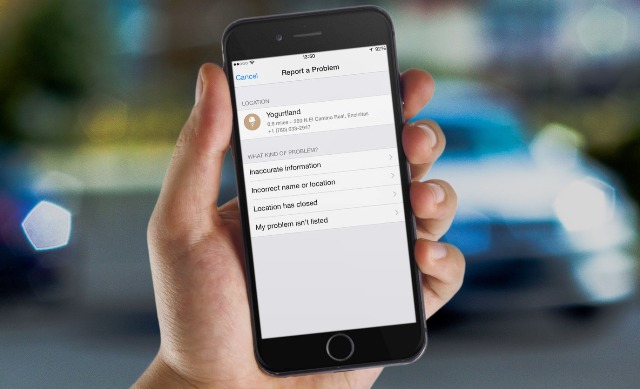
Step 1: Launch the Maps app and find the location where you have a problem. In most cases, the problem might be that some building is not where it’s supposed to be. So you can locate that building using the search bar, or drop a pin on the location that is not where it’s supposed to be. To do it you need click and hold your finger on the screen where you want the pin to be dropped. In the example below. This Yogurtland is showing at the wrong location in Apple Maps, despite listing the right address.
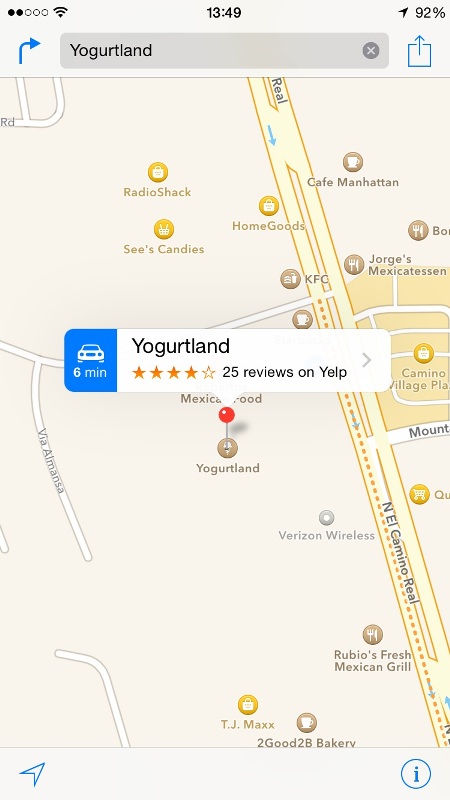
Step 2: Click on the name of the building or the location to show its full listing, then scroll down to the bottom and select “Report a Problem” option.
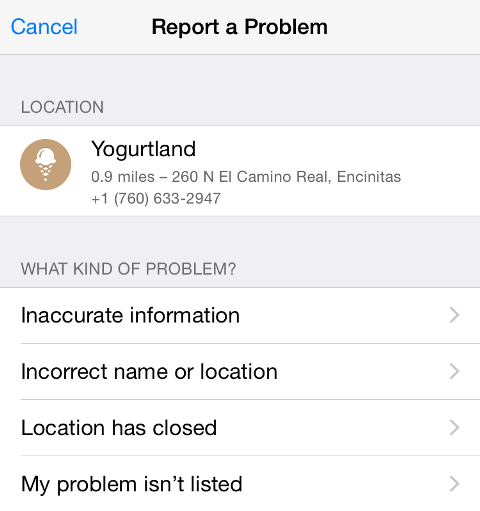
Step 3: Here are several offered options depending on the kind of problem you want to report. You can report incorrect name or location, inaccurate information, location that is now closed. In case none of these options is suitable for you, you can select the “my problem isn’t listed” option.
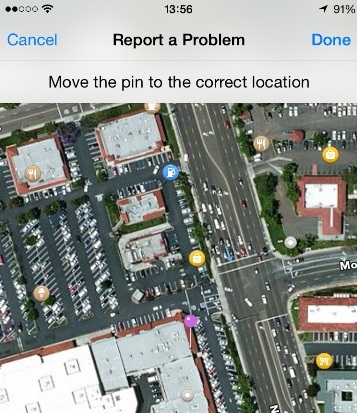
Step 4: Now you can change the name of the building if that is the problem you’re reporting. Here we just want to let Apple know that their location of Yogurtland on the map is way off. To do so, click once on the map, which will bring up a full screen version of the map.
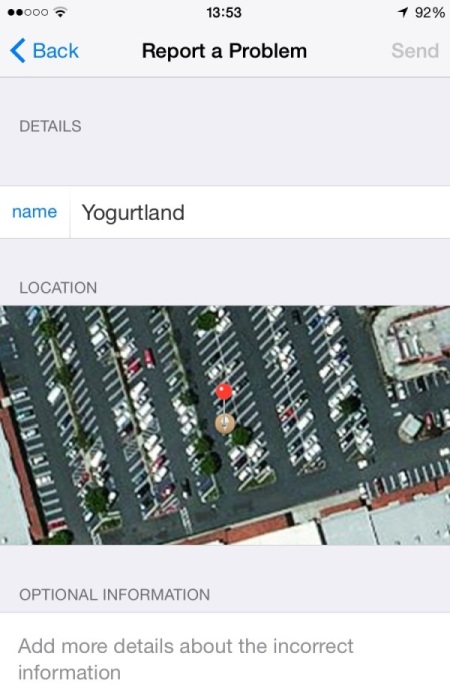
Step 5: Now move the purple pin around until it is located where the correct location is. Click Done to go forward.
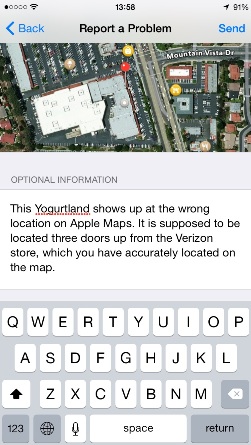
Step 6: You can insert some additional information. Click Send when done to submit your report.
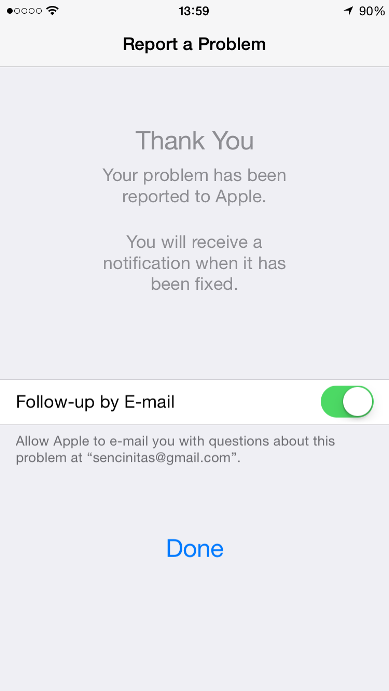
Step 7: You will receive a message with notification on your iPhone 6 or any other when the problem has been fixed. You will also have the opportunity to allow Apple to follow up with you via email in case they have additional questions. Click Done when you’re done.
Yes you see this Apple Maps bug report can be fixed very easily.
One thought on “Use This Guide To Report About Apple Maps Bug”