Before the release of iOS 7 it was much safer to purchase used iPhones. The situation is different from now on. Customers who are going to purchase this smartphone from resellers on eBay and similar platforms have to pay attention at whether find my iPhone turned on or off because if this option is on you can have a lot of problems with Activation lock.
This option has been introduced to low down the number of iPhone thefts. People like to steal the expensive smartphone and resell it. If you are not attentive enough while purchasing used devices you can get a smartphone stolen by someone or with Activation lock feature turned on. In other words, your device will be useless unless its original owner tells you his Apple ID / passcode to unlock and change the settings.
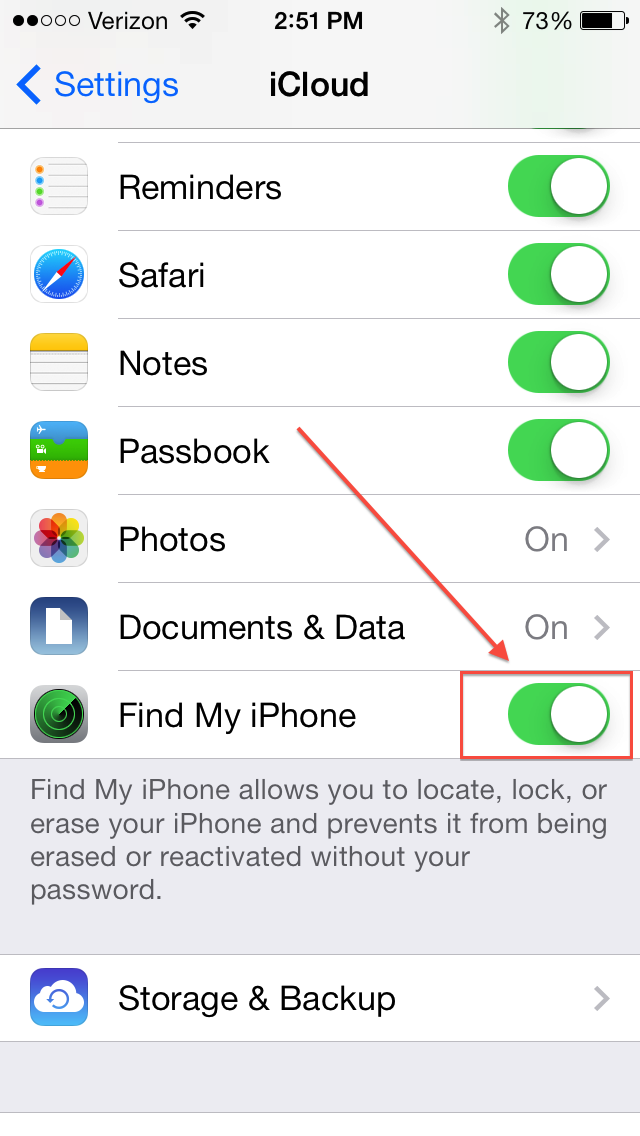
It is often difficult to contact previous owner and ask for the unlock. But you can always protect yourself BEFORE making a purchase. Here is what you must do in order to buy an activated iPhone with Find My iPhone app turned off.
Use iOS 7 Activation Lock Checker
Really, this service is superb as it can tell you for sure whether the iPhone you wish to get has Find My iPhone enabled or disabled. After you run this Activation Lock checker service you will know whether it is safe to purchase a particular handset or not.
By the way, don’t worry if you already purchased the iPhone with Find My iPhone and iOS 7 Activation lock turned one. You can bypass this lock distantly by using this service. Stay safe and enjoy using your Apple device.
How Find My iPhone Works on iOS 7
This application works in pair with Activation Lock option. If it is turned on you cannot activate your iPhone, restore it and reset if you don’t know the original ID and password of the person who set this feature on. You get a real “brick” instead of a smartphone and simply pay for nothing.